TL;DR
seedance-2.5/image-to-videoanimates a still image, or takes a first and a last frame and generates the motion in between. Clips run 4–30 seconds with native sound. Try it on the model page or through the API.- Same price as text-to-video: $0.204 per second at 720p, $0.516 at 1080p. A 4-second 720p clip is $0.816.
- There are two input modes and you pick one: first frame / first + last frame, or reference images + reference audio.
What it produces: first and last frame
The first frame is an empty terracotta pot, the last frame is the same pot full of basil, and the prompt only describes the change between them:
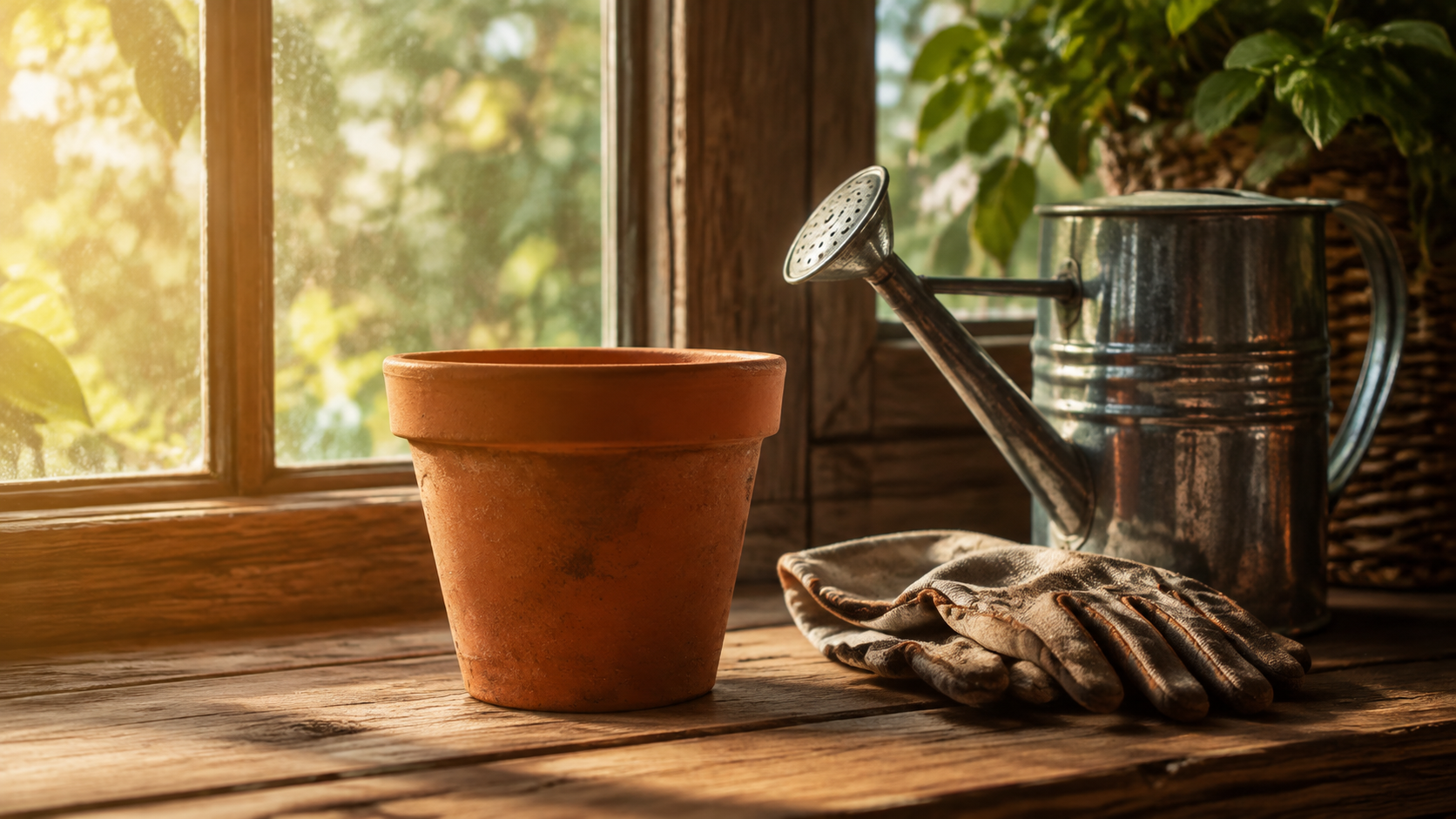
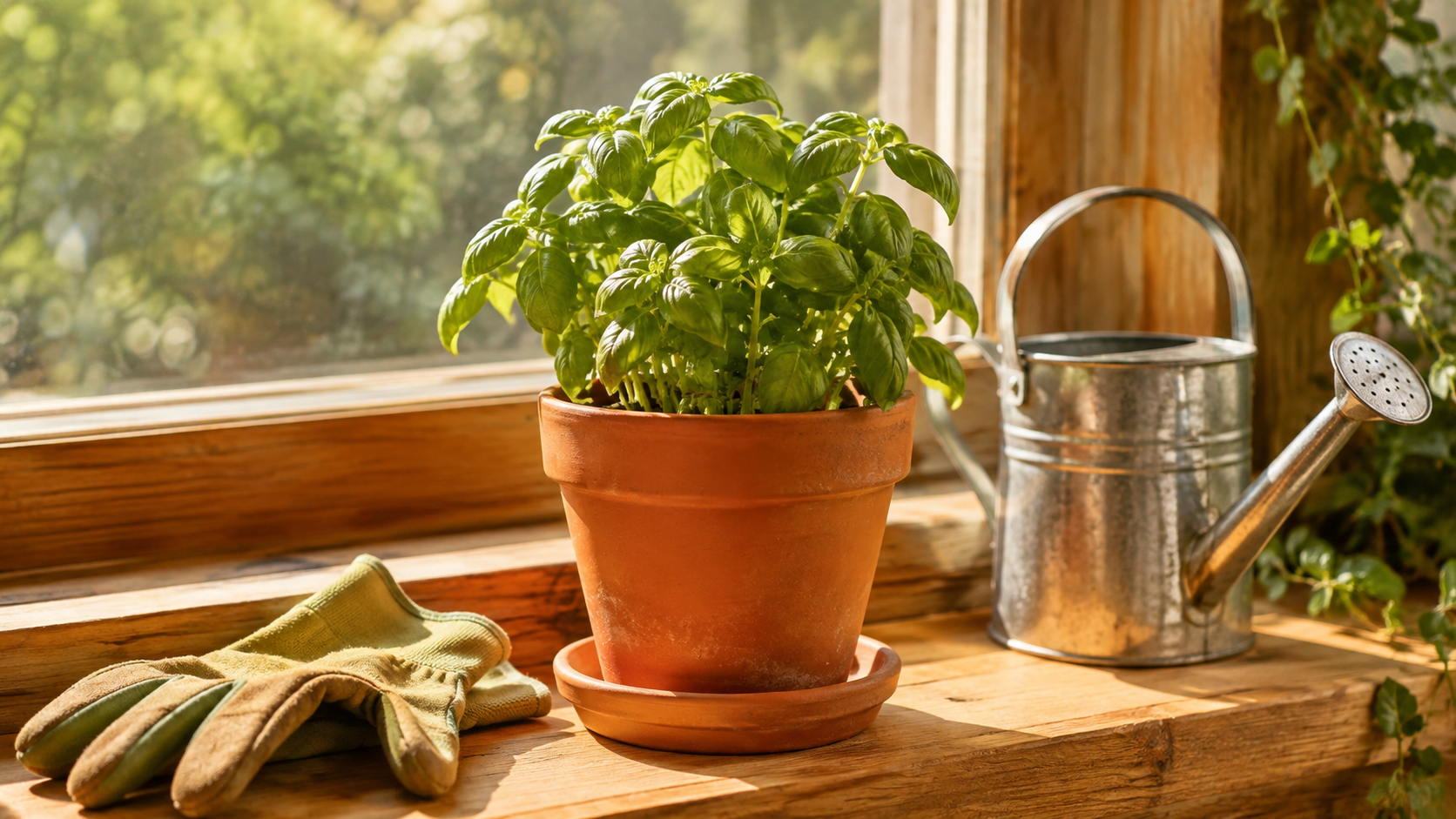
Time-lapse growth of a basil seedling sprouting and unfurling leaves inside the terracotta pot, smooth continuous motion, soft morning light staying consistent, camera locked off, no cuts
Generate with this prompt → (upload your own first and last frame, 4 seconds, 720p)
seedance-2.5/image-to-video, first + last frame, 720p, 4 seconds, with sound, $0.816.
Keep the composition, light, and props identical in both frames and change only what the video should show (here, the plant). "Soft morning light staying consistent" stops the model from turning the lighting into a time-lapse too.
curl: animate one image
The most common case: a product photo or illustration plus one line about what happens next.
curl -X POST https://api.hiapi.ai/v1/tasks \
  -H "Authorization: Bearer $HIAPI_KEY" \
  -H "Content-Type: application/json" \
  -d '{
    "model": "seedance-2.5/image-to-video",
    "input": {
      "prompt": "The camera slowly pushes in on the steaming coffee cup, steam swirling up in the morning light, slight handheld sway",
      "first_frame_url": "https://your-cdn.example.com/coffee-cup.jpg",
      "duration": 5,
      "resolution": "720p"
    }
  }'
You get a taskId back immediately:
{"code": 200, "data": {"taskId": "tk-hiapi-..."}, "message": "success"}
Poll GET /v1/tasks/{taskId}; when status is success, download output[0].url.
First and last frame: add last_frame_url
{
  "model": "seedance-2.5/image-to-video",
  "input": {
    "prompt": "Time-lapse of the same desk from day to night: daylight fades, the desk lamp switches on, city lights come on outside, camera locked off",
    "first_frame_url": "https://your-cdn.example.com/desk-day.jpg",
    "last_frame_url": "https://your-cdn.example.com/desk-night.jpg",
    "duration": 4,
    "resolution": "720p"
  }
}
last_frame_urlmust be used together withfirst_frame_url.- If the last frame's aspect ratio differs from the first, it is center-cropped, so export both at the same ratio.
- The output follows the first frame's aspect ratio;
aspect_ratioonly acceptsadaptive, so you can leave it out.
Python: submit, poll, download
# pip install requests; export HIAPI_KEY=your-key
import os, time, uuid, requests

KEY = os.environ["HIAPI_KEY"]
H = {"Authorization": f"Bearer {KEY}"}

def generate(prompt, model="seedance-2.5/image-to-video", timeout_s=900, **params):
    body = {"model": model, "input": {"prompt": prompt, **params}}
    # Reuse the same Idempotency-Key if you retry this submission, so it is billed once
    headers = {**H, "Idempotency-Key": str(uuid.uuid4())}
    r = requests.post("https://api.hiapi.ai/v1/tasks", json=body, headers=headers, timeout=30)
    r.raise_for_status()
    res = r.json()
    if res.get("code") != 200:
        raise RuntimeError(res)
    task_id = res["data"]["taskId"]
    deadline = time.time() + timeout_s
    while time.time() < deadline:
        d = requests.get(f"https://api.hiapi.ai/v1/tasks/{task_id}", headers=H, timeout=30).json()["data"]
        if d["status"] == "success":
            return d["output"][0]["url"]
        if d["status"] == "fail":
            raise RuntimeError(d)
        time.sleep(10)
    raise TimeoutError(task_id)

url = generate(
    "Time-lapse growth of a basil seedling sprouting and unfurling leaves, camera locked off, no cuts",
    first_frame_url="https://your-cdn.example.com/seedling-start.jpg",
    last_frame_url="https://your-cdn.example.com/seedling-grown.jpg",
    duration=4, resolution="720p",
)
with open("clip.mp4", "wb") as f:
    f.write(requests.get(url).content)
The other mode: reference images and audio
If you don't want an image pinned as the first frame, and only want the model to borrow a character's look, a product, or a style, use reference_image_urls (up to 30). You can add reference_audio_urls (up to 10) for the sound:
{
  "model": "seedance-2.5/image-to-video",
  "input": {
    "prompt": "The girl from the reference wears the same blue backpack and walks past a rainy street corner, camera following her",
    "reference_image_urls": [
      "https://your-cdn.example.com/girl.jpg",
      "https://your-cdn.example.com/backpack.jpg"
    ],
    "duration": 5,
    "resolution": "720p"
  }
}
Reference images and audio cannot be combined with first_frame_url / last_frame_url. Choose one mode per request.
Input schema
| Field | Values | Notes |
|---|---|---|
prompt | string, required | Describe the motion, camera, and sound; no need to re-describe the image |
first_frame_url | image URL | First frame |
last_frame_url | image URL | Last frame, used with a first frame |
reference_image_urls | up to 30 | Not combinable with first/last frame |
reference_audio_urls | up to 10 | Not combinable with first/last frame |
duration | integer 4–30, default 5 | Seconds |
resolution | 720p / 1080p, default 720p | |
generate_audio | default true | |
output_format | mp4 / mov |
Cost
| Duration | 720p ($0.204/s) | 1080p ($0.516/s) |
|---|---|---|
| 4 s | $0.816 | $2.064 |
| 5 s | $1.02 | $2.58 |
| 10 s | $2.04 | $5.16 |
| 15 s | $3.06 | $7.74 |
First-and-last-frame and single-frame requests cost the same; only resolution and duration matter. See Seedance 2.5 API pricing.
Before you ship
- Image URLs must be publicly reachable. HTTP(S) URLs and data URLs work; private network addresses don't.
- Use a callback instead of polling: add
"callback": {"url": "https://your-app.example.com/hiapi/callback"}at the top level and deduplicate bytaskId. - Save the output right away:
output[0].urlis temporary. - Send an
Idempotency-Keyheader so a retry creates the task only once. - Failed tasks are refunded.
FAQ
Why does the middle of a first/last-frame clip look like a crossfade?
When the two frames differ too much, the middle second or two can look like one image dissolving into the other. Keep the composition and props the same, change only the subject, and add "camera locked off, no cuts."
Can I send only a last frame?
No. The last frame must be paired with a first frame.
How do I get a vertical video?
The output follows the first frame, so upload a vertical first frame.
What's the difference between a first frame and a reference image?
A first frame becomes the literal opening frame of the video. A reference image only guides appearance and style, so the model is free to recompose the shot.
Only have a prompt? See the Seedance 2.5 text-to-video API. For more first-frame techniques, see the Seedance 2.5 image-to-video prompt recipe, or upload an image on the model page.