
使用指南
用于电商产品图的 FLUX 1.1 Pro:hiapi API 指南

如果你在网上卖东西,你早就懂这笔账:一个产品详情页需要一张白底图、一张生活场景图,最好还有一组多角度图——每个 SKU、每个配色都要。棚拍一天只能解决十个产品,而图像 API 能解决一千个。
flux-1.1-pro(Black Forest Labs 的 FLUX.1.1 [pro])是 hiapi 上的写实主力模型:它能渲染出令人信服的材质——拉丝金属、玻璃、织物、柔焦散景——统一按 每张图 $0.05 计费。本指南是一份可直接落地的电商配方:下面每张图都用其上方原样印出的提示词生成,走的是你直接复制粘贴就能用的同一套 /v1/tasks 调用,并且我们记录了真实的参数范围——包括那些看起来应该存在、但一发就返回 400 的参数。
60 秒看懂 API
在 hiapi 上,flux-1.1-pro 运行在异步任务端点上。你创建任务、轮询它,然后下载结果:
# 1. Create the task
curl -X POST https://api.hiapi.ai/v1/tasks \
  -H "Authorization: Bearer $HIAPI_API_KEY" \
  -H "Content-Type: application/json" \
  -d '{
    "model": "flux-1.1-pro",
    "input": {
      "prompt": "Studio packshot of an unbranded stainless steel wristwatch...",
      "aspect_ratio": "1:1",
      "output_format": "jpg",
      "seed": 6607
    }
  }'
# => {"code":200,"data":{"taskId":"tk-hiapi-01KWK3JG..."},"message":"success"}

# 2. Poll until status is "success" (typically 10–40s for flux-1.1-pro)
curl https://api.hiapi.ai/v1/tasks/tk-hiapi-01KWK3JG... \
  -H "Authorization: Bearer $HIAPI_API_KEY"

# 3. Download output[0].url — it carries an expireAt timestamp,
#    so save the file to your own storage immediately.
进入正题之前,先记两条运维注意事项:
- 输出 URL 是临时的。任务一成功就立刻下载并自行转存——参见hiapi 输出 URL 过期后会发生什么。
- 如果任务在
processing状态停留的时间超出预期,别盲目重新提交;这里有一份卡住或超时任务的诊断指南。
真实的参数范围(以及瞎猜会撞上的 400)
如果你在其他平台上用过 FLUX 模型,肌肉记忆会叫你去调 steps 和 guidance。但在 hiapi 针对 flux-1.1-pro 的任务 schema 里,这些字段并不存在——API 会严格校验输入,并拒绝未知属性:
{
  "code": 400,
  "error_code": "INVALID_REQUEST",
  "message": "invalid input: <root>: additional properties 'steps', 'guidance' not allowed"
}
这不是 bug;FLUX 1.1 [pro] 以托管端点形式提供,采样内部机制由提供方固定。以下是经过线上 schema 验证、你可以发送的内容:
| 字段 | 类型 | 可接受值 / 范围 |
|---|---|---|
prompt |
string | 必填 |
aspect_ratio |
string | 1:1、16:9、9:16、3:2、2:3、4:3、3:4、4:5、5:4、custom |
width、height |
integer | 256–1440 px(替代宽高比使用,或与 custom 宽高比搭配) |
seed |
integer | 任意整数——固定构图以实现可复现性 |
output_format |
string | jpg、png、webp |
prompt_upsampling |
boolean | 让后端重写/扩展你的提示词 |
safety_tolerance |
integer | 0–6 |
产品图的实用默认值:output_format: "jpg",按投放位置指定明确的 aspect_ratio(1:1 用于商城网格,4:5 用于信息流/生活场景,3:2 或 1440×960 用于横幅),为每个 SKU 系列固定一个 seed,并将 prompt_upsampling 关闭——电商场景下你希望模型严格照你的措辞走,而不是自行添油加醋。
配方 1 —— 干净的白底图
最基础的图:一个产品、无缝背景、柔和主光。明确说出背景颜色,要求地面倒影,而且——对任何写实模型都重要——务必写上“无品牌、无 logo、无文字”。表盘和标签正是 FLUX 可能凭空编造出商标形状涂鸦的地方,否则你还得后期修掉。
Studio packshot of an unbranded stainless steel wristwatch with a plain deep green dial and brushed metal bracelet, the dial completely clean with simple baton hour markers and no logo, no brand name, no text or numerals anywhere, standing upright on a seamless light grey background, centered composition, soft diffused key light from the upper left, subtle reflection beneath the watch, photorealistic e-commerce product photography
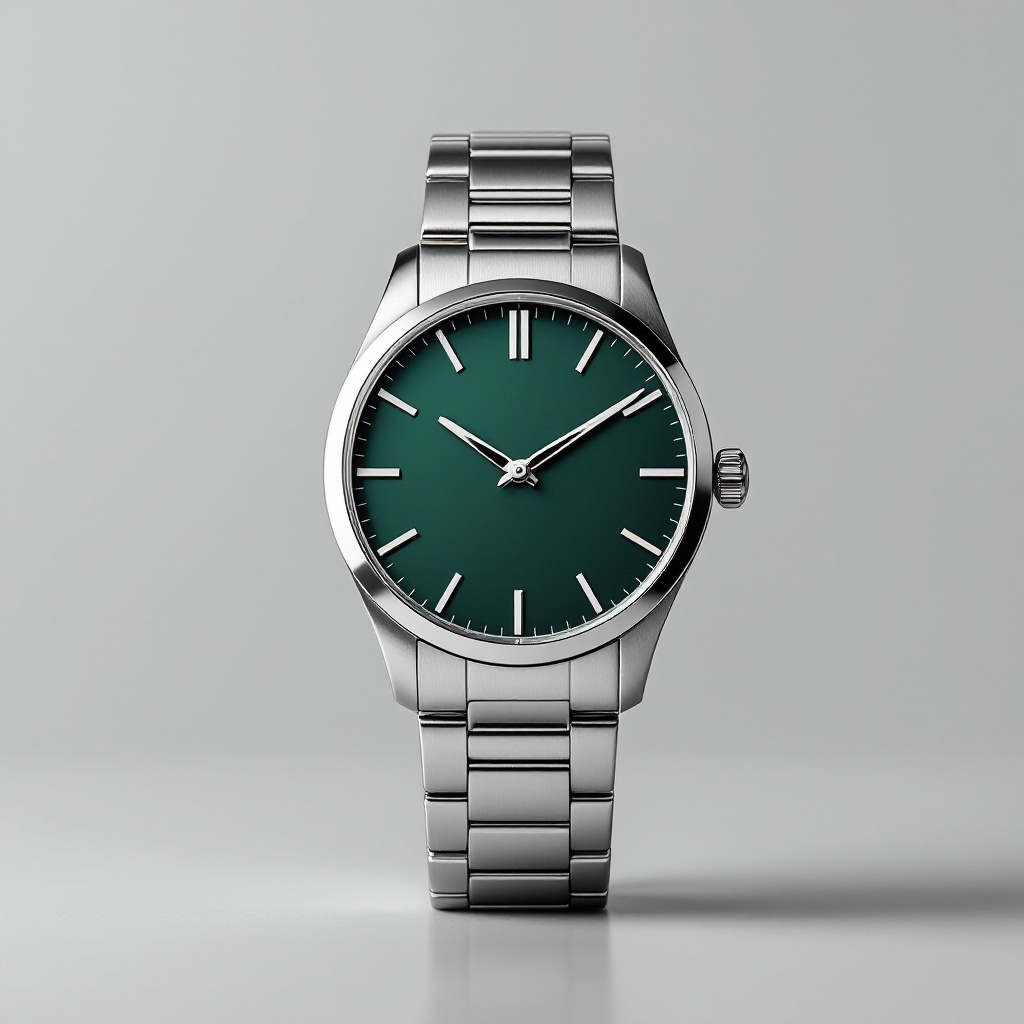
发送时使用 aspect_ratio: "1:1"、seed: 6607。拉丝金属质感和柔和的地面倒影,正是你为专业档 $0.05 付费买到的——廉价模型恰恰会把这些细节压平。
配方 2 —— 生活场景图
商城网格要白底图;产品页和社交平台则靠场景转化。把产品放进场景中,让标签保持空白,用浅景深传递“高级感”。4:5 匹配信息流裁切。
A lit soy candle in a clear glass jar with a plain blank kraft-paper label, on a rustic oak nightstand next to a stack of two linen-bound books, warm evening window light, softly blurred bedroom background, cozy lifestyle product photography for an online store, photorealistic

发送时使用 aspect_ratio: "4:5"、seed: 7301。注意空白标签保留了下来——这就是你之后合成真实品牌图案的画布。
配方 3 —— 使用固定 seed 的配色变体
这是目录制作中最省钱的技巧。seed 固定噪声初始化,因此如果你保持 seed 和提示词结构完全一致,只改变颜色词,你就能在新配色下得到相同的构图——无需重拍,无需 img2img 流程。
下面两张图都使用 seed: 5150、aspect_ratio: "1:1",提示词恰好只差两个词(navy blue → coral pink):
A single insulated stainless steel water bottle in matte navy blue, standing on a round travertine stone slab against a soft warm beige studio background, centered, soft diffused lighting, minimalist e-commerce product photo, photorealistic
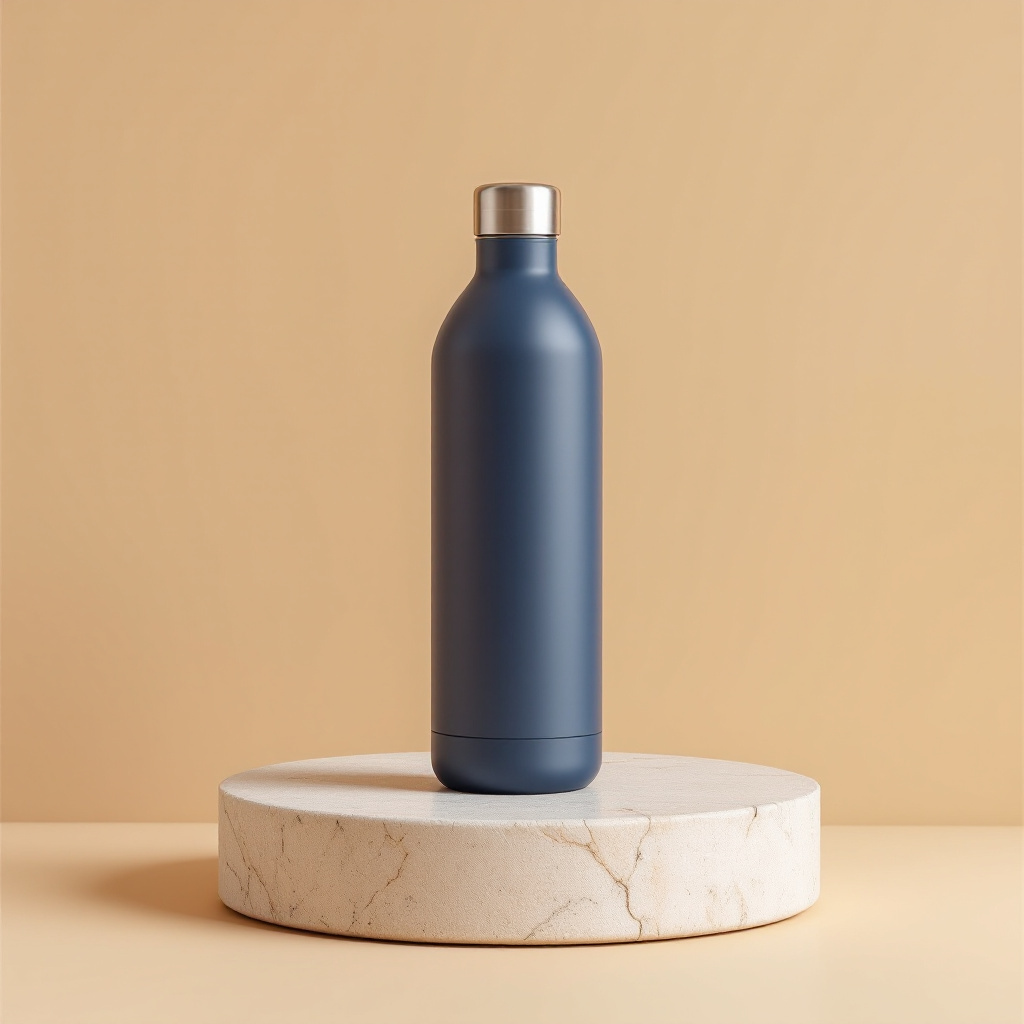
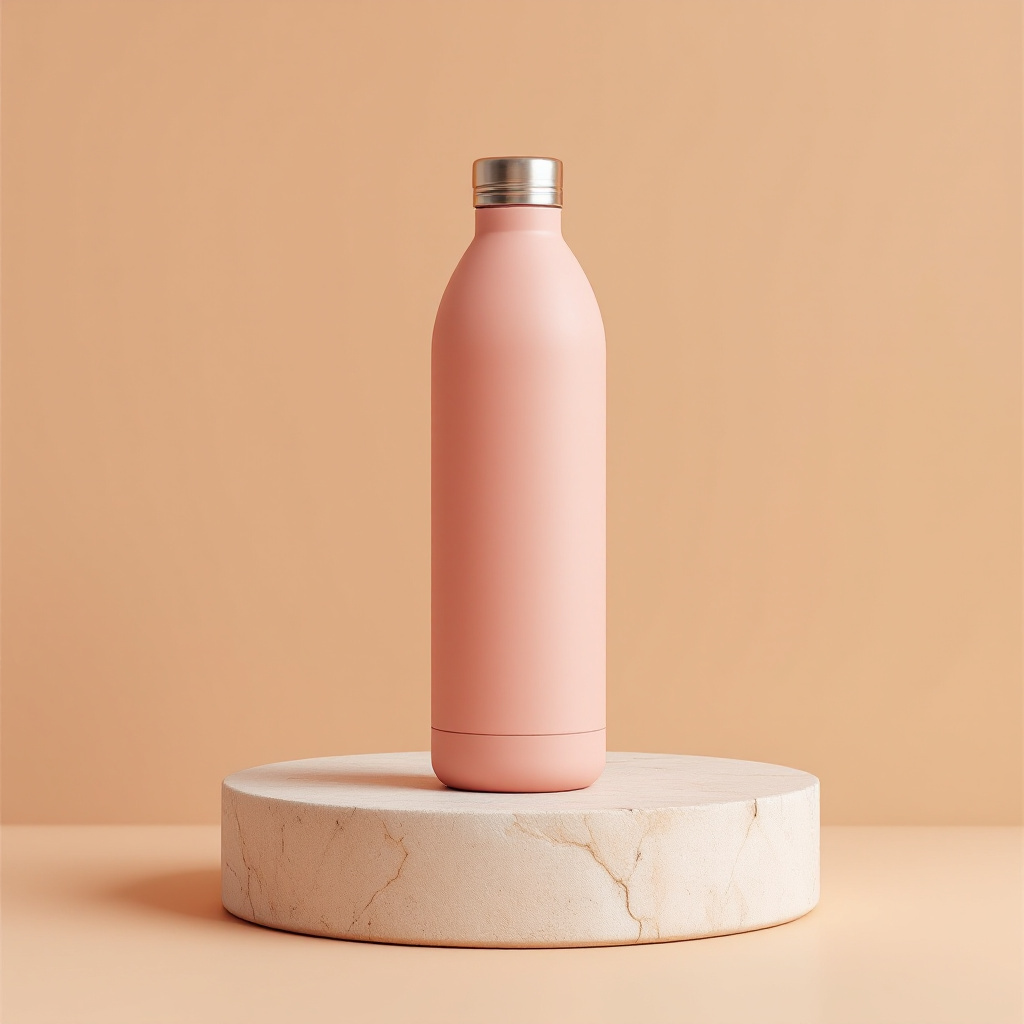
同样的瓶身轮廓、同样的石板、同样的构图,却是不同的 SKU。这就是固定 seed 提示词顶替了一天变体拍摄的工作。
批量:按 SKU 渲染整个目录
下面是我们实际运行的套路:提交、轮询、下载、重试。生产运行暴露出一点你需要提前规划:flux-1.1-pro 任务偶尔会以通用的 {"code": "TASK_FAILED"} 失败——这是瞬时的,同样的输入通常重新提交就能成功。每张图预留最多 3 次尝试(你只为成功渲染的图片付费)。
import json, time, requests

API = "https://api.hiapi.ai/v1/tasks"
HEADERS = {"Authorization": "Bearer YOUR_HIAPI_KEY",
           "Content-Type": "application/json"}

CATALOG = [
    {"sku": "bottle-navy",  "colour": "matte navy blue"},
    {"sku": "bottle-coral", "colour": "matte coral pink"},
    {"sku": "bottle-sage",  "colour": "matte sage green"},
]
TEMPLATE = ("A single insulated stainless steel water bottle in {colour}, "
            "standing on a round travertine stone slab against a soft warm "
            "beige studio background, centered, soft diffused lighting, "
            "minimalist e-commerce product photo, photorealistic")

def render(prompt, seed, retries=3):
    for attempt in range(retries):
        task = requests.post(API, headers=HEADERS, json={
            "model": "flux-1.1-pro",
            "input": {"prompt": prompt, "aspect_ratio": "1:1",
                      "output_format": "jpg", "seed": seed},
        }).json()
        task_id = task["data"]["taskId"]
        while True:
            state = requests.get(f"{API}/{task_id}", headers=HEADERS).json()["data"]
            if state["status"] == "success":
                return requests.get(state["output"][0]["url"]).content
            if state["status"] == "fail":          # transient TASK_FAILED happens;
                break                              # resubmit with the same input
            time.sleep(5)
    raise RuntimeError(f"gave up after {retries} attempts")

for item in CATALOG:
    img = render(TEMPLATE.format(colour=item["colour"]), seed=5150)
    with open(f"{item['sku']}.jpg", "wb") as f:
        f.write(img)                               # re-host immediately; task URLs expire
    print(item["sku"], "done")
如果你要推送数百个 SKU,请控制提交节奏——图像 API 限流详解介绍了限流行为和合理的并发量。
定价以及何时选择 flux-1.1-pro
经 hiapi 定价页核实:
| 模型 | 每张图价格 | 适用场景 |
|---|---|---|
flux-schnell/text-to-image |
$0.005 | 草稿、版式构图、大批量缩略图 |
flux-1.1-pro |
统一 $0.05 | 写实白底图和生活场景图,最高 1440px 任意分辨率 |
flux-2/text-to-image |
$0.0375–$0.125(按 MP 计) | 最高提示词遵循度、图内文字清晰 |
统一价格是低调的优势:一张 1440×960 的主视觉横幅和一张 512×512 缩略图同样是 $0.05,而 flux-2 按百万像素计费。如果你的工作负载是“写实产品图、尺寸混杂”,flux-1.1-pro 就是成本可预测的默认选择;如果你需要精确的物体数量或图内可读的印刷文字,就升级到 flux-2——我们在这里用同一套电商配方跑过它。
一套五图 PDP(主图、白底图、生活场景图、两个配色)每个产品合计 $0.25。刷新 200 个 SKU 的目录:$50、一个下午、一个脚本。
总结
hiapi 上的 flux-1.1-pro 以两调用的异步工作流为你提供写实产品图:严格但简单的参数范围(宽高比、尺寸、seed、格式——无需折腾 steps/guidance)、固定 seed 的配色变体,以及让目录预算变得极易预测的统一 $0.05 定价。拿到你的 API key,从 flux-1.1-pro 模型页开始,用上面的 curl 调用渲染你的第一张白底图——咖啡还没凉,你就有一张可直接上 PDP 的图了。


