
使用指南
flux-2 用于电商产品图:hiapi API 实操指南
使用 hiapi 上的 flux-2/text-to-image API 生成可直接上架的商品图——干净的白底图、遵循提示词约束,以及适用于整个商品目录的批量循环。
TL;DR
- 这是什么:一份使用 hiapi 上的 flux-2/text-to-image 生成电商产品图的实操指南。本页每一张图片都由其正上方印出的确切提示词生成——没有任何借用演示——因此你可以复现每一张。
- 为什么 flux-2 适合产品图:它倚重提示词遵循和高保真,而这正是目录工作所需要的——精确的物品数量、特定的颜色、干净无缝的背景,以及空白(无文字)的标签,都会被严格照做。
- 模型事实(已在 API 上验证):flux-2 运行在异步任务端点(
/v1/tasks)上。input.resolution采用百万像素形式——0.5 MP、1 MP、2 MP或4 MP——而不是1K/2K。aspect_ratio是可选的,接受1:1、3:2、16:9等值。 - 定价(每张图):
0.5 MP为 $0.0375,1 MP为 $0.05,2 MP为 $0.075,4 MP为 $0.125。实时价格请参见定价。 - 如何运行:向任务 API 发送 POST 请求,轮询直到状态为
success,然后从output[0].url下载图片(该 URL 会过期——请立即保存字节)。完整的复制粘贴脚本在文末,包含一个批量循环。
为什么 flux-2 适合产品摄影
大多数文生图模型都能画出一个好看的马克杯。电商中的问题不在于“好看”,而在于精确。商品列表需要正确的颜色、正确的物品数量、干净且留有空间供你自己叠加文字的背景,以及保持空白以便你之后放入真实文案的标签。当模型自由发挥——多画一个瓶子、编造标签文字、给白色背景染色——这张图就无法上架。
flux-2 被标记为提示词遵循和高保真,在实践中这意味着它倾向于严格按提示词字面执行。这正是目录图像的关键所在:你写下约束,模型遵守它们,而不是“创造性地解读”它们。下面的配方正是围绕这一点构建的——每个配方都依赖一个特定约束(数量、颜色、布局),以便你亲自看到遵循效果。
如何阅读这些配方
每个配方包含三部分:一行目标、确切提示词(原样复制)以及它生成的图片。每个提示词都由我本人撰写,并通过实际的任务 API 在 flux-2 上运行。几个对这个模型一贯有效的习惯:
- 明确说明背景。“无缝浅灰色影棚背景”胜过听天由命,而且能让图片直接可用于商品详情页(PDP)。
- 想要空白标签时就写“无文字、无标志”。flux-2 会遵守这一点,这意味着你可以在下游添加真实品牌。
- 给它可计数、可核验的约束。“恰好三个瓶子”、“左边琥珀色、中间透明、右边青色”——具体指令正是遵循性发挥作用的地方。
- 在提示词中预留负空间(“顶部留出充足空白用于标题”),当图片将放在叠加文案下方时尤其如此。
配方 1——干净的白底图
目标:最基础的商品列表图——一件产品、无缝背景、均匀边距,可直接放到产品页上。
A single matte-white ceramic coffee mug centered on a seamless light-grey studio background, three-quarter front angle, empty and unbranded. Soft even top-light with one subtle rim highlight down the left edge, a soft grounded contact shadow beneath. Studio e-commerce packshot, perfectly centered, wide even margins on all sides, photoreal, high detail, no text, no logo.
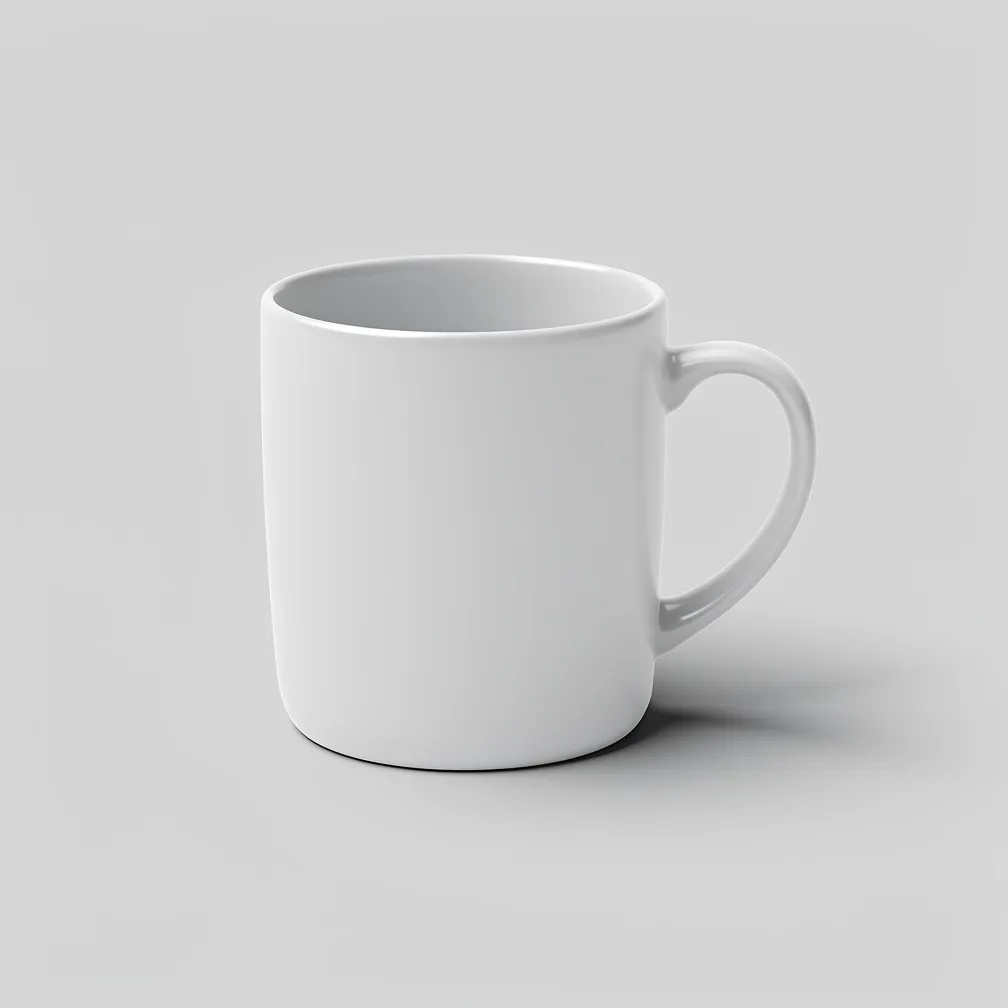
边距和居中直接来自提示词——明确要求它们,才能让裁剪结果在列表网格中可用。
配方 2——提示词遵循性测试
目标:证明模型遵循精确、可计数的指令——这正是产品工作首先选择 flux-2 的原因。
Product photo of exactly three glass spray bottles standing in a row on a white acrylic surface: the left bottle filled with pale amber liquid, the middle bottle filled with clear liquid, the right bottle filled with soft teal liquid. All three have matte-black fine-mist pump tops and blank labels with no writing. Even frontal studio light, soft reflections on the acrylic, seamless white background. Photoreal commercial product photography, sharp focus, no text anywhere in the image.
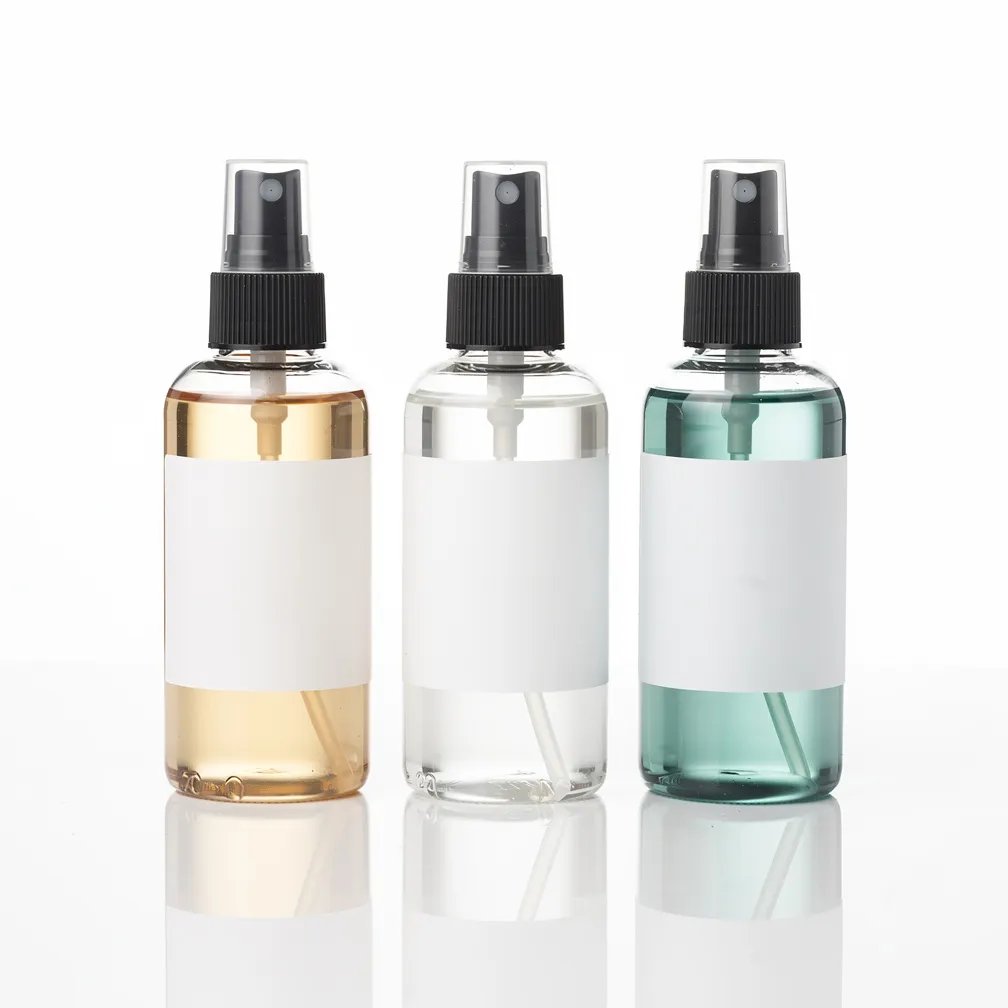
数一数:三个瓶子,不是四个。从左到右填充液依次是琥珀色、透明、青色——顺序正确。泵头是哑光黑色。标签是空白的,因此之后可以加上真实文案。这就是回报——你指定,它遵守,图片直接可用。
配方 3——生活方式/场景图
目标:将产品置于场景中而不埋没它——与白底图并列出现在商品列表上的“使用中”图片。
Lifestyle e-commerce shot of a tan leather crossbody bag resting on a pale oak cafe table beside a folded newspaper and a cup of espresso, soft morning window light from the left, warm out-of-focus cafe interior in the background with creamy bokeh. The bag is the clear hero, sharp and well-lit, staged naturally but uncluttered. Photoreal, editorial product-in-use photography, warm neutral palette, shallow depth of field, no visible brand marks or text.
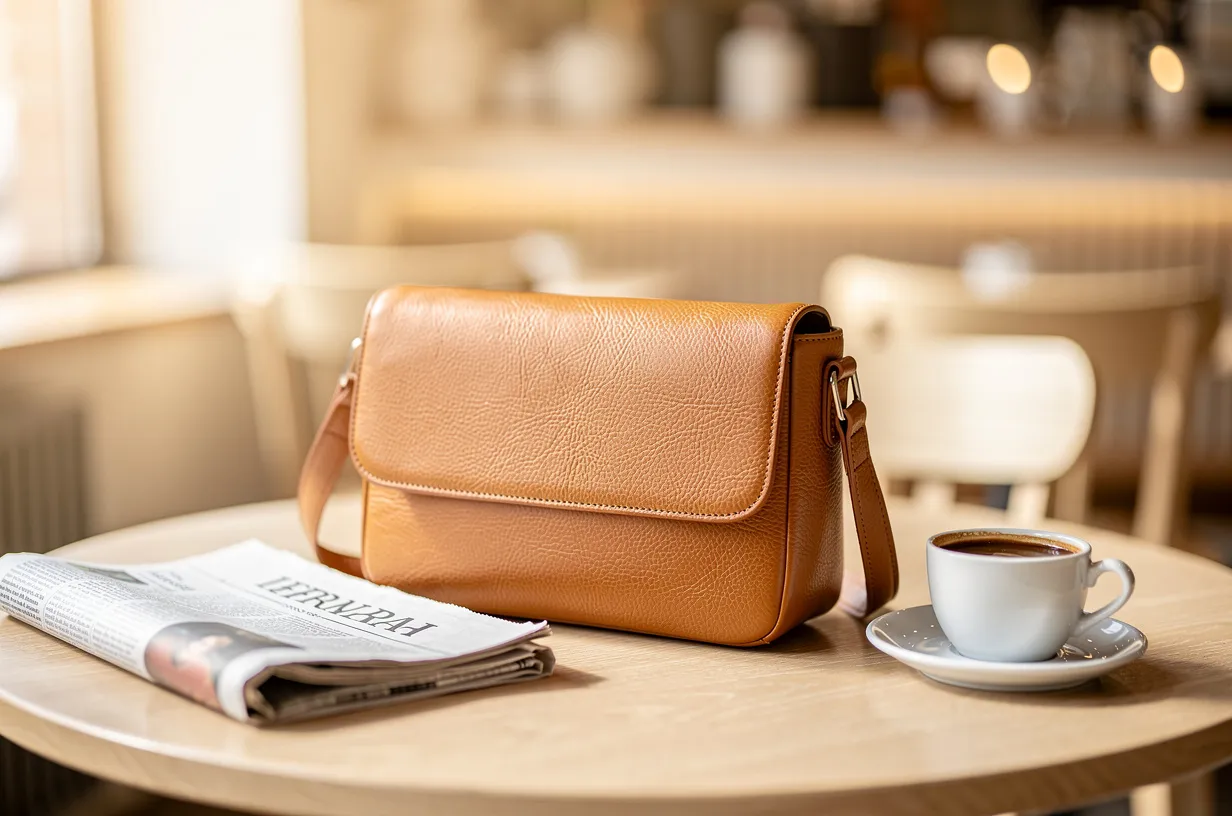
点明主角(“包是明确的主角,清晰”)并把其他一切推入虚化,既让产品清晰可辨,又能讲述故事——这正是生活方式图所需的平衡。
配方 4——多角度 PDP 组图
目标:产品详情页使用的角度组图——同一物品的多个一致视图,在光线和比例上相匹配。
A clean product-detail-page angle set of one pair of low-top canvas sneakers in off-white, shown as three separate views arranged left to right on a seamless light-grey background: a straight side profile, a three-quarter front angle, and a top-down overhead view. Consistent soft studio lighting and identical scale across all three, even spacing, soft contact shadows. Catalog-grade e-commerce photography, photoreal, crisp, unbranded, no text or labels.
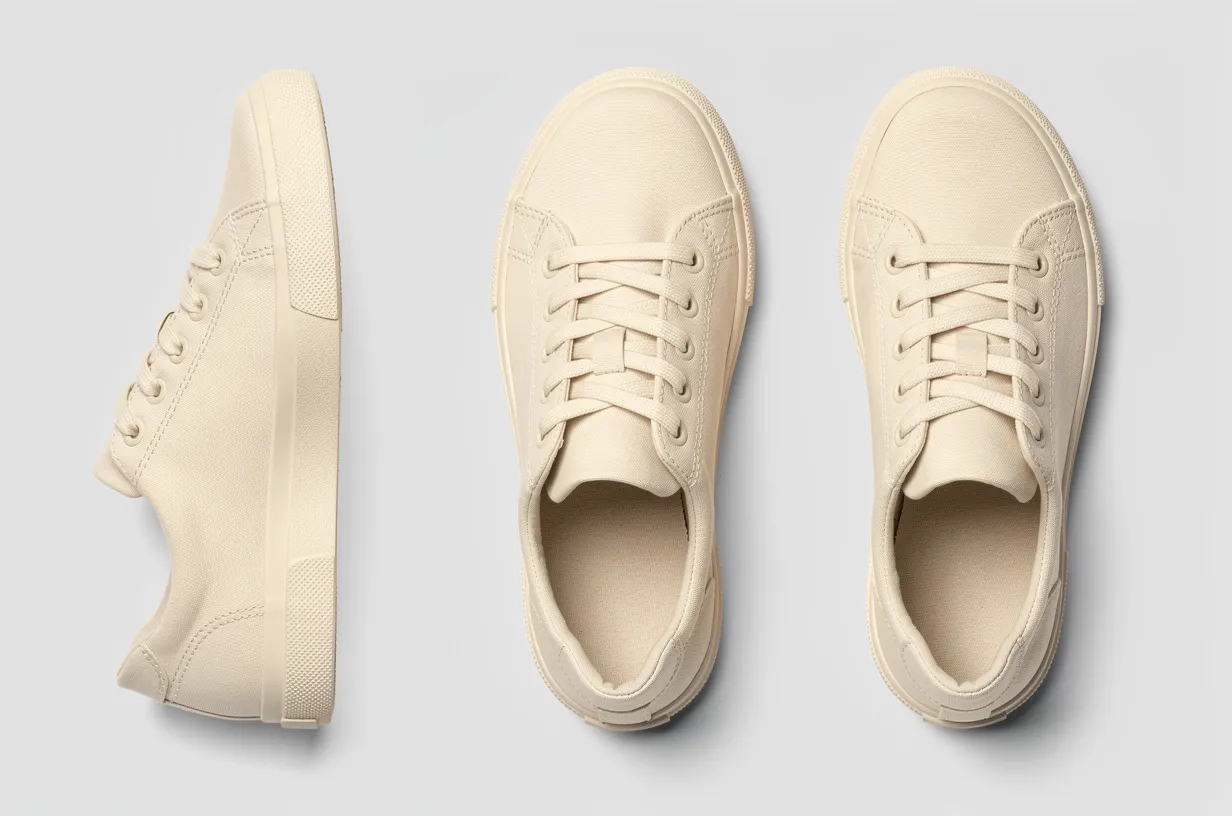
要求“三个视图一致的光线和相同的比例”,才能让这组图看起来像同一件产品,而不是三张松散的渲染图。它不能替代真正的 360 度拍摄设备,但在正式拍摄前快速搭建 PDP 布局是个快捷办法。
在任务 API 上运行 flux-2
flux-2 使用 hiapi 的异步任务协议——你创建任务、轮询它,然后下载结果。唯一要弄对的是:resolution 是百万像素形式。发送 "1 MP",而不是 "1K",否则 API 会返回 400,告诉你该值必须是 0.5 MP / 1 MP / 2 MP / 4 MP 之一。
1. 创建任务
curl -s https://api.hiapi.ai/v1/tasks \
  -H "Authorization: Bearer $HIAPI_TOKEN" \
  -H "Content-Type: application/json" \
  -d '{
    "model": "flux-2/text-to-image",
    "input": {
      "prompt": "A single matte-white ceramic coffee mug centered on a seamless light-grey studio background, three-quarter front angle, soft even top-light, photoreal e-commerce packshot, no text, no logo",
      "aspect_ratio": "1:1",
      "resolution": "1 MP"
    }
  }'
# -> {"code":200,"data":{"taskId":"tk-hiapi-..."},"message":"success"}
2. 轮询直到完成,然后下载
import os, time, requests

TOKEN = os.environ["HIAPI_TOKEN"]
BASE = "https://api.hiapi.ai/v1/tasks"
HEADERS = {"Authorization": f"Bearer {TOKEN}"}


def generate(prompt, aspect_ratio="1:1", resolution="1 MP"):
    # create
    r = requests.post(BASE, headers=HEADERS, json={
        "model": "flux-2/text-to-image",
        "input": {"prompt": prompt, "aspect_ratio": aspect_ratio, "resolution": resolution},
    }).json()
    task_id = r["data"]["taskId"]

    # poll (a single image usually lands well under two minutes)
    deadline = time.time() + 600
    while time.time() < deadline:
        task = requests.get(f"{BASE}/{task_id}", headers=HEADERS).json()["data"]
        if task["status"] == "success":
            # output[0].url is a temporary link — download the bytes now
            url = task["output"][0]["url"]
            return requests.get(url, timeout=120).content
        if task["status"] == "fail":
            raise RuntimeError(task.get("error"))
        time.sleep(5)
    raise TimeoutError(task_id)


img = generate("A single matte-white ceramic coffee mug on a seamless light-grey background, photoreal e-commerce packshot, no text")
open("mug.jpg", "wb").write(img)
output[0].url中的 URL 带有expireAt时间戳——它是一个短期链接。请立即下载字节并推送到你自己的存储;不要将它热链接到线上商品列表。
批量生成整个目录
对于真实店铺,你不是只做一张图——而是每个 SKU 做一张图。维护一个提示词列表,复用上面的 generate() 函数,并将每个结果以其 SKU 命名保存:
catalog = {
    "SKU-1001": "A single matte-white ceramic coffee mug on a seamless light-grey studio background, three-quarter angle, soft even top-light, photoreal e-commerce packshot, no text, no logo",
    "SKU-1002": "A tan leather crossbody bag on a seamless light-grey studio background, front-on, soft studio light, grounded contact shadow, photoreal packshot, no visible brand marks",
    "SKU-1003": "A pair of off-white low-top canvas sneakers, side profile, seamless light-grey background, crisp catalog lighting, photoreal, unbranded, no text",
}

for sku, prompt in catalog.items():
    img = generate(prompt, aspect_ratio="1:1", resolution="1 MP")
    open(f"{sku}.jpg", "wb").write(img)
    print(f"{sku} done")
在扩大规模之前,有几件事值得了解:
- 分辨率决定费用。在
1 MP下每张图 $0.05;只有在额外细节值得的旗舰图上才升级到2 MP($0.075)或4 MP($0.125)。一个 200 个 SKU 的目录在1 MP下大约 $10。预算前请查看定价获取当前数字。 - 并发运行任务。每个 SKU 都是独立任务——创建多个任务,然后并行轮询它们而非一次一个,大批量可在很短的墙钟时间内完成。
- 保持一致的“风格”从句。注意上面每个提示词中共享的尾部(“无缝浅灰色影棚背景……逼真白底图,无文字”)。锁定这段措辞,才能让一批图看起来像一个目录,而不是大杂烩。
要点
- flux-2 在产品工作上的优势是严格按你的字面要求执行——精确数量、精确颜色、空白标签——所以要明确写出约束,让它遵守。
- 始终在提示词中说明背景并预留负空间;这能让渲染图直接用于商品列表。
- 在任务 API 上,以百万像素(
1 MP)发送resolution,轮询/v1/tasks/{id}直到success,并在output[0].url过期前下载。 - 价格随分辨率上升——目录批量用
1 MP,2 MP/4 MP留给旗舰图。
准备好试试了吗?获取一个密钥,将 model 指向 flux-2/text-to-image,在批量生成目录之前查看定价页面上的实时费率。


