
教程
图像修复与对象移除 API:在 HiAPI 上通过提示词编辑图像
使用 HiAPI 的图像到图像模型从照片中移除对象:真实的对比效果、哪个模型能保留你的构图、有效的提示词,以及 curl 与 Python 示例。
摘要
- 在 HiAPI 上,从照片中移除对象属于指令式编辑:发送图像并描述要移除什么。通用图像到图像模型不接受蒙版。
- 合适的起点:
flux-2/image-to-image(1K 时为 $0.035,配合aspect_ratio: "auto"可保留你的构图)、gpt-image-2/image-to-image(1K 时为 $0.03,图像字段为input_urls)、seedream-4.5/image-to-image($0.045,最高支持 4K)以及qwen-image-3.0/image-to-image($0.0358)。 - 基于蒙版的修复模型 FLUX.1 Fill Pro 已在 HiAPI 上列为即将推出。在它开放之前,提示词就是你的蒙版。
同一张照片,同一条指令,两个模型
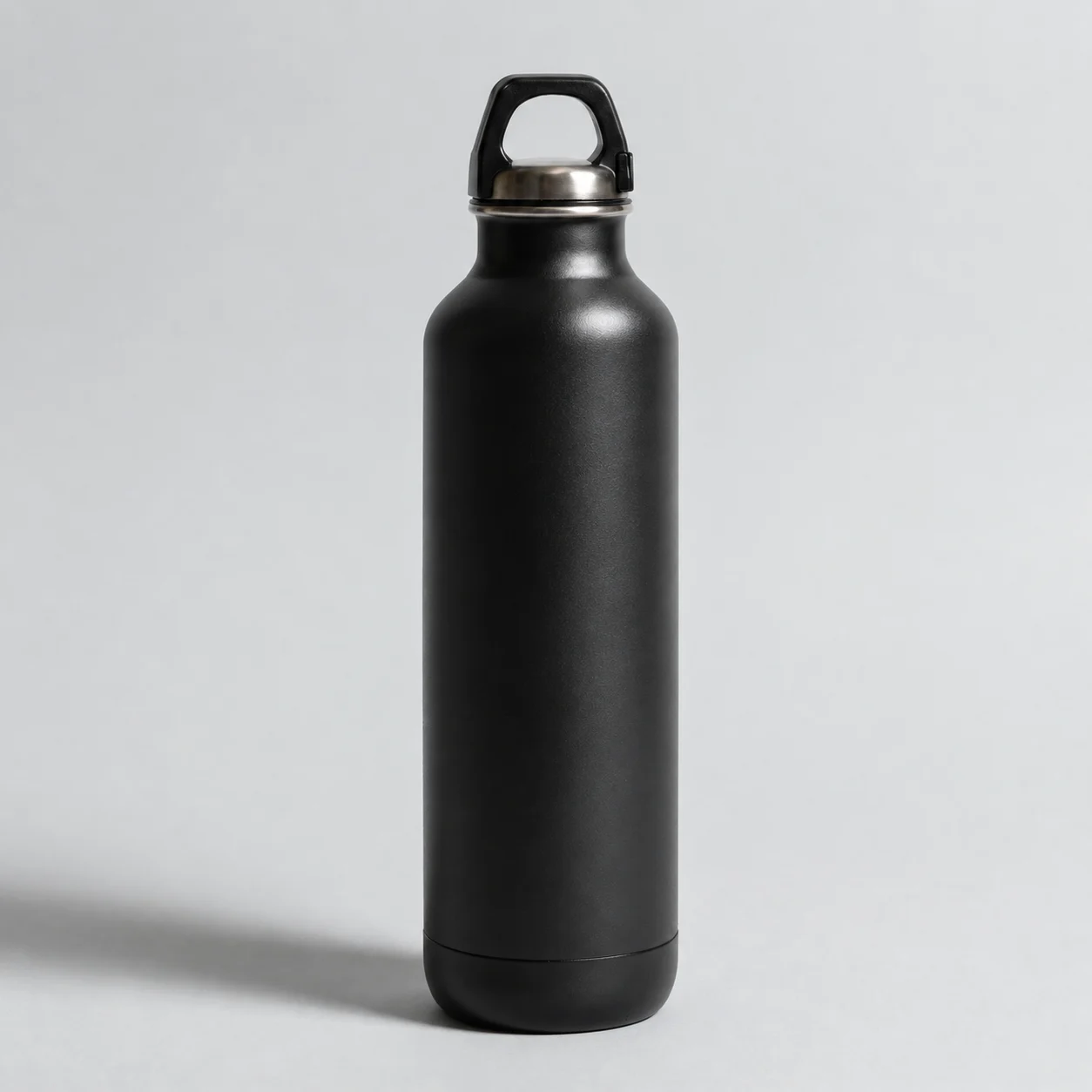
源图:一张产品照片,我们希望去掉上面的价签。
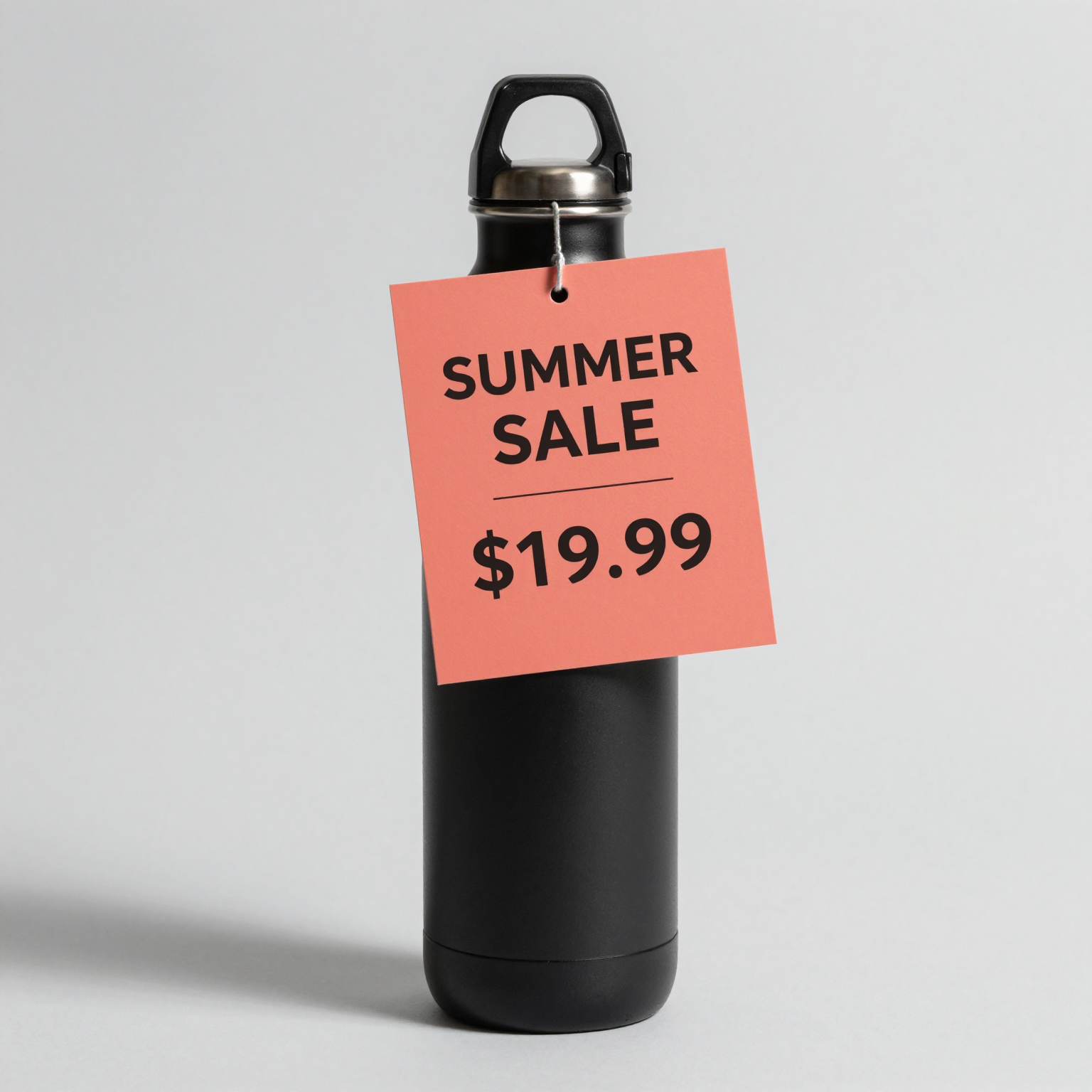
Remove the coral price tag and its string from the bottle. Rebuild the bottle surface and the gray background that were behind it. Keep the bottle, lighting, shadow and everything else unchanged.
gpt-image-2/image-to-image,resolution 1K,1254×1254,112 秒,$0.03。
价签及其挂绳已经消失。原本被价签遮挡的水瓶表面已重建,曲率和反光都与原图一致,灰色背景没有残留修补痕迹,瓶盖、瓶底和阴影也与源图一致。
我们将同样的请求发送给 flux-2/image-to-image。该任务在 16 秒后以 fail 结束,原因只有 TASK_FAILED,费用已退还。一次失败并不能说明模型本身如何,但这提醒你应在代码中处理 fail,并在第二个模型上重试。
该用哪个模型
| 模型 ID | 图像字段 | 保留源图构图 | 输出尺寸 | 价格 |
|---|---|---|---|---|
flux-2/image-to-image |
image_urls(1–8) |
是,aspect_ratio: "auto" |
resolution 1K / 2K |
1K 时 $0.035 |
gpt-image-2/image-to-image |
input_urls(1–16) |
是,aspect_ratio: "auto"(默认) |
resolution 1K / 2K / 4K |
1K 时 $0.03 |
qwen-image-3.0/image-to-image |
image_urls(1–3) |
否,需从 8 种比例中选择 | resolution 1K / 2K |
$0.0358 |
seedream-4.5/image-to-image |
image_urls(1–14) |
否,需从 8 种比例中选择 | resolution 2K / 4K |
$0.045 |
seedream-5.0-pro/image-to-image |
image_urls(1–10) |
否,需从 7 种比例中选择 | resolution 1K / 2K |
1K 时 $0.06 |
HiAPI 实时价格,查询于 2026 年 10 月 20 日。失败的任务不收费。
- 对象移除的默认选择:使用支持
aspect_ratio: "auto"的模型,这样输出会保持照片的形状,你可以直接放回原处。 - 大幅打印或可缩放的产品页面:Seedream 4.5 输出 4K 的价格与 2K 相同。
- 只需移除背景:使用专门的工具,例如
851-labs/background-remover(每张图 $0.002),它只需一个image_url,无需提示词。
curl
curl -s -X POST https://api.hiapi.ai/v1/tasks \
  -H "Authorization: Bearer $HIAPI_KEY" \
  -H "Content-Type: application/json" \
  -d '{
    "model": "flux-2/image-to-image",
    "input": {
      "prompt": "Remove the white delivery van parked on the right. Rebuild the storefront and sidewalk behind it. Keep everything else unchanged.",
      "image_urls": ["https://your-cdn.example.com/street.jpg"],
      "aspect_ratio": "auto",
      "resolution": "1K"
    }
  }'
你会收到一个 taskId。轮询 GET https://api.hiapi.ai/v1/tasks/{taskId},直到 data.status 为 success,然后下载 data.output[0].url。源图必须位于公开 URL 上;模型会在服务器端获取它。
Python:一个函数适用所有模型
# pip install requests; export HIAPI_KEY=your-key first
import os, time, requests

API = "https://api.hiapi.ai/v1/tasks"
H = {"Authorization": f"Bearer {os.environ['HIAPI_KEY']}"}

def edit(model, timeout_s=300, **inp):
    r = requests.post(API, json={"model": model, "input": inp}, headers=H, timeout=30).json()
    if r.get("code") != 200:
        raise RuntimeError(r)  # a 400 lists every invalid field at once
    task_id = r["data"]["taskId"]
    deadline = time.time() + timeout_s
    while time.time() < deadline:
        d = requests.get(f"{API}/{task_id}", headers=H, timeout=30).json()["data"]
        if d["status"] == "success":
            return requests.get(d["output"][0]["url"], timeout=120).content
        if d["status"] == "fail":
            raise RuntimeError(d.get("error"))
        time.sleep(4)
    raise TimeoutError(task_id)

prompt = ("Remove the tourists from the plaza. Extend the paving stones and the fountain base. "
          "Keep the buildings, light and everything else unchanged.")
src = "https://your-cdn.example.com/plaza.jpg"

# FLUX.2 keeps the source shape
img = edit("flux-2/image-to-image", prompt=prompt, image_urls=[src], aspect_ratio="auto", resolution="1K")

# GPT Image 2: note the field name is input_urls
img = edit("gpt-image-2/image-to-image", prompt=prompt, input_urls=[src], resolution="1K")

# Seedream 4.5 at 4K: aspect_ratio and resolution are required
img = edit("seedream-4.5/image-to-image", prompt=prompt, image_urls=[src], aspect_ratio="3:2", resolution="4K")

with open("plaza-clean.png", "wb") as f:
    f.write(img)
编写移除提示词
没有蒙版时,提示词必须明确说明什么要去掉、什么要保留:
- 指明对象及其位置。「停在右侧的白色配送货车」比「那辆货车」效果更好。
- 说明用什么填补空缺。「重建它后面的店面和人行道。」
- 固定其他一切。以「保持光照、颜色和其他一切不变」结尾,这样模型就不会重新调整整张照片的风格。
同样的模式也适用于相关任务:
- 擦除并填充:「移除横跨天空的电线。用与渐变匹配的晴朗天空填充。保持其他一切不变。」
- 替换:「把纸咖啡杯换成白色陶瓷马克杯。匹配光照和阴影。保持其他一切不变。」
- 修复:「这张扫描照片的左下角破损了。重建缺失的草地和小路。不要改变其余部分。」
- 多个对象:「移除长椅旁的垃圾桶和两个交通锥。用背景填充每个区域。保持其他一切不变。」
对于大范围清理,每次调用只做一次移除,并将它们串联起来。将每个结果保存到你自己的存储中,并把该 URL 传给下一次调用;HiAPI 的输出链接在任务完成后约 7 天过期。
你会遇到的错误
这些错误在提交时都是 HTTP 400,因此不会创建任务,也不会计费:
additional properties 'mask_url' not allowed(或mask):这些模型不接受蒙版。请在提示词中描述区域。input_urls: missing required field "input_urls":你向gpt-image-2/image-to-image发送了image_urls。additional properties 'quality' not allowed:Seedream 5.0 Pro 使用resolution(1K 或 2K),而不是quality。aspect_ratio: value must be one of ...:auto适用于 FLUX.2、GPT Image 和 Grok Imagine,不适用于 Seedream 或 Qwen。
如果任务以 fail 结束,请查看 data.error。常见原因是模型无法获取源 URL。
常见问题
HiAPI 有基于蒙版的修复 API 吗?
目前尚未面向通用场景提供。接受图像加黑白蒙版的 FLUX.1 Fill Pro 已列为即将推出。上述模型仅通过提示词进行编辑。
哪个模型最适合对象移除?
先从能保留源图构图的模型开始:flux-2/image-to-image 或配合 aspect_ratio: "auto" 的 gpt-image-2/image-to-image。GPT Image 2 干净地处理了上面的示例。在选定模型之前,请用你自己的几张照片比较两个模型。
可以在一次调用中移除多个对象吗?
可以,在一个提示词中列出它们。每次调用返回一张图像。如果结果漏掉了其中一个,对输出再运行一次。
编辑后的图像可以用于商业用途吗?
生成的输出受你套餐的使用条款约束。你仍然需要拥有所编辑源照片的权利。
更多编辑提示词:Seedream 4.5 提示词配方和Qwen Image 3.0 API 指南。


