
使用指南
Seedream 5.0 Pro 图生图提示词:6 个可直接复制粘贴的配方及真实输出
面向 seedream-5.0-pro/image-to-image 的六个编辑配方——多参考图合成、服装迁移、精准改色、背景替换、风格迁移以及链式电影调色——每个配方都附带精确的提示词和它实际产出的真实输出。

文生图拿走了演示,但真正能落地的活儿——把产品图放进场景、给模特换装、只修一个顽固的颜色而不碰其他任何东西——靠的是图生图。seedream-5.0-pro/image-to-image 是字节跳动 Seedream 5.0 系列的 Pro 档,它的招牌能力是多参考图编辑:你给它最多 10 张图片,再加一段提示词来指定每一张扮演什么角色。
本文是我们在线上 API 上实际跑过的六个编辑配方——多参考图合成、服装迁移、精准改色、背景替换、风格迁移,以及链式电影调色。下面每一段提示词都是我们原样发送的字符串,每一张输出图都是 API 返回的真实文件,未经任何修饰。六个里有三个第一次提交就成功,另外三个遇到了不透明的 TASK_FAILED,重新提交后通过——更多细节见后面的坑位。
请求结构(及其严格的 schema)
seedream-5.0-pro/image-to-image 运行在异步任务端点上。恰好四个输入字段,全部必填:
curl -X POST https://api.hiapi.ai/v1/tasks \
  -H "Authorization: Bearer $HIAPI_KEY" \
  -H "Content-Type: application/json" \
  -d '{
    "model": "seedream-5.0-pro/image-to-image",
    "input": {
      "prompt": "Recolor the ceramic pour-over mug to a matte black glaze with a thin brushed-gold rim along the lip. Preserve the identical mug shape, camera angle, soft studio lighting, contact shadow and warm off-white backdrop. Everything else in the frame stays untouched.",
      "image_urls": ["https://your-cdn.example.com/mug.jpg"],
      "aspect_ratio": "1:1",
      "resolution": "2K"
    }
  }'
响应会返回一个 taskId;轮询 GET /v1/tasks/{taskId} 直到 status 变成 success,然后立刻下载 output[0].url——输出 URL 带有 expireAt,会过期失效。
schema 是严格的,校验器会明确告诉你哪里不对。测试期间我们收到的报错:
- 漏掉任何字段 →
missing required field "prompt"; ... "image_urls"; ... "aspect_ratio"; ... "resolution" - 要 4K →
resolution: value must be one of '1K', '2K' - 偷偷塞一个
n之类的额外字段 →additional properties 'n' not allowed - 传 11 张参考图 →
image_urls: maxItems: got 11, want 10
所以:输出 1K 或 2K,最多 10 张参考图,不能有额外字段。 image_urls 必须是可公开抓取的——平台会在服务端拉取它们。价格在定价页上是每张图 $0.15,所以我们下面的流程会用 gpt-image-2/text-to-image 以 $0.03 的价格便宜地生成参考图,把 Pro 的预算留给编辑本身。
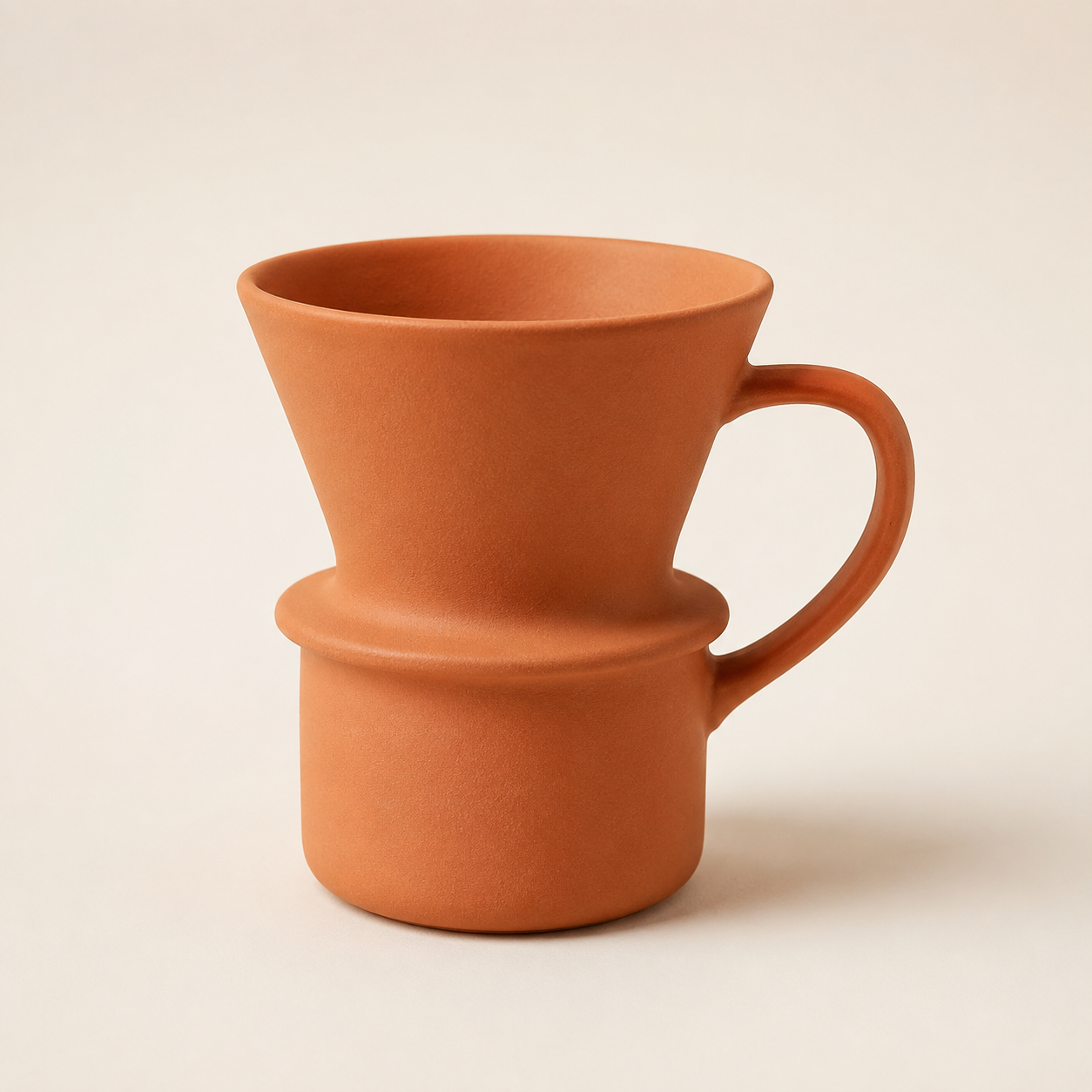
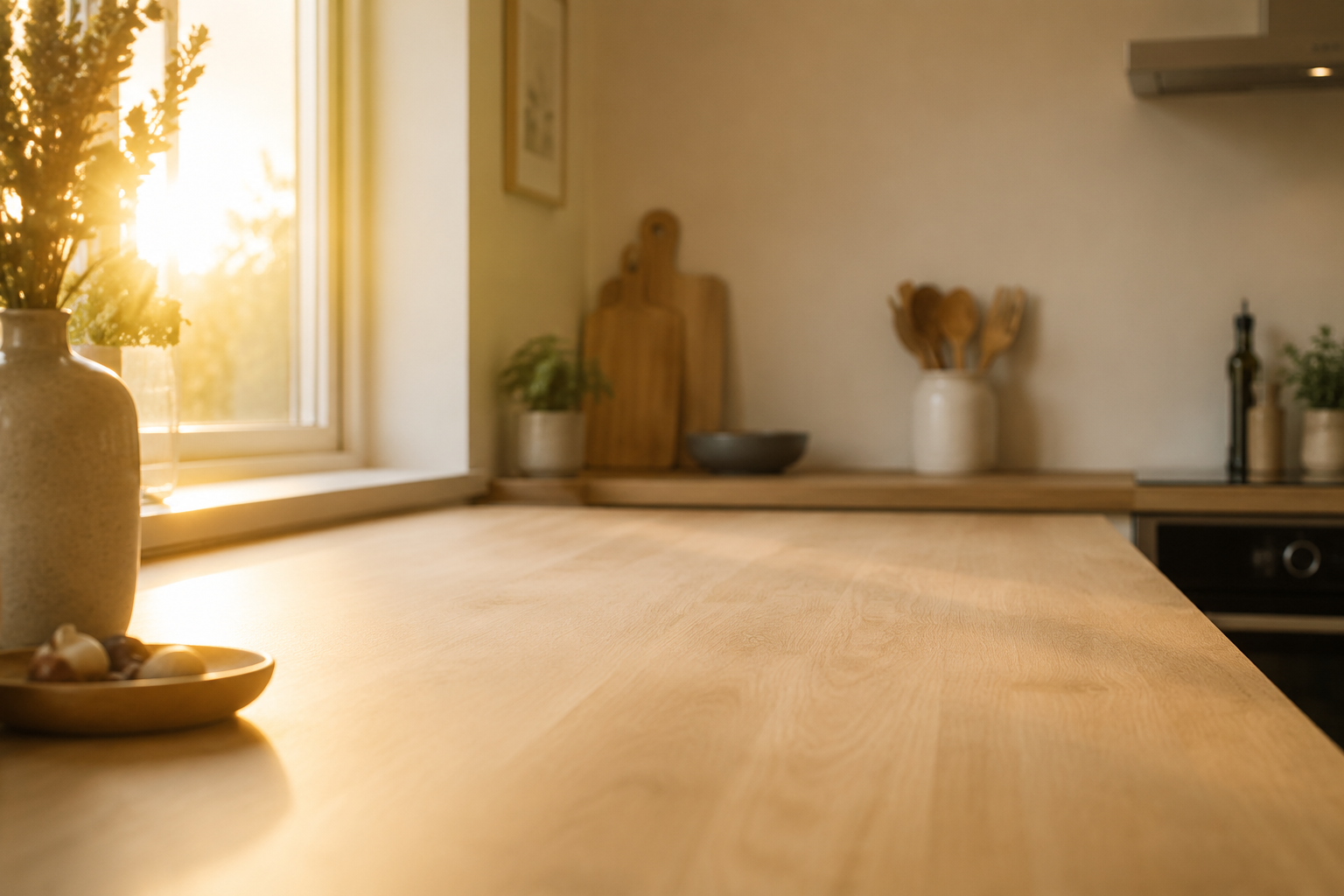
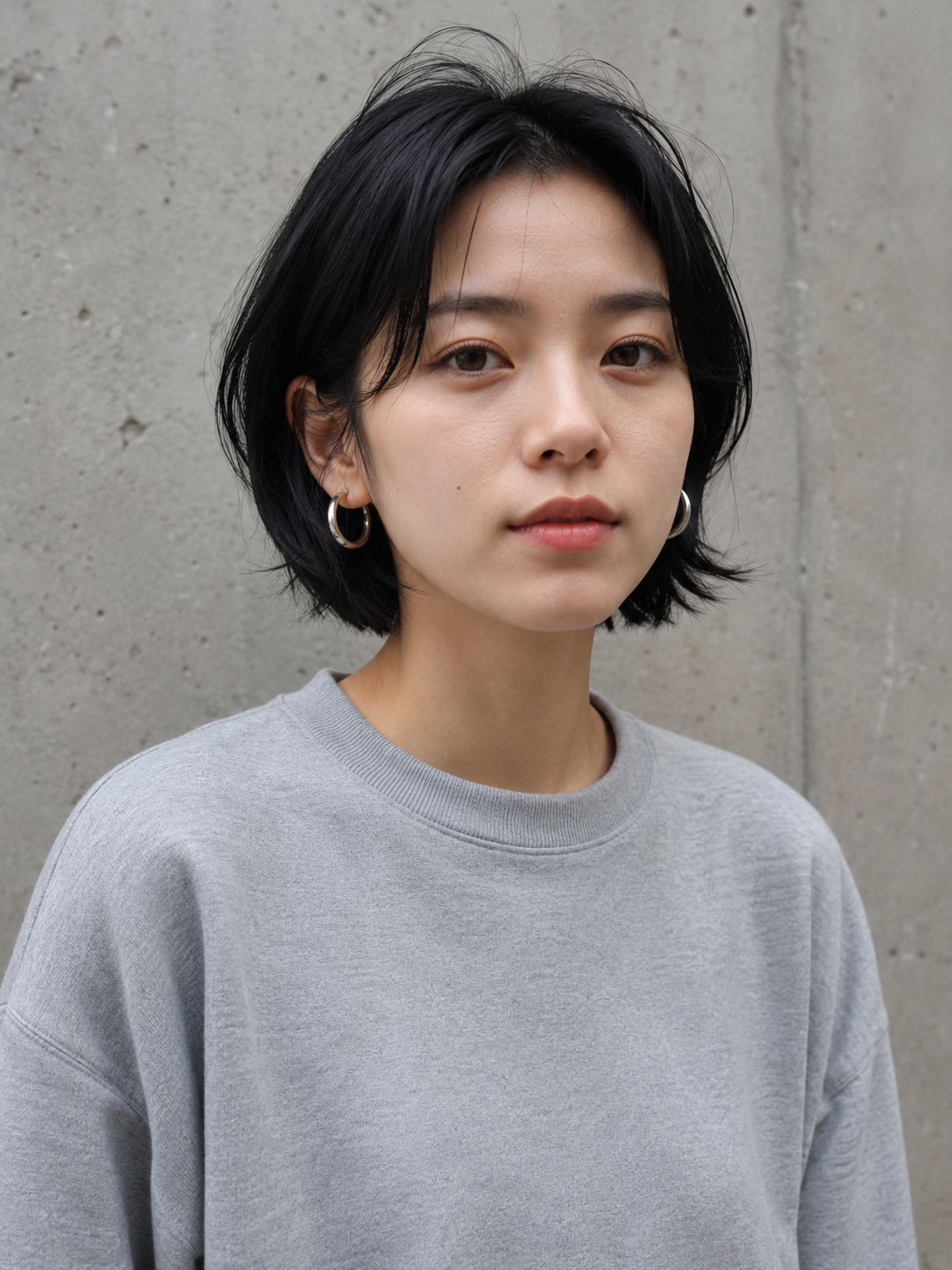
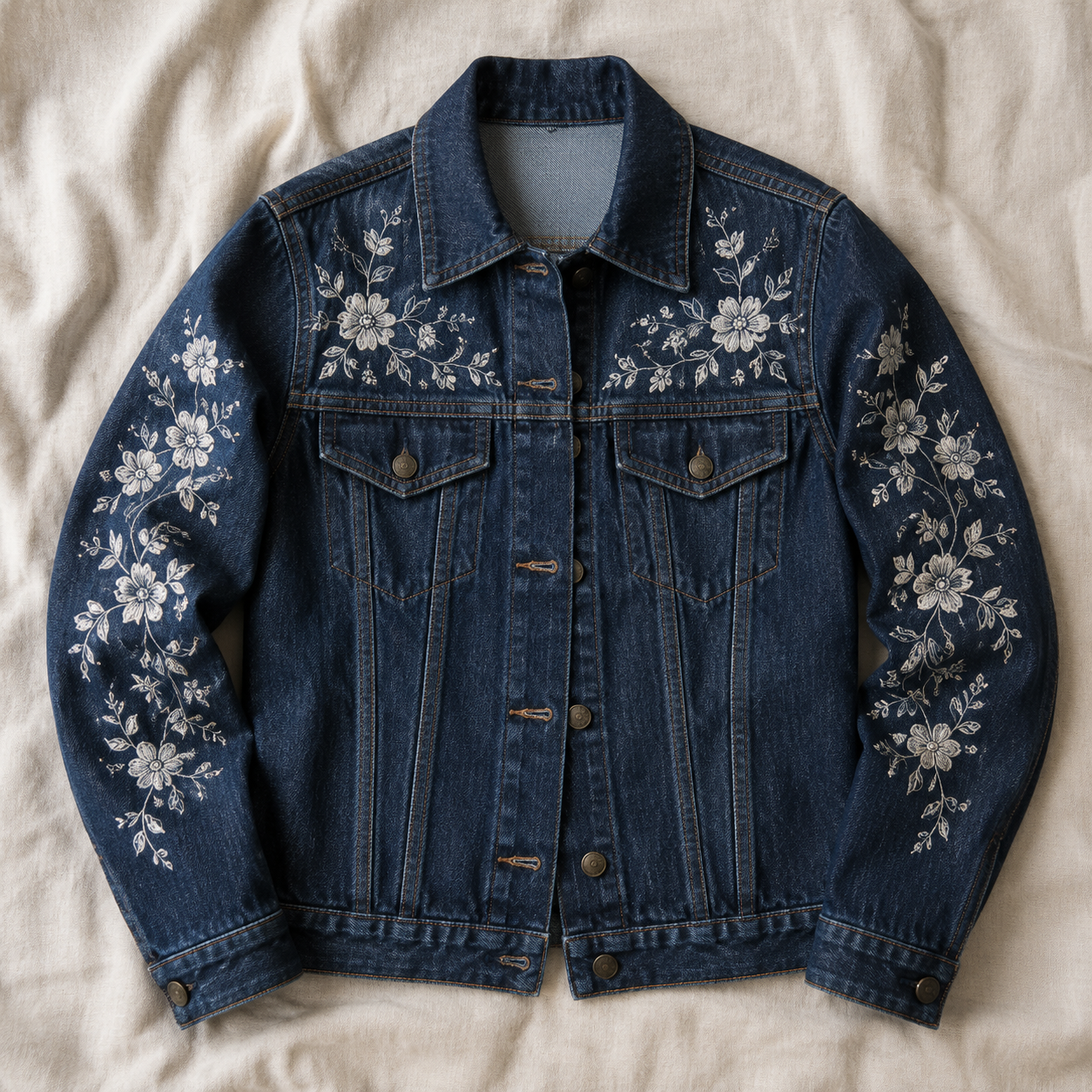
四张参考图
四张全部由 gpt-image-2 生成(提示词因篇幅省略——都是普通的产品/人像描述)。这些是下面每个配方都会引用的输入。
配方 1——多参考图合成:把产品放进场景
两张参考图:咖啡杯在前,厨房在后。提示词点名了每张图的角色——这是多参考图的核心技巧,因为模型是依靠 image_urls 中的顺序来解析“第一张图”和“第二张图”的。
Place the terracotta pour-over coffee mug from the first image onto the empty oak
counter in the foreground of the second image. The mug sits naturally on the wood
surface, matching the warm golden sunrise lighting, with a soft window-light shadow
falling to the right. Keep the mug's shape, colour and matte ceramic material exactly
as in the reference. Keep the kitchen scene otherwise unchanged. Photorealistic
product photography.
aspect_ratio: "3:2"(匹配场景,而不是产品),resolution: "2K"。第一次生成:
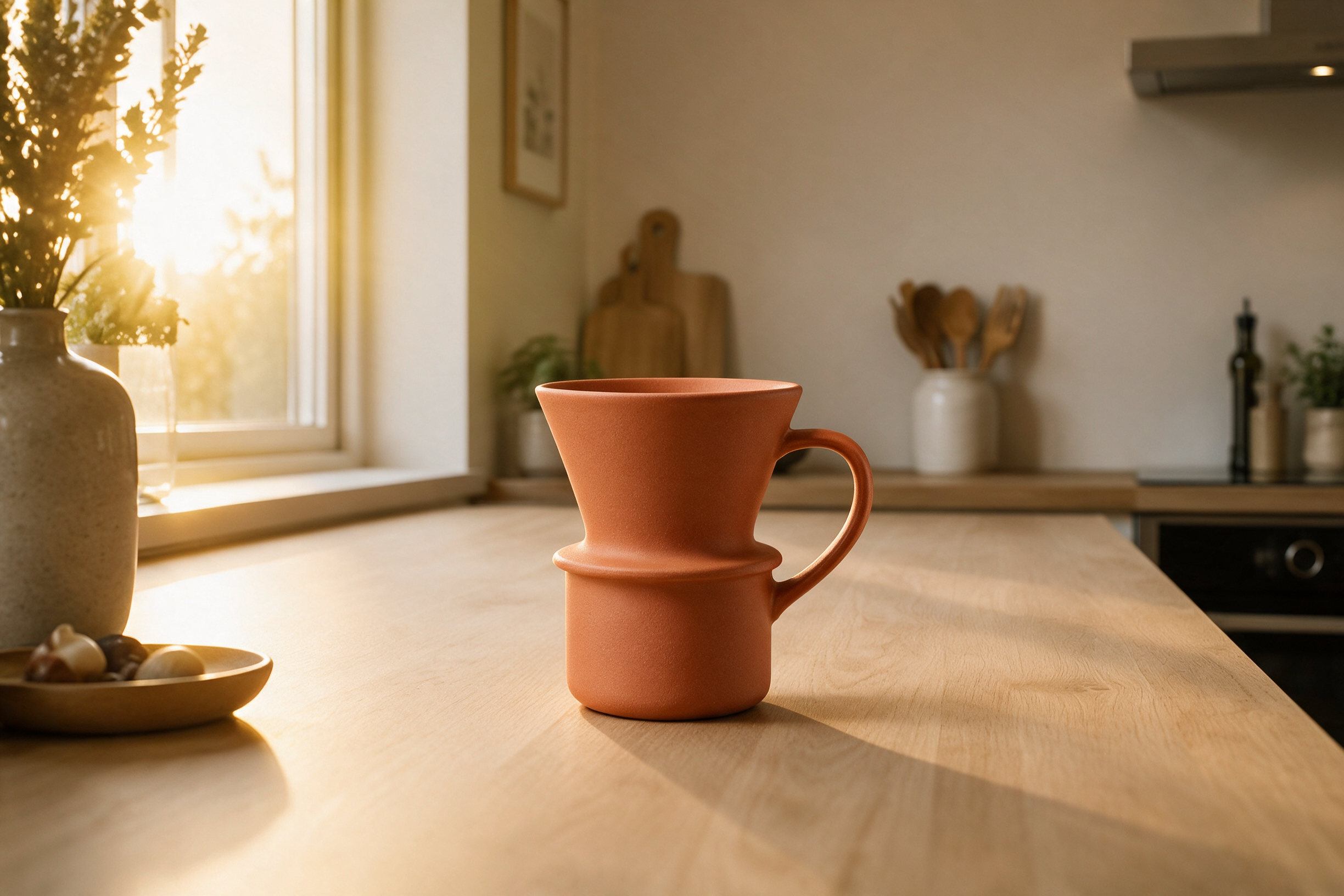
它不只是把杯子贴上去——它重新打了光。阴影方向跟随窗户,杯沿接住了日出光,陶瓷保持哑光,而没有继承场景的暖光。
配方 2——多参考图服装迁移
人像在前,服装在后。这里的保留清单承担了重头戏:脸、头发、耳环、姿势、背景全部锁定。
Dress the woman from the first image in the embroidered indigo denim jacket from the
second image, worn open over her grey sweatshirt. Keep her face, short black hair,
silver hoop earrings, expression, pose and the concrete wall background completely
unchanged. Match the overcast soft daylight and preserve the jacket's white floral
stitching details on the chest and sleeves.
aspect_ratio: "3:4",resolution: "2K":
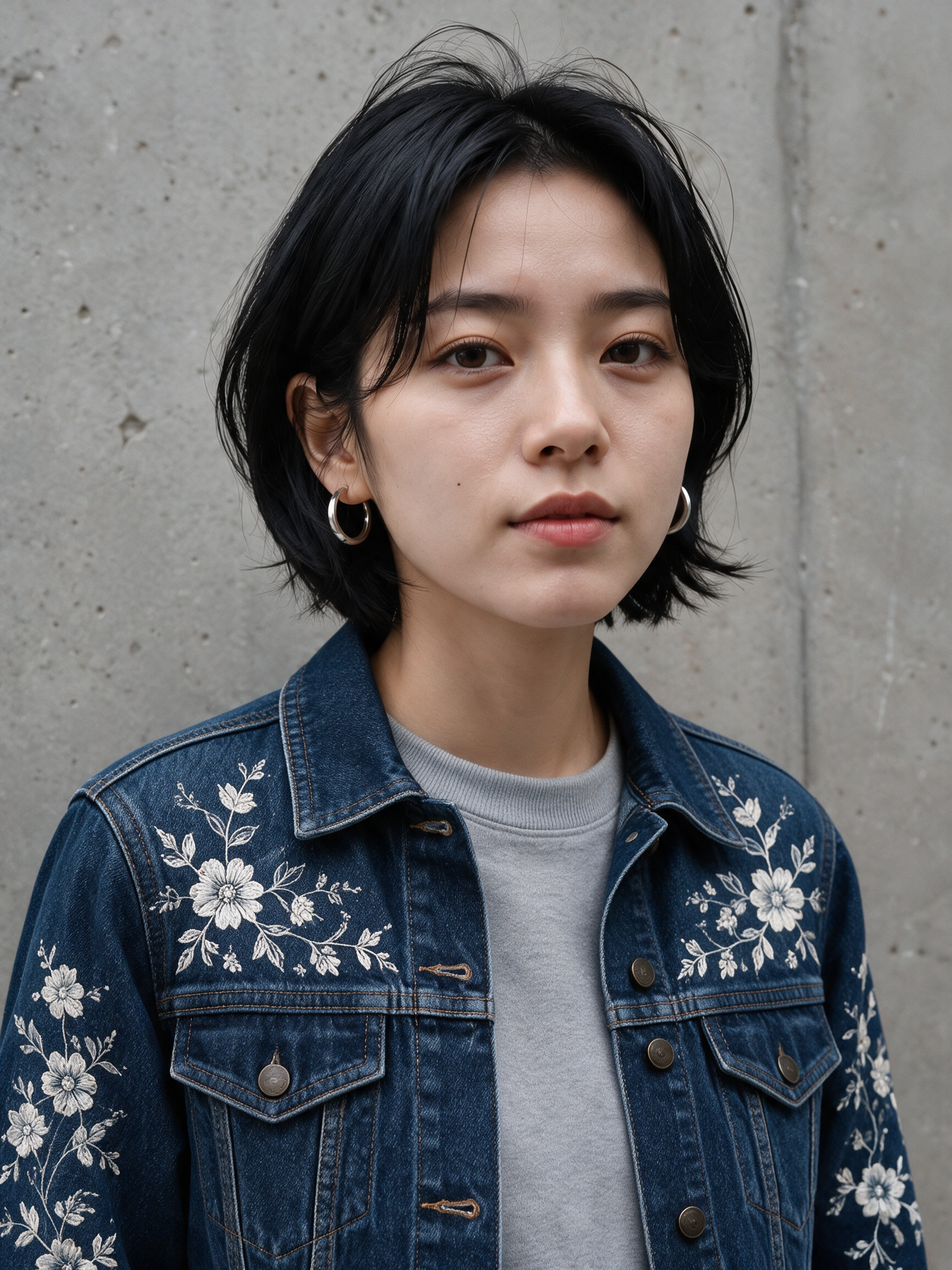
刺绣图案从平铺图到上身穿着完整保留——袖子、胸前的布局,甚至纽扣五金。这个配方正是 Pro 档值回票价的地方:一次生成同时保住人物身份和服装细节。
配方 3——精准改色:保留清单模式
单张参考图。改动只有一句话;后面全是保留清单。这是“改 X,别碰其他任何东西”类任务的通用模板。
Recolor the ceramic pour-over mug to a matte black glaze with a thin brushed-gold rim
along the lip. Preserve the identical mug shape, camera angle, soft studio lighting,
contact shadow and warm off-white backdrop. Everything else in the frame stays
untouched.
aspect_ratio: "1:1",resolution: "2K":
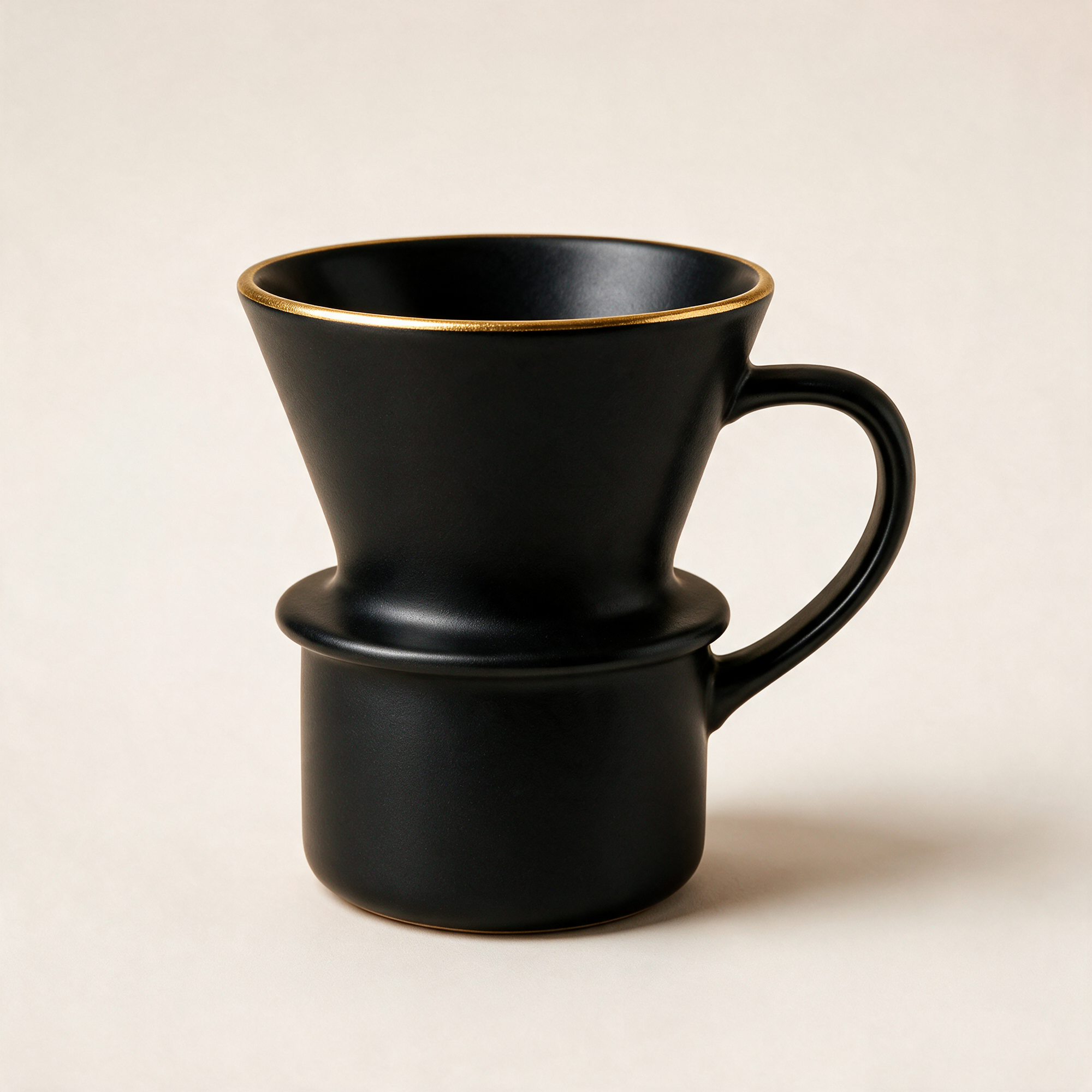
同样的轮廓、同样的阴影、同样的背景——唯一变化的是釉色。它甚至还加了一个与杯沿呼应的金色圈足,我们没要求,但留下了。
配方 4——带重打光条款的背景替换
换背景而不给主体重打光,得到的合成图就像纸板剪影。解决办法是显式要求重打光,同时锁定身份:
Swap the plain concrete wall behind the woman for a rain-soaked city street at night
glowing with neon signs, cyan and magenta reflections and soft distant bokeh. The
woman herself — face, short black hair, silver hoop earrings, expression, pose, grey
sweatshirt — stays exactly as she is, identity preserved. Add a subtle cool neon rim
light so she blends naturally into the night scene.
aspect_ratio: "3:4",resolution: "2K":
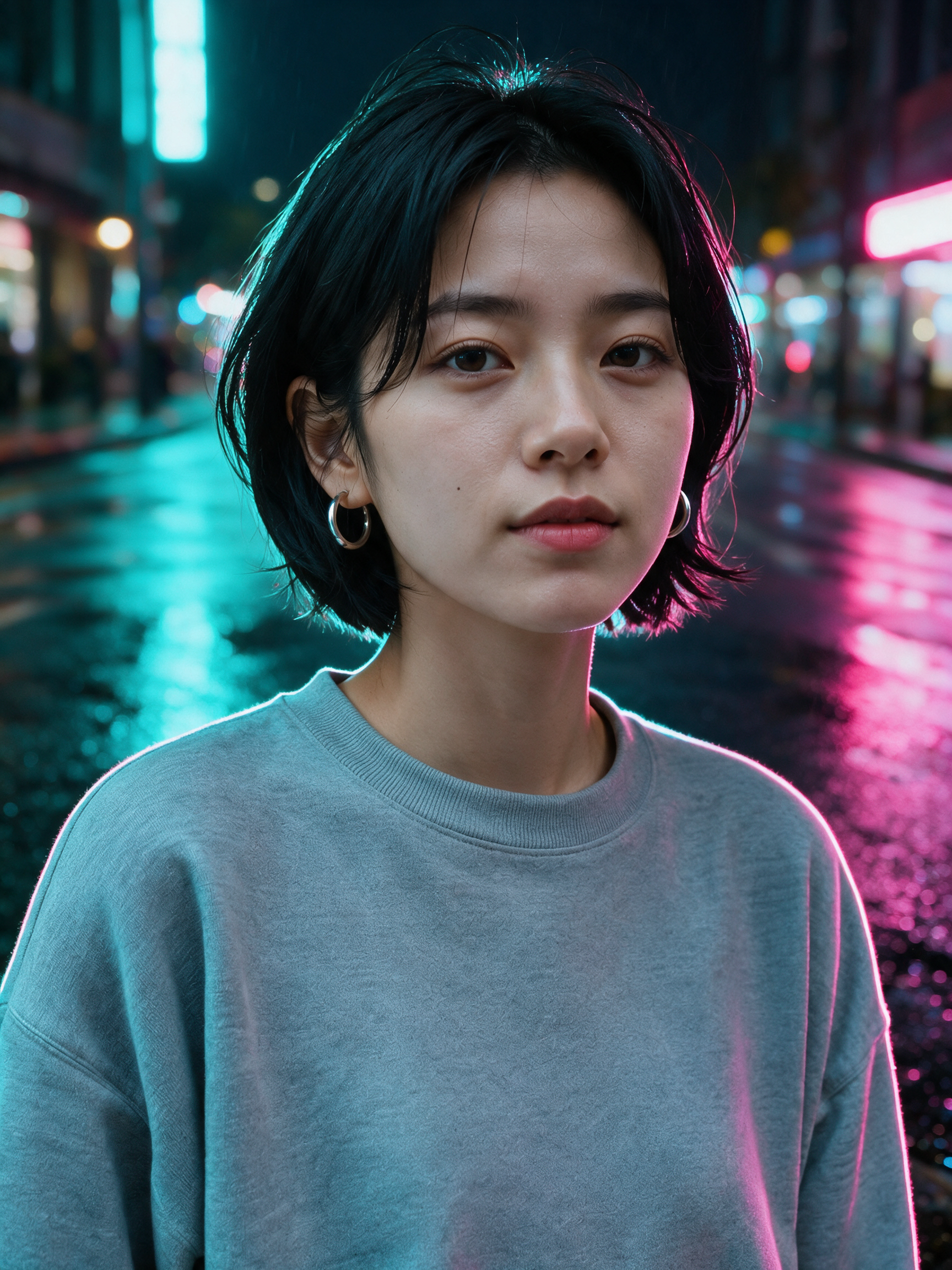
注意她右侧的品红溢光和卫衣上的青色边缘——这正是重打光条款在起作用。同一张脸、同一对耳环,完全不同的世界。
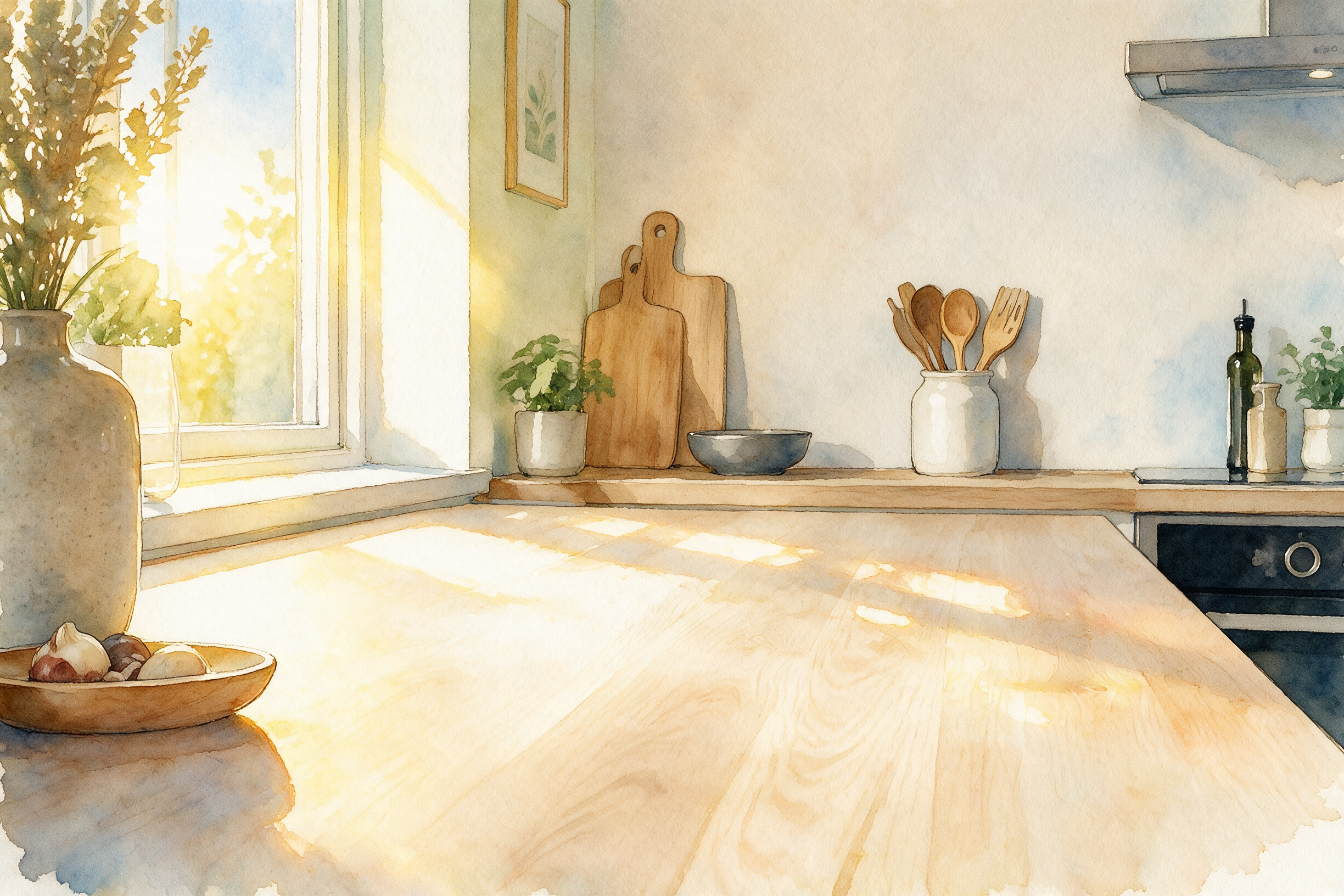
配方 5——风格迁移:照片转水彩
风格化是最宽松的编辑类型,所以提示词把预算花在需要保留的东西上:构图和氛围。
Repaint this photograph as a loose watercolor illustration: visible paper grain, soft
pigment bleeds, delicate hand-drawn ink outlines. Keep the composition, the window,
the vase and the morning-light mood. Pastel palette dominated by warm yellows and
soft blues.
aspect_ratio: "3:2",resolution: "2K"。第一次生成:
配方 6——链式编辑:在配方 3 之上做电影调色
输出就是输入。我们拿配方 3 的黑金咖啡杯——已经上传到我们自己的 CDN——直接作为下一轮氛围处理的参考图:
Turn this product photo into a moody cinematic hero shot: dramatic low-key lighting,
background falling off into deep shadow, a gentle wisp of steam rising from the mug,
subtle film grain, teal-and-orange colour grade. Keep the mug's black-and-gold design,
shape and camera angle exactly identical.
aspect_ratio: "1:1",resolution: "2K"。第一次生成:
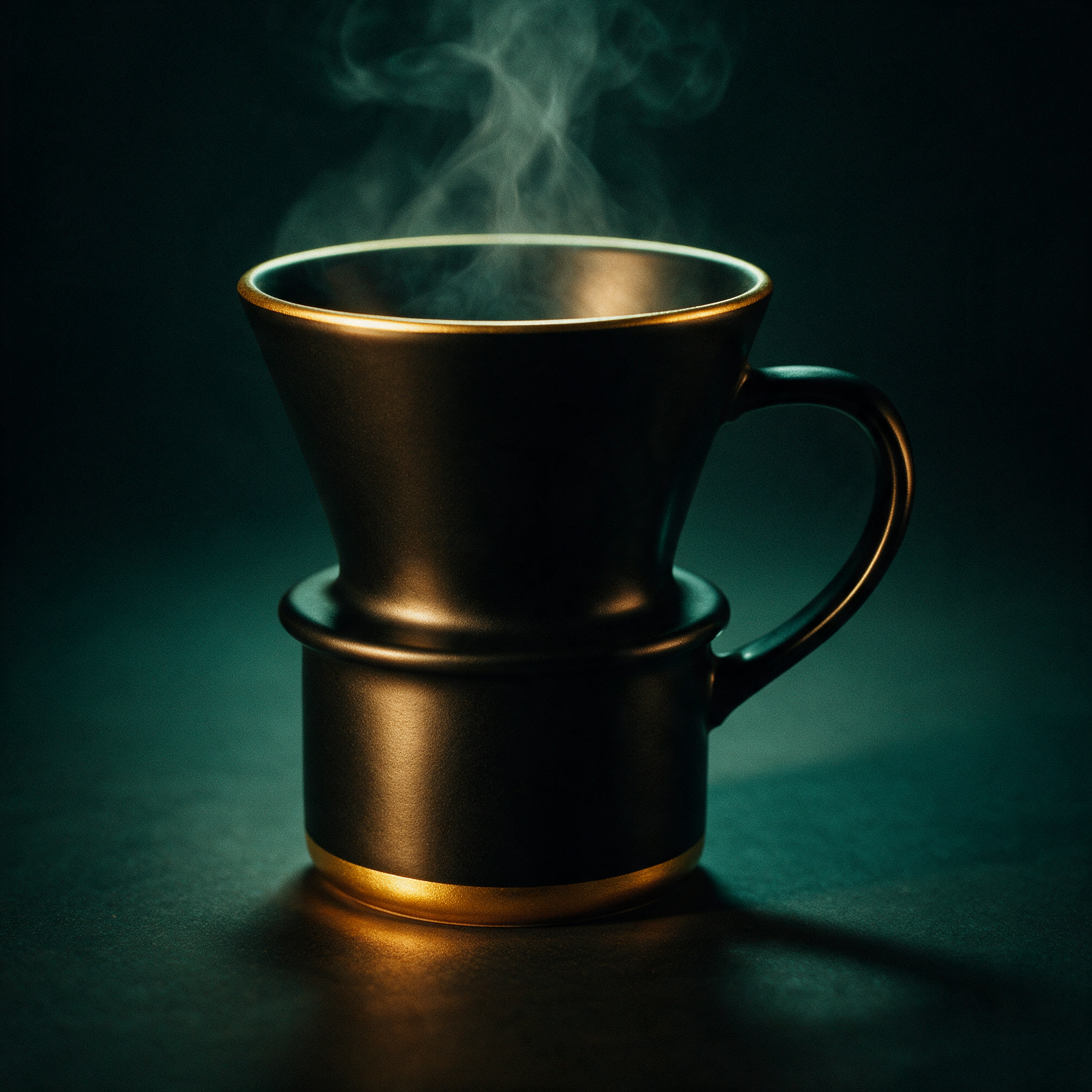
每步只改一件事,胜过一段巨大的提示词:改色结果从第一步起就锁定了,调色这一轮只需考虑光线。链式编辑多花 $0.15,但每一步都可以独立重试——而且可以复用。
真正干活的三个提示词模式
- 给参考图命名角色。“第一张图里的咖啡杯”“第二张图里的台面”——
image_urls里的顺序就是提示词指代的顺序。这里的歧义是模型改错东西的头号原因。 - 目标 → 改动 → 保留清单。先说明你在编辑什么,再说出那一处改动,然后枚举所有不能动的东西。保留清单才是锁定身份、光线和构图的关键——跳过它,模型就会去“优化”你没要求的地方。
- 在主体跨世界迁移时加上重打光条款。“用冷色霓虹轮廓光给她轻微重打光”就是合成图和照片之间的差别。
我们真实踩到的坑
- 不带细节的
TASK_FAILED通常是暂时性的。我们六个配方里有三个首次提交就这么失败——同样的 payload 重试就过了(一个是完全相同的重新提交,两个是轻微改写措辞)。先重提交,再考虑重写。 - schema 是动真格的。没有
n、没有seed、没有size——恰好四个字段,多出来的就是 400。如果你是从更宽松的模型迁移代码,记得把 payload 精简掉。 - 只支持 1K/2K。如果你需要这个系列输出 4K,那是文生图档的功能,不是这个端点。
- 参考图 URL 必须公开。平台会在服务端抓取它们;在轮询中途过期的预签名 URL 会坑到你。
- 立刻下载输出。
output[0].url会过期。在干任何其他事情之前,先把字节拉到自己的存储上。
常见问题
什么时候 Pro 值 4 倍于 Lite 的价格?seedream-5.0-lite/image-to-image 售价 $0.035,处理单主体的局部编辑很好。在我们的测试里,Pro 在多参考图任务上明显领先——服装迁移时保留服装细节,整张背景替换时保持身份。如果编辑涉及两张或更多参考图,或者是绝不能漂移的人脸,就用 Pro。
它和其他编辑模型比怎么样?我们在图生图 API 对比里用同一编辑跑了三个模型——是另一篇文章,有真实的并排对比。
我能用同一个 API 生成参考图吗?可以——本文中每张参考图都来自 gpt-image-2/text-to-image,每张 $0.03,走同一个 /v1/tasks 端点。一个密钥,覆盖工作流的两个阶段。
本文所有编辑的总花费:六次 Pro 编辑按 $0.15 加四次 $0.03 的参考图——刚好超过一美元。拿一个密钥,在文档里核对四字段 schema,然后先从配方 3 的保留清单模式抄起——那是你每天都会用到的。完整参数参考在 seedream-5.0-pro/image-to-image 模型页。


