
使用指南
Wan 2.7 文生图用于电商产品摄影:一次 API 调用生成 4K 影棚级图片
一套经过实测的工作流,使用 hiapi 上的 wan2.7-image/text-to-image 生成主图、场景图、包装图和 4K 微距图——包含精确提示词、真实耗时和统一 $0.08 定价
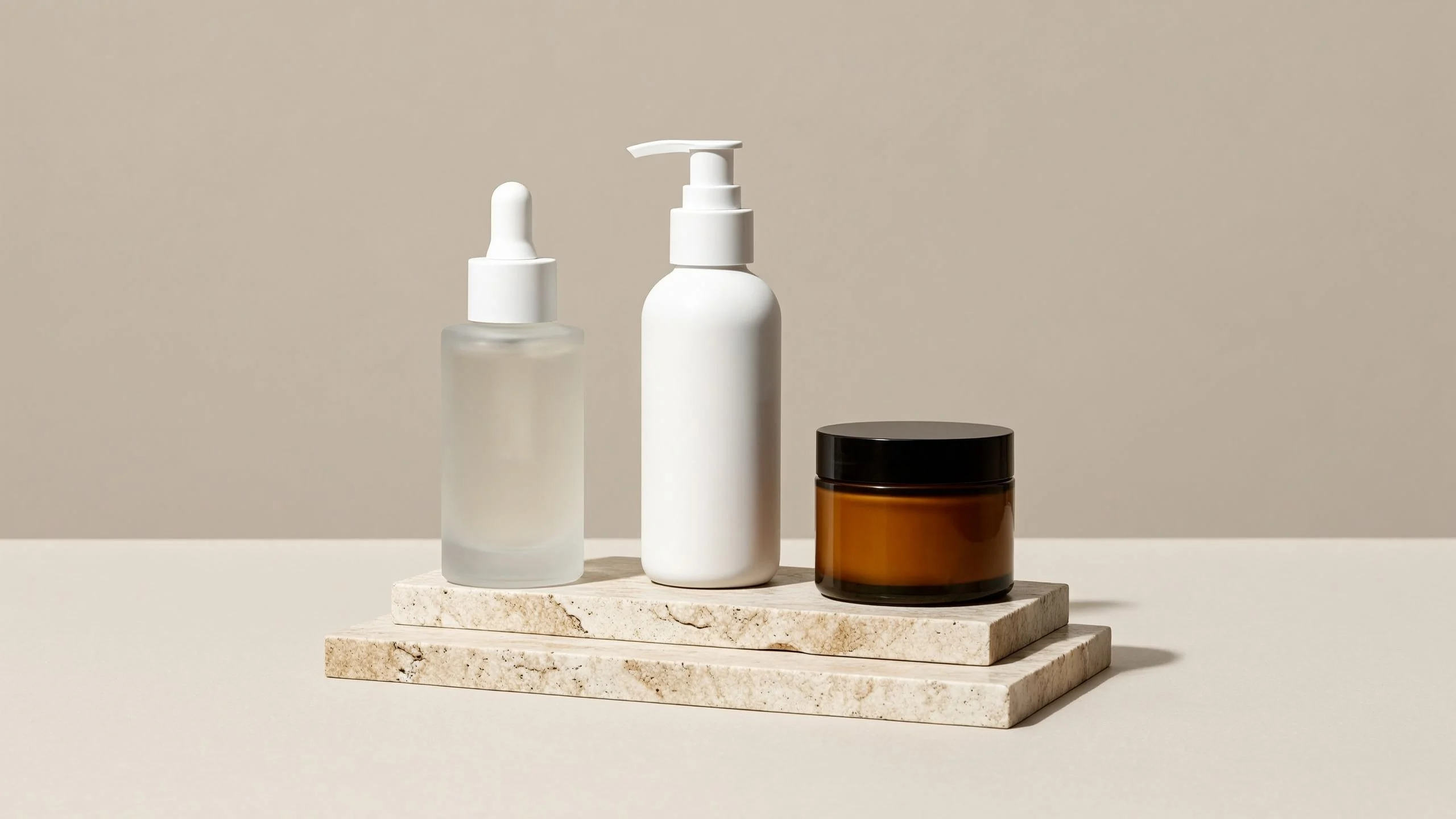
本指南中的每一张图片都是在撰写过程中通过 hiapi 任务 API 由 wan2.7-image/text-to-image 生成的——展示的提示词就是实际使用的提示词,耗时也是这些运行的真实墙钟时间。如果你在网上销售,需要商品列表图、场景图、包装效果图或可放大的细节图,又不想预约影棚,这就是你要的工作流。
为什么用 Wan 2.7 Image 做产品摄影
Wan 2.7 Image Pro(模型 ID wan2.7-image/text-to-image)是通义万相的旗舰文生图模型。有三个特性使它特别适合电商工作:
- 最高支持 4K 输出。 电商平台的缩放查看器和按需印刷都想要比常见 1K 默认值更多的像素。Wan 2.7 原生支持 4096×4096——无需放大处理。
- 强提示词遵循能力。 产品图是构图性的:这个瓶子,放在那个表面上,从这一侧打光。在我们的运行中,材质描述("磨砂玻璃"、"拉丝铝")、光照方向和道具摆放都一次到位。
- 统一定价。 在 hiapi 上,任意分辨率每张图 $0.08——1K、2K 和 4K 计费相同(已对照实时定价页面核实)。大多数高端模型会对 4K 收取附加费,所以如果你的流程以 4K 为主,统一费率是更经济的选择。更多对比见下文。
它还同时接受英文和中文提示词,如果你的产品文案团队使用中文但店铺面向英文用户,这一点很重要。
快速开始:一次 POST,一次轮询
Wan 2.7 Image 运行在 hiapi 的异步任务 API 上。你提交一个任务,轮询直到它完成,然后下载输出。先从快速开始指南获取 API 密钥。
提交:
curl -s -X POST https://api.hiapi.ai/v1/tasks \
  -H "Authorization: Bearer $HIAPI_API_KEY" \
  -H "Content-Type: application/json" \
  -d '{
    "model": "wan2.7-image/text-to-image",
    "input": {
      "prompt": "Studio product photograph of a frosted glass serum bottle with a brushed aluminum dropper cap, standing on a seamless pure white background, soft even lighting from two softboxes, gentle contact shadow under the bottle, crisp edges, high detail, commercial e-commerce listing photography",
      "aspect_ratio": "1:1",
      "resolution": "2K"
    }
  }'
响应中 data.taskId 包含任务 ID。轮询详情端点直到 status 为 success:
import requests, time

API = "https://api.hiapi.ai/v1/tasks"
HEADERS = {"Authorization": f"Bearer {API_KEY}"}

def generate(prompt, aspect_ratio="1:1", resolution="2K", timeout=600):
    r = requests.post(API, headers=HEADERS, json={
        "model": "wan2.7-image/text-to-image",
        "input": {"prompt": prompt, "aspect_ratio": aspect_ratio,
                  "resolution": resolution},
    })
    task_id = r.json()["data"]["taskId"]

    deadline = time.time() + timeout
    while time.time() < deadline:
        task = requests.get(f"{API}/{task_id}", headers=HEADERS).json()["data"]
        if task["status"] == "success":
            return requests.get(task["output"][0]["url"]).content
        if task["status"] == "fail":
            raise RuntimeError(task.get("error"))
        time.sleep(5)
    raise TimeoutError(task_id)

png_bytes = generate("...")  # save immediately — see the expiry note below
在我们的运行中,任务创建约 2 秒返回,2K 生成在 60–75 秒内完成,4K 图片耗时 86 秒。加上轮询开销,每张图预算约一分半钟。
在将其接入生产环境之前,有两条运维注意事项:
- 输出 URL 会过期。
output[0].url包含expireAt时间戳——它是临时链接,不是 CDN 资源。任务成功的瞬间就要下载字节并存储到你自己的存储中。如果你曾经被这个问题坑过,我们在为什么你的 hiapi 输出 URL 返回 404 以及如何处理中写了失败模式。 - 宽高比列表很严格。 Wan 2.7 Image 只接受
1:1、16:9、4:3、21:9、3:4、9:16、8:1、1:8。其他任何比例——包括像3:2和4:5这样的常见照片比例——都会返回400 INVALID_REQUEST,消息中会列出允许的列表。我们实际遇到过:1536×1920 的请求(可简化为 4:5)被拒绝;以3:4重新提交就成功了。如果你需要 Instagram 的 4:5,生成3:4然后裁剪。
每个产品列表都需要的四种图
以下是四种典型的电商图片类型,每种都附有实际使用的提示词和未经编辑的输出。
1. 白底主图
Amazon、eBay 和大多数电商平台要求主列表图使用纯白背景。提示词中的关键点:明确指定背景("无缝纯白背景")、要求"轻柔接触阴影"这样产品不会漂浮、像摄影师那样描述灯光设置。
Studio product photograph of a frosted glass serum bottle with a brushed aluminum dropper cap, standing on a seamless pure white background, soft even lighting from two softboxes, gentle contact shadow under the bottle, crisp edges, high detail, commercial e-commerce listing photography
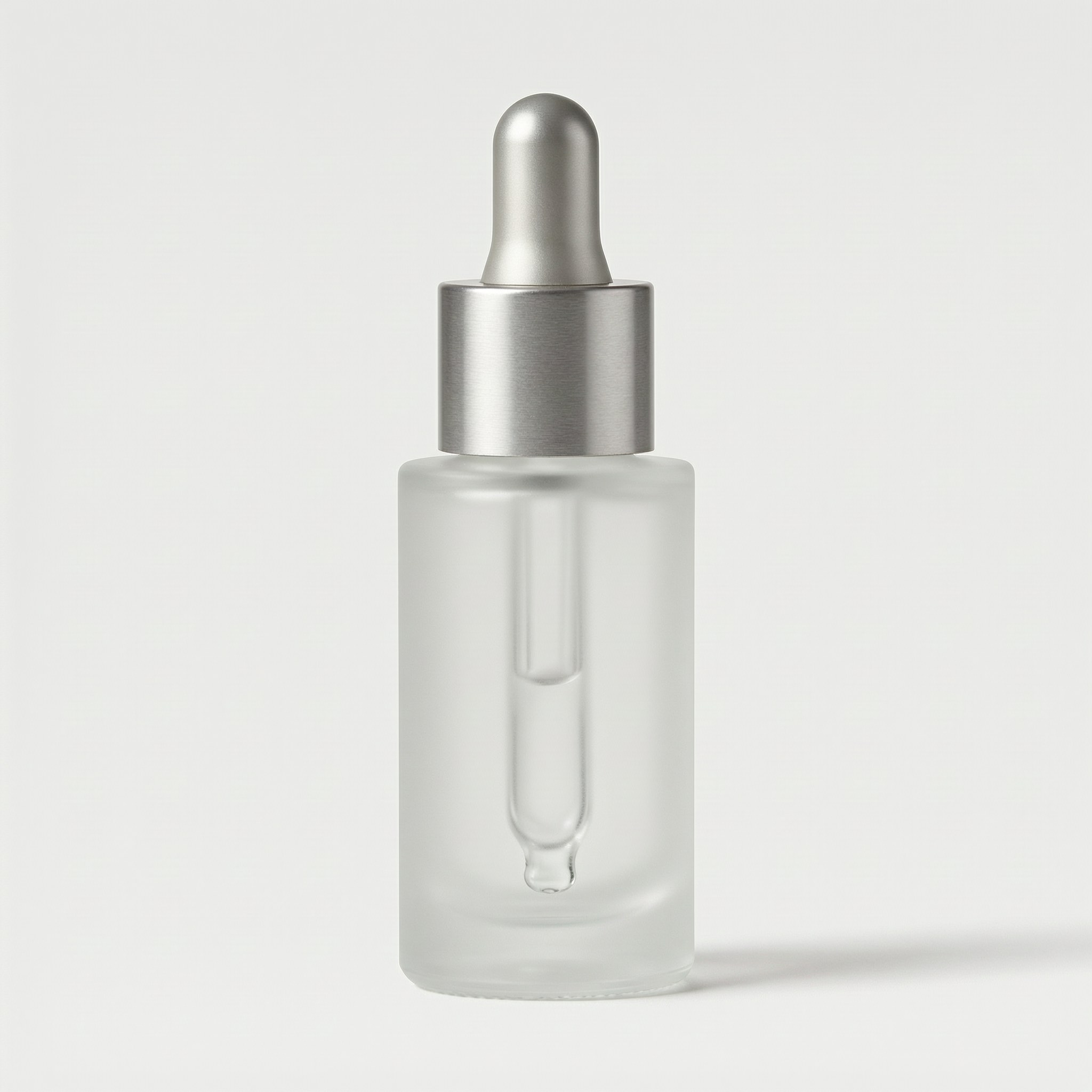
以 1:1 / 2K 生成,耗时 61 秒。材质渲染——透过漫射可见滴管的磨砂玻璃、瓶盖上的拉丝金属纹理——这就是"强提示词遵循能力"带来的效果。
2. 场景图
次要列表图用于传达使用场景。把产品放在顾客想象中使用它的地方,让提示词承载造型要求:表面、道具、光照方向、景深。
A frosted glass serum bottle with a brushed aluminum dropper cap standing on a white marble bathroom counter beside a folded beige linen towel and a sprig of eucalyptus, soft morning window light from the left, shallow depth of field, warm lifestyle product photography for an online store listing
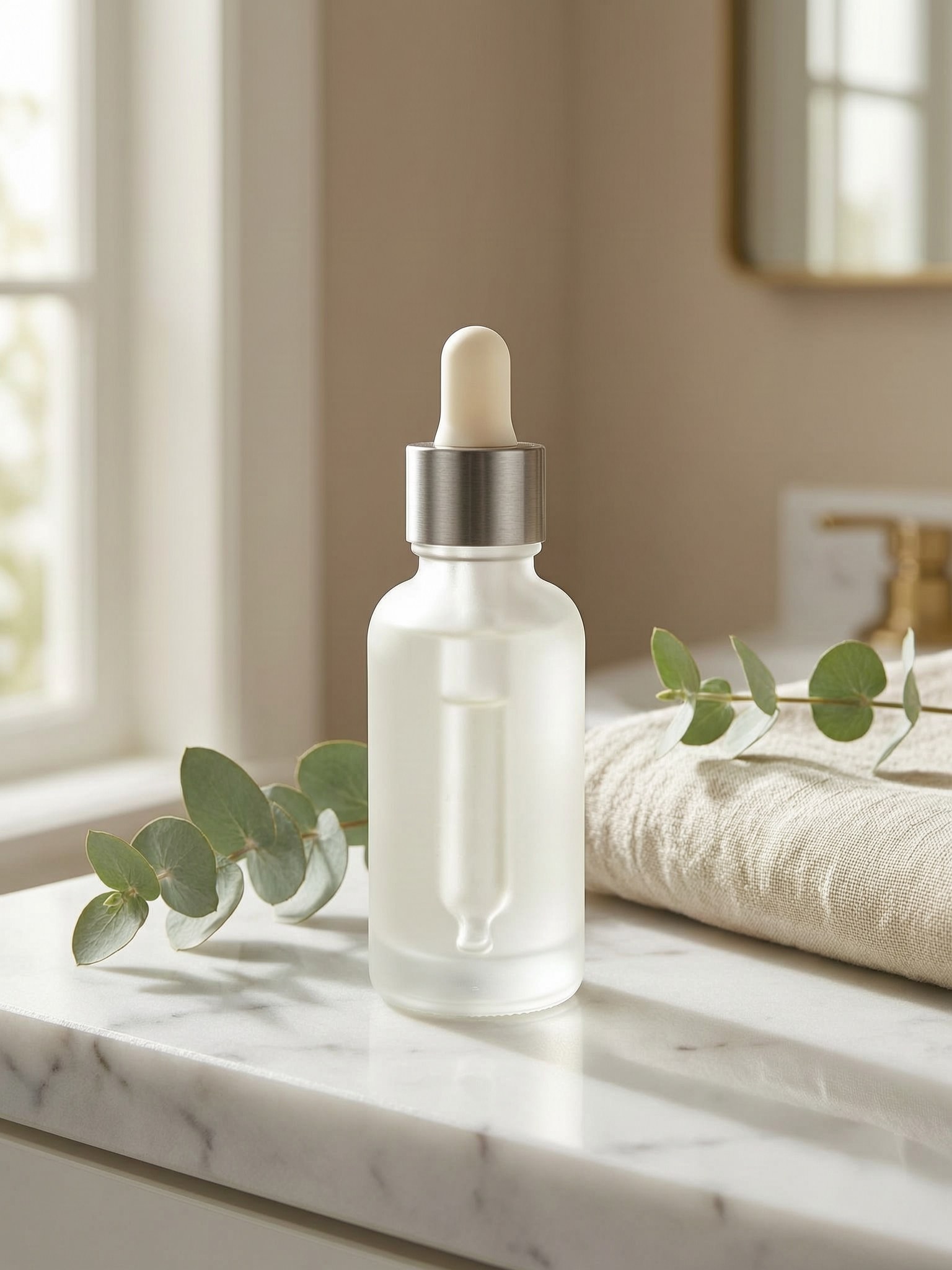
需求中的每个元素都到位了:大理石台面、折叠毛巾、桉树、左侧窗光、背景衰减。这是提示词遵循能力最重要的图片类型,因为一个多余或缺失的道具就意味着重新生成。
3. 带可读品牌文字的包装图
文字渲染是大多数图像模型在产品工作上失败的地方。简短、明确的文字在 Wan 2.7 上渲染可靠——把确切的字符串放在引号中并描述排版:
Product packaging shot: a matte sage-green cardboard box with the brand name "VELA" printed in clean white sans-serif capital letters on the front panel, standing next to a matching frosted glass serum bottle, studio lighting on a light gray seamless background, sharp focus, e-commerce product photography
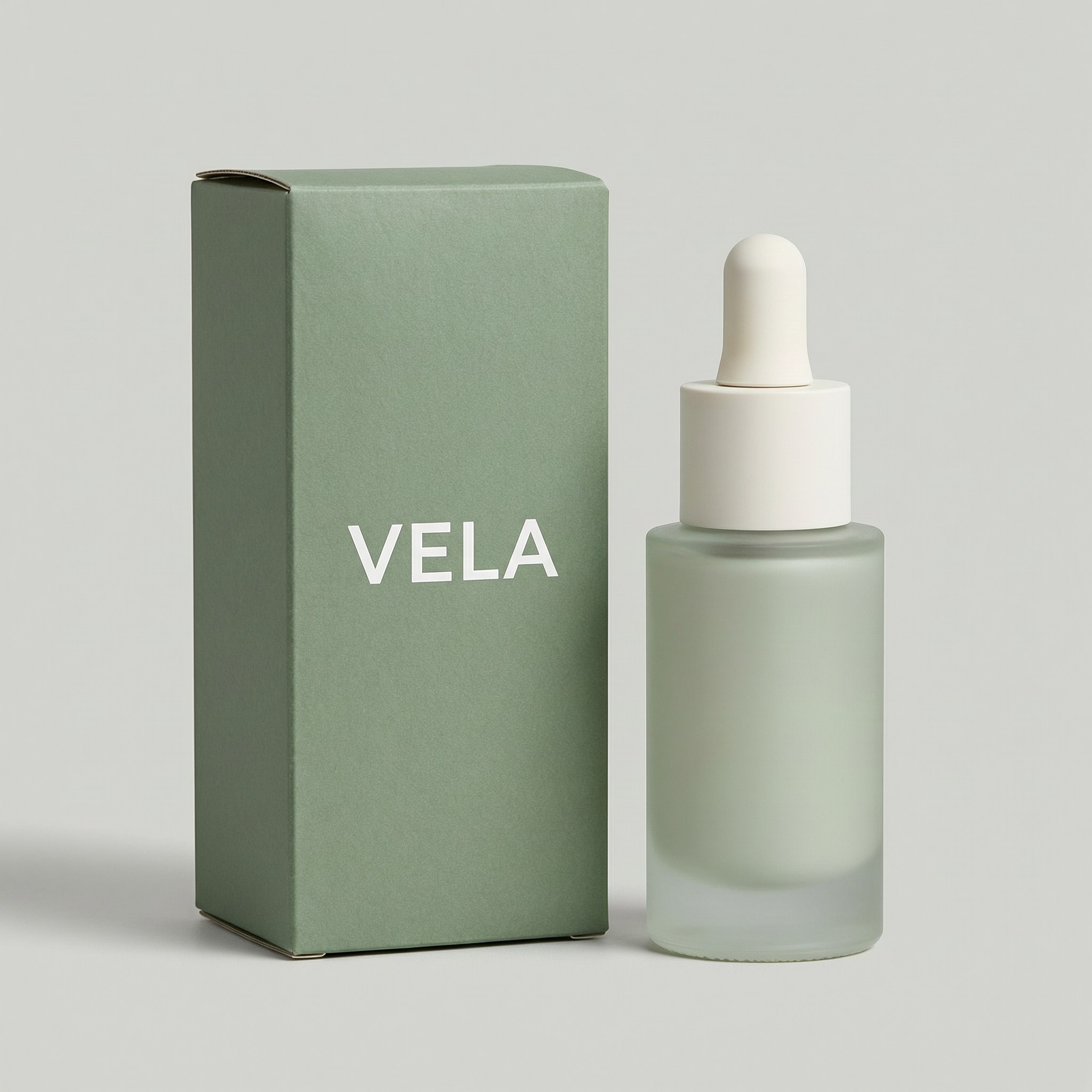
"VELA" 渲染得一字不差。我们测试运行中有一个诚实的提醒:这适用于你明确指定的短字符串。当我们横幅图片的早期草稿把标签留给模型自由发挥时,它在瓶子上发明了看似合理的乱码("SERUM SERUE")——所以要么引用你想要的确切文字,要么提示"无标签、无文字、无徽标"并在后期添加标签。发布前务必校对生成图片中的任何文字。
4. 4K 微距细节图
放大细节图可以支撑溢价定价。这就是 4K 输出和统一费率发挥作用的地方——同样的 $0.08 买到 4096×4096 文件:
Extreme close-up macro photograph of fine water droplets on the frosted glass surface of a cosmetic serum bottle, the brushed aluminum cap edge visible at the top of the frame, crisp micro-detail, controlled studio reflections, luxury skincare advertising detail shot
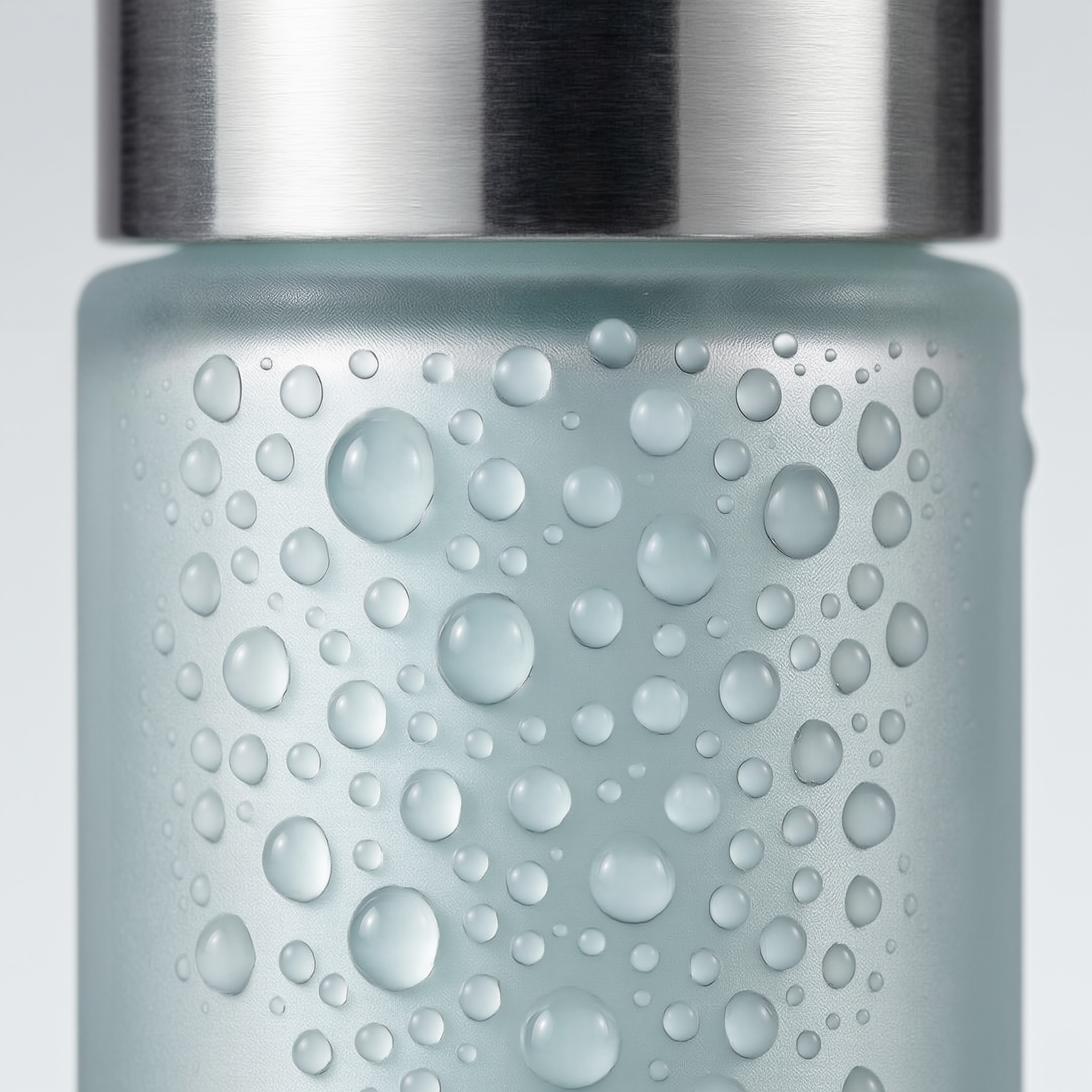
全分辨率文件为 4096×4096(优化 JPEG 约 1.2 MB),在电商平台缩放查看器下无需任何放大即可保持清晰。
电商工作负载对比
以下所有价格均为撰写时 hiapi 的实时每张图费率——请查看定价页面获取当前数字。
| 模型 | 1K | 2K | 4K | 最适合 |
|---|---|---|---|---|
wan2.7-image/text-to-image |
$0.08 | $0.08 | $0.08 | 以 4K 为主的流程、提示词繁重的构图 |
gpt-image-2/text-to-image |
$0.03 | $0.04 | $0.06 | 1K–2K 就够的高容量目录 |
nano-banana |
$0.05 | — | — | 速度(每张图 1–2 秒)、快速迭代 |
nano-banana-pro |
$0.17 | $0.17 | $0.2992 | 高端品牌素材、大量文字渲染 |
我们建议的决策规则:如果你的列表需要 4K,Wan 2.7 是产品线中最便宜的 4K 选项,统一费率使成本预测变得非常简单。如果 1K–2K 就够用且受限于量,gpt-image-2 是预算主力。如果你在确定方案前要对构图迭代几十次,nano-banana 的 1–2 秒生成能保持快速循环——然后在 Wan 2.7 上以 4K 重新渲染胜出方案。
一个完整的产品列表——主图、场景图、包装图、微距图——在 Wan 2.7 上花费 $0.32,如果并发运行任务,墙钟时间不到五分钟。
总结
wan2.7-image/text-to-image 为电商团队提供影棚级产品摄影,只需一次异步 API 调用:任意分辨率最高 4K 统一 $0.08、对构图需求强遵循、包装短文字渲染可靠。注意严格的宽高比列表,在 URL 过期前下载输出,并校对任何生成的文字。
准备在你自己的目录上试用了吗?获取 API 密钥,从 Wan 2.7 Image Pro 模型页面开始,异步 API 快速开始将在大约九十秒内渲染出你的第一张 4K 产品图。


