
Guide d'utilisation
gpt-image-2 电商产品图:在 hiapi 上运行的工作流
使用 hiapi 的 gpt-image-2/text-to-image 任务 API,为整个商品目录生成干净的白底 listing 图、角度/细节变体和生活方式场景——真实复现的图片、经核实的每张 $0.03 定价,以及可直接复制粘贴的批量脚本。
TL;DR
- 这是什么:一份可运行、可复现的工作流,使用 hiapi 上的
gpt-image-2/text-to-image生成电商产品图。本页每一张图都是用它旁边印出的原始提示词渲染出来的——没有图库照片,没有借用演示。 - 一个模型,三种用途:干净的白底目录图、同一产品的角度/细节变体,以及生活方式场景——全部来自同一个文生图任务接口。
- API 事实(已在平台上核实):
gpt-image-2/text-to-image运行在异步任务接口(/v1/tasks)上。input对象需要prompt、aspect_ratio(listing 用1:1,社交用4:5,横幅用16:9)和resolution(1K/2K/4K)。结果图片位于output[0].url。 - 定价:
gpt-image-2/text-to-image统一 每张 $0.03。20 个 SKU 的目录每款 3 张图,共 60 张,花费 $1.80。实时价格见 定价页。 - 如何运行:POST 到任务 API,轮询直到
success,然后从output[0].url下载图片——该 URL 会过期,所以请立即保存字节内容。文末附完整的可复制粘贴提交/轮询/下载脚本和批量循环。
为什么用 gpt-image-2 做产品图
产品图流水线有一个枯燥但严格的规范:同一产品、干净呈现、一致背景、适合 listing 的宽高比。gpt-image-2/text-to-image 适合这一点有三个原因。
第一,它能在一批任务中保持产品描述稳定——描述一次商品,重复使用该描述,只改变相机角度。这正是把“一张主图”变成整套 listing 图集的关键。
第二,它是每张图一个异步任务。提交任务、轮询任务 id、取回完成的文件——与所有其他 hiapi 生成模型使用相同的任务协议,所以如果你已经在调用其他模型,这里的控制流程完全一致。
第三,它足够便宜,可以反复迭代。每张图 $0.03,你可以为每个 SKU 渲染三个角度,并丢弃不理想的那些。
唯一规则:产品规格写一次,反复使用
保持一致 listing 图集的诀窍是:让提示词中产品那一半固定,只改变镜头那一半。以下是下方每张图使用的固定产品规格:
a matte ceramic pour-over coffee dripper in sage green with a short conical body and a small pouring spout
其余所有内容——角度、背景、灯光、构图——按镜头追加。把它放进一个变量,然后拼接。
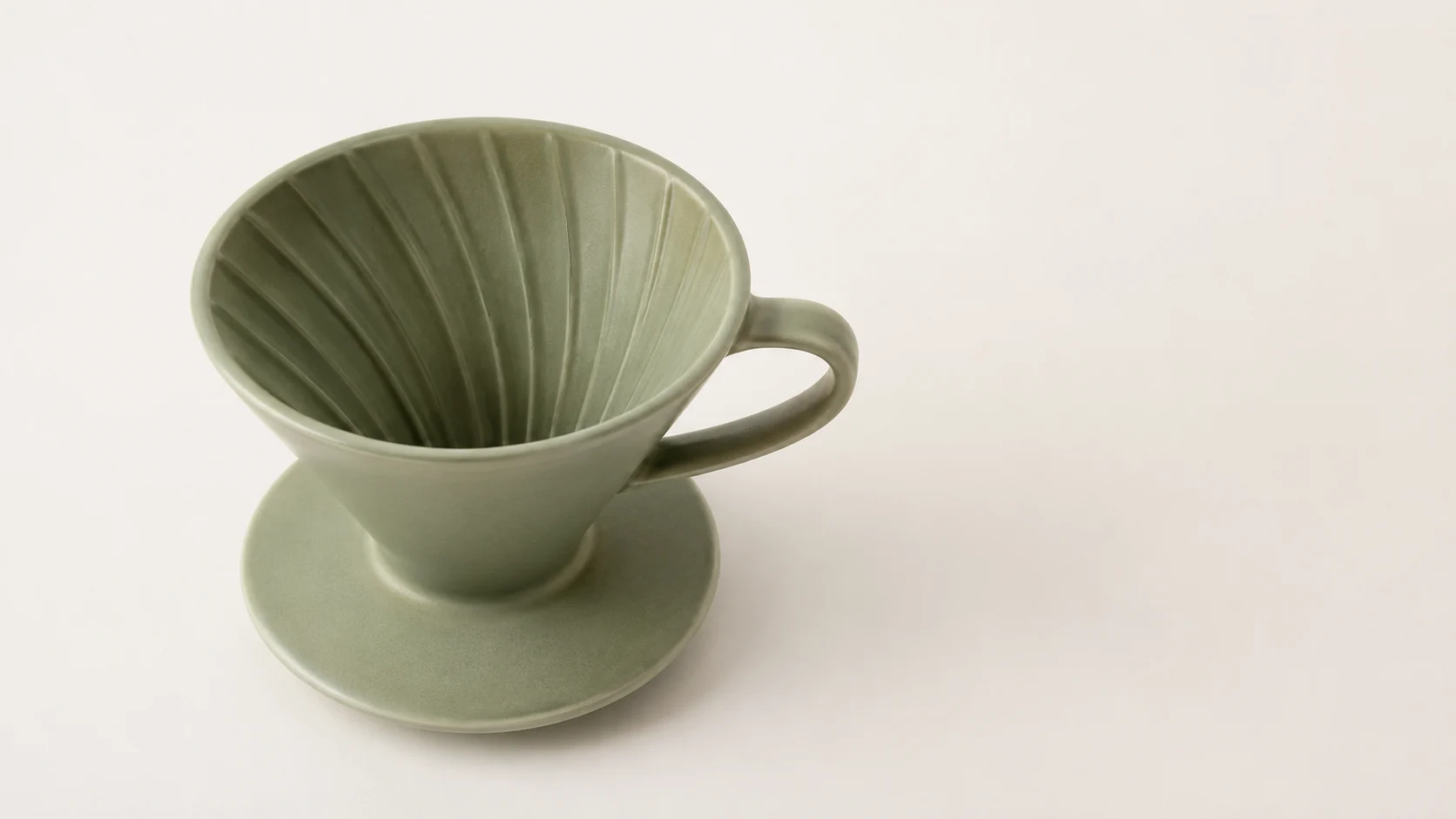
镜头 1——白底 listing 图
这是市场平台想要的镜头:纯白、柔和均匀的光线、一处淡淡阴影,画面中没有其他东西。
提示词:Studio e-commerce product photo of a matte ceramic pour-over coffee dripper in sage green with a short conical body and a small pouring spout, front three-quarter angle, centered on a pure white seamless background (#ffffff), soft even box lighting, subtle soft shadow directly beneath, sharp focus, true-to-life color, catalog listing style, no props, no text.
设置:
aspect_ratio: 1:1,resolution: 1K

镜头 2 和 3——同一产品的变体
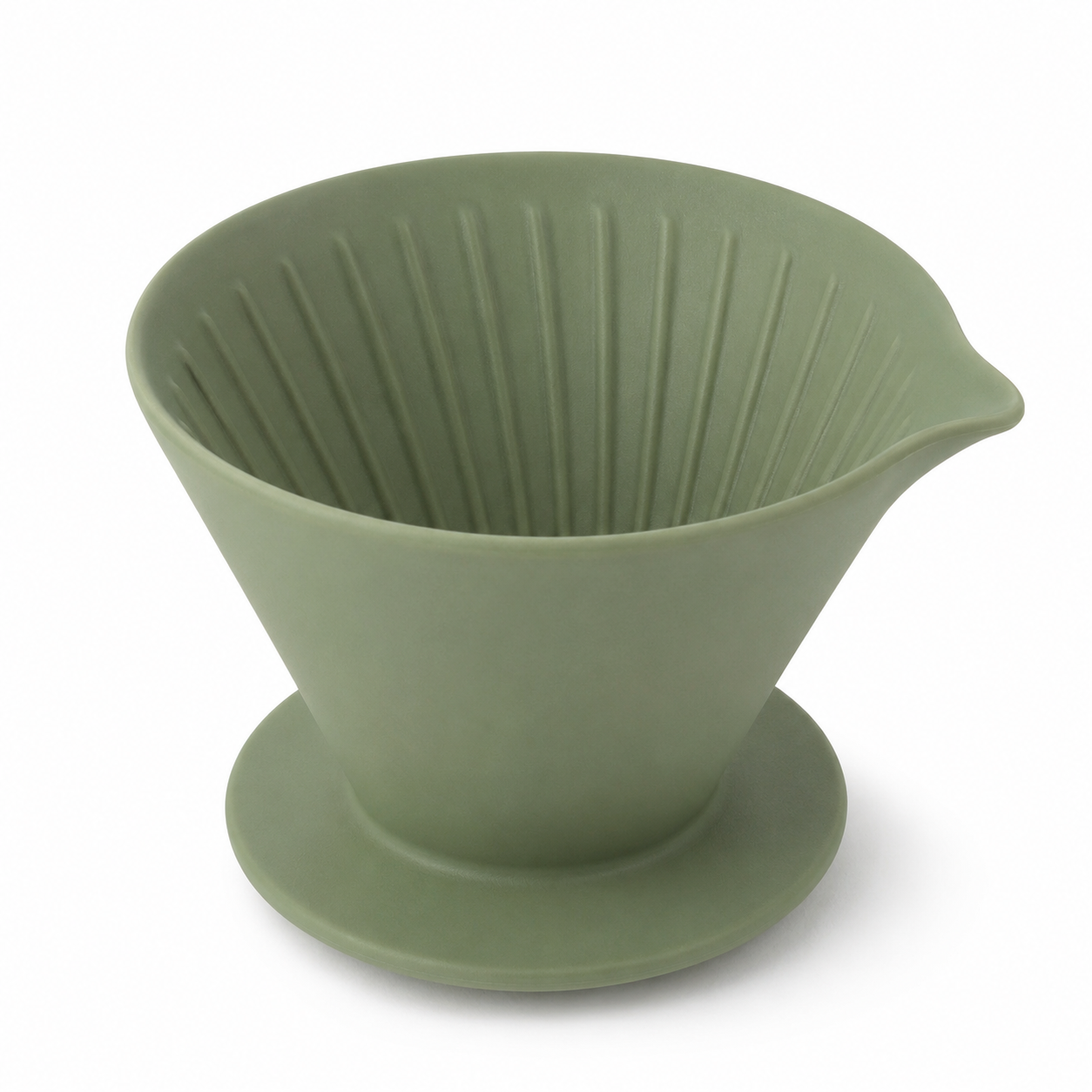
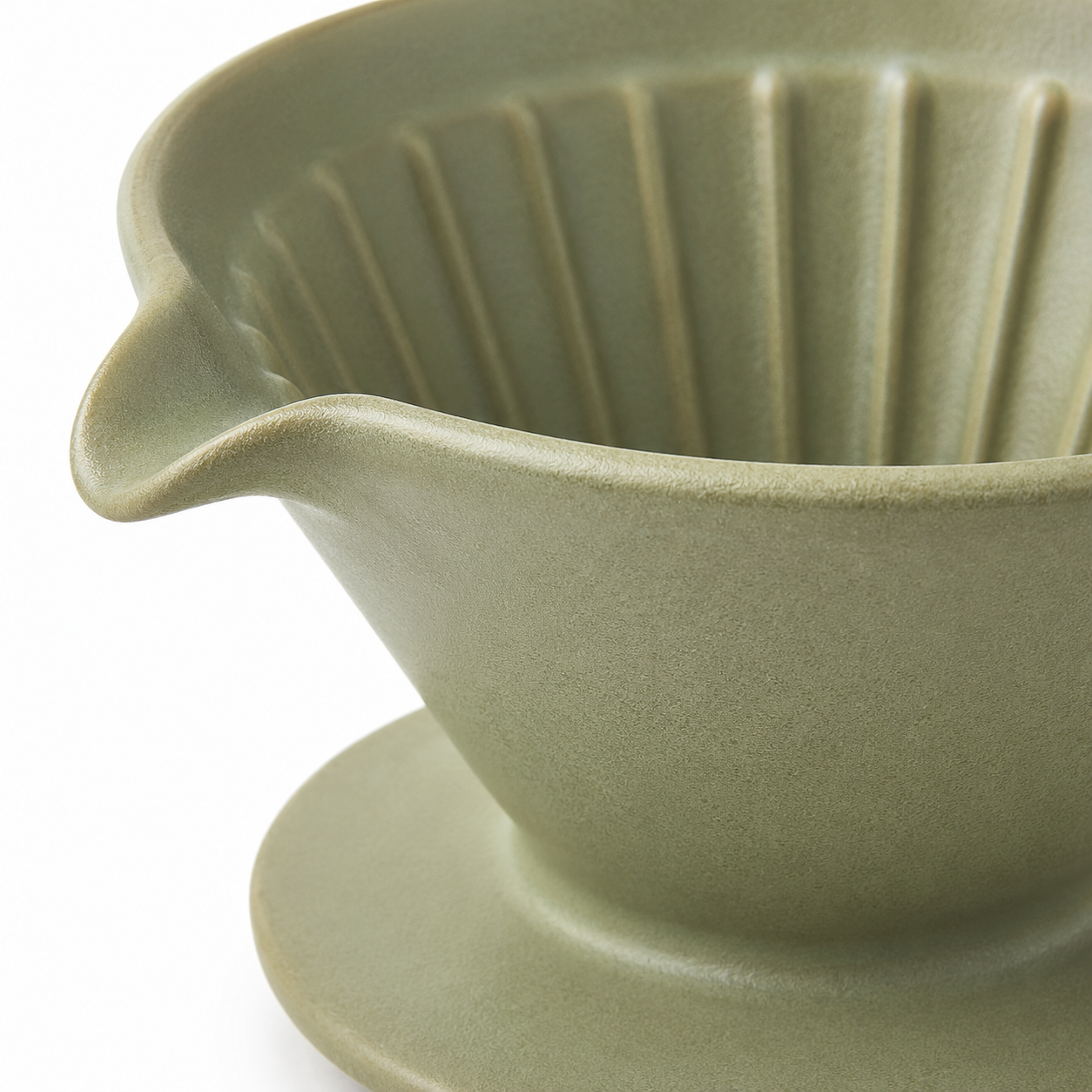
现在复用完全相同的产品规格,只改变相机指令。由于提示词中产品那一半完全相同,滤杯在一整套图中保持为可辨认的同一件商品。
提示词(角度):…high side angle looking down into the cone, pure white seamless background (#ffffff), soft even box lighting, subtle soft shadow, sharp focus, true-to-life color, catalog listing style, no props, no text.
提示词(细节):Close-up… focus on the spout and rim texture, pure white seamless background (#ffffff), soft even box lighting, subtle soft shadow, sharp focus, macro detail, catalog listing style, no props, no text.
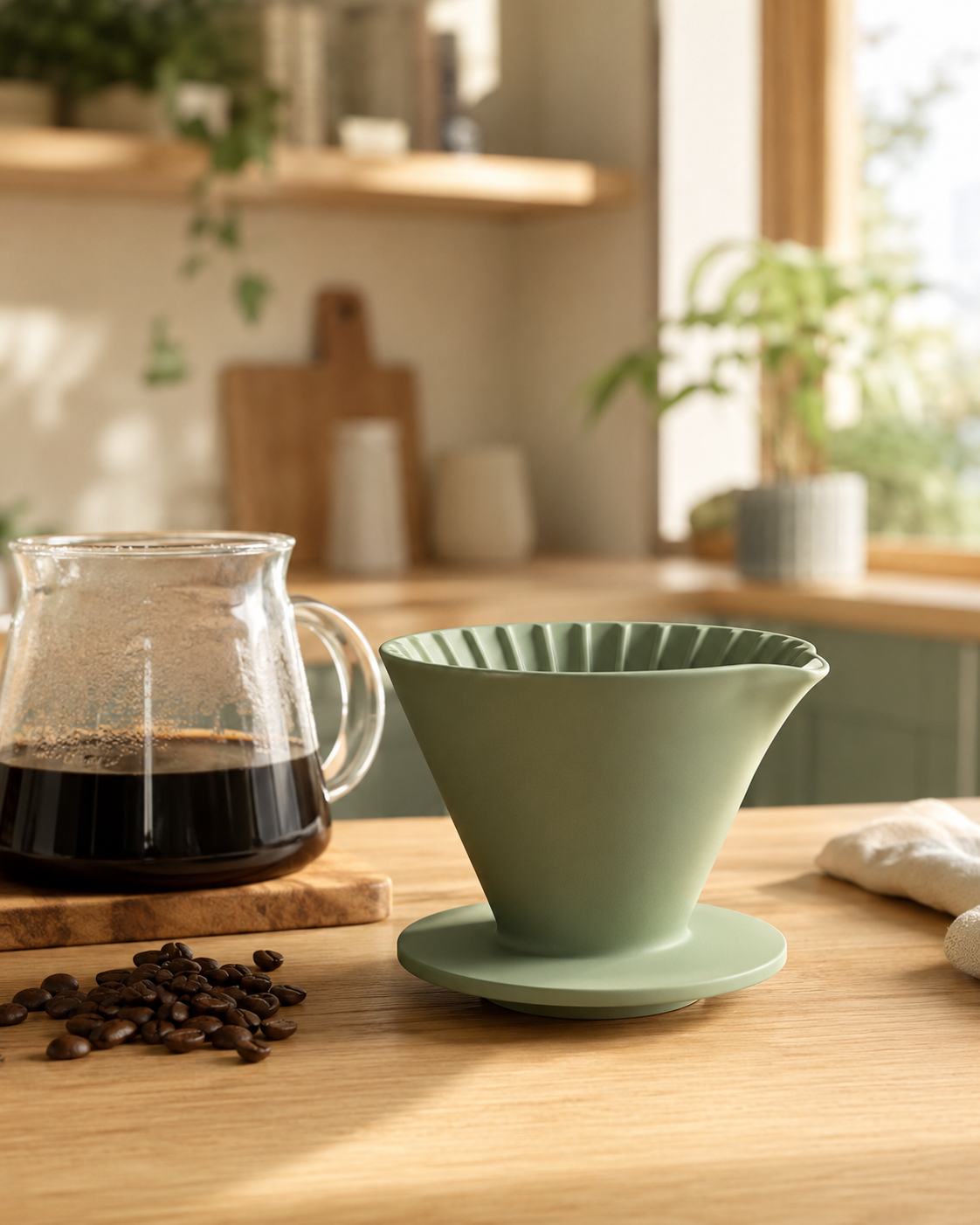
镜头 4——生活方式 / 社交变体
listing 需要干净的抠图;广告和社交需要场景。相同的产品规格,新的场景,以及适合信息流的竖版 4:5 画幅。
提示词:Lifestyle e-commerce scene of a matte ceramic pour-over coffee dripper in sage green with a short conical body and a small pouring spout sitting on a light oak kitchen counter beside a glass carafe and a small pile of coffee beans, warm morning window light, shallow depth of field, cozy Scandinavian interior blurred in the background, natural color, premium social-media product shot, no text.
设置:
aspect_ratio: 4:5,resolution: 1K
API 端到端
三次调用:提交任务、轮询、下载文件。
1. 提交——POST 模型和 input 对象:
curl -s -X POST https://api.hiapi.ai/v1/tasks \
  -H "Authorization: Bearer $HIAPI_TOKEN" \
  -H "Content-Type: application/json" \
  -d '{
    "model": "gpt-image-2/text-to-image",
    "input": {
      "prompt": "Studio e-commerce product photo ... no text.",
      "aspect_ratio": "1:1",
      "resolution": "1K"
    }
  }'
# -> {"data": {"taskId": "task_abc123"}}
2. 轮询——GET 任务,直到 status 为 success:
curl -s https://api.hiapi.ai/v1/tasks/task_abc123 \
  -H "Authorization: Bearer $HIAPI_TOKEN"
# -> {"data": {"status": "success", "output": [{"url": "https://.../image.png"}]}}
3. 下载——output[0].url 是临时的,所以立即保存:
curl -s -o dripper-front.jpg "<output[0].url>"
批量脚本:一个产品,多张图
以下是一个可复制粘贴的 Python 循环,从一份产品规格渲染整套 listing 图集。它保持产品描述固定,并迭代镜头指令。
import os, time, requests

BASE = "https://api.hiapi.ai/v1/tasks"
TOKEN = os.environ["HIAPI_TOKEN"]
HEAD = {"Authorization": f"Bearer {TOKEN}", "Content-Type": "application/json"}

# Fixed product spec — write it once.
PRODUCT = ("a matte ceramic pour-over coffee dripper in sage green with a short "
           "conical body and a small pouring spout")

# Vary only the shot half.
SHOTS = {
    "front":     ("1:1", "front three-quarter angle, pure white seamless background (#ffffff), "
                         "soft even box lighting, subtle soft shadow, catalog listing style, no text"),
    "angle":     ("1:1", "high side angle looking into the cone, pure white background, "
                         "soft even lighting, catalog listing style, no text"),
    "detail":    ("1:1", "close-up macro on the spout and rim, pure white background, "
                         "soft even lighting, catalog listing style, no text"),
    "lifestyle": ("4:5", "on a light oak kitchen counter with a glass carafe and coffee beans, "
                         "warm morning window light, shallow depth of field, no text"),
}

def submit(prompt, ratio):
    body = {"model": "gpt-image-2/text-to-image",
            "input": {"prompt": prompt, "aspect_ratio": ratio, "resolution": "1K"}}
    r = requests.post(BASE, headers=HEAD, json=body, timeout=60)
    return r.json()["data"]["taskId"]

def wait(task_id, timeout=600):
    deadline = time.time() + timeout
    while time.time() < deadline:
        d = requests.get(f"{BASE}/{task_id}", headers=HEAD, timeout=30).json()["data"]
        if d["status"] == "success":
            return d["output"][0]["url"]
        if d["status"] == "fail":
            raise RuntimeError(d.get("error"))
        time.sleep(5)
    raise TimeoutError(task_id)

for name, (ratio, shot) in SHOTS.items():
    prompt = f"Studio e-commerce product photo of {PRODUCT}, {shot}."
    url = wait(submit(prompt, ratio))
    img = requests.get(url, timeout=120).content   # URL expires — save now
    open(f"dripper-{name}.jpg", "wb").write(img)
    print(f"saved dripper-{name}.jpg  (cost $0.03)")
把 PRODUCT 换成你的 SKU,保留 SHOTS 映射,并在外层套一个遍历商品目录的循环,就能用同样方式渲染每个产品。
真实目录的成本计算
gpt-image-2/text-to-image 统一按 每张图 $0.03 计费(已在平台上核实;当前数字请查看定价页)。因此:
| 目录规模 | 每 SKU 镜头数 | 图片数 | 成本 |
|---|---|---|---|
| 20 个 SKU | 3 | 60 | $1.80 |
| 100 个 SKU | 3 | 300 | $9.00 |
| 100 个 SKU | 4(含生活方式) | 400 | $12.00 |
这足够便宜,当你更改背景标准时,可以重新渲染整个目录,而不是重新拍摄。
总结
工作流刻意保持精简:固定产品规格,变化镜头,提交 → 轮询 → 下载,并在 URL 过期前保存输出字节。每张图一个 gpt-image-2/text-to-image 任务,每张 $0.03,使用你已在其他 hiapi 模型上使用的同一套任务协议。把批量循环指向你的商品目录,它就能线性扩展。
Articles similaires
Voir tous les articles →-

Guide d'utilisation
Guide de démarrage pour seedream-5.0-pro/image-to-image : capacités, tarification et points d'intégration
Limites de capacité, mode de facturation et pratiques d'intégration technique du modèle d'édition d'image de ByteDance
-

Guide d'utilisation
Guide de prise en main de la génération d'images par texte avec seedream-5.0-pro : limites de capacités, intégration API et maîtrise des coûts
Point de vue pratique pour les développeurs : des points clés des paramètres à l'estimation du coût de 0,05 $ par image
-

Guide d'utilisation
Guide de prise en main de Hailuo 2.3 Fast image-to-video : limites de capacités, tarification et intégration pratique
Points clés pour les développeurs : choisir et intégrer le modèle image-to-video de MiniMax