
使用ガイド
gpt-image-2 によるEC商品画像:hiapi 上のバッチワークフロー
hiapi の gpt-image-2/text-to-image タスクAPI を使って、商品カタログ全体のためのクリーンな白背景リスティング画像、アングル・ディテールのバリエーション、ライフスタイルシーンを生成します。実際に再現された画像、検証済みの1枚 $0.03 の価格、そしてそのままコピー&ペーストできるバッチスクリプトを掲載しています。
TL;DR
- これは何か:hiapi 上の
gpt-image-2/text-to-imageを使ってEC商品画像を生成する、実行可能で再現性のあるワークフローです。このページのすべての画像は、その横に掲載された元のプロンプトでレンダリングされたものです。ストックフォトも、借り物のデモもありません。 - 1つのモデル、3つの用途:クリーンな白背景のカタログ画像、同一商品のアングル・ディテールバリエーション、そしてライフスタイルシーン——すべて同じテキストtoイメージのタスクインターフェースから生成します。
- API の事実(プラットフォーム上で検証済み):
gpt-image-2/text-to-imageは非同期のタスクインターフェース(/v1/tasks)で動作します。inputオブジェクトにはprompt、aspect_ratio(リスティングなら1:1、SNSなら4:5、バナーなら16:9)、resolution(1K/2K/4K)が必要です。結果画像はoutput[0].urlに格納されます。 - 価格:
gpt-image-2/text-to-imageは一律1枚 $0.03。20 SKU のカタログで各商品3枚なら計60枚、コストは$1.80です。最新価格は料金ページをご覧ください。 - 実行方法:タスクAPIに POST し、
successになるまでポーリングし、output[0].urlから画像をダウンロードします——この URL は期限切れになるため、バイト内容をすぐに保存してください。記事の最後に、そのままコピー&ペーストできる完全な送信/ポーリング/ダウンロードスクリプトとバッチループを掲載しています。
なぜ商品画像に gpt-image-2 なのか
商品画像パイプラインには地味ながら厳格な仕様があります。同じ商品、クリーンな見せ方、一貫した背景、リスティングに適したアスペクト比。gpt-image-2/text-to-image がこれに適している理由は3つあります。
第一に、一連のタスクを通じて商品の説明を安定させられることです。商品を一度説明し、その説明を繰り返し使い、カメラアングルだけを変えます。まさにこれが「メイン画像1枚」をリスティング画像セット全体に変える鍵です。
第二に、1枚の画像につき1つの非同期タスクであることです。タスクを送信し、タスクIDをポーリングし、完了したファイルを受け取る——他のすべての hiapi 生成モデルと同じタスクプロトコルなので、すでに他のモデルを呼び出していれば、ここの制御フローはまったく同じです。
第三に、繰り返し反復できるほど安価であることです。1枚 $0.03 なので、SKU ごとに3つのアングルをレンダリングし、理想に合わないものを捨てられます。
唯一のルール:商品仕様は一度書いて繰り返し使う
一貫したリスティング画像セットを作るコツは、プロンプトの商品部分を固定し、カメラ部分だけを変えることです。以下は下のすべての画像で使われている固定の商品仕様です:
a matte ceramic pour-over coffee dripper in sage green with a short conical body and a small pouring spout
それ以外のすべて——アングル、背景、ライティング、構図——はショットごとに追加します。これを変数に入れて、連結します。
ショット1——白背景のリスティング画像
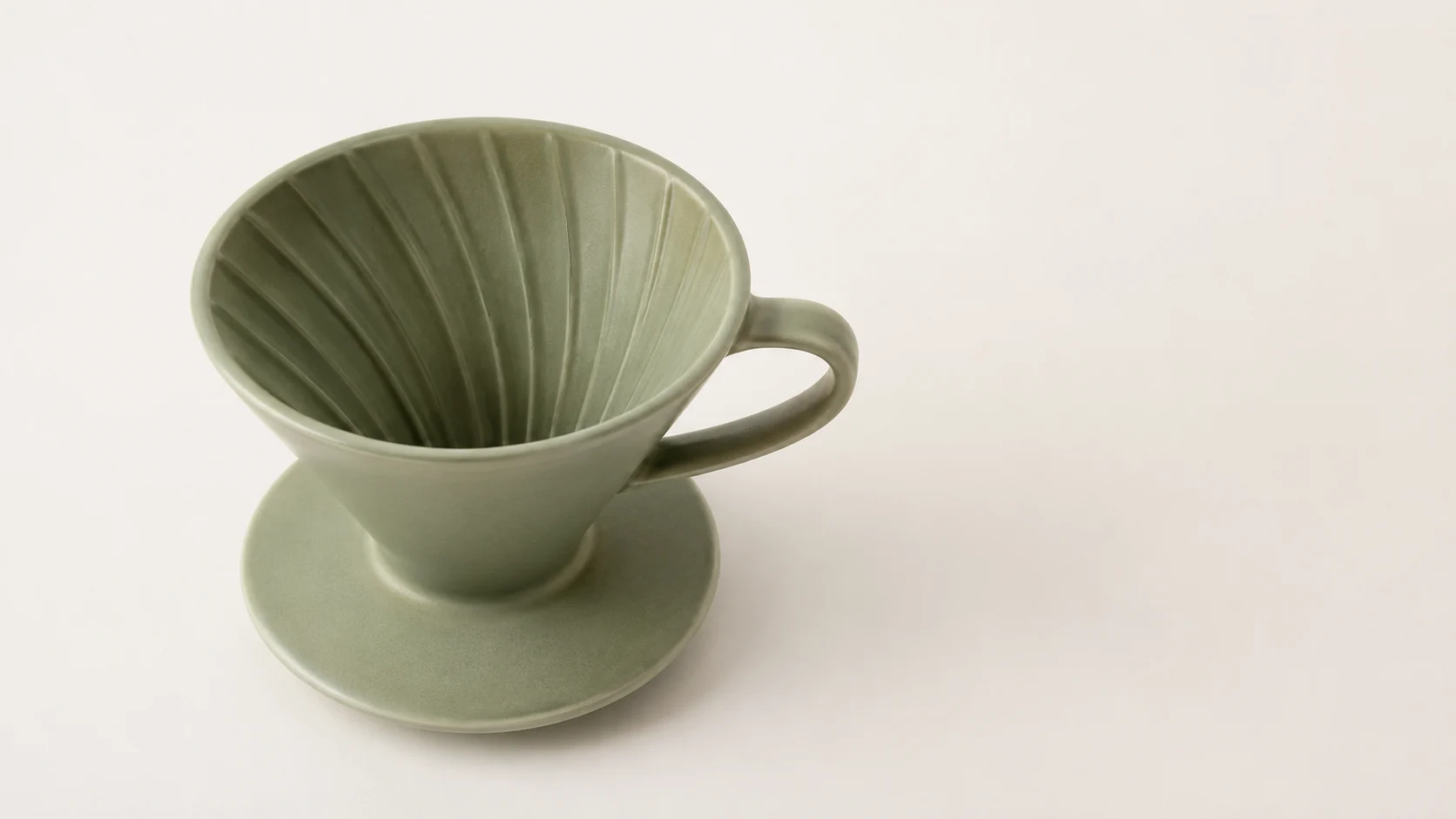
マーケットプレイスが求めるショットです。純白、柔らかく均一な光、淡い影が1つ、画面内に他のものはありません。
プロンプト:Studio e-commerce product photo of a matte ceramic pour-over coffee dripper in sage green with a short conical body and a small pouring spout, front three-quarter angle, centered on a pure white seamless background (#ffffff), soft even box lighting, subtle soft shadow directly beneath, sharp focus, true-to-life color, catalog listing style, no props, no text.
設定:
aspect_ratio: 1:1、resolution: 1K

ショット2と3——同一商品のバリエーション
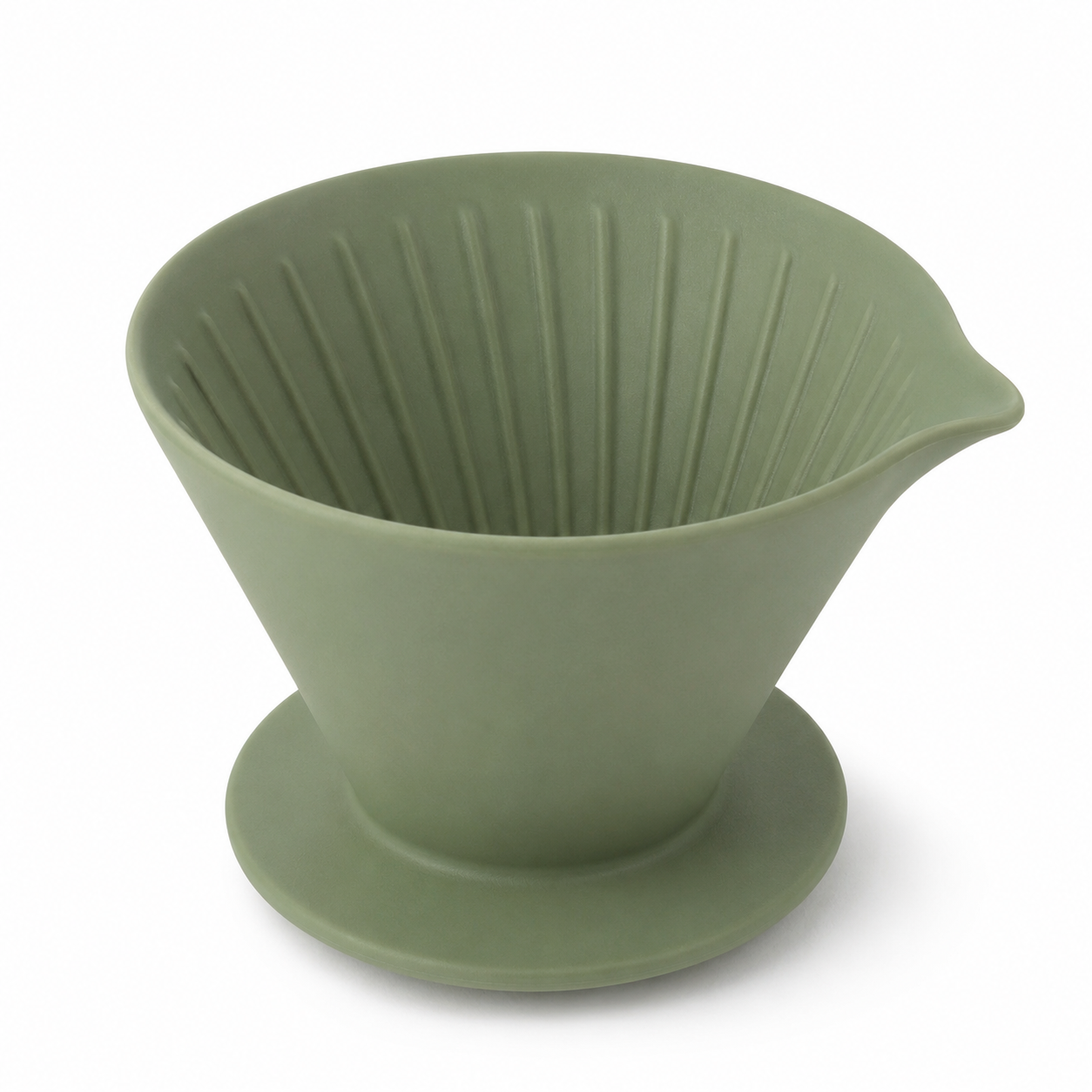
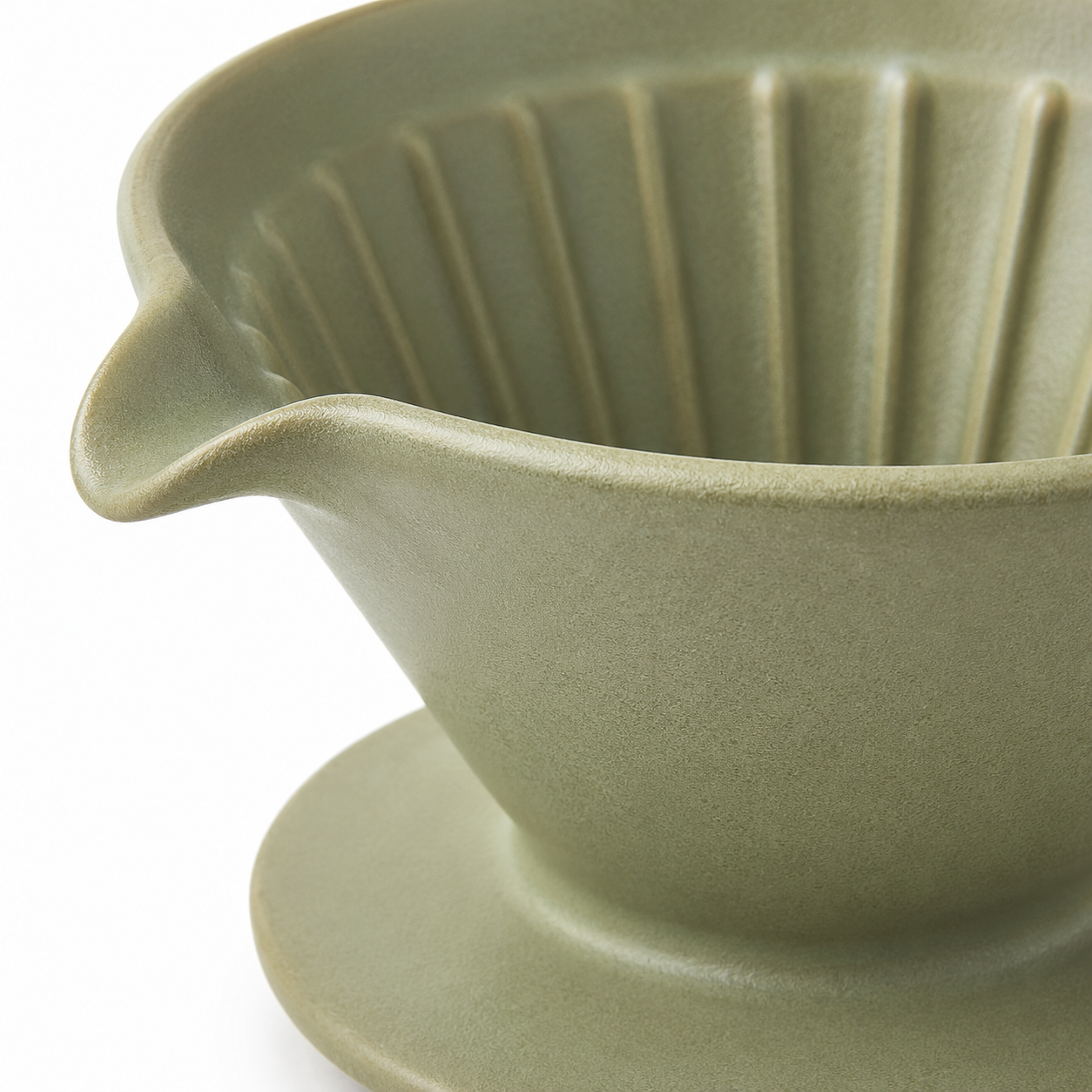
ここでまったく同じ商品仕様を再利用し、カメラ指示だけを変えます。プロンプトの商品部分が完全に同一なので、ドリッパーは画像セット全体を通じて同一商品として認識できる状態を保ちます。
プロンプト(アングル):…high side angle looking down into the cone, pure white seamless background (#ffffff), soft even box lighting, subtle soft shadow, sharp focus, true-to-life color, catalog listing style, no props, no text.
プロンプト(ディテール):Close-up… focus on the spout and rim texture, pure white seamless background (#ffffff), soft even box lighting, subtle soft shadow, sharp focus, macro detail, catalog listing style, no props, no text.
ショット4——ライフスタイル/SNSバリエーション
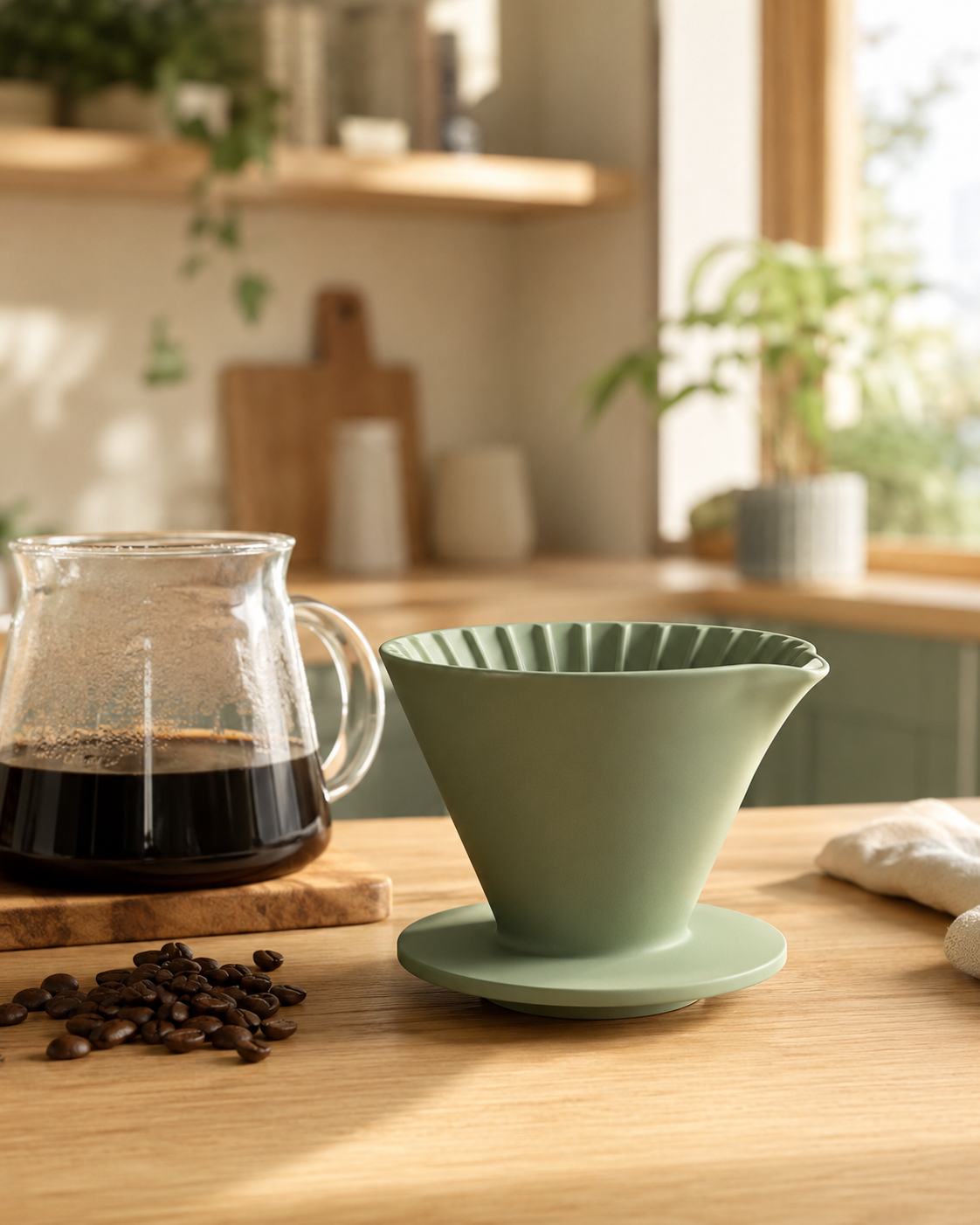
リスティングにはクリーンな切り抜きが必要ですが、広告やSNSにはシーンが必要です。同じ商品仕様、新しいシーン、そしてフィードに適した縦長の 4:5 画角です。
プロンプト:Lifestyle e-commerce scene of a matte ceramic pour-over coffee dripper in sage green with a short conical body and a small pouring spout sitting on a light oak kitchen counter beside a glass carafe and a small pile of coffee beans, warm morning window light, shallow depth of field, cozy Scandinavian interior blurred in the background, natural color, premium social-media product shot, no text.
設定:
aspect_ratio: 4:5、resolution: 1K
API をエンドツーエンドで
3回の呼び出し:タスクの送信、ポーリング、ファイルのダウンロードです。
1. 送信——モデルと input オブジェクトを POST します:
curl -s -X POST https://api.hiapi.ai/v1/tasks \
  -H "Authorization: Bearer $HIAPI_TOKEN" \
  -H "Content-Type: application/json" \
  -d '{
    "model": "gpt-image-2/text-to-image",
    "input": {
      "prompt": "Studio e-commerce product photo ... no text.",
      "aspect_ratio": "1:1",
      "resolution": "1K"
    }
  }'
# -> {"data": {"taskId": "task_abc123"}}
2. ポーリング——status が success になるまでタスクを GET します:
curl -s https://api.hiapi.ai/v1/tasks/task_abc123 \
  -H "Authorization: Bearer $HIAPI_TOKEN"
# -> {"data": {"status": "success", "output": [{"url": "https://.../image.png"}]}}
3. ダウンロード——output[0].url は一時的なので、すぐに保存します:
curl -s -o dripper-front.jpg "<output[0].url>"
バッチスクリプト:1つの商品、複数の画像
以下は、1つの商品仕様からリスティング画像セット全体をレンダリングする、コピー&ペースト可能な Python ループです。商品説明を固定し、ショット指示を反復します。
import os, time, requests

BASE = "https://api.hiapi.ai/v1/tasks"
TOKEN = os.environ["HIAPI_TOKEN"]
HEAD = {"Authorization": f"Bearer {TOKEN}", "Content-Type": "application/json"}

# Fixed product spec — write it once.
PRODUCT = ("a matte ceramic pour-over coffee dripper in sage green with a short "
           "conical body and a small pouring spout")

# Vary only the shot half.
SHOTS = {
    "front":     ("1:1", "front three-quarter angle, pure white seamless background (#ffffff), "
                         "soft even box lighting, subtle soft shadow, catalog listing style, no text"),
    "angle":     ("1:1", "high side angle looking into the cone, pure white background, "
                         "soft even lighting, catalog listing style, no text"),
    "detail":    ("1:1", "close-up macro on the spout and rim, pure white background, "
                         "soft even lighting, catalog listing style, no text"),
    "lifestyle": ("4:5", "on a light oak kitchen counter with a glass carafe and coffee beans, "
                         "warm morning window light, shallow depth of field, no text"),
}

def submit(prompt, ratio):
    body = {"model": "gpt-image-2/text-to-image",
            "input": {"prompt": prompt, "aspect_ratio": ratio, "resolution": "1K"}}
    r = requests.post(BASE, headers=HEAD, json=body, timeout=60)
    return r.json()["data"]["taskId"]

def wait(task_id, timeout=600):
    deadline = time.time() + timeout
    while time.time() < deadline:
        d = requests.get(f"{BASE}/{task_id}", headers=HEAD, timeout=30).json()["data"]
        if d["status"] == "success":
            return d["output"][0]["url"]
        if d["status"] == "fail":
            raise RuntimeError(d.get("error"))
        time.sleep(5)
    raise TimeoutError(task_id)

for name, (ratio, shot) in SHOTS.items():
    prompt = f"Studio e-commerce product photo of {PRODUCT}, {shot}."
    url = wait(submit(prompt, ratio))
    img = requests.get(url, timeout=120).content   # URL expires — save now
    open(f"dripper-{name}.jpg", "wb").write(img)
    print(f"saved dripper-{name}.jpg  (cost $0.03)")
PRODUCT をあなたの SKU に置き換え、SHOTS マッピングを保ち、さらに商品カタログを反復するループで外側を包めば、同じ方法ですべての商品をレンダリングできます。
実際のカタログでのコスト計算
gpt-image-2/text-to-image は一律1枚 $0.03で課金されます(プラットフォーム上で検証済み。最新の数値は料金ページをご覧ください)。したがって:
| カタログ規模 | SKU あたりのショット数 | 画像数 | コスト |
|---|---|---|---|
| 20 SKU | 3 | 60 | $1.80 |
| 100 SKU | 3 | 300 | $9.00 |
| 100 SKU | 4(ライフスタイル含む) | 400 | $12.00 |
これなら十分安いので、背景の基準を変えたときに撮り直すのではなく、カタログ全体を再レンダリングできます。
まとめ
ワークフローは意図的に最小限に保っています。商品仕様を固定し、ショットを変え、送信 → ポーリング → ダウンロードし、URL が期限切れになる前に出力バイトを保存します。1枚につき1つの gpt-image-2/text-to-image タスク、1枚 $0.03、そしてすでに他の hiapi モデルで使っているのと同じタスクプロトコルを使用します。バッチループを商品カタログに向ければ、リニアにスケールします。


