
튜토리얼
Grok Imagine 비디오 API: 1.0 및 1.5 이미지→비디오, 텍스트→비디오
세 가지 Grok Imagine 비디오 엔드포인트 중 어느 것을 호출해야 하는지, 클립 한 편의 비용은 얼마인지, 프롬프트를 포함한 실제 출력 예시, 그리고 바로 실행 가능한 curl과 Python 코드를 정리합니다.
TL;DR
- HiAPI의 Grok Imagine 비디오 API에는 세 가지 엔드포인트가 있습니다: 1.0 텍스트→비디오, 1.0 이미지→비디오, 1.5 이미지→비디오. 세 가지 가격은 동일합니다: 480p 초당 $0.015, 720p 초당 $0.0282, 그리고 모든 클립에 생성된 음향 효과가 추가 요금 없이 포함됩니다.
- 1.0은 6–30초이며 최대 7장의 참조 이미지를 받을 수 있습니다. 1.5는 1–15초이며 이미지 한 장만 받고,
aspect_ratio: "auto"로 출력이 해당 이미지의 형태를 따르게 할 수 있습니다. - 6초 480p 초안 클립의 비용은 $0.09입니다. 이미지→비디오 모델 페이지 열기에서 바로 체험해 보세요; 신규 계정에는 200 무료 크레딧이 지급됩니다.
어떤 엔드포인트를 써야 할까
| 모델 ID | 입력 | 길이 | 종횡비 | 추가 항목 |
|---|---|---|---|---|
grok-imagine/text-to-video |
prompt | 6–30초 (기본 6) | 2:3 (기본), 3:2, 1:1, 16:9, 9:16 |
mode: normal 또는 fun |
grok-imagine/image-to-video |
이미지 1–7장 + 선택적 prompt | 6–30초 (기본 6) | 위와 동일 | mode; @image1, @image2로 이미지 참조 |
grok-imagine-1.5/image-to-video |
정확히 1장의 이미지 + 선택적 prompt | 1–15초 (기본 8) | auto (기본), 1:1, 16:9, 9:16, 3:2, 2:3 |
mode 없음 |
세 엔드포인트 모두 초 단위로 과금됩니다: $0.015 (480p, 기본) 또는 $0.0282 (720p). HiAPI 실시간 가격, 2026년 10월 19일 조회 기준. 실패한 작업은 과금되지 않습니다.
선택 방법:
- 길이가 15초를 넘거나 여러 장의 제품 이미지를 참조로 써야 하는 경우: 1.0 이미지→비디오.
- 정지 이미지 한 장만 있고, 짧은 클립이 필요하며, 출력이 정지 이미지의 형태를 유지해야 하는 경우: 1.5 이미지→비디오. 6초 미만이 가능한 유일한 엔드포인트이므로 4초 루프 클립의 비용이 더 낮습니다.
- 이미지가 전혀 없는 경우: 1.0 텍스트→비디오.
| 클립 | 480p | 720p |
|---|---|---|
| 4초 (1.5 전용) | $0.06 | $0.11 |
| 6초 | $0.09 | $0.17 |
| 15초 | $0.23 | $0.42 |
| 30초 (1.0 전용) | $0.45 | $0.85 |
실제 출력
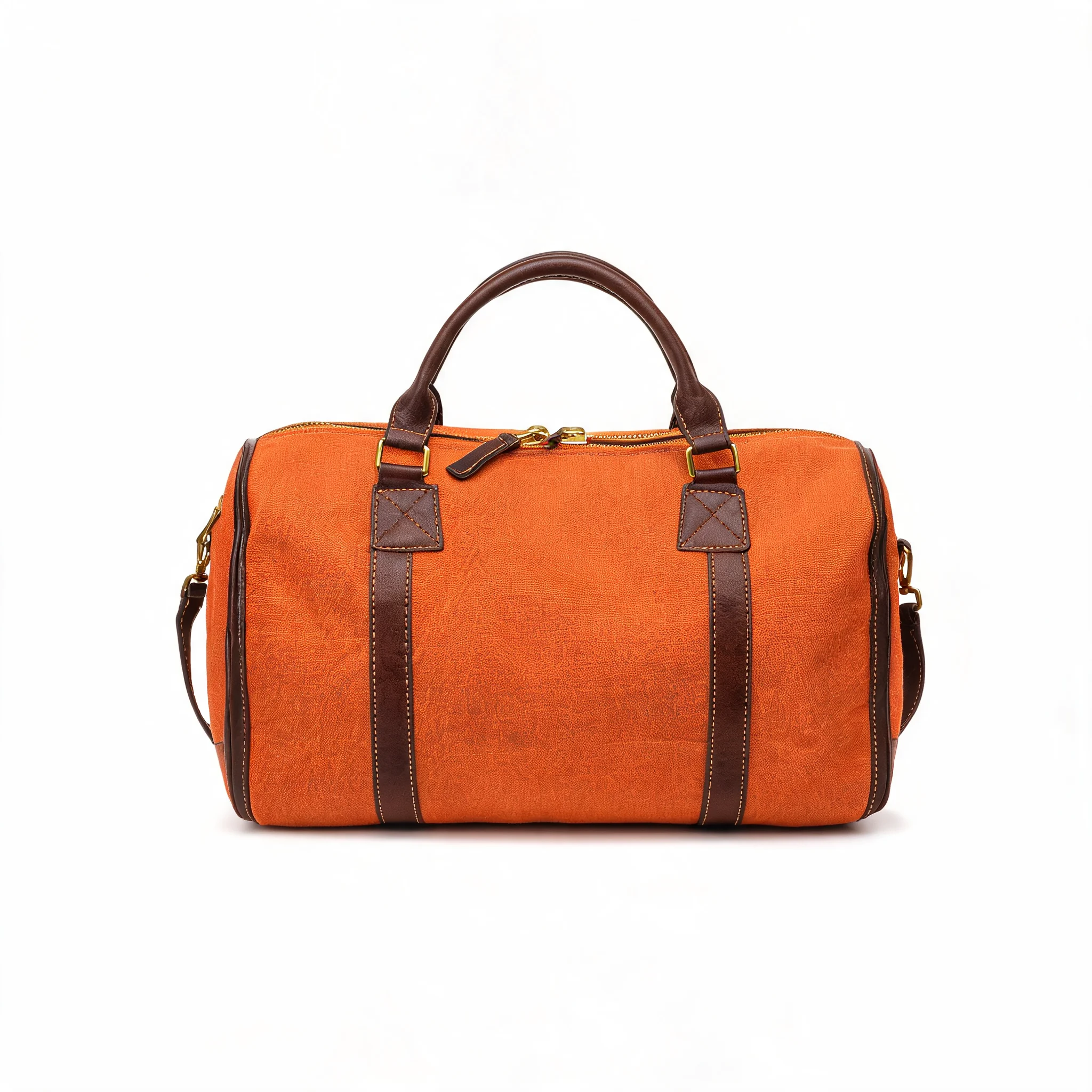
1.0 이미지→비디오, 참조 이미지 한 장. 주말 여행 가방의 제품 카탈로그 정지 이미지:
Slow cinematic orbit around the burnt-orange canvas weekender bag, camera circling smoothly from front to three-quarter view, studio lighting glinting off the brass zippers, seamless white background stays clean and shadowless, product perfectly sharp and unchanged, subtle premium e-commerce energy.
grok-imagine/image-to-video, 6초, 720p, 참조 이미지 한 장, $0.17. 9:16을 요청했지만 정사각형 소스 이미지는 여전히 정사각형(960×960)으로 반환되었습니다.
1.0 이미지→비디오, 참조 이미지 두 장. 라이프스타일 장면 이미지와 제품 이미지를 함께 넣으면 가방이 새 장면에서도 동일한 외형을 유지하게 할 수 있습니다:
grok-imagine/image-to-video, 6초, 720p, 9:16, 참조 이미지 두 장, $0.17.
1.5 이미지→비디오, 같은 정지 이미지, 두 가지 카메라 움직임. 카메라 움직임은 프롬프트에 담깁니다. 동사를 바꾸면 다른 샷을 얻을 수 있습니다:
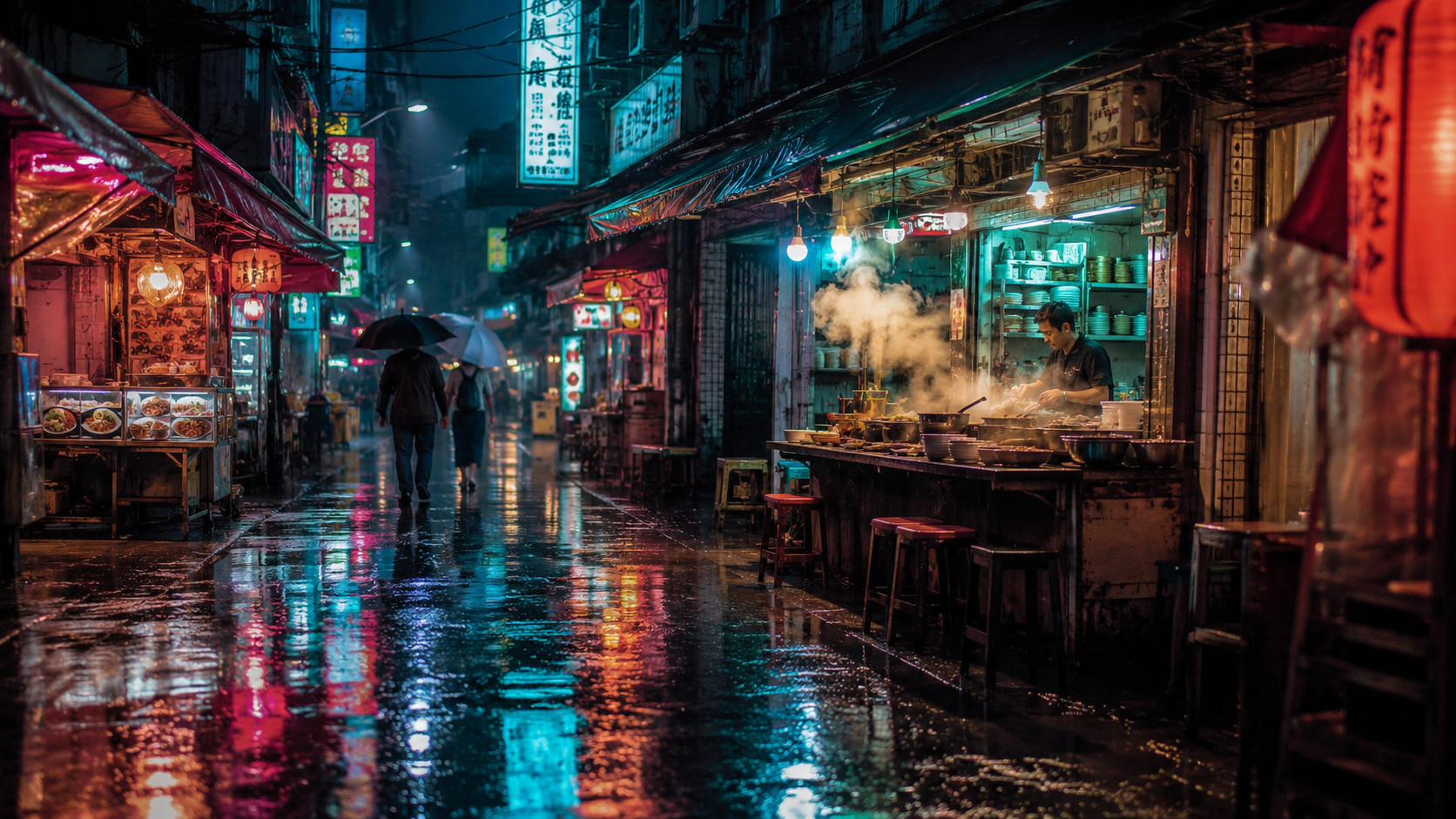
Slow steady dolly push-in down the rain-soaked market street toward the glowing noodle stall, steam rising and curling from the pots, rain falling in thin streaks, neon sign reflections shimmering on the wet pavement, pedestrians walking slowly away under umbrellas, smooth constant camera speed, one continuous shot, no cuts, cinematic pacing
이 프롬프트로 모델 페이지 열기 (먼저 정지 이미지를 업로드하세요) →
grok-imagine-1.5/image-to-video, 6초, 720p, 16:9, $0.17.
Camera glides slowly to the left in a smooth lateral tracking move, strong parallax between the near market stalls and the far end of the street, rain keeps falling, neon reflections slide across the wet ground, the cook keeps stirring behind the counter, steam drifts sideways, one continuous move, no cuts, no zoom
grok-imagine-1.5/image-to-video, 6초, 720p, 16:9, $0.17.
1.5, 4초 분위기 루프. 카메라가 고정되어 있으면 모든 움직임은 장면 자체에서 나옵니다:
grok-imagine-1.5/image-to-video, 4초, 720p, 16:9, $0.11.
curl
1.0의 이미지→비디오:
curl -s -X POST https://api.hiapi.ai/v1/tasks \
  -H "Authorization: Bearer $HIAPI_KEY" \
  -H "Content-Type: application/json" \
  -d '{
    "model": "grok-imagine/image-to-video",
    "input": {
      "image_urls": ["https://your-cdn.example.com/product.jpg"],
      "prompt": "Slow orbit around the product, studio light, background stays clean",
      "duration": 6,
      "resolution": "480p",
      "aspect_ratio": "9:16"
    }
  }'
taskId를 받게 됩니다. data.status가 success가 될 때까지 GET https://api.hiapi.ai/v1/tasks/{taskId}로 폴링한 다음 data.output[0].url을 다운로드하세요. 링크는 만료되므로 즉시 파일을 저장하세요.
텍스트→비디오는 모델을 grok-imagine/text-to-video로 바꾸고 image_urls를 제거하면 됩니다. 1.5를 쓸 때는 모델을 grok-imagine-1.5/image-to-video로 바꾸고 이미지 한 장을 유지하며 mode를 제거하세요.
Python: 제출, 폴링, 다운로드
# pip install requests; export HIAPI_KEY=your-key first
import os, time, uuid, requests

API = "https://api.hiapi.ai/v1/tasks"
H = {"Authorization": f"Bearer {os.environ['HIAPI_KEY']}"}

def generate(model, timeout_s=900, **inp):
    body = {"model": model, "input": inp}
    # Reuse the same Idempotency-Key if you retry a submit, so a retry never bills twice
    r = requests.post(API, json=body, headers={**H, "Idempotency-Key": str(uuid.uuid4())}, timeout=30)
    res = r.json()
    if res.get("code") != 200:
        raise RuntimeError(res)  # 400s list every invalid field
    task_id = res["data"]["taskId"]
    deadline = time.time() + timeout_s
    while time.time() < deadline:
        d = requests.get(f"{API}/{task_id}", headers=H, timeout=30).json()["data"]
        if d["status"] == "success":
            return d["output"][0]["url"]
        if d["status"] == "fail":
            raise RuntimeError(d)
        time.sleep(10)
    raise TimeoutError(task_id)

still = "https://your-cdn.example.com/still.jpg"

# Draft cheaply on 1.5 at 480p, then re-render the keeper at 720p
draft = generate("grok-imagine-1.5/image-to-video", image_urls=[still],
                 prompt="slow push-in, steam rising, camera steady", duration=4, resolution="480p")
final = generate("grok-imagine-1.5/image-to-video", image_urls=[still],
                 prompt="slow push-in, steam rising, camera steady", duration=6, resolution="720p")

# A 20-second clip needs 1.0
long_clip = generate("grok-imagine/image-to-video", image_urls=[still],
                     prompt="slow push-in, steam rising, camera steady", duration=20, resolution="480p")

with open("clip.mp4", "wb") as f:
    f.write(requests.get(final).content)
매개변수
| 필드 | 1.0 텍스트→비디오 | 1.0 이미지→비디오 | 1.5 이미지→비디오 |
|---|---|---|---|
prompt |
필수, 최대 5,000자 | 선택 | 선택, 최대 4,096자 |
image_urls |
허용 안 함 | 1–7장, jpeg/png/webp, 장당 최대 10 MB | 정확히 1장, jpeg/png/webp, 최대 20 MB |
duration |
6–30 | 6–30 | 1–15 |
resolution |
480p (기본) / 720p |
위와 동일 | 위와 동일 |
aspect_ratio |
2:3 기본 |
2:3 기본 |
auto 기본 (이미지 따름) |
mode |
normal (기본) / fun |
위와 동일 | 허용 안 함 |
마주치게 될 오류
아래 오류는 모두 제출 시 HTTP 400으로 반환되므로 작업이 생성되지 않고 비용도 발생하지 않습니다:
duration: minimum: got 4, want 6: 1.0은 6초부터 시작합니다. 더 짧은 클립은 1.5를 사용하세요.duration: maximum: got 20, want 15: 1.5는 최대 15초입니다. 더 긴 클립은 1.0을 사용하세요.image_urls: maxItems: got 2, want 1: 1.5는 이미지 한 장만 받습니다.additional properties 'mode' not allowed: 1.5에는mode가 없습니다.resolution: value must be one of '480p', '720p': 1080p는 없으며 소문자여야 합니다.
FAQ
1.0과 1.5 중 무엇을 선택할까?
초당 가격은 동일합니다. 입력과 길이에 따라 선택하세요: 참조 이미지가 여러 장이거나 15초를 넘으면 1.0; 정지 이미지 한 장과 짧은 클립이면 1.5. 확신이 없다면 같은 정지 이미지를 두 엔드포인트에서 각각 480p로 6초 생성해 보면 총 $0.18이 듭니다.
소리가 있나요?
있습니다. 위의 모든 클립은 생성된 음향 트랙을 반환했습니다; 등대 루프 클립에서는 파도 소리를 또렷하게 들을 수 있습니다. 끄는 스위치는 없습니다 (generate_audio와 audio는 알 수 없는 필드로 거부됩니다). 소리는 가격에도 영향을 주지 않습니다. 원하지 않으면 편집할 때 음향 트랙을 제거하면 됩니다.
1080p로 만들 수 있나요?
아니요. 세 엔드포인트 모두 최고 해상도는 720p입니다.
mode: "fun"은 무슨 역할을 하나요?
1.0의 옵션으로, 움직임을 더 활기차고 과장되게 만듭니다. normal이 기본값이며 제품 클립에는 더 안정적인 선택입니다.
더 많은 예시: 숏폼 비디오를 위한 Grok Imagine 1.5. 전체 시리즈의 가격은 Grok Imagine API 가격을 참고하세요. 정적 이미지 생성은 Grok Imagine 이미지 API 가이드를 참고하세요.
관련 글
모든 아티클 보기 →-

튜토리얼
HiAPI API로 hailuo-2.3-fast/image-to-video 호출하는 방법: curl과 Python 실전
빠르고 저렴한 이미지-투-비디오 등급의 첫 실행 요청 — 모델 ID부터 MP4 다운로드까지
-

튜토리얼
HiAPI API로 hailuo-2.3/text-to-video를 호출하는 방법: curl, Python 및 실행 가능한 요청 예시
-

튜토리얼
HiAPI에서 Kandinsky 6.0 Pro 텍스트-투-비디오 사용하기: curl 및 Python 튜토리얼
요청 우선 실전 데모: 프롬프트에서 비디오 클립까지의 호출 구성, 요청 제출, 완료 상태 폴링 및 결과 다운로드