
사용 가이드
Seedance 2.0 프롬프트 모음: 7가지 시나리오로 바로 영상 복사 생성
이커머스 상품, 스마트폰 실촬영 느낌, 음식, 스포츠 트래킹, 애니메이션, 분위기 사운드, 첫 프레임 이미지 투 비디오까지, 각 항목에 실제 완성 영상과 전체 프롬프트가 있습니다.
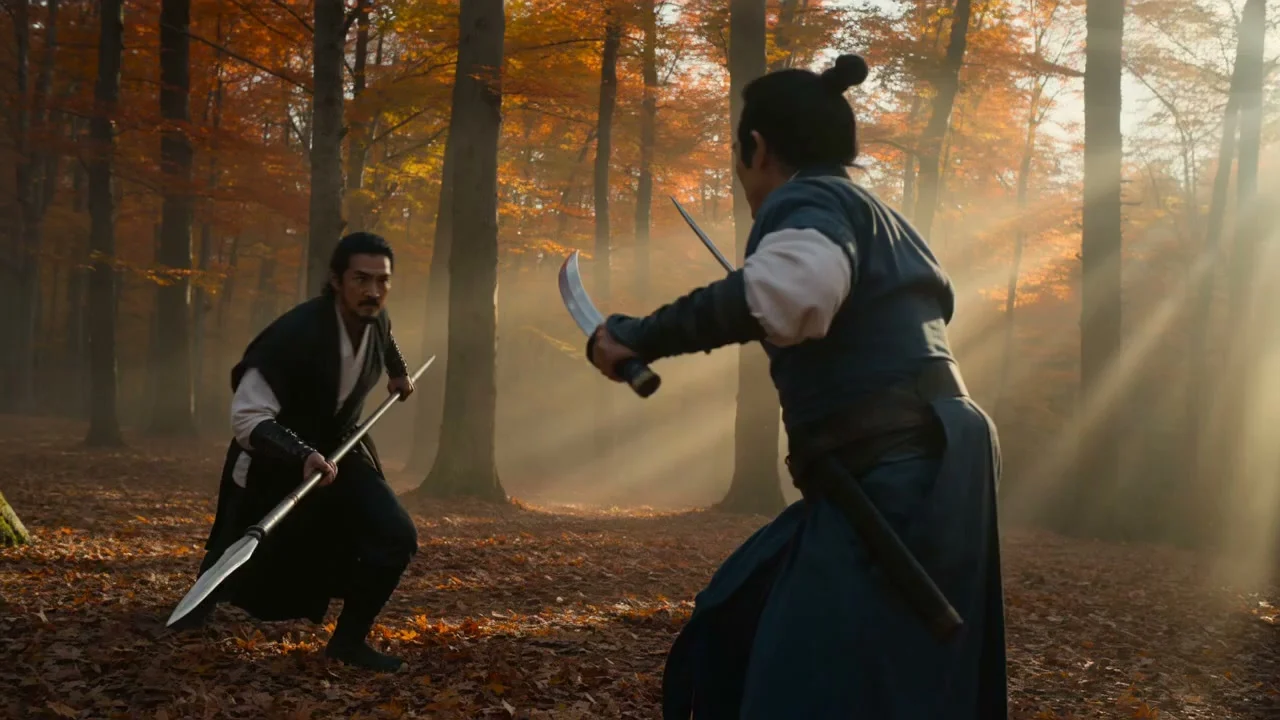
Seedance 2.0 프롬프트 작성의 핵심은 한 문장입니다: 먼저 카메라가 어떻게 움직이는지 쓰고, 그다음 화면 안에서 무엇이 움직이는지 쓰고, 마지막으로 사운드를 쓴다. 아래 7개는 모두 HiAPI에서 실제 생성된 영상이며, 프롬프트를 원문 그대로 제공합니다. 「이 프롬프트로 생성」을 클릭하면 모델 페이지에 프롬프트가 미리 채워지고, 각 항목에 표시된 버전과 파라미터를 선택하면 그대로 재현할 수 있습니다. 신규 사용자 가입 시 200 크레딧을 증정하며, 먼저 Mini 480p로 시험하면 5초에 $0.136입니다.
1. 이커머스 상품镜头: 이어버드 케이스 6초 광고
하나의 연속 镜头으로, 0–2초, 2–4초, 4–6초에 각 구간에서 무슨 일이 일어나는지 명확히 쓰고, 제품은 항상 중앙에 둡니다.
ext 라인 · 720p · 6초 · 16:9 · 사운드 포함 · $0.804
One continuous six-second cinematic product commercial shot, no cuts. A matte black wireless earbud case sits centered on a wet obsidian stone slab under a single overhead softbox light. During seconds 0 to 2, the camera holds a slow, stabilized push-in as a thin mist drifts across the frame and a faint blue rim light traces the case's edges. During seconds 2 to 4, the lid lifts open on its hinge in one smooth mechanical motion, releasing a soft warm glow from inside and revealing the two earbuds nested in their charging slots. During seconds 4 to 6, the camera arcs slightly right and tilts down to a low three-quarter angle as a shallow depth-of-field pulls focus from the case to the brand logo etched on the lid, ending on a still frame. Photoreal studio lighting, high-contrast reflections on the wet stone, subtle lens flare from the rim light, no text overlays, no human hands in frame. Native audio: a soft mechanical click when the lid opens, a low ambient studio hum underneath, silence otherwise.
초 단위로 리듬을 쓰는 것이 상품 镜头에서 가장 안정적인 방법입니다: 구간마다 동작 하나만 배치하면 모델이 과하게 튀지 않습니다.
2. 스마트폰 실촬영 느낌: 친구가 즉석에서 찍은 일상
UGC 광고에서 가장 두려운 것은 「너무 정교한 것」입니다. 이 프롬프트는 핸드헬드 흔들림, 포커스 드리프트, 자동 노출 점프를 모두 포함합니다.
표준판 · 720p · 5초 · 9:16 · 사운드 포함 · $1.465
A young man in his early twenties stands at a cluttered kitchen counter in a small Shanghai apartment, early evening light coming through a fogged window. He's pouring hot water from a kettle into a mug, steam rising, half-glancing toward his sister who is filming him on her phone from across the counter — he knows she's filming but is trying to ignore it, giving an awkward almost-smile.

Camera: handheld smartphone, vertical 9:16. Visible handheld tilt and tremor throughout, not stabilized like a gimbal. Autofocus hunts and drifts once mid-clip — from his eyes to the fogged window behind him — before snapping back. Auto-exposure visibly steps/jumps once as the steam catches the light. Around 3 seconds in, as he dips the spoon quickly into the mug, rolling-shutter warp skews the spoon's motion. Natural phone stabilization edge-warp is visible at the frame boundaries when he shifts weight.

Audio: native phone mic audio — kitchen ambience, kettle sound, faint hallway noise, his sister's muffled giggle off-mic, no added score.

Ending: abrupt cut to black, no fade, like the sister just stopped recording mid-moment.

Explicitly avoid: no tripod or gimbal stabilization, no professional three-point lighting, no commercial/advertising grade polish, no beauty filter or skin smoothing, no centered rule-of-thirds composition, no floating/drone-smooth camera movement, no artificial shallow depth-of-field or bokeh — this must read as real, unplanned phone footage, not a staged ad.
마지막 「Explicitly avoid」 섹션은 원하지 않는 모든 것을 나열합니다: 짐벌, 3점 조명, 뷰티 필터, 얕은 심도. 「사실감」만 쓰는 것보다 훨씬 효과적입니다.
3. 음식 숏폼: 라멘 돌리인
시작은 카메라 무빙 동사(slow dolly-in)로 시작하고, 이어서 조명, 김, 국물 면 디테일을 씁니다.
Mini · 480p · 5초 · 16:9 · $0.136
A slow dolly-in toward a steaming bowl of ramen on a worn wooden counter in a dim izakaya. Warm amber lantern light, soft volumetric haze, gentle steam curling upward, shallow depth of field, the broth surface rippling slightly. Cinematic, photoreal.
음식 镜头의 핵심은 「움직이는 작은 디테일」입니다: 김, 국물 표면의 파문. 이것을 써 주면 화면이 살아납니다.
4. 스포츠 트래킹: 해변을 질주하는 개
피사체가 카메라를 향해 돌진하고, 카메라는 뒤로 물러나며 따라갑니다. 튀는 모래와 물보라는 프롬프트에 맡깁니다.
Mini · 480p · 5초 · 16:9 · $0.136
A border collie sprints across a sunlit beach toward the camera, kicking up wet sand, ears flapping, tongue out, water spray catching the low golden light. Tracking shot moving backward to keep the dog centered, motion blur on the paws, joyful energy, photoreal.
트래킹은 두 가지를 명확히 씁니다: 카메라가 어떻게 움직이는지(moving backward), 피사체가 화면 어디에 있는지(centered).
5. 애니메이션 스타일: 승강장의 소녀
첫 문장에서 스타일을 정하고(Hand-drawn 2D anime style), 이어서 인물, 바람, 빛을 씁니다.
Mini · 480p · 4초 · 16:9 · $0.1088
Hand-drawn 2D anime style. A girl in a red raincoat stands on a quiet train platform at dusk, cherry petals drifting past, her hair and coat fluttering in the wind as a train's headlight grows brighter from the left. Soft cel shading, warm-to-cool color grade, gentle ambient hum.
스타일 단어는 맨 앞에 두는 것이 맨 끝에 두는 것보다 화면이 「실사화」되지 않을 확률이 높습니다.
6. 분위기 + 네이티브 사운드: 비 오는 밤 벽난로
고정 카메라로, 화면에서 소리를 내는 모든 것을 쓰고, 마지막 문장에서 사운드를 따로 씁니다.
Mini · 480p · 5초 · 16:9 · 사운드 포함 · $0.136
A cozy fireplace crackling in a log cabin at night, orange embers popping and drifting, a cast-iron kettle gently steaming on the hearth, rain streaking the dark window behind. Static locked-off shot. Native audio: crackling fire, soft rain on glass, a low wind.
「Native audio:」로 시작해 사운드를 별도로 나열하면 장작 타는 소리, 유리에 부딪히는 비, 바람 소리가 모두 화면과 맞아떨어집니다.
7. 첫 프레임 이미지 투 비디오: 한 장의 이미지를 움직이게 하기
먼저 첫 프레임 이미지를 준비하고, 프롬프트에는 「다음에 무슨 일이 일어나는지」만 씁니다. 화면에 이미 있는 것은 다시 설명할 필요가 없습니다.
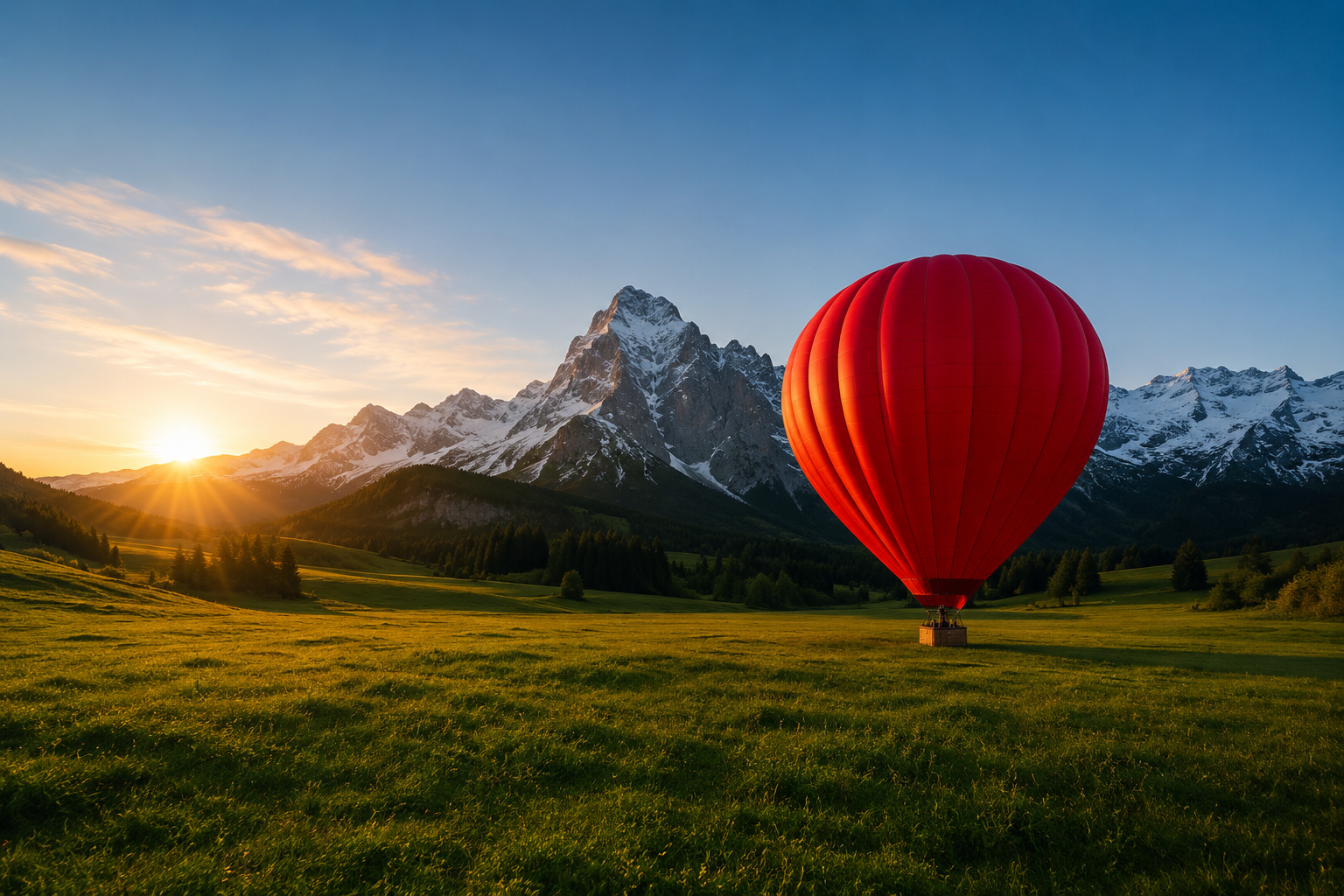
Mini · 480p · 5초 · 첫 프레임 first_frame_url · $0.136
The red hot-air balloon slowly inflates and lifts off the meadow, rising gently into frame as the burner flares, grass swaying from the downdraft, mist drifting across the valley. Smooth upward camera tilt to follow it.
링크는 프롬프트만 미리 채웁니다: 모델 페이지에서 위의 첫 프레임 이미지를 업로드한 뒤 생성을 클릭하세요.
API에서는 첫 프레임을 first_frame_url에 넣고, 화면 비율은 adaptive로 설정해 원본 이미지 비율을 따르게 합니다.
프롬프트를 어떻게 더 안정적으로 쓸까?
- 한 문장에 한 가지: 카메라, 피사체 동작, 환경, 조명, 사운드를 문장으로 나눠 쓰면 모델이 더 잘 따릅니다.
- 긴 镜头은 초 단위로 구간 나누기: 5초를 넘는 镜头은 「0–2초…2–4초…」로 리듬을 배치합니다.
- 원하지 않는 것을 쓰기: 자막 없음, 워터마크 없음, 카메라 흔들림 없음을 마지막에 직접 나열합니다.
자주 묻는 질문
프롬프트를 영어로 써야 하나요?
아니요. Seedance 2.0은 중국어와 영어를 모두 지원합니다. 이 글의 프롬프트는 생성 당시의 원문을 유지해 동일한 화면을 재현하기 쉽게 했습니다.
이 사례들을 어떤 버전으로 재현하나요?
각 항목 아래에 버전과 파라미터가 표시되어 있습니다. 프롬프트를 조정할 때는 Mini 480p가 가장 저렴하고, 만족하면 표준판이나 ext 라인으로 720p, 1080p를 출력하세요. 가격은 Seedance 2.0 API 가격을 참고하세요.
API로 이 프롬프트들을 어떻게 실행하나요?
동일한 /v1/tasks 인터페이스에서 프롬프트를 input.prompt에 넣습니다. 전체 코드는 Seedance 2.0 API 중국어 튜토리얼을 참고하세요.
필요에 가장 가까운 항목을 고르세요. 3번 라멘부터 시작하는 것이 가장 저렴합니다: Mini로 이 라멘 생성하기 →, 5초 480p는 단 $0.136입니다.
관련 글
모든 아티클 보기 →-

사용 가이드
seedream-5.0-pro/image-to-image 시작 가이드: 기능, 가격 및 연동 핵심 포인트
ByteDance 이미지 편집 모델의 기능 경계, 과금 방식 및 엔지니어링 연동 실무
-

사용 가이드
seedream-5.0-pro 텍스트-이미지 생성 입문 가이드: 능력 경계, API 연동 및 비용 관리
개발자를 위한 실무 관점: 파라미터 핵심부터 장당 $0.05 비용 추정까지
-

사용 가이드
Hailuo 2.3 Fast 이미지-투-비디오 입문 가이드: 성능 범위, 가격 및 연동 실무
개발자를 위한 MiniMax 이미지-투-비디오 모델 선택과 연동 핵심 포인트