
Guide
Seedance 2.0 Prompt Collection: 7 Scenarios You Can Copy Straight into a Video
E-commerce products, phone-shot realism, food, action tracking, anime, ambient audio, and first-frame image-to-video—each with a real finished clip and the complete prompt.
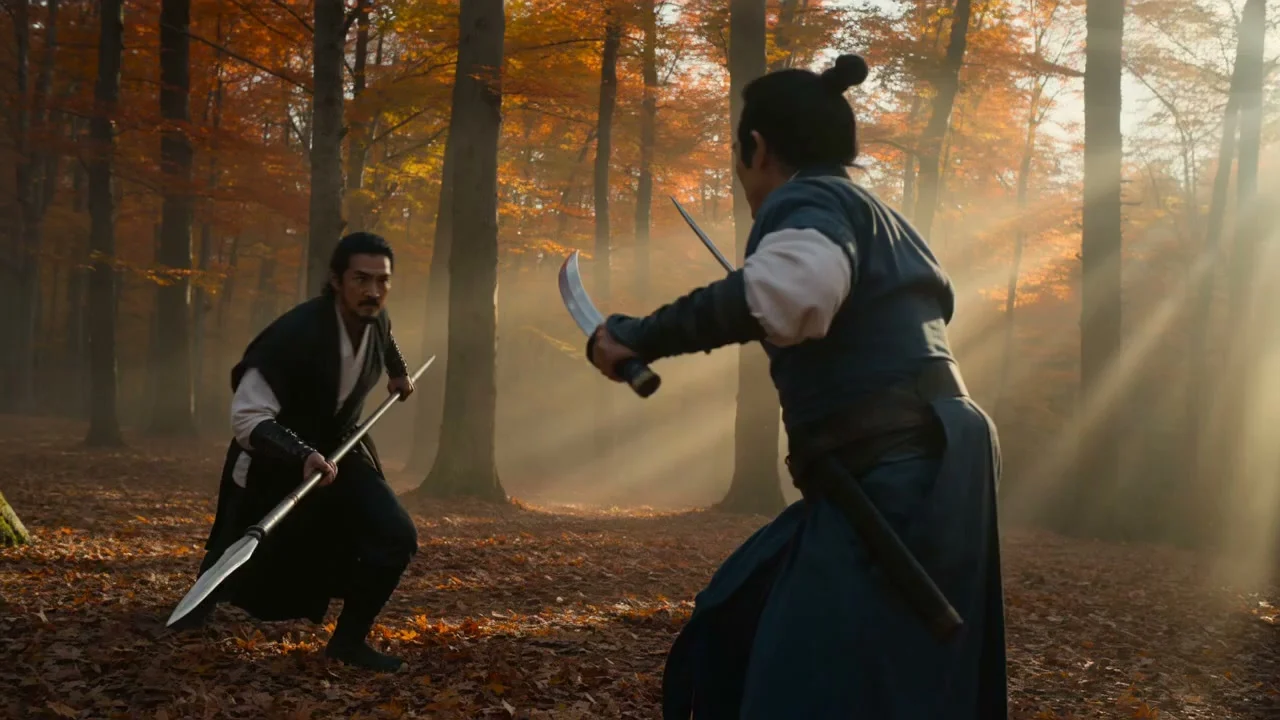
There's just one key rule for writing Seedance 2.0 prompts: first write how the camera moves, then write what moves within the frame, and finally write the audio. The 7 clips below were all actually generated on HiAPI, with the prompts given verbatim. Clicking "Generate with this prompt" pre-fills the prompt on the model page; select the version and parameters noted under each entry and you can reproduce it. New users get 200 credits on sign-up—start with Mini 480p, where 5 seconds costs just $0.136.
1. E-commerce product shot: a 6-second earbud case ad
A single continuous shot, with 0–2s, 2–4s, and 4–6s each spelling out what happens, and the product always centered.
ext route · 720p · 6 seconds · 16:9 · with audio · $0.804
One continuous six-second cinematic product commercial shot, no cuts. A matte black wireless earbud case sits centered on a wet obsidian stone slab under a single overhead softbox light. During seconds 0 to 2, the camera holds a slow, stabilized push-in as a thin mist drifts across the frame and a faint blue rim light traces the case's edges. During seconds 2 to 4, the lid lifts open on its hinge in one smooth mechanical motion, releasing a soft warm glow from inside and revealing the two earbuds nested in their charging slots. During seconds 4 to 6, the camera arcs slightly right and tilts down to a low three-quarter angle as a shallow depth-of-field pulls focus from the case to the brand logo etched on the lid, ending on a still frame. Photoreal studio lighting, high-contrast reflections on the wet stone, subtle lens flare from the rim light, no text overlays, no human hands in frame. Native audio: a soft mechanical click when the lid opens, a low ambient studio hum underneath, silence otherwise.
Writing the rhythm by the second is the most reliable approach for product shots: assign only one action per segment, and the model won't upstage the product.
2. Phone-shot realism: like a casual everyday clip from a friend
The biggest fear in UGC ads is looking "too polished." This prompt writes in handheld shake, focus drift, and auto-exposure jumps.
Standard · 720p · 5 seconds · 9:16 · with audio · $1.465
A young man in his early twenties stands at a cluttered kitchen counter in a small Shanghai apartment, early evening light coming through a fogged window. He's pouring hot water from a kettle into a mug, steam rising, half-glancing toward his sister who is filming him on her phone from across the counter — he knows she's filming but is trying to ignore it, giving an awkward almost-smile.

Camera: handheld smartphone, vertical 9:16. Visible handheld tilt and tremor throughout, not stabilized like a gimbal. Autofocus hunts and drifts once mid-clip — from his eyes to the fogged window behind him — before snapping back. Auto-exposure visibly steps/jumps once as the steam catches the light. Around 3 seconds in, as he dips the spoon quickly into the mug, rolling-shutter warp skews the spoon's motion. Natural phone stabilization edge-warp is visible at the frame boundaries when he shifts weight.

Audio: native phone mic audio — kitchen ambience, kettle sound, faint hallway noise, his sister's muffled giggle off-mic, no added score.

Ending: abrupt cut to black, no fade, like the sister just stopped recording mid-moment.

Explicitly avoid: no tripod or gimbal stabilization, no professional three-point lighting, no commercial/advertising grade polish, no beauty filter or skin smoothing, no centered rule-of-thirds composition, no floating/drone-smooth camera movement, no artificial shallow depth-of-field or bokeh — this must read as real, unplanned phone footage, not a staged ad.
The final "Explicitly avoid" section lists everything you don't want—stabilizers, three-point lighting, beauty filters, shallow depth of field—which works far better than just writing "realistic."
3. Food short video: ramen dolly-in
Lead with a camera-movement verb (slow dolly-in), then follow with light, steam, and broth-surface details.
Mini · 480p · 5 seconds · 16:9 · $0.136
A slow dolly-in toward a steaming bowl of ramen on a worn wooden counter in a dim izakaya. Warm amber lantern light, soft volumetric haze, gentle steam curling upward, shallow depth of field, the broth surface rippling slightly. Cinematic, photoreal.
The key to food shots is "small moving details": steam and ripples on the broth. Write them out and the image comes alive.
4. Action tracking: a dog sprinting on the beach
The subject charges toward the camera while the camera pulls back to track it; leave the kicked-up sand and water spray to the prompt.
Mini · 480p · 5 seconds · 16:9 · $0.136
A border collie sprints across a sunlit beach toward the camera, kicking up wet sand, ears flapping, tongue out, water spray catching the low golden light. Tracking shot moving backward to keep the dog centered, motion blur on the paws, joyful energy, photoreal.
For tracking shots, spell out two things: how the camera moves (moving backward) and where the subject sits in the frame (centered).
5. Anime style: a girl on a train platform
Define the style in the first sentence (Hand-drawn 2D anime style), then write the character, wind, and light.
Mini · 480p · 4 seconds · 16:9 · $0.1088
Hand-drawn 2D anime style. A girl in a red raincoat stands on a quiet train platform at dusk, cherry petals drifting past, her hair and coat fluttering in the wind as a train's headlight grows brighter from the left. Soft cel shading, warm-to-cool color grade, gentle ambient hum.
Putting the style word first makes it less likely to be "photorealized" than putting it at the end.
6. Ambience + native audio: a rainy-night fireplace
Locked-off camera; write in every sound-producing thing in the frame, then give the audio its own final sentence.
Mini · 480p · 5 seconds · 16:9 · with audio · $0.136
A cozy fireplace crackling in a log cabin at night, orange embers popping and drifting, a cast-iron kettle gently steaming on the hearth, rain streaking the dark window behind. Static locked-off shot. Native audio: crackling fire, soft rain on glass, a low wind.
Start the audio as its own item with "Native audio:"—crackling firewood, rain on glass, and wind all sync up with the visuals.
7. First-frame image-to-video: bring a still image to life
Prepare a first-frame image first; the prompt then only describes "what happens next," with no need to describe what's already in the frame.
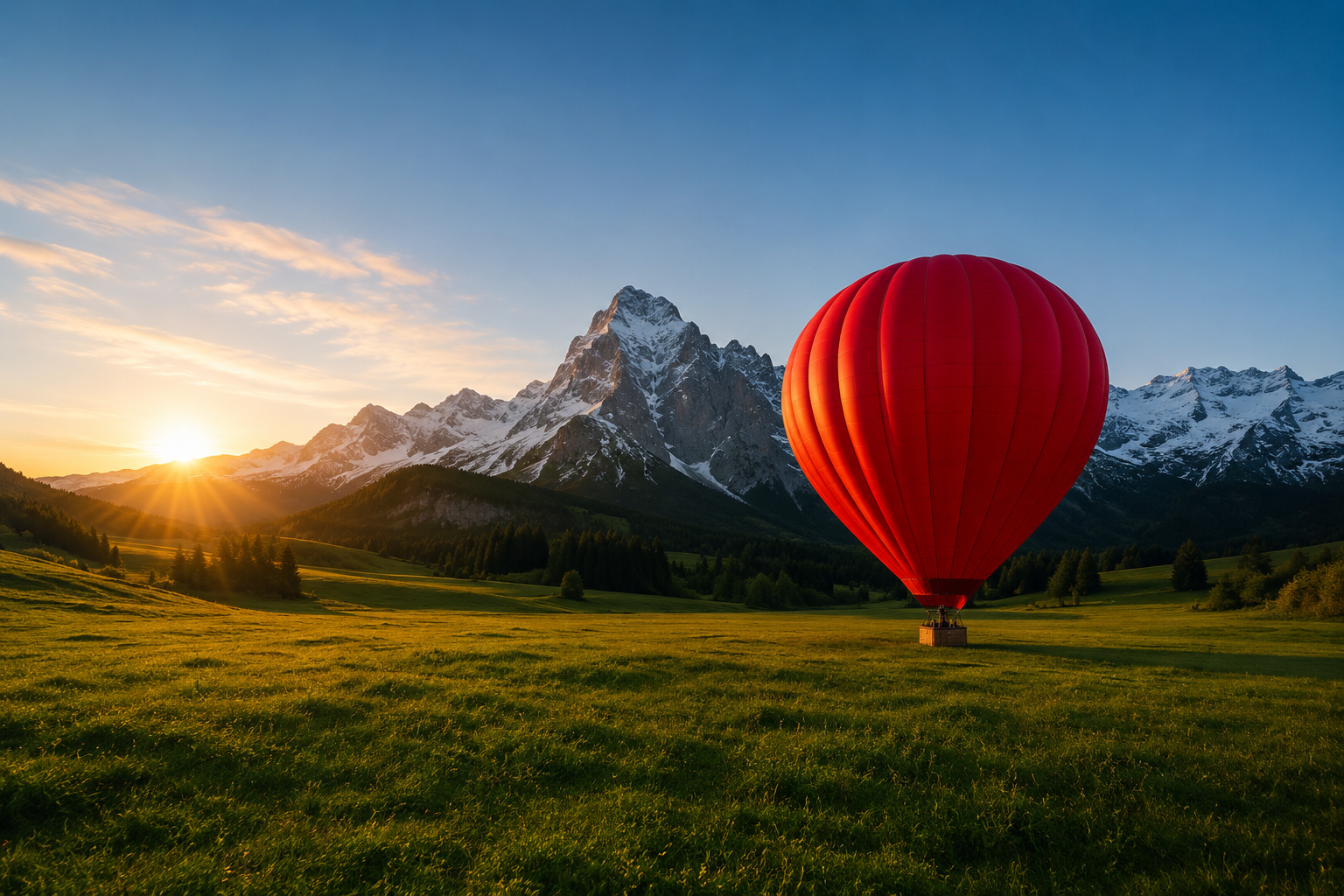
Mini · 480p · 5 seconds · first frame first_frame_url · $0.136
The red hot-air balloon slowly inflates and lifts off the meadow, rising gently into frame as the burner flares, grass swaying from the downdraft, mist drifting across the valley. Smooth upward camera tilt to follow it.
The link only pre-fills the prompt: upload the first-frame image above on the model page, then click generate.
In the API, put the first frame in first_frame_url, and set the aspect ratio to adaptive to follow the original image's proportions.
How do I write more reliable prompts?
- One thing per sentence: write camera, subject action, environment, lighting, and audio in separate sentences so the model can follow them more easily.
- Break long shots down by the second: for shots longer than 5 seconds, pace them with "0–2s… 2–4s…".
- Write out what you don't want: no subtitles, no watermark, no camera shake—list them directly at the end.
FAQ
Do prompts need to be written in English?
No. Seedance 2.0 supports both Chinese and English; the prompts in this article keep the original text used at generation time so you can reproduce the same visuals.
Which version should I use to reproduce these examples?
The version and parameters are noted under each entry. Mini 480p is the cheapest for tuning prompts; once you're happy, switch to Standard or the ext route for 720p or 1080p. See Seedance 2.0 API pricing.
How do I run these prompts through the API?
Same /v1/tasks endpoint; put the prompt in input.prompt. For full code, see the Seedance 2.0 API Chinese tutorial.
Pick the one closest to your needs—starting with the ramen in example 3 is the cheapest: generate this ramen shot with Mini →; 5 seconds at 480p costs just $0.136.
Related articles
View all articles →-

Guide
Getting Started with seedream-5.0-pro/image-to-image: Capabilities, Pricing, and Integration Essentials
Capability boundaries, billing model, and engineering integration practices for ByteDance's image editing model
-

Guide
seedream-5.0-pro Text-to-Image Getting Started Guide: Capability Boundaries, API Integration, and Cost Control
A hands-on developer perspective: from key parameters to a cost estimate of $0.05 per image
-

Guide
Hailuo 2.3 Fast Image-to-Video Getting Started Guide: Capability Boundaries, Pricing, and Integration Practices
MiniMax image-to-video model selection and integration key points for developers