
Guide
Getting Started with seedream-5.0-pro/image-to-image: Capabilities, Pricing, and Integration Essentials
Capability boundaries, billing model, and engineering integration practices for ByteDance's image editing model

What problem does this model solve
seedream-5.0-pro/image-to-image is an image-to-image model provided by ByteDance, with an output type of image. It takes an input image and generates a new image while preserving the original image's structure, composition, or subject information. The core problem it solves is not "generating an image from scratch" but "making controlled modifications on top of an existing image"—this distinction determines its position in your image processing pipeline.
Tasks it is suited for
- Stylized rewriting: Transform a real photo or design draft into another visual style while preserving the subject outline and layout.
- Reference-image-driven generation: Use a reference image to constrain the output's composition and color tone, avoiding the "different every time" randomness of pure text-to-image.
- Asset variant production: Use one master image as a baseline to batch-derive multiple visual versions for ad creatives, covers, or multilingual scenario adaptation.
- Editorial iteration: Make local adjustments on an existing finished piece without having to go through the entire design process again.
Tasks it is not suited for
- Cases requiring pixel-level precise restoration: Image-to-image is generative repainting, not lossless transformation. For any requirement of "pixel-identical except in specified regions," traditional image processing is more reliable.
- Images with precise text layout: Generative models have limited control over glyph shapes and layout. For images involving large amounts of copy, it is recommended to hand them to a layout stage after generation.
- Results requiring strict reproducibility: The generation process involves randomness, and multiple calls with the same input do not guarantee identical results. Businesses that need fixed outputs should use it with caution.
- Pure format and size processing: For deterministic operations such as cropping, scaling, and transcoding, using an image-to-image model is neither cost-effective nor necessary.
Its position in the pipeline
Breaking down image tasks: text-to-image handles "creating from nothing," image-to-image handles "modifying what exists," and super-resolution and restoration handle "improving existing image quality." seedream-5.0-pro/image-to-image belongs to the second category, typically located in the middle of the pipeline "asset preparation → image-to-image rewriting → post-processing and quality inspection." Clarifying this gives subsequent cost estimation, input specifications, and validation strategies a unified starting point.
What per-image billing means
This model's billing basis is per-image billing: each successfully generated output image is charged once. For the specific unit price, refer to the site's pricing panel. Understanding this basis is more important than remembering any number.
The billing unit is "number of output images"
Per-image billing means cost is linearly related to output quantity, and has no direct proportional relationship to the input image size or prompt length. The impact on estimation is straightforward:
- Cost ≈ number of output images × unit price. One image produced per request means one billing unit.
- Batch task cost grows linearly with batch size. To make N variants, estimate based on N images.
- Retries and failures amplify cost. Any strategy that requires rerunning—parameter adjustments, regeneration due to unsatisfactory results, downstream quality inspection rejections—will generate additional output images.
Factor the "retry rate" into estimates
In practice, the extra images caused by retries are what teams most easily underestimate. A recommended estimation habit is: first calculate the effective output image count (the images the business actually needs to deliver), then multiply by an empirical retry coefficient to get the actual call image count. This coefficient is usually high early in a project and gradually decreases as prompts and parameters stabilize. You can use a small-scale trial batch to measure your scenario's true retry rate, then scale up to full volume—this is more reliable than estimating by intuition.
Several levers for cost control
- Validate on a small batch before scaling up: Use a small number of samples to confirm that input specifications and prompt templates are effective, avoiding discovering a global drift only after a full run.
- Move validation earlier: Perform input image checks before calls (size, format, whether corrupted) to reduce invalid images from "discovering input problems only after the run."
- Set retry limits: Define a maximum retry count for each task; beyond that, escalate to manual handling or a fallback plan to prevent a single task from consuming indefinitely.
- Cache reusable results: Reuse outputs from the same input + same parameters wherever business allows, and avoid meaningless repeated generation.
- Distinguish "draft" from "final": Use low-cost methods for exploratory attempts, then run formal outputs after confirming direction, avoiding repeated trial and error with final parameters.
The advantage of per-image billing is that the cost model is transparent enough—you only need to watch one thing: how many images were actually generated. Put this item into monitoring, and costs will not get out of control.

What to prepare before integration
Before writing the first line of business code, clarifying a few things can save a lot of rework later.
Input image specifications
The output quality of image-to-image is largely determined by the input image. The following rules should be clarified and fixed before integration:
- Format and decoding: Standardize common bitmap formats for input images, and complete decoding validation before entering the request to avoid sending corrupted or empty files.
- Size and aspect ratio: Agree on target aspect ratios and resolution ranges; pre-scale images that exceed them rather than relying on model-side fallback.
- Content compliance: Establish a content review step for input images to ensure asset sources and content meet business and platform requirements.
- Metadata handling: Pay attention to EXIF orientation information; if necessary, normalize by pixel orientation in the preprocessing stage, otherwise you will encounter the bizarre problem of "the same image having inconsistent orientation."
API credentials and request encapsulation
When calling the model through a unified API, credential management is infrastructure, not a detail:
- Credentials should only be placed on the server side and never enter client code or frontend configuration.
- Isolate credentials by environment (development / staging / production) to avoid test traffic polluting production usage statistics.
- Encapsulate requests into a unified internal client layer responsible for authentication, timeouts, retries, logging, and usage records. Business code depends only on this layer, minimizing changes when switching models or tuning parameters later.
Call chain design
A pixel processing asynchronous task is usually long-running, so the chain design should consider in advance:
- Synchronous or asynchronous: For batch scenarios, prefer the asynchronous form of "submit task → poll or callback → persist to database" to avoid requests hanging for long periods.
- Result storage: Do not pass output images inline between services; write them directly to object storage, and store only references and metadata in the database.
- Idempotency and deduplication: Design a business-side unique identifier for tasks to prevent retries from causing the same image to be generated and billed multiple times.
- Observability: Record request ID, input fingerprint, parameters, latency, and output image count from day one; these fields are everything you rely on when troubleshooting later.
Parameters and templates first
The stability of image-to-image depends on the combination of "parameters + prompt template." It is recommended to externalize this configuration as a versionable configuration file during integration rather than scattering it in code. In this way, when effects need fine-tuning, you modify configuration rather than logic, and rollback is just a version switch.

Call chain and result handling
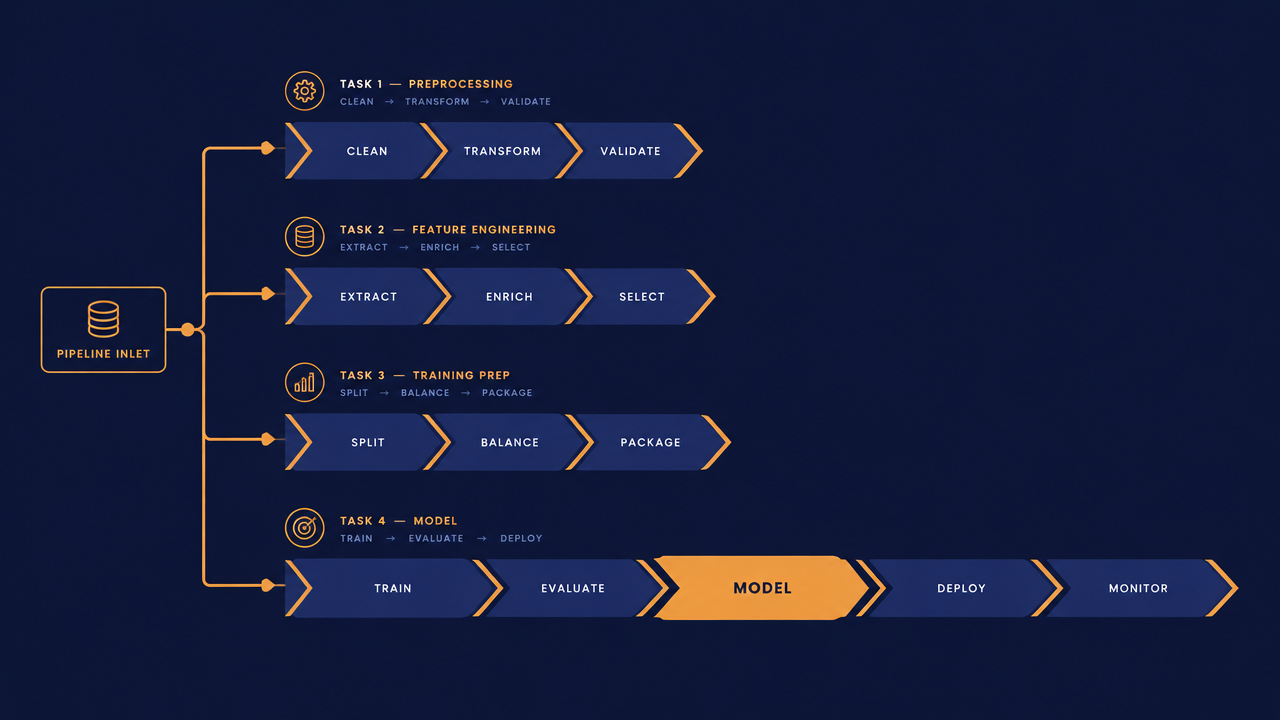
A typical image-to-image processing flow can be split into four stages: preprocessing, calling, validation, and archiving. Each stage has clear responsibilities; do not let them mix.
Preprocessing
Complete deterministic image operations before initiating the call: orientation normalization, scaling, format conversion, and corruption detection. The principle for this stage is "whatever can be done with deterministic code should not be handed to the model." The preprocessing result should also compute an input fingerprint (for example, a content hash) for subsequent deduplication and cache hit determination.
Calling
Initiate an image-to-image request through the unified API, carrying the input image and parameters. What this stage handles is engineering rather than algorithmic:
- Set reasonable timeouts, retry failures with exponential backoff, and strictly observe the retry limits defined earlier.
- Handle retryable errors (network jitter, rate limiting) and non-retryable errors (invalid input, parameter errors) differently; retrying the latter only wastes image count.
- Record the request ID and output image count for every call as the basis for usage reconciliation and cost attribution.
Result validation
Obtaining the output image does not equal task success; an automated validation step is mandatory:
- Integrity: Whether the file can be decoded normally and whether the size meets business expectations.
- Content reasonableness: Whether the subject structure has undergone unacceptable changes compared with the input image; simple metrics (such as overall color distribution shift) can be used for coarse screening.
- Compliance review: Perform a content review of the generated result; the caller bears compliance responsibility for generative outputs.
- Manual spot checks: Reserve a proportional spot-check process for batch tasks as a fallback for automated validation; spot-check results feed back into prompt and parameter adjustments.
Storage and archiving
Write output images to object storage; store references, input fingerprints, parameter snapshots, model identifier, and generation time in the database. Parameter snapshots are especially important—when you need to reproduce a batch of results or explain a change in effect, they determine whether you can restore the call context at that time. For archiving strategy, reusable outputs should be retained long-term, while exploratory outputs should be cleaned up according to lifecycle to control storage costs.
Once these four stages are clearly separated, the chain itself is replaceable: changing inputs, changing parameters, or even changing models does not require rewriting business logic.
Common issues and troubleshooting approaches
Problems in the image-to-image chain fall broadly into two categories: it does not run, and it runs but the results are wrong. The troubleshooting paths for the two are completely different.
Does not run: request and input layer
- Request rejected: First look at the error type. For credential issues, check whether the key is valid and whether the environment matches; for parameter issues, check required fields and value ranges. Do not retry clear parameter errors.
- Input image cannot be processed: Check whether the format and size are within the supported range and whether the file is complete. The most common root cause is that the image passed from upstream carries abnormal metadata or is itself a truncated file.
- Intermittent timeouts: Distinguish between network problems and tasks that are inherently long-running. The former is solved through retries and timeout tuning; the latter requires changing the chain to asynchronous rather than simply increasing the timeout.
Wrong results: parameter and template layer
- Output deviates too much from the input subject: This is usually insufficient constraint. Check whether the prompt clearly describes "what to preserve," not just "what to become."
- Unstable style with large variation each time: The generation process involves randomness; multiple calls with the same input do not produce identical results. When stable output is needed, first compare multiple results on a small batch to confirm whether the fluctuation range is within the business's acceptable range.
- Detail distortion (especially text and small structures): This is an inherent boundary of generative models, and prompts cannot fundamentally fix it. The correct approach is to move such elements to the post-processing stage rather than repeatedly retrying and consuming image count.
- Orientation or composition disorder: Go back to preprocessing and check whether EXIF orientation is consistent and whether the aspect ratio meets expectations.
Abnormal costs
If billing or usage grows beyond expectations, check in this order: whether the actual call image count is higher than the effective output image count; whether retries are out of control; whether there are duplicate submitted tasks; whether requests that should have hit cache are running full generation. These four directions cover the vast majority of cost anomalies.
Basic troubleshooting principles
Every troubleshooting session should start from the request ID in the logs and string together "input fingerprint → parameter snapshot → response status → output image count" into a chain. With this chain, problem localization is usually completed within minutes; without it, you can only guess and rerun, and rerunning itself creates new costs.
When to choose another approach
seedream-5.0-pro/image-to-image is a highly general image-to-image choice, but it is not the default answer for all image tasks. In the following cases, it is worth evaluating other paths first.
When deterministic transformation is needed
Operations such as cropping, scaling, rotating, format conversion, and watermark overlay should have precisely predictable results. Implementing them with traditional image processing libraries costs nearly nothing and is fully reproducible. Handing such requirements to a generative model adds both cost and uncertainty.
When precise local editing is needed
If the requirement is essentially "change only this region, and all other pixels must remain identical," then mask-based local editing models or traditional inpainting algorithms are more suitable. Image-to-image is holistic repainting; even with the best prompt constraints, it is difficult to guarantee that unspecified regions remain completely unchanged.
When there are strict text and layout requirements
Posters, price tags, and materials with large amounts of copy usually require precise glyph and position control. A more robust approach is: use the model to generate the base visual, and let a layout system render and composite the text layer, rather than expecting the model to generate a finished piece with perfect text in one pass.
When the input itself is of insufficient quality
When the input image is blurry, noisy, or too low in resolution, directly performing image-to-image often amplifies the defects. In this case, first go through enhancement steps such as super-resolution or denoising, then enter image-to-image, or choose a solution that is more robust to low-quality input.
When extremely high throughput or extremely low latency is needed
If the business is real-time processing of massive small images, the processing overhead of generative models is usually higher than traditional algorithms. First evaluate whether all images must go through the generative model, or whether only a small portion needs rewriting while the rest can take a lightweight path.
How to make a model selection decision
Do not choose between two options by intuition. A more reliable approach is: prepare a set of representative samples (covering normal, edge, and extreme inputs), run the image-to-image solution and alternative solutions in parallel on the same batch of samples, and compare three metrics: pass rate, manual rework rate, and total call image count. Whichever combination performs better on your own business data is the one to use—the answer to model selection always lies in business samples, not in parameter tables.
Once you decide to adopt the image-to-image solution, it is recommended to start with the model detail page and API documentation, first complete a small-batch validation, and then gradually expand the integration scope.
Related articles
View all articles →-

Guide
seedream-5.0-pro Text-to-Image Getting Started Guide: Capability Boundaries, API Integration, and Cost Control
A hands-on developer perspective: from key parameters to a cost estimate of $0.05 per image
-

Guide
Hailuo 2.3 Fast Image-to-Video Getting Started Guide: Capability Boundaries, Pricing, and Integration Practices
MiniMax image-to-video model selection and integration key points for developers
-
Guide
recraft-v4.1-flash Text-to-Image API Getting Started Guide: Capabilities, Pricing, and Best Practices
From capability boundaries to integration costs, helping developers quickly decide whether it's worth integrating