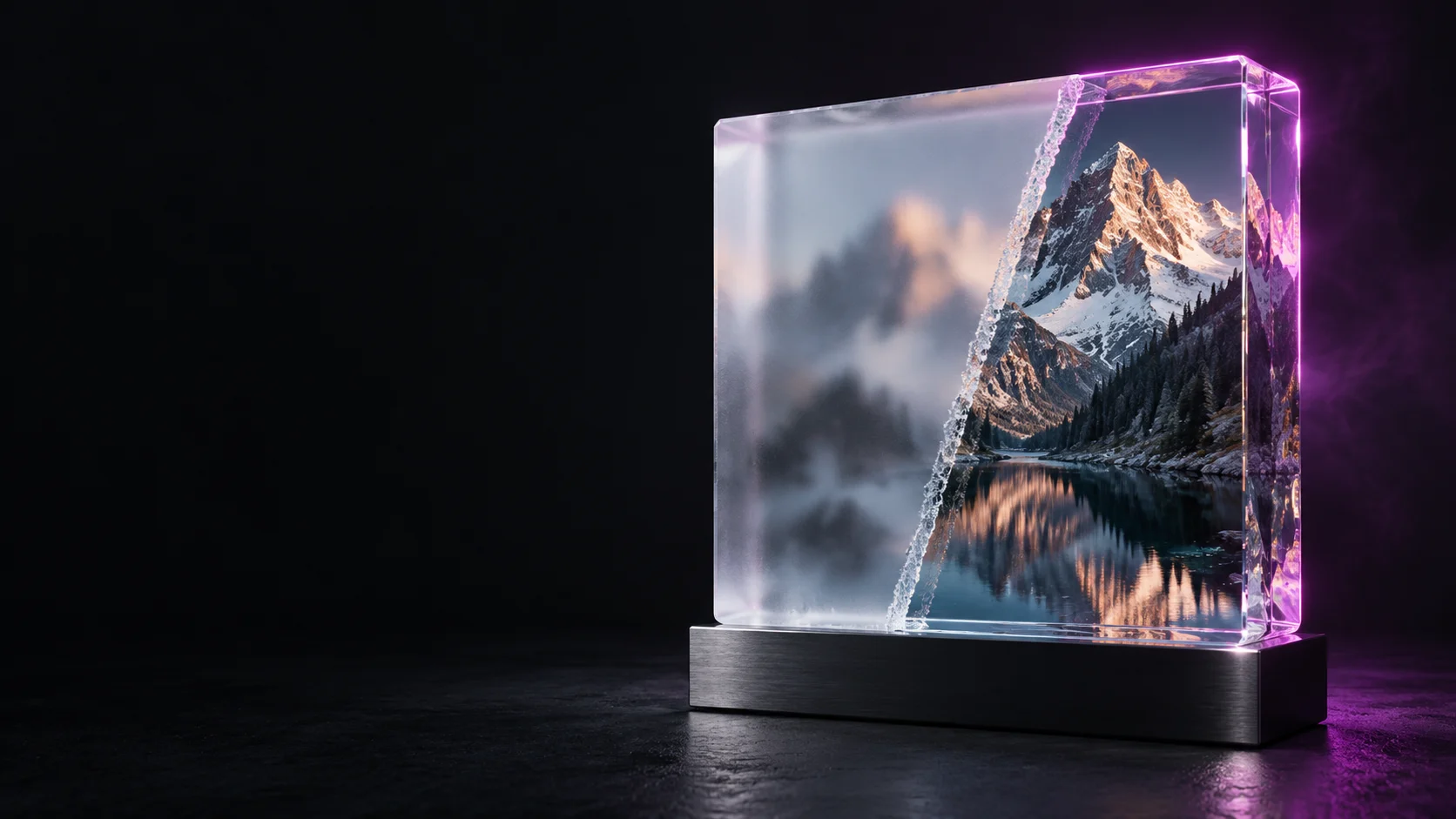
Recraft
Recraft V4.1
recraft-v4.1/text-to-image
A production-oriented model for generating design assets, with native editable SVG vector output. It reliably produces images from short prompts and is well suited to icons, typography, and brand illustrations.
Try recraft-v4.1/text-to-image
Input
Showcases
View all showcasesOutput
image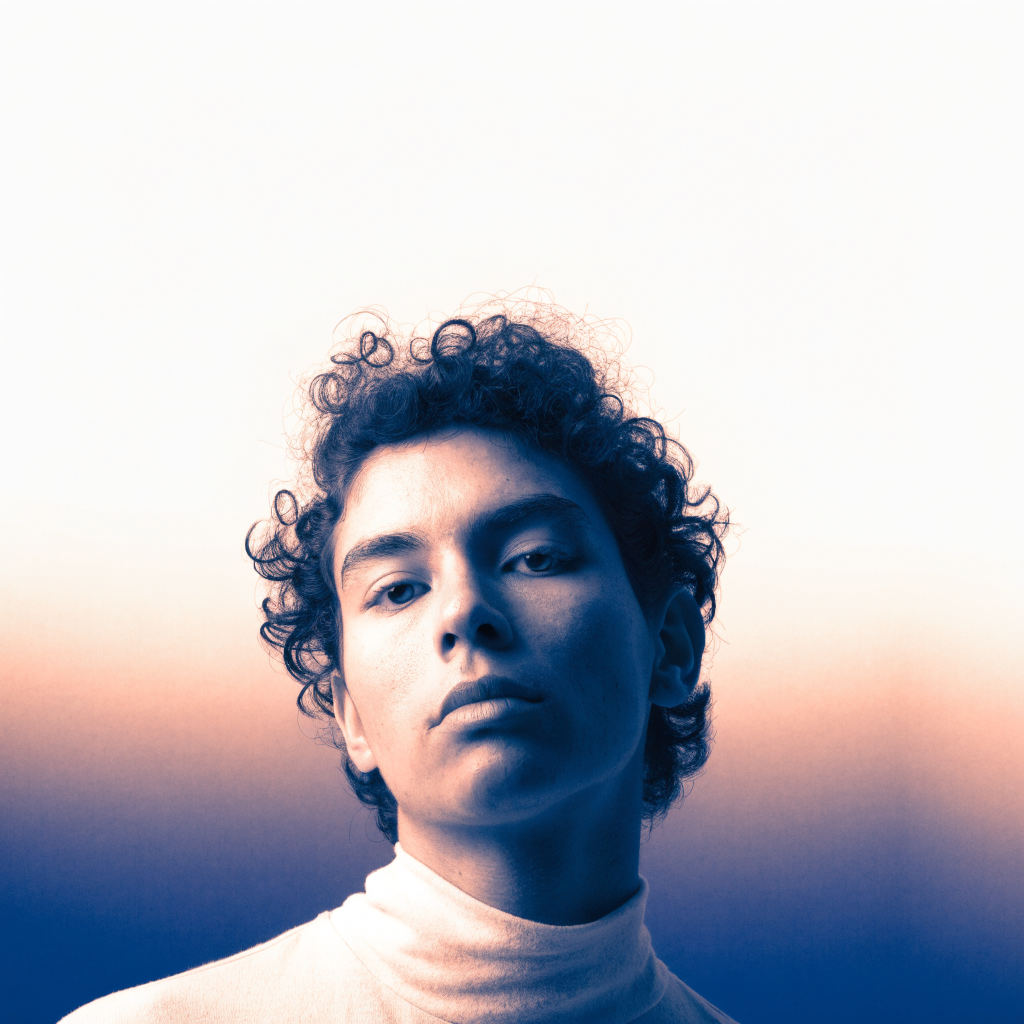
Recraft V4.1 Portrait Prompt Style Spectrum: From Realism to Artistic Rendering
Style Portrait Photography · Prompt Reference · gradient-art
Prompt
4:3 vertical portrait, single subject, editorial-grade studio composition, head-and-shoulders framing, with ample negative space preserved above. Soft directional key light comes from the left side of the camera, transitioning gently into a low-saturation two-tone background made up of restrained warm-cool gradients. Skin shows a natural quality while retaining fine texture detail; clothing folds appear as smooth, slightly voluminous shapes. The background stays clean and uncluttered so the subject's silhouette always dominates; a subtle rim light separates the hair from the background. Design-quality finish ready for direct poster use, favoring restrained tones over strong contrast.
Copy the full prompt and adapt it for your own generation.
Tags
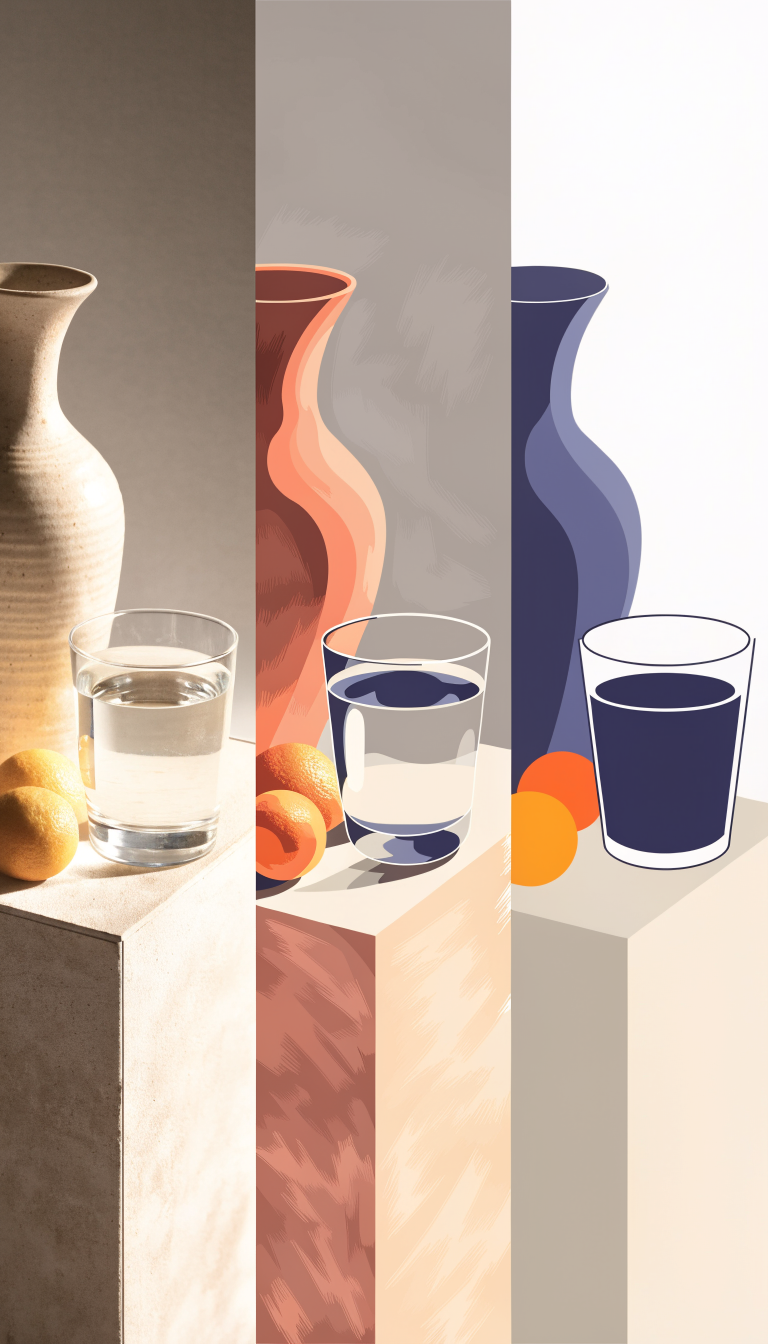
The Illustration Style Spectrum: From Realism to Flat
Style Illustration · style-spectrum · Editing
Prompt
A triptych contact sheet on a neutral warm gray background: three vertical frames, each depicting the same still life—a ceramic vase, a glass of water, and two citrus fruits on a simple pedestal, all shot from the same three-quarter viewpoint with soft side lighting. Left frame: photorealistic rendering with fine surface texture and natural shadows. Middle frame: semi-realistic illustration with smooth gradient shading and soft warm tones. Right frame: flat vector illustration with bold geometric shapes, a limited color palette, and no gradients. Consistent composition across all frames, even narrow gaps between frames, 16:9 landscape layout, clean editorial art direction style.
Copy the full prompt and adapt it for your own generation.
Tags
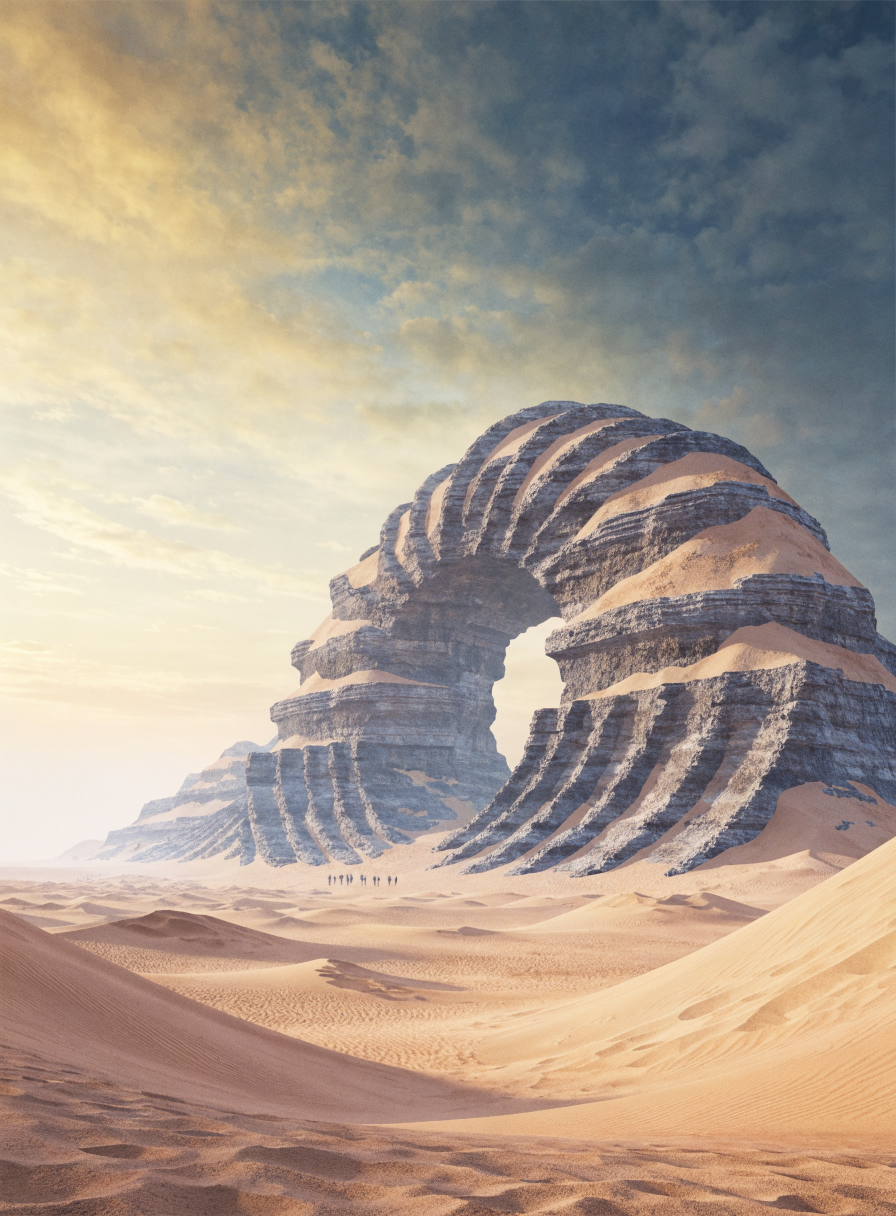
Desert Ruins Worldbuilding Concept Art: Recraft V4.1 Scene Atmosphere Exploration
Style Concept Art · Worldbuilding · Environmental Design
Prompt
A widescreen cinematic concept art scene: a colossal, weathered ring-shaped ruin half-buried in a desert of pale ochre sand, viewed from a low distant vantage point, 16:9 widescreen composition, the ruin's stone ribs covered with layered eroded rock strata and fine sand drifts, tiny human figures near the base to convey scale, gentle atmospheric haze and a soft gradient sky transitioning from warm sand tones at the horizon to cool-toned dim shadows above, restrained color palette, fine 3D-rendered texture with smooth shading and soft volumetric light, strongly designed environmental concept art, high detail, no text
Copy the full prompt and adapt it for your own generation.
Tags
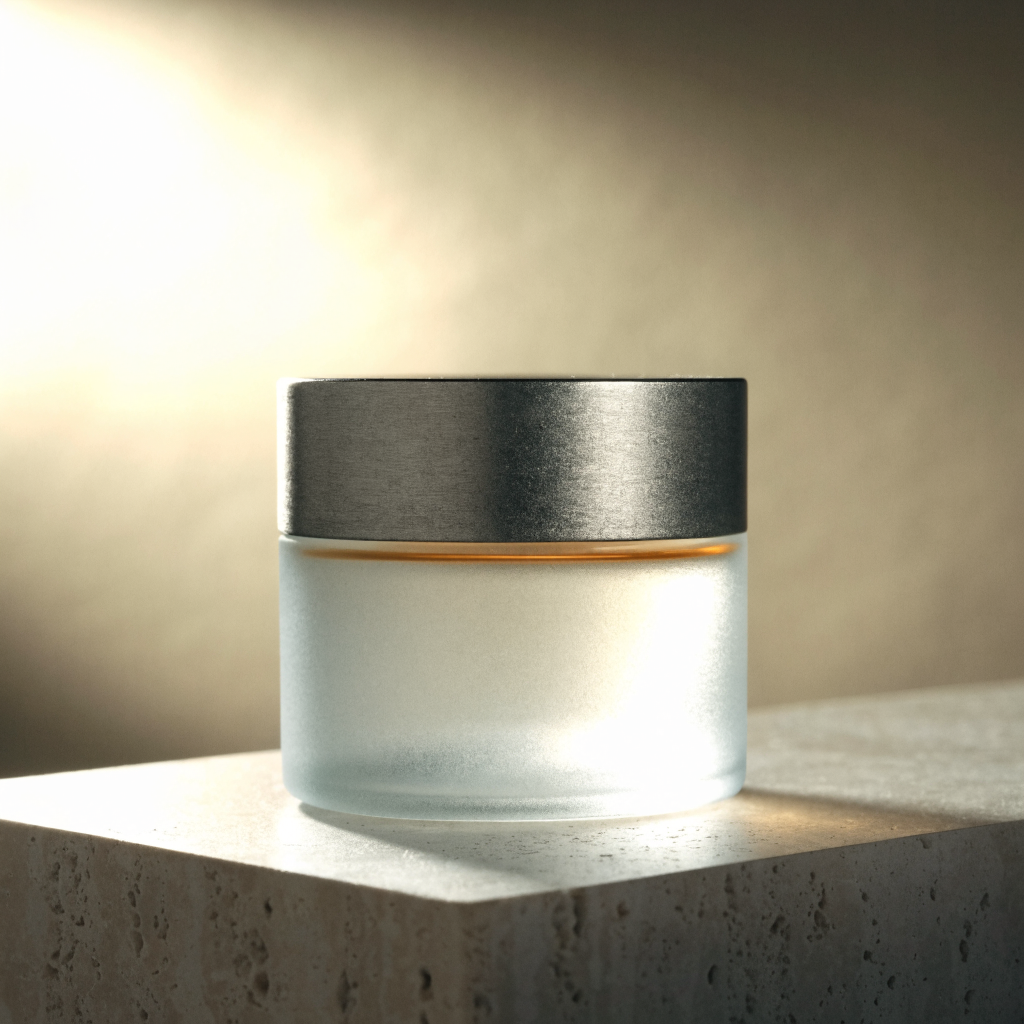
E-commerce-grade product still life: Recraft V4.1 texture rendering
Style Product Image · Studio lighting · ecommerce
Prompt
High-end e-commerce product still life: a cylindrical frosted glass fragrance diffuser with a brushed matte metal neck ring, a slender line of warm amber liquid visible through the glass, centered on a raised travertine pedestal. Studio three-point lighting, a large softbox at the upper left, a subtle rim light on the right edge of the glass, soft falloff blending into a seamless warm gray-beige background. Clear material differentiation: the soft diffusion of frosted glass, the fine brushed texture on the metal, the micro-texture of the matte stone. Shallow depth of field, 85mm lens feel, sharp focus on the product, no clutter props, no text, no logo. Clean commercial color grading, dominated by desaturated warm neutrals with a single amber accent, horizontal 4:3 composition, ample negative space at the top for placing a title.
Copy the full prompt and adapt it for your own generation.
Tags
Pricing
recraft-v4.1/text-to-image per image
| Unit Price | $0.050 |
|---|
Positioning Overview
Recraft V4.1 is a design asset generation model built for production use, geared toward outputs that can go straight into the design workflow rather than concept images meant only for preview. Beyond standard raster images, it excels at icon, typography, and brand illustration tasks; short prompts yield fairly stable aesthetics and composition, and the image can be constrained via color and background color parameters. It suits design teams and developers who need to produce marketing assets, UI illustrations, or vector graphics in bulk and integrate content automation workflows through the unified HiAPI.ai interface.
Core Highlights
- Generates images with design assets in mind — aimed at finished pieces rather than mood boards, with higher completion quality on icon, typography, and illustration tasks, reducing later redrawing.
- Stable style even with short prompts — brief descriptions yield fairly accurate aesthetic and compositional direction, lowering the cost of prompt tuning.
- Color scheme and background can be parametrically constrained — an RGB palette and background color parameters define the image's colors, making it easy to match brand colors and keep visuals consistent.
- Six aspect ratio presets cover common layouts — square, portrait, and landscape ratios are available, so a single call can match social, web, and print layout needs.
Capabilities
Text-to-image: Enter a text description of up to 10,000 characters to generate images, usable for directions such as realism, illustration, 3D rendering, and gradients — ideal for turning creative descriptions directly into usable assets.
Brand color control: Pass a set of RGB colors as a preferred palette and specify a background color separately, embedding brand colors or series visual guidelines into the generated result and reducing the cost of color correction image by image.
Aspect ratio presets: Six size presets are provided — square_hd, square, portrait_4_3, portrait_16_9, landscape_4_3, landscape_16_9 — so you can pick the ratio directly for each placement and skip later cropping.
API-based batch image generation: Called through the unified HiAPI.ai interface, the generation capability can be embedded into custom tools and batch processing workflows, billed per image, making it suitable for high-volume automated image generation needs.
Use Cases
- Batch generation of marketing assets for brand teams — enter the campaign theme and brand colors to produce consistent ad images and social assets in bulk, ready for placement and content scheduling.
- Interface illustration production for UI/UX designers — generate UI imagery and illustrations from short descriptions plus a chosen aspect ratio, producing visual assets ready for product pages and design files.
- Automated imagery for content systems — programs assemble prompts from article topics and call the API to produce imagery reliably for content platforms, reducing manual image sourcing and editing.
- Concept exploration and style experimentation — quickly test mood images and style directions with multiple short prompts as visual references for the proposal stage, then decide the formal creative path.
Limitations and Selection Advice
Its positioning leans toward design assets and concept exploration and does not cover every image generation need; results involving text layout and fine graphics should be manually reviewed before formal delivery. Parameters support only prompts, palette, background color, and aspect ratio presets — no mask editing, reference images, or local repainting. If the need is highly freeform realistic photography or complex multi-turn editing, evaluate other models that focus more on general generation and editing capabilities; if a project is already standardized on an older version, you can also stay on the existing version to reduce switching costs.
What's new
View changelog →- New model New model available: recraft-v4.1-flash/text-to-image
- New model Added recraft-v4.1-flash/text-to-image documentation
Frequently asked questions
View all FAQs →-
How is Recraft V4.1 different from V4.1 Flash?
V4.1 focuses on detail and finish; Flash is faster and good for drafts in bulk.
-
Which sizes are supported?
image_size accepts square_hd (default), square, portrait_4_3, portrait_16_9, landscape_4_3 and landscape_16_9.
-
How do I set colors?
Pass colors (an array of RGB objects) and background_color (one RGB object) through the API, each channel 0–255. The online Playground does not show these two fields yet.
-
Are the colors followed strictly?
colors is a preferred palette and the image will lean toward it; if the prompt names clearly conflicting colors, the result may mix both.
Create a generation task
https://api.hiapi.ai/v1/tasks Headers
AuthorizationstringRequiredAccount API key. Required on every request. Example: Bearer YOUR_HIAPI_API_KEY. Get your API key
Content-TypestringOptionalThe request body is always parsed as JSON; when sent, only application/json (optionally with charset) is accepted — any other value returns 415. Example: application/json.
Idempotency-KeystringOptionalIdempotency key, up to 255 bytes. Retries with the same key from the same account create the task only once; replays return the original taskId.
On network timeouts or client retries, the same key creates the task only once — no double charges (scope: the API key's account). Use a business-unique identifier as the key (e.g. "order-42"); replays return the original taskId, and keys expire 24 hours after the first request. See the Unified Async API overview for the full scenario matrix.
Body
modelstringRequiredCurrent fixed value: recraft-v4.1/text-to-image
routestringOptionalCurrent fixed value: default
inputobjectRequired
Business parameters for recraft-v4.1/text-to-image and route default — see the parameter table below.
colorsarrayOptional
Specifies the preferred color scheme, passed in as an array of RGB objects, with each channel ranging from 0 to 255; the structure of each array element is defined by the b/g/r fields.
Array [ object ]
Array items
bintegerRequiredmin 0max 255The blue channel value of a single color in the color scheme, an integer ranging from 0 to 255.
gintegerRequiredmin 0max 255The green channel value of a single color in the color scheme, an integer ranging from 0 to 255.
rintegerRequiredmin 0max 255The red channel value of a single color in the color scheme, an integer ranging from 0 to 255.
promptstringRequiredminLength 1maxLength 10000The text description of the image to be generated, as a plain-text string.
image_sizestringOptionalDefault: "square_hd"The output image size preset, a string; defaults to square_hd.
square_hdsquareportrait_4_3portrait_16_9landscape_4_3landscape_16_9background_colorobjectOptional
The preferred background color, passed in as an RGB object, with each channel ranging from 0 to 255; the specific channels are defined by the b/g/r fields.
bintegerRequiredmin 0max 255The blue channel value of the background color, an integer ranging from 0 to 255.
gintegerRequiredmin 0max 255The green channel value of the background color, an integer ranging from 0 to 255.
rintegerRequiredmin 0max 255The red channel value of the background color, an integer ranging from 0 to 255.
callbackobjectOptional
Terminal-state notification config. When omitted, no callback is delivered — poll the task yourself. See the callback note below.
Provide callback.url when creating a task and HiAPI POSTs to your service once the task reaches a terminal state — no polling needed. The callback payload mirrors the task detail structure; signature verification, delivery retries and idempotency are documented on the Unified Async API overview page.
urlstringRequiredRequired when callback is present. A POST is sent to this URL once the task reaches a terminal state; must be a valid http(s) URL.
whenstringOptionalDefault: "final"Only final is supported today — notified on both success and fail.
finalstoragestringOptionalDefault: "temp"Artifact storage tier: temp (default, retained about 7 days) or persistent (long-term, billed by size). Insufficient balance or exceeding the storage cap silently downgrades to temp; the effective tier is shown in the task detail response.
temppersistentRequest examples
# Submit an async task; returns a taskId immediately (no waiting for generation)
curl -X POST "https://api.hiapi.ai/v1/tasks" \
  -H "Authorization: Bearer $HIAPI_API_KEY" \
  -H "Content-Type: application/json" \
  -d '{
  "model": "recraft-v4.1/text-to-image",
  "input": {
    "prompt": "…",
    "image_size": "square_hd"
  }
}'
const res = await fetch("https://api.hiapi.ai/v1/tasks", {
method: "POST",
headers: {
Authorization: `Bearer ${process.env.HIAPI_API_KEY}`,
"Content-Type": "application/json",
},
body: JSON.stringify({
model: "recraft-v4.1/text-to-image",
input: {
"prompt": "…",
"image_size": "square_hd"
}
}),
});
const task = await res.json();
// { code: 200, message: "success", data: { taskId } }import os, requests
res = requests.post(
"https://api.hiapi.ai/v1/tasks",
headers={"Authorization": f"Bearer {os.environ['HIAPI_API_KEY']}"},
json={
"model": "recraft-v4.1/text-to-image",
"input": {
"prompt": "…",
"image_size": "square_hd"
}
},
)
print(res.json()) # { code, message, data: { taskId } }200 OK
{
  "code": 200,
  "message": "success",
  "data": {
    "taskId": "tk-hiapi-01HZTQ8BX2N3GM3YFK4Z9D7VQR"
  }
}
400 Bad Request
{
  "code": 400,
  "message": "invalid request",
  "data": null,
  "error_code": "INVALID_REQUEST"
}
Get task detail
https://api.hiapi.ai/v1/tasks/:id Response fields
taskIdstringRequiredTask ID, always prefixed with tk-hiapi-.
modelstringRequiredResolved full model name. Tasks submitted with the route parameter return base@route (e.g. gpt-image-2/text-to-image@ext); otherwise identical to the name passed at creation.
routestringOptionalPresent only when the task was submitted with an explicit route parameter; echoes the submitted value.
statusstringRequiredTask status.
queued Queued, not started yet.
handling Being processed.
archiving Processing finished, artifacts being prepared.
success Terminal: completed, artifacts available (output returned).
fail Terminal: failed (error returned).
After submission, check status: success and fail are terminal, everything else is non-terminal. Poll every 1–3 seconds until terminal. On success, download artifacts from output[].url and transfer them before expireAt; pass storage: "persistent" at creation time when long-term retention is needed.
creatednumberRequiredTask creation time (Unix seconds).
completednumberRequiredUnix seconds when the task reached a terminal state; fixed to 0 while not terminal.
outputarrayOptional
Present only when status == success. Artifact list — always an array; a single task may return multiple types at once (e.g. video + first_frame).
Array [ object ]
Array items
urlstringRequiredArtifact URL, directly downloadable.
typestringRequiredCurrent possible values: video, image, audio, first_frame, last_frame, thumbnail; more may be added later.
expireAtnumberRequiredUnix seconds until which the artifact remains accessible; download or transfer before it expires.
errorobjectOptional
Present only when status == fail.
codestringRequiredBusiness error code.
messagestringRequiredError description.
Response examples
Success
{
  "code": 200,
  "message": "success",
  "data": {
    "taskId": "tk-hiapi-01HZTQ8BX2N3GM3YFK4Z9D7VQR",
    "model": "happyhorse-1-0",
    "status": "success",
    "created": 1777282033,
    "completed": 1777282099,
    "output": [
      {
        "url": "https://cdn.hiapi.ai/tasks/.../video.mp4",
        "type": "video",
        "expireAt": 1777886899
      }
    ]
  }
}
Processing (non-terminal)
{
  "code": 200,
  "message": "success",
  "data": {
    "taskId": "tk-hiapi-...",
    "model": "happyhorse-1-0",
    "status": "archiving",
    "created": 1777282033,
    "completed": 0
  }
}
Failed
{
  "code": 200,
  "message": "success",
  "data": {
    "taskId": "tk-hiapi-...",
    "model": "happyhorse-1-0",
    "status": "fail",
    "created": 1777282033,
    "completed": 1777282099,
    "error": {
      "code": "TASK_FAILED",
      "message": "task failed"
    }
  }
}Articles
View all articles →Related Models
View all models →Same Type
-
 FLUX 1.1 Pro Black Forest Labs $0.050 /image
-
 851 Labs Background Remover 851 Labs $0.002 /image
-
 Nano Banana Google $0.021 /image
-
 Seedream 4.5 ByteDance $0.045 /image
-
 FLUX 3 Image Black Forest Labs $0.041 /image
-
 FLUX.2 Klein 4B Black Forest Labs $0.0004 /image
-
 BRIA Product Shot Bria $0.058 /image
-
 Grok Imagine Image 2.0 xAI $0.052 /image
-
 Qwen Image 2.0 Alibaba $0.042 /image
-
 Imagen 4 Google $0.030 /image
-
 Grok Imagine Quality xAI $0.070 /image
-
 Recraft Creative Upscale Recraft $0.357 /image