xAI
Grok Imagine
grok-imagine/image-to-image
xAI's creative generation model, supporting image-to-image editing and style guidance, with up to 9 reference images to control composition and characters; called through the unified HiAPI.ai interface
Try grok-imagine/image-to-image
Input
Showcases
View all showcasesOutput
image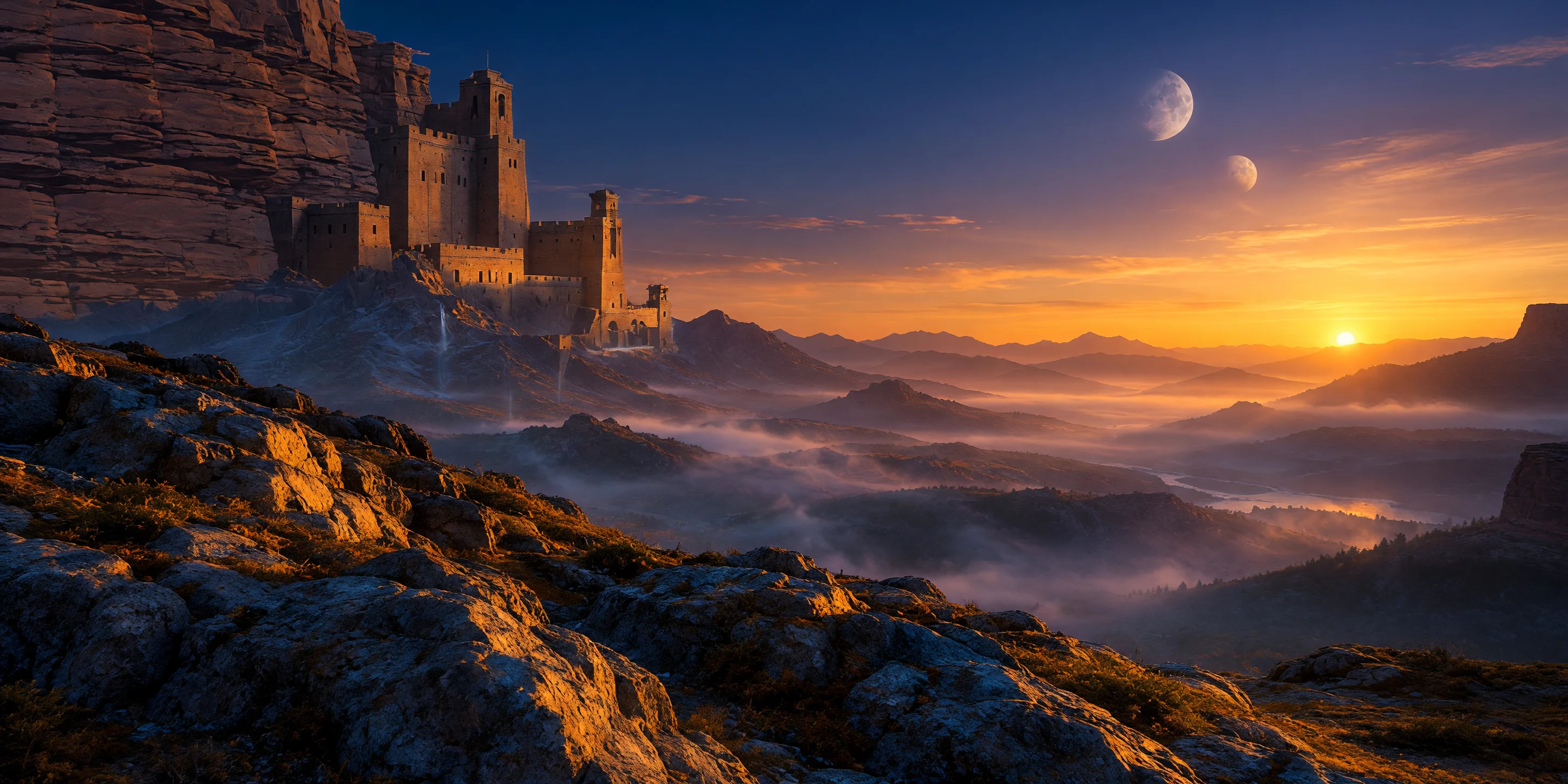
Worldbuilding Concept Art: Canyon Fortress Under Twin Moons at Dusk
Style Worldbuilding · Concept Art · Cinematic
Reference inputs
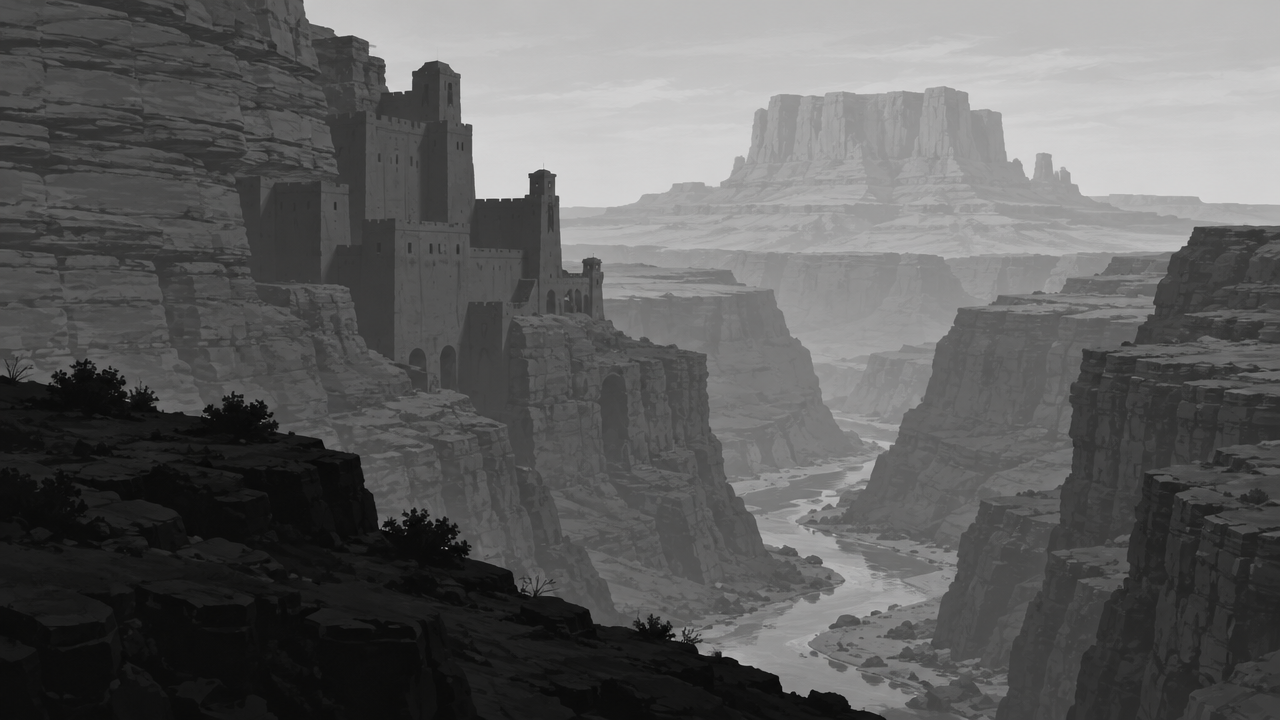
image_urls
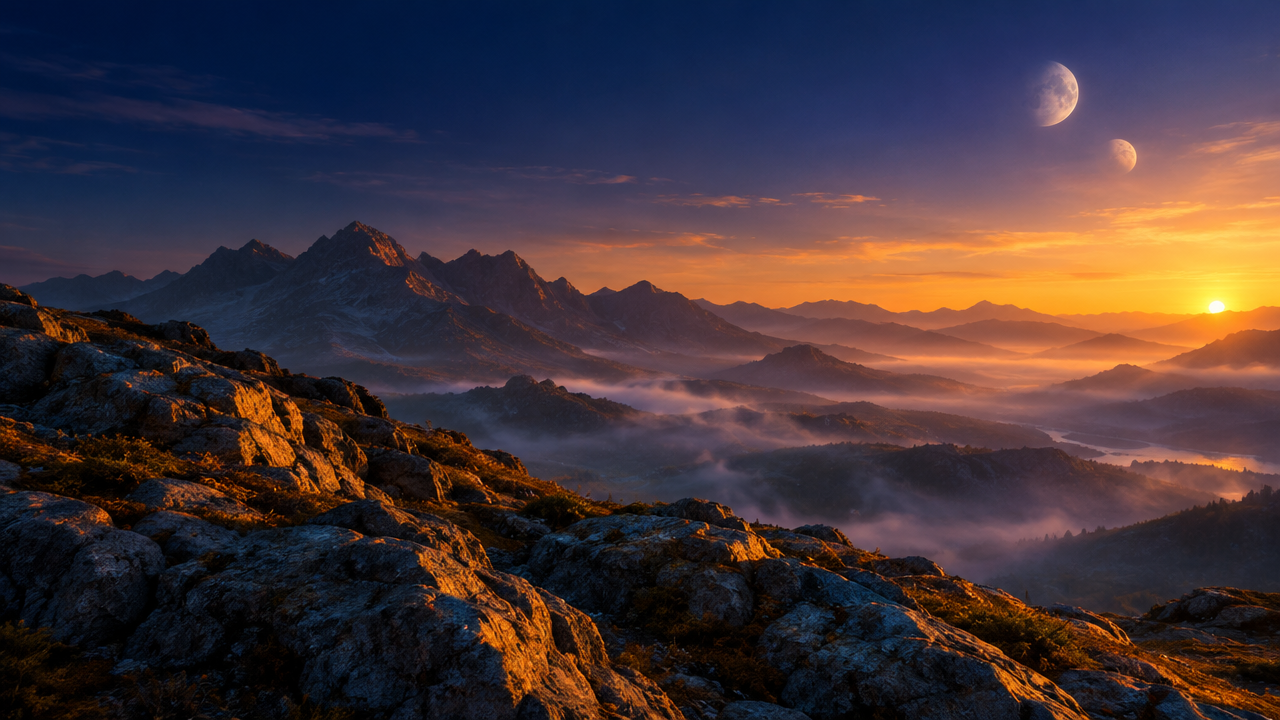
image_urls
Prompt
A cinematic wide establishing shot showing a cliffside fortress carved into a vast desert canyon, twin moons rising in a deep twilight sky, slender waterfalls plunging into mist below, warm low-angle sunlight raking across stone mesas, cool blue shadows pooling in the canyon, layered atmospheric perspective, richly detailed rock and metal textures, realistic light falloff, epic fantasy worldbuilding concept art, rendered with photographic lighting, 16:9 composition, highly detailed
Copy the full prompt and adapt it for your own generation.
Tags
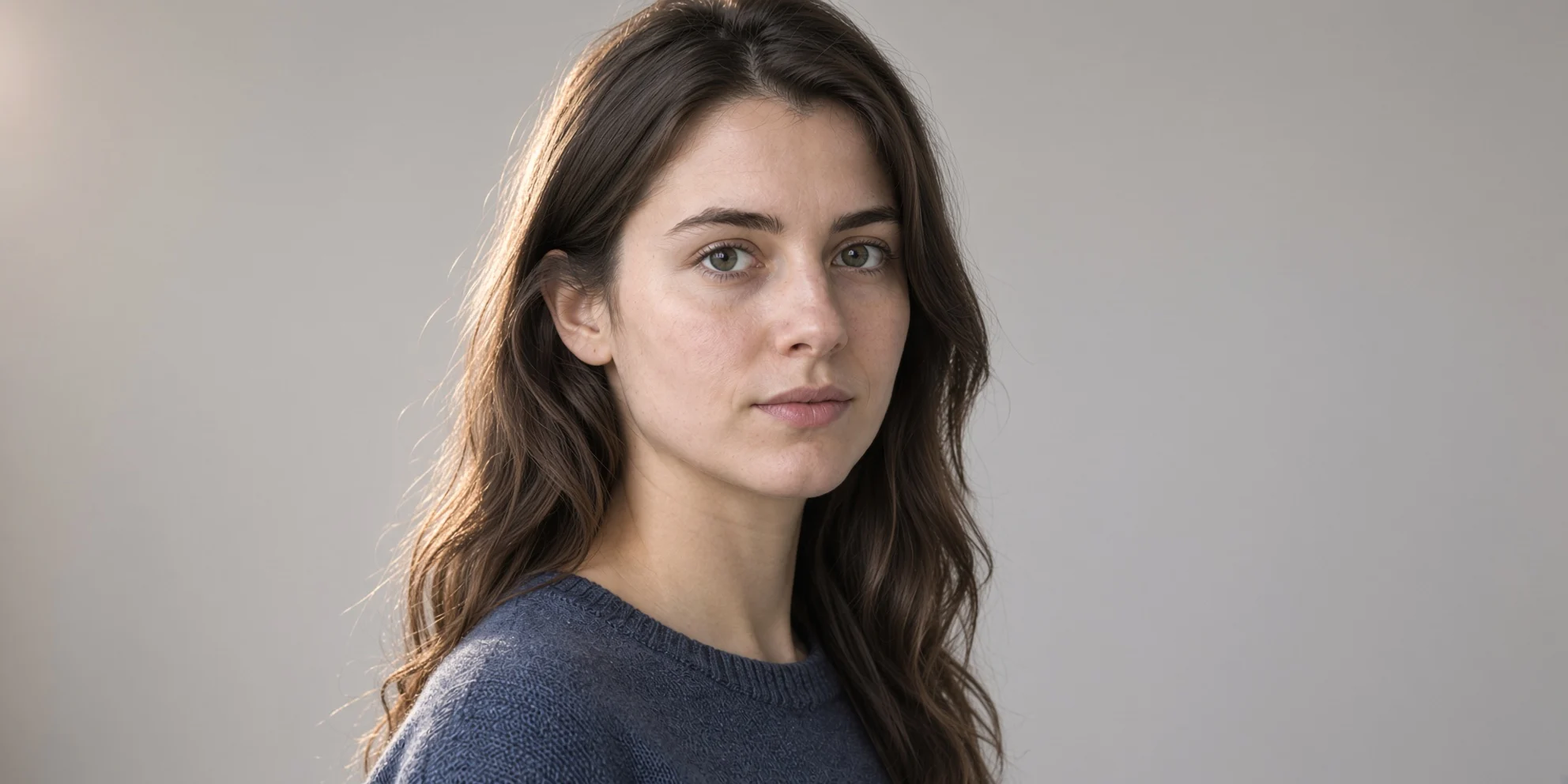
Reference-driven portrait style repainting: realistic and artistic dual-version demo
Style Portrait & Photography · style-transfer · Photorealistic
Reference inputs
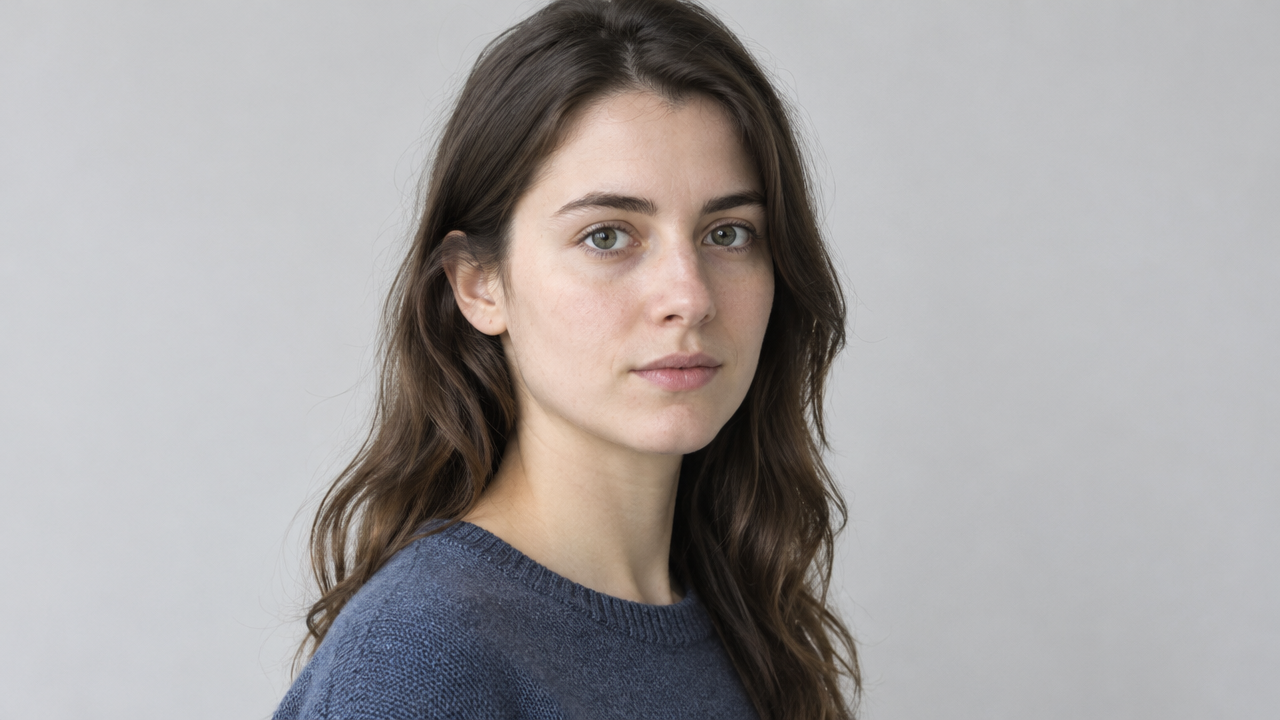
image_urls
Prompt
An edited-style portrait of a person, framed from the chest up, body turned three-quarters toward the camera, soft directional window light coming from the left, subtle rim light on the cheek and shoulder, shallow depth of field, soft neutral-colored background, natural skin texture, visible pores and fine hair details, calm neutral expression, high-fidelity photorealistic rendering, 16:9 composition, subject slightly off-center with ample negative space on the right.
Copy the full prompt and adapt it for your own generation.
Tags
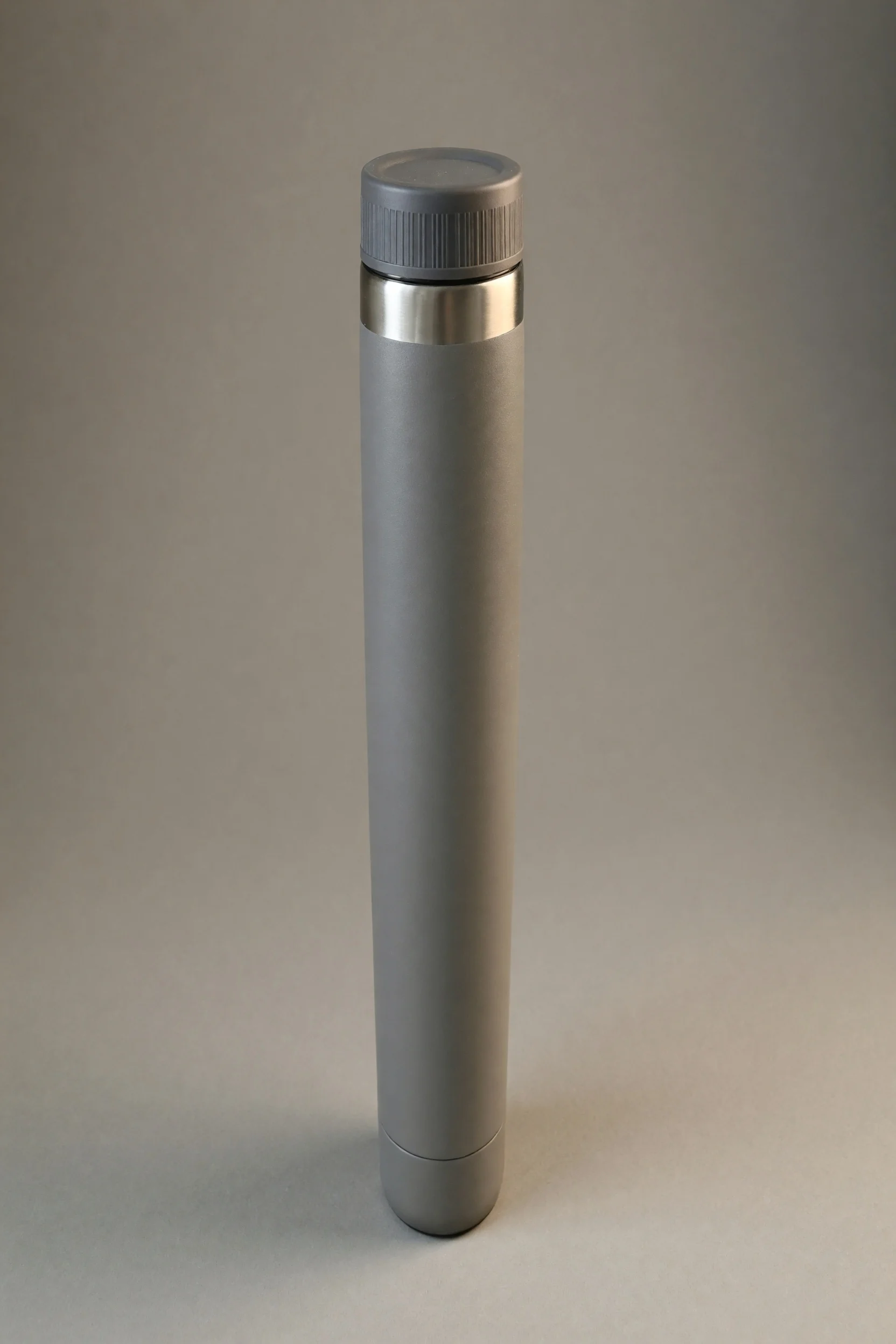
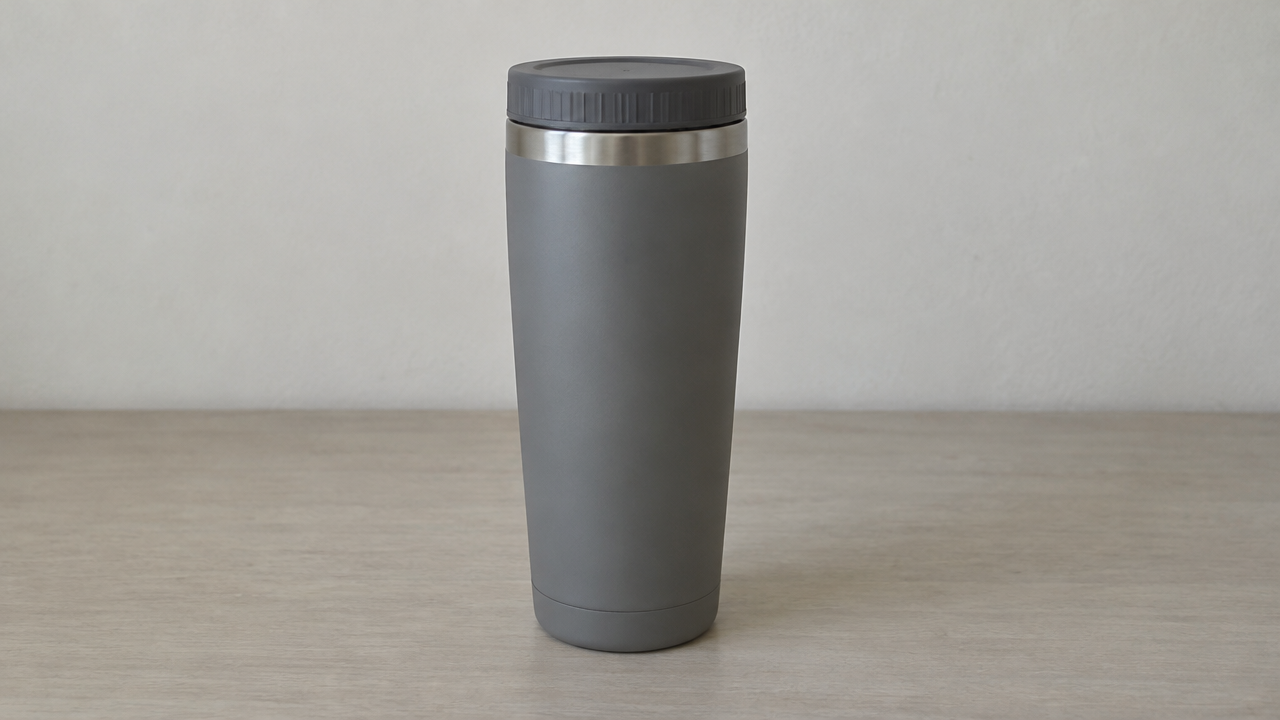
E-commerce-Grade Product Image: Texture Reshaping from a Single Reference Image
Style Product Image · Studio lighting · ecommerce
Reference inputs
image_urls
Prompt
Style remake of e-commerce product photography based on the reference image. Fully preserve the product's silhouette, proportions, seams, and label positions, consistent with the reference image; do not alter or invent any brand markings. Rebuild the scene: a seamless warm-gray studio background with soft gradient falloff, a matte gray surface, and a subtle natural contact shadow beneath the product. Lighting uses a large softbox key light at 45 degrees upper left, a rim light from the rear right outlining the metal edges, and a white reflector filling the shadow side. Preserve and enhance material rendering: the brushed metal shows fine anisotropic highlights, the matte coating has soft highlight transitions, and reflections are clear without blown-out hotspots. The camera is positioned at product height with an 85mm equivalent lens perspective, medium depth of field keeping the entire product sharp, and a slight high-angle downward tilt creating the hero composition, with ample negative space on the right for copy. Clean color grading, neutral white balance, high micro-contrast, commercial catalog aesthetic, 2:1 wide composition.
Copy the full prompt and adapt it for your own generation.
Tags
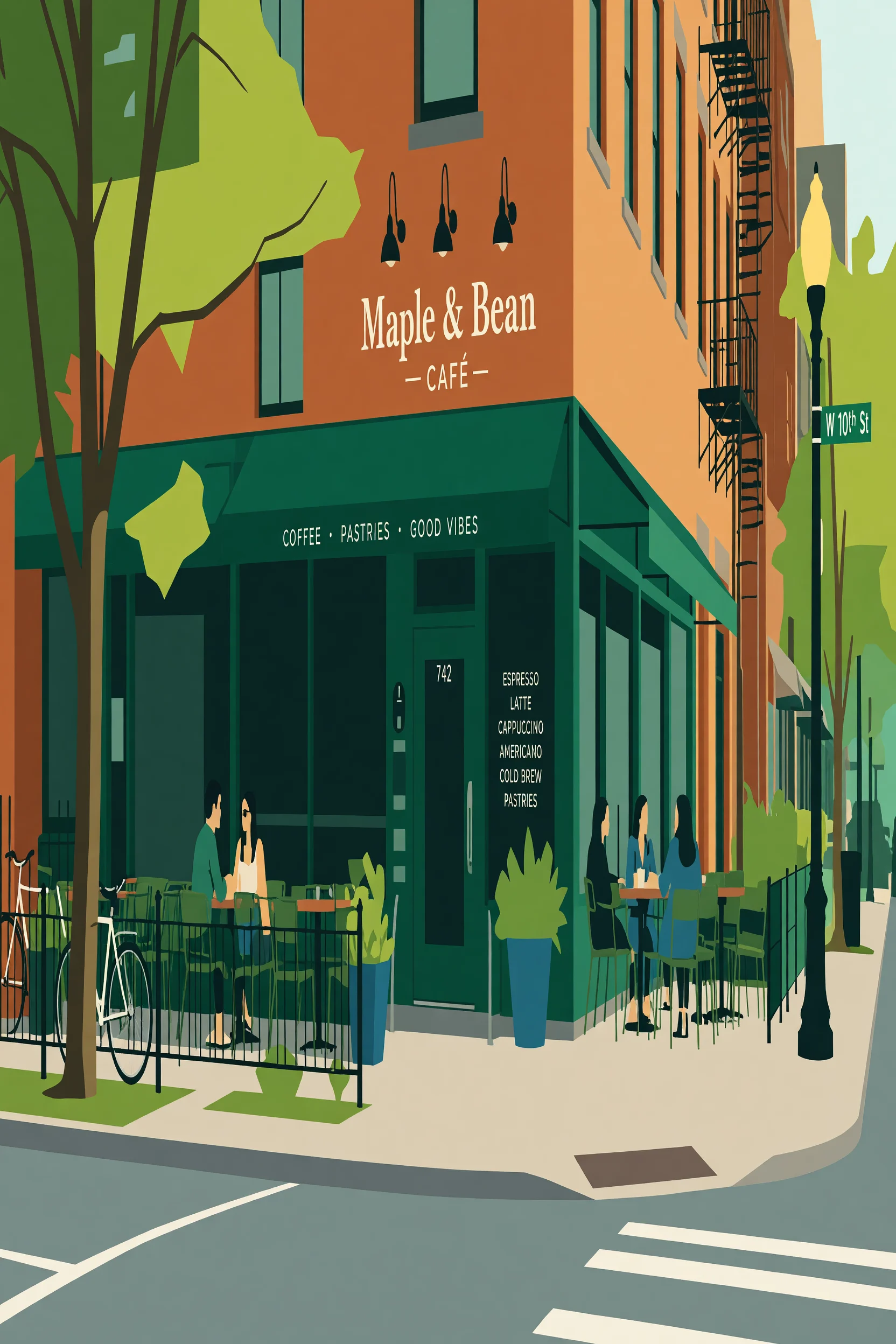
Realistic to Flat: Four Levels of Illustration for the Same Scene
Style style-transfer · Flat illustration · Image Editing
Reference inputs
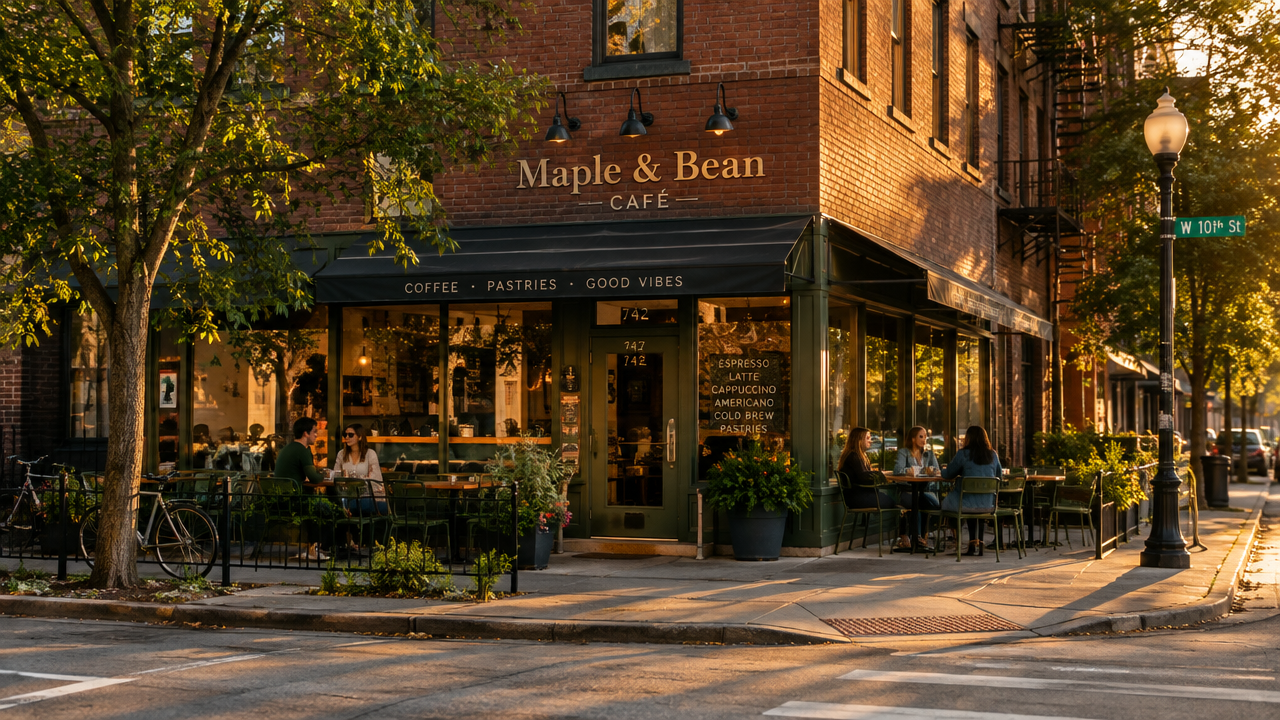
image_urls
Prompt
Convert the reference photo into a flat vector illustration: keep the original subject, composition, and camera viewpoint, but simplify all forms into geometric shapes with crisp, clean edges. Replace photographic gradients with a small palette of 5-7 flat color blocks, add subtle grain-free tonal shading only where volume needs to be conveyed, remove micro-textures and fine details, and simplify vegetation, fabric, and architectural surfaces into layered silhouettes. Preserve the scene's original lighting direction, expressed with a single lighter plane on each form. Centered composition, ample negative space, poster-like balance, modern editorial illustration style, 16:9 aspect ratio.
Copy the full prompt and adapt it for your own generation.
Tags
Pricing
grok-imagine/image-to-image per image
| Unit Price | $0.030 |
|---|
Positioning Overview
grok-imagine/image-to-image is an image editing model from xAI, accessible through the unified HiAPI.ai interface. Using prompts as editing instructions, it generates new images based on 1 to 3 reference images, supporting selectable 1k/2k resolutions, 14 aspect ratios, and jpeg/png/webp output formats. It is suited for developers who need to perform rewrites, style transfer, or composition adjustments starting from existing images, bringing controllable image editing capabilities into their own product workflows.
Key Highlights
- Reference-image-driven controllable editing — Takes 1 to 3 public URL images as input and describes the rewrite goal with a prompt, so subjects and compositions are grounded rather than generated from thin air.
- Wide aspect ratio coverage — Supports 14 aspect ratios from 2:1 to 1:2; auto directly inherits the ratio of the first input image, fitting both landscape and portrait placements.
- Selectable resolution and format — Output can be 1k or 2k, with support for jpeg, png, and webp formats, producing files directly usable for downstream purposes.
Capability Details
Reference-image-conditioned editing: Submit 1 to 3 public jpeg/png/webp images along with an editing instruction, and the model generates a rewritten image based on them, suited for targeted modifications on existing assets.
Aspect ratio control: Choose auto or 14 fixed ratios; auto follows the first input image, making it easy to produce batches of images sized to match ad placements.
Resolution and format output: Output resolution can be 1k or 2k, and formats include jpeg, png, and webp, letting developers directly specify result specs based on front-end display or subsequent processing needs.
Long instruction support: Prompts can be up to 8000 characters, accommodating detailed editing descriptions so complex rewrite requirements can be fully expressed in a single instruction.
Use Cases
- Design teams: targeted rewrites of existing assets — Upload existing product or scene images and describe the modifications to produce new images that preserve the original composition, for asset replacement or variant generation.
- Content operations: batch image creation for ad placements — Generate landscape or portrait images using reference images plus ratio parameters, directly usable for multi-size social media and ad placement campaigns.
- App developers: integrate image editing features — Package reference-image editing with format and resolution parameters into an in-product editing entry point, so users can upload an image and get processed results.
Limitations and Selection Advice
Input accepts only 1 to 3 public URL images in jpeg/png/webp; SVG is not supported, and only one image can be produced per request. Its capabilities are limited to reference-image-based image editing and do not include video generation, audio generation, or text-to-image generation; for those needs, choose text-to-image or video models from the same series. Scenarios requiring batch output of multiple images or native resolutions above 2k also require a different model.
What's new
View changelog →- New model New models: grok-imagine-image-2.0/text-to-image and grok-im…
Frequently asked questions
View all FAQs →-
What is the standard Grok Imagine route best for?
It suits high-volume ideation, social assets, landscapes, and cinematic scenes. Current 1k and 2k output share one flat price.
-
How does standard differ from Quality?
Standard emphasizes speed and a low flat price. Quality is a separate model route focused on material, detail, and light, with tiered 1k/2k pricing.
-
Which ratios are available?
Thirteen landscape, square, and portrait ratios ranging from 2:1 and 20:9 to 1:2.
-
Does this page accept references?
No. Use grok-imagine/image-to-image for reference editing.
Create a generation task
https://api.hiapi.ai/v1/tasks Headers
AuthorizationstringRequiredAccount API key. Required on every request. Example: Bearer YOUR_HIAPI_API_KEY. Get your API key
Content-TypestringOptionalThe request body is always parsed as JSON; when sent, only application/json (optionally with charset) is accepted — any other value returns 415. Example: application/json.
Idempotency-KeystringOptionalIdempotency key, up to 255 bytes. Retries with the same key from the same account create the task only once; replays return the original taskId.
On network timeouts or client retries, the same key creates the task only once — no double charges (scope: the API key's account). Use a business-unique identifier as the key (e.g. "order-42"); replays return the original taskId, and keys expire 24 hours after the first request. See the Unified Async API overview for the full scenario matrix.
Body
modelstringRequiredCurrent fixed value: grok-imagine/image-to-image
routestringOptionalCurrent fixed value: default
inputobjectRequired
Business parameters for grok-imagine/image-to-image and route default — see the parameter table below.
promptstringRequiredminLength 1maxLength 8000Instruction text for editing, describing the desired output effect in natural language.
image_urlsarrayRequiredminItems 1maxItems 3Array of input reference images; provide 1 to 3 publicly accessible jpeg, png, or webp image URLs. SVG format is not supported.
Array [ string ]
resolutionstringOptionalDefault: "1k"Resolution of the output image, default 1k.
1k2kaspect_ratiostringOptionalDefault: "auto"Aspect ratio of the generated image, default auto, which follows the aspect ratio of the first input image.
auto2:120:919.5:916:94:33:21:1Show all (6)
2:33:49:169:19.59:201:2output_formatstringOptionalDefault: "jpeg"Format of the output image, default jpeg.
jpegpngwebpcallbackobjectOptional
Terminal-state notification config. When omitted, no callback is delivered — poll the task yourself. See the callback note below.
Provide callback.url when creating a task and HiAPI POSTs to your service once the task reaches a terminal state — no polling needed. The callback payload mirrors the task detail structure; signature verification, delivery retries and idempotency are documented on the Unified Async API overview page.
urlstringRequiredRequired when callback is present. A POST is sent to this URL once the task reaches a terminal state; must be a valid http(s) URL.
whenstringOptionalDefault: "final"Only final is supported today — notified on both success and fail.
finalstoragestringOptionalDefault: "temp"Artifact storage tier: temp (default, retained about 7 days) or persistent (long-term, billed by size). Insufficient balance or exceeding the storage cap silently downgrades to temp; the effective tier is shown in the task detail response.
temppersistentRequest examples
# Submit an async task; returns a taskId immediately (no waiting for generation)
curl -X POST "https://api.hiapi.ai/v1/tasks" \
  -H "Authorization: Bearer $HIAPI_API_KEY" \
  -H "Content-Type: application/json" \
  -d '{
  "model": "grok-imagine/image-to-image",
  "input": {
    "prompt": "…",
    "image_urls": "…",
    "resolution": "1k",
    "aspect_ratio": "auto",
    "output_format": "jpeg"
  }
}'
const res = await fetch("https://api.hiapi.ai/v1/tasks", {
method: "POST",
headers: {
Authorization: `Bearer ${process.env.HIAPI_API_KEY}`,
"Content-Type": "application/json",
},
body: JSON.stringify({
model: "grok-imagine/image-to-image",
input: {
"prompt": "…",
"image_urls": "…",
"resolution": "1k",
"aspect_ratio": "auto",
"output_format": "jpeg"
}
}),
});
const task = await res.json();
// { code: 200, message: "success", data: { taskId } }import os, requests
res = requests.post(
"https://api.hiapi.ai/v1/tasks",
headers={"Authorization": f"Bearer {os.environ['HIAPI_API_KEY']}"},
json={
"model": "grok-imagine/image-to-image",
"input": {
"prompt": "…",
"image_urls": "…",
"resolution": "1k",
"aspect_ratio": "auto",
"output_format": "jpeg"
}
},
)
print(res.json()) # { code, message, data: { taskId } }200 OK
{
  "code": 200,
  "message": "success",
  "data": {
    "taskId": "tk-hiapi-01HZTQ8BX2N3GM3YFK4Z9D7VQR"
  }
}
400 Bad Request
{
  "code": 400,
  "message": "invalid request",
  "data": null,
  "error_code": "INVALID_REQUEST"
}
Get task detail
https://api.hiapi.ai/v1/tasks/:id Response fields
taskIdstringRequiredTask ID, always prefixed with tk-hiapi-.
modelstringRequiredResolved full model name. Tasks submitted with the route parameter return base@route (e.g. gpt-image-2/text-to-image@ext); otherwise identical to the name passed at creation.
routestringOptionalPresent only when the task was submitted with an explicit route parameter; echoes the submitted value.
statusstringRequiredTask status.
queued Queued, not started yet.
handling Being processed.
archiving Processing finished, artifacts being prepared.
success Terminal: completed, artifacts available (output returned).
fail Terminal: failed (error returned).
After submission, check status: success and fail are terminal, everything else is non-terminal. Poll every 1–3 seconds until terminal. On success, download artifacts from output[].url and transfer them before expireAt; pass storage: "persistent" at creation time when long-term retention is needed.
creatednumberRequiredTask creation time (Unix seconds).
completednumberRequiredUnix seconds when the task reached a terminal state; fixed to 0 while not terminal.
outputarrayOptional
Present only when status == success. Artifact list — always an array; a single task may return multiple types at once (e.g. video + first_frame).
Array [ object ]
Array items
urlstringRequiredArtifact URL, directly downloadable.
typestringRequiredCurrent possible values: video, image, audio, first_frame, last_frame, thumbnail; more may be added later.
expireAtnumberRequiredUnix seconds until which the artifact remains accessible; download or transfer before it expires.
errorobjectOptional
Present only when status == fail.
codestringRequiredBusiness error code.
messagestringRequiredError description.
Response examples
Success
{
  "code": 200,
  "message": "success",
  "data": {
    "taskId": "tk-hiapi-01HZTQ8BX2N3GM3YFK4Z9D7VQR",
    "model": "happyhorse-1-0",
    "status": "success",
    "created": 1777282033,
    "completed": 1777282099,
    "output": [
      {
        "url": "https://cdn.hiapi.ai/tasks/.../video.mp4",
        "type": "video",
        "expireAt": 1777886899
      }
    ]
  }
}
Processing (non-terminal)
{
  "code": 200,
  "message": "success",
  "data": {
    "taskId": "tk-hiapi-...",
    "model": "happyhorse-1-0",
    "status": "archiving",
    "created": 1777282033,
    "completed": 0
  }
}
Failed
{
  "code": 200,
  "message": "success",
  "data": {
    "taskId": "tk-hiapi-...",
    "model": "happyhorse-1-0",
    "status": "fail",
    "created": 1777282033,
    "completed": 1777282099,
    "error": {
      "code": "TASK_FAILED",
      "message": "task failed"
    }
  }
}Articles
View all articles →Related Models
View all models →Same Type
-
 851 Labs Background Remover 851 Labs $0.002 /image
-
 BRIA Eraser Bria $0.058 /image
-
 FLUX.1 Fill Pro Black Forest Labs $0.071 /image
-
 Grok Imagine Image 2.0 xAI $0.052 /image
-
 Nano Banana Google $0.021 /image
-
 Seedream 5.0 ByteDance $0.025 /image
-
 FLUX.2 Black Forest Labs $0.035 /image
-
 Qwen Image 2.0 Alibaba $0.042 /image
-
 FIBO 1.5 Bria $0.058 /image
-
 FLUX.1 Kontext Max Black Forest Labs $0.071 /image
-
 Imagen 4 Google $0.030 /image
-
 Ideogram V3 Character Ideogram $0.090 /image