

Alibaba
Qwen Image 3.0
qwen-image-3.0/image-to-image
Alibaba's third-generation image generation and editing model, skilled at dense layout and multilingual text rendering under long prompts, and supports reference-image editing
Try qwen-image-3.0/image-to-image
Input
Showcases
View all showcasesOutput
image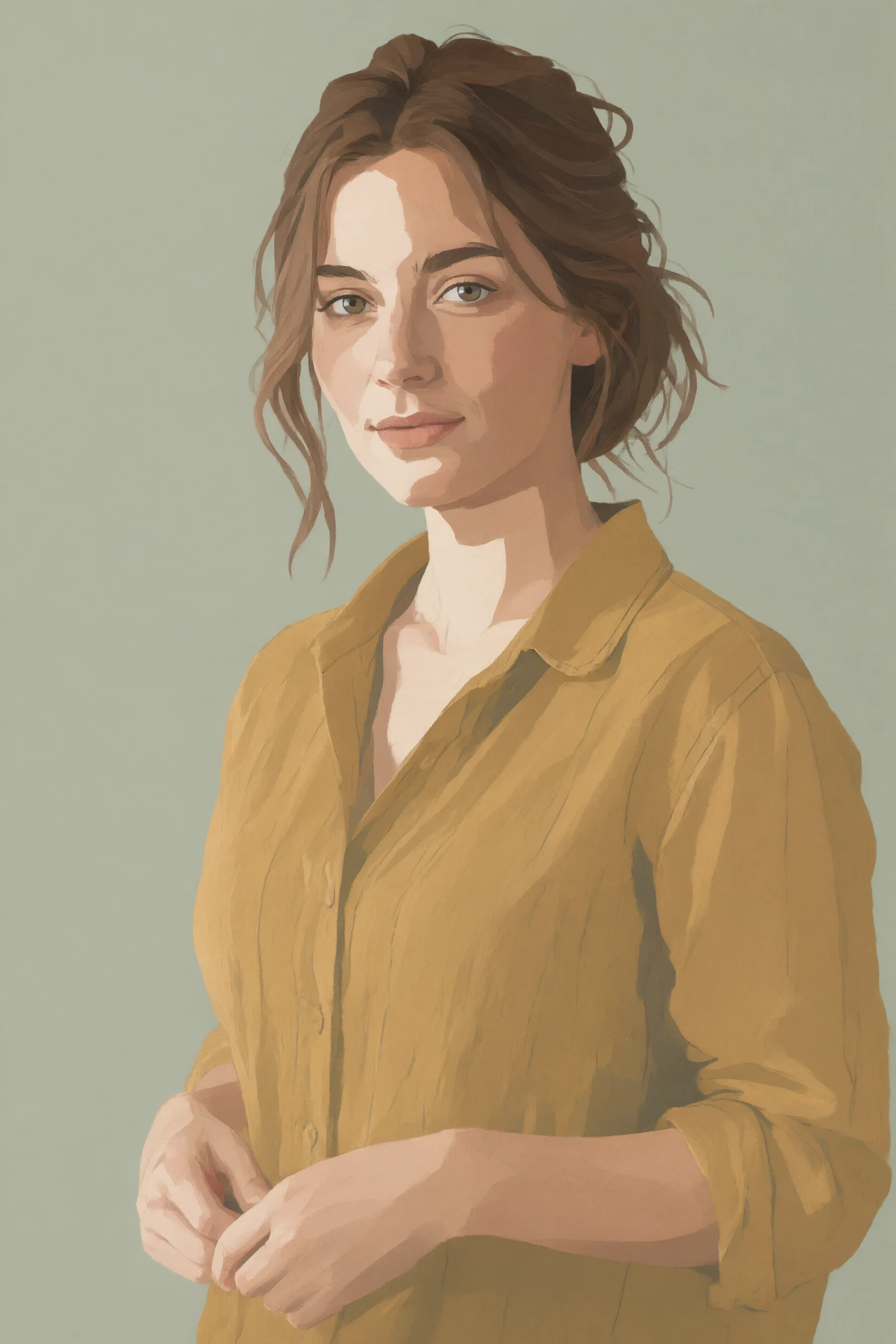
Realism-to-Flat Style Spectrum: Illustration Dimensionality-Reduction Experiment with a Single Reference Image
Style style-transfer · Illustration · Editing
Reference inputs

image_urls
Prompt
An edited illustration generated based on a single photo reference. Strictly preserve the subject's pose, silhouette, facial structure, clothing folds, and composition from the reference image; progressively flatten the rendering: compress the value range into five to six clean tonal levels, replace photographic gradients with hard-edged or slightly feathered color blocks, simplify skin shadows into two-tone planes plus a single highlight shape, turn hair strands into solid ribbon-like masses supplemented with a few decisive brushstrokes, and reconstruct fabric textures as flat color blocks with sparse line accents. Retain restrained semi-realistic volume in the face and hands, so that the result stops in the middle of the realism-to-flat spectrum rather than becoming fully posterized. Palette: low-saturation warm ochre, gray terracotta, sage green, and off-white, all drawn from the reference image and reduced to a limited set of color groups. Clean 4:3 editorial composition, no outline-only cartoon feel, and no props or background details added except for a soft flat background.
Copy the full prompt and adapt it for your own generation.
Tags
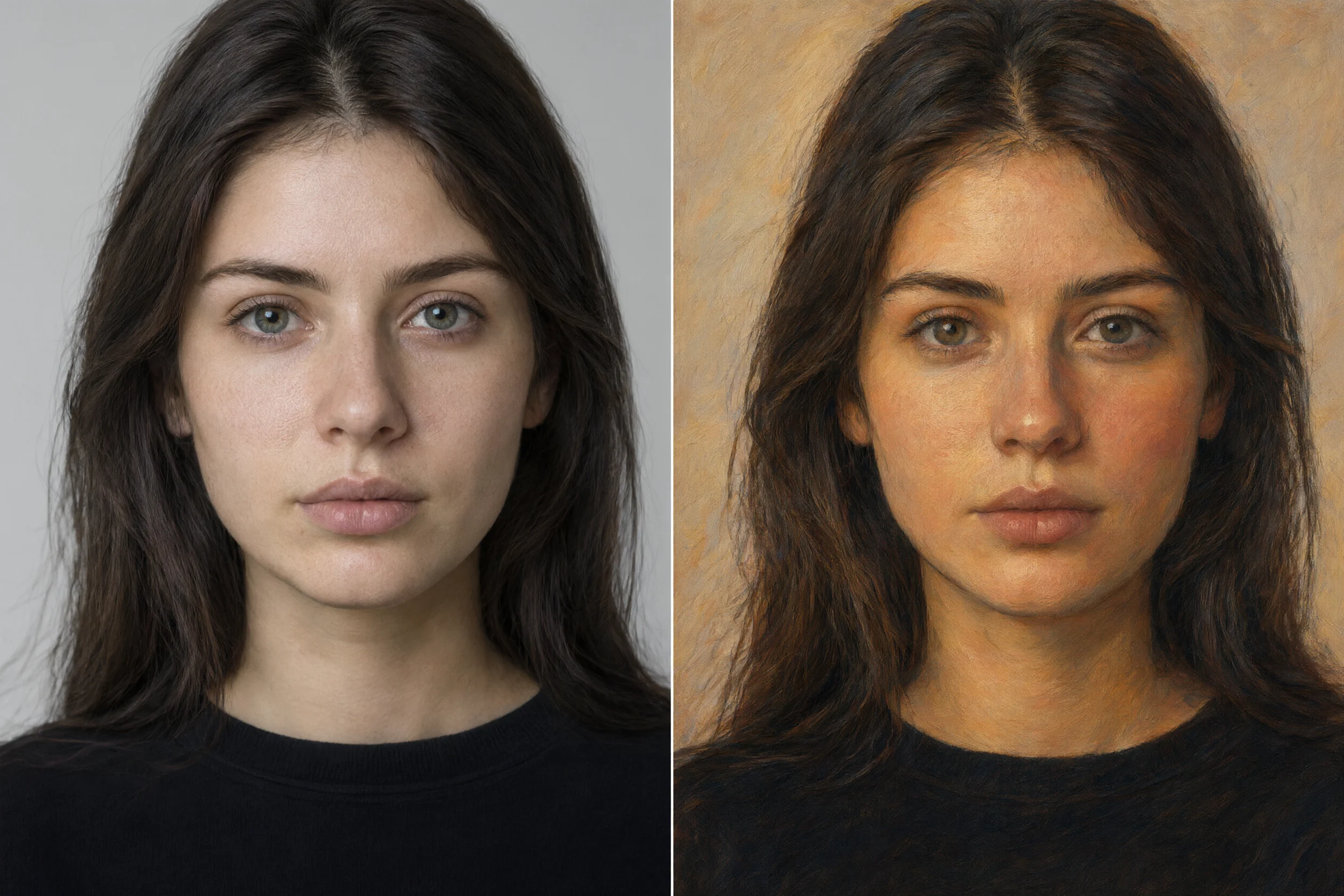
Qwen-Image-3.0 Image-to-Image Portrait Style Comparison: Realistic vs. Artistic
Style Portrait & Photography · Photorealistic · style-transfer
Reference inputs
image_urls
Prompt
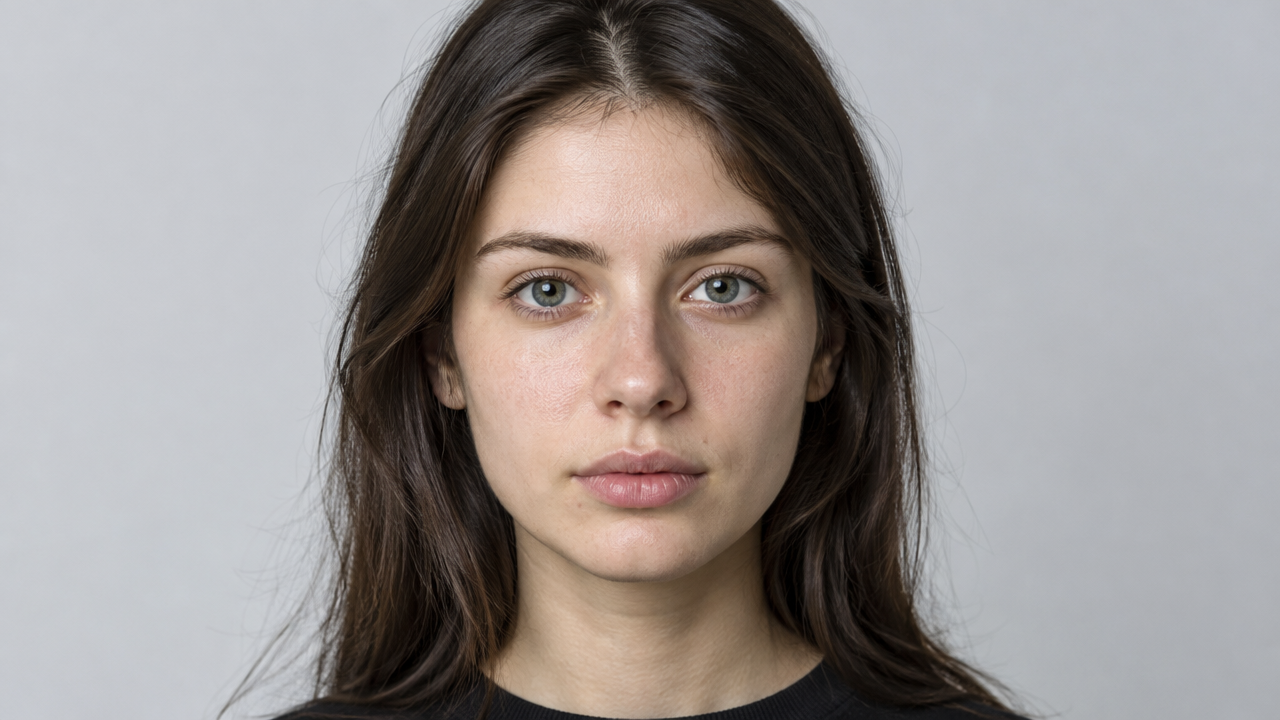
A diptych style comparison image created based on a single portrait reference image. The subject's facial structure, skin texture, pore details, and hair strands are preserved; the left panel remains photo-realistic, using natural window light, neutral tones, and shallow depth of field, while the right panel, under the same framing, becomes a painterly artistic rendering with visible brushstrokes and a warm, limited color palette. Both panels share an identical composition and head angle, making the style difference the only variable.
Copy the full prompt and adapt it for your own generation.
Tags
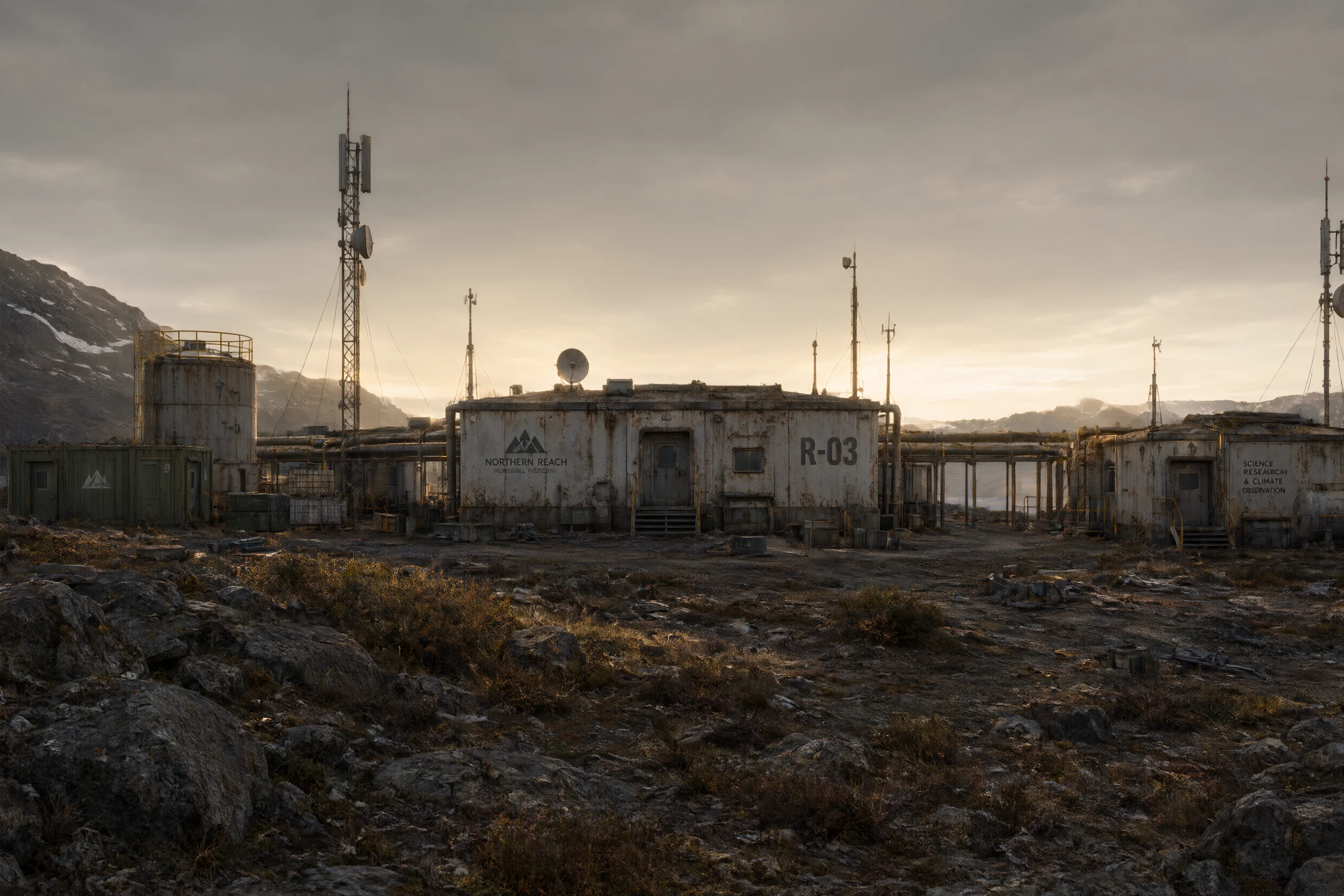
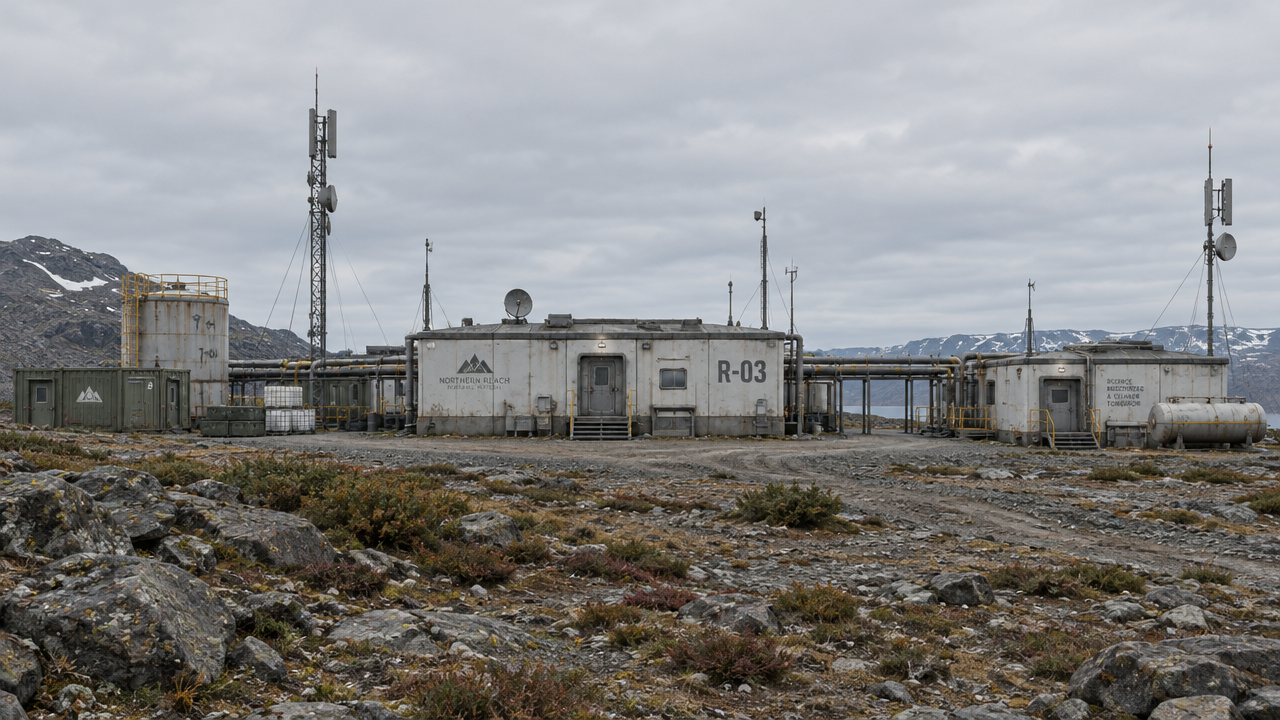
Worldbuilding Concept Art: Reference-Image-Driven Scene Atmosphere Exploration
Style Concept Art · Worldbuilding · image-edit
Reference inputs
image_urls
Prompt
Image-to-image scene concept exploration: preserve the reference image's composition, silhouette, and structural landmarks, then relight and rearrange the environment, transforming it into a world that people have lived in. Low-angle backlight at golden hour rakes across the terrain, casting long shadows; atmospheric dust and thin haze layer in depth; weathered industrial ruins are reclaimed by vegetation, and scattered props suggest recent human activity. A desaturated earth-tone palette with a single warm accent, restrained lens flare, and finely detailed textures on stone, metal, and fabric surfaces. Cinematic wide-angle composition with deep depth of field from foreground to horizon, and richly detailed narrative elements in the midground. Preserve the recognizable geometric structures in the reference image; change only atmosphere, lighting, weather, and environmental details.
Copy the full prompt and adapt it for your own generation.
Tags
Pricing
qwen-image-3.0/image-to-image per image
| Unit Price | $0.0358 |
|---|
Overview
An image editing model that iteratively modifies images based on reference images, part of the Qwen-Image 3.0 series. Pass in 1–3 reference images and a positive prompt describing what to keep and what to change, and it can modify the scene, style, clothing, and on-image text while preserving key details of the original image, outputting 1K or 2K images. It is suited for developers who need to quickly transform existing assets into infographics, posters, UI concept drafts, or product showcase images, especially in content production scenarios with dense on-image text and high multilingual layout requirements.
Core Highlights
- Iterative editing with reference images, preserving original details — takes 1–3 images as input and modifies the scene, style, clothing, and text according to the prompt rather than fully redrawing, making it easy to iterate on the same asset repeatedly.
- Dense layout and small-font text rendering — designed for information-bearing visuals, with more stable layout and multilingual text rendering, suitable for text-dense outputs such as infographics and interface drafts.
- Prompts can describe complex layouts — the positive prompt supports up to 18,000 characters, enough to describe multi-element scenes, layout structures, and region-specific modification requirements.
- Controllable output specifications — supports 1K/2K resolution tiers, 8 aspect ratios, png or jpeg output, random seeds, and negative prompts, making results easy to integrate into production workflows.
Capabilities
Reference image editing: pass in 1–3 reference images along with a prompt to modify content while preserving key information from the original images, suitable for targeted edits to existing assets rather than regenerating from scratch.
Long prompts and negative constraints: the positive prompt supports long-text descriptions of layouts and areas to preserve or modify, while a negative prompt excludes unwanted elements for precise image control.
Layout and text rendering: can generate images with correct layouts and multilingual text, adapted to text-dense visual content production such as infographics and interface concept drafts.
Automatic prompt optimization: prompt_extend is enabled by default and can automatically expand prompts, reducing the description burden when input is brief; it can also be disabled to keep prompts as-is.
Output specifications and reproducibility: specify resolution tier, aspect ratio, and file format, and reproduce results via seed, making it convenient to batch-produce assets in a consistent style.
Use Cases
- Designers reworking existing posters or infographics — upload the original poster or layout draft, adjust copy, style, or layout via prompt, and obtain an updated visual asset ready for delivery.
- Product teams iterating on UI concept drafts — use existing interface screenshots as reference images, modify color schemes, layouts, or text, and produce high-fidelity interface concept images for review and prototype discussions.
- E-commerce operators updating product showcase images — use product images as references, adjust the scene, background, or model clothing, and produce product showcase images for detail pages and marketing materials.
- Multilingual material localization — use Chinese or English materials as reference images, replace the language and style, and generate promotional visual assets adapted to different markets.
Limitations and Selection Advice
Only image editing is supported; it does not have text-to-image capability, so pure text-to-image generation requires choosing the text-to-image route in the same series. Reference images are limited to 1–3, each no larger than 10 MB, and SVG is not supported, so complex multi-image composition scenarios will be constrained. The readability of small-font text is affected by layout density and language, so outputs should be checked one by one before use. This model is relatively new, and public independent evaluations are limited; it is recommended to validate results with a small number of samples before integrating it into batch workflows.
What's new
View changelog →- New model New model available: qwen-image-3.0-pro/text-to-image
- New model qwen-image-3.0-pro image-to-image model now live
- New model New model docs
Frequently asked questions
View all FAQs →-
How many references does Qwen Image 3.0 Image to Image accept?
It accepts 1 to 3 reference images. At least one is required in input.image_urls.
-
How does standard editing differ from Pro?
Standard prioritizes lower cost and rapid iteration. Pro is better for exact text replacement, complex materials, and final layouts.
-
How are 1K, 2K, and reference images billed?
1K and 2K use the same output tier, and each reference adds a fee. See the live page price for current amounts.
-
How do I reduce subject, layout, or text drift?
Separate what should change from the subject, text, position, material, camera, and lighting that must remain fixed. Put exact replacement text in quotation marks.
Create a generation task
https://api.hiapi.ai/v1/tasks Headers
AuthorizationstringRequiredAccount API key. Required on every request. Example: Bearer YOUR_HIAPI_API_KEY. Get your API key
Content-TypestringOptionalThe request body is always parsed as JSON; when sent, only application/json (optionally with charset) is accepted — any other value returns 415. Example: application/json.
Idempotency-KeystringOptionalIdempotency key, up to 255 bytes. Retries with the same key from the same account create the task only once; replays return the original taskId.
On network timeouts or client retries, the same key creates the task only once — no double charges (scope: the API key's account). Use a business-unique identifier as the key (e.g. "order-42"); replays return the original taskId, and keys expire 24 hours after the first request. See the Unified Async API overview for the full scenario matrix.
Body
modelstringRequiredCurrent fixed value: qwen-image-3.0/image-to-image
routestringOptionalCurrent fixed value: default
inputobjectRequired
Business parameters for qwen-image-3.0/image-to-image and route default — see the parameter table below.
seedintegerOptionalmin 0max 2147483647Random seed used to control the randomness of generated results; value type is integer; the same seed combined with the same other parameters can reproduce similar results.
promptstringRequiredminLength 1maxLength 18000Positive prompt, a text description of the content to keep and the content to change; value type is string.
image_urlsarrayRequiredminItems 1maxItems 3Array of reference image URLs, with elements as image link strings, 1–3 images; supports JPEG, PNG, WEBP, BMP, GIF, TIFF, each no larger than 10 MB; SVG is not supported.
Array [ string ]
resolutionstringOptionalDefault: "1K"Output resolution tier; value type is string; default is 1K.
1K2Kaspect_ratiostringOptionalDefault: "1:1"Width-to-height ratio of the output image; value type is string; default is 1:1.
1:13:22:34:33:416:99:1621:9output_formatstringOptionalDefault: "png"File format of the generated image; value type is string; default is png.
pngjpegprompt_extendbooleanOptionalDefault: trueWhether to automatically optimize the prompt; value type is boolean; default is true.
negative_promptstringOptionalDefault: ""maxLength 500Content that should not appear in the image; value type is string; default is an empty string.
callbackobjectOptional
Terminal-state notification config. When omitted, no callback is delivered — poll the task yourself. See the callback note below.
Provide callback.url when creating a task and HiAPI POSTs to your service once the task reaches a terminal state — no polling needed. The callback payload mirrors the task detail structure; signature verification, delivery retries and idempotency are documented on the Unified Async API overview page.
urlstringRequiredRequired when callback is present. A POST is sent to this URL once the task reaches a terminal state; must be a valid http(s) URL.
whenstringOptionalDefault: "final"Only final is supported today — notified on both success and fail.
finalstoragestringOptionalDefault: "temp"Artifact storage tier: temp (default, retained about 7 days) or persistent (long-term, billed by size). Insufficient balance or exceeding the storage cap silently downgrades to temp; the effective tier is shown in the task detail response.
temppersistentRequest examples
# Submit an async task; returns a taskId immediately (no waiting for generation)
curl -X POST "https://api.hiapi.ai/v1/tasks" \
  -H "Authorization: Bearer $HIAPI_API_KEY" \
  -H "Content-Type: application/json" \
  -d '{
  "model": "qwen-image-3.0/image-to-image",
  "input": {
    "prompt": "…",
    "image_urls": "…",
    "resolution": "1K",
    "aspect_ratio": "1:1",
    "output_format": "png",
    "prompt_extend": true,
    "negative_prompt": ""
  }
}'
const res = await fetch("https://api.hiapi.ai/v1/tasks", {
method: "POST",
headers: {
Authorization: `Bearer ${process.env.HIAPI_API_KEY}`,
"Content-Type": "application/json",
},
body: JSON.stringify({
model: "qwen-image-3.0/image-to-image",
input: {
"prompt": "…",
"image_urls": "…",
"resolution": "1K",
"aspect_ratio": "1:1",
"output_format": "png",
"prompt_extend": true,
"negative_prompt": ""
}
}),
});
const task = await res.json();
// { code: 200, message: "success", data: { taskId } }import os, requests
res = requests.post(
"https://api.hiapi.ai/v1/tasks",
headers={"Authorization": f"Bearer {os.environ['HIAPI_API_KEY']}"},
json={
"model": "qwen-image-3.0/image-to-image",
"input": {
"prompt": "…",
"image_urls": "…",
"resolution": "1K",
"aspect_ratio": "1:1",
"output_format": "png",
"prompt_extend": True,
"negative_prompt": ""
}
},
)
print(res.json()) # { code, message, data: { taskId } }200 OK
{
  "code": 200,
  "message": "success",
  "data": {
    "taskId": "tk-hiapi-01HZTQ8BX2N3GM3YFK4Z9D7VQR"
  }
}
400 Bad Request
{
  "code": 400,
  "message": "invalid request",
  "data": null,
  "error_code": "INVALID_REQUEST"
}
Get task detail
https://api.hiapi.ai/v1/tasks/:id Response fields
taskIdstringRequiredTask ID, always prefixed with tk-hiapi-.
modelstringRequiredResolved full model name. Tasks submitted with the route parameter return base@route (e.g. gpt-image-2/text-to-image@ext); otherwise identical to the name passed at creation.
routestringOptionalPresent only when the task was submitted with an explicit route parameter; echoes the submitted value.
statusstringRequiredTask status.
queued Queued, not started yet.
handling Being processed.
archiving Processing finished, artifacts being prepared.
success Terminal: completed, artifacts available (output returned).
fail Terminal: failed (error returned).
After submission, check status: success and fail are terminal, everything else is non-terminal. Poll every 1–3 seconds until terminal. On success, download artifacts from output[].url and transfer them before expireAt; pass storage: "persistent" at creation time when long-term retention is needed.
creatednumberRequiredTask creation time (Unix seconds).
completednumberRequiredUnix seconds when the task reached a terminal state; fixed to 0 while not terminal.
outputarrayOptional
Present only when status == success. Artifact list — always an array; a single task may return multiple types at once (e.g. video + first_frame).
Array [ object ]
Array items
urlstringRequiredArtifact URL, directly downloadable.
typestringRequiredCurrent possible values: video, image, audio, first_frame, last_frame, thumbnail; more may be added later.
expireAtnumberRequiredUnix seconds until which the artifact remains accessible; download or transfer before it expires.
errorobjectOptional
Present only when status == fail.
codestringRequiredBusiness error code.
messagestringRequiredError description.
Response examples
Success
{
  "code": 200,
  "message": "success",
  "data": {
    "taskId": "tk-hiapi-01HZTQ8BX2N3GM3YFK4Z9D7VQR",
    "model": "happyhorse-1-0",
    "status": "success",
    "created": 1777282033,
    "completed": 1777282099,
    "output": [
      {
        "url": "https://cdn.hiapi.ai/tasks/.../video.mp4",
        "type": "video",
        "expireAt": 1777886899
      }
    ]
  }
}
Processing (non-terminal)
{
  "code": 200,
  "message": "success",
  "data": {
    "taskId": "tk-hiapi-...",
    "model": "happyhorse-1-0",
    "status": "archiving",
    "created": 1777282033,
    "completed": 0
  }
}
Failed
{
  "code": 200,
  "message": "success",
  "data": {
    "taskId": "tk-hiapi-...",
    "model": "happyhorse-1-0",
    "status": "fail",
    "created": 1777282033,
    "completed": 1777282099,
    "error": {
      "code": "TASK_FAILED",
      "message": "task failed"
    }
  }
}Articles
View all articles →Related Models
View all models →Same Type
-
 FIBO 1.5 Bria $0.058 /image
-
 Nano Banana Google $0.021 /image
-
 GPT Image 2 OpenAI $0.007 /image
-
 Nano Banana 2 Google $0.036 /image
-
 Grok Imagine xAI $0.011 /second
-
 Muse Image 1.0 Meta $0.015 per task
-
 Recraft Creative Upscale Recraft $0.357 /image
-
 FLUX 1.1 Pro Black Forest Labs $0.050 /image
-
 Seedream 5.0 ByteDance $0.025 /image
-
 FLUX.2 Klein 4B Black Forest Labs $0.0004 /image
-
 FLUX.2 Klein 9B Black Forest Labs $0.0086 /image
-
 Wan 2.7 Image Alibaba $0.035 /image
Same Provider
-
 Wan 2.6 Flash Alibaba $0.043 /second
-
 Wan 3.0 Video Alibaba $0.040 /second
-
 Qwen Audio 3.0 TTS Alibaba $0.030 /1,000 characters
- Wan 2.7 Image Alibaba $0.035 /image
-
 Qwen Image 2.0 Alibaba $0.042 /image
-
 Z-Image Alibaba $0.008 /image
-
 Qwen Image 2.1 Alibaba $0.020 /image
-
 Wan 2.7 Video Alibaba $0.100 /second
-
 HappyHorse 1.1 Alibaba $0.160 /second
-
 HappyHorse 1.0 Alibaba $0.168 /second