
使用指南
通过 hiapi API 使用 Nano-Banana 生成电商产品图
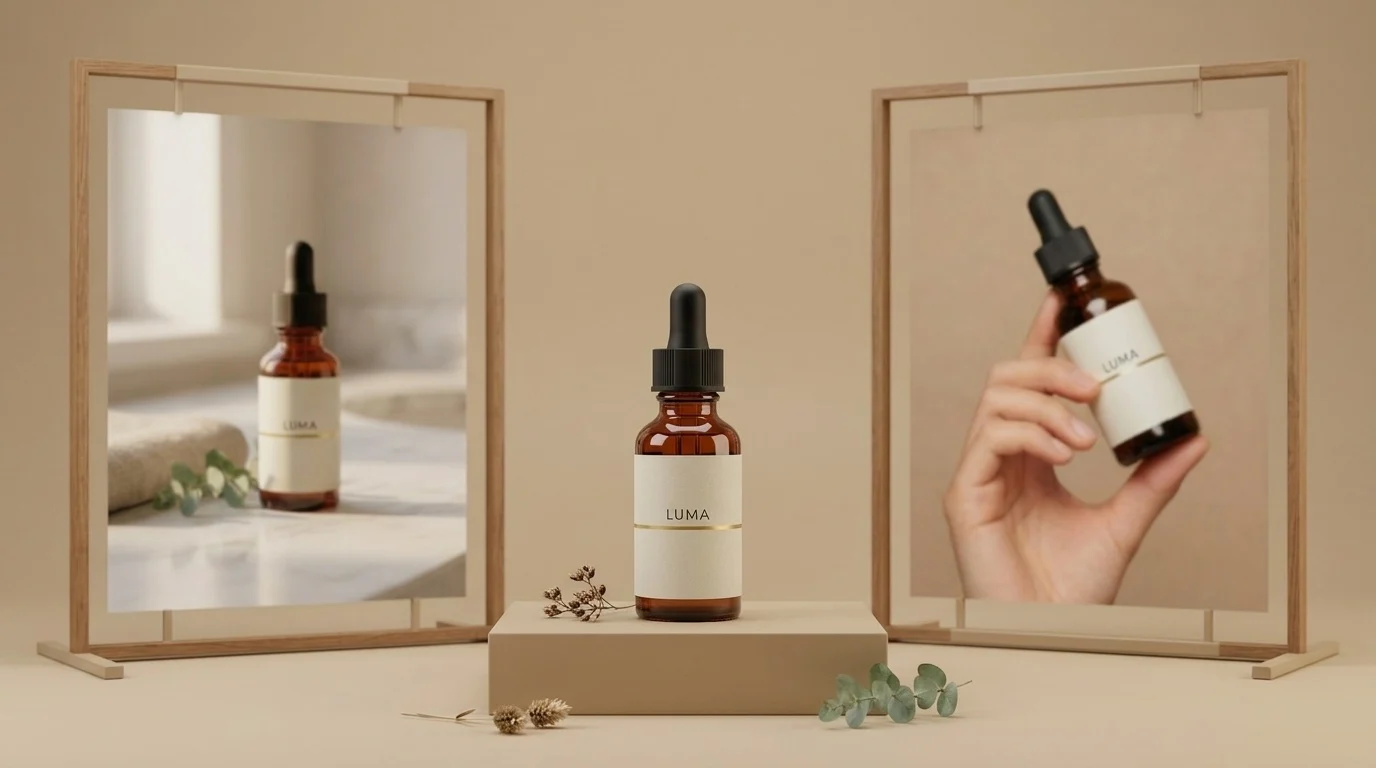
产品摄影是电商中最重复的图片工作:同一个产品,一遍又一遍地拍摄——白底商品图、生活场景图、包装图、模特图、季节性变体图。难的部分从来不是生成一张好看的图片。难的是在每张图片中生成同一个产品,这样你的商品详情页才不会看起来像在卖五个略有不同的瓶子。
本指南展示了在 hiapi 的 Nano Banana API 上实现这一点的可行方案,使用同一系列的两个模型:
nano-banana— 快速、便宜的文字生成图片,每张 $0.021。用它来创建你的锚定图。Nano-Banana-2— 通过image_input数组接受参考图片(每张 1K 图片 $0.036)。用它把锚定图重新置入其他所有场景,同时保持产品——甚至真人模特——完全一致。
下面每张图片都是在撰写本文时生成的,旁边印有确切的提示词。产品是为本文虚构的品牌(“LUMA”)。
TL;DR
- 用
nano-banana($0.021)生成一张干净的白底锚定图。 - 将其托管在公开 URL(你的 S3/R2/CDN——任何地方都行)。
- 将该 URL 作为
image_input输入到Nano-Banana-2,并描述每个新场景。瓶身、标签和字体排版都会完好地延续下来。 - 对于模特图,用人物做同样的技巧:生成一张模特图,然后引用它来在整个活动中保持同一张脸。
- 用异步
/v1/tasks端点批量处理整个流程——代码在底部。
第 1 步——锚定图(nano-banana,$0.021)
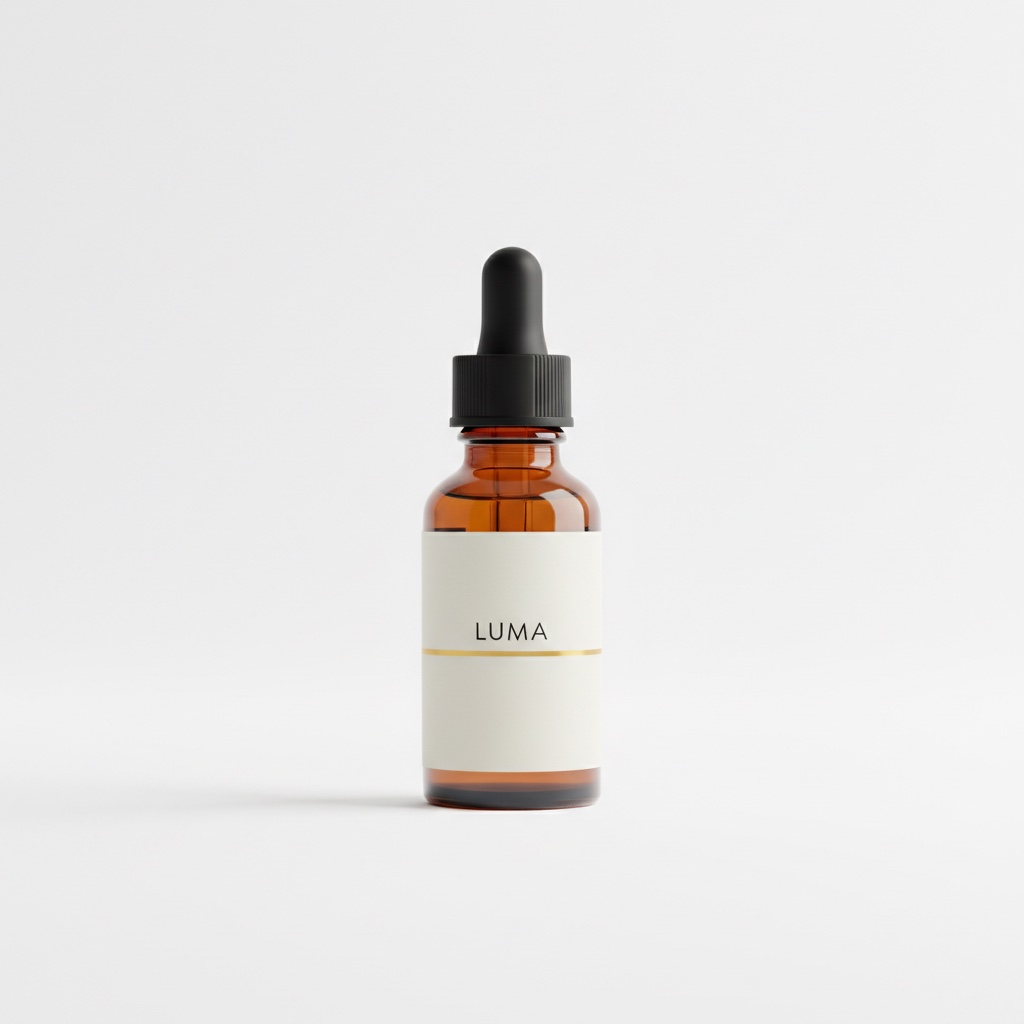
从市场商品图开始:产品居中,纯白背景。这也是所有后续图片都将继承的图像,所以在展开之前要把它做好。
Professional e-commerce product photograph of a 30ml amber glass serum bottle
with a matte black dropper cap, minimalist off-white label with the word LUMA
in small black sans-serif letters and a thin gold accent line, centered on a
pure white seamless background, soft even studio lighting, gentle shadow under
the bottle, crisp focus, high-end skincare catalog style
一个能帮你避免 400 错误的 schema 细节:nano-banana 仅支持文字生成图片。它的输入只接受三个字段——prompt、aspect_ratio 和 output_format。如果你发送 resolution 或任何图片字段,API 会以 additional properties not allowed 拒绝请求。参考图片是下一个模型的工作。
第 2 步——同一个瓶子,新场景(Nano-Banana-2 + image_input)
将锚定图上传到某个公开位置,然后将其 URL 传给 Nano-Banana-2。image_input 字段接受一个图片 URL 数组(不是文件内容),提示词描述新场景。起作用的关鍵短语是:“这个确切的瓶子,保持不变。”
Place this exact serum bottle, unchanged — same amber glass, same black
dropper cap, same off-white LUMA label with the thin gold line — on a
white marble bathroom counter next to a folded beige linen towel and a
small eucalyptus sprig, soft warm morning window light from the left,
shallow depth of field, premium skincare lifestyle photography
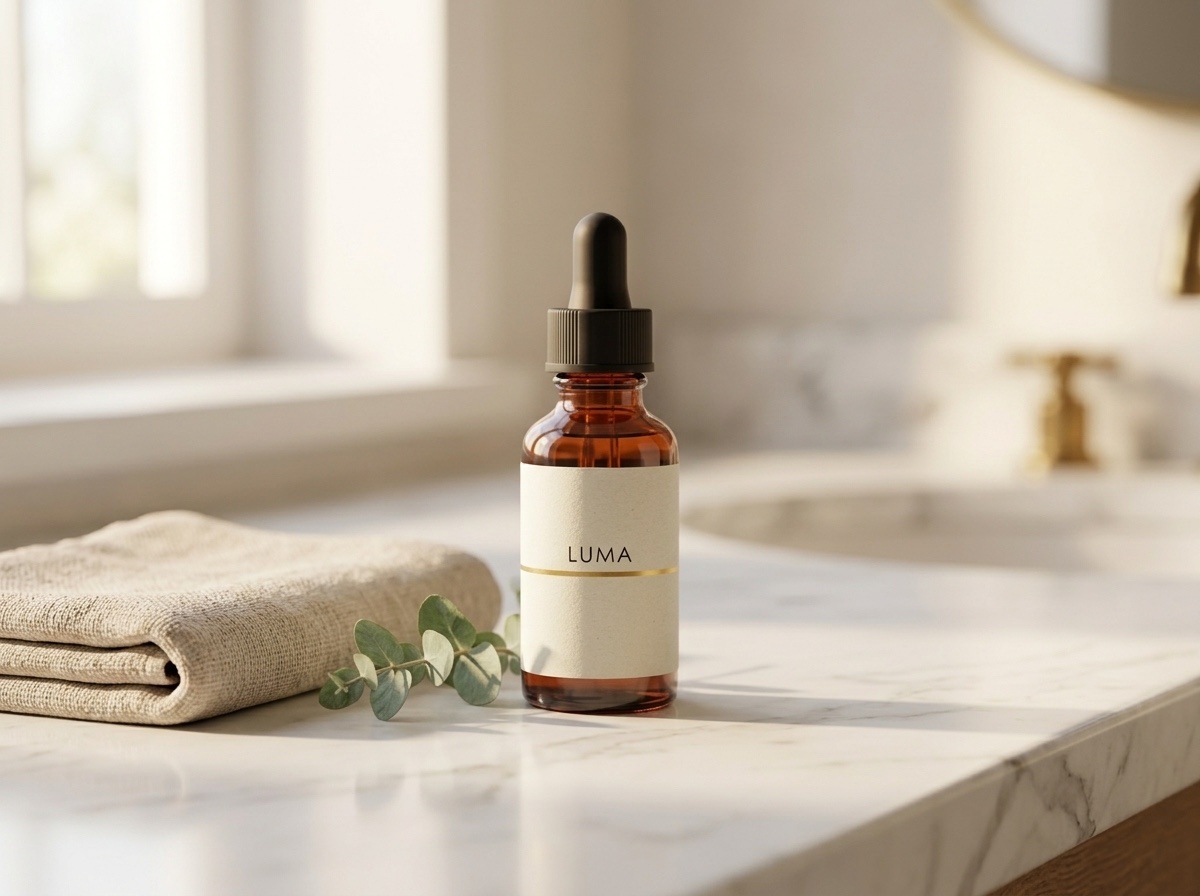
将标签与锚定图对比:相同的字标、相同的金色线条、相同的瓶盖纹路。这就是被客户标记的“AI 产品图”和看起来像真实拍摄的图片之间的区别。
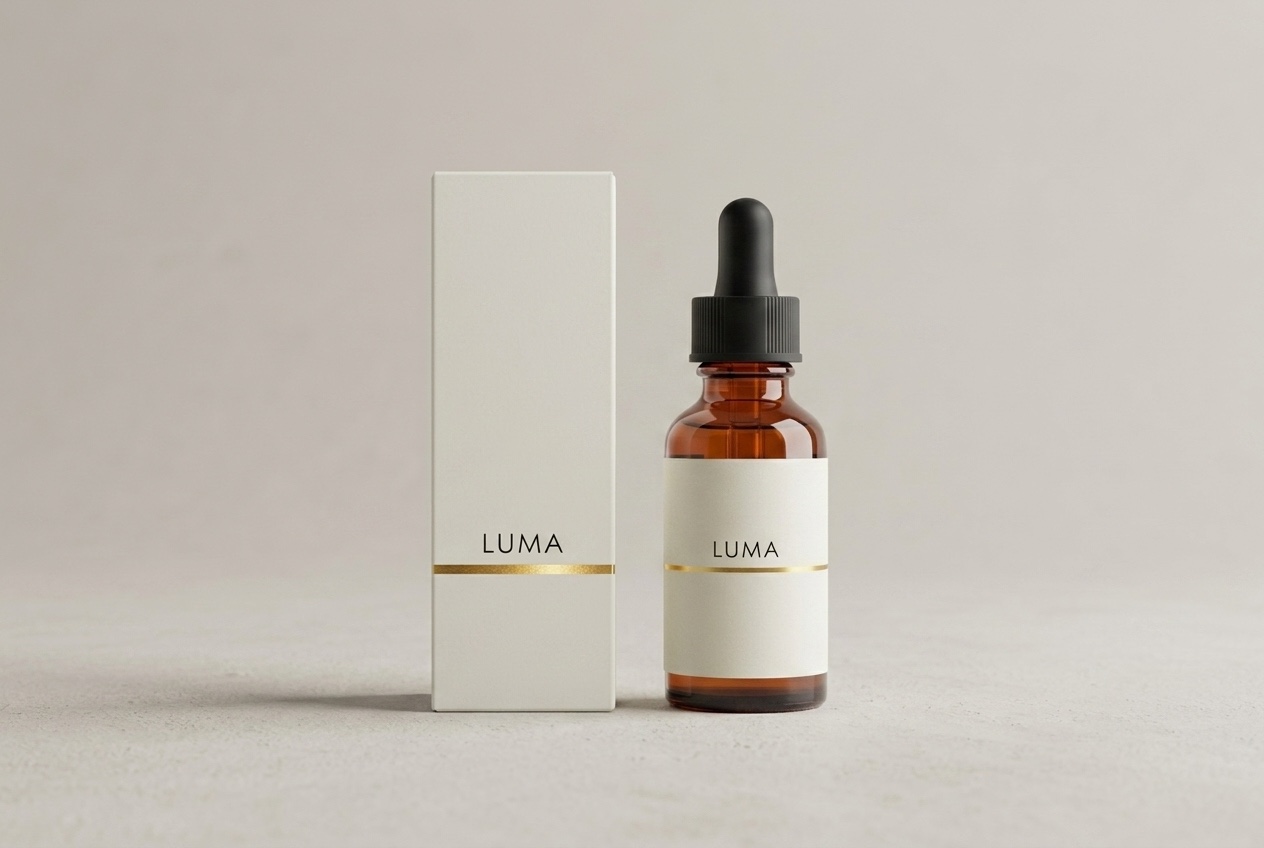
包装也是同样的方式——将盒子描述为参考图的延伸:
Product family shot: this exact serum bottle — same amber glass, black dropper
cap, off-white LUMA label with thin gold line — standing next to its matching
retail packaging, a matte off-white rectangular box with the same LUMA wordmark
and thin gold accent line, both centered on a pale warm-grey studio background
with soft shadows, symmetrical composition, premium skincare packaging photography
第 3 步——面部一致的模特图
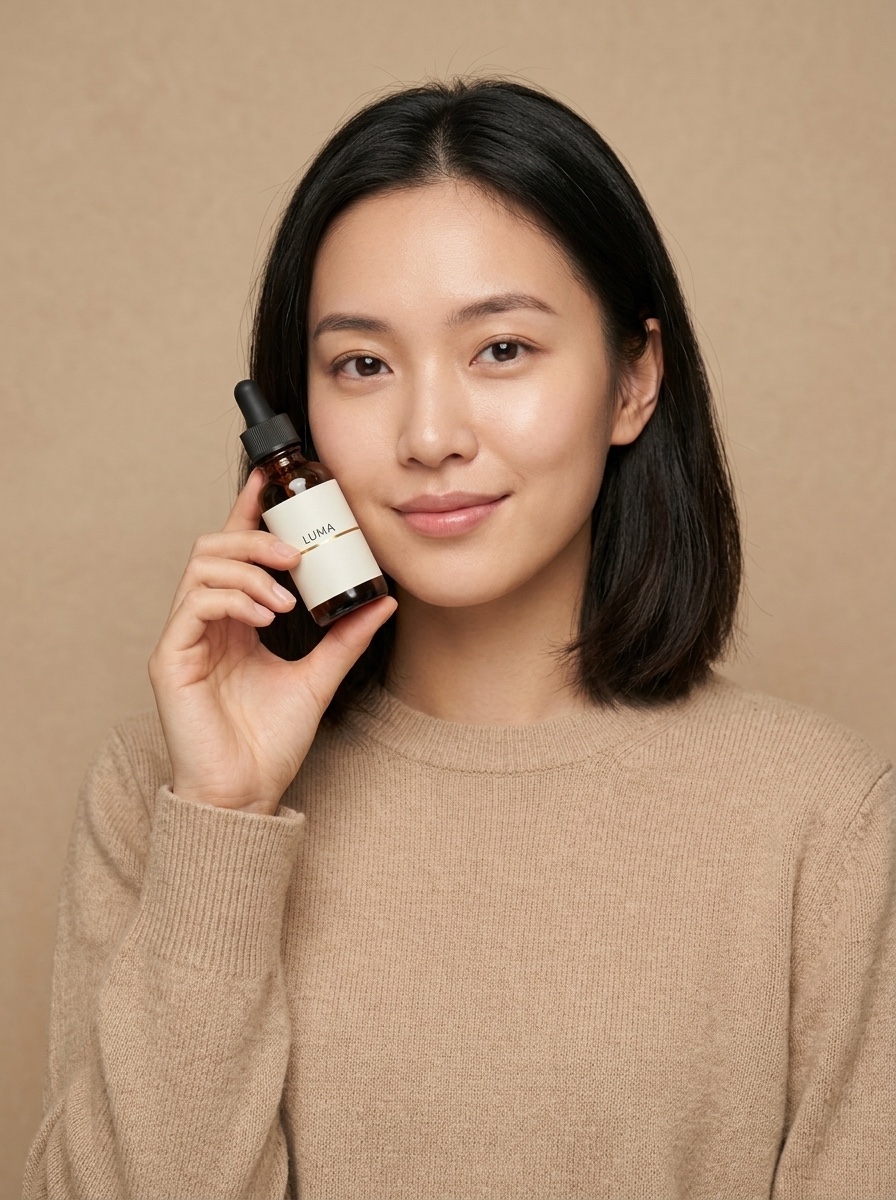
电商团队用同一个模特重拍是有原因的:每张照片都展示不同人物的活动读起来像库存图片。参考技巧也适用于人物。首先,生成一张包含你产品的模特图(这张以锚定瓶为参考):
A young woman with shoulder-length dark hair, wearing a plain sand-colored knit
sweater, holding this exact serum bottle — same amber glass, same black dropper
cap, same off-white LUMA label with the thin gold line — up near her cheek at a
slight angle, looking at the camera with a soft natural smile, clean warm beige
studio background, soft diffused beauty lighting, e-commerce model shot for a
skincare brand
然后将那张图片作为下一个场景的参考,并要求“同一个女人”:
The same woman from the reference image — identical face, same shoulder-length
dark hair, same sand-colored knit sweater — now standing at a bright bathroom
mirror, applying one drop of serum from the same amber LUMA dropper bottle onto
the back of her hand, seen in a relaxed three-quarter view, soft morning light,
candid lifestyle e-commerce campaign photo
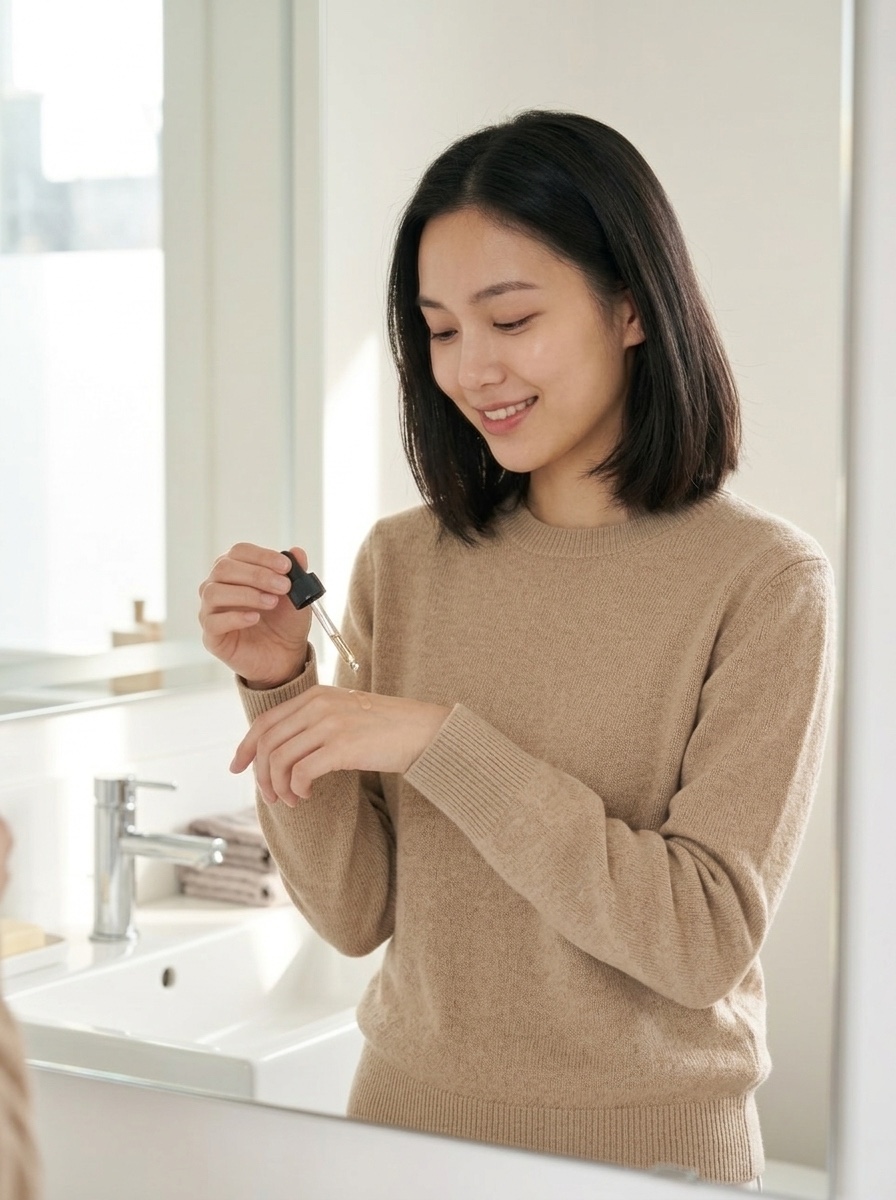
相同的脸、相同的发型、相同的毛衣、新的场景。根据你的活动需要尽可能多地链接:每个被接受的输出都成为下一个镜头的参考。
API 端到端
一切通过 hiapi 的统一异步任务端点运行。创建任务、轮询它、下载输出。curl 中的锚定图:
curl -X POST "https://api.hiapi.ai/v1/tasks" \
  -H "Authorization: Bearer $HIAPI_KEY" \
  -H "Content-Type: application/json" \
  -d '{
    "model": "nano-banana",
    "input": {
      "prompt": "Professional e-commerce product photograph of ...",
      "aspect_ratio": "1:1",
      "output_format": "png"
    }
  }'
# -> {"code": 200, "data": {"taskId": "tk-hiapi-01KWK4E5WG..."}, "message": "success"}
重新置入的调用仅模型名称和 image_input 数组不同:
curl -X POST "https://api.hiapi.ai/v1/tasks" \
  -H "Authorization: Bearer $HIAPI_KEY" \
  -H "Content-Type: application/json" \
  -d '{
    "model": "Nano-Banana-2",
    "input": {
      "prompt": "Place this exact serum bottle, unchanged — ... on a white marble bathroom counter ...",
      "image_input": ["https://your-cdn.example.com/luma/anchor.jpg"],
      "aspect_ratio": "4:3",
      "resolution": "1K",
      "output_format": "png"
    }
  }'
轮询 GET /v1/tasks/{taskId},直到 data.status 为 success(或 fail),然后下载 data.output[0].url。两条生产注意事项:
- 输出 URL 是临时的——响应带有
expireAt时间戳。立即下载字节并将其放在你自己的存储上;不要热链接。(更多关于此故障模式:hiapi 输出 URL 已过期:在过期前下载。) - 对于真实管道,在创建请求中传入顶层
callback.url而不是轮询——当任务达到最终状态时,hiapi 会调用你的端点。
本文背后的运行每个都在远不到两分钟内完成。
批处理脚本:一个锚定图,整个目录
该模式线性扩展:对于每个 SKU,一个锚定图 + N 次重新置入。以下是一个紧凑的可运行版本:
import requests, time, pathlib

API = "https://api.hiapi.ai/v1/tasks"
HEADERS = {"Authorization": "Bearer YOUR_API_KEY", "Content-Type": "application/json"}

SCENES = {
    "lifestyle": ("Place this exact product, unchanged — same bottle, same label — on a "
                  "white marble bathroom counter, soft morning window light, shallow depth "
                  "of field, premium lifestyle photography", "4:3"),
    "packaging": ("Product family shot: this exact product next to its matching retail box "
                  "with the same wordmark, pale warm-grey studio background, symmetrical "
                  "composition, premium packaging photography", "3:2"),
    "hand":      ("A hand with neutral manicure holding this exact product, unchanged, "
                  "against a clean warm beige background, soft diffused light", "3:4"),
}

def create(model, inp):
    r = requests.post(API, headers=HEADERS, json={"model": model, "input": inp}, timeout=60)
    r.raise_for_status()
    return r.json()["data"]["taskId"]

def wait(task_id, timeout=600):
    deadline = time.time() + timeout
    while time.time() < deadline:
        d = requests.get(f"{API}/{task_id}", headers=HEADERS, timeout=30).json()["data"]
        if d["status"] == "success":
            return d["output"][0]["url"]
        if d["status"] == "fail":
            raise RuntimeError(f"{task_id}: {d.get('error')}")
        time.sleep(5)
    raise TimeoutError(task_id)

def shoot_sku(sku: str, anchor_url: str, outdir="shots"):
    """anchor_url: your hosted white-background shot for this SKU."""
    tasks = {name: create("Nano-Banana-2", {
                 "prompt": prompt, "image_input": [anchor_url],
                 "aspect_ratio": ar, "resolution": "1K", "output_format": "png"})
             for name, (prompt, ar) in SCENES.items()}
    pathlib.Path(outdir).mkdir(exist_ok=True)
    for name, tid in tasks.items():           # tasks run server-side in parallel
        url = wait(tid)                        # download before the URL expires
        img = requests.get(url, timeout=120).content
        pathlib.Path(f"{outdir}/{sku}-{name}.png").write_bytes(img)
        print(f"{sku}/{name}: {len(img)} bytes")

shoot_sku("luma-serum-30ml", "https://your-cdn.example.com/luma/anchor.jpg")
任务预先创建并在 hiapi 端并发生成;然后循环按顺序收集它们。在创建负载中添加 callback.url,一旦你有了 webhook 接收器,就完全删除 wait()。
真实目录的成本计算
以下价格来自撰写时实时的 hiapi 定价页面——将该页面视为真相来源:
| 模型 | 此工作流中的角色 | 价格 |
|---|---|---|
nano-banana |
锚定图、快速草稿(仅文字生成图片) | $0.021 / 图片 |
Nano-Banana-2 |
基于参考的重新置入(image_input) |
1K 每张 $0.036,4K 每张 $0.086 |
Nano-Banana-Pro |
最高保真度编辑,最多 8 张参考图片 | 1K 每张 $0.057 |
一个 40-SKU 目录,每个 SKU 一个锚定图和四张重新置入的镜头:
- 40 个锚定图 × $0.021 = $0.84
- 160 次重新置入 × $0.036 = $5.76
- 总计:$6.60 一个 200 张图片、视觉一致的目录——无需摄影棚日,场景需要更改时无需重拍。
给商店的两条实用建议。首先,输出是交付给你的普通图片文件——你将它们托管在自己的 CDN 上,因此堆栈中没有任何东西将你的商品列表绑定到第三方查看器。其次,生成的“模特”图像是合成的:上面的女人并不存在,这绕过了模特释放物流——但在将生成的图片推广到实时店面之前,请查看底层提供商(Google)的当前条款和你市场的 AI 图像政策。
总结
让 Nano Banana 对电商有用的工作流不是单一的魔法提示词——而是锚定和重新置入循环:花 $0.021 从 nano-banana 购买一张好的商品图,然后让 Nano-Banana-2 将那个确切的产品(和那张确切的脸)贯穿你的商店需要的每个场景。我们在 gpt-image-2 电商产品图:hiapi 上的批处理工作流 中用不同的模型运行了同样的循环,如果你想在承诺之前比较输出。
要自己尝试这个循环,获取一个 API 密钥,从一个 SKU 开始,运行上面的批处理脚本——Nano Banana 模型页面 有一个实时操场和复制粘贴示例,在一分钟内输出第一张锚定图。


