
사용 가이드
hiapi API로 Nano-Banana를 사용하여 이커머스 제품 이미지 생성하기
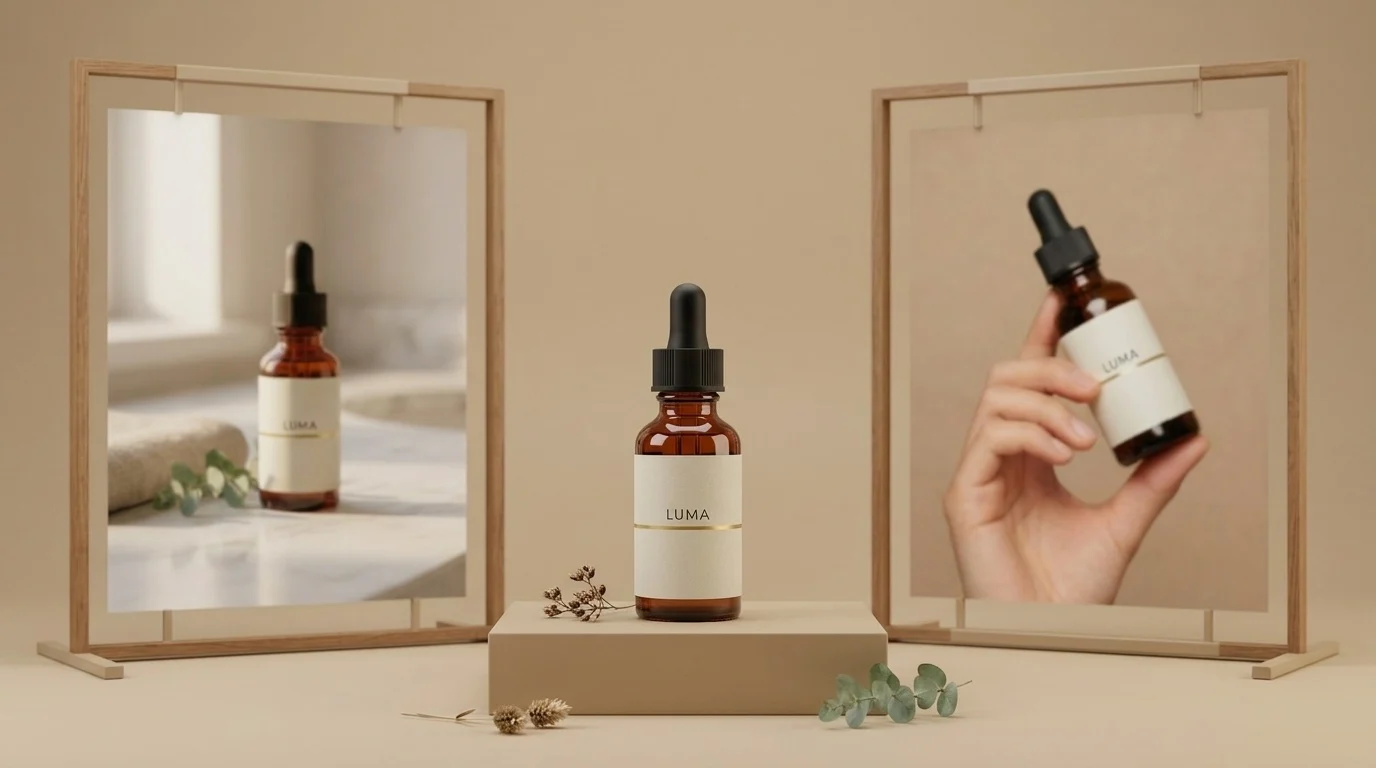
제품 사진 촬영은 이커머스에서 가장 반복적인 이미지 작업입니다. 같은 제품을 몇 번이고 다시 찍어야 하죠—화이트 배경 상품컷, 라이프스타일 컷, 패키징 컷, 모델 컷, 시즌별 변형 컷까지. 어려운 부분은 결코 멋진 이미지 한 장을 생성하는 것이 아닙니다. 어려운 것은 모든 이미지에서 같은 제품을 생성하여 상품 상세 페이지가 서로 조금씩 다른 다섯 개의 병을 팔고 있는 것처럼 보이지 않게 하는 것입니다.
이 가이드는 동일한 제품군의 두 모델을 사용하여 hiapi의 Nano Banana API에서 이를 수행하는 실행 가능한 방법을 보여줍니다.
nano-banana— 빠르고 저렴한 텍스트-투-이미지, 이미지당 $0.021. 앵커 이미지를 만드는 데 사용하세요.Nano-Banana-2—image_input배열을 통해 참조 이미지를 받습니다(1K 이미지당 $0.036). 이를 사용하여 앵커 이미지를 다른 모든 장면에 재배치하면서 제품—심지어 실제 모델까지—을 완벽하게 일관되게 유지하세요.
아래 모든 이미지는 이 글을 작성하는 시점에 생성되었으며, 옆에 정확한 프롬프트가 인쇄되어 있습니다. 제품은 이 글을 위해 가상으로 만든 브랜드("LUMA")입니다.
TL;DR
nano-banana($0.021)로 깔끔한 화이트 배경 앵커 이미지를 생성합니다.- 이를 공개 URL(당신의 S3/R2/CDN—어디든 좋습니다)에 호스팅합니다.
- 해당 URL을
Nano-Banana-2의image_input으로 입력하고 각 새 장면을 설명합니다. 병, 라벨, 타이포그래피가 온전히 이어집니다. - 모델 컷의 경우 인물에게도 같은 기법을 적용합니다. 모델 컷을 하나 생성한 다음, 이를 참조하여 캠페인 전체에서 같은 얼굴을 유지합니다.
- 비동기
/v1/tasks엔드포인트로 전체 흐름을 일괄 처리합니다—코드는 하단에 있습니다.
1단계—앵커 이미지(nano-banana, $0.021)
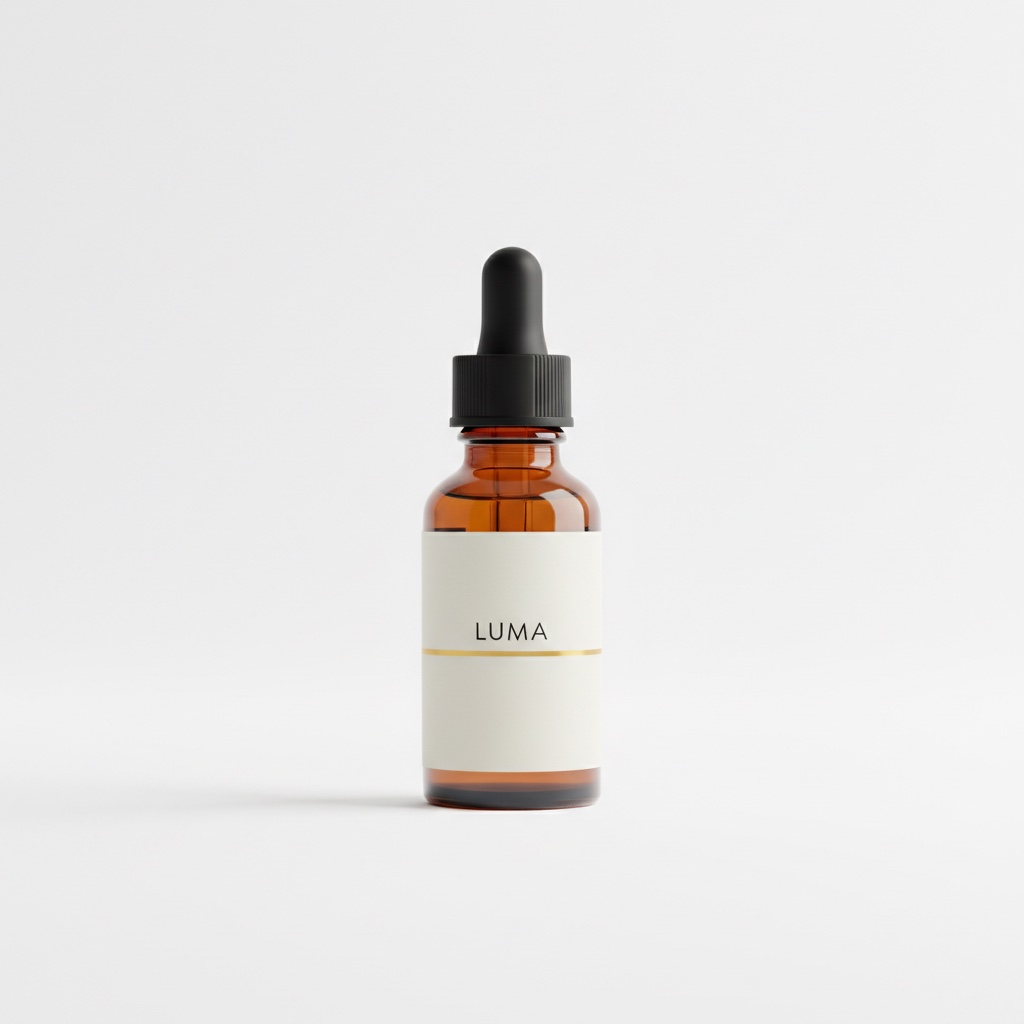
마켓플레이스 상품컷부터 시작합니다. 제품이 중앙에 있고 순수 흰색 배경입니다. 이 이미지가 이후 모든 이미지에 이어질 기반이 되므로, 확장하기 전에 잘 만들어 두세요.
Professional e-commerce product photograph of a 30ml amber glass serum bottle
with a matte black dropper cap, minimalist off-white label with the word LUMA
in small black sans-serif letters and a thin gold accent line, centered on a
pure white seamless background, soft even studio lighting, gentle shadow under
the bottle, crisp focus, high-end skincare catalog style
400 오류를 피하는 데 도움이 되는 스키마 세부 사항: nano-banana는 텍스트-투-이미지만 지원합니다. 입력은 prompt, aspect_ratio, output_format 세 필드만 받습니다. resolution이나 이미지 필드를 보내면 API가 additional properties not allowed로 요청을 거부합니다. 참조 이미지는 다음 모델의 역할입니다.
2단계—같은 병, 새로운 장면(Nano-Banana-2 + image_input)
앵커 이미지를 공개 위치에 업로드한 다음, 그 URL을 Nano-Banana-2에 전달합니다. image_input 필드는 이미지 URL 배열(파일 내용이 아님)을 받으며, 프롬프트는 새 장면을 설명합니다. 효과를 내는 핵심 문구는 다음과 같습니다: "이 정확한 병, 변경 없이."
Place this exact serum bottle, unchanged — same amber glass, same black
dropper cap, same off-white LUMA label with the thin gold line — on a
white marble bathroom counter next to a folded beige linen towel and a
small eucalyptus sprig, soft warm morning window light from the left,
shallow depth of field, premium skincare lifestyle photography
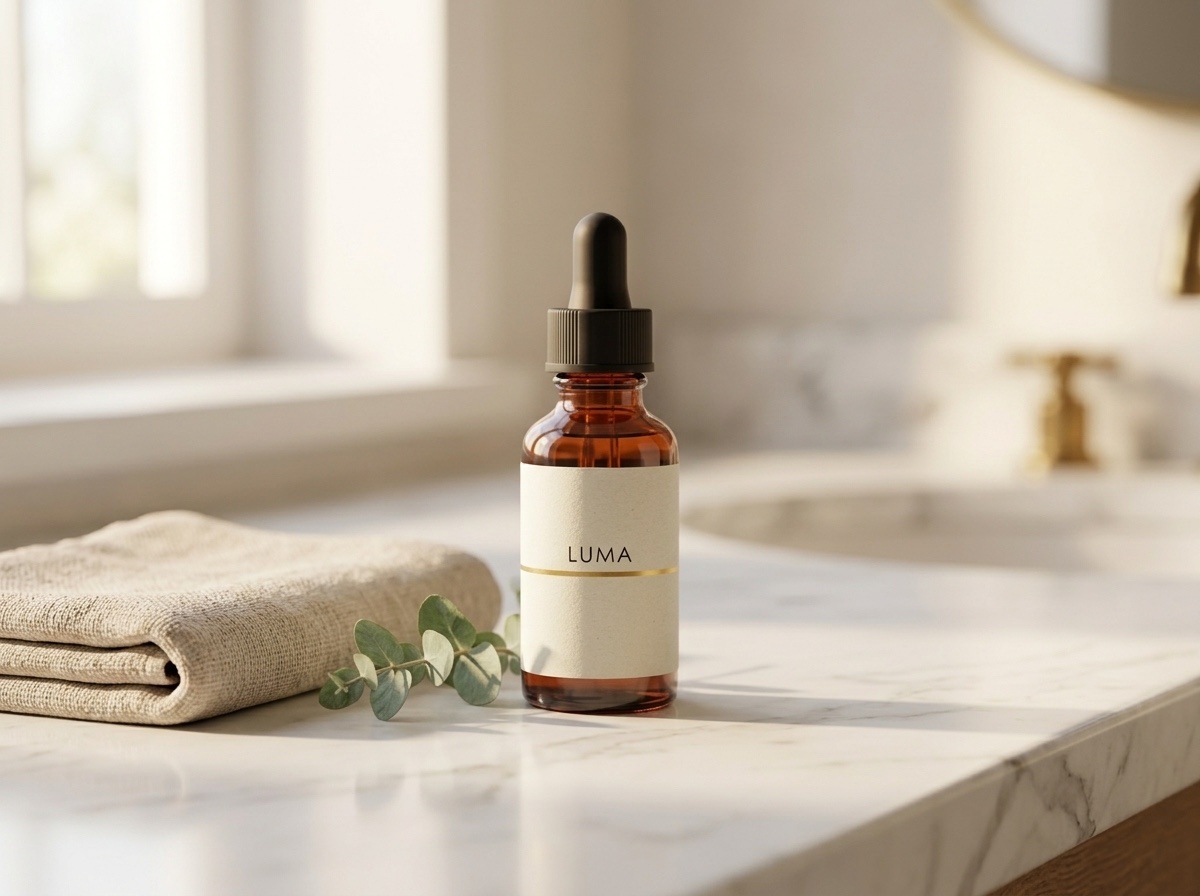
라벨을 앵커 이미지와 비교해 보세요. 같은 워드마크, 같은 골드 라인, 같은 캡 질감입니다. 이것이 고객이 지적하는 "AI 제품 이미지"와 실제 촬영처럼 보이는 이미지의 차이입니다.
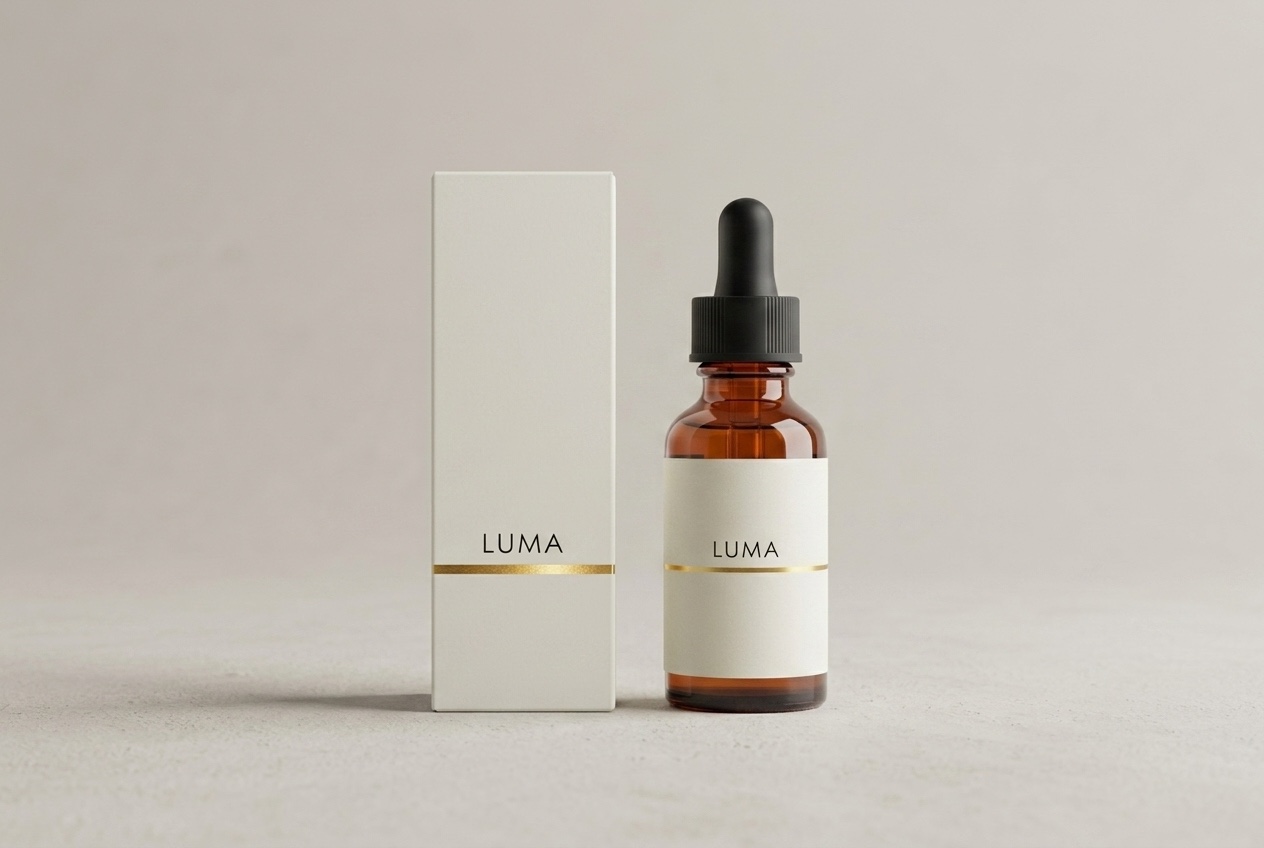
패키징도 같은 방식입니다—상자를 참조 이미지의 연장으로 설명하세요:
Product family shot: this exact serum bottle — same amber glass, black dropper
cap, off-white LUMA label with thin gold line — standing next to its matching
retail packaging, a matte off-white rectangular box with the same LUMA wordmark
and thin gold accent line, both centered on a pale warm-grey studio background
with soft shadows, symmetrical composition, premium skincare packaging photography
3단계—얼굴이 일관된 모델 컷
이커머스 팀이 같은 모델로 다시 촬영하는 데는 이유가 있습니다. 각 사진이 서로 다른 인물을 보여주는 캠페인은 스톡 사진처럼 읽힙니다. 참조 기법은 인물에게도 적용됩니다. 먼저, 제품이 포함된 모델 컷을 생성합니다(이번에는 앵커 병을 참조로 사용).
A young woman with shoulder-length dark hair, wearing a plain sand-colored knit
sweater, holding this exact serum bottle — same amber glass, same black dropper
cap, same off-white LUMA label with the thin gold line — up near her cheek at a
slight angle, looking at the camera with a soft natural smile, clean warm beige
studio background, soft diffused beauty lighting, e-commerce model shot for a
skincare brand
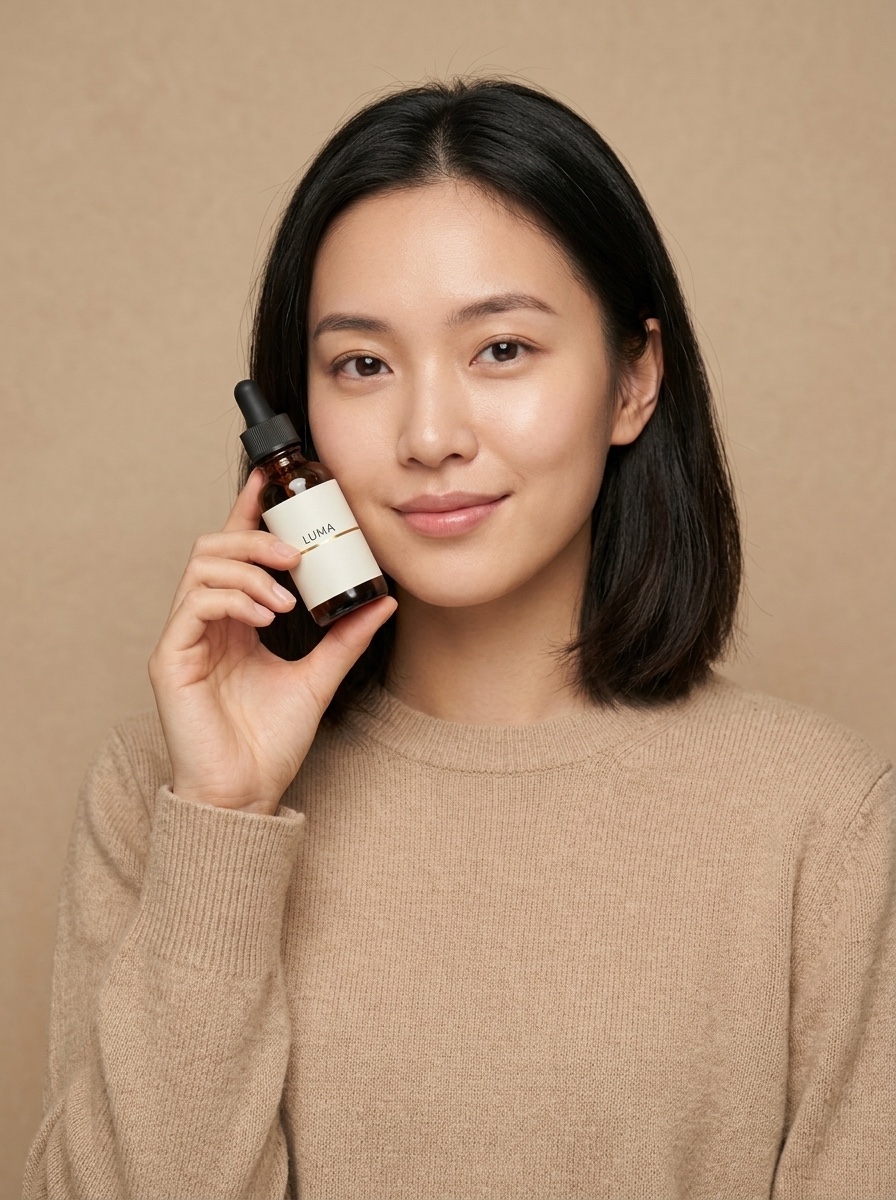
그런 다음 그 이미지를 다음 장면의 참조로 사용하고 "같은 여성"을 요청합니다:
The same woman from the reference image — identical face, same shoulder-length
dark hair, same sand-colored knit sweater — now standing at a bright bathroom
mirror, applying one drop of serum from the same amber LUMA dropper bottle onto
the back of her hand, seen in a relaxed three-quarter view, soft morning light,
candid lifestyle e-commerce campaign photo
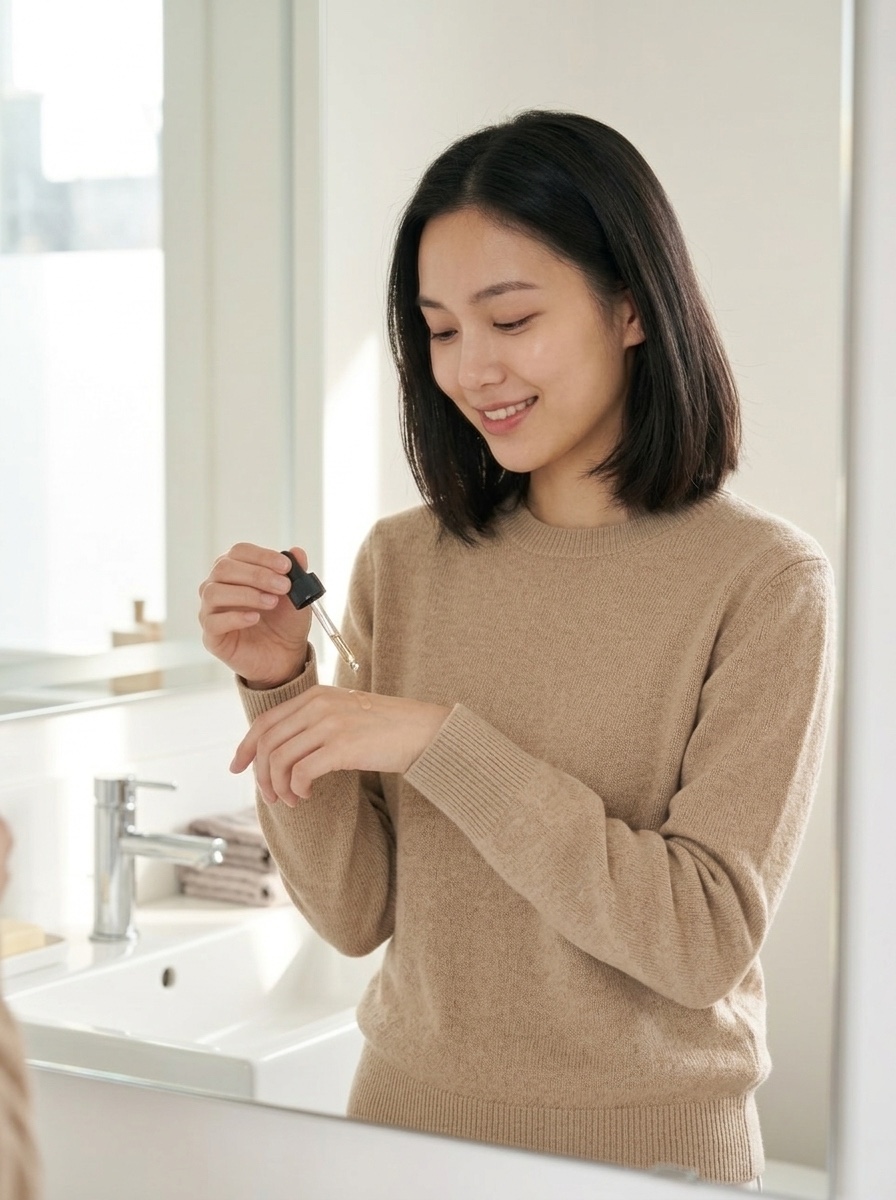
같은 얼굴, 같은 헤어스타일, 같은 스웨터, 새로운 장면. 캠페인에 필요한 만큼 계속 연결하세요. 채택된 각 출력은 다음 컷의 참조가 됩니다.
API 엔드투엔드
모든 것은 hiapi의 통합 비동기 작업 엔드포인트를 통해 실행됩니다. 작업을 생성하고, 폴링하고, 출력을 다운로드하세요. curl에서의 앵커 이미지:
curl -X POST "https://api.hiapi.ai/v1/tasks" \
  -H "Authorization: Bearer $HIAPI_KEY" \
  -H "Content-Type: application/json" \
  -d '{
    "model": "nano-banana",
    "input": {
      "prompt": "Professional e-commerce product photograph of ...",
      "aspect_ratio": "1:1",
      "output_format": "png"
    }
  }'
# -> {"code": 200, "data": {"taskId": "tk-hiapi-01KWK4E5WG..."}, "message": "success"}
재배치 호출은 모델 이름과 image_input 배열만 다릅니다:
curl -X POST "https://api.hiapi.ai/v1/tasks" \
  -H "Authorization: Bearer $HIAPI_KEY" \
  -H "Content-Type: application/json" \
  -d '{
    "model": "Nano-Banana-2",
    "input": {
      "prompt": "Place this exact serum bottle, unchanged — ... on a white marble bathroom counter ...",
      "image_input": ["https://your-cdn.example.com/luma/anchor.jpg"],
      "aspect_ratio": "4:3",
      "resolution": "1K",
      "output_format": "png"
    }
  }'
data.status가 success(또는 fail)가 될 때까지 GET /v1/tasks/{taskId}를 폴링한 다음, data.output[0].url을 다운로드하세요. 프로덕션 시 주의 사항 두 가지:
- 출력 URL은 임시입니다—응답에
expireAt타임스탬프가 포함됩니다. 바이트를 즉시 다운로드하여 자체 스토리지에 보관하세요. 핫링크하지 마세요. (이 실패 모드에 대한 자세한 내용: hiapi 출력 URL 만료: 만료 전에 다운로드하세요.) - 실제 파이프라인의 경우, 폴링 대신 생성 요청에 최상위
callback.url을 전달하세요—작업이 최종 상태에 도달하면 hiapi가 당신의 엔드포인트를 호출합니다.
이 글의 기반이 된 실행은 모두 2분이 채 걸리지 않아 완료되었습니다.
일괄 처리 스크립트: 앵커 하나, 전체 카탈로그
이 패턴은 선형적으로 확장됩니다. 각 SKU에 대해 앵커 이미지 1개 + 재배치 N회. 다음은 간결하게 실행 가능한 버전입니다:
import requests, time, pathlib

API = "https://api.hiapi.ai/v1/tasks"
HEADERS = {"Authorization": "Bearer YOUR_API_KEY", "Content-Type": "application/json"}

SCENES = {
    "lifestyle": ("Place this exact product, unchanged — same bottle, same label — on a "
                  "white marble bathroom counter, soft morning window light, shallow depth "
                  "of field, premium lifestyle photography", "4:3"),
    "packaging": ("Product family shot: this exact product next to its matching retail box "
                  "with the same wordmark, pale warm-grey studio background, symmetrical "
                  "composition, premium packaging photography", "3:2"),
    "hand":      ("A hand with neutral manicure holding this exact product, unchanged, "
                  "against a clean warm beige background, soft diffused light", "3:4"),
}

def create(model, inp):
    r = requests.post(API, headers=HEADERS, json={"model": model, "input": inp}, timeout=60)
    r.raise_for_status()
    return r.json()["data"]["taskId"]

def wait(task_id, timeout=600):
    deadline = time.time() + timeout
    while time.time() < deadline:
        d = requests.get(f"{API}/{task_id}", headers=HEADERS, timeout=30).json()["data"]
        if d["status"] == "success":
            return d["output"][0]["url"]
        if d["status"] == "fail":
            raise RuntimeError(f"{task_id}: {d.get('error')}")
        time.sleep(5)
    raise TimeoutError(task_id)

def shoot_sku(sku: str, anchor_url: str, outdir="shots"):
    """anchor_url: your hosted white-background shot for this SKU."""
    tasks = {name: create("Nano-Banana-2", {
                 "prompt": prompt, "image_input": [anchor_url],
                 "aspect_ratio": ar, "resolution": "1K", "output_format": "png"})
             for name, (prompt, ar) in SCENES.items()}
    pathlib.Path(outdir).mkdir(exist_ok=True)
    for name, tid in tasks.items():           # tasks run server-side in parallel
        url = wait(tid)                        # download before the URL expires
        img = requests.get(url, timeout=120).content
        pathlib.Path(f"{outdir}/{sku}-{name}.png").write_bytes(img)
        print(f"{sku}/{name}: {len(img)} bytes")

shoot_sku("luma-serum-30ml", "https://your-cdn.example.com/luma/anchor.jpg")
작업은 미리 생성되어 hiapi 측에서 동시에 생성됩니다. 그런 다음 루프가 순차적으로 수집합니다. 생성 페이로드에 callback.url을 추가하고 webhook 수신기가 준비되면 wait()를 완전히 제거하세요.
실제 카탈로그의 비용 계산
아래 가격은 작성 시점의 실시간 hiapi 가격 페이지에서 가져왔습니다—해당 페이지를 진실의 원천으로 삼으세요:
| 모델 | 이 워크플로에서의 역할 | 가격 |
|---|---|---|
nano-banana |
앵커 이미지, 빠른 초안(텍스트-투-이미지만) | 이미지당 $0.021 |
Nano-Banana-2 |
참조 기반 재배치(image_input) |
1K당 $0.036, 4K당 $0.086 |
Nano-Banana-Pro |
최고 충실도 편집, 최대 8개의 참조 이미지 | 1K당 $0.057 |
40-SKU 카탈로그, SKU당 앵커 이미지 1개와 재배치 컷 4개:
- 앵커 이미지 40개 × $0.021 = $0.84
- 재배치 160회 × $0.036 = $5.76
- 합계: $6.60으로 시각적으로 일관된 200장 이미지 카탈로그—스튜디오 촬영일도, 장면 변경 시 재촬영도 필요 없습니다.
스토어를 위한 실용적인 조언 두 가지. 첫째, 출력은 일반 이미지 파일로 전달됩니다—자체 CDN에 호스팅하므로 스택의 어떤 것도 상품 목록을 제3자 뷰어에 묶지 않습니다. 둘째, 생성된 "모델" 이미지는 합성입니다. 위의 여성은 존재하지 않으며, 이는 모델 릴리스 물류를 우회합니다—하지만 생성된 이미지를 실제 스토어프론트에 홍보하기 전에 기반 제공업체(Google)의 현재 약관과 당신 시장의 AI 이미지 정책을 확인하세요.
요약
Nano Banana를 이커머스에 유용하게 만드는 워크플로는 단일 마법 프롬프트가 아닙니다—앵커와 재배치 루프입니다. $0.021로 nano-banana에서 좋은 상품컷을 얻은 다음, Nano-Banana-2가 그 정확한 제품(그리고 그 정확한 얼굴)을 스토어에 필요한 모든 장면에 걸쳐 이어가게 하세요. 우리는 gpt-image-2 이커머스 제품 이미지: hiapi의 일괄 처리 워크플로에서 다른 모델로 같은 루프를 실행했습니다. 약정하기 전에 출력을 비교하고 싶다면 참고하세요.
이 루프를 직접 시도하려면 API 키를 받고, 하나의 SKU로 시작하여 위의 일괄 처리 스크립트를 실행하세요—Nano Banana 모델 페이지에는 라이브 플레이그라운드와 복사-붙여넣기 예제가 있어 1분 안에 첫 앵커 이미지를 출력할 수 있습니다.
관련 글
모든 아티클 보기 →-

사용 가이드
seedream-5.0-pro/image-to-image 시작 가이드: 기능, 가격 및 연동 핵심 포인트
ByteDance 이미지 편집 모델의 기능 경계, 과금 방식 및 엔지니어링 연동 실무
-

사용 가이드
seedream-5.0-pro 텍스트-이미지 생성 입문 가이드: 능력 경계, API 연동 및 비용 관리
개발자를 위한 실무 관점: 파라미터 핵심부터 장당 $0.05 비용 추정까지
-

사용 가이드
Hailuo 2.3 Fast 이미지-투-비디오 입문 가이드: 성능 범위, 가격 및 연동 실무
개발자를 위한 MiniMax 이미지-투-비디오 모델 선택과 연동 핵심 포인트