
使用ガイド
hiapi API で Nano-Banana を使ってEC商品画像を生成する
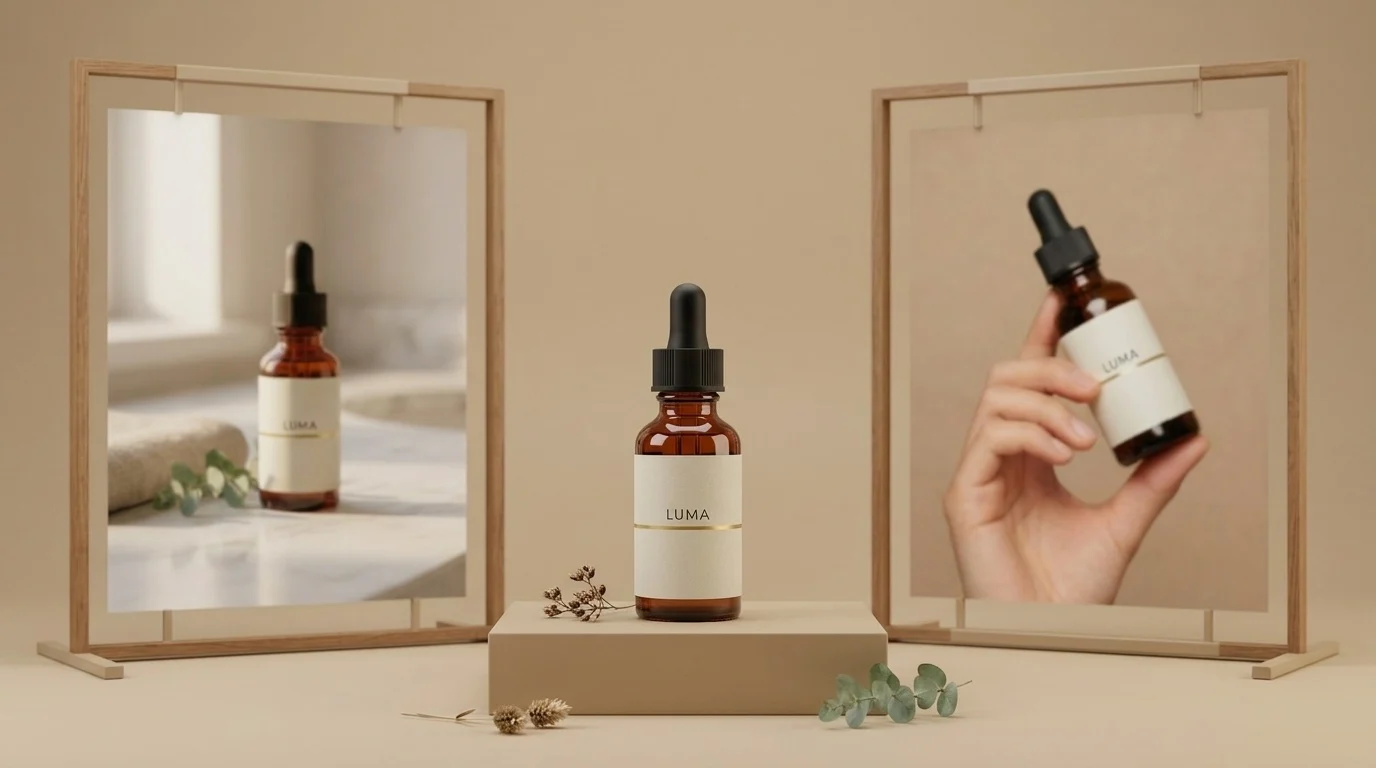
商品撮影はECにおいて最も繰り返しの多い画像作業です。同じ商品を何度も何度も撮影します——白背景の商品画像、ライフスタイルシーン、パッケージ画像、モデル画像、季節ごとのバリエーション画像。難しいのは、見栄えのする1枚を生成することではありません。難しいのは、すべての画像で同じ商品を生成することです。そうでなければ、商品詳細ページが少しずつ異なる5本のボトルを販売しているように見えてしまいます。
本ガイドでは、hiapi の Nano Banana API 上でこれを実現する実用的な方法を、同じシリーズの2つのモデルを使って示します:
nano-banana— 高速で安価なテキストから画像生成、1枚 $0.021。アンカー画像の作成に使用します。Nano-Banana-2—image_input配列を通じて参照画像を受け付けます(1K画像1枚あたり $0.036)。アンカー画像を他のすべてのシーンに再配置しつつ、商品——さらには実在のモデルまで——を完全に一致させるために使用します。
以下の各画像は執筆時点で生成されたもので、隣に正確なプロンプトを記載しています。商品は本記事用に架空のブランド(「LUMA」)です。
TL;DR
nano-banana($0.021)でクリーンな白背景のアンカー画像を生成します。- それを公開URL(S3/R2/CDN——どこでも可)にホストします。
- そのURLを
image_inputとしてNano-Banana-2に入力し、各新しいシーンを記述します。ボトルの形状、ラベル、タイポグラフィはそのまま維持されます。 - モデル画像についても同じ手法を人物に適用します。モデル画像を1枚生成し、それを参照してキャンペーン全体で同じ顔を維持します。
- 非同期の
/v1/tasksエンドポイントでプロセス全体をバッチ処理します——コードは下部にあります。
ステップ1——アンカー画像(nano-banana、$0.021)
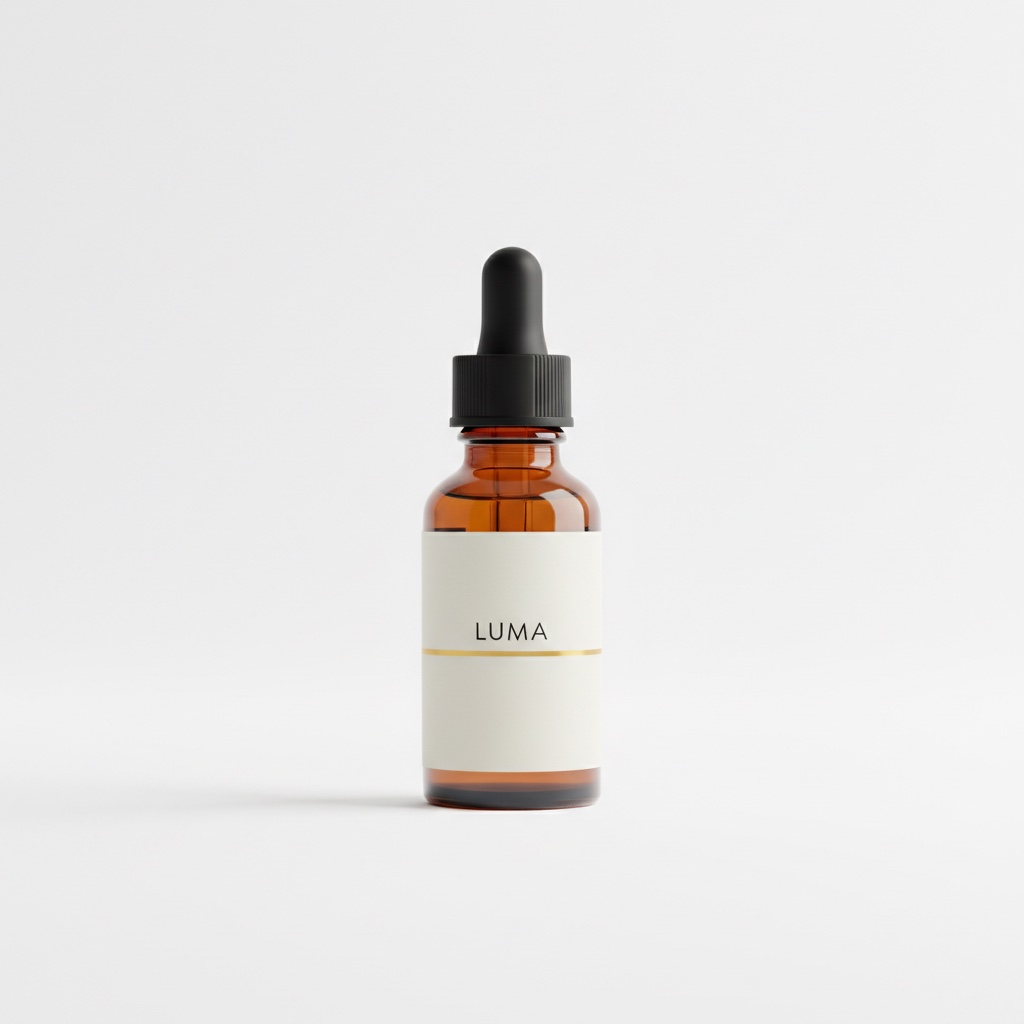
マーケットプレイスの商品画像から始めます。商品を中央に配置し、純白の背景にします。これが後続のすべての画像が継承する画像でもあるため、展開する前にしっかり作り込みます。
Professional e-commerce product photograph of a 30ml amber glass serum bottle
with a matte black dropper cap, minimalist off-white label with the word LUMA
in small black sans-serif letters and a thin gold accent line, centered on a
pure white seamless background, soft even studio lighting, gentle shadow under
the bottle, crisp focus, high-end skincare catalog style
400エラーを回避するためのスキーマの詳細:nano-banana はテキストから画像生成のみをサポートします。入力は3つのフィールドのみを受け付けます——prompt、aspect_ratio、output_format。もし resolution や画像フィールドを送信すると、API は additional properties not allowed でリクエストを拒否します。参照画像は次のモデルの役割です。
ステップ2——同じボトル、新しいシーン(Nano-Banana-2 + image_input)
アンカー画像を公開場所にアップロードし、そのURLを Nano-Banana-2 に渡します。image_input フィールドは画像URLの配列(ファイル内容ではない)を受け付け、プロンプトで新しいシーンを記述します。効果的なキーフレーズは次のとおりです:「この正確なボトル、変更なしで。」
Place this exact serum bottle, unchanged — same amber glass, same black
dropper cap, same off-white LUMA label with the thin gold line — on a
white marble bathroom counter next to a folded beige linen towel and a
small eucalyptus sprig, soft warm morning window light from the left,
shallow depth of field, premium skincare lifestyle photography
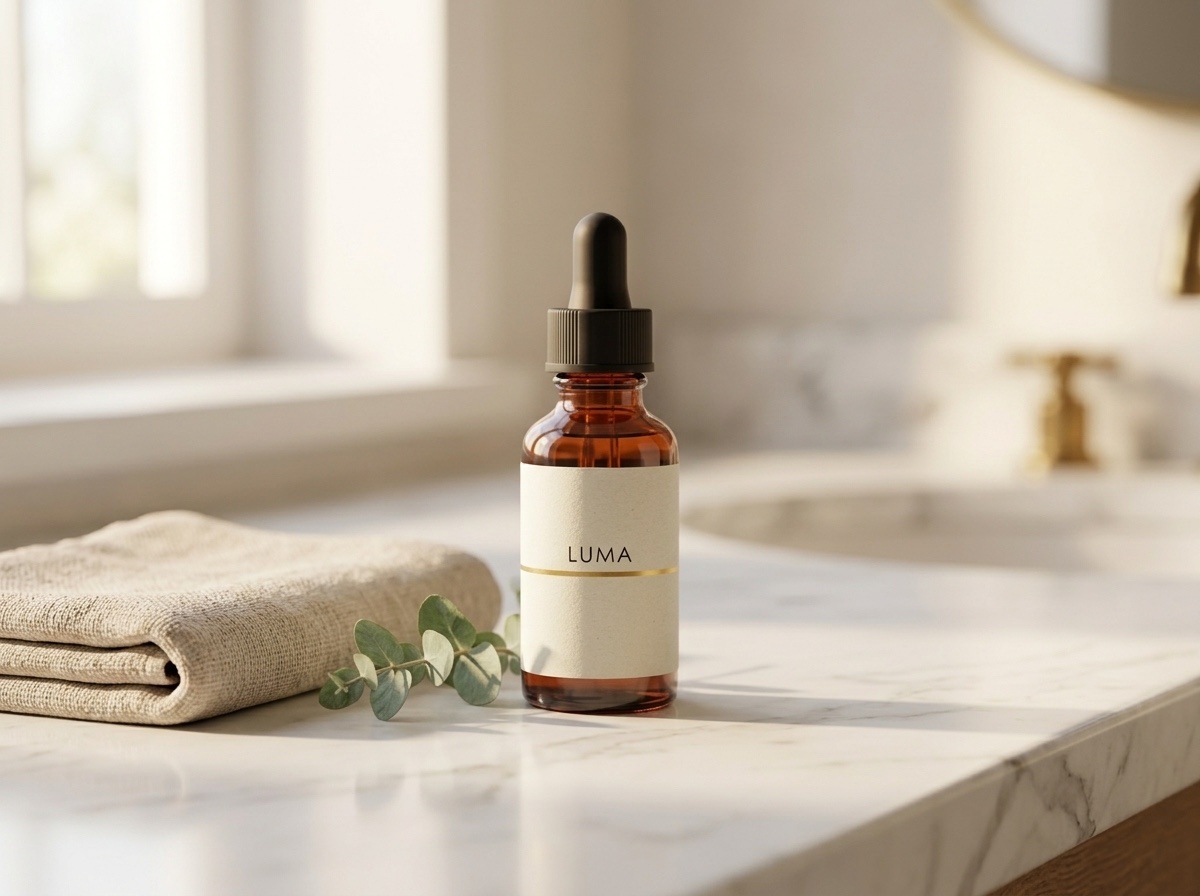
ラベルをアンカー画像と比較してください。同じワードマーク、同じ金色のライン、同じキャップの質感です。これが、顧客から指摘される「AI商品画像」と、実際に撮影されたように見える画像との違いです。
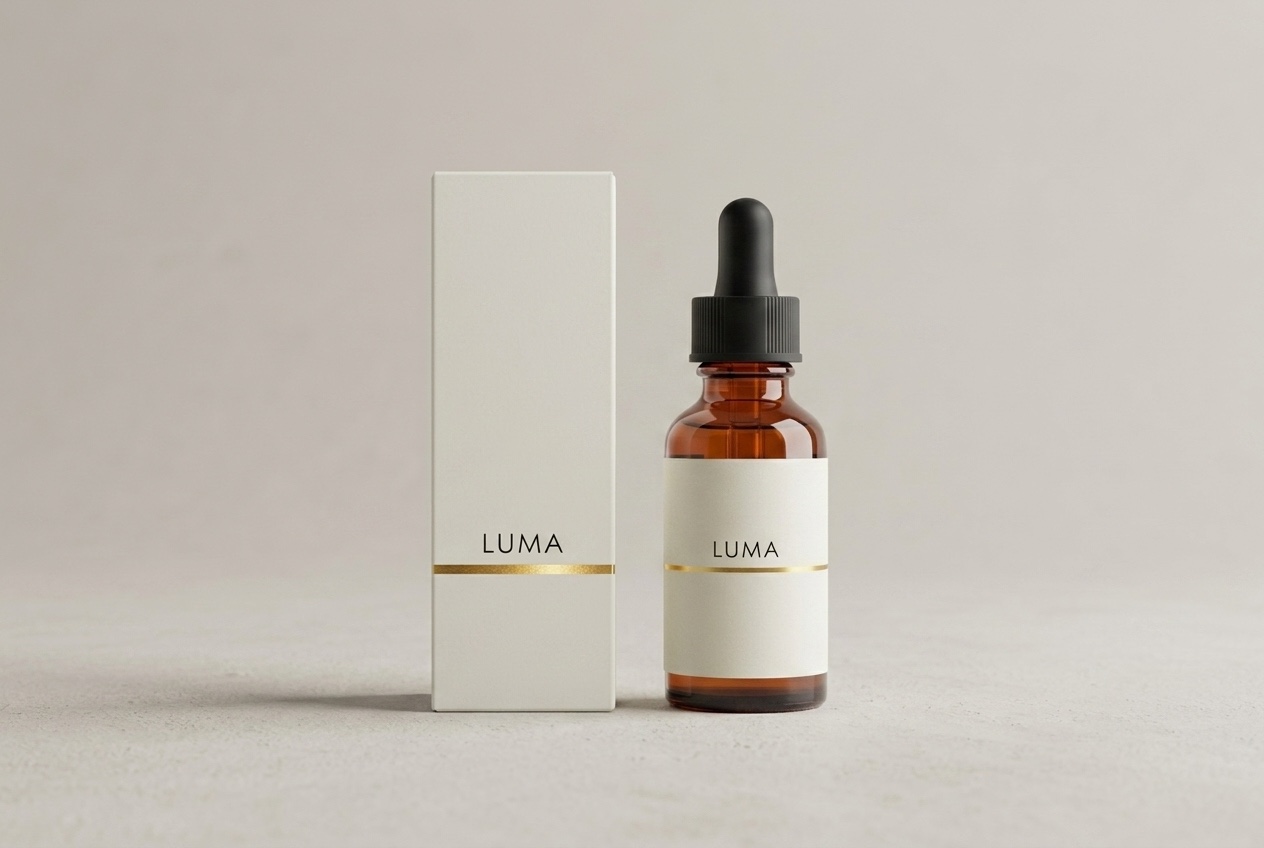
パッケージも同様の方法で——ボックスを参照画像の延長として記述します:
Product family shot: this exact serum bottle — same amber glass, black dropper
cap, off-white LUMA label with thin gold line — standing next to its matching
retail packaging, a matte off-white rectangular box with the same LUMA wordmark
and thin gold accent line, both centered on a pale warm-grey studio background
with soft shadows, symmetrical composition, premium skincare packaging photography
ステップ3——顔の一致したモデル画像
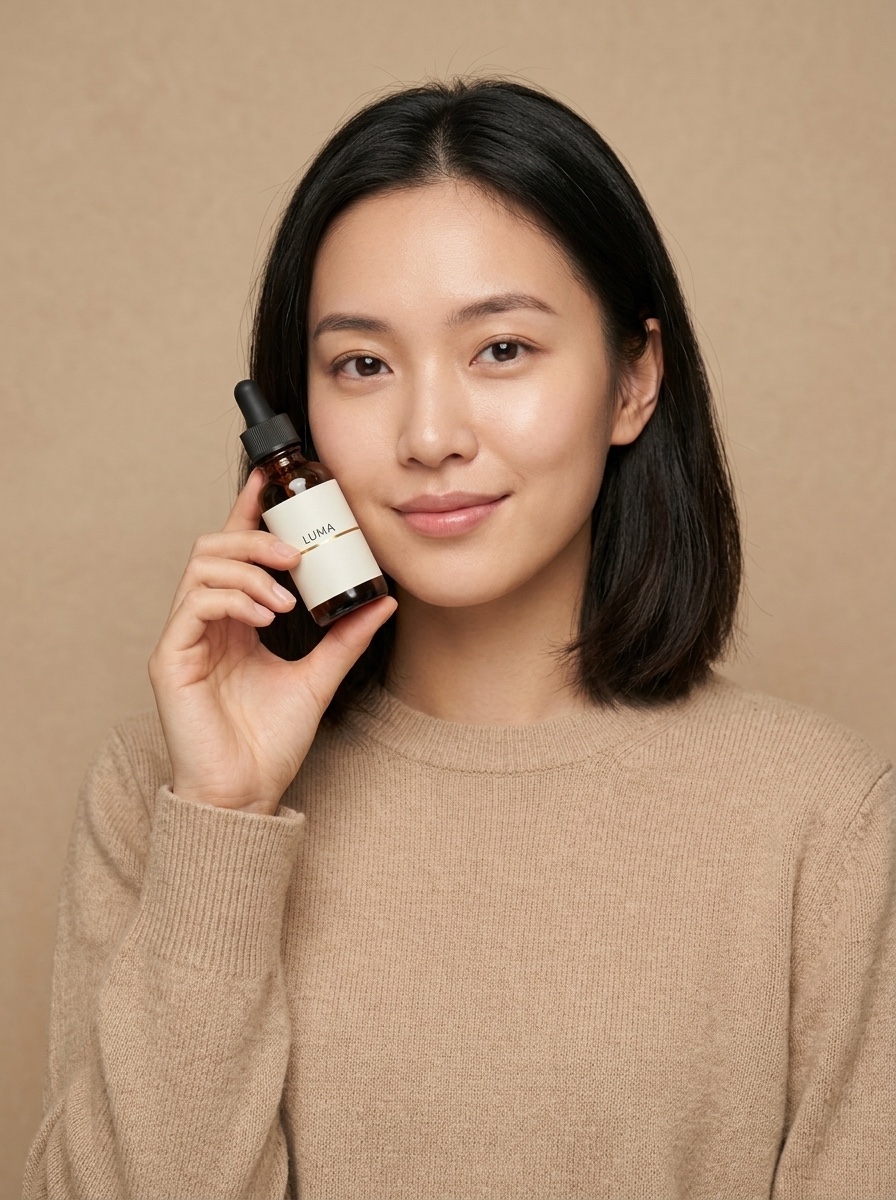
ECチームが同じモデルで撮り直すのには理由があります。写真ごとに異なる人物が写っているキャンペーンはストック画像のように見えてしまいます。参照テクニックは人物にも適用できます。まず、商品を含むモデル画像を生成します(これはアンカーボトルを参照しています):
A young woman with shoulder-length dark hair, wearing a plain sand-colored knit
sweater, holding this exact serum bottle — same amber glass, same black dropper
cap, same off-white LUMA label with the thin gold line — up near her cheek at a
slight angle, looking at the camera with a soft natural smile, clean warm beige
studio background, soft diffused beauty lighting, e-commerce model shot for a
skincare brand
次に、その画像を次のシーンの参照として使用し、「同じ女性」を要求します:
The same woman from the reference image — identical face, same shoulder-length
dark hair, same sand-colored knit sweater — now standing at a bright bathroom
mirror, applying one drop of serum from the same amber LUMA dropper bottle onto
the back of her hand, seen in a relaxed three-quarter view, soft morning light,
candid lifestyle e-commerce campaign photo
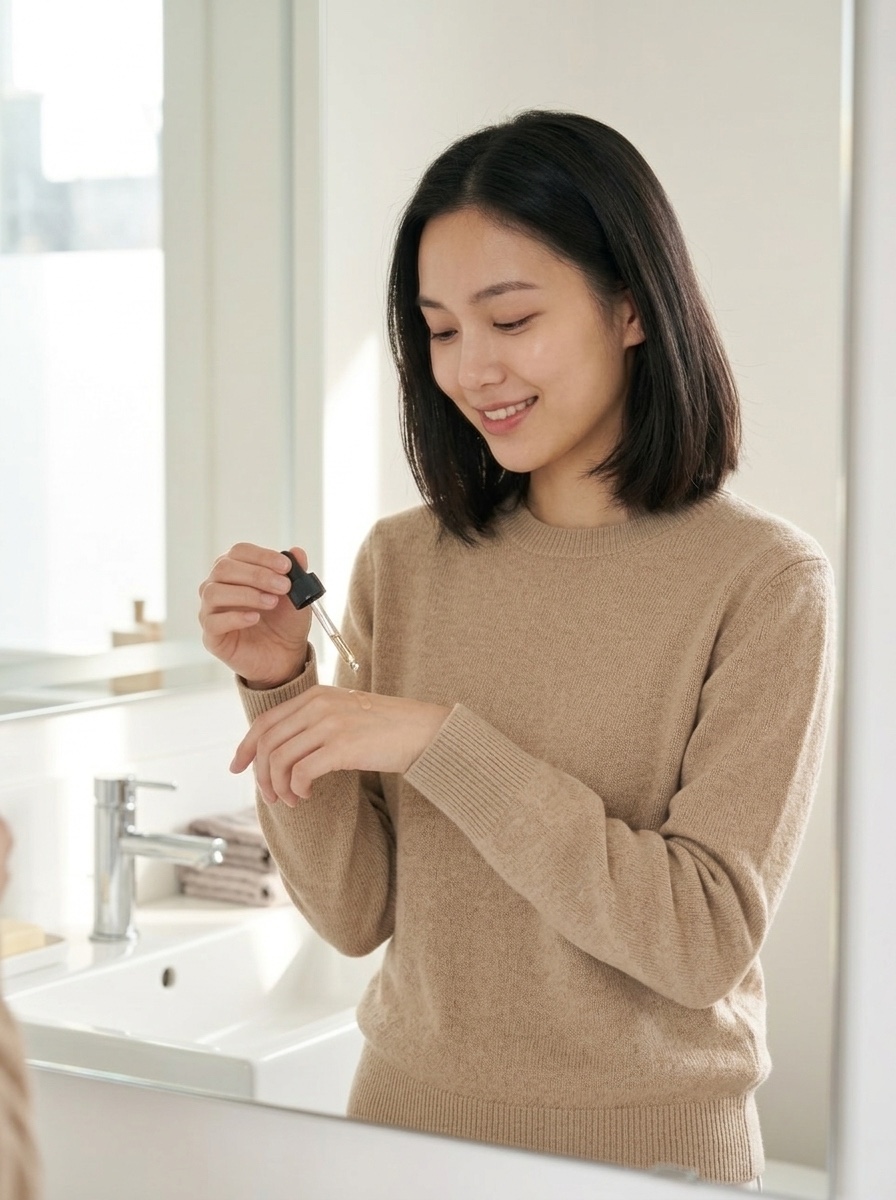
同じ顔、同じ髪型、同じセーター、新しいシーン。キャンペーンに必要なだけ連鎖させられます。受け入れられた出力はそれぞれ次のショットの参照になります。
API エンドツーエンド
すべては hiapi の統一された非同期タスクエンドポイントを通じて実行されます。タスクを作成し、ポーリングし、出力をダウンロードします。curl でのアンカー画像:
curl -X POST "https://api.hiapi.ai/v1/tasks" \
  -H "Authorization: Bearer $HIAPI_KEY" \
  -H "Content-Type: application/json" \
  -d '{
    "model": "nano-banana",
    "input": {
      "prompt": "Professional e-commerce product photograph of ...",
      "aspect_ratio": "1:1",
      "output_format": "png"
    }
  }'
# -> {"code": 200, "data": {"taskId": "tk-hiapi-01KWK4E5WG..."}, "message": "success"}
再配置の呼び出しはモデル名と image_input 配列が異なるだけです:
curl -X POST "https://api.hiapi.ai/v1/tasks" \
  -H "Authorization: Bearer $HIAPI_KEY" \
  -H "Content-Type: application/json" \
  -d '{
    "model": "Nano-Banana-2",
    "input": {
      "prompt": "Place this exact serum bottle, unchanged — ... on a white marble bathroom counter ...",
      "image_input": ["https://your-cdn.example.com/luma/anchor.jpg"],
      "aspect_ratio": "4:3",
      "resolution": "1K",
      "output_format": "png"
    }
  }'
GET /v1/tasks/{taskId} を data.status が success(または fail)になるまでポーリングし、その後 data.output[0].url をダウンロードします。本番運用上の2つの注意点:
- 出力URLは一時的です——レスポンスには
expireAtタイムスタンプが含まれます。すぐにバイトをダウンロードして自分のストレージに置いてください。ホットリンクしないでください。(この障害モードの詳細:hiapi の出力URLが期限切れ:期限前にダウンロードする。) - 実際のパイプラインでは、ポーリングの代わりに作成リクエストに最上位の
callback.urlを渡してください——タスクが最終状態に達すると、hiapi があなたのエンドポイントを呼び出します。
本記事の背後にある実行は、いずれも2分もかからずに完了しました。
バッチスクリプト:1つのアンカー画像からカタログ全体へ
このパターンは線形にスケールします。各SKUについて、1つのアンカー画像 + N回の再配置です。以下はコンパクトで実行可能なバージョンです:
import requests, time, pathlib

API = "https://api.hiapi.ai/v1/tasks"
HEADERS = {"Authorization": "Bearer YOUR_API_KEY", "Content-Type": "application/json"}

SCENES = {
    "lifestyle": ("Place this exact product, unchanged — same bottle, same label — on a "
                  "white marble bathroom counter, soft morning window light, shallow depth "
                  "of field, premium lifestyle photography", "4:3"),
    "packaging": ("Product family shot: this exact product next to its matching retail box "
                  "with the same wordmark, pale warm-grey studio background, symmetrical "
                  "composition, premium packaging photography", "3:2"),
    "hand":      ("A hand with neutral manicure holding this exact product, unchanged, "
                  "against a clean warm beige background, soft diffused light", "3:4"),
}

def create(model, inp):
    r = requests.post(API, headers=HEADERS, json={"model": model, "input": inp}, timeout=60)
    r.raise_for_status()
    return r.json()["data"]["taskId"]

def wait(task_id, timeout=600):
    deadline = time.time() + timeout
    while time.time() < deadline:
        d = requests.get(f"{API}/{task_id}", headers=HEADERS, timeout=30).json()["data"]
        if d["status"] == "success":
            return d["output"][0]["url"]
        if d["status"] == "fail":
            raise RuntimeError(f"{task_id}: {d.get('error')}")
        time.sleep(5)
    raise TimeoutError(task_id)

def shoot_sku(sku: str, anchor_url: str, outdir="shots"):
    """anchor_url: your hosted white-background shot for this SKU."""
    tasks = {name: create("Nano-Banana-2", {
                 "prompt": prompt, "image_input": [anchor_url],
                 "aspect_ratio": ar, "resolution": "1K", "output_format": "png"})
             for name, (prompt, ar) in SCENES.items()}
    pathlib.Path(outdir).mkdir(exist_ok=True)
    for name, tid in tasks.items():           # tasks run server-side in parallel
        url = wait(tid)                        # download before the URL expires
        img = requests.get(url, timeout=120).content
        pathlib.Path(f"{outdir}/{sku}-{name}.png").write_bytes(img)
        print(f"{sku}/{name}: {len(img)} bytes")

shoot_sku("luma-serum-30ml", "https://your-cdn.example.com/luma/anchor.jpg")
タスクは事前に作成され、hiapi 側で並行して生成されます。その後、ループが順番に収集します。作成ペイロードに callback.url を追加すれば、webhook レシーバーができた時点で wait() を完全に削除できます。
実際のカタログのコスト計算
以下の価格は執筆時点で最新の hiapi の料金ページ から取得しています——このページを真実の情報源として扱ってください:
| モデル | このワークフローにおける役割 | 価格 |
|---|---|---|
nano-banana |
アンカー画像、クイックドラフト(テキストから画像のみ) | $0.021 / 画像 |
Nano-Banana-2 |
参照ベースの再配置(image_input) |
1K は1枚 $0.036、4K は1枚 $0.086 |
Nano-Banana-Pro |
最高忠実度の編集、最大8枚の参照画像 | 1K は1枚 $0.057 |
40 SKU のカタログで、SKU ごとにアンカー画像1枚と再配置ショット4枚の場合:
- アンカー画像 40枚 × $0.021 = $0.84
- 再配置 160回 × $0.036 = $5.76
- 合計:$6.60 で、200枚の画像からなる視覚的に一貫したカタログ——スタジオ撮影日も不要、シーンを変更するときの再撮影も不要です。
ストア向けの実用的なアドバイスを2つ。まず、出力は納品される通常の画像ファイルです——それらを自分の CDN でホストするため、スタック内の何もあなたの商品リストをサードパーティのビューアに縛り付けません。次に、生成された「モデル」画像は合成です:上記の女性は存在せず、これによりモデルリリースの物流を回避できます——ただし、生成画像を実際のストアフロントに宣伝する前に、基盤プロバイダー(Google)の現行の利用規約と、あなたの市場における AI 画像ポリシーを確認してください。
まとめ
Nano Banana をECに有用たらしめるワークフローは、単一の魔法のプロンプトではありません——アンカーと再配置のループです。nano-banana から $0.021 で良い商品画像を1枚手に入れ、次に Nano-Banana-2 でその正確な商品(およびその正確な顔)を、ストアが必要とするすべてのシーンに展開します。gpt-image-2 でEC商品画像:hiapi 上のバッチワークフロー では、異なるモデルで同じループを実行しました。コミットする前に出力を比較したい場合はご覧ください。
このループを自分で試すには、API キーを取得し、1つの SKU から始めて、上記のバッチスクリプトを実行してください——Nano Banana モデルページ にはライブプレイグラウンドとコピー&ペーストの例があり、1分以内に最初のアンカー画像を出力できます。


