
Guide
Ideogram 4.5 API Pricing: From $0.043 per Image at LOW
Three generation tiers, seven editor combinations, a same-prompt tier comparison, and budgets.
- LOW / image
- $0.043
- MEDIUM default
- $0.086
- HIGH / image
- $0.3145
TL;DR
- The Ideogram 4.5 family (
ideogram-v4.5/text-to-imagefor generation,ideogram-v4.5/image-to-imagefor editing) bills per image by quality tier: LOW $0.043, MEDIUM (default) $0.086, HIGH $0.3145; the editor adds VERY_LOW at $0.0115. See the full rate table. - Each request currently returns 1 image;
num_imagesmust be 1. Four separate LOW tasks total $0.172; omittingqualitybills at MEDIUM. - Both are live: the generation page and the Edit page. Usage is in the API guide.
Price table: generation, three tiers
| Tier (quality) | Per image | 100 images | 1,000 images | $10 yields |
|---|---|---|---|---|
| LOW | $0.043 | $4.30 | $43.00 | 232 |
| MEDIUM (default) | $0.086 | $8.60 | $86.00 | 116 |
| HIGH | $0.3145 | $31.45 | $314.50 | 31 |
HiAPI current prices, checked October 26, 2026.
Generation size and prompt expansion do not change the selected quality-tier rate. References and masks on the editing endpoint do not add a fee either. Each task returns 1 image: four separate LOW tasks total $0.172, four MEDIUM tasks $0.344, and two HIGH tasks $0.629. A validation rejection before task creation does not start generation; for a created task, check its final status and the account record when reconciling the charge. Omitting quality bills at MEDIUM — pass low explicitly to save.
Same prompt, three tiers, real outputs
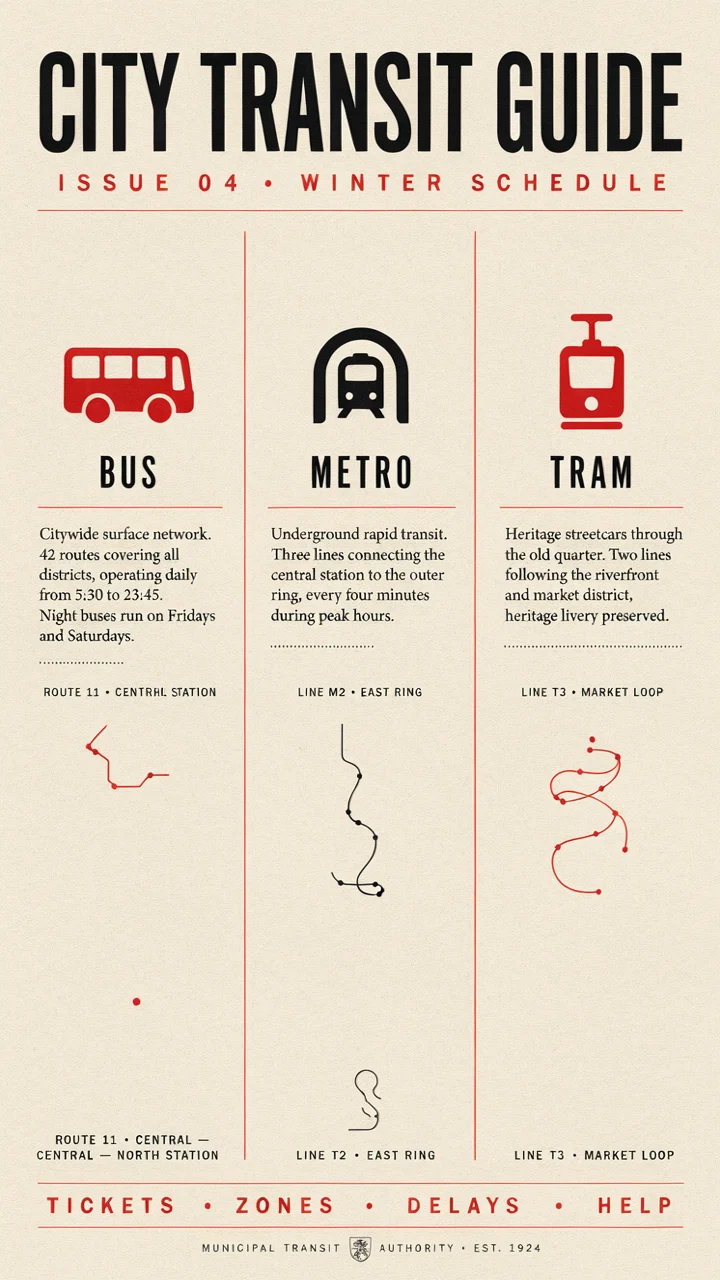
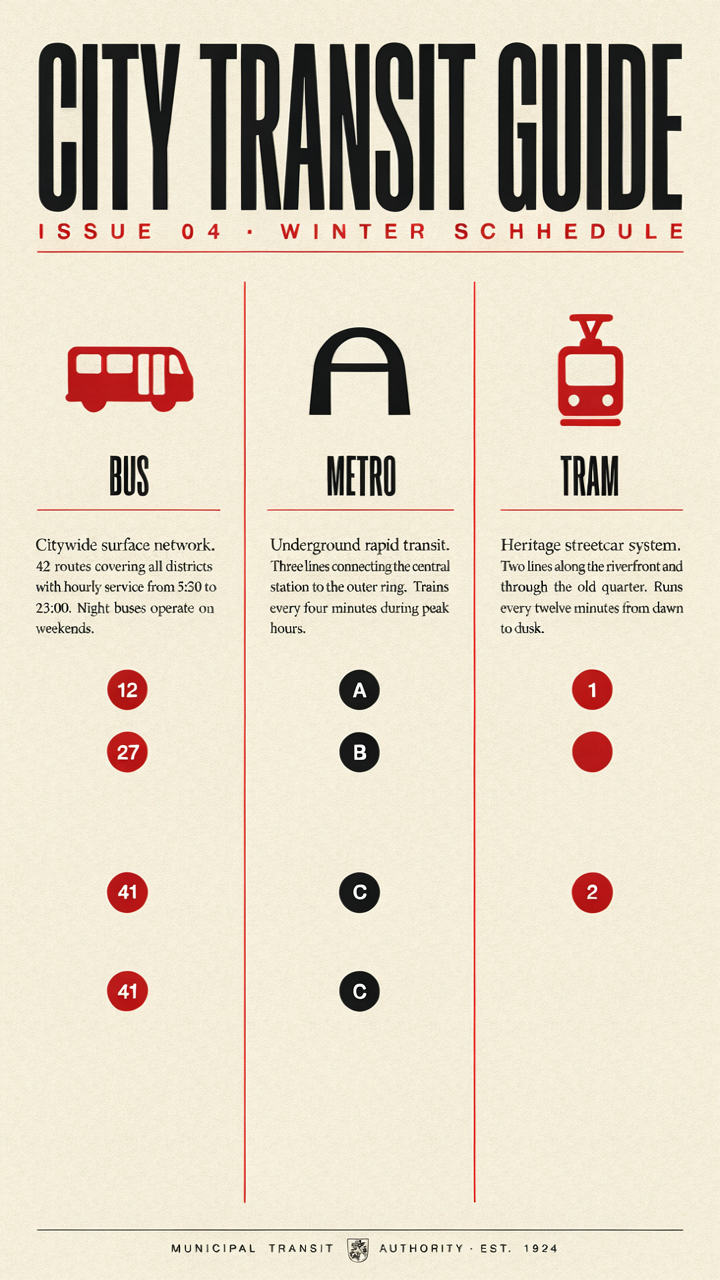
The following outputs illustrate three quality tiers with the same informational-poster prompt; captions specify tier, actual dimensions and format:
A dense informational poster titled "CITY TRANSIT GUIDE" with three labeled columns headed "BUS", "METRO" and "TRAM", a short line of body text under each heading, clean Swiss grid layout, red and black ink on off-white paper, flat vector infographic style
| LOW $0.043 | MEDIUM $0.086 | HIGH $0.3145 |
|---|---|---|
 |
|
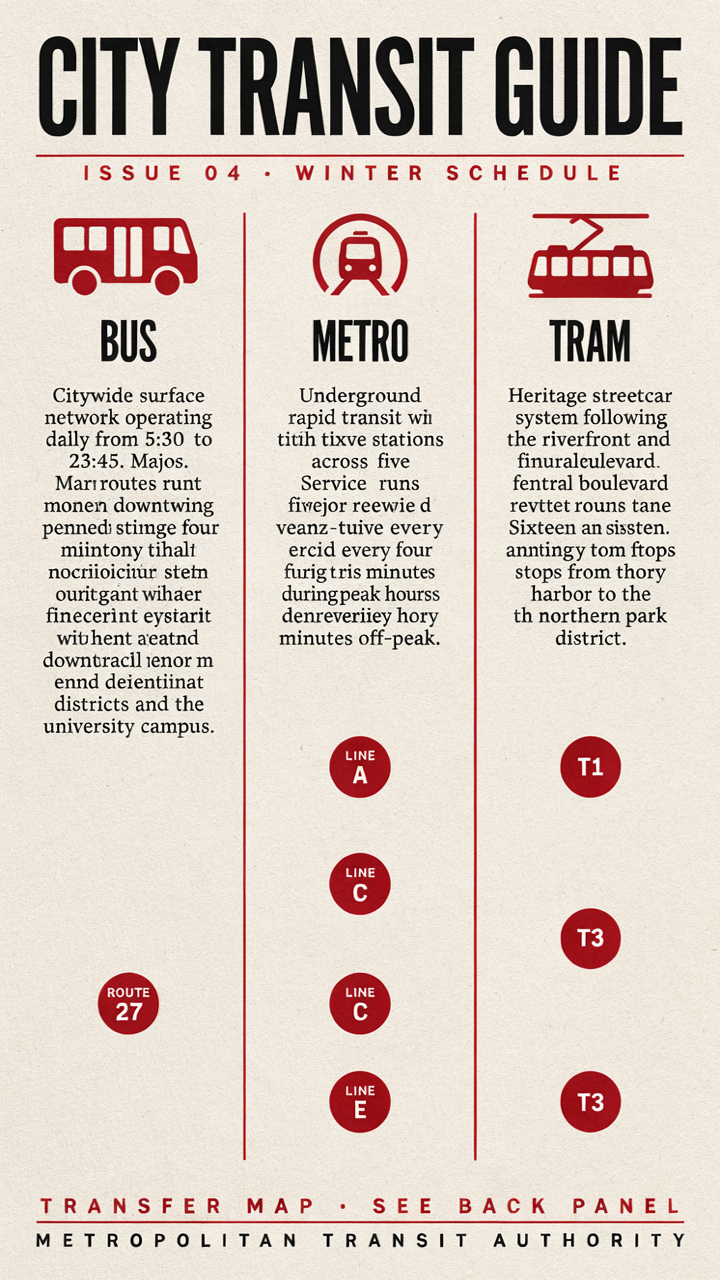 |
ideogram-v4.5/text-to-image, same prompt, one render each; all three are 720×1280 PNG. Left to right: LOW $0.043, MEDIUM $0.086, HIGH $0.3145.
The link carries only the prompt. Select portrait_16_9 and num_images=1 yourself, then choose LOW, MEDIUM, or HIGH for each run.
What you can see:
- All three have the CITY TRANSIT GUIDE title and BUS, METRO, and TRAM columns.
- LOW leaves more space through the center; MEDIUM adds route-like lines below the columns; HIGH has denser body blocks and bottom text.
- Inspect characters, wording, and layout in each output. Paying for a tier does not guarantee every character is correct.
Editor price combinations
ideogram-v4.5/image-to-image bills per image too; regular and Precise (edit_precision=high) share tier prices, and VERY_LOW works with regular only:
| Combination | Per image | Best for |
|---|---|---|
| regular · VERY_LOW | $0.0115 | Bulk draft edits |
| regular · LOW | $0.043 | Everyday edits |
| regular · MEDIUM (default) | $0.086 | Standard delivery |
| regular · HIGH | $0.3145 | Heavy repaints |
| Precise · LOW | $0.043 | Text and date fixes; inspect preserved areas |
| Precise · MEDIUM | $0.086 | Final retouching |
| Precise · HIGH | $0.3145 | High-detail retouching |
A mask lowers the reference cap from four to three; prices don't move. Precise Edit usage is in the API guide.
Choosing tiers and spending less
- Submit separate LOW tasks for alternatives: one image per task, four tasks for $0.172; vary the prompt or seed to explore compositions.
- Start routine-delivery evaluation on MEDIUM: compare the default tier with LOW using the same prompt, then decide whether layout and detail fit the task.
- Compare tiers for small-type finals: try HIGH when more detail is useful; still proofread the output rather than treating its tier as a guarantee.
- Try Precise LOW for text fixes: a name or date change costs $0.043; inspect the edited and preserved areas before deciding whether to move up a tier.
- Disable prompt expansion: pass
enable_prompt_expansion: falseto stop automatic expansion. Still inspect whether the output follows your instructions; the tier price stays unchanged.
Compared with related models (HiAPI prices)
| Model | Per image | Notes |
|---|---|---|
fibo-gen-1.5/text-to-image |
$0.0575 | Photoreal + same-price editor |
ideogram-v4.5/text-to-image (this model) |
LOW $0.043; MEDIUM $0.086; HIGH $0.3145 | Typography-first |
recraft-v4.1/text-to-image |
$0.05 | Brand color parameters |
gpt-image-2.5-flare/text-to-image |
1K $0.025 | Tiered resolution |
krea-3/text-to-image |
$0.036 | Prompt reasoning |
gemini-nano-banana-2.1 |
1K $0.011 | 1K image tier |
Monthly budgets (generation)
| Images / month | All LOW | All MEDIUM | All HIGH |
|---|---|---|---|
| 100 | $4.30 | $8.60 | $31.45 |
| 1,000 | $43.00 | $86.00 | $314.50 |
| 10,000 | $430.00 | $860.00 | $3,145.00 |
The HIGH gap is steep: 1,000 images cost $228.50 more than MEDIUM and $271.50 more than LOW. Explore on LOW, use MEDIUM for routine work, and try HIGH only for selected finals that need a closer small-type check.
FAQ
Does omitting quality select the lowest-priced tier?
No. The default is MEDIUM at $0.086 per image. Set quality: "low" explicitly for LOW at $0.043.
Can one request return several images?
No. Generation and editing currently return 1 image per task; num_images must be 1. Submit separate tasks for alternatives.
Can VERY_LOW be used with Precise Edit?
No. VERY_LOW costs $0.0115 and requires edit_precision: "regular". Precise starts at LOW for $0.043 per image.
Do size changes or references add a charge?
Size does not change the tier rate; editing references and masks do not add a fee. Up to 4 references are supported without a mask, or 3 with one.
How many LOW images can $10 cover?
At $0.043 each, $10 covers 232 LOW images for $9.976 in total. Submit one task per image.
Next: take the CITY TRANSIT GUIDE prompt and generate one LOW poster to check the layout; code and parameters are in the API guide. Related: generation and editing API guide · 4 editing prompt examples.
Related articles
View all articles →-

Guide
What Is GPT Image 2.6? Markup Edits and Specs
What OpenAI's API spec says about GPT Image 2.6, how the new markup edit field works, and what hasn't been published yet.
5 -
Guide
Vidu Q4 Preview API Pricing: $0.0515 per Second
Both modes share one rate: five resolutions from 540p to 4K, 3–16 second clips, what $10 buys, and how it compares with other video models on HiAPI.
5 -

Guide
Recraft V4.1 Flash for E-Commerce Product Images: $0.01 Batch Catalog Shots
A real parallel batch on recraft-v4.1-flash/text-to-image: listing and scene shots, measured background whiteness, timing, and a batch script.
7