
Guía de uso
Recraft V4.1 Flash 电商产品图:每张 $0.01 批量目录图
在 recraft-v4.1-flash/text-to-image 上的一次真实并行批量:商品列表图与场景图、实测背景白度、耗时以及批量脚本。
TL;DR
- 在 HiAPI 上,
recraft-v4.1-flash/text-to-image每张图仅需 $0.01,因此 1,000 张目录图成本为 $10.00。标准版recraft-v4.1/text-to-image每张 $0.05,接受相同参数(价格对比)。 - 在我们的运行中,并行提交的 4 张产品图在实际耗时 21.5 秒内完成,每个任务(含下载)约 19–20 秒。总成本:$0.04。
- 将
background_color设为白色时,生成的背景接近白色但并非统一的 #FFFFFF。如果市场平台要求纯白,需要额外添加清理步骤。
何时应为目录选择 Flash 档位
当任务量较大时使用 Flash:每个 SKU 都需要一张白底商品列表图,再加一到两张场景图,并且你计划在发布前逐一审核。按每张图 $0.01 计算,500 个 SKU 每个 3 张图,总计 $15.00。同样的 1,500 张图用标准版 V4.1 则需 $75.00。
Flash 和标准版 V4.1 接受相同的输入字段,因此将入选图升级到更高档位只需更改 model。本文不比较两个档位的图像质量,因为我们没有用匹配的提示词分别运行两者。在最终确定用于正式素材的档位之前,请自行检查输出结果。
已验证的输入 schema
我们通过发送故意无效的值,对照实时 API 检查了 schema:
| 字段 | 类型 | 备注 |
|---|---|---|
prompt |
string(字符串) | 必填 |
image_size |
enum(枚举) | square_hd、square、portrait_4_3、portrait_16_9、landscape_4_3、landscape_16_9 |
colors |
{r,g,b} 数组 |
调色板引导。传入字符串会返回 400 INVALID_REQUEST: colors: got string, want array |
background_color |
{r,g,b} |
背景颜色 |
未知字段会被拒绝(additional properties ... not allowed),六种预设之外的任何 image_size 也会被拒绝。不支持自定义像素尺寸。我们得到的尺寸:square_hd 1024×1024、portrait_4_3 896×1216、landscape_4_3 1216×896。
一次批量的真实输出
下面四张图均来自同一并行批次。图注标注了尺寸;每张图成本为 $0.01。
白底商品列表图
E-commerce product photo of a matte sage-green ceramic coffee mug with a curved handle, centered, front three-quarter view, pure white seamless background, soft even studio lighting, gentle contact shadow, no props, no text
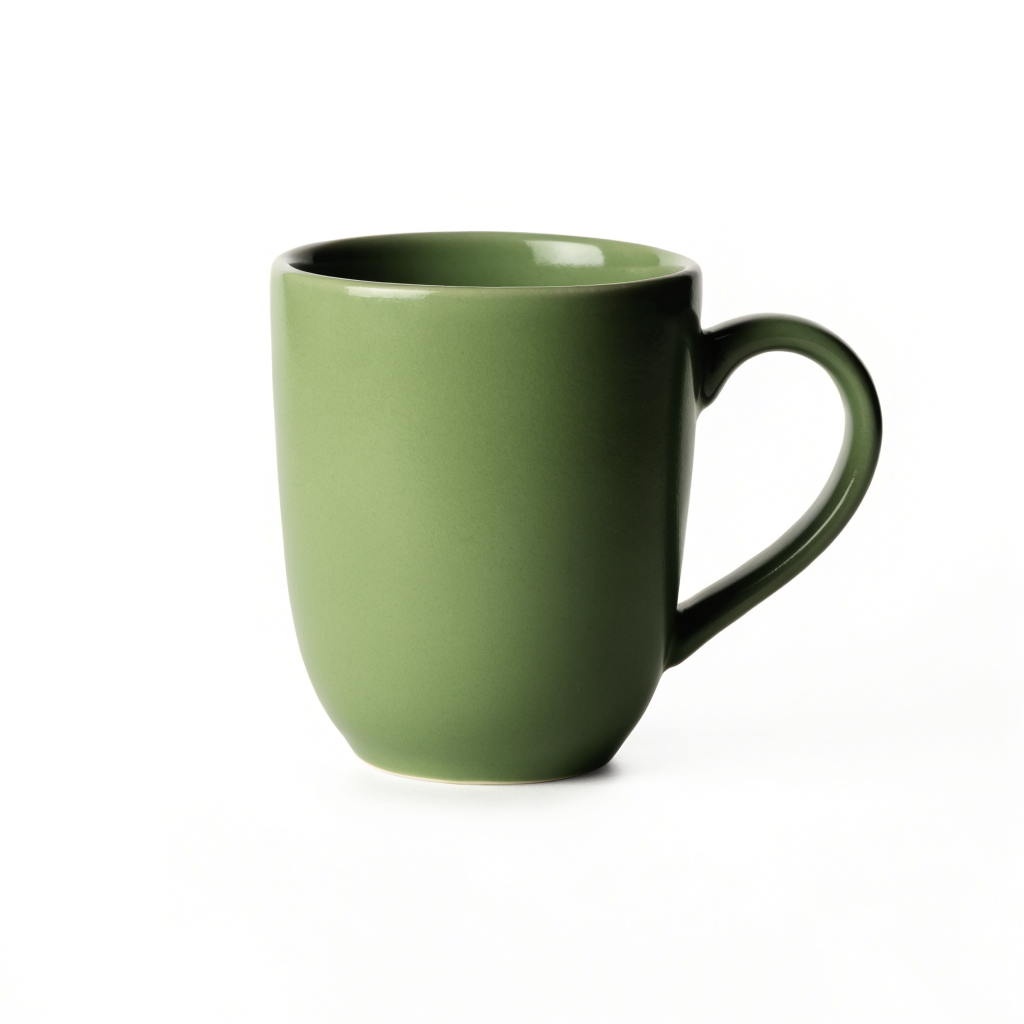
recraft-v4.1-flash/text-to-image,square_hd,1024×1024,background_color 白色,$0.01。
E-commerce product photo of a single white leather low-top sneaker with gum rubber sole, side profile facing left, pure white seamless background, soft even studio lighting, subtle shadow under the sole, no props, no text
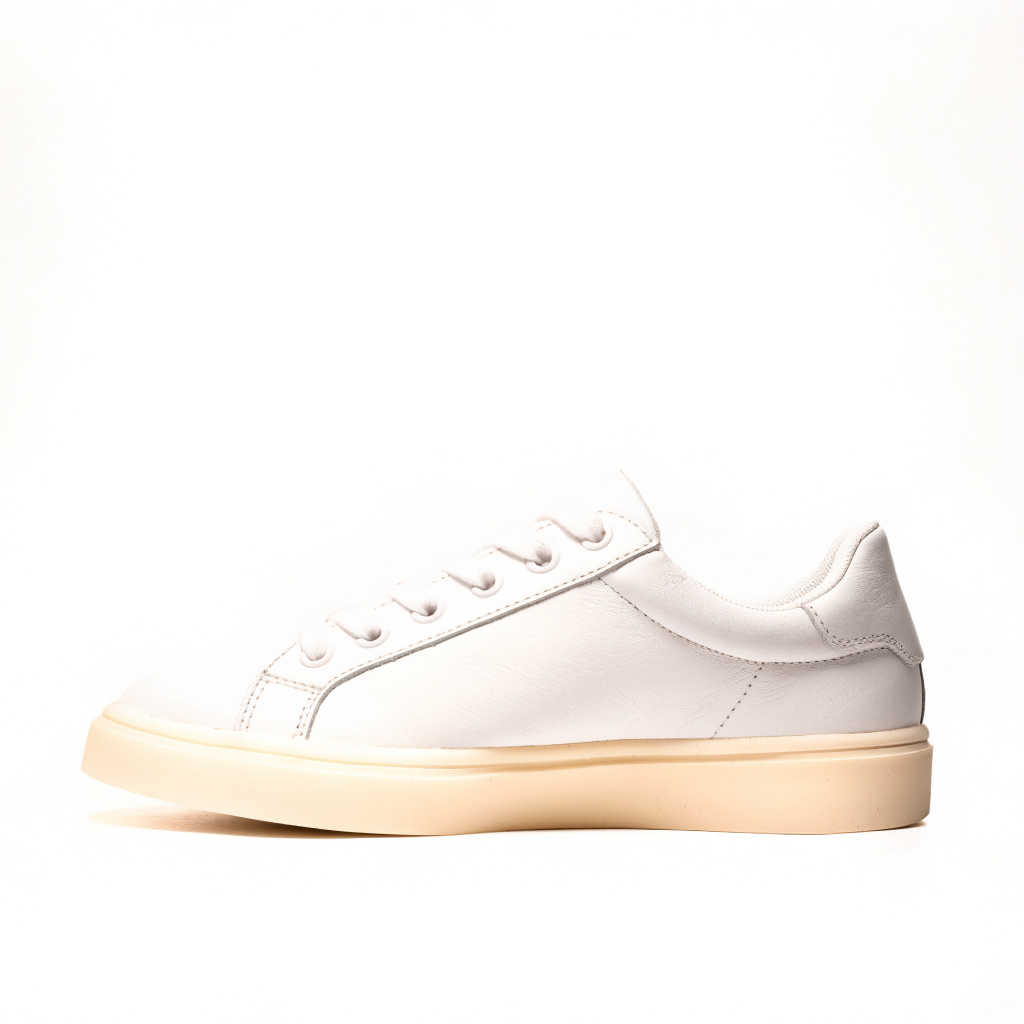
recraft-v4.1-flash/text-to-image,square_hd,1024×1024,background_color 白色,$0.01。
马克杯与提示词高度吻合:居中、干净的接触阴影、无道具。运动鞋则说明为何仍需审核。我们要求的是生胶鞋底(gum rubber sole),得到的却是奶油色鞋底,而且鞋子位于画面下半部而非居中。如果不与真实产品核对,这两张图都不能作为真实 SKU 的可用商品列表图。
生活场景图
Lifestyle product photo of an amber glass dropper serum bottle with a plain white label, standing on a travertine stone tray beside a eucalyptus sprig, bathroom shelf, soft morning window light, shallow depth of field, premium skincare catalog look
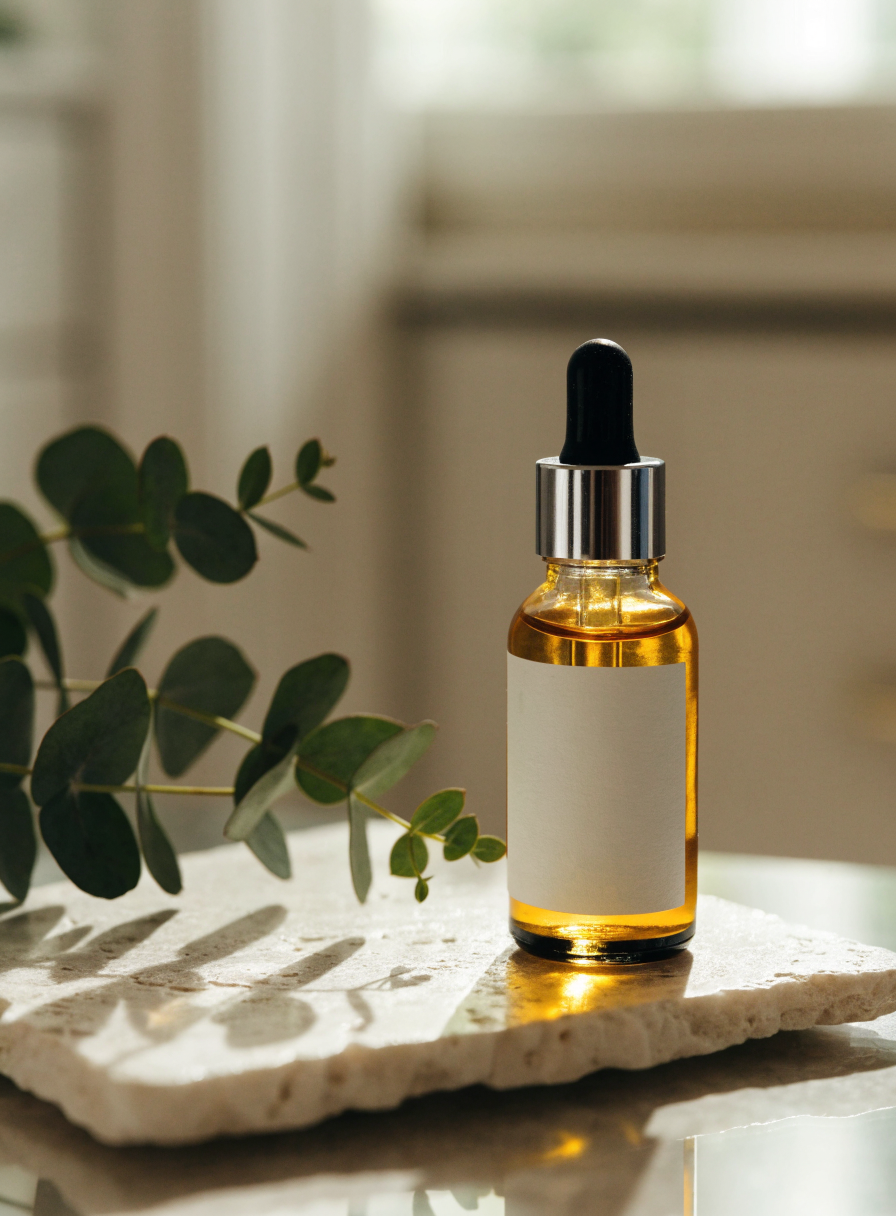
recraft-v4.1-flash/text-to-image,portrait_4_3,896×1216,$0.01。
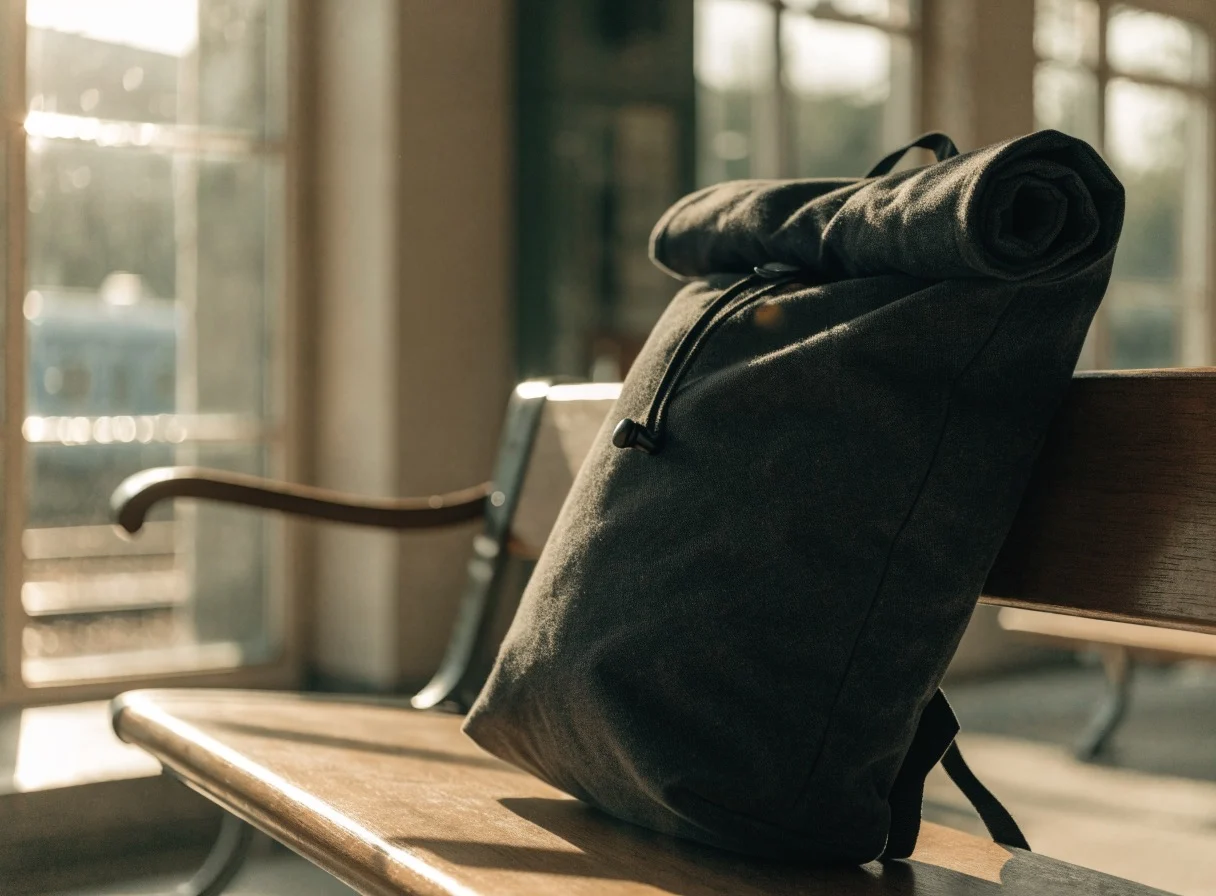
Lifestyle product photo of a charcoal canvas rolltop backpack leaning against a wooden bench in a sunlit train station, warm afternoon light, shallow depth of field, travel catalog look, no people, no logos

recraft-v4.1-flash/text-to-image,landscape_4_3,1216×896,$0.01。
两个场景都包含了各自提示词中的所有道具和灯光提示。精华瓶标签按要求为空白。如果你计划之后再合成真实标签,这很有用,而且比让模型自行编造文字更安全。
“白色背景”实际返回的内容
我们从两张商品列表图中采样了像素:
| 图片 | 角落 / 边缘样本 (RGB) | 恰好为 255,255,255 | 接近白色(所有通道 ≥ 250) |
|---|---|---|---|
| 马克杯 | 255,255,255 · 255,255,253 · 253,254,252 | 48.1% 的像素 | 75.4% |
| 运动鞋 | 254,253,253 · 251,250,249 · 255,255,255 | 58.3% 的像素 | 79.3% |
背景看起来是白色的,但并非纯平的 #FFFFFF。要求主图为纯白的市场平台需要后处理步骤。可以将接近白色的像素钳制为 255,或者将产品抠出并放到干净的画布上。Recraft 背景移除教程介绍了在同一 API 上的抠图方案。
批量脚本:并行提交、轮询、下载
这是我们运行过的脚本,已精简。每个 SKU 都有自己的 Idempotency-Key,因此网络超时后的重试不会创建重复的付费任务。输出 URL 是临时的:我们的 URL 位于 temp.hiapi.ai,并带有 expireAt,恰好在创建后 7 天过期。任务成功后应尽快下载每张图片。
import os, time, requests
from concurrent.futures import ThreadPoolExecutor

BASE = "https://api.hiapi.ai/v1/tasks"
HEADERS = {"Authorization": f"Bearer {os.environ['HIAPI_API_KEY']}",
           "Content-Type": "application/json"}
WHITE = {"r": 255, "g": 255, "b": 255}
BATCH_ID = "catalog-2026-11-01"  # change per intentional new batch

JOBS = [
    {"sku": "mug-sage", "image_size": "square_hd", "background_color": WHITE,
     "prompt": "E-commerce product photo of a matte sage-green ceramic coffee mug ..."},
    {"sku": "serum-amber", "image_size": "portrait_4_3",
     "prompt": "Lifestyle product photo of an amber glass dropper serum bottle ..."},
    # one dict per SKU / shot
]

def run(job):
    payload = {"model": "recraft-v4.1-flash/text-to-image",
               "input": {k: v for k, v in job.items() if k != "sku"}}
    r = requests.post(BASE, json=payload, timeout=60,
                      headers={**HEADERS, "Idempotency-Key": f"{BATCH_ID}-{job['sku']}"})
    r.raise_for_status()
    task_id = r.json()["data"]["taskId"]
    while True:
        task = requests.get(f"{BASE}/{task_id}", headers=HEADERS, timeout=30).json()["data"]
        if task["status"] in ("success", "fail", "failed"):
            break
        time.sleep(3)
    if task["status"] != "success":
        return job["sku"], task["status"]
    img = requests.get(task["output"][0]["url"], timeout=60).content
    with open(f"{job['sku']}.webp", "wb") as f:  # output was WebP in our run
        f.write(img)
    return job["sku"], "saved"

with ThreadPoolExecutor(max_workers=4) as pool:
    for sku, status in pool.map(run, JOBS):
        print(sku, status)
我们的运行对每个任务返回如下内容(仅展示一个):
{
  "taskId": "tk-hiapi-01M6AMTSX0B7Z531QT740DS54P",
  "model": "recraft-v4.1-flash/text-to-image",
  "status": "success",
  "storage": "temp",
  "output": [{"type": "image", "url": "https://temp.hiapi.ai/.../...-0.webp", "expireAt": 1794111048}]
}
该任务的 created 和 completed 时间戳相差 9 秒。客户端侧的剩余时间用于轮询间隔和下载 0.45–1.26 MB 的 WebP 文件。完整的请求和轮询细节,请参阅 Recraft V4.1 API 指南和 HiAPI 文档。
目录预算
| 每 SKU 图片数 | 100 个 SKU | 1,000 个 SKU |
|---|---|---|
| 1(仅商品列表图) | $1.00 | $10.00 |
| 3(商品列表图 + 2 张场景图) | $3.00 | $30.00 |
| 3 + 2 次重新生成 | $5.00 | $50.00 |
基于 Flash 每张图 $0.01,对照 2026 年 11 月 1 日的 HiAPI 定价。重新生成与任何其他图片一样计费,因此请预留部分预算。
适用于商品列表图的提示词模式
- 以拍摄类型开头(
E-commerce product photo of ...),然后是材质 + 颜色 + 产品。 - 固定相机角度(
front three-quarter view、side profile facing left)。 - 明确写出背景和灯光(
pure white seamless background, soft even studio lighting),并且同时传入background_color。 - 以排除项结尾:
no props, no text。 - 对照真实物品检查产品特定细节。运动鞋的鞋底颜色表明模型可能在这些细节上出现偏差。
常见问题
Flash 足以用于主商品列表图吗? 对于像马克杯这样的简单产品,输出很干净。但细节可能出现偏差(如运动鞋鞋底),而且背景并非纯 #FFFFFF。请审核每张图,如果市场平台要求,还需清理背景。
我可以在一个批次中保持品牌颜色一致吗?
可以。在每个请求中传入相同的 colors 数组。它会引导调色板,但不是像素级的精确颜色锁定。
如何将入选图升级到标准版 V4.1?
用相同载荷重新发送,将 model 设为 recraft-v4.1/text-to-image,每张图 $0.05。
这会生成我的实际产品吗? 不会。文生图创建的是符合你描述的产品。要展示真实物品,请将生成的场景用作背景或样机,或者切换到图生图工作流。
准备好起草目录了吗?打开 Recraft V4.1 Flash 模型页面,先试一个商品列表提示词,然后对其余 SKU 运行批量脚本。
Artículos relacionados
Ver todos los artículos →-
Guía de uso
¿Qué es GPT Image 2.6? Edición con markup y especificaciones conocidas
Toda la información de la especificación de la API de OpenAI sobre GPT Image 2.6, cómo usar el nuevo parámetro de edición markup y qué partes aún no se han anunciado.
-
Guía de uso
¿Cuánto cuesta la API de Vidu Q4 Preview? 540p por segundo $0.0515
Ambos modos tienen el mismo precio: cómo se factura en cinco resoluciones y de 3 a 16 segundos, cuántos clips salen con $10 y una comparativa de precios con otros modelos de video de la plataforma.
-

Guía de uso
Precio de la API de Recraft Creative Upscale: $0.3575 por imagen
Calcula el presupuesto de ampliación por imagen, distingue entre límites de entrada, miniaturas de presentación y resultados completos, y conoce el redibujado de detalles.