
사용 가이드
qwen-image-2.0 프롬프트 레시피: 바로 복사해 붙여넣을 수 있는 여섯 가지 프롬프트와 실제 출력
hiapi에서 실측으로 검증된 qwen-image-2.0 프롬프트 여섯 가지 — 이중 언어 간판, 수묵 산수, 모던 포스터, Pixar 캐릭터, 에디토리얼 일러스트, 제품 플랫레이. 모든 이미지는 모델이 직접 생성했습니다.
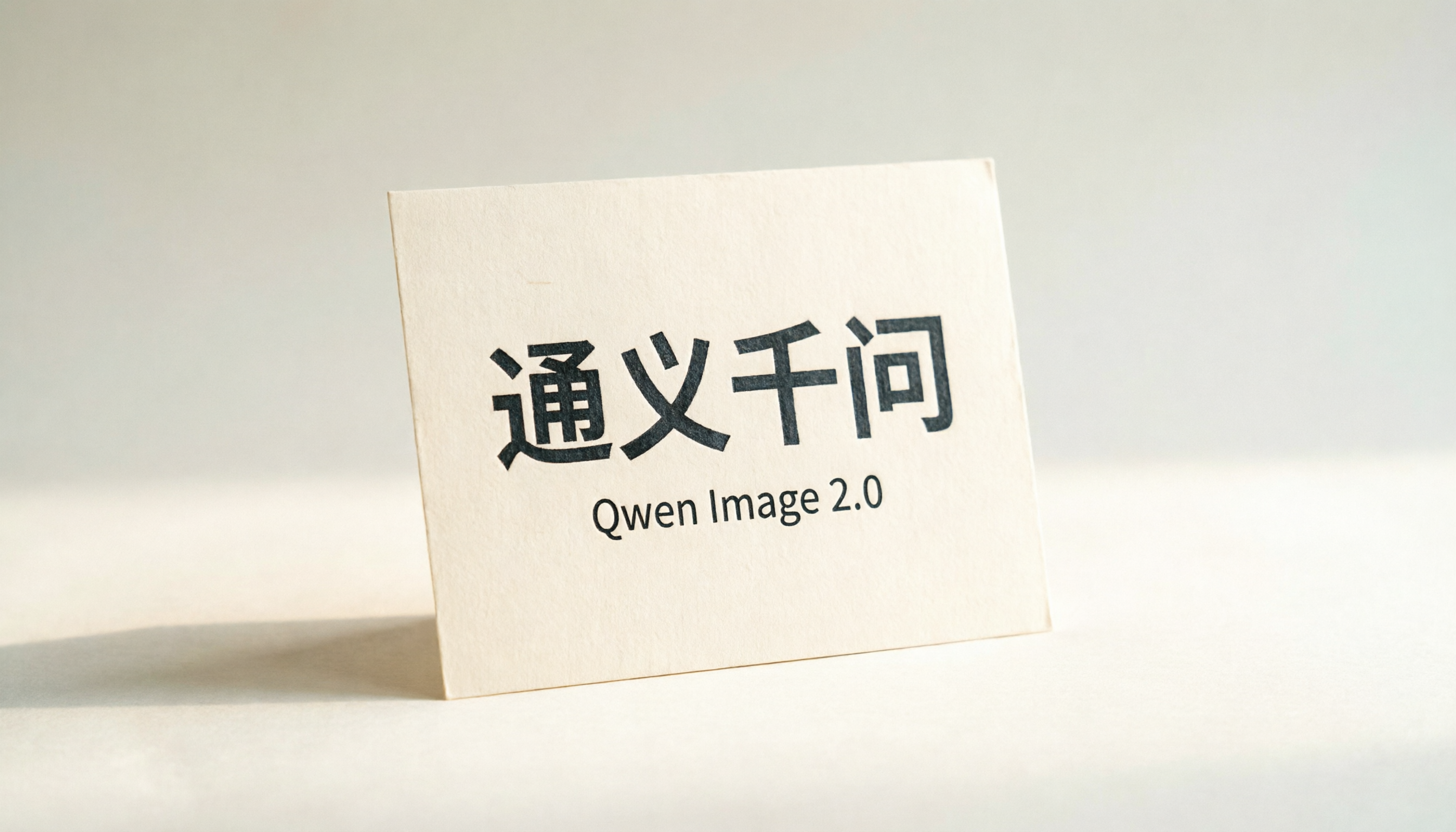
대부분의 이미지 생성 프롬프트 모음은 확산 모델을 위해 작성됩니다. 이런 모델은 이미지 속의 모든 글자를 그림의 일부로 취급합니다 — 알파벳 하나하나까지 말이죠. 그래서 몇 안 되는 모델을 제외하면 거의 모든 모델에서 결과는 "open"이 "opne"가 되고, "Promo"가 "Promn"이 되며, 이중 언어 포스터는 노이즈로 전락합니다.
qwen-image-2.0은 텍스트 능력을 진심으로 신뢰할 수 있는 몇 안 되는 모델 중 하나입니다. 여러 글자로 된 중국어 간판을 깔끔하게 렌더링하고, 짧은 영어 제목을 조판할 때 글자를 빠뜨리지 않으며, hiapi에서 이미지당 $0.025라는 가격 덕분에 플랫폼에서 가장 저렴한 텍스트 지원 텍스트-투-이미지 모델입니다. 기본 출력이 2K이므로 아래 결과물은 확대 없이도 포스터 목업이나 제품 페이지에 바로 넣을 수 있을 만큼 큽니다.
이 글은 바로 사용할 수 있는 프롬프트 모음입니다. 본문의 모든 이미지는 이 글을 작성하는 동안 qwen-image-2.0이 hiapi의 작업 엔드포인트를 통해 생성한 것으로, 아래에 나오는 프롬프트와 동일하고 파라미터도 동일하며 보정하지 않았습니다. 그대로 복사해서 주제만 바꾸면 여전히 같은 성능을 냅니다.
빠른 참고
| 설정 항목 | 값 |
|---|---|
| 모델 이름 | qwen-image-2.0 |
| 엔드포인트 | POST https://api.hiapi.ai/v1/tasks (비동기) |
| 가격 | 이미지당 $0.025, 정액 |
| 기본 해상도 | 2K (긴 변 약 2048–2688 px) |
| 지원 크기 | 2688*1536(16:9), 2368*1728(4:3), 2048*2048(1:1), 1728*2368(3:4), 1536*2688(9:16) |
| 가장 잘하는 것 | 중국어 텍스트, 이중 언어 포스터, 다양한 스타일 — 플래그십의 강점은 텍스트 렌더링 |
| 잘 못하는 것 | 엄격한 신원 일관성이 필요한 사실적 실사 인물 — 확산식 신원 드리프트는 여전히 존재 |
요청 구조에 관한 한 가지 설명: qwen-image-2.0의 작업 input 블록은 size 필드(위 다섯 개 열거 문자열 중 하나, 구분자는 *)를 받습니다. 다른 일부 hiapi 모델이 쓰는 더 일반적인 aspect_ratio + resolution 조합은 받지 않습니다. 이를 보내면 400이 반환되며 additional properties not allowed라는 메시지가 나옵니다. 지원되는 다섯 가지 크기만 사용하세요.
이 엔드포인트는 비동기입니다(/v1/tasks). 프롬프트를 제출하고, 작업 ID를 폴링하고, 상태가 success일 때 출력 URL을 다운로드합니다. 실제 종단 간 지연은 이미지당 약 60–120초입니다. 출력 URL에는 expireAt 타임스탬프가 붙으므로 임시 유효로 간주하고 즉시 자신의 스토리지로 복사하세요. 글 끝에 사용 가능한 Python 래퍼가 있습니다.
여섯 가지 레시피
레시피 1 — 이중 언어 점포 간판
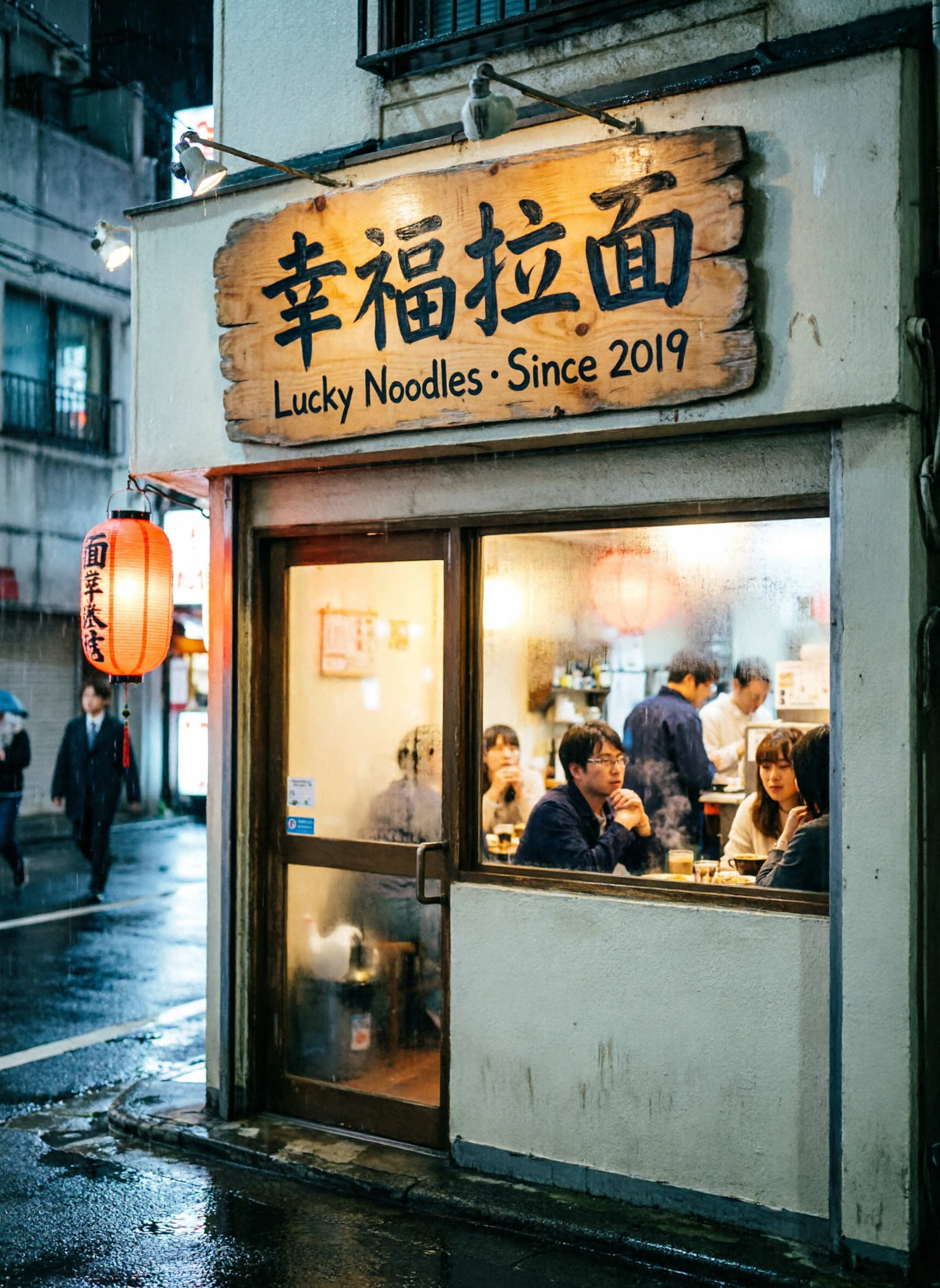
이 레시피가 보여주는 것. 사진급 사실적 장면에서 중국어 글자를 영어와 나란히 깔끔하게 렌더링합니다. 대부분의 범용 이미지 모델은 面이나 福의 획을 틀리지만 qwen은 첫 시도에 올바르게 배치합니다. 이 레시피가 그 증거입니다.
크기. 1728*2368(3:4 세로 — 거리 장면 세로 프레임).
프롬프트:
A small Tokyo-style ramen shop at night, photoreal, soft drizzle on the pavement,
warm interior light spilling out, customers visible through a frosted window.
Above the door, a hand-painted wooden sign with two clean lines of text:
the top line in large Chinese characters reads "幸福拉面", the bottom line in
smaller English reads "Lucky Noodles · Since 2019". A small red paper lantern
hangs to the left. 35mm street photography, shallow depth of field,
cinematic colour grade.
hiapi 입력:
{ "model": "qwen-image-2.0",
  "input": { "prompt": "<above>", "size": "1728*2368" } }
레시피 2 — 제화(題詩)가 있는 전통 수묵 산수
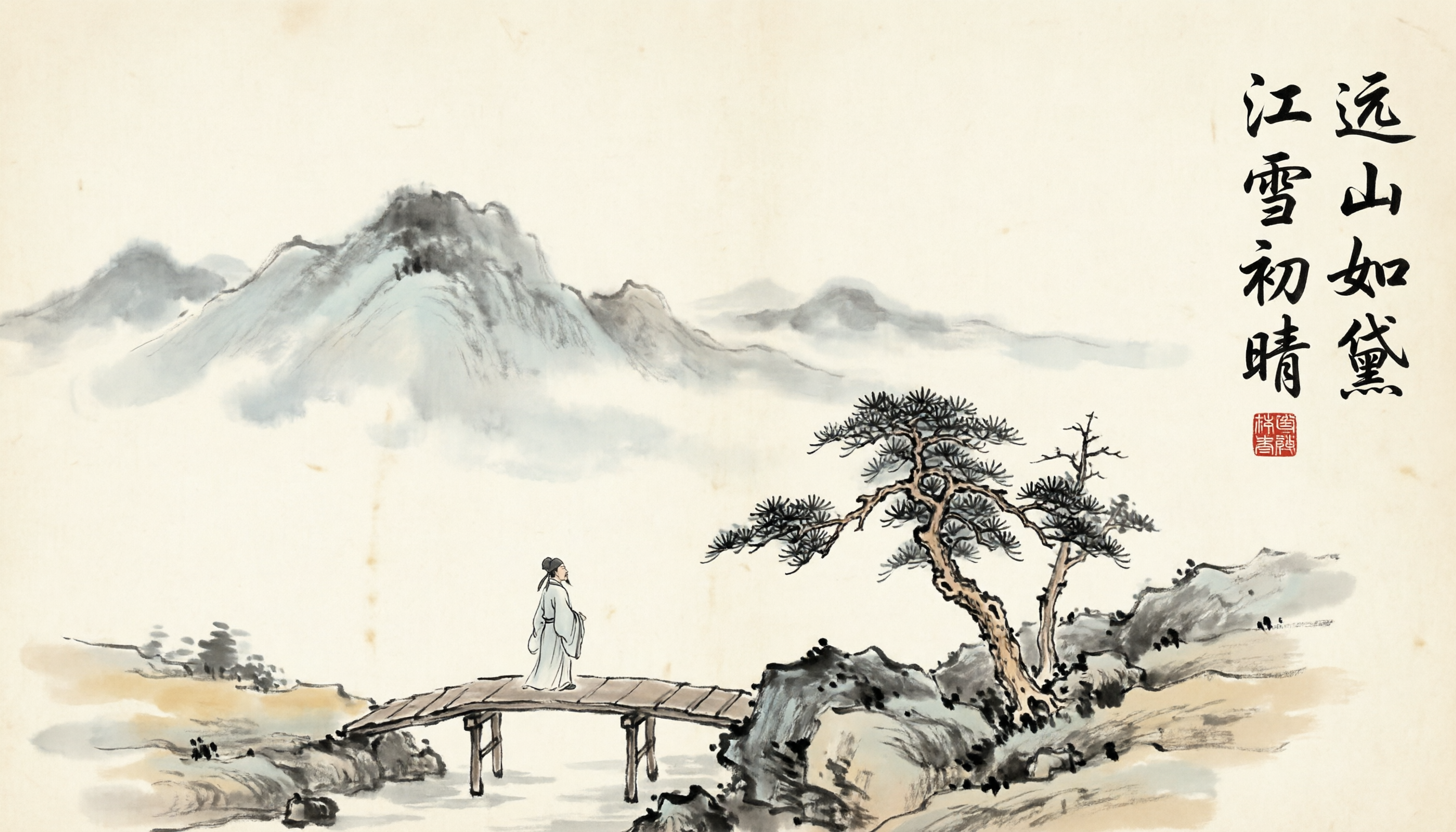
이 레시피가 보여주는 것. 국풍(전통 중국 미학)에 일등 구성 요소로서의 서예를 더했습니다. 시구는 질감이 아니라 읽을 수 있는 글자 형태로 배치되며, 이것이 이 범주에서 qwen이 다른 모델과 구별되는 점입니다.
크기. 2688*1536(16:9 가로 — 지원되는 가장 넓은 형식, 두루마리 느낌에 적합).
프롬프트:
Traditional Chinese ink-wash landscape painting (山水画), distant misty mountains
fading into pale wash, a small wooden bridge in the foreground, a single robed
scholar walking across, sparse pine trees on a rocky outcrop. Upper-right corner
has a vertical calligraphic inscription in semi-cursive script reading
"远山如黛 江雪初晴", with a small red seal stamp directly below it.
Aged silk paper texture, restrained palette (ink grey, faint ochre, one touch
of red from the seal). Hand-painted, no digital artifacts.
hiapi 입력:
{ "model": "qwen-image-2.0",
  "input": { "prompt": "<above>", "size": "2688*1536" } }
레시피 3 — 모던 이중 언어 제품 포스터
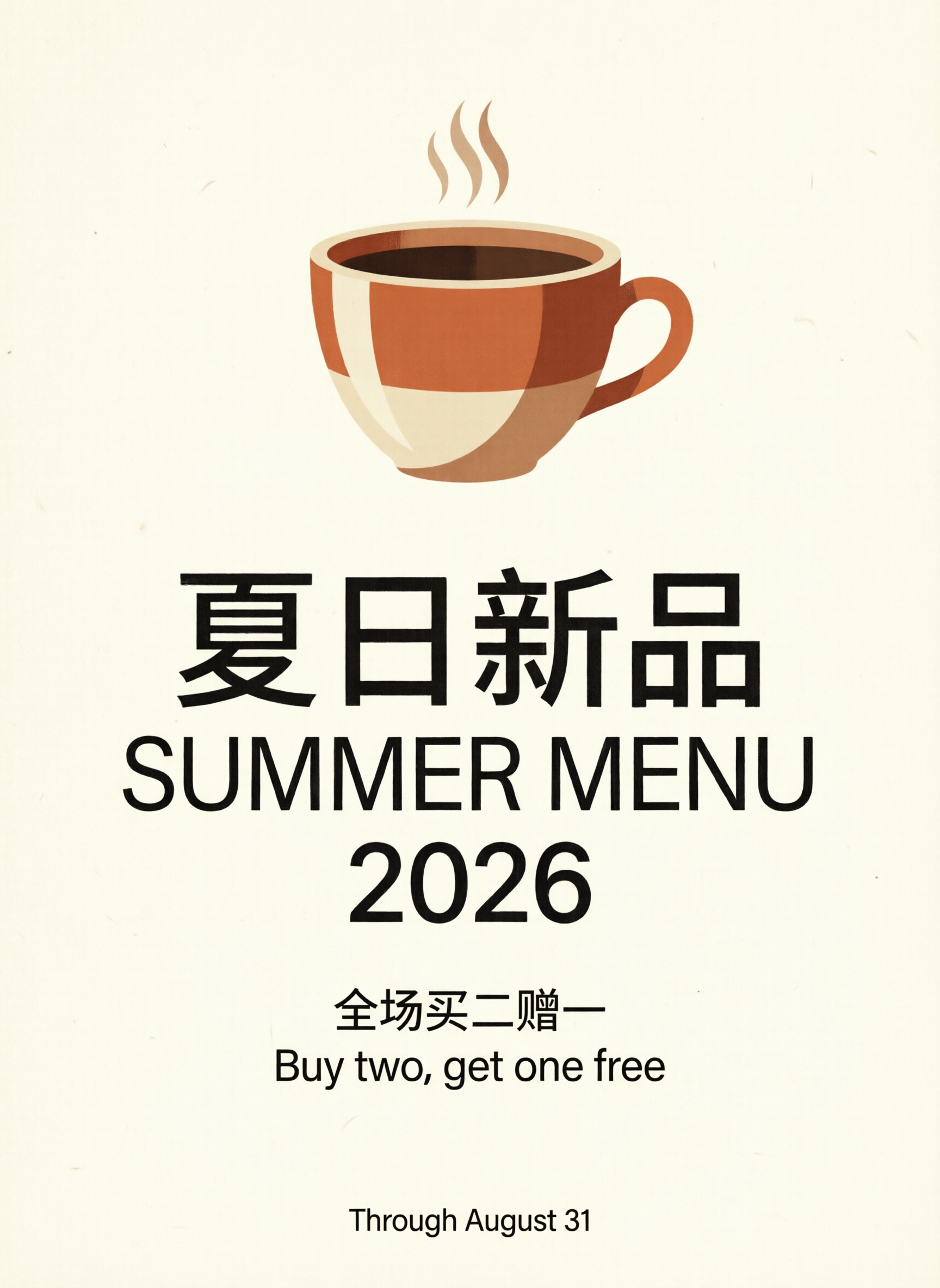
이 레시피가 보여주는 것. 다중 블록 레이아웃: 큰 이중 언어 헤드라인, 중간 크기 본문, 작은 크기 푸터 행 — 모두 배경 무늬가 아니라 타이포그래피로 배치됩니다. 바로 qwen-image-2.0이 잘하는 형식입니다.
크기. 1728*2368(3:4 세로 — 클래식 Instagram 포스터에 가장 가까운 지원 크기).
프롬프트:
A modern minimalist promotional poster for a specialty coffee shop, cream
background with a subtle paper grain. Centred composition:
- Top half: a large flat-illustration espresso cup with steam, terracotta-and-cream palette.
- Middle: large bilingual headline. Chinese line on top reads "夏日新品", English line directly below reads "SUMMER MENU 2026". Both lines are perfectly centred.
- Lower third: a short body line in smaller Chinese reads "全场买二赠一", and an English line beneath reads "Buy two, get one free".
- Bottom footer: a single small line of English reads "Through August 31".
Clean geometric sans-serif typography, generous whitespace, magazine-quality layout.
hiapi 입력:
{ "model": "qwen-image-2.0",
  "input": { "prompt": "<above>", "size": "1728*2368" } }
레시피 4 — Pixar 스타일 3D 캐릭터
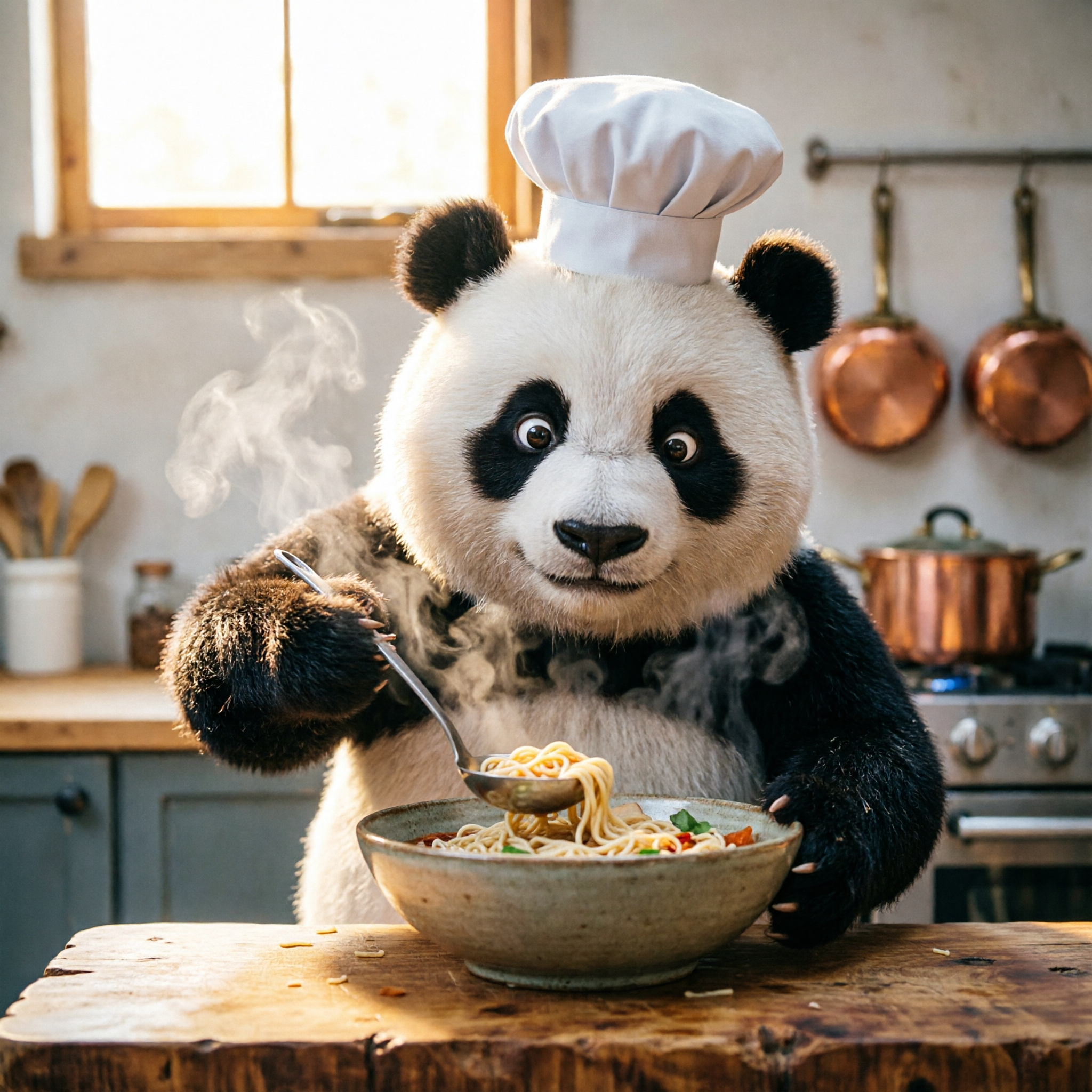
이 레시피가 보여주는 것. qwen-image-2.0은 포스터 엔진만이 아닙니다 — 완전한 3D 카툰 렌더링, 부드러운 전역 조명, 털의 표면하 산란까지 처리합니다. 이 레시피는 주제를 바꾸기 전에 검증된 기준선을 가질 수 있도록 모델의 공식 예시에서 각색했습니다.
크기. 2048*2048(1:1 — 깔끔한 캐릭터 초상).
프롬프트:
A cute 3D cartoon panda chef wearing a small white toque blanche, standing
behind a butcher-block counter in a cozy modern kitchen, focused expression,
carefully ladling noodles into a deep ceramic bowl. Steam rising in soft volumetric
light. Warm window light from the upper-left, copper pots blurred in the background.
Pixar-grade rendering, soft global illumination, subsurface scattering on the fur,
shallow depth of field, square composition.
hiapi 입력:
{ "model": "qwen-image-2.0",
  "input": { "prompt": "<above>", "size": "2048*2048" } }
레시피 5 — 에디토리얼 일러스트
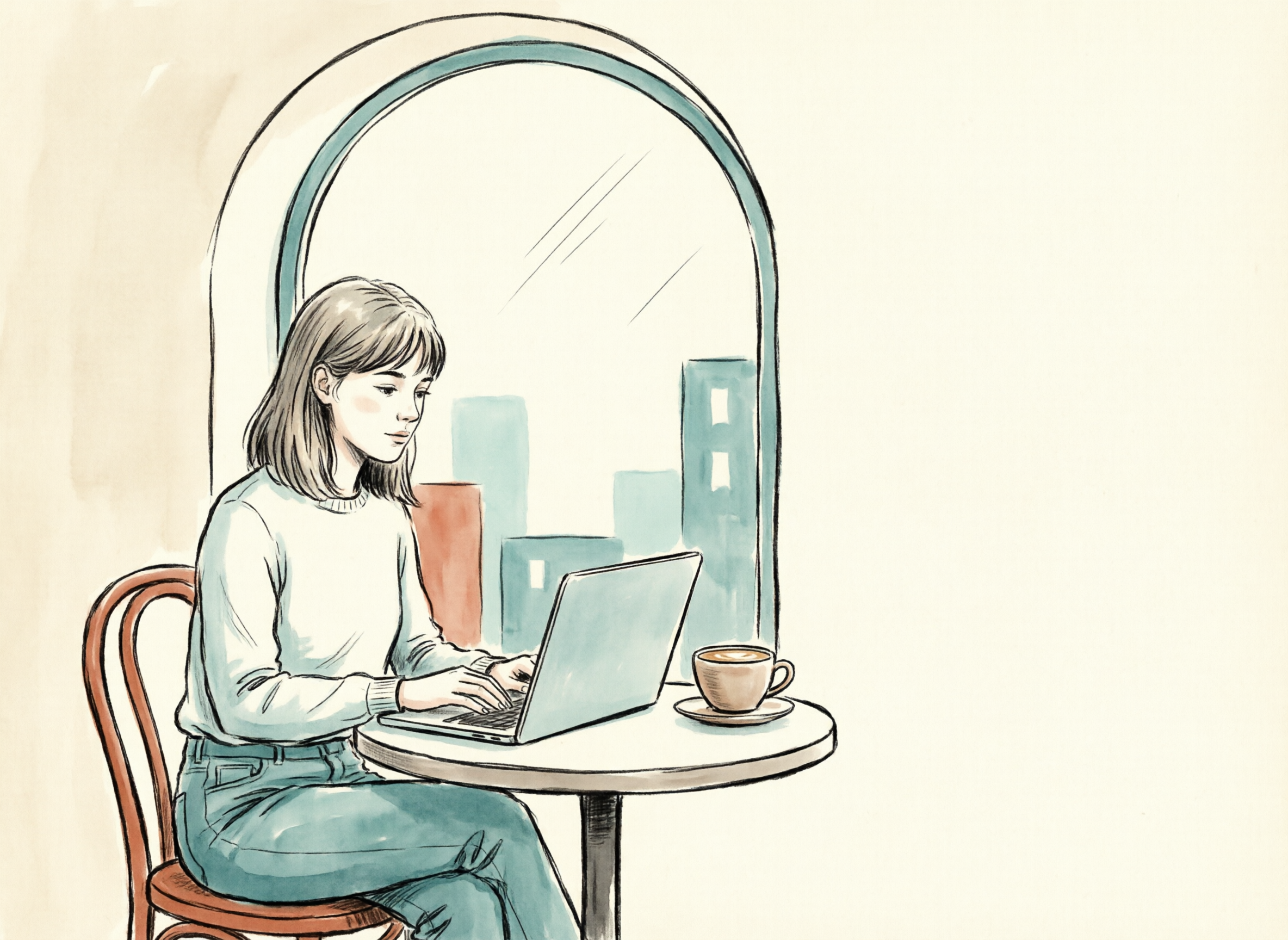
이 레시피가 보여주는 것. 완전히 다른 스타일 영역: 벡터 스타일 에디토리얼 일러스트, 절제된 색상. 블로그 대표 이미지와 사진급 사실주의가 무겁게 느껴질 섹션 구분 이미지에 적합합니다.
크기. 2368*1728(4:3 가로 — 아티클 대표 이미지의 형태).
프롬프트:
A flat editorial illustration in the style of a modern tech magazine. A young
woman with shoulder-length hair is sitting at a small round cafe table next to
a large arched window, working on a slim silver laptop. A ceramic latte cup
sits next to the laptop. Outside the window, a stylised cityscape of soft
geometric buildings. Restrained palette: warm cream background, terracotta
accent, two shades of muted teal, off-black line work. Limited shading
(two values per shape), thick consistent outlines. Composition heavy on the
left third, generous negative space on the right where headline text could
later be placed (no text in the image itself).
hiapi 입력:
{ "model": "qwen-image-2.0",
  "input": { "prompt": "<above>", "size": "2368*1728" } }
레시피 6 — 사진급 사실적 제품 플랫레이
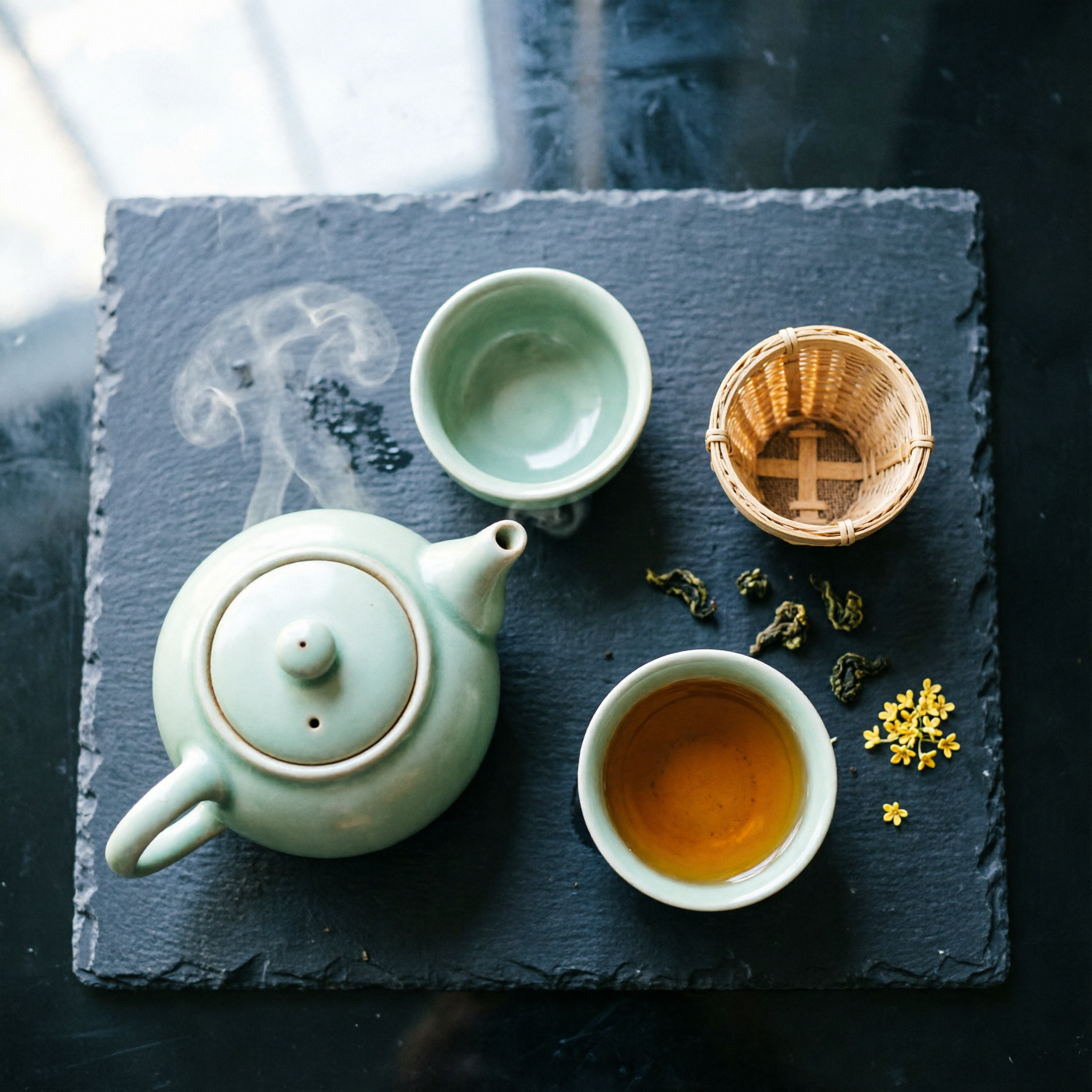
이 레시피가 보여주는 것. 탑다운 제품 사진 — 적은 사물, 의도적인 여백, 단일 소재 초점(여기서는 어두운 석재). 이런 이미지는 보정 없이 Shopify 제품 페이지에 바로 넣을 수 있습니다.
크기. 2048*2048(1:1 — 카탈로그 정사각 크롭).
프롬프트:
A photoreal top-down flat-lay shot on a single piece of dark slate stone.
Arranged on the slate: one small unglazed ceramic teapot in pale celadon green
with steam rising, two matching tea cups (one empty, one half full of amber
oolong tea), a small woven bamboo strainer, three loose oolong leaves casually
scattered nearby, one dried osmanthus flower. Soft daylight from the upper-left,
gentle shadows, perfectly orthogonal top-down angle, deep negative space in
the upper-right quadrant. Macro food-photography lens, slight depth-of-field
fall-off at the corners, no on-image text.
hiapi 입력:
{ "model": "qwen-image-2.0",
  "input": { "prompt": "<above>", "size": "2048*2048" } }
자신의 코드에서 모델 호출하기
이 레시피들은 모두 hiapi의 작업 엔드포인트를 통해 실행됩니다. 아래는 이 글에서 쓴 흐름 — 생성 → 폴링 → 다운로드 — 을 재현하는 최소한의 Python 클라이언트입니다:
import json, os, time, urllib.request

API = "https://api.hiapi.ai/v1/tasks"
TOKEN = os.environ["HIAPI_TOKEN"]

def create(prompt: str, size: str = "2048*2048") -> str:
    body = json.dumps({
        "model": "qwen-image-2.0",
        "input": {"prompt": prompt, "size": size},
    }).encode("utf-8")
    req = urllib.request.Request(API, data=body, method="POST", headers={
        "Authorization": f"Bearer {TOKEN}",
        "Content-Type": "application/json",
    })
    with urllib.request.urlopen(req, timeout=60) as r:
        return json.load(r)["data"]["taskId"]

def wait(task_id: str, timeout_s: int = 300) -> str:
    deadline = time.time() + timeout_s
    while time.time() < deadline:
        req = urllib.request.Request(f"{API}/{task_id}", headers={
            "Authorization": f"Bearer {TOKEN}",
        })
        with urllib.request.urlopen(req, timeout=30) as r:
            task = json.load(r)["data"]
        if task["status"] == "success":
            return task["output"][0]["url"]
        if task["status"] == "fail":
            raise RuntimeError(task.get("error"))
        time.sleep(5)
    raise TimeoutError(task_id)

def download(url: str, path: str) -> None:
    with urllib.request.urlopen(url, timeout=120) as r, open(path, "wb") as f:
        f.write(r.read())

if __name__ == "__main__":
    tid = create("一只可爱的3D卡通熊猫戴着厨师帽,在温馨厨房里煮拉面",
                 size="2048*2048")
    url = wait(tid)
    download(url, "out.webp")
엔드포인트를 한 번 빠르게 검증해 보고 싶다면 curl을 쓰세요:
curl -s https://api.hiapi.ai/v1/tasks \
  -H "Authorization: Bearer $HIAPI_TOKEN" \
  -H "Content-Type: application/json" \
  -d '{"model":"qwen-image-2.0","input":{"prompt":"夏日新品 SUMMER MENU 2026 minimalist poster","size":"1728*2368"}}'
# → { "data": { "taskId": "..." } }

curl -s "https://api.hiapi.ai/v1/tasks/<taskId>" \
  -H "Authorization: Bearer $HIAPI_TOKEN"
# poll until status: "success", then read .data.output[0].url
이 글 제작 비용
이 글의 이미지 총 일곱 장 — 커버 한 장에 레시피 여섯 개 — 을 hiapi에서 이미지당 $0.025 정액으로 계산하면 총 $0.175가 들었습니다. 글 전체를 처음부터 끝까지 완전히 재현하는 비용은 대략 더블 에스프레소 한 잔 가격입니다.
qwen-image-2.0이 적합한 도구가 아닐 때
실용적인 반성적 검토: 언제 다른 도구로 바꿔야 할까요?
- 여러 이미지에 걸쳐 엄격히 일관된 사실적 실사 인물 신원 — 예컨대 브랜드 앰버서더, 만화 속 캐릭터. 확산식 신원 드리프트는 여전히 존재합니다. 참조 조건이 있는 파이프라인이나 신원 고정을 지원하는 모델을 사용하세요.
- 인쇄 마케팅물용 빌보드급 초사실적 타이포그래피. Qwen은 화면 해상도에서 짧은 텍스트를 깔끔하게 배치하지만, 최종 인쇄본의 경우 여전히 디자이너가 qwen이 생성한 배경 위에 Figma로 글자를 배치해야 합니다.
- 약 5–6개를 넘는 물품의 엄격한 개수 세기. 확산 모델은 "정확히 일곱 개" 같은 요구에서 여전히 느슨해집니다.
- 지원되는 다섯 가지 크기 밖의 종횡비 — qwen-image-2.0은 위에 나열된 열거 값만 받습니다. 21:9 초광폭이나 4:5 소셜 비율이 필요하다면 가장 가까운 지원 크기로 렌더링한 뒤 후반에 크롭하세요.
이 글이 다루는 나머지 모든 것 — 포스터, 간판, 이중 언어 레이아웃, 에디토리얼 일러스트, 제품 플랫레이, 캐릭터 창작 — 에서는 이미지당 $0.025인 qwen-image-2.0을 능가하기 어렵습니다. 레시피 하나를 복사하고 주제를 바꾸고, 전달하세요.
관련 글
모든 아티클 보기 →-

사용 가이드
seedream-5.0-pro/image-to-image 시작 가이드: 기능, 가격 및 연동 핵심 포인트
ByteDance 이미지 편집 모델의 기능 경계, 과금 방식 및 엔지니어링 연동 실무
-

사용 가이드
seedream-5.0-pro 텍스트-이미지 생성 입문 가이드: 능력 경계, API 연동 및 비용 관리
개발자를 위한 실무 관점: 파라미터 핵심부터 장당 $0.05 비용 추정까지
-

사용 가이드
Hailuo 2.3 Fast 이미지-투-비디오 입문 가이드: 성능 범위, 가격 및 연동 실무
개발자를 위한 MiniMax 이미지-투-비디오 모델 선택과 연동 핵심 포인트