
教程
Seedance 2.0 视频提示词:一支 15 秒产品发布短片,逐秒拆解
一支连续 15 秒 Seedance 2.0 产品短片的完整提示词,涵盖精确的相机环绕、图层分离与可叠加标题的结尾。
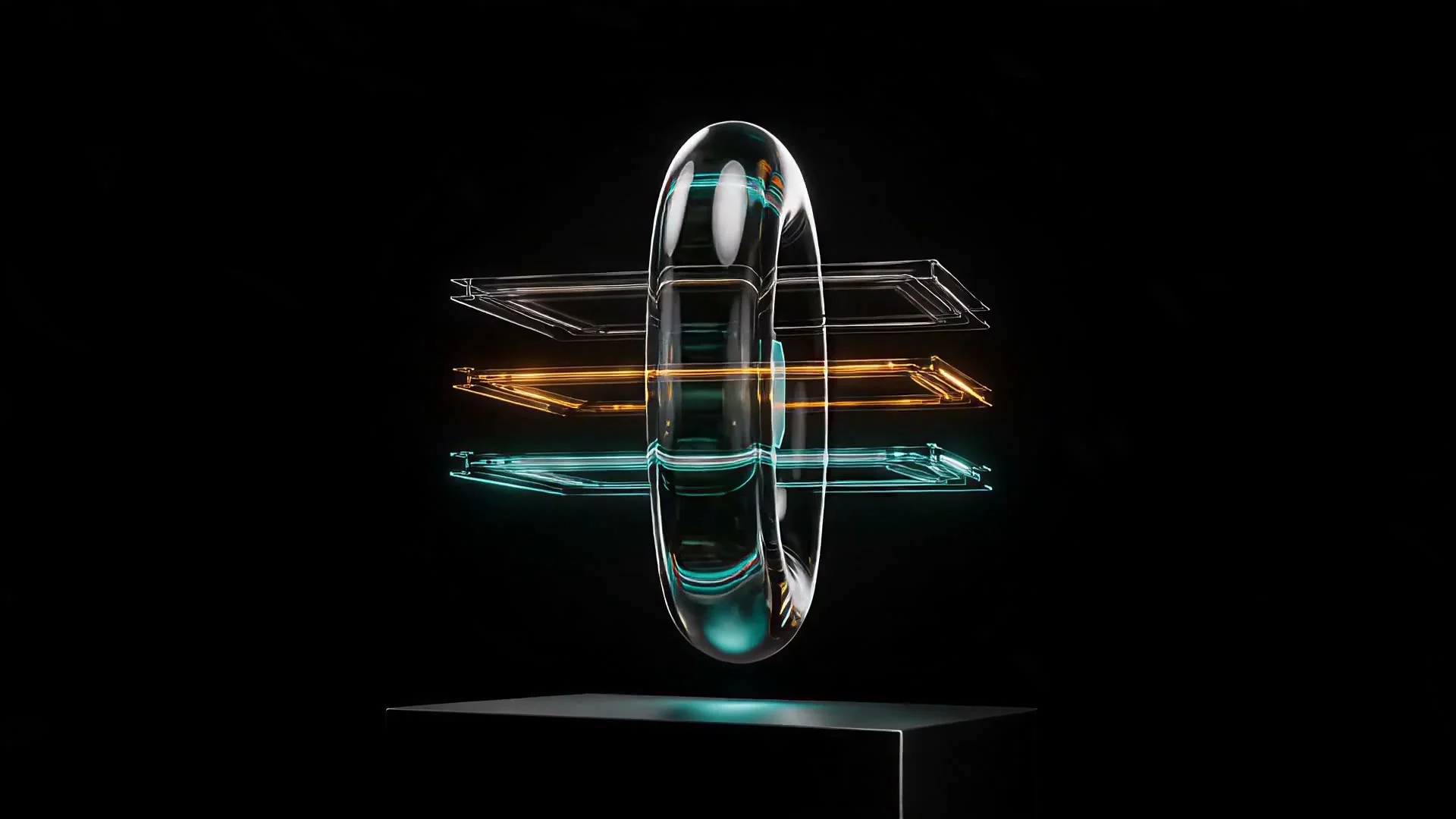
大多数「视频提示词」建议只停留在描述场景。这对单一静态镜头管用,但当你要求模型完成一段连续 15 秒的长镜头时,它就会崩溃:主体漂移、灯光中途变化、结尾与开头毫无相似之处。下面的提示词是真实案例——取自 HiAPI 自己的素材库,并非为本文而写——它让同一个玻璃产品在缓慢的相机环绕、三层内部转换和最后平静的定格中保持稳定,全程没有一个剪辑点。
我们在这里复用的是原始渲染结果,而非重新生成,所以你看到的就是提示词第一次运行时的产出。
完整提示词
这是完整、未经编辑的提示词——可以复制它作为你自己产品镜头的起步模板:
One continuous fifteen-second premium technology product film. Hold the exact opening composition for the first second. From second one through second ten, the camera performs a very slow, restrained 12-degree arc to the right around the centered translucent glass monolith while maintaining nearly constant subject scale. During the arc, the dense inner architecture separates with precise mechanical elegance into three ultra-thin luminous layers representing image, video, and audio; the layers glide in orderly parallel paths, then converge into one unified API core. The faceted outer glass shell progressively consolidates with controlled physical continuity into the simpler rounded glass portal shown in the closing keyframe. Cyan-teal and warm amber reflections travel subtly across the glass while the black studio and pedestal remain stable. From second ten to twelve, the camera decelerates smoothly into the closing viewpoint. From second twelve to fifteen, hold the final product frame calm and nearly motionless for a brand title overlay. The sequence stays centered, elegant, quiet, photorealistic, and stabilized; the clean frame contains only the glass product and pedestal, with coherent material, shadows, perspective, and lighting throughout.
逐段拆解:它为什么有效
这段提示词读起来像一份带秒表的镜头清单,而不是情绪板。这就是核心技巧:每条指令都锚定在一个秒数区间上,因此模型对某事该何时发生没有任何歧义。
第 0–1 秒:先定格,再运动
「Hold the exact opening composition for the first second」在运动开始前给了模型一个干净的锚定帧。跳过这一拍是 AI 视频开头看起来发抖的最常见原因——相机和主体在首帧还在争抢位置,而不是从一个已经稳定的画面开始。
第 1–10 秒:一个动作,只描述一次
12 度的环绕是刻意做小的,却覆盖了片段中最长的跨度。「Maintaining nearly constant subject scale」是真正起作用的句子——它告诉模型在旋转时不要推近或漂移靠近,而这是环绕镜头的典型失败模式(主体逐帧变大,到第八秒构图就崩了)。
转换是分层的,而非同时发生
在同一个十秒窗口内,三个独立的视觉想法并行发生:内部图层(图像/视频/音频)分离并重新汇聚,同时外壳简化为结尾关键帧中的形状。逐层明确命名——而不是只说「产品发生变换」——正是避免三种互不相关的视觉变化糊成一团乱糟糟形变的关键。
第 10–12 秒:落地之前先减速
运动中的相机硬停读起来像失误,而不是选择。给模型一个明确的、两秒的减速拍,再进入最终构图,才能让结尾显得是有意为之,而不是被裁断的。
第 12–15 秒:空画面就是重点
最后三秒几乎不要求任何运动——「hold the final product frame calm and nearly motionless for a brand title overlay」。这是制作指令,而非创意指令:它为之后要添加的文字或 Logo 预留了干净、静止的屏幕空间。上面嵌入的视频没有预先烧录的标题文字——这是刻意的。带品牌字体的版本是在后期合成,叠加在同一段定格帧上,这也是为什么永远不该要求视频模型在生成过程中直接把你的真实产品名或标语渲染成屏幕文字。
连续性锚点:防止漂移的细节
「Cyan-teal and warm amber reflections」、「the black studio and pedestal remain stable」以及「coherent material, shadows, perspective, and lighting throughout」并不是装饰性辞藻——它们是为了防止漂移。在连续 15 秒的镜头中,如果你不重申哪些东西应该保持不变、而只说明哪些应该改变,模型会很乐意在中途重新诠释你的灯光色调或底座颜色。
复现它:一个 API 示例
这个镜头是在 seedance-2.0 上以图生视频方式生成的,用首帧(开场构图)和尾帧(结尾关键帧)锚定,而不是仅靠文本提示词——这正是让模型把外壳形状整合向一个具体目标、而不是靠猜的原因。以下是对 /v1/tasks 的等价调用:
curl -X POST https://api.hiapi.ai/v1/tasks \
  -H "Authorization: Bearer $HIAPI_API_KEY" \
  -H "Content-Type: application/json" \
  -d '{
    "model": "seedance-2.0",
    "input": {
      "prompt": "One continuous fifteen-second premium technology product film. Hold the exact opening composition for the first second. From second one through second ten, the camera performs a very slow, restrained 12-degree arc to the right around the centered subject while maintaining nearly constant subject scale...",
      "first_frame_url": "https://your-cdn.example.com/opening-frame.jpg",
      "last_frame_url": "https://your-cdn.example.com/closing-frame.jpg",
      "duration": 15,
      "resolution": "1080p",
      "aspect_ratio": "16:9"
    }
  }'
轮询返回的任务直到它进入终态,然后从 output[0].url 取出完成的片段。在 1080p 下,seedance-2.0 按每秒 $0.729 计费——像这样一段 15 秒的片段总计花费$10.94。如果你在投入全价渲染之前先做时间节奏的原型验证,可以降到 480p($0.136/s,15 秒约 $2.04)先检查节奏,然后以 1080p 重新渲染最终版本。
常见问题
我能下载这段确切的片段,当作自己的产品视频使用吗? 不能——这是 HiAPI 的内部素材,在此展示是为了说明提示词技巧。请使用你自己的产品摄影作为首帧/尾帧,并把提示词的时间结构改编到你的主体上。
为什么要把提示词拆成逐秒的节拍,而不是一段流畅的描述? 因为一段 15 秒的连续镜头必须承受多个不同事件(一次定格、一次环绕、一次内部转换、一次减速、一次最终定格),而全程没有剪辑点来重置模型的理解。给每个节拍打上时间戳,才能让物理和构图在所有这些事件中保持一致,而不是让模型选定一种诠释后一路漂移下去。
如果我没有现成的首帧和尾帧怎么办?
seedance-2.0 也可以仅凭提示词做文生视频——去掉 first_frame_url/last_frame_url 字段,保留 duration、resolution 和 aspect_ratio。你对精确的开场和结尾构图控制会更少,所以要收紧提示词中关于开场画面的描述来弥补。
模型会把我的标题文字直接渲染到视频上吗? 不要指望它——视频模型在渲染干净的屏幕排版方面远不如图像模型可靠。这正是为什么本提示词要求在结尾处提供一个近乎静止的定格帧,而不是要求模型绘制文字:在后期把标题合成到那个干净画面上。
自己动手试试
如果你想要完整的参数列表——分辨率档位、参考视频与参考音频输入、各分辨率的定价——seedance-2.0 模型页面有实时 schema 和当前的价格明细。如果想把同样的模型换成不同的相机技巧做单镜头 POV,请参阅我们的单镜头 POV 提示词拆解。


