
Tutorial
How to Use the Ray 3.2 API: Get Your First Video Running in 5 Minutes
4 steps to try it online, 4 steps to integrate the API, plus ready-to-run curl and Python, first/last frame usage, and production notes.
- Model
- ray-3.2
TL;DR
- What it is: Luma AI's Ray 3.2, split into two routes on HiAPI:
ray-3.2/text-to-videotakes only a prompt, whileray-3.2/image-to-videois driven by a first frame (with an optional last frame). It's live on HiAPI—open the text-to-video model page to generate, and new users get 200 credits on signup. - How much it costs: billed per video—5 seconds at 540p is $0.2145, 720p is $0.429, 1080p is $1.7145; 10 seconds is only available for text-to-video, at $0.643 for 540p, $1.286 for 720p, and $5.143 for 1080p. Failed jobs are refunded automatically.
- How to call the API:
POST https://api.hiapi.ai/v1/tasks, setmodelto the route you want, then after getting ataskIdeither poll or wait forcallback.url, and download the silent MP4 fromdata.output[0].url.
Ray 3.2 outputs a silent MP4. Text-to-video lets you choose duration and aspect ratio in the request; image-to-video is fixed at 5 seconds, with the aspect ratio following the first frame. Below we go from online trial to curl, Python, image-to-video, and production notes, all in one pass.
What is Ray 3.2? How to choose between the two routes
- Text-to-video: pass only
prompt, with optionalduration(5 or 10 seconds),resolution(540p / 720p / 1080p), andaspect_ratio(16:9, 9:16, 1:1, 4:3, 3:4, 21:9). Prompts can be up to 6000 characters. - Image-to-video: requires
promptand a first frameimage_url, with optional last frameend_image_urlandresolution. Each video is fixed at 5 seconds, the aspect ratio follows the first frame, and it's automatically matched to the closest supported ratio. - In common: both go through
/v1/tasks, both are billed per video, and both output an MP4 with no audio track.
Text-to-video suits shots where you only have a written idea and need 10 seconds or a specified aspect ratio; image-to-video suits cases where you already have a product image, poster, or concept art, or need to lock the ending frame. The shared 5-second three-tier pricing is the same for both routes, and 10 seconds is exclusive to text-to-video.
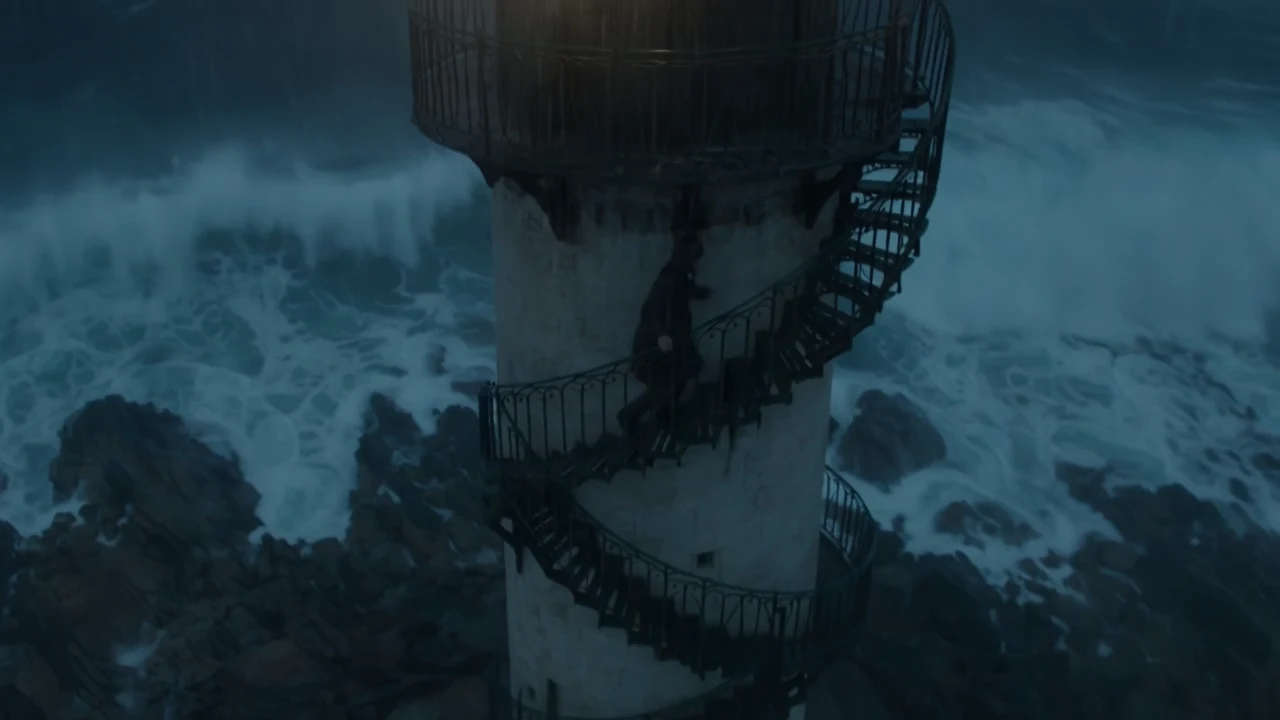
Slow cinematic dolly-in toward a lone lighthouse keeper standing on a weathered iron balcony, salt spray drifting across the frame. Overcast dawn light, cool blue-grey tones, soft diffused shadows. The camera glides forward at a steady, patient pace, compressing the distance as gulls cross the background. Anamorphic lens look, shallow depth of field, gentle film grain. Negative: no text, no logos, no warping hands, no abrupt cuts.
Generate with this prompt →, choose 21:9, and one 540p video costs $0.2145.
Two ways to get started: online trial or API?
Online trial (about 1 minute)
- Open the Ray 3.2 text-to-video model page, or click the pre-filled link above.
- Sign up or log in; new accounts come with 200 credits. A 5-second 540p video costs 429 credits, so top up and you can generate.
- Write a prompt, choose duration, resolution, and aspect ratio, and click run.
- Download the video once you're happy with it; when you need the API, create a key in the console.
API integration (about 5 minutes)
- Create an API Key in the HiAPI console (
sk-...). POST /v1/tasksto create a task, and getdata.taskIdfrom the response.- Query with
GET /v1/tasks/{id}, or includecallback.urlat the top level of the request body to wait for a notification. - Once
data.statusbecomessuccess, download the video fromdata.output[0].url.
5 seconds at 540p is $0.2145 per video, so $10 gets you about 46 videos—enough to thoroughly test the motion for a set of shots. Go to the model page to try your first one →
Your first video: curl version
Create a text-to-video task:
curl -s -X POST https://api.hiapi.ai/v1/tasks \
  -H "Authorization: Bearer sk-YOUR_KEY" \
  -H "Content-Type: application/json" \
  -d '{
    "model": "ray-3.2/text-to-video",
    "input": {
      "prompt": "Slow cinematic dolly-in toward a lone lighthouse keeper standing on a weathered iron balcony, salt spray drifting across the frame. Overcast dawn light, cool blue-grey tones, soft diffused shadows. The camera glides forward at a steady, patient pace, compressing the distance as gulls cross the background. Anamorphic lens look, shallow depth of field, gentle film grain. Negative: no text, no logos, no warping hands, no abrupt cuts.",
      "duration": 5,
      "resolution": "540p",
      "aspect_ratio": "21:9"
    }
  }'
The returned task ID is in data.taskId:
{"code":200,"data":{"taskId":"tk-hiapi-..."},"message":"success"}
Query the result:
curl -s https://api.hiapi.ai/v1/tasks/YOUR_TASK_ID \
  -H "Authorization: Bearer sk-YOUR_KEY"
Only prompt is required. duration defaults to 5, resolution defaults to 540p, and aspect_ratio defaults to 16:9. All three fields are strictly validated—passing a wrong value returns a 400 instead of being rounded automatically.
Your first video: Python version
Create, poll, and download in one script:
import time, requests

API = "https://api.hiapi.ai/v1/tasks"
HEADERS = {"Authorization": "Bearer sk-YOUR_KEY"}

payload = {
    "model": "ray-3.2/text-to-video",
    "input": {
        "prompt": "Slow cinematic dolly-in toward a lone lighthouse keeper standing on a weathered iron balcony, salt spray drifting across the frame. Overcast dawn light, cool blue-grey tones, soft diffused shadows. The camera glides forward at a steady, patient pace, compressing the distance as gulls cross the background. Anamorphic lens look, shallow depth of field, gentle film grain. Negative: no text, no logos, no warping hands, no abrupt cuts.",
        "duration": 5,
        "resolution": "540p",
        "aspect_ratio": "21:9",
    },
}

resp = requests.post(API, headers=HEADERS, json=payload, timeout=30)
task_id = resp.json()["data"]["taskId"]

while True:
    task = requests.get(f"{API}/{task_id}", headers=HEADERS, timeout=30).json()["data"]
    if task["status"] in ("success", "fail"):
        break
    time.sleep(5)

if task["status"] == "success":
    video_url = task["output"][0]["url"]
    with open("ray32-clip.mp4", "wb") as f:
        f.write(requests.get(video_url, timeout=120).content)
else:
    print(task.get("error"))
Video tasks usually take anywhere from tens of seconds to several minutes; use a 5-second polling interval and allow a 10–15 minute timeout. Output links expire, so download immediately and store the file in your own storage.
Image-to-video: add a first frame, or first and last frames
Change model to ray-3.2/image-to-video and add a first frame image_url, and the same request becomes image-to-video:
curl -s -X POST https://api.hiapi.ai/v1/tasks \
  -H "Authorization: Bearer sk-YOUR_KEY" \
  -H "Content-Type: application/json" \
  -d '{
    "model": "ray-3.2/image-to-video",
    "input": {
      "prompt": "The ribbon of milk keeps folding down through the iced espresso, the ice cubes settle and shift slightly, condensation beads slide down the outside of the glass, very slow push-in toward the glass, warm rim light stays steady, vertical product commercial shot",
      "image_url": "https://www.hiapi.ai/images/model-pages/ray-3-2/iced-coffee-first.jpg",
      "resolution": "1080p"
    }
  }'
To lock the ending frame, add end_image_url. The closer the camera position, lighting, and subject placement of the first and last frames, the more stable the transition; when the two images have different framing, the model adds a camera move of its own to bridge them. Neither field affects pricing.
Image-to-video has no duration or aspect_ratio: each video is fixed at 5 seconds, and the aspect ratio is matched from the first frame to the closest of 16:9, 9:16, 1:1, 4:3, 3:4, and 21:9—when the ratios don't match, the edges get cropped. If you want full control over the output ratio, first crop the first frame to one of these six ratios.
3 things to watch before going live
- Use callbacks on the server. Add
"callback": {"url": "https://yourapp.com/webhook", "when": "final"}at the top level of the request body and you'll be notified automatically when the task reaches a terminal state, saving you the polling. Bothsuccessandfailtrigger the callback, so make your server idempotent bytaskId. - Don't re-POST on timeout. Every POST creates a new task and is billed separately. Save the
taskIdfirst and deduplicate in your own system before retrying; if the process crashes, resume querying from the saved id. - Write parameters explicitly in every request.
resolutiondirectly determines the unit price,durationonly accepts the integers 5 or 10, and image-to-video should not includedurationoraspect_ratio. Hard-code them in the request so your billing and behavior stay predictable.
Common errors, one line each
- 400
INVALID_REQUEST, wrongresolutionvalue → only540p,720p, and1080pare accepted; there's no2kor480p. - 400, wrong
durationvalue → only the integers5and10are accepted; passing the string"5"or the number7will fail. - 400
additional properties 'aspect_ratio' not allowed→ image-to-video has no such field, so remove it; only text-to-video supports it. - 401
permission_denied→ the key is missing, wrong, or revoked; checkAuthorization: Bearer sk-.... - Creation returns 200 but the task later
fails → usually the image-to-videoimage_urlcan't be opened or isn't an image. Creation only validates field shape, not whether the URL is reachable. - The link stops working after a few days → output URLs have an expiry; download immediately after you get them.
Failed tasks are automatically refunded in full for the pre-authorized amount.
FAQ
How long is a Ray 3.2 video? Text-to-video can be 5 or 10 seconds; image-to-video is fixed at 5 seconds.
How long can a prompt be? Both routes accept 1–6000 characters.
Does the video have sound? No—the output is an MP4 with no audio track; add music and sound effects in post.
Can I choose the aspect ratio for image-to-video? No. The aspect ratio follows the first frame and is automatically matched to the closest supported ratio.
Can I pass reference images to text-to-video?
No. If you need image-driven results, use ray-3.2/image-to-video.
Ray 3.2 series articles
- Ray 3.2 text-to-video model page: generate online and see real examples
- Ray 3.2 image-to-video model page: first frame, last frame, and vertical examples
- How much does the Ray 3.2 API cost: 6 price tiers and monthly budgets
- Ray 3.2 vs Runway Gen-4.5: how to choose between text-to-video and image-to-video
- The complete Ray 3.2 prompt guide: 5 text-to-video + 3 image-to-video examples
- Ray 3.2 Chinese integration docs: all parameters and error codes
Try it now: click Generate with this prompt → below the lighthouse video above—the prompt is already filled in; choose 5 seconds, 540p, 21:9, and one click gives you the same shot.
Related articles
View all articles →-

Tutorial
How to Call hailuo-2.3-fast/image-to-video via the HiAPI API: curl and Python
A first working request for the fast, low-cost image-to-video tier — from model ID to downloaded MP4
9 min read -

Tutorial
How to Use hailuo-2.3/text-to-video via the HiAPI API: curl, Python, and a Working Request
11 min read -

Tutorial
Kandinsky 6.0 Pro Text-to-Video on HiAPI: curl and Python Tutorial
A request-first walkthrough: build the prompt-to-clip call, submit it, poll for completion, and download the result
11 min read