
Tutorial
Seedance 2.0 API: Make Product Short Videos
Generate short product videos with the Seedance 2.0 API on hiapi — a text-to-video reveal and an image-to-video clip that animates a packshot you already have. Two real videos, prompts, and per-second pricing.
- Paths
- t2v + i2v
- 720p / 5s
- $1.65
- Source
- your packshot
Short product videos — a 5-second spin for a product page, a looping hero for an ad, a social teaser — used to mean a shoot or a motion-graphics pass. With the Seedance 2.0 API you generate them from a prompt, or from a product photo you already have. This tutorial walks both paths end to end on hiapi: a text-to-video product reveal, and an image-to-video clip that animates a static packshot — each a real generated video with its prompt, parameters, and task ID.
There are two ways into a product clip, and they share one API call:
- Text-to-video — describe the shot. Best when the product is flexible or you are exploring a look.
- Image-to-video — hand Seedance a product still as the first frame and it animates that. Best when the product must match an asset you already own.
Path 1: text-to-video product reveal
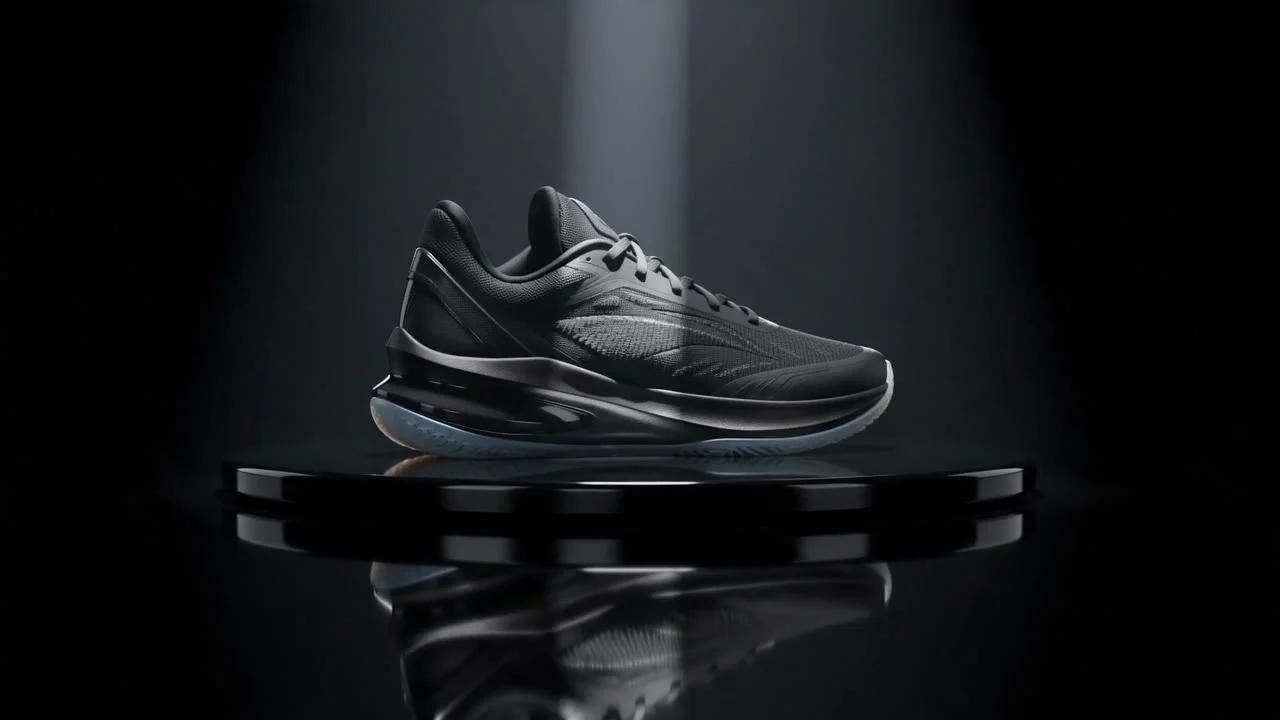
Describe the product, the camera move, and the lighting. Seedance handles the motion — here, a sneaker on a turntable under a sweeping spotlight.
A premium athletic sneaker slowly rotating on a glossy black turntable,
dramatic studio spotlight sweeping across the mesh and sole, subtle
reflections on the floor, high-end product commercial, clean dark background.
- Model:
seedance-2-0· aspect_ratio:16:9· duration:5· resolution:720p· Task ID:tk-hiapi-01KVSPB1P7DNXSF5TB0Y03NYJ2· Cost: $1.65 - What to copy: lead with the motion ("slowly rotating on a turntable") and the light ("spotlight sweeping across"). Naming the camera and light is what separates a product commercial from a static render.
Path 2: image-to-video from a product photo
This is the one most brands want: you already have a clean packshot — animate it. Pass the image as first_frame_url and Seedance moves from that exact frame.
Start with a still you already own:

Then animate it — a slow push-in with a light sweep and a wisp of steam:
{
  "model": "seedance-2-0",
  "input": {
    "prompt": "Slow cinematic push-in on the product with a soft light sweep moving across its surface, a gentle wisp of steam rising, keep the product still and centered",
    "first_frame_url": "https://static.hiapi.ai/blog/gpt-image-2-product-image-api/white-bg-packshot.jpg",
    "aspect_ratio": "1:1",
    "duration": 5,
    "resolution": "720p"
  }
}
- Model:
seedance-2-0· aspect_ratio:1:1· duration:5· resolution:720p· Task ID:tk-hiapi-01KVSPFPMAR1MYH6Z3D9ER544N· Cost: $1.65 - What to copy: the product in the output is the product from your still — the model preserved its exact shape and color. Keep the prompt to motion only ("push-in", "light sweep", "keep the product still") so it animates rather than redesigns.
What it costs
Both clips above are 5-second 720p renders at $0.33/s = $1.65 each. Seedance is billed per second by resolution:
| Resolution | Per second | 5-second clip |
|---|---|---|
| 480p | $0.15 | $0.75 |
| 720p | $0.33 | $1.65 |
| 1080p | $0.823 | $4.115 |
For a product line, the workflow that keeps the bill down: prototype the motion at 480p ($0.75 a clip), lock the prompt and camera move, then re-render the keepers at 720p or 1080p. For a batch run, pass a callback instead of polling each task.
Where to go next
For the full API mechanics — task lifecycle, every parameter, callbacks — see the Seedance 2.0 API guide. To see how Seedance compares to the other video models on cost and capability, see Best AI Video Generation API in 2026. Then animate your own products on the Seedance 2.0 model page — start with a packshot you already have.
Related articles
View all articles →-

Tutorial
How to Call hailuo-2.3-fast/image-to-video via the HiAPI API: curl and Python
A first working request for the fast, low-cost image-to-video tier — from model ID to downloaded MP4
9 min read -

Tutorial
How to Use hailuo-2.3/text-to-video via the HiAPI API: curl, Python, and a Working Request
11 min read -

Tutorial
Kandinsky 6.0 Pro Text-to-Video on HiAPI: curl and Python Tutorial
A request-first walkthrough: build the prompt-to-clip call, submit it, poll for completion, and download the result
11 min read