

Creatify
 Creatify
 Boreal
creatify-boreal
A low-cost video generation model for batch variants of ad creatives, supporting text-to-video, image-to-video, and photo-plus-audio generation of multilingual talking videos, with fast output
Try creatify-boreal
Input
Showcases
View all showcasesOutput
videoCreatify Boreal Text-to-Video Capability Illustrated
Style ad-variant · Explanation · Product Image
Reference inputs
audio_url

image_url
Prompt
A clean, editorial-style explainer video made for an AI video model. [VISUAL] It opens with the camera slowly pushing in on a matte gray product bottle set against a seamless studio backdrop, with soft gradient light coming from the left side of the camera and shallow depth of field; then a smooth lateral tracking shot reveals a floating UI panel with parameter chips on it; it cuts to a top-down flat-lay composition showing a phone screen playing vertical video output; a final wide shot presents the whole composition with a steady, confident rhythm. Cool neutral tones, one accent color, crisp product-render texture, subtle grain, no handheld shake. [SPEECH] A concise English voiceover introducing a text-to-video model built for ad variants: input types, output resolution tiers, and use cases for fast, low-cost exploration. [SOUNDS] Soft synth pads with a light percussive hit on each transition, minimal and never overpowering. [TEXT] On-screen labels appear one by one: TEXT TO VIDEO, IMAGE TO VIDEO, PHOTO + AUDIO, 720P / 1080P / 2K.
Copy the full prompt and adapt it for your own generation.
Tags
Boreal Cinematic Language Visual Notes: Common Camera Movement Shot Illustrations
Style Shot Study · Camera Movement · Storyboard
Reference inputs

image_url
Prompt
[VISUAL] A single continuous shot study in a minimalist warm gray studio room: a lone wooden chair placed beside a tall window, with soft afternoon light pouring in from outside. The camera performs a restrained sequence of classic camera movements within one shot—slowly dollies in toward the wooden chair, then dollies out to reveal the full room, smoothly pans horizontally across the window, tilts up to the ceiling light and then tilts back down to the original position, tracks laterally past the wooden chair, orbits halfway around it, gently cranes up, and finally ends with a slight handheld drift accompanied by subtle micro-jitter. Clean architectural composition, shallow depth of field, natural window light, minimalist props, neutral color grading, no cuts, no scene changes.

[SPEECH] None

[SOUNDS] Quiet room tone, faint distant street hum coming through the window, soft fabric and wood contact sounds as the camera passes by.

[TEXT] Small lower-third captions in a clean sans-serif font appear one by one, corresponding to each camera movement: DOLLY IN, DOLLY OUT, PAN, TILT, TRACK, ORBIT, CRANE, HANDHELD. The captions are small, white, located in the lower left corner, and fade out before the next camera movement begins.
Copy the full prompt and adapt it for your own generation.
Tags
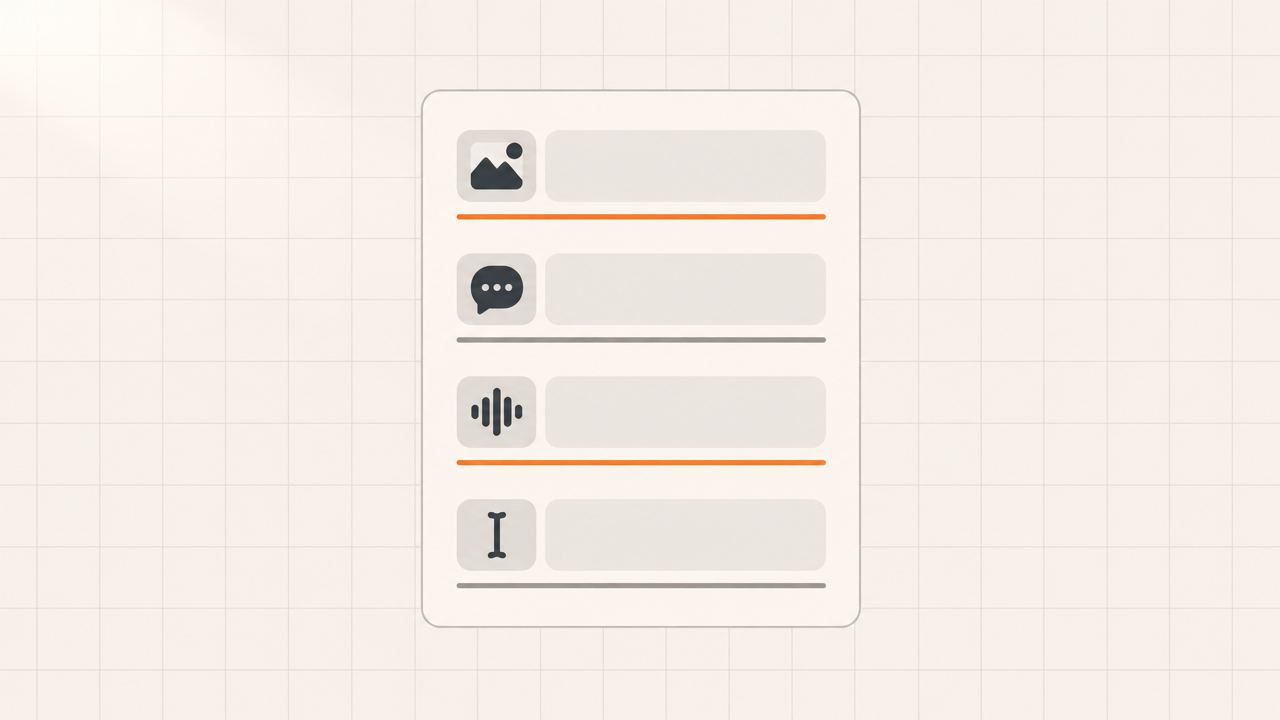
Boreal Prompt Formula Card: A Visual Guide to Structured Prompting
Style Typography Animation · Explanation · Ad Tech
Reference inputs
image_url
Prompt
A clean, crisp motion graphics explainer video, 10 seconds long, in flat design, with a warm off-white grid background. The scene opens with a rounded-rectangle "prompt card" at the center of the screen. Four labeled blocks slide in one after another — an image icon block, a speech bubble block, a waveform block, and a text cursor block — each easing in with a soft spring motion and a thin accent-color underline, slotting one by one into a vertical stack. Subtle depth of field, soft key light from the upper left, restrained palette: charcoal, warm gray, plus one saturated accent color. The camera slowly pushes in with a 2% parallax drift; crisp vector typography, uncluttered, generous white space, an editorial technical-documentation look.
Copy the full prompt and adapt it for your own generation.
Tags
Pricing
creatify-boreal per second
| Specifications | Unit Price |
|---|---|
| 720P | $0.0145 |
| 1080P | $0.043 |
| 2K | $0.1715 |
Positioning Overview
creatify-boreal is a general-purpose video generation model for advertising and short-form video assets, supporting text, image, and audio input paths to generate video. It writes visuals, dialogue, sound effects, and on-screen text uniformly into the prompt, and can drive the final output based on reference images or audio, producing clips from 720p to 2k and 1 to 20 seconds. It is suited for developers and marketing teams that need low-cost, rapid production of multiple video variants for creative testing, rather than scenarios pursuing complex storyboarding and high-precision product shots.
Core Highlights
- Three input paths, covered by one API — The same model can initiate generation with a prompt, reference image, or driving audio, reducing the cost of switching models for different asset formats.
- Controllable duration and resolution for easy batch planning — Duration is set in whole seconds from 1 to 20 seconds, and output can be 720p, 1080p, or 2k, making it easy to standardize specs across delivery channels.
- Supports audio-driven and talking-head visuals — Passing in narration or dialogue audio drives the visuals, taking the leading segment according to the requested duration and filling in silence when the audio is insufficient.
Capability Description
Structured multimodal prompting: The prompt can be described in four parts—visuals, dialogue, sound effects, and on-screen text—with a limit of 5000 characters per prompt, controlling both picture and sound content in a single generation.
Reference image and aspect ratio control: A reference image can be passed in as the animation starting point; when the aspect ratio is left as auto, it follows the image's proportions, and when 16:9, 9:16, 1:1, 4:3, or 3:4 is specified, the output is center-cropped.
Tiered resolution output: Choose 720p, 1080p, or 2k output tiers based on delivery needs, adapting to clarity requirements from quick previews to formal delivery.
Exclusions and AI labeling: Negative prompts can be used to exclude unwanted content or visual defects, and an optional visible AI-generated label can be overlaid on the final video.
Use Cases
- Batch ad asset variants for marketing teams — Generate multiple short videos with different expressions from the same creative direction, producing assets that can go directly into delivery testing.
- Product image to video for e-commerce teams — Initiate generation with a product or product image as the reference image to obtain usable dynamic showcase clips for product pages and feeds.
- Talking-head and explainer videos for content teams — Provide narration or dialogue audio together with visual descriptions to produce well-paced explainer clips for social media short-video distribution.
- Low-cost concept test shoots for creatives — Quickly validate multiple creative directions with text, see the results first, and then decide whether to invest in a more refined production process.
Limitations and Selection Advice
Positioned as a fast, low-cost exploratory-tier model: control over complex narratives, key product shots, and multi-reference-shot final output is limited, and such needs are better served by higher-precision models in the same series. Most currently available public information comes from vendor self-descriptions and lacks independently verifiable benchmarks, so model selection should be based on actual testing with your own assets. Prompts are recommended to use structured English phrasing, and the effectiveness of long Chinese descriptions should be verified yourself. Billing is based on requested duration, so longer durations cost more; during the test-shoot stage, it is recommended to start with short durations.
What's new
View changelog →- Price update creatify-boreal Price Adjustment Announcement
- Parameter change creatify-boreal: the optional manifest_disclosure parameter…
- New model New model: creatify-boreal
Frequently asked questions
View all FAQs →-
What inputs does Creatify Boreal accept?
A prompt is required; one reference image and one driving audio file are optional. Use the prompt alone or combine all three.
-
How should I write the prompt?
Use four sections: [VISUAL] for the shot and camera, [SPEECH] for the line, [SOUNDS] for effects and music and [TEXT] for on-screen text. Write None for sections you do not need.
-
Does it support languages other than English?
English prompts give the steadiest results today; other languages are not guaranteed, so start in English.
-
How long can a video be?
1 to 20 whole seconds, 10 by default.
Create a generation task
https://api.hiapi.ai/v1/tasks Headers
AuthorizationstringRequiredAccount API key. Required on every request. Example: Bearer YOUR_HIAPI_API_KEY. Get your API key
Content-TypestringOptionalThe request body is always parsed as JSON; when sent, only application/json (optionally with charset) is accepted — any other value returns 415. Example: application/json.
Idempotency-KeystringOptionalIdempotency key, up to 255 bytes. Retries with the same key from the same account create the task only once; replays return the original taskId.
On network timeouts or client retries, the same key creates the task only once — no double charges (scope: the API key's account). Use a business-unique identifier as the key (e.g. "order-42"); replays return the original taskId, and keys expire 24 hours after the first request. See the Unified Async API overview for the full scenario matrix.
Body
modelstringRequiredCurrent fixed value: creatify-boreal
routestringOptionalCurrent fixed value: default
inputobjectRequired
Business parameters for creatify-boreal and route default — see the parameter table below.
promptstringRequiredminLength 1maxLength 5000Creation instructions describing the visuals, dialogue, sounds, and on-screen text; it is recommended to organize them into [VISUAL], [SPEECH], [SOUNDS], and [TEXT] sections. English prompts work better.
durationintegerOptionalDefault: 10min 1max 20Video duration in whole seconds, range 1-20; billing is based on the requested duration, default 10 seconds.
audio_urlstringOptionalminLength 1pattern ^https?://Optional http(s) URL for narration, dialogue, or background music; the output keeps the first duration seconds of the audio, padding with silence if the audio is shorter than the duration.
image_urlstringOptionalminLength 1pattern ^https?://Optional http(s) URL used as an animation reference image; when aspect_ratio is auto, the video follows the image's ratio, and when a specific ratio is specified, the image is center-cropped.
resolutionstringOptionalDefault: "720p"Output resolution tier; options are 720p, 1080p, or 2k, where 2k has a long side of 2016 px at 16:9 and 9:16, and is the 1440p tier at 1:1, 4:3, and 3:4; default 720p.
720p1080p2kaspect_ratiostringOptionalDefault: "auto"Output aspect ratio, default auto: auto follows the reference image, or 16:9 when there is no reference image.
auto16:99:161:14:33:4negative_promptstringOptionalDefault: ""maxLength 2000Negative prompt describing content or visual defects to avoid; default empty string.
manifest_disclosurebooleanOptionalDefault: falseWhether to add a visible AI-generated label on the video; default false.
callbackobjectOptional
Terminal-state notification config. When omitted, no callback is delivered — poll the task yourself. See the callback note below.
Provide callback.url when creating a task and HiAPI POSTs to your service once the task reaches a terminal state — no polling needed. The callback payload mirrors the task detail structure; signature verification, delivery retries and idempotency are documented on the Unified Async API overview page.
urlstringRequiredRequired when callback is present. A POST is sent to this URL once the task reaches a terminal state; must be a valid http(s) URL.
whenstringOptionalDefault: "final"Only final is supported today — notified on both success and fail.
finalstoragestringOptionalDefault: "temp"Artifact storage tier: temp (default, retained about 7 days) or persistent (long-term, billed by size). Insufficient balance or exceeding the storage cap silently downgrades to temp; the effective tier is shown in the task detail response.
temppersistentRequest examples
# Submit an async task; returns a taskId immediately (no waiting for generation)
curl -X POST "https://api.hiapi.ai/v1/tasks" \
  -H "Authorization: Bearer $HIAPI_API_KEY" \
  -H "Content-Type: application/json" \
  -d '{
  "model": "creatify-boreal",
  "input": {
    "prompt": "…",
    "duration": 10,
    "resolution": "720p",
    "aspect_ratio": "auto",
    "negative_prompt": "",
    "manifest_disclosure": false
  }
}'
const res = await fetch("https://api.hiapi.ai/v1/tasks", {
method: "POST",
headers: {
Authorization: `Bearer ${process.env.HIAPI_API_KEY}`,
"Content-Type": "application/json",
},
body: JSON.stringify({
model: "creatify-boreal",
input: {
"prompt": "…",
"duration": 10,
"resolution": "720p",
"aspect_ratio": "auto",
"negative_prompt": "",
"manifest_disclosure": false
}
}),
});
const task = await res.json();
// { code: 200, message: "success", data: { taskId } }import os, requests
res = requests.post(
"https://api.hiapi.ai/v1/tasks",
headers={"Authorization": f"Bearer {os.environ['HIAPI_API_KEY']}"},
json={
"model": "creatify-boreal",
"input": {
"prompt": "…",
"duration": 10,
"resolution": "720p",
"aspect_ratio": "auto",
"negative_prompt": "",
"manifest_disclosure": False
}
},
)
print(res.json()) # { code, message, data: { taskId } }200 OK
{
  "code": 200,
  "message": "success",
  "data": {
    "taskId": "tk-hiapi-01HZTQ8BX2N3GM3YFK4Z9D7VQR"
  }
}
400 Bad Request
{
  "code": 400,
  "message": "invalid request",
  "data": null,
  "error_code": "INVALID_REQUEST"
}
Get task detail
https://api.hiapi.ai/v1/tasks/:id Response fields
taskIdstringRequiredTask ID, always prefixed with tk-hiapi-.
modelstringRequiredResolved full model name. Tasks submitted with the route parameter return base@route (e.g. gpt-image-2/text-to-image@ext); otherwise identical to the name passed at creation.
routestringOptionalPresent only when the task was submitted with an explicit route parameter; echoes the submitted value.
statusstringRequiredTask status.
queued Queued, not started yet.
handling Being processed.
archiving Processing finished, artifacts being prepared.
success Terminal: completed, artifacts available (output returned).
fail Terminal: failed (error returned).
After submission, check status: success and fail are terminal, everything else is non-terminal. Poll every 1–3 seconds until terminal. On success, download artifacts from output[].url and transfer them before expireAt; pass storage: "persistent" at creation time when long-term retention is needed.
creatednumberRequiredTask creation time (Unix seconds).
completednumberRequiredUnix seconds when the task reached a terminal state; fixed to 0 while not terminal.
outputarrayOptional
Present only when status == success. Artifact list — always an array; a single task may return multiple types at once (e.g. video + first_frame).
Array [ object ]
Array items
urlstringRequiredArtifact URL, directly downloadable.
typestringRequiredCurrent possible values: video, image, audio, first_frame, last_frame, thumbnail; more may be added later.
expireAtnumberRequiredUnix seconds until which the artifact remains accessible; download or transfer before it expires.
errorobjectOptional
Present only when status == fail.
codestringRequiredBusiness error code.
messagestringRequiredError description.
Response examples
Success
{
  "code": 200,
  "message": "success",
  "data": {
    "taskId": "tk-hiapi-01HZTQ8BX2N3GM3YFK4Z9D7VQR",
    "model": "happyhorse-1-0",
    "status": "success",
    "created": 1777282033,
    "completed": 1777282099,
    "output": [
      {
        "url": "https://cdn.hiapi.ai/tasks/.../video.mp4",
        "type": "video",
        "expireAt": 1777886899
      }
    ]
  }
}
Processing (non-terminal)
{
  "code": 200,
  "message": "success",
  "data": {
    "taskId": "tk-hiapi-...",
    "model": "happyhorse-1-0",
    "status": "archiving",
    "created": 1777282033,
    "completed": 0
  }
}
Failed
{
  "code": 200,
  "message": "success",
  "data": {
    "taskId": "tk-hiapi-...",
    "model": "happyhorse-1-0",
    "status": "fail",
    "created": 1777282033,
    "completed": 1777282099,
    "error": {
      "code": "TASK_FAILED",
      "message": "task failed"
    }
  }
}Articles
View all articles →Related Models
View all models →Same Type
-
 Ray 3.2 Luma $0.214 /video
-
 HeyGen Avatar V HeyGen $0.150 /second
-
 PixVerse V6 PixVerse $0.036 /second
-
 Vidu Q4 Preview Vidu $0.051 /second
-
 Kling 3.0 Kuaishou $0.100 /second
-
 Gemini Omni Google --
-
 Kling 4.0 Kuaishou $0.330 /second
-
 Wan 3.0 Video Alibaba $0.040 /second
-
 Seedance 2.5 ByteDance $0.121 /second
-
 Grok Imagine 1.5 xAI $0.011 /second
-
 LTX 2.5 Fast Lightricks $0.086 /second
-
 Veo 3.1 Google $0.290 /second