Bria
FIBO 1.5
fibo-gen-1.5/text-to-image
BRIA's 8B flow-matching DiT distilled image model generates images with just 4 to 6 sampling steps and supports JSON-structured prompts with attribute-decoupled editing
Try fibo-gen-1.5/text-to-image
Input
Showcases
View all showcasesOutput
image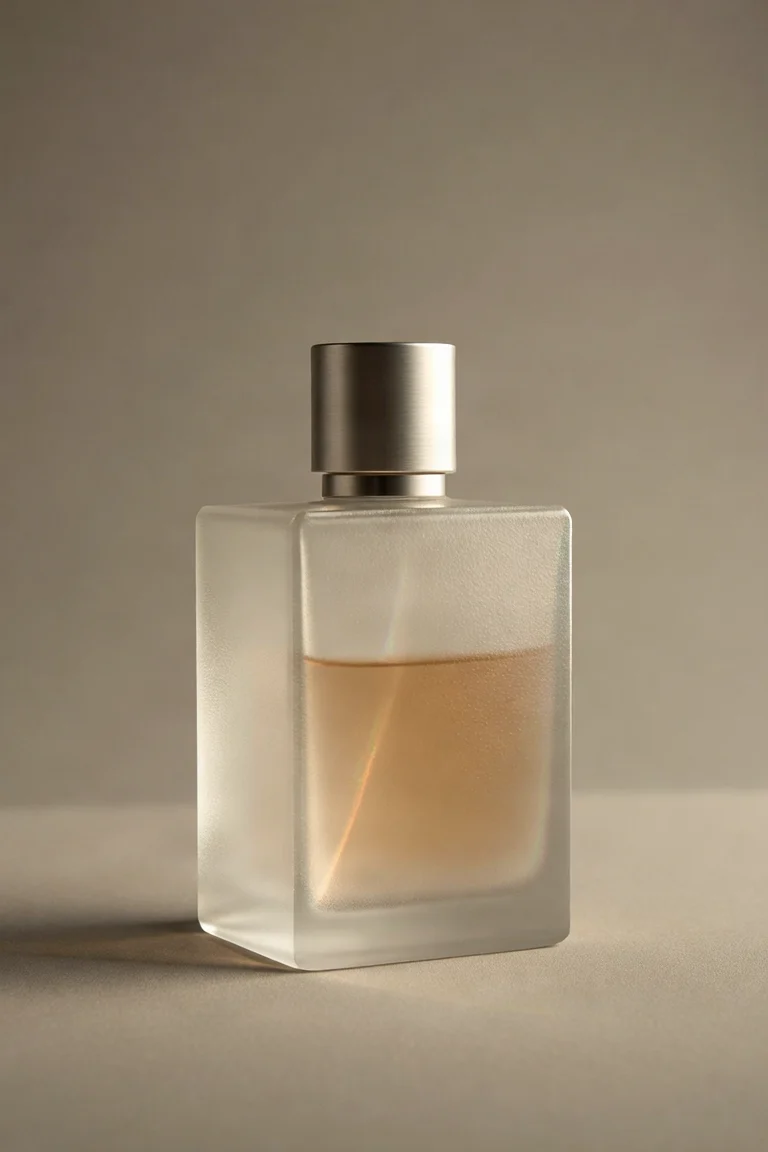
E-commerce-Grade Product Photography: Structured Prompt Test of fibo-1.5
Style Product Image · Studio lighting · e-commerce
Prompt
A studio product photography photo, the subject is a matte frosted glass perfume bottle with a brushed aluminum cap, centered on a seamless light warm gray background. Three-quarter front view, at eye level, 85mm lens look, shallow depth of field, the bottle body is perfectly sharp and the background is softly blurred. The key light is a large softbox from a 45-degree direction on the left side of the camera, forming a long, soft highlight along the left edge of the glass; a narrow strip contour light at the rear right separates the bottle body from the background; a white reflector on the right side of the camera brightens the shadow side without making the form look flat. The frosted glass reveals subtle caustic halos, with no harsh specular highlight points. The color palette is limited to warm gray, soft ivory white, and a touch of low-saturation amber accent in the liquid. Clean and crisp commercial retouching aesthetic, glass and metal show material-faithful micro-texture, 16:9 composition, with a large area of negative space at the top.
Copy the full prompt and adapt it for your own generation.
Tags
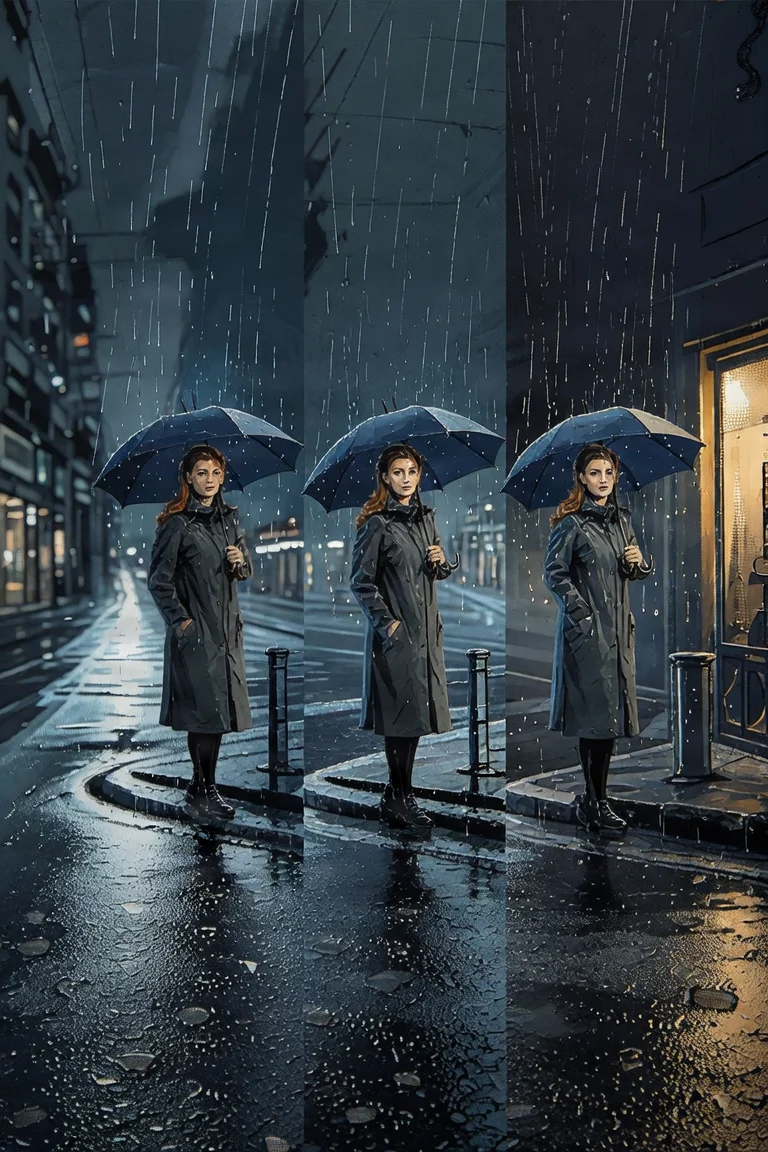
From Realism to Flat: The Fibo-1.5 Style Spectrum Illustration
Style style-spectrum · editorial-illustration · structured-prompt
Prompt
A triptych style study, presenting the same subject across different rendering-style lineages. Subject: a woman in a long coat holding an umbrella at a street corner in the rain, medium shot, her body slightly right of the frame center, her head turned three-quarters toward the camera. Composition: 16:9 landscape frame, with deep perspective along the wet street, a soft vanishing point at the left third, and ample negative space in the upper right. Lighting: a single cool key light from the upper left, rain streaks backlit, warm shop-window spill light at the right edge as a secondary source. Color: a low-saturation blue-gray atmosphere with a single warm amber accent. Left interpretation: realistic photography, visible fabric texture and specular reflections on wet asphalt, shallow depth of field. Middle interpretation: impasto oil painting, visible brushstroke direction, paint edges, painterly halos in the highlights. Right interpretation: flat vector illustration, screen-printed color separations, two-tone halftone shadows, crisp forms with no gradients, no gradients. The subject's identity and framing remain consistent across all three; only the rendering style differs.
Copy the full prompt and adapt it for your own generation.
Tags
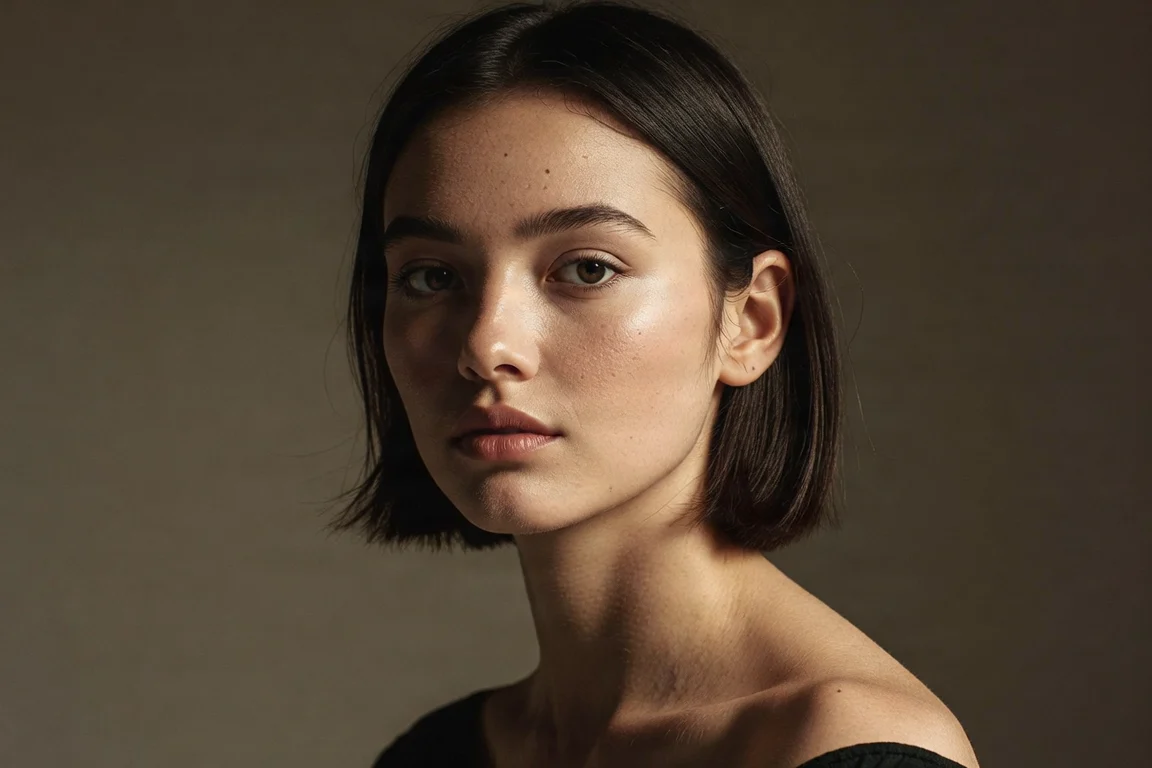
Fibo 1.5 Portrait Style Reference: Dual-Track Demo of Realism and Artistic Rendering
Style Portrait & Photography · Photorealistic · structured-prompt
Prompt
Vertical 4:5 portrait, a young woman with short dark hair, body turned three-quarters toward the camera, shoulders relaxed, calm and natural expression. Soft directional window light enters from the left side of the lens, gradually transitioning softly into a deep warm gray background, delicate skin texture, visible pores and fine hairs, natural lip and cheek color. 85mm portrait lens effect, shallow depth of field, focus clearly on the eyes, slight color grading, restrained contrast, editorial photography atmosphere, no text, no logo.
Copy the full prompt and adapt it for your own generation.
Tags
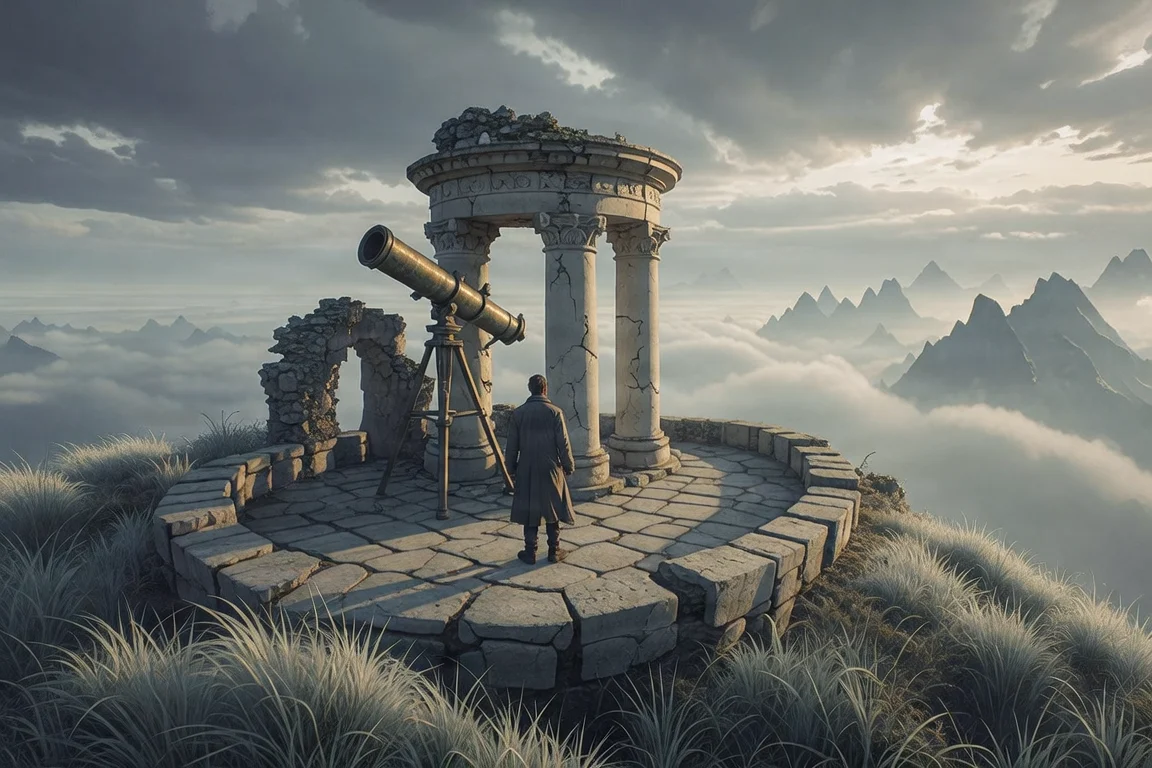
Worldbuilding Concept Art: Atmosphere Exploration with Long Structured Prompts
Style Concept Art · Worldbuilding · Cinematic
Prompt
A 16:9 widescreen cinematic concept art establishing shot depicting a forgotten clifftop observatory half-hidden in pale wind-bent grass. A weathered brass telescope protrudes from a cracked circular stone hall; a lone figure in a long traveling coat stands on the terrace, viewed from behind in a low-angle shot. Layered depth of field: foreground grass blades catch rim light, the midground is stone architecture with salt-etched carvings, and the background is a vast sea of clouds and distant jagged peaks dissolving into atmospheric haze. Overcast afternoon light breaks through the only gap in the clouds, with cool blue-gray ambient light paired with warm amber key light illuminating the figure and the brass edges; volumetric light shafts; soft aerial perspective. Painterly production design rendering, restrained texture detail, low-saturation muted palette, subtle film grain, no text, no watermark.
Copy the full prompt and adapt it for your own generation.
Tags
Pricing
fibo-gen-1.5/text-to-image per image
| Unit Price | $0.0575 |
|---|
Positioning Overview
fibo-gen-1.5 is the text-to-image line in the fibo-1.5 family, aimed at developers who need professional-grade controllability and reproducibility. It is built on an 8B-parameter DiT with a flow-matching architecture and uses few-step distilled sampling, requiring only 4–6 steps at CFG=1.0 to complete inference. It also continues the structured long-prompt paradigm and follows attributes such as lighting, composition, color, and camera relatively well. It is suited to image-production scenarios that bring batch generation, attribute-level iteration, and result reproducibility into engineering workflows.
Core Highlights
- Few-step sampling dramatically reduces per-image inference cost — after distillation, only 4–6 steps are needed with no classifier-free guidance, making calls cheaper than traditional high-CFG multi-step pipelines.
- Structured long prompts deliver strong prompt adherence — generation is driven by long descriptions that separately specify the subject, lighting, composition, color, camera, and other attributes, giving clearer controllability in professional scenarios.
- Reproducible generation results — the seed defaults to a fixed value of 5555; the same seed and prompt reproduce the same image, which facilitates batch pipelines and regression verification.
- Division of labor between text-to-image and image editing within the family — the same family also includes the fibo-edit-1.5 image-editing line; switch to that line when you need to edit images based on reference images.
Capability Details
Few-step distilled sampling: images can be generated with the recommended settings of 4–6 steps and CFG=1.0, eliminating the tuning effort and compute consumption of traditional high-CFG workflows and returning usable results faster per request.
Structured prompt adherence: training and inference are based on structured long descriptions of roughly a thousand words; when developers spell out attributes such as subject, lighting, composition, and camera item by item, the resulting image more closely matches expectations.
Reproducible generation: the seed parameter and the prompt together determine the output; fixing both reproduces the same image, making it suitable for version comparison and result tracing in batch production.
Multiple aspect ratios: nine ratios are built in — 1:1, 2:3, 3:2, 3:4, 4:3, 4:5, 5:4, 9:16, and 16:9 — so you can select one directly according to the placement or layout, reducing post-processing crops.
Long prompt input: the prompt supports up to 10,000 characters, so structured long descriptions can be written in full without being compressed into short sentences, allowing fuller attribute expression.
Use Cases
- Commercial visual designers: image generation with structured long prompts — write lighting, composition, color, and camera into the prompt item by item to produce commercial-grade images directly usable for advertising and e-commerce materials.
- Creative teams: attribute-level iterative refinement — fix the seed and change only a single attribute to regenerate repeatedly, producing a series of variants for option comparison and reducing rework from rewriting entire prompts.
- Engineering teams: batch reproducible image generation — call in batches with a fixed seed and templated long prompts to produce style-consistent, traceable image assets for content-production pipelines.
- Application developers: multi-ratio adapted generation — select the aspect ratio according to the target layout and generate images directly embeddable in apps, web pages, and video thumbnails.
Limitations and Selection Advice
Negative prompts have no effect in this version, so the image must be constrained entirely through positive descriptions; per the official documentation, weights do not apply to fine-tuning. Continuing to use legacy high-CFG multi-step workflows will deviate from the expected results; use CFG=1.0 with 4–6 steps. The controllability advantage depends on structured long prompts, and ordinary short prompts yield limited benefit. The 8B scale is demanding for local consumer-grade hardware, and local deployment requires a quantized version; calling it on HiAPI.ai avoids this issue.
Create a generation task
https://api.hiapi.ai/v1/tasks Headers
AuthorizationstringRequiredAccount API key. Required on every request. Example: Bearer YOUR_HIAPI_API_KEY. Get your API key
Content-TypestringOptionalThe request body is always parsed as JSON; when sent, only application/json (optionally with charset) is accepted — any other value returns 415. Example: application/json.
Idempotency-KeystringOptionalIdempotency key, up to 255 bytes. Retries with the same key from the same account create the task only once; replays return the original taskId.
On network timeouts or client retries, the same key creates the task only once — no double charges (scope: the API key's account). Use a business-unique identifier as the key (e.g. "order-42"); replays return the original taskId, and keys expire 24 hours after the first request. See the Unified Async API overview for the full scenario matrix.
Body
modelstringRequiredCurrent fixed value: fibo-gen-1.5/text-to-image
routestringOptionalCurrent fixed value: default
inputobjectRequired
Business parameters for fibo-gen-1.5/text-to-image and route default — see the parameter table below.
seedintegerOptionalDefault: 5555Random seed, default 5555; the same seed with the same prompt reproduces the same image.
promptstringRequiredminLength 1maxLength 10000Text description of the image to generate, i.e., the text-to-image prompt.
aspect_ratiostringOptionalDefault: "1:1"Aspect ratio of the output image, default 1:1.
1:12:33:23:44:34:55:49:16Show all (1)
16:9callbackobjectOptional
Terminal-state notification config. When omitted, no callback is delivered — poll the task yourself. See the callback note below.
Provide callback.url when creating a task and HiAPI POSTs to your service once the task reaches a terminal state — no polling needed. The callback payload mirrors the task detail structure; signature verification, delivery retries and idempotency are documented on the Unified Async API overview page.
urlstringRequiredRequired when callback is present. A POST is sent to this URL once the task reaches a terminal state; must be a valid http(s) URL.
whenstringOptionalDefault: "final"Only final is supported today — notified on both success and fail.
finalstoragestringOptionalDefault: "temp"Artifact storage tier: temp (default, retained about 7 days) or persistent (long-term, billed by size). Insufficient balance or exceeding the storage cap silently downgrades to temp; the effective tier is shown in the task detail response.
temppersistentRequest examples
# Submit an async task; returns a taskId immediately (no waiting for generation)
curl -X POST "https://api.hiapi.ai/v1/tasks" \
  -H "Authorization: Bearer $HIAPI_API_KEY" \
  -H "Content-Type: application/json" \
  -d '{
  "model": "fibo-gen-1.5/text-to-image",
  "input": {
    "seed": 5555,
    "prompt": "…",
    "aspect_ratio": "1:1"
  }
}'
const res = await fetch("https://api.hiapi.ai/v1/tasks", {
method: "POST",
headers: {
Authorization: `Bearer ${process.env.HIAPI_API_KEY}`,
"Content-Type": "application/json",
},
body: JSON.stringify({
model: "fibo-gen-1.5/text-to-image",
input: {
"seed": 5555,
"prompt": "…",
"aspect_ratio": "1:1"
}
}),
});
const task = await res.json();
// { code: 200, message: "success", data: { taskId } }import os, requests
res = requests.post(
"https://api.hiapi.ai/v1/tasks",
headers={"Authorization": f"Bearer {os.environ['HIAPI_API_KEY']}"},
json={
"model": "fibo-gen-1.5/text-to-image",
"input": {
"seed": 5555,
"prompt": "…",
"aspect_ratio": "1:1"
}
},
)
print(res.json()) # { code, message, data: { taskId } }200 OK
{
  "code": 200,
  "message": "success",
  "data": {
    "taskId": "tk-hiapi-01HZTQ8BX2N3GM3YFK4Z9D7VQR"
  }
}
400 Bad Request
{
  "code": 400,
  "message": "invalid request",
  "data": null,
  "error_code": "INVALID_REQUEST"
}
Get task detail
https://api.hiapi.ai/v1/tasks/:id Response fields
taskIdstringRequiredTask ID, always prefixed with tk-hiapi-.
modelstringRequiredResolved full model name. Tasks submitted with the route parameter return base@route (e.g. gpt-image-2/text-to-image@ext); otherwise identical to the name passed at creation.
routestringOptionalPresent only when the task was submitted with an explicit route parameter; echoes the submitted value.
statusstringRequiredTask status.
queued Queued, not started yet.
handling Being processed.
archiving Processing finished, artifacts being prepared.
success Terminal: completed, artifacts available (output returned).
fail Terminal: failed (error returned).
After submission, check status: success and fail are terminal, everything else is non-terminal. Poll every 1–3 seconds until terminal. On success, download artifacts from output[].url and transfer them before expireAt; pass storage: "persistent" at creation time when long-term retention is needed.
creatednumberRequiredTask creation time (Unix seconds).
completednumberRequiredUnix seconds when the task reached a terminal state; fixed to 0 while not terminal.
outputarrayOptional
Present only when status == success. Artifact list — always an array; a single task may return multiple types at once (e.g. video + first_frame).
Array [ object ]
Array items
urlstringRequiredArtifact URL, directly downloadable.
typestringRequiredCurrent possible values: video, image, audio, first_frame, last_frame, thumbnail; more may be added later.
expireAtnumberRequiredUnix seconds until which the artifact remains accessible; download or transfer before it expires.
errorobjectOptional
Present only when status == fail.
codestringRequiredBusiness error code.
messagestringRequiredError description.
Response examples
Success
{
  "code": 200,
  "message": "success",
  "data": {
    "taskId": "tk-hiapi-01HZTQ8BX2N3GM3YFK4Z9D7VQR",
    "model": "happyhorse-1-0",
    "status": "success",
    "created": 1777282033,
    "completed": 1777282099,
    "output": [
      {
        "url": "https://cdn.hiapi.ai/tasks/.../video.mp4",
        "type": "video",
        "expireAt": 1777886899
      }
    ]
  }
}
Processing (non-terminal)
{
  "code": 200,
  "message": "success",
  "data": {
    "taskId": "tk-hiapi-...",
    "model": "happyhorse-1-0",
    "status": "archiving",
    "created": 1777282033,
    "completed": 0
  }
}
Failed
{
  "code": 200,
  "message": "success",
  "data": {
    "taskId": "tk-hiapi-...",
    "model": "happyhorse-1-0",
    "status": "fail",
    "created": 1777282033,
    "completed": 1777282099,
    "error": {
      "code": "TASK_FAILED",
      "message": "task failed"
    }
  }
}Articles
View all articles →Related Models
View all models →Same Type
-
 Ideogram V4 Ideogram $0.050 /image
-
 FLUX 1.1 Pro Black Forest Labs $0.050 /image
-
 FLUX.2 Klein 9B Black Forest Labs $0.0086 /image
-
 FLUX.2 Black Forest Labs $0.035 /image
-
 FLUX.1 Kontext Max Black Forest Labs $0.071 /image
-
 Google Virtual Try-On Google $0.107 /image
-
 Wan 2.7 Image Alibaba $0.035 /image
-
 Nano Banana Pro Google $0.057 /image
-
 Qwen Image 3.0 Alibaba $0.036 /image
-
 Z-Image Alibaba $0.008 /image
-
 851 Labs Background Remover 851 Labs $0.002 /image
-
 GPT Image 2.5 OpenAI $0.017 /image