

Black Forest Labs
FLUX.2
flux-2/image-to-image
Black Forest Labs' family of image generation and editing models, supporting reference-image-based style transfer and multi-reference image fusion, while preserving the original composition and subject placement as much as possible during editing
Try flux-2/image-to-image
Input
Showcases
View all showcasesOutput
image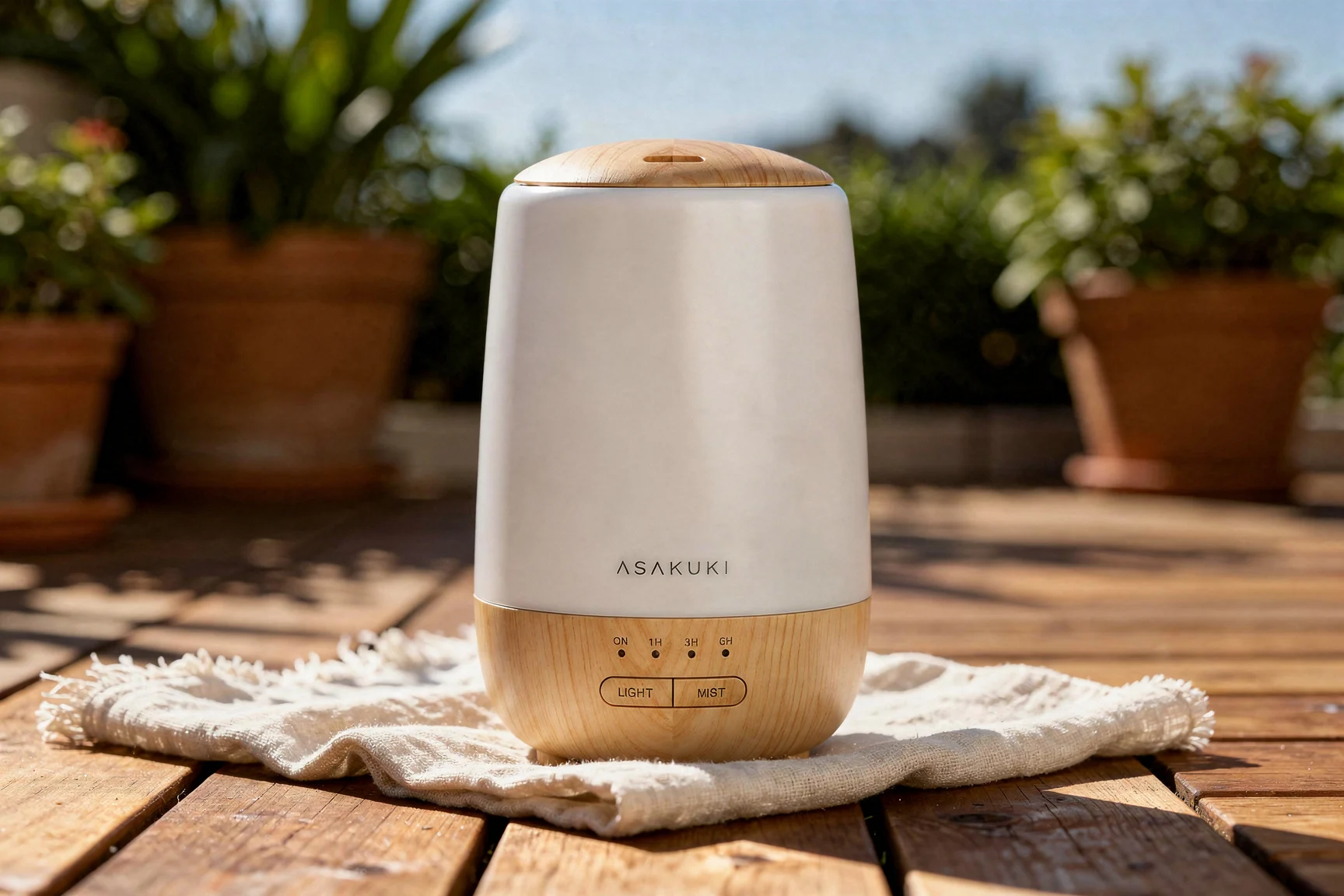
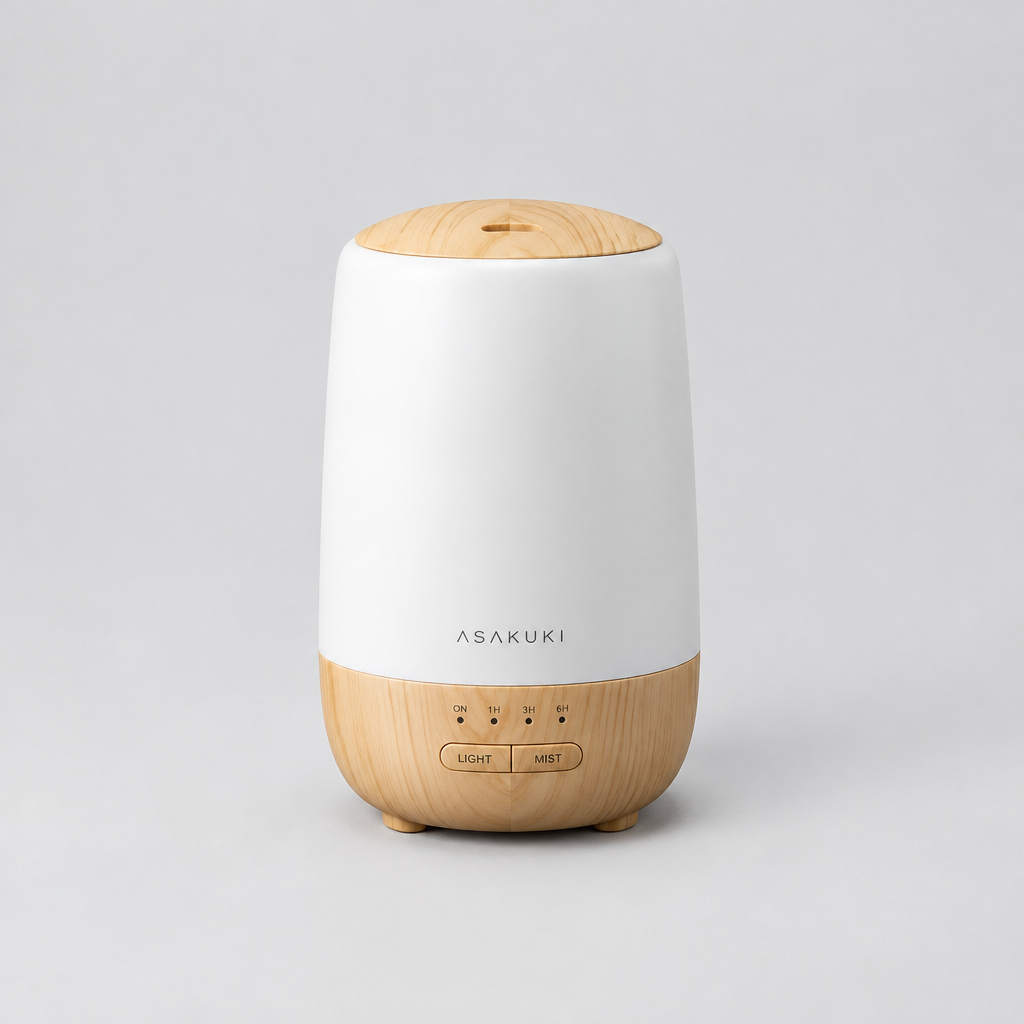
Rewrite an Indoor Product Photo into a Summer Patio Scene
Style Product Image · Scene relighting · Lifestyle
Reference inputs
image_urls
Prompt
Edit the product photograph: keep the product itself unchanged in shape, material, label and screen print, and preserve its position and camera angle. Replace the indoor studio background with a sunny outdoor terrace scene: warm wood decking, off-white linen cloth, terracotta planters with green foliage, soft dappled afternoon sunlight and gentle shadows, a hint of clear blue sky. Lifestyle commercial product photography, natural daylight, shallow depth of field, crisp product edges, realistic materials, consistent color temperature, 3:2 composition with the product as the clear hero.
Copy the full prompt and adapt it for your own generation.
Tags
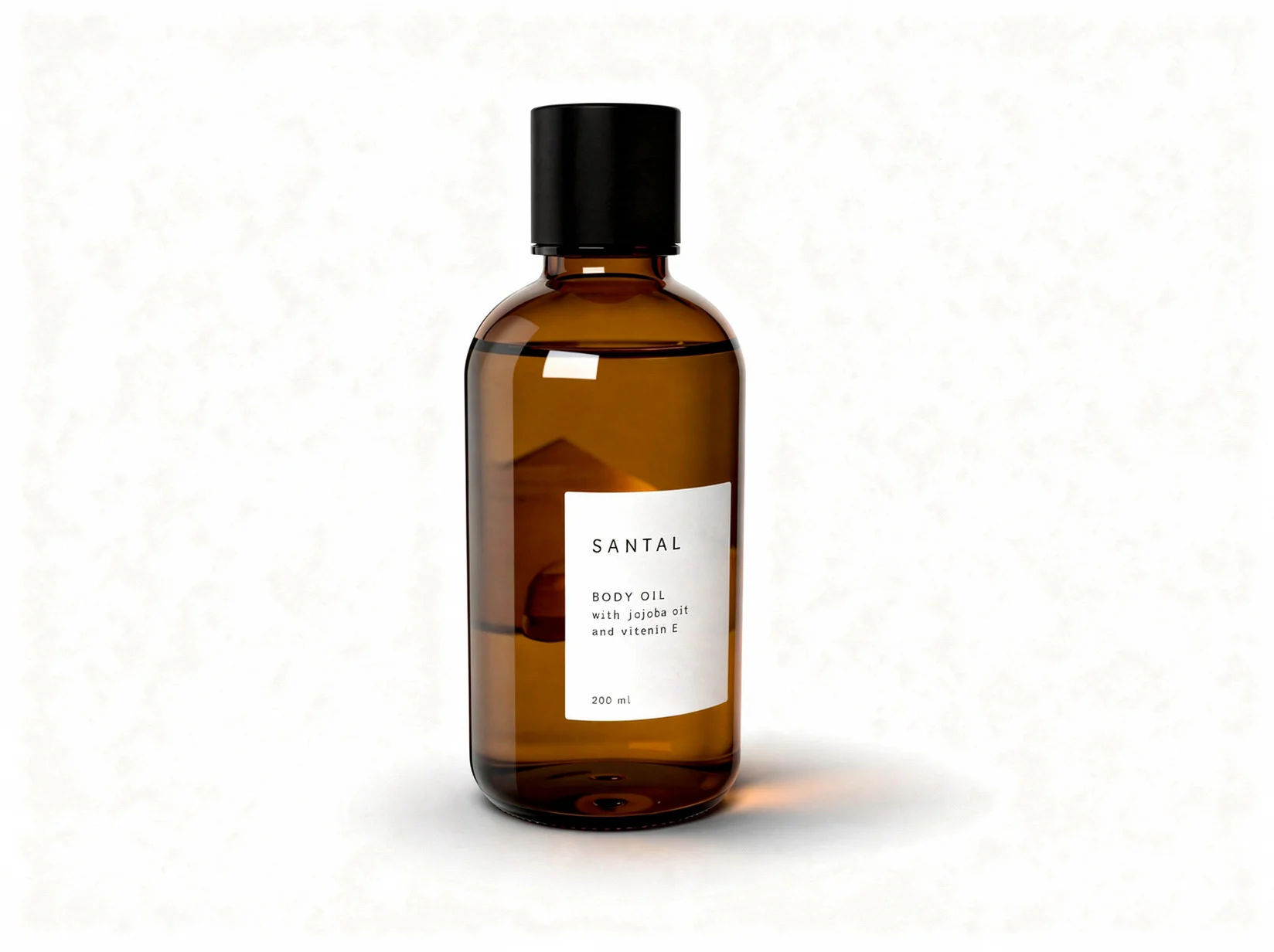
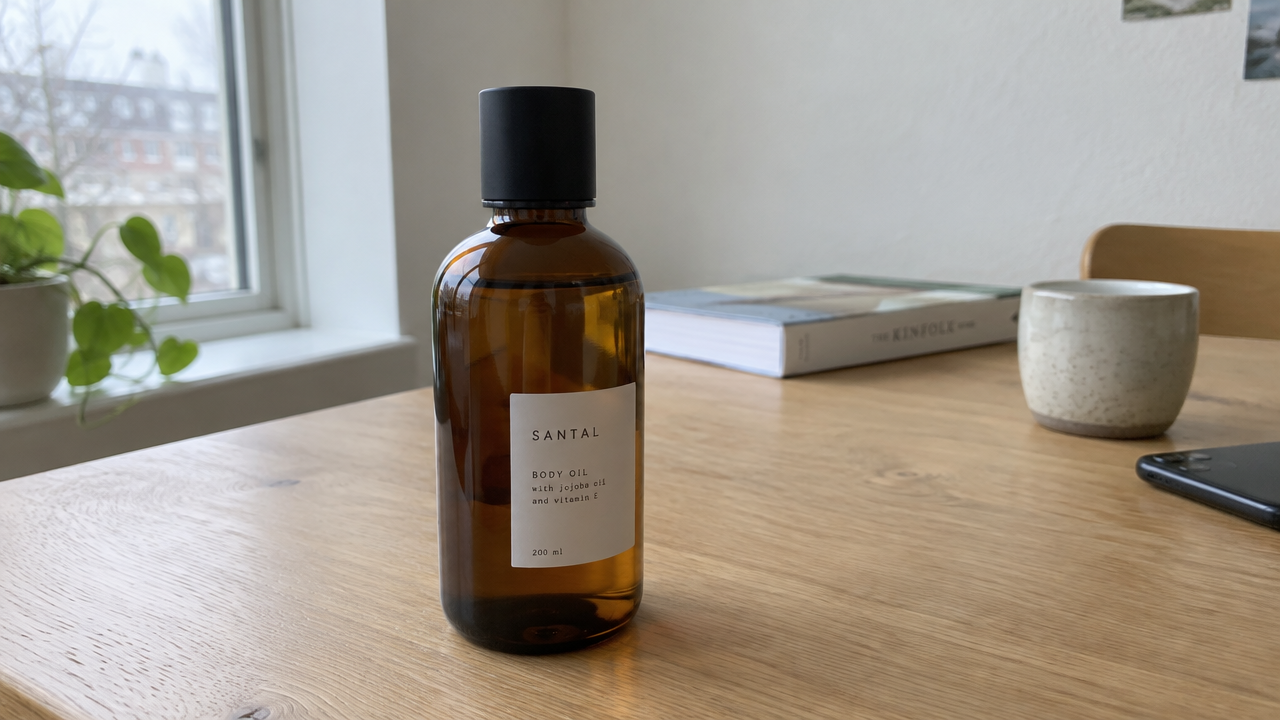
E-commerce product image on white background: soft shadow retouching
Style e-commerce · Product Image · Soft Shadow
Reference inputs
image_urls
Prompt
Edit this product photo into a clean e-commerce hero image: replace the background with pure seamless white (#FFFFFF), keep the product's original shape, label text, material texture, and position in the frame unchanged, remove all background props and clutter, add a soft diffused contact shadow beneath the product, and let the shadow fade out naturally to both sides to create a natural grounded feel, using bright, even studio lighting with a soft key light from the upper left, no harsh highlight hotspots, crisp edges, realistic material rendering, centered composition with ample white space around the product, presenting a high-fidelity product catalog photography effect
Copy the full prompt and adapt it for your own generation.
Tags
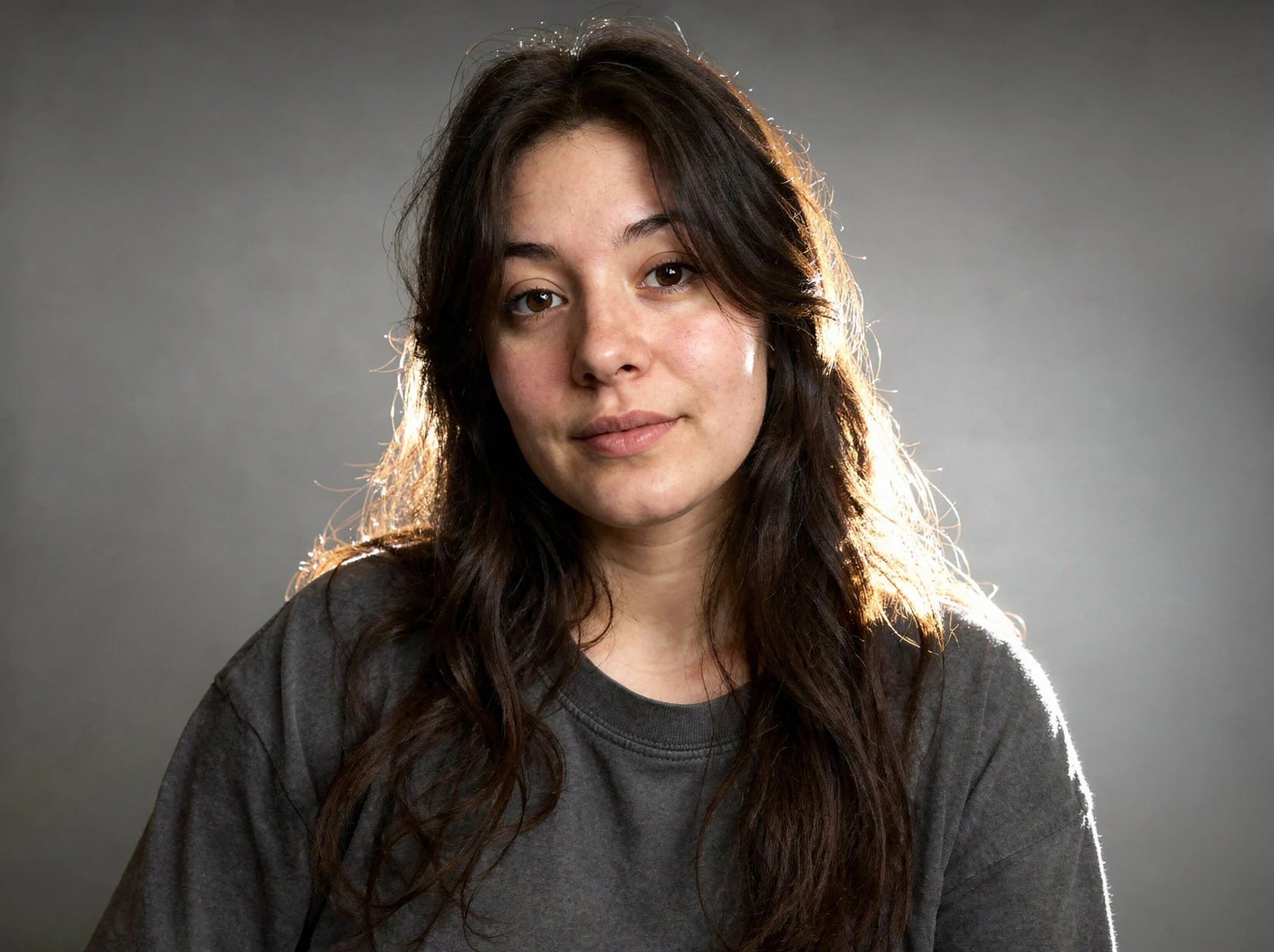
Relighting a studio half-body portrait from a reference image
Style Studio portrait · Relight · Image Editing
Reference inputs

image_urls
Prompt
Based on the reference photo, generate an editorial-style studio half-body portrait: keep the subject's identity, facial features, hairstyle, clothing, and exact pose unchanged while replacing the lighting setup. The key light comes from a large softbox at a 45-degree angle to the front-left, with soft fill light on the right brightening shadow detail to avoid a flat-looking face, and a subtle rim light separating the shoulders and hair from the background. Change the background to a smooth, neutral mid-gray seamless backdrop with a soft gradient falloff. Clean commercial retouching, visible skin texture preserved, natural catchlights in the eyes, neutral 5500K white balance, shallow depth of field with sharp focus on the eyes, 3:4 vertical composition, headroom above the hair, cropped at mid-chest.
Copy the full prompt and adapt it for your own generation.
Tags
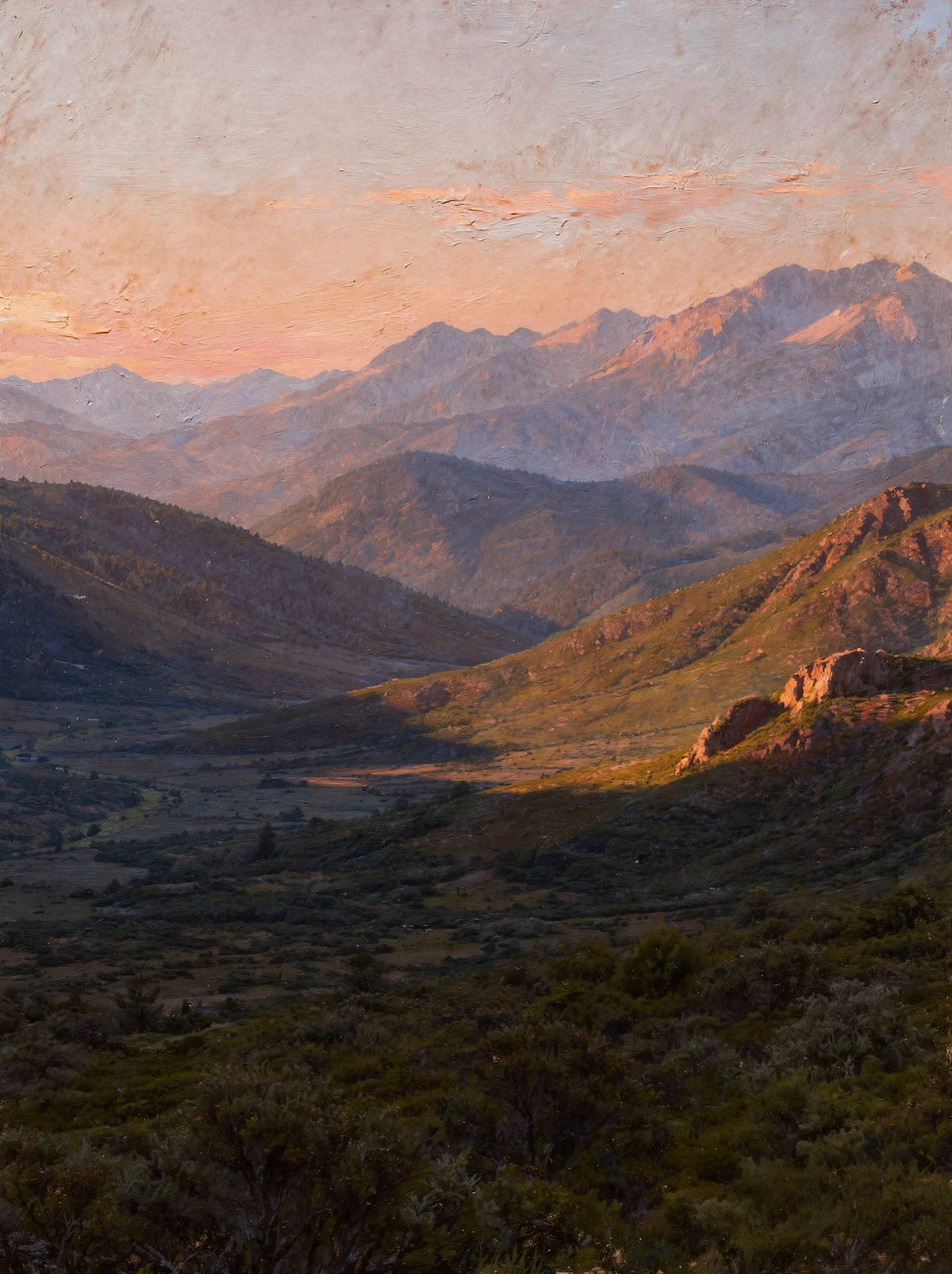
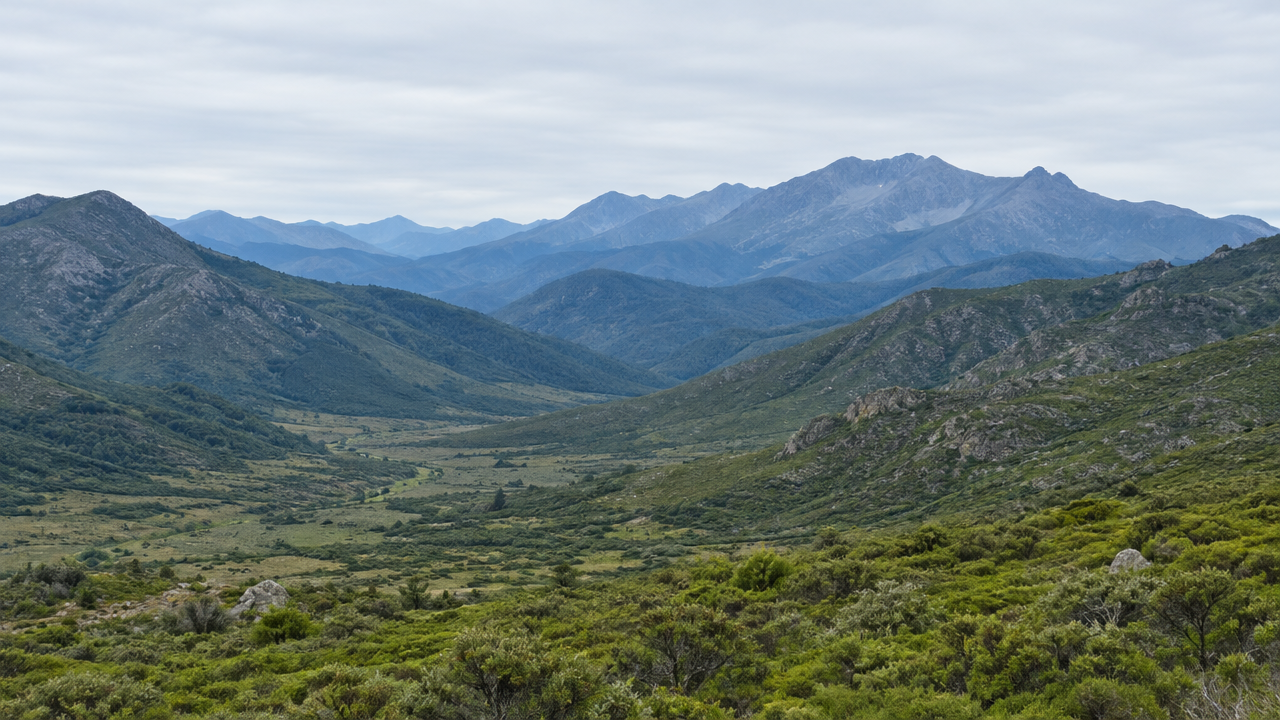
Dusk Tonal Landscape Illustration Makeover
Style Landscape · Golden Hour · style-transfer
Reference inputs
image_urls
Prompt
Edit the reference landscape photograph into an evening illustration while keeping the original composition, horizon, ridge silhouettes, and object positions unchanged. Lower the light source and make it warm: amber and coral highlights along the ridges, soft peach haze near the horizon, cool purple and deep indigo in shadow areas, and long, soft shadows cast across the valley. Render in a painterly style with broad but controlled brushstrokes, soft tonal transitions, and a slight atmospheric perspective effect that desaturates and cools the distant peaks. No text, no logos, no added buildings or people, no frame or border.
Copy the full prompt and adapt it for your own generation.
Tags
Pricing
flux-2/image-to-image per image
| Specifications | Unit Price |
|---|---|
| 1K | $0.035 |
| 2K | $0.050 |
Positioning Overview
The FLUX.2 image editing pipeline accepts 1 to 8 reference images plus an editing instruction, performing style replacement and detail adjustments while preserving the original composition and subject placement as much as possible. It suits developers who need to transform existing assets into new visuals, such as style transfer, multi-image fusion, and creative prototype iteration. Called through the unified HiAPI.ai interface, output image resolution can be set to 1K or 2K, and aspect ratio supports common ratios as well as an auto mode that follows the first image.
Key Highlights
- Prioritizes preserving the original composition and subject placement during editing — changes style and details per the instruction rather than regenerating an unfamiliar image, reducing downstream alignment effort.
- Accepts 1 to 8 reference images in a single call — images can be referenced in order within the prompt, enabling asset replacement and multi-image element fusion.
- Controllable output ratio and resolution — specify 1K or 2K and various aspect ratios; auto mode directly inherits the composition of the first input image.
Capabilities
Instruction-driven image editing: Pass in reference images and an editing instruction to get a modified image, suited to targeted adjustments on existing assets rather than generating from scratch.
Multi-image referencing and element combination: Up to 8 input images, and the prompt can reference each image by index, making it easy to place elements from one image into another image's scene.
Composition and ratio inheritance: When aspect ratio is set to auto, it matches the first input image, preserving the original layout while changing content, which facilitates batch replacement of assets with the same dimensions.
Selectable output resolution: Supports two output resolutions, 1K and 2K, to choose per display requirements, balancing preview and final-use purposes.
Use Cases
- Designers applying style transfer to existing photos — input an original photo and a style description to get a stylized version that preserves subject placement, for mood boards and preliminary drafts.
- Element replacement in marketing assets — pass in a product image and a scene image, replace content per instruction, and produce uniformly sized ad images for multi-channel delivery.
- Style consistency across multiple reference images — input multiple existing visual assets and generate derivative images in a consistent style, for serialized extension of campaign visuals.
Limitations and Selection Advice
Only image-to-image is supported; at least one reference image is required, and pure text-to-image is not possible. Prompts are limited to 3 to 5000 characters; input images must be jpeg/png/webp and no larger than 10MB each; SVG is not supported. Resolution is limited to two tiers, 1K and 2K. When an image needs to be conceived from scratch, the text-to-image pipeline in the same family should be used instead; for scenarios requiring non-commercial licensing or local deployment, licensing and deployment conditions must be verified separately.
What's new
View changelog →- New model New models: flux-2-klein-4b/text-to-image for cost-efficient…
- New model New image-editing models
Frequently asked questions
View all FAQs →-
How many references does FLUX.2 [pro] Image to Image accept?
It accepts 1 to 8 JPEG, PNG, or WebP references under 10MB each. Assign each image a clear role in multi-image prompts.
-
What does the auto ratio do?
auto follows the first reference image. Choose an explicit ratio for a fixed landscape, portrait, or square output.
-
How are 1K and 2K billed?
1K and 2K use separate per-image tiers, while reference count adds no separate fee. See the live page price for current amounts.
-
How do I reduce subject or logo drift?
Assign each reference a role and state the subject, text, material, position, and lighting that must remain unchanged.
Create a generation task
https://api.hiapi.ai/v1/tasks Headers
AuthorizationstringRequiredAccount API key. Required on every request. Example: Bearer YOUR_HIAPI_API_KEY. Get your API key
Content-TypestringOptionalThe request body is always parsed as JSON; when sent, only application/json (optionally with charset) is accepted — any other value returns 415. Example: application/json.
Idempotency-KeystringOptionalIdempotency key, up to 255 bytes. Retries with the same key from the same account create the task only once; replays return the original taskId.
On network timeouts or client retries, the same key creates the task only once — no double charges (scope: the API key's account). Use a business-unique identifier as the key (e.g. "order-42"); replays return the original taskId, and keys expire 24 hours after the first request. See the Unified Async API overview for the full scenario matrix.
Body
modelstringRequiredCurrent fixed value: flux-2/image-to-image
routestringOptionalCurrent fixed value: default
inputobjectRequired
Business parameters for flux-2/image-to-image and route default — see the parameter table below.
promptstringRequiredminLength 3maxLength 5000Editing instruction describing the desired output effect, 3-5000 characters long. Input images must be referenced in order, for example "place the jar from image 1 into the capsule in image 2".
image_urlsarrayRequiredminItems 1maxItems 8Array of input reference images, containing 1-8 images, each a publicly accessible URL, supporting jpeg/png/webp formats, maximum 10MB per image; SVG is not supported.
Array [ string ]
resolutionstringRequiredDefault: "1K"Output image resolution, defaults to 1K.
1K2Kaspect_ratiostringRequiredDefault: "1:1"Aspect ratio of the generated image, defaults to 1:1; when set to auto, matches the aspect ratio of the first input image.
1:14:33:416:99:163:22:3autocallbackobjectOptional
Terminal-state notification config. When omitted, no callback is delivered — poll the task yourself. See the callback note below.
Provide callback.url when creating a task and HiAPI POSTs to your service once the task reaches a terminal state — no polling needed. The callback payload mirrors the task detail structure; signature verification, delivery retries and idempotency are documented on the Unified Async API overview page.
urlstringRequiredRequired when callback is present. A POST is sent to this URL once the task reaches a terminal state; must be a valid http(s) URL.
whenstringOptionalDefault: "final"Only final is supported today — notified on both success and fail.
finalstoragestringOptionalDefault: "temp"Artifact storage tier: temp (default, retained about 7 days) or persistent (long-term, billed by size). Insufficient balance or exceeding the storage cap silently downgrades to temp; the effective tier is shown in the task detail response.
temppersistentRequest examples
# Submit an async task; returns a taskId immediately (no waiting for generation)
curl -X POST "https://api.hiapi.ai/v1/tasks" \
  -H "Authorization: Bearer $HIAPI_API_KEY" \
  -H "Content-Type: application/json" \
  -d '{
  "model": "flux-2/image-to-image",
  "input": {
    "prompt": "…",
    "image_urls": "…",
    "resolution": "1K",
    "aspect_ratio": "1:1"
  }
}'
const res = await fetch("https://api.hiapi.ai/v1/tasks", {
method: "POST",
headers: {
Authorization: `Bearer ${process.env.HIAPI_API_KEY}`,
"Content-Type": "application/json",
},
body: JSON.stringify({
model: "flux-2/image-to-image",
input: {
"prompt": "…",
"image_urls": "…",
"resolution": "1K",
"aspect_ratio": "1:1"
}
}),
});
const task = await res.json();
// { code: 200, message: "success", data: { taskId } }import os, requests
res = requests.post(
"https://api.hiapi.ai/v1/tasks",
headers={"Authorization": f"Bearer {os.environ['HIAPI_API_KEY']}"},
json={
"model": "flux-2/image-to-image",
"input": {
"prompt": "…",
"image_urls": "…",
"resolution": "1K",
"aspect_ratio": "1:1"
}
},
)
print(res.json()) # { code, message, data: { taskId } }200 OK
{
  "code": 200,
  "message": "success",
  "data": {
    "taskId": "tk-hiapi-01HZTQ8BX2N3GM3YFK4Z9D7VQR"
  }
}
400 Bad Request
{
  "code": 400,
  "message": "invalid request",
  "data": null,
  "error_code": "INVALID_REQUEST"
}
Get task detail
https://api.hiapi.ai/v1/tasks/:id Response fields
taskIdstringRequiredTask ID, always prefixed with tk-hiapi-.
modelstringRequiredResolved full model name. Tasks submitted with the route parameter return base@route (e.g. gpt-image-2/text-to-image@ext); otherwise identical to the name passed at creation.
routestringOptionalPresent only when the task was submitted with an explicit route parameter; echoes the submitted value.
statusstringRequiredTask status.
queued Queued, not started yet.
handling Being processed.
archiving Processing finished, artifacts being prepared.
success Terminal: completed, artifacts available (output returned).
fail Terminal: failed (error returned).
After submission, check status: success and fail are terminal, everything else is non-terminal. Poll every 1–3 seconds until terminal. On success, download artifacts from output[].url and transfer them before expireAt; pass storage: "persistent" at creation time when long-term retention is needed.
creatednumberRequiredTask creation time (Unix seconds).
completednumberRequiredUnix seconds when the task reached a terminal state; fixed to 0 while not terminal.
outputarrayOptional
Present only when status == success. Artifact list — always an array; a single task may return multiple types at once (e.g. video + first_frame).
Array [ object ]
Array items
urlstringRequiredArtifact URL, directly downloadable.
typestringRequiredCurrent possible values: video, image, audio, first_frame, last_frame, thumbnail; more may be added later.
expireAtnumberRequiredUnix seconds until which the artifact remains accessible; download or transfer before it expires.
errorobjectOptional
Present only when status == fail.
codestringRequiredBusiness error code.
messagestringRequiredError description.
Response examples
Success
{
  "code": 200,
  "message": "success",
  "data": {
    "taskId": "tk-hiapi-01HZTQ8BX2N3GM3YFK4Z9D7VQR",
    "model": "happyhorse-1-0",
    "status": "success",
    "created": 1777282033,
    "completed": 1777282099,
    "output": [
      {
        "url": "https://cdn.hiapi.ai/tasks/.../video.mp4",
        "type": "video",
        "expireAt": 1777886899
      }
    ]
  }
}
Processing (non-terminal)
{
  "code": 200,
  "message": "success",
  "data": {
    "taskId": "tk-hiapi-...",
    "model": "happyhorse-1-0",
    "status": "archiving",
    "created": 1777282033,
    "completed": 0
  }
}
Failed
{
  "code": 200,
  "message": "success",
  "data": {
    "taskId": "tk-hiapi-...",
    "model": "happyhorse-1-0",
    "status": "fail",
    "created": 1777282033,
    "completed": 1777282099,
    "error": {
      "code": "TASK_FAILED",
      "message": "task failed"
    }
  }
}Articles
View all articles →Related Models
View all models →Same Type
-
 Qwen Image 2.0 Alibaba $0.042 /image
-
 Seedream 4.5 ByteDance $0.045 /image
-
 FIBO 1.5 Bria $0.058 /image
-
 Krea 3 Krea $0.036 /image
-
 FASHN Tryon v1.6 FASHN $0.107 /image
-
 Wan 2.7 Image Alibaba $0.035 /image
-
 FLUX 3 Image Black Forest Labs $0.041 /image
-
 GPT Image 2.5 OpenAI $0.017 /image
-
 Qwen Image 2.1 Alibaba $0.020 /image
-
 Recraft V4.1 Recraft $0.010 /image
-
 Nano Banana 2 Lite Google $0.033 /image
-
 Nano Banana Google $0.021 /image
Same Provider
-
 FLUX.2 Klein 4B Black Forest Labs $0.0004 /image
-
 FLUX 1.1 Pro Black Forest Labs $0.050 /image
-
 FLUX 3 Video Black Forest Labs $0.090 /second
-
 FLUX.2 Klein 9B Black Forest Labs $0.0086 /image
-
 FLUX 3 Max Black Forest Labs $0.061 /second
- FLUX 3 Image Black Forest Labs $0.041 /image
-
 FLUX.1 Kontext Max Black Forest Labs $0.071 /image
-
 FLUX.1 Schnell Black Forest Labs $0.005 /image
-
 FLUX.1 Fill Pro Black Forest Labs $0.071 /image