

Black Forest Labs
FLUX.2 Klein 4B
flux-2-klein-4b/image-to-image
A 4-billion-parameter distilled small model that unifies text-to-image generation and image editing, with end-to-end inference as fast as under 1 second and runs on about 13GB of VRAM
Try flux-2-klein-4b/image-to-image
Input
Showcases
View all showcasesOutput
image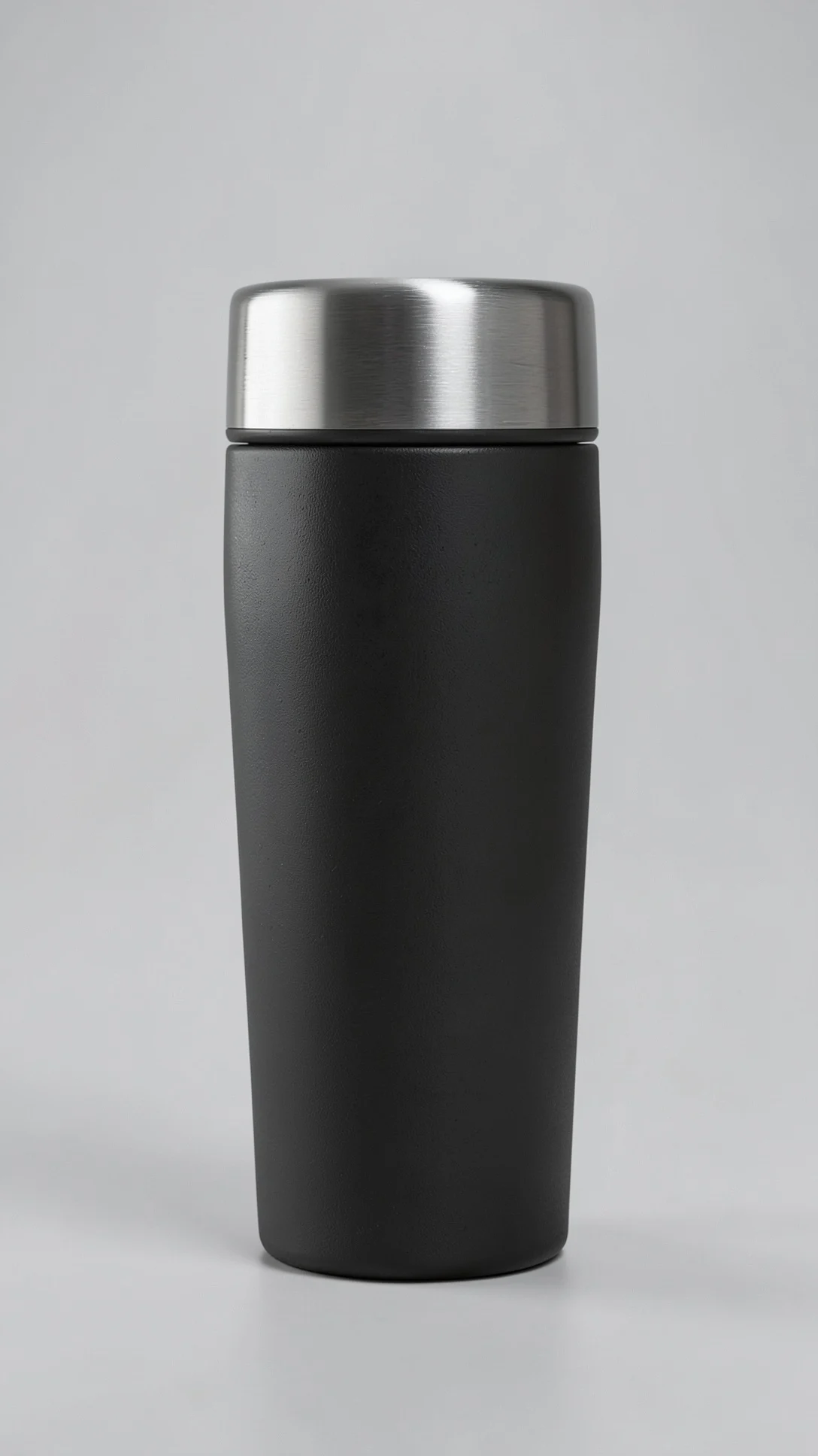
E-commerce Product Image Retouching: FLUX.2 klein 4B Image-to-Image Texture Enhancement
Style Product Image · ecommerce · Studio lighting
Reference inputs
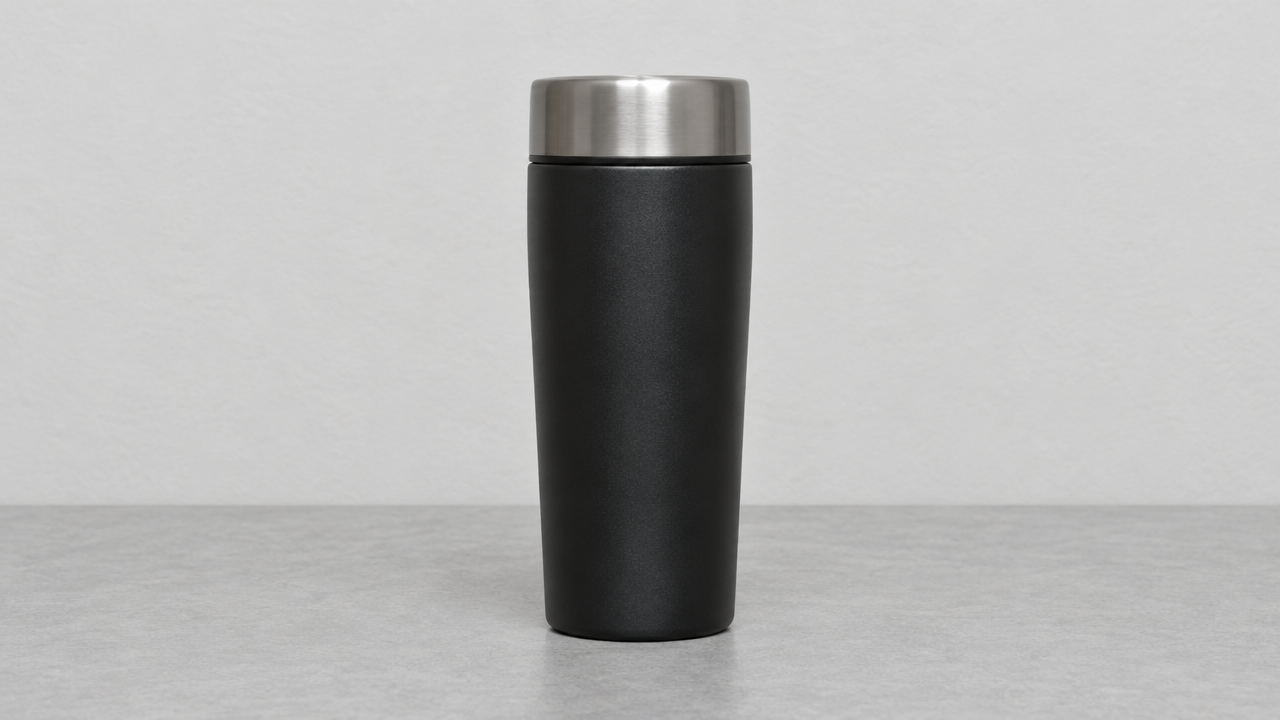
image_urls
Prompt
Retouch the reference product photo into a premium e-commerce hero image. Keep the product's outline, proportions, label positions and color characteristics unchanged. Replace the background with a seamless light gray studio backdrop, add soft large-area top light, and add subtle rim light from the left side of the camera to outline the edges, suppress highlight hot spots while retaining believable highlights, enhance surface micro-texture and material response so that metal looks metallic and matte surfaces stay matte. Slightly correct the camera angle to a clean three-quarter view without perspective distortion. Neutral color grading, the product is sharply in focus overall, with a soft contact shadow at the bottom, no props, no text overlays, no studio set reflections.
Copy the full prompt and adapt it for your own generation.
Tags

An Illustration Style Spectrum from Realistic to Flat
Style style-transfer · editorial-illustration · image-edit
Reference inputs

image_urls
Prompt
Perform image-to-image style transfer on the reference photo, transforming it into a flat vector editorial illustration: retain the subject's pose, contours, and composition from the reference image, but reconstruct them with boldly simplified shapes, hard-edged clean lines, and a limited palette of four to five flat colors including one accent color. Remove photographic texture and gradients, using only a subtle paper grain overlay, strong graphic negative space, and minimal facial features rendered as simple geometric marks, 16:9 composition, subject slightly off-center. A clear, poster-like contemporary illustration style, no photorealism, no text.
Copy the full prompt and adapt it for your own generation.
Tags
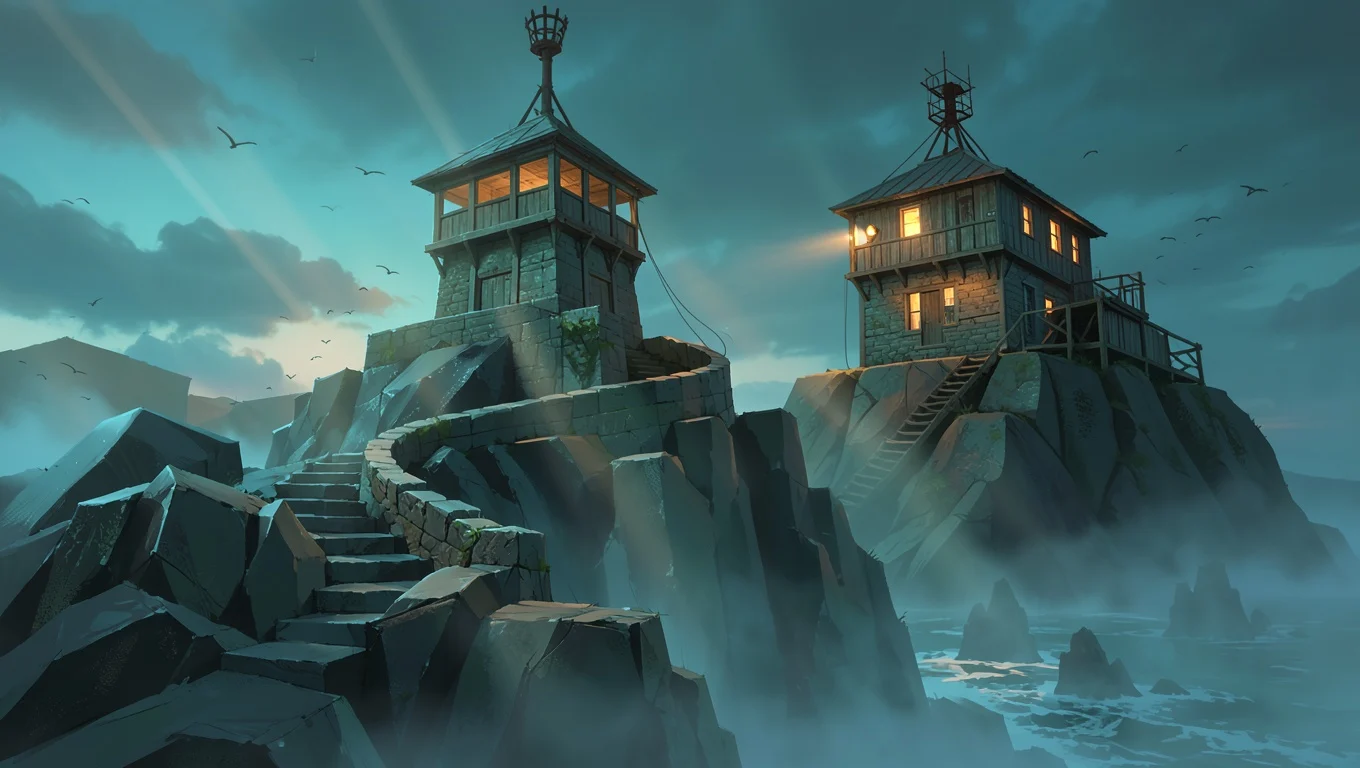
Worldbuilding Scene Concept Art: Dusk at the Coastal Outpost
Style Concept Art · Worldbuilding · Cinematic
Reference inputs
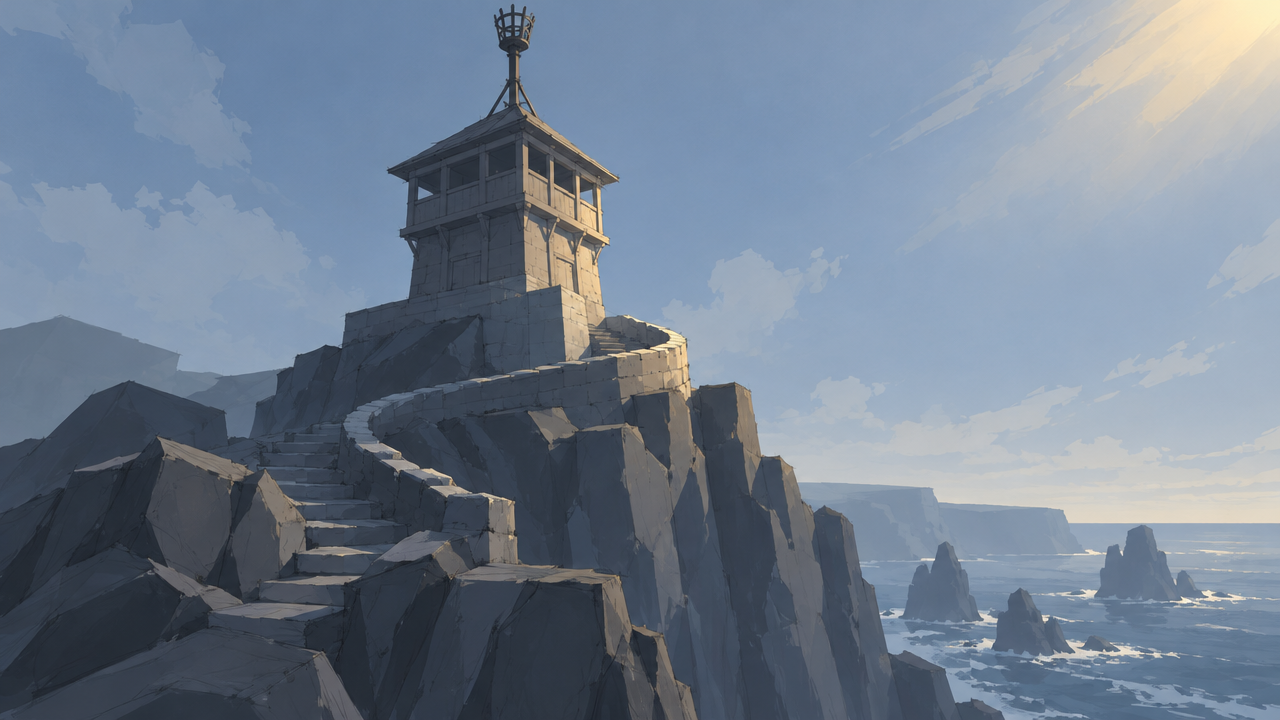
image_urls
Prompt
Refine the reference sketch into a complete cinematic concept art frame: a weathered coastal watchtower built of timber and stone, standing atop a basalt cliff, viewed from a low three-quarter angle, with a narrow stairway carved into the rock and a rusted iron beacon at the top. Dusk light, warm sodium light glowing from the outpost's windows, cold blue haze over the sea, a low fog bank catching the light. Soft teal and amber tones, painterly brushwork combined with sharp architectural edges, volumetric god rays piercing through clouds, seabirds in the distance. 16:9 widescreen composition, the outpost positioned in the right third, open sky above the water on the left, highly rich material and weathering detail, no text or watermark.
Copy the full prompt and adapt it for your own generation.
Tags

FLUX.2 klein 4B Portrait Reference Image Stylized Redraw
Style Portrait & Photography · Photo Style Restyle · Image Editing
Reference inputs

image_urls
Prompt
Restylize the reference portrait into a cinematic magazine editorial photo: keep the subject's facial features, pose, and composition unchanged, change the lighting to warm low-key side lighting with soft falloff, introduce subtle teal-green shadows and amber highlights, refined film-like color grading, shallow depth of field with smooth background bokeh, natural skin texture, visible pores and fine hair strand details, 1:1.2 portrait composition, high dynamic range, primarily photographic realism rather than stylized treatment, no text or watermark.
Copy the full prompt and adapt it for your own generation.
Tags
Pricing
flux-2-klein-4b/image-to-image per image
| Specifications | Unit Price |
|---|---|
| 0.25 MP | $0.00608 |
| 0.5 MP | $0.00643 |
| 1 MP | $0.00715 |
| 2 MP | $0.00858 |
| 4 MP | $0.01143 |
Overview
FLUX.2 klein 4B is a 4-billion-parameter image editing model released by Black Forest Labs. It accepts a single reference image as input and performs controlled modifications to the original image via instructions. Developers can specify the output resolution (0.25–4 MP), aspect ratio, format, and compression quality, and fix the random seed to reproduce results. It is suitable for developers who need to quickly validate image editing workflows, and for teams integrating reference-image redrawing into application prototypes.
Key Highlights
- Single-reference-image instruction editing — Just provide one reference image and an editing prompt to complete targeted modifications to the original image, with no need to build an additional editing pipeline.
- Fine-grained control over output parameters — Supports specifying resolution (0.25–4 MP), aspect ratio, output format, and compression quality, and a seed can be used to reproduce identical results.
- Compact distilled model — With 4B parameters distilled from a larger FLUX.2 base, it lowers the deployment barrier while retaining understanding of lighting and materials.
Capabilities
Instruction-based image editing: Input a reference image and a prompt, and the model modifies the reference image as described, outputting edited results that can be used directly in downstream workflows.
Output resolution and ratio control: Resolution can be selected between 0.25 MP and 4 MP, and the aspect ratio can match the original image or be set to common specified ratios to meet the requirements of different display placements.
Adjustable format and quality: Supports webp, jpg, and png output, and compression quality (0–100) can be set, making it easy to trade off between image quality and file size.
Reproducible results: By setting the seed parameter, the same editing result can be reproduced under identical inputs, facilitating debugging and consistency verification of batch tasks.
Use Cases
- Quick validation of image editing workflows by developers — Test editing effects with a single reference image plus a prompt, and produce reproducible sample images to evaluate whether to integrate into a production pipeline.
- Style-consistent redrawing of product images — Based on a product reference image, adjust style or details according to instructions and output images with uniform specifications for display or asset libraries.
- Real-time interactive editing prototypes — Integrate reference-image redrawing capabilities into interactive tools and output preview images as low as 0.25 MP for instant feedback.
Limitations and Model Selection Advice
Only a single reference image is accepted; multiple images cannot be constrained simultaneously. Input images exceeding 4 MP will be compressed to 4 MP, and the SVG format is not supported. As a small 4B distilled model, its capability ceiling is constrained by scale; for complex edits or scenarios requiring high-fidelity detail restoration, evaluating larger models is recommended. Independent horizontal benchmark data is currently lacking, so the full license and usage terms should be verified before commercial use.
Frequently asked questions
View all FAQs →-
What is FLUX.2 [klein] 4B best for?
It fits batch drafts, product concepts, social assets, and cost-sensitive iteration. Move to 9B when realism, typography, and fine detail matter more.
-
How should I choose between 0.25 and 4 MP?
Start with 0.25 or 0.5 MP for drafts, use 1 MP for typical web assets, and select 2 or 4 MP for larger output. Price changes by megapixel tier.
-
Which aspect ratios are supported?
1:1, 16:9, 9:16, 3:2, 2:3, 4:3, 3:4, 5:4, 4:5, 21:9, and 9:21.
-
How can I reproduce a composition direction?
Keep seed, prompt, ratio, megapixel tier, and output settings fixed while changing one variable at a time.
Create a generation task
https://api.hiapi.ai/v1/tasks Headers
AuthorizationstringRequiredAccount API key. Required on every request. Example: Bearer YOUR_HIAPI_API_KEY. Get your API key
Content-TypestringOptionalThe request body is always parsed as JSON; when sent, only application/json (optionally with charset) is accepted — any other value returns 415. Example: application/json.
Idempotency-KeystringOptionalIdempotency key, up to 255 bytes. Retries with the same key from the same account create the task only once; replays return the original taskId.
On network timeouts or client retries, the same key creates the task only once — no double charges (scope: the API key's account). Use a business-unique identifier as the key (e.g. "order-42"); replays return the original taskId, and keys expire 24 hours after the first request. See the Unified Async API overview for the full scenario matrix.
Body
modelstringRequiredCurrent fixed value: flux-2-klein-4b/image-to-image
routestringOptionalCurrent fixed value: default
inputobjectRequired
Business parameters for flux-2-klein-4b/image-to-image and route default — see the parameter table below.
seedintegerOptionalRandom seed used to control the reproducibility of generation results; takes an integer. With the same input, the same seed produces consistent results.
promptstringRequiredPrompt describing the edit to perform on the reference image; takes a string.
image_urlsarrayRequiredminItems 1maxItems 1Array of reference images, where each element is the URL of a single reference image; supports jpeg, png, and webp formats, does not support svg; images larger than 4 MP will be compressed to 4 MP.
Array [ string ]
resolutionstringOptionalDefault: "1 MP"Output image resolution, specifying the output size in megapixels; defaults to 1 MP.
0.25 MP0.5 MP1 MP2 MP4 MPaspect_ratiostringOptionalDefault: "match_input_image"Aspect ratio of the output image; when set to match_input_image, the original aspect ratio of the reference image is preserved; defaults to match_input_image.
match_input_image1:116:99:163:22:34:33:4Show all (4)
5:44:521:99:21output_formatstringOptionalDefault: "jpg"Output format of the generated image; defaults to jpg.
webpjpgpngoutput_qualityintegerOptionalDefault: 95min 0max 100Compression quality of the output image, applies only to jpg and webp formats; takes an integer, defaults to 95.
callbackobjectOptional
Terminal-state notification config. When omitted, no callback is delivered — poll the task yourself. See the callback note below.
Provide callback.url when creating a task and HiAPI POSTs to your service once the task reaches a terminal state — no polling needed. The callback payload mirrors the task detail structure; signature verification, delivery retries and idempotency are documented on the Unified Async API overview page.
urlstringRequiredRequired when callback is present. A POST is sent to this URL once the task reaches a terminal state; must be a valid http(s) URL.
whenstringOptionalDefault: "final"Only final is supported today — notified on both success and fail.
finalstoragestringOptionalDefault: "temp"Artifact storage tier: temp (default, retained about 7 days) or persistent (long-term, billed by size). Insufficient balance or exceeding the storage cap silently downgrades to temp; the effective tier is shown in the task detail response.
temppersistentRequest examples
# Submit an async task; returns a taskId immediately (no waiting for generation)
curl -X POST "https://api.hiapi.ai/v1/tasks" \
  -H "Authorization: Bearer $HIAPI_API_KEY" \
  -H "Content-Type: application/json" \
  -d '{
  "model": "flux-2-klein-4b/image-to-image",
  "input": {
    "prompt": "…",
    "image_urls": "…",
    "resolution": "1 MP",
    "aspect_ratio": "match_input_image",
    "output_format": "jpg",
    "output_quality": 95
  }
}'
const res = await fetch("https://api.hiapi.ai/v1/tasks", {
method: "POST",
headers: {
Authorization: `Bearer ${process.env.HIAPI_API_KEY}`,
"Content-Type": "application/json",
},
body: JSON.stringify({
model: "flux-2-klein-4b/image-to-image",
input: {
"prompt": "…",
"image_urls": "…",
"resolution": "1 MP",
"aspect_ratio": "match_input_image",
"output_format": "jpg",
"output_quality": 95
}
}),
});
const task = await res.json();
// { code: 200, message: "success", data: { taskId } }import os, requests
res = requests.post(
"https://api.hiapi.ai/v1/tasks",
headers={"Authorization": f"Bearer {os.environ['HIAPI_API_KEY']}"},
json={
"model": "flux-2-klein-4b/image-to-image",
"input": {
"prompt": "…",
"image_urls": "…",
"resolution": "1 MP",
"aspect_ratio": "match_input_image",
"output_format": "jpg",
"output_quality": 95
}
},
)
print(res.json()) # { code, message, data: { taskId } }200 OK
{
  "code": 200,
  "message": "success",
  "data": {
    "taskId": "tk-hiapi-01HZTQ8BX2N3GM3YFK4Z9D7VQR"
  }
}
400 Bad Request
{
  "code": 400,
  "message": "invalid request",
  "data": null,
  "error_code": "INVALID_REQUEST"
}
Get task detail
https://api.hiapi.ai/v1/tasks/:id Response fields
taskIdstringRequiredTask ID, always prefixed with tk-hiapi-.
modelstringRequiredResolved full model name. Tasks submitted with the route parameter return base@route (e.g. gpt-image-2/text-to-image@ext); otherwise identical to the name passed at creation.
routestringOptionalPresent only when the task was submitted with an explicit route parameter; echoes the submitted value.
statusstringRequiredTask status.
queued Queued, not started yet.
handling Being processed.
archiving Processing finished, artifacts being prepared.
success Terminal: completed, artifacts available (output returned).
fail Terminal: failed (error returned).
After submission, check status: success and fail are terminal, everything else is non-terminal. Poll every 1–3 seconds until terminal. On success, download artifacts from output[].url and transfer them before expireAt; pass storage: "persistent" at creation time when long-term retention is needed.
creatednumberRequiredTask creation time (Unix seconds).
completednumberRequiredUnix seconds when the task reached a terminal state; fixed to 0 while not terminal.
outputarrayOptional
Present only when status == success. Artifact list — always an array; a single task may return multiple types at once (e.g. video + first_frame).
Array [ object ]
Array items
urlstringRequiredArtifact URL, directly downloadable.
typestringRequiredCurrent possible values: video, image, audio, first_frame, last_frame, thumbnail; more may be added later.
expireAtnumberRequiredUnix seconds until which the artifact remains accessible; download or transfer before it expires.
errorobjectOptional
Present only when status == fail.
codestringRequiredBusiness error code.
messagestringRequiredError description.
Response examples
Success
{
  "code": 200,
  "message": "success",
  "data": {
    "taskId": "tk-hiapi-01HZTQ8BX2N3GM3YFK4Z9D7VQR",
    "model": "happyhorse-1-0",
    "status": "success",
    "created": 1777282033,
    "completed": 1777282099,
    "output": [
      {
        "url": "https://cdn.hiapi.ai/tasks/.../video.mp4",
        "type": "video",
        "expireAt": 1777886899
      }
    ]
  }
}
Processing (non-terminal)
{
  "code": 200,
  "message": "success",
  "data": {
    "taskId": "tk-hiapi-...",
    "model": "happyhorse-1-0",
    "status": "archiving",
    "created": 1777282033,
    "completed": 0
  }
}
Failed
{
  "code": 200,
  "message": "success",
  "data": {
    "taskId": "tk-hiapi-...",
    "model": "happyhorse-1-0",
    "status": "fail",
    "created": 1777282033,
    "completed": 1777282099,
    "error": {
      "code": "TASK_FAILED",
      "message": "task failed"
    }
  }
}Articles
View all articles →Related Models
View all models →Same Type
-
 FASHN Tryon v1.6 FASHN $0.107 /image
-
 Krea 3 Krea $0.036 /image
-
 Recraft Creative Upscale Recraft $0.357 /image
-
 Nano Banana Google $0.021 /image
-
 Seedream 5.0 ByteDance $0.025 /image
-
 GPT Image 2.5 OpenAI $0.017 /image
-
 Qwen Image 3.0 Alibaba $0.036 /image
-
 GPT Image 2 OpenAI $0.007 /image
-
 Nano Banana 2 Lite Google $0.033 /image
-
 Qwen Image 2.0 Alibaba $0.042 /image
-
 FLUX 3 Image Black Forest Labs $0.041 /image
-
 FLUX 1.1 Pro Black Forest Labs $0.050 /image
Same Provider
-
 FLUX 3 Max Black Forest Labs $0.061 /second
-
 FLUX.2 Black Forest Labs $0.035 /image
-
 FLUX.1 Fill Pro Black Forest Labs $0.071 /image
-
 FLUX 3 Video Black Forest Labs $0.090 /second
- FLUX 1.1 Pro Black Forest Labs $0.050 /image
-
 FLUX.1 Kontext Max Black Forest Labs $0.071 /image
-
 FLUX.1 Schnell Black Forest Labs $0.005 /image
-
 FLUX.2 Klein 9B Black Forest Labs $0.0086 /image
- FLUX 3 Image Black Forest Labs $0.041 /image