

Black Forest Labs
FLUX.2
flux-2/text-to-image
Black Forest Labs' family of image generation and editing models, supporting reference-image-based style transfer and multi-reference image fusion, while preserving the original composition and subject placement as much as possible during editing
Try flux-2/text-to-image
Input
Showcases
View all showcasesOutput
image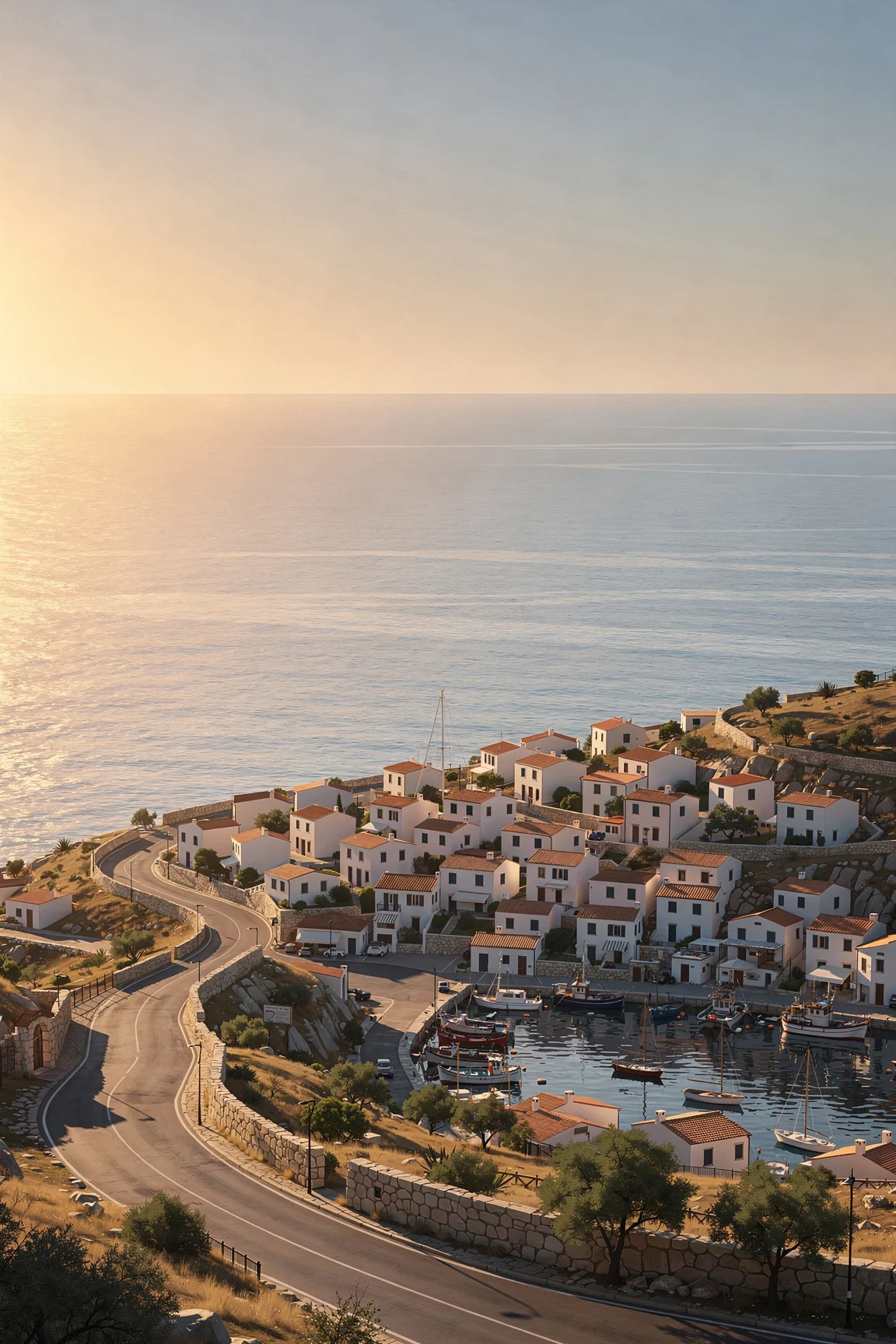
Style Spectrum: The Same Scene from Realism to Flat Illustration
Style style-spectrum · Illustration · Concept Art
Prompt
A seaside town viewed from a hillside at golden hour, with the same composition across styles: a winding coastal road, dense white houses with terracotta roofs, a small harbor with moored boats, a calm horizon, and a warm low-angle sun on the left. Rendered in a refined semi-realistic digital illustration style: clear atmospheric perspective, soft volumetric light, restrained warm and cool tones, easily recognizable silhouettes, moderate detail density, no text or watermark. 16:9 composition, harbor in the lower third, open sky left as negative space.
Copy the full prompt and adapt it for your own generation.
Tags
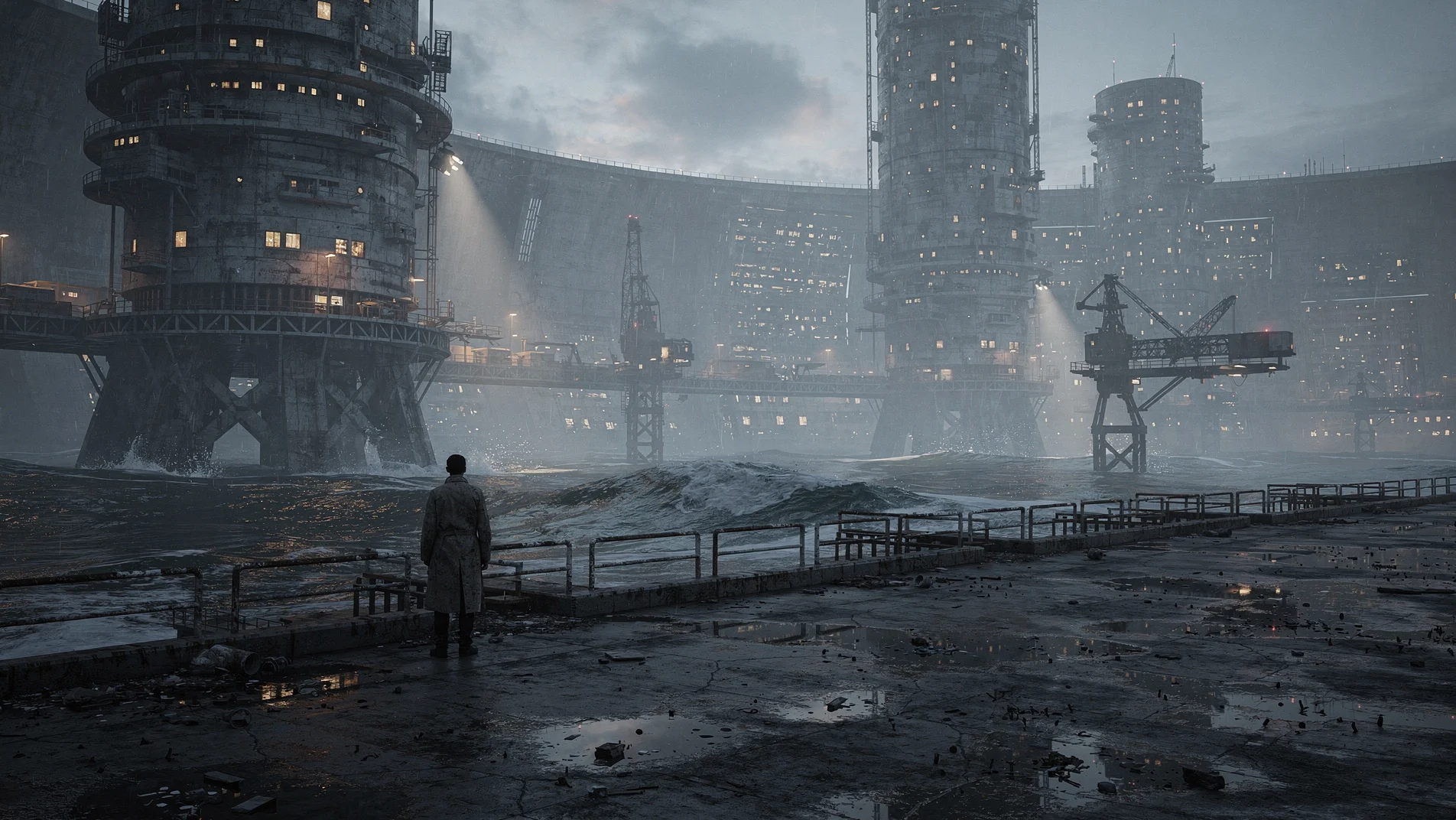
FLUX.2 Worldbuilding Scene Concept Art: Seaside Megastructure City
Style Worldbuilding · Concept Art · Sci-Fi
Prompt
Widescreen 16:9 cinematic concept art: a coastal megastructure city at blue-hour dusk. Foreground: a damp concrete embankment, tide pools reflecting scattered amber lights, rusted railings, and a lone figure in a worn coat standing at the edge to convey scale. Midground: stacked cylindrical and modular towers rising from the sea, exposed structural ribs, skybridges, cargo cranes, and dense clusters of small windows glowing warm against the cool ambient light. Background: the megastructure fading into humid mist, a curved seawall, and low-hanging clouds in the distance. Volumetric light, subtle atmospheric haze, sea-foam particles, faint reflections on wet surfaces, restrained teal and amber palette, high dynamic range, a photographic lens with slight perspective distortion, ultra-detailed architectural surfaces, believable scale contrast between the person and the structure, coherent worldbuilding, no text, no logos.
Copy the full prompt and adapt it for your own generation.
Tags
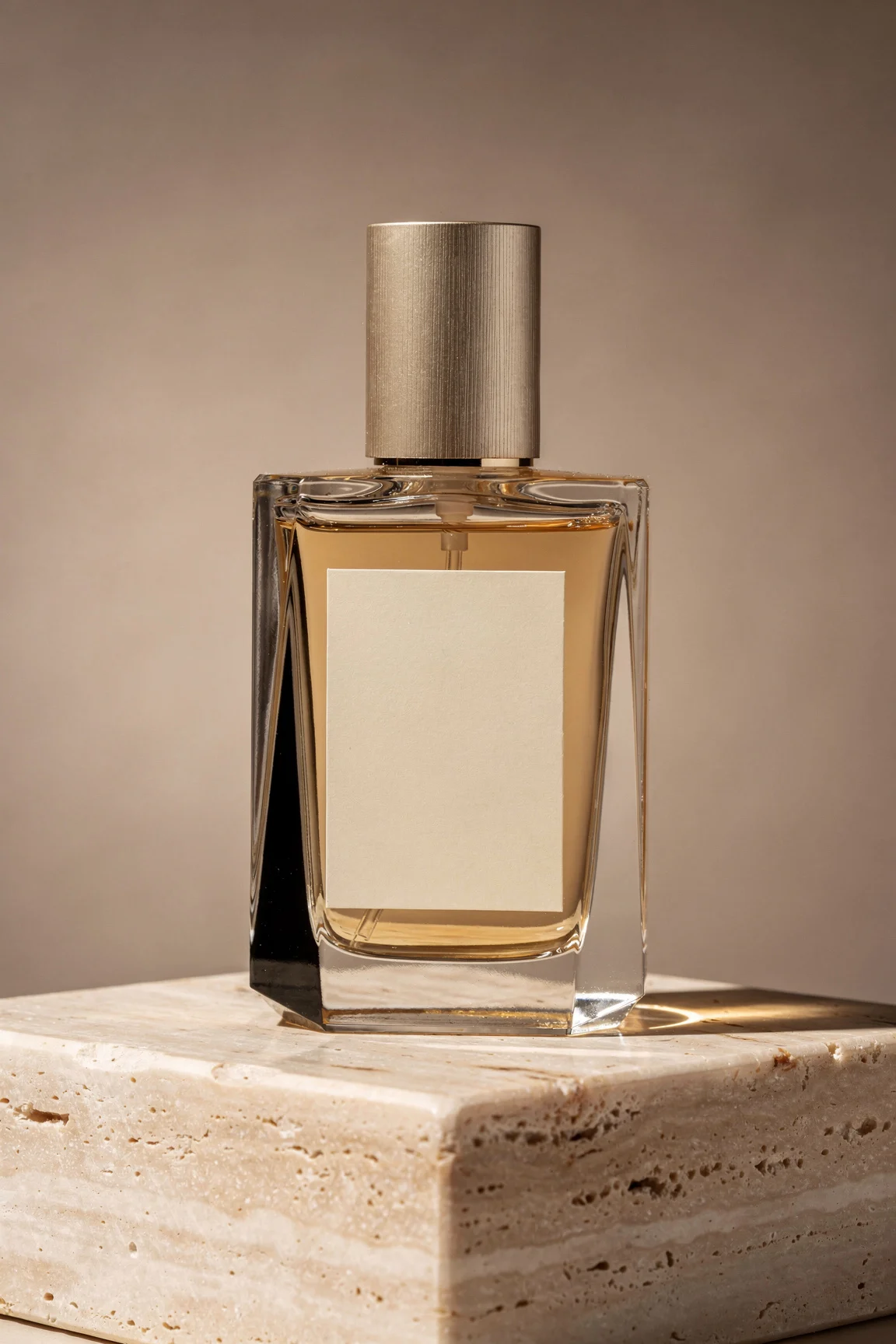
FLUX.2 E-commerce Product Image Prompt Paradigm: Glass Perfume Bottle Still Life
Style Product Image · Studio lighting · ecommerce
Prompt
Studio product photography: a multi-faceted glass perfume bottle with a brushed champagne gold cap and a matte ivory label, standing on a polished travertine base. Seamless warm gray-beige background with a soft, fading transition. Three-point lighting: a large softbox key light from the upper left, drawing a clean highlight strip along the glass edge; a black flag on the right shaping the shadow side; a subtle rim light separating the bottle from the background. Shallow depth of field, 100mm macro lens quality, eye-level camera position slightly below the label. Controlled reflections, clear caustic light spots on the base, fine and dust-free surface, natural color balance, magazine-grade e-commerce retouching quality, no text artifacts, no clutter.
Copy the full prompt and adapt it for your own generation.
Tags

FLUX.2 Portrait Prompt Reference: Realistic and Artistic Dual Styles
Style Portrait & Photography · Photorealistic · Editing
Prompt
Realistic half-body portrait, a woman in her early thirties, body turned three-quarters toward the camera, calm and natural expression, realistic skin texture, visible pores and fine hairs, wearing a simple charcoal gray knit sweater, sitting beside a large window, soft diffused daylight coming in from the left side of the camera, light gradually transitioning to a dim indoor background, shallow depth of field, 85mm lens effect, slight film grain, soft neutral color grading, editorial style photography, 16:9 composition, subject positioned at the right third, negative space on the left
Copy the full prompt and adapt it for your own generation.
Tags
Pricing
flux-2/text-to-image per image
| Specifications | Unit Price |
|---|---|
| 0.5 MP | $0.0375 |
| 1 MP | $0.050 |
| 2 MP | $0.075 |
| 4 MP | $0.125 |
Overview
FLUX.2 Text-to-Image is the text-only generation pipeline of the image generation model released by Black Forest Labs, called through the unified HiAPI.ai interface. It takes a text prompt and outputs photorealistic images, and exposes parameter controls such as resolution, aspect ratio, output format and quality, and random seed, making it suitable for creative concept exploration and batch visual production scenarios that require stable, reproducible image output.
Key Highlights
- Configurable resolution and aspect ratio — Supports output resolutions from 0.5 to 4 MP and a variety of common aspect ratios, as well as custom width and height, so you can choose sharpness and composition according to use.
- Reproducible generation via random seed — Setting a seed reproduces the same result, making it easy to compare parameters and run version regression on the same composition.
- Controllable output delivery parameters — Choose webp, jpg, or png format and adjust compression quality to directly produce distributable image files.
- Adjustable safety tolerance — safety_tolerance offers a range of 1 to 5, letting you adjust filtering strictness to meet business compliance requirements.
Capabilities
Text-to-photorealistic image generation: Enter a text prompt to generate an image; official and third-party materials both position it primarily for photorealistic style, usable for concept visuals and asset production.
Aspect ratio and resolution control: Select a preset ratio via aspect_ratio or customize width and height, paired with resolution parameters from 0.5 to 4 MP to match landscape or portrait compositions and different display placements.
Output format and quality adjustment: Supports three output formats — webp, jpg, and png — and allows setting save quality from 0 to 100 to balance file size and image quality according to the use of the output.
Reproducible generation: After specifying a seed, the same prompt and parameter combination yields consistent results, making it easy to identify the source of changes during iteration.
Safety filtering adjustment: The safety_tolerance parameter provides five levels from strictest to most lenient, which can be set according to the compliance standard of the launch scenario.
Use Cases
- Concept sketches for creative teams — Quickly produce multiple visual drafts with short prompts for direction screening and internal review, then decide what to refine.
- Composition exploration for design and advertising — Generate landscape or portrait visuals using aspect ratio and resolution parameters, directly usable for proposal drafts and layout previews.
- Batch asset production pipelines — Use fixed seeds and output format parameters to batch-generate image assets with uniform specifications in automated workflows.
- Photorealistic visual references — Generate photorealistic scenes or product mood images as reference material before photography, set design, or rendering.
Limitations and Selection Advice
This pipeline accepts only text prompts and does not process reference images; when you need to edit an existing image or perform style transfer, use the image-to-image pipeline in the same family instead. Resolution support goes up to 4 MP, but the parameter documentation recommends 2 MP and below; for very large output sizes, evaluate the image quality gain yourself. Safety filtering applies by level, and stricter levels may affect the visibility of generated content. The non-commercial license and hardware deployment requirements mentioned in research materials depend on how users actually obtain the model; when calling through HiAPI.ai, such self-deployment constraints can be ignored.
What's new
View changelog →- New model New models: flux-2-klein-4b/text-to-image for cost-efficient…
- New model New image-editing models
Frequently asked questions
View all FAQs →-
How many references does FLUX.2 [pro] Image to Image accept?
It accepts 1 to 8 JPEG, PNG, or WebP references under 10MB each. Assign each image a clear role in multi-image prompts.
-
What does the auto ratio do?
auto follows the first reference image. Choose an explicit ratio for a fixed landscape, portrait, or square output.
-
How are 1K and 2K billed?
1K and 2K use separate per-image tiers, while reference count adds no separate fee. See the live page price for current amounts.
-
How do I reduce subject or logo drift?
Assign each reference a role and state the subject, text, material, position, and lighting that must remain unchanged.
Create a generation task
https://api.hiapi.ai/v1/tasks Headers
AuthorizationstringRequiredAccount API key. Required on every request. Example: Bearer YOUR_HIAPI_API_KEY. Get your API key
Content-TypestringOptionalThe request body is always parsed as JSON; when sent, only application/json (optionally with charset) is accepted — any other value returns 415. Example: application/json.
Idempotency-KeystringOptionalIdempotency key, up to 255 bytes. Retries with the same key from the same account create the task only once; replays return the original taskId.
On network timeouts or client retries, the same key creates the task only once — no double charges (scope: the API key's account). Use a business-unique identifier as the key (e.g. "order-42"); replays return the original taskId, and keys expire 24 hours after the first request. See the Unified Async API overview for the full scenario matrix.
Body
modelstringRequiredCurrent fixed value: flux-2/text-to-image
routestringOptionalCurrent fixed value: default
inputobjectRequired
Business parameters for flux-2/text-to-image and route default — see the parameter table below.
seedintegerOptionalRandom seed used to reproduce generation results; setting the same seed yields repeatable generation output.
widthintegerOptionalmin 256max 2048Custom image width, effective only when aspect_ratio is set to custom; automatically rounded to the nearest multiple of 16.
heightintegerOptionalmin 256max 2048Custom image height, effective only when aspect_ratio is set to custom; automatically rounded to the nearest multiple of 16.
promptstringRequiredText prompt used for image generation, describing the desired image content.
resolutionstringOptionalDefault: "1 MP"Output image resolution in megapixels (MP), up to 4 MP supported; 2 MP or below is recommended. Default is 1 MP.
0.5 MP1 MP2 MP4 MPaspect_ratiostringOptionalDefault: "1:1"Aspect ratio of the generated image. Default is 1:1.
1:116:93:22:34:55:49:163:4Show all (2)
4:3customoutput_formatstringOptionalDefault: "webp"File format for saving the output image. Default is webp.
webpjpgpngoutput_qualityintegerOptionalDefault: 80min 0max 100Quality for saving the output image, ranging from 0 to 100; has no effect for the png format. Default is 80.
safety_toleranceintegerOptionalDefault: 2min 1max 5Safety tolerance, where 1 is the strictest and 5 is the most permissive. Default is 2.
callbackobjectOptional
Terminal-state notification config. When omitted, no callback is delivered — poll the task yourself. See the callback note below.
Provide callback.url when creating a task and HiAPI POSTs to your service once the task reaches a terminal state — no polling needed. The callback payload mirrors the task detail structure; signature verification, delivery retries and idempotency are documented on the Unified Async API overview page.
urlstringRequiredRequired when callback is present. A POST is sent to this URL once the task reaches a terminal state; must be a valid http(s) URL.
whenstringOptionalDefault: "final"Only final is supported today — notified on both success and fail.
finalstoragestringOptionalDefault: "temp"Artifact storage tier: temp (default, retained about 7 days) or persistent (long-term, billed by size). Insufficient balance or exceeding the storage cap silently downgrades to temp; the effective tier is shown in the task detail response.
temppersistentRequest examples
# Submit an async task; returns a taskId immediately (no waiting for generation)
curl -X POST "https://api.hiapi.ai/v1/tasks" \
  -H "Authorization: Bearer $HIAPI_API_KEY" \
  -H "Content-Type: application/json" \
  -d '{
  "model": "flux-2/text-to-image",
  "input": {
    "prompt": "…",
    "resolution": "1 MP",
    "aspect_ratio": "1:1",
    "output_format": "webp",
    "output_quality": 80,
    "safety_tolerance": 2
  }
}'
const res = await fetch("https://api.hiapi.ai/v1/tasks", {
method: "POST",
headers: {
Authorization: `Bearer ${process.env.HIAPI_API_KEY}`,
"Content-Type": "application/json",
},
body: JSON.stringify({
model: "flux-2/text-to-image",
input: {
"prompt": "…",
"resolution": "1 MP",
"aspect_ratio": "1:1",
"output_format": "webp",
"output_quality": 80,
"safety_tolerance": 2
}
}),
});
const task = await res.json();
// { code: 200, message: "success", data: { taskId } }import os, requests
res = requests.post(
"https://api.hiapi.ai/v1/tasks",
headers={"Authorization": f"Bearer {os.environ['HIAPI_API_KEY']}"},
json={
"model": "flux-2/text-to-image",
"input": {
"prompt": "…",
"resolution": "1 MP",
"aspect_ratio": "1:1",
"output_format": "webp",
"output_quality": 80,
"safety_tolerance": 2
}
},
)
print(res.json()) # { code, message, data: { taskId } }200 OK
{
  "code": 200,
  "message": "success",
  "data": {
    "taskId": "tk-hiapi-01HZTQ8BX2N3GM3YFK4Z9D7VQR"
  }
}
400 Bad Request
{
  "code": 400,
  "message": "invalid request",
  "data": null,
  "error_code": "INVALID_REQUEST"
}
Get task detail
https://api.hiapi.ai/v1/tasks/:id Response fields
taskIdstringRequiredTask ID, always prefixed with tk-hiapi-.
modelstringRequiredResolved full model name. Tasks submitted with the route parameter return base@route (e.g. gpt-image-2/text-to-image@ext); otherwise identical to the name passed at creation.
routestringOptionalPresent only when the task was submitted with an explicit route parameter; echoes the submitted value.
statusstringRequiredTask status.
queued Queued, not started yet.
handling Being processed.
archiving Processing finished, artifacts being prepared.
success Terminal: completed, artifacts available (output returned).
fail Terminal: failed (error returned).
After submission, check status: success and fail are terminal, everything else is non-terminal. Poll every 1–3 seconds until terminal. On success, download artifacts from output[].url and transfer them before expireAt; pass storage: "persistent" at creation time when long-term retention is needed.
creatednumberRequiredTask creation time (Unix seconds).
completednumberRequiredUnix seconds when the task reached a terminal state; fixed to 0 while not terminal.
outputarrayOptional
Present only when status == success. Artifact list — always an array; a single task may return multiple types at once (e.g. video + first_frame).
Array [ object ]
Array items
urlstringRequiredArtifact URL, directly downloadable.
typestringRequiredCurrent possible values: video, image, audio, first_frame, last_frame, thumbnail; more may be added later.
expireAtnumberRequiredUnix seconds until which the artifact remains accessible; download or transfer before it expires.
errorobjectOptional
Present only when status == fail.
codestringRequiredBusiness error code.
messagestringRequiredError description.
Response examples
Success
{
  "code": 200,
  "message": "success",
  "data": {
    "taskId": "tk-hiapi-01HZTQ8BX2N3GM3YFK4Z9D7VQR",
    "model": "happyhorse-1-0",
    "status": "success",
    "created": 1777282033,
    "completed": 1777282099,
    "output": [
      {
        "url": "https://cdn.hiapi.ai/tasks/.../video.mp4",
        "type": "video",
        "expireAt": 1777886899
      }
    ]
  }
}
Processing (non-terminal)
{
  "code": 200,
  "message": "success",
  "data": {
    "taskId": "tk-hiapi-...",
    "model": "happyhorse-1-0",
    "status": "archiving",
    "created": 1777282033,
    "completed": 0
  }
}
Failed
{
  "code": 200,
  "message": "success",
  "data": {
    "taskId": "tk-hiapi-...",
    "model": "happyhorse-1-0",
    "status": "fail",
    "created": 1777282033,
    "completed": 1777282099,
    "error": {
      "code": "TASK_FAILED",
      "message": "task failed"
    }
  }
}Articles
View all articles →Related Models
View all models →Same Type
-
 FLUX 3 Image Black Forest Labs $0.041 /image
-
 FLUX.1 Schnell Black Forest Labs $0.005 /image
-
 Qwen Image 2.0 Alibaba $0.042 /image
-
 Seedream 5.0 ByteDance $0.025 /image
-
 Google Virtual Try-On Google $0.107 /image
-
 GPT Image 2 OpenAI $0.007 /image
-
 FASHN Tryon v1.6 FASHN $0.107 /image
-
 BRIA Eraser Bria $0.058 /image
-
 Muse Image 1.0 Meta $0.015 per task
-
 Qwen Image 2.1 Alibaba $0.020 /image
-
 FIBO 1.5 Bria $0.058 /image
-
 FLUX.2 Black Forest Labs $0.035 /image
Same Provider
-
 FLUX.2 Klein 9B Black Forest Labs $0.0086 /image
- FLUX.1 Schnell Black Forest Labs $0.005 /image
- FLUX 3 Image Black Forest Labs $0.041 /image
-
 FLUX 3 Video Black Forest Labs $0.090 /second
-
 FLUX 3 Max Black Forest Labs $0.061 /second
-
 FLUX 1.1 Pro Black Forest Labs $0.050 /image
-
 FLUX.2 Klein 4B Black Forest Labs $0.0004 /image
-
 FLUX.1 Kontext Max Black Forest Labs $0.071 /image
-
 FLUX.1 Fill Pro Black Forest Labs $0.071 /image
- FLUX.2 Black Forest Labs $0.035 /image