

Black Forest Labs
FLUX 3 Max
flux-3-max/keyframes-to-video
A video generation model that supports text-to-video and image-to-video, focused on low-latency, fast turnaround; public benchmarks report roughly 11–12 seconds to generate a 10-second clip, making it well suited to creative iteration and short-video assets
Try flux-3-max/keyframes-to-video
Input
Showcases
View all showcasesOutput
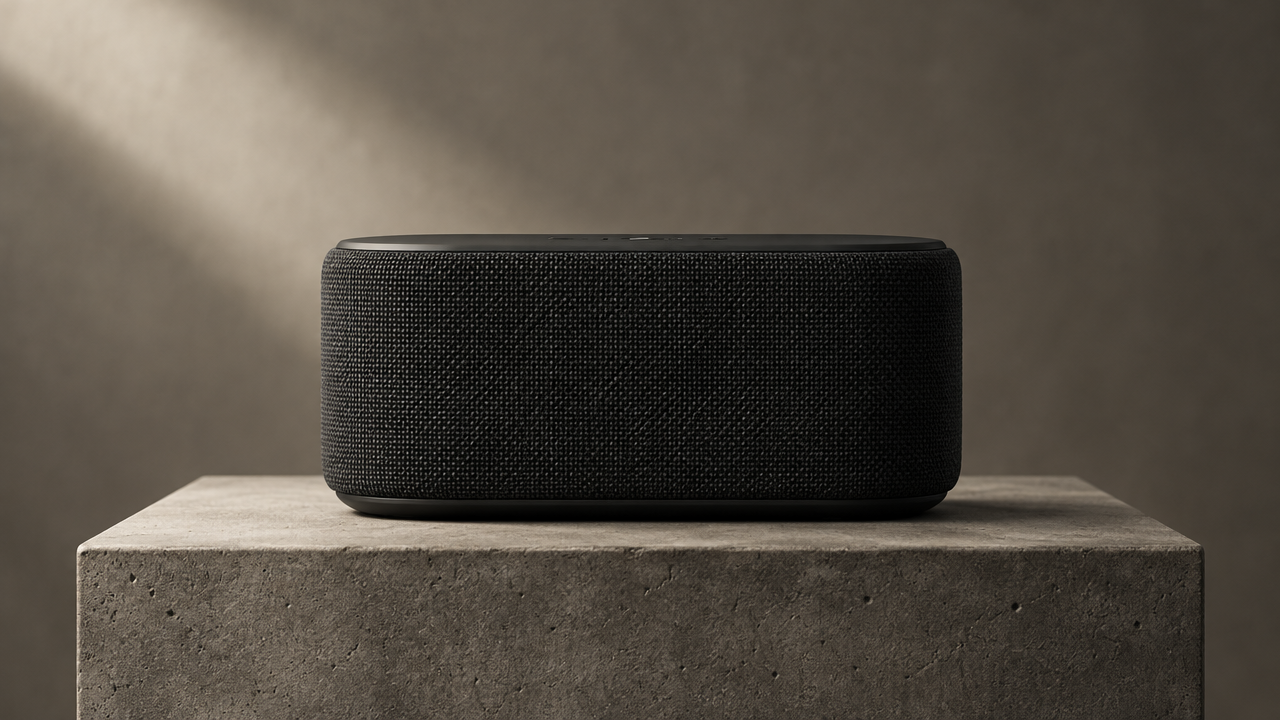
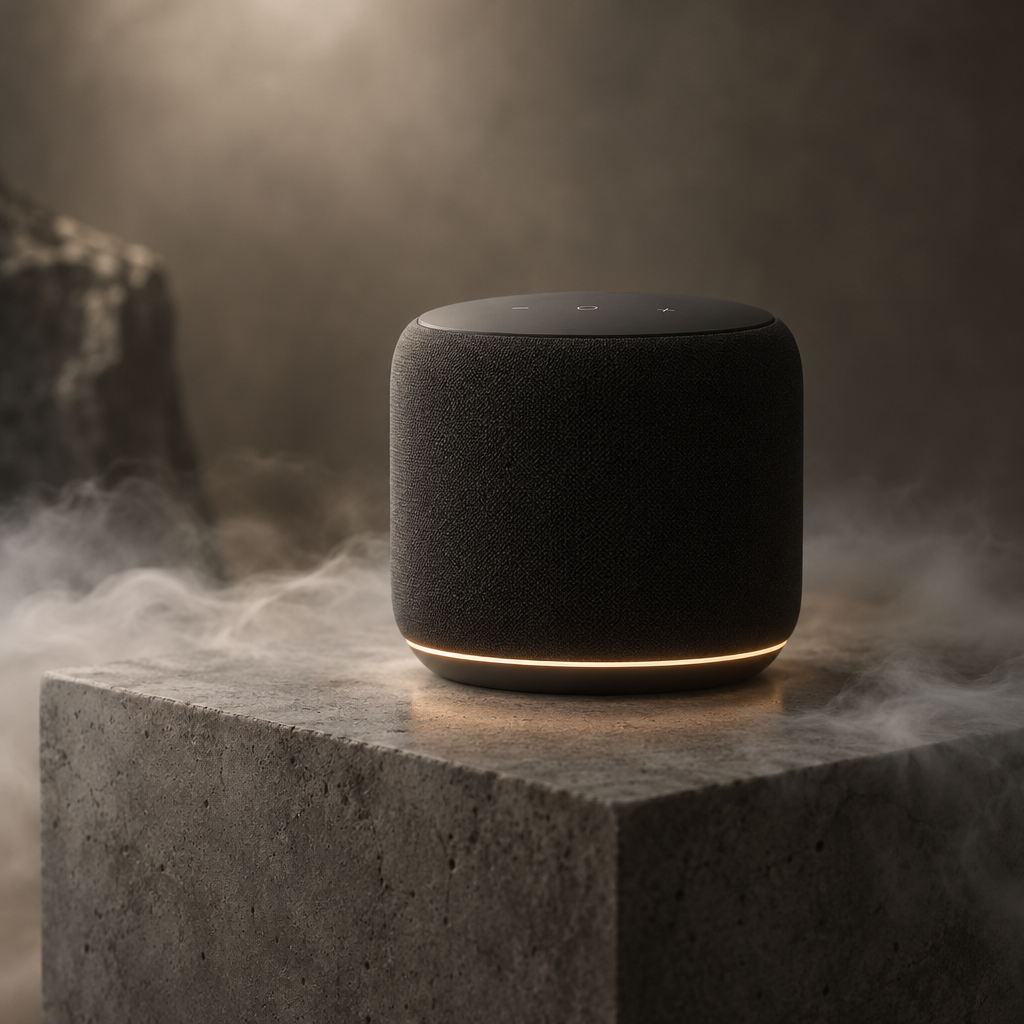
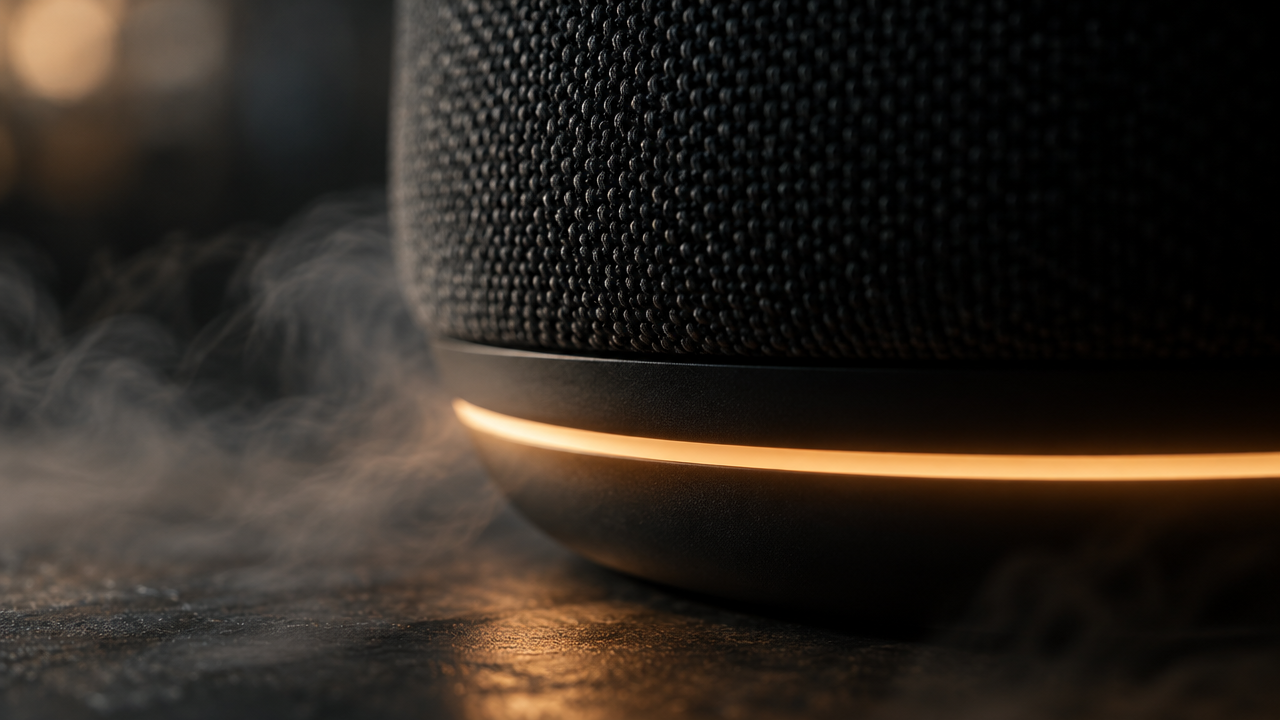
videoFLUX 3 Max Keyframe Timeline: Product from Still to Motion
Style Keyframe Animation · Product Film · Motion Design
Reference inputs
keyframes
keyframes
keyframes
Prompt
A product film based on a three-keyframe timeline. Shot 0 opening: a matte black wireless speaker stands quietly on a concrete pedestal, soft top lighting, shallow depth of field, a low-key warm gray background. The camera moves slowly forward and slightly to the right; the speaker's fabric grille catches a faint sheen, and a thin ring of light glows around the base. By the midpoint, the camera has orbited to a three-quarter angle, the ring light gradually brightens, and a faint mist drifts and flows across the pedestal surface. In the final beat, the camera pushes in to a tight close-up of the glowing ring, focus shifts from the grille texture to the halo, and the light finally settles into a steady pulsing rhythm. Smooth continuous camera movement, no cuts, steady pacing, cinematic product-ad quality, 16:9, clean and restrained color grading.
Copy the full prompt and adapt it for your own generation.
Tags
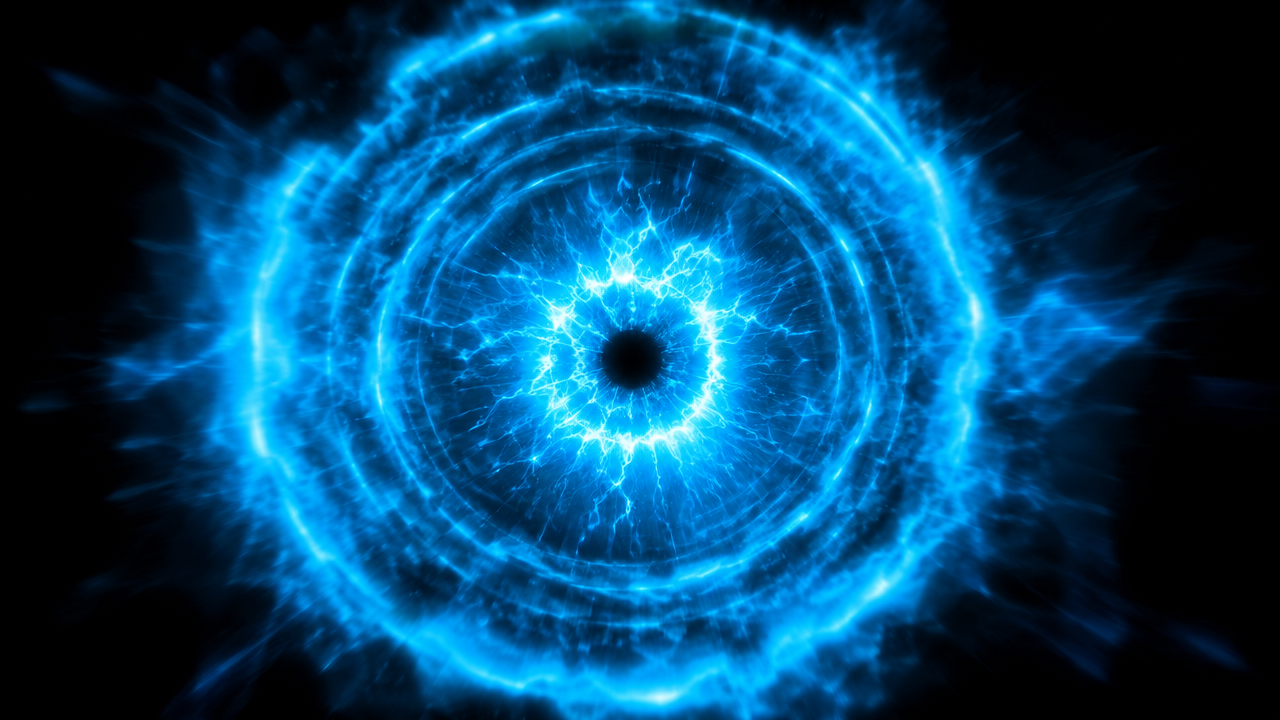
Static Visual Effects Keyframe Sequence Demo
Style Motion Design · vfx-study · Keyframe Animation
Reference inputs
keyframes

keyframes

keyframes

keyframes
Prompt
A dynamic design effects reel composed of four static keyframes: an energy pulse ring expanding outward from a dark center, a burst of glowing particles scattering outward, volumetric smoke rolling and flowing through a volumetric light beam, and a horizontal band of light sweeping across the frame. The camera is nearly locked off with only a slight push-in, transitions between beats are fast and continuous, particles carry motion blur, light wraps the edges of the frame, deep black background with cyan and warm amber highlights, high contrast, clean compositing, steady 24 fps rhythm, no text, no logos.
Copy the full prompt and adapt it for your own generation.
Tags
Keyframe Storyboard Concept: Turning Text into Visuals
Style Storyboard · Concept Art · Keyframe Animation
Reference inputs
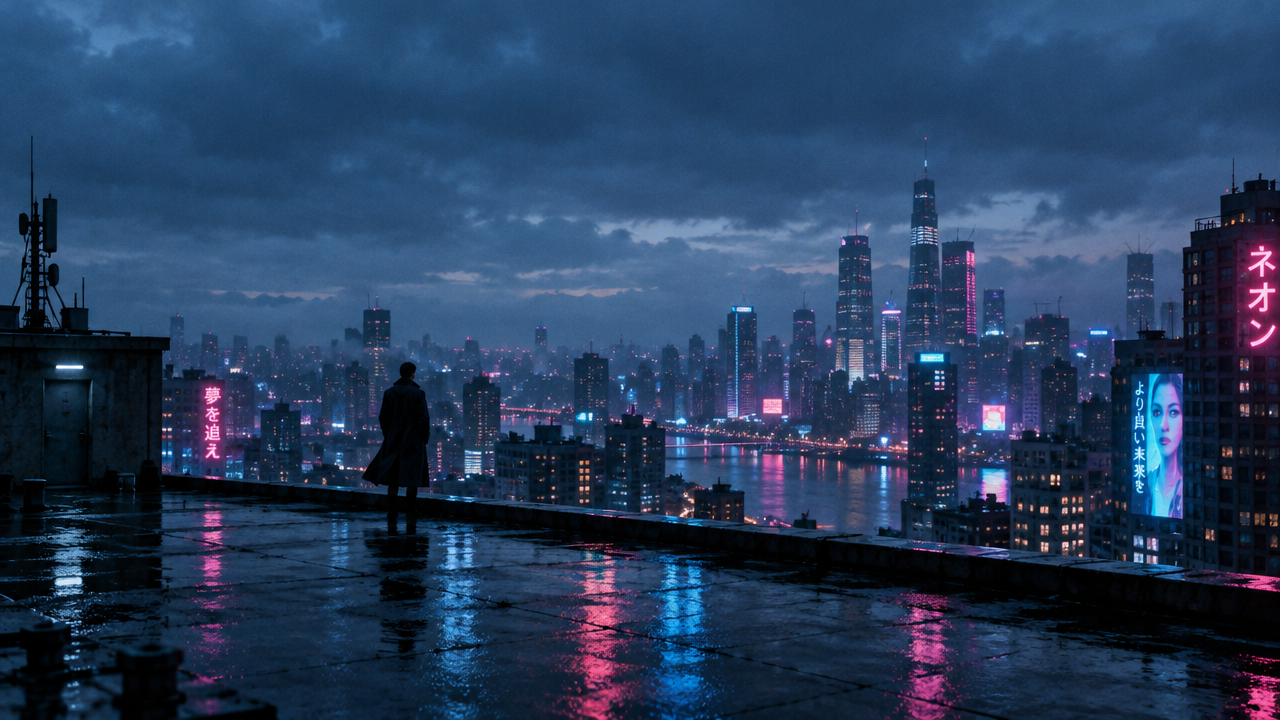
keyframes
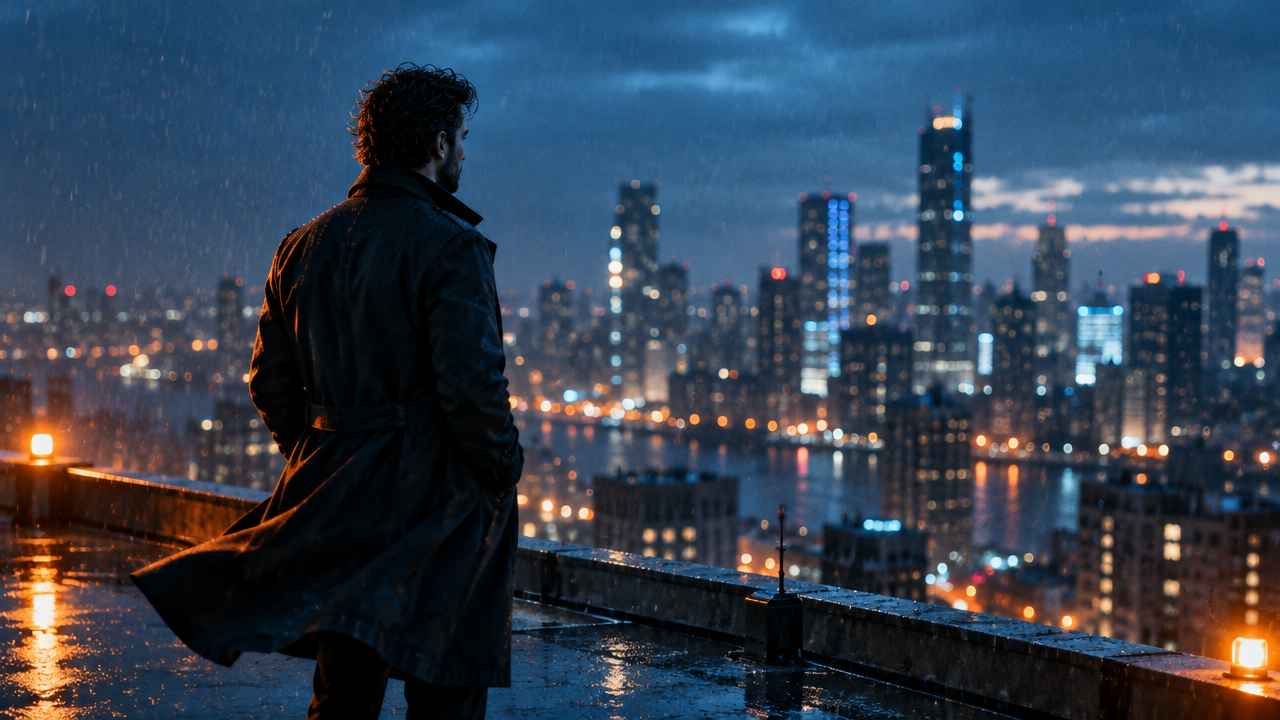
keyframes
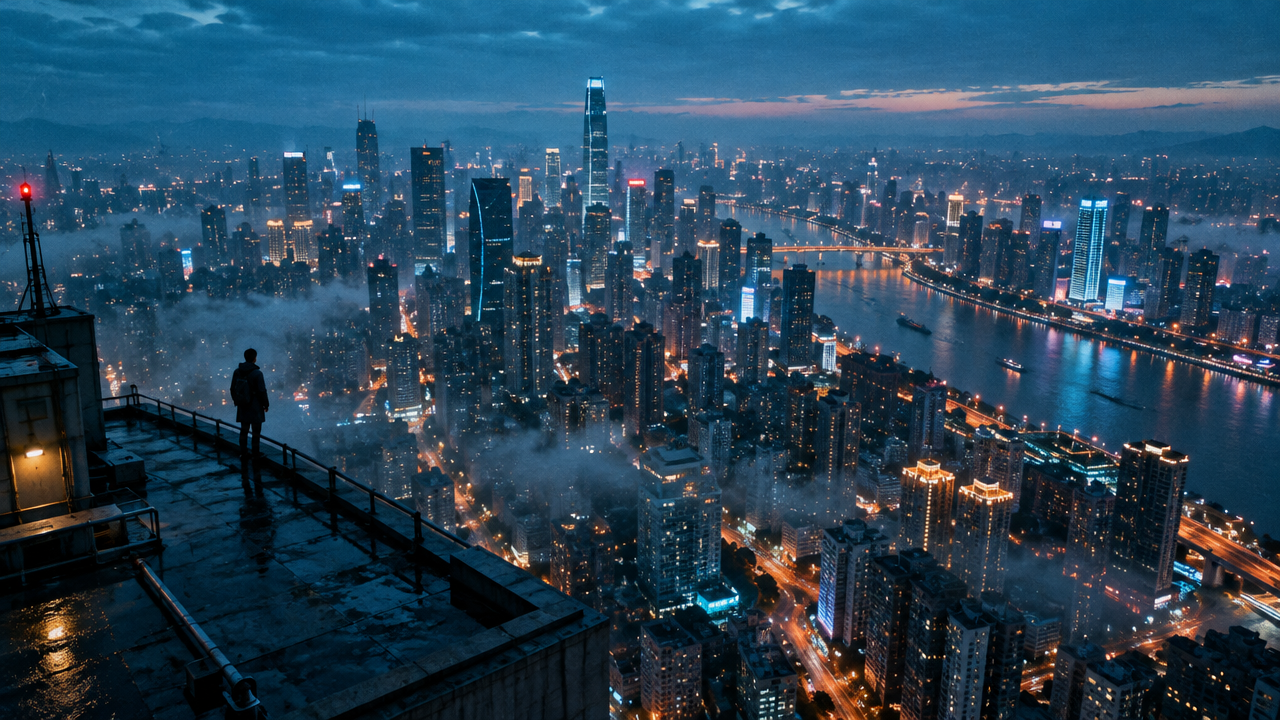
keyframes
Prompt
A three-beat storyboard sequence, transformed into motion footage. Shot 1: at blue hour, a lone figure in a long coat stands at the edge of a rain-soaked city rooftop, static wide shot, neon lights reflecting on the wet concrete. Shot 2: a slow push-in, the figure turns toward the skyline, very shallow depth of field, drifting mist and fine rain, with a slight handheld shake. Shot 3: the camera rises into a crane movement, revealing the densely lit city below, the figure appearing small in frame, cool cyan tones contrasting with warm sodium lights. All beats maintain consistent lighting and color grading, cinematic 2.39:1 composition, film grain, smooth and continuous pacing, with natural motion blur.
Copy the full prompt and adapt it for your own generation.
Tags
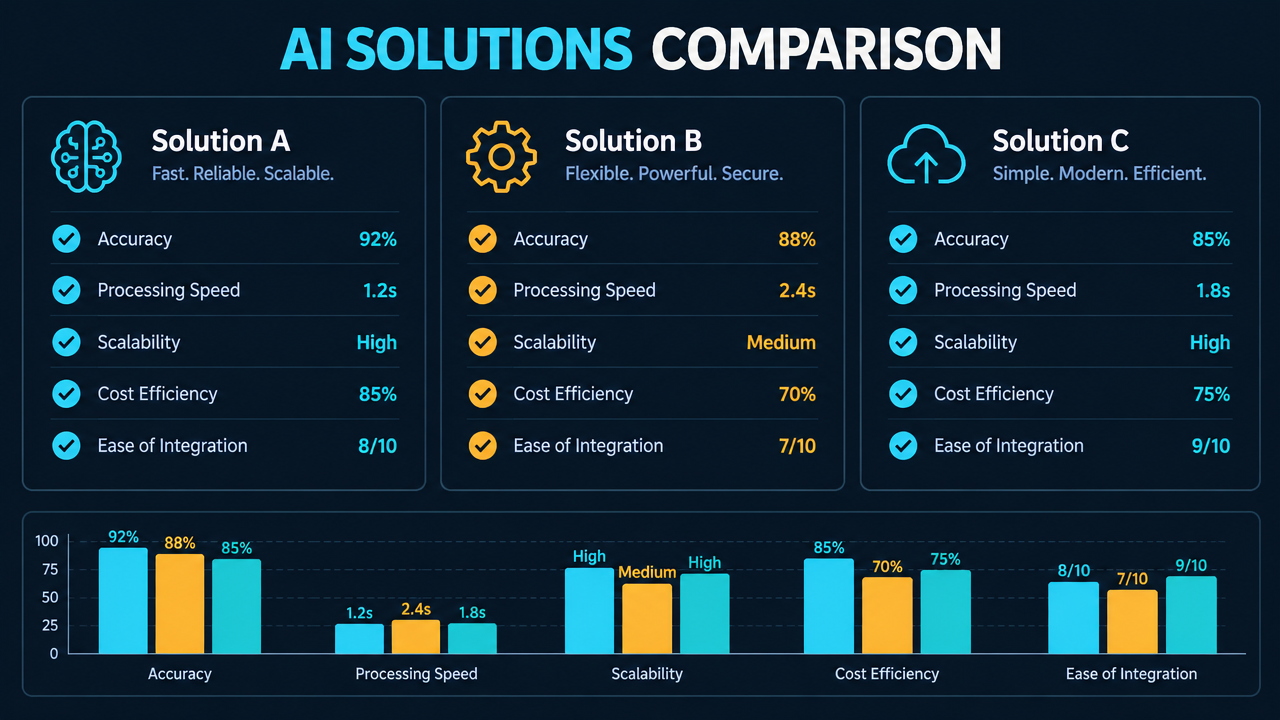
FLUX 3 Max Keyframe Motion Effects: Same-Tier Model Comparison Infographic
Style Infographic · Keyframe Motion · Technical Analysis
Reference inputs
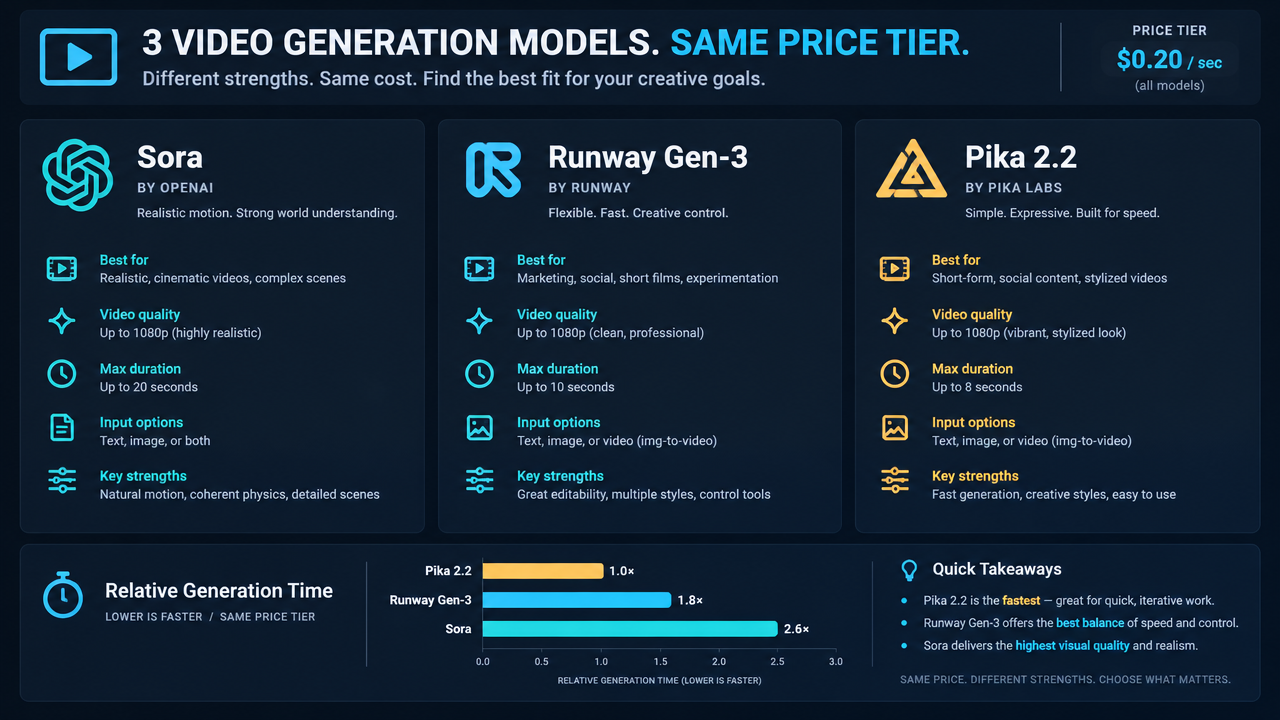
keyframes
keyframes
Prompt
Turn the static comparison infographic into a short motion graphics piece. The infographic uses a clean dark-mode technical layout, with a title bar at the top, three vertical model comparison columns in the middle, and a small benchmark bar chart at the bottom. Camera: from the full infographic, push in very slowly and steadily to a slightly tighter framing, with subtle parallax between the title layer and the column layers; no rotation, no shake. Motion: elements settle in place, a thin highlight sweeps across once, passing over each column heading in sequence, and the bars of the bar chart grow slightly without changing their proportions. Fully preserve all text, numbers, and layout in the source image; do not invent or alter labels. Lighting: flat UI lighting, soft glow along the top edge, no lens flare, no particles. Mood: precise, analytical, developer-facing product explainer. Keep motion restrained and readable at 720p, 16:9, 10 seconds.
Copy the full prompt and adapt it for your own generation.
Tags
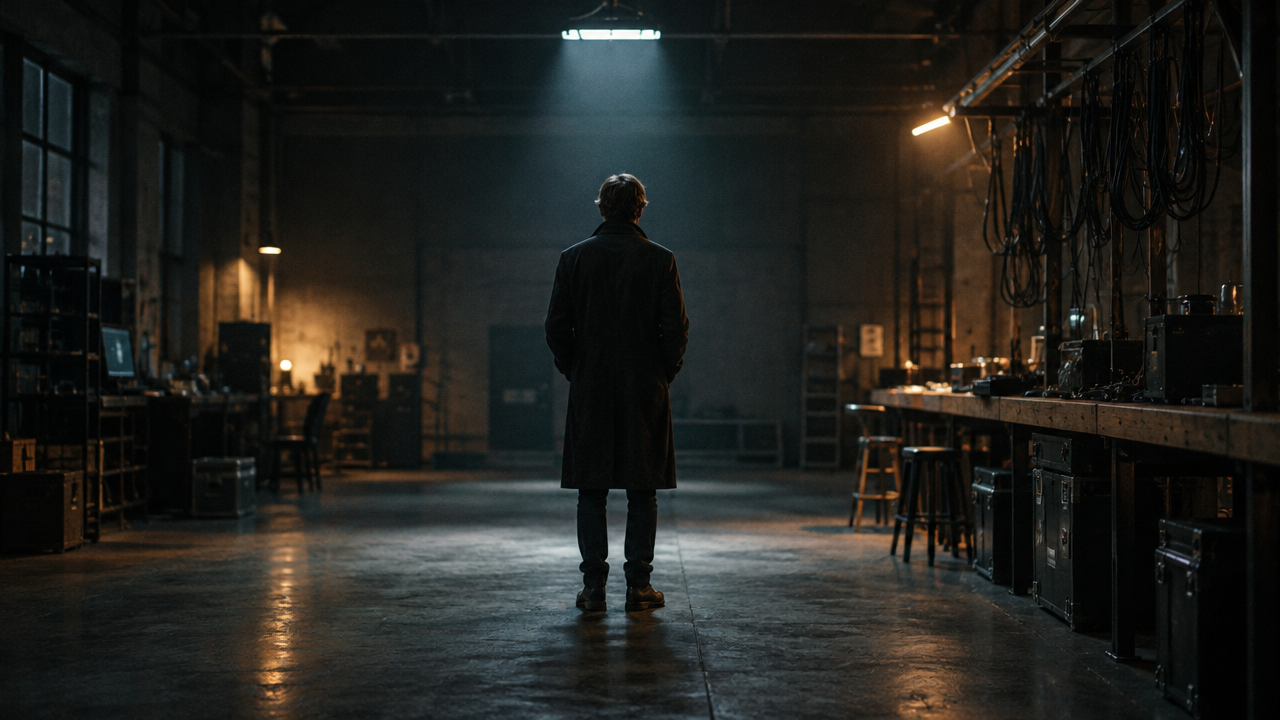
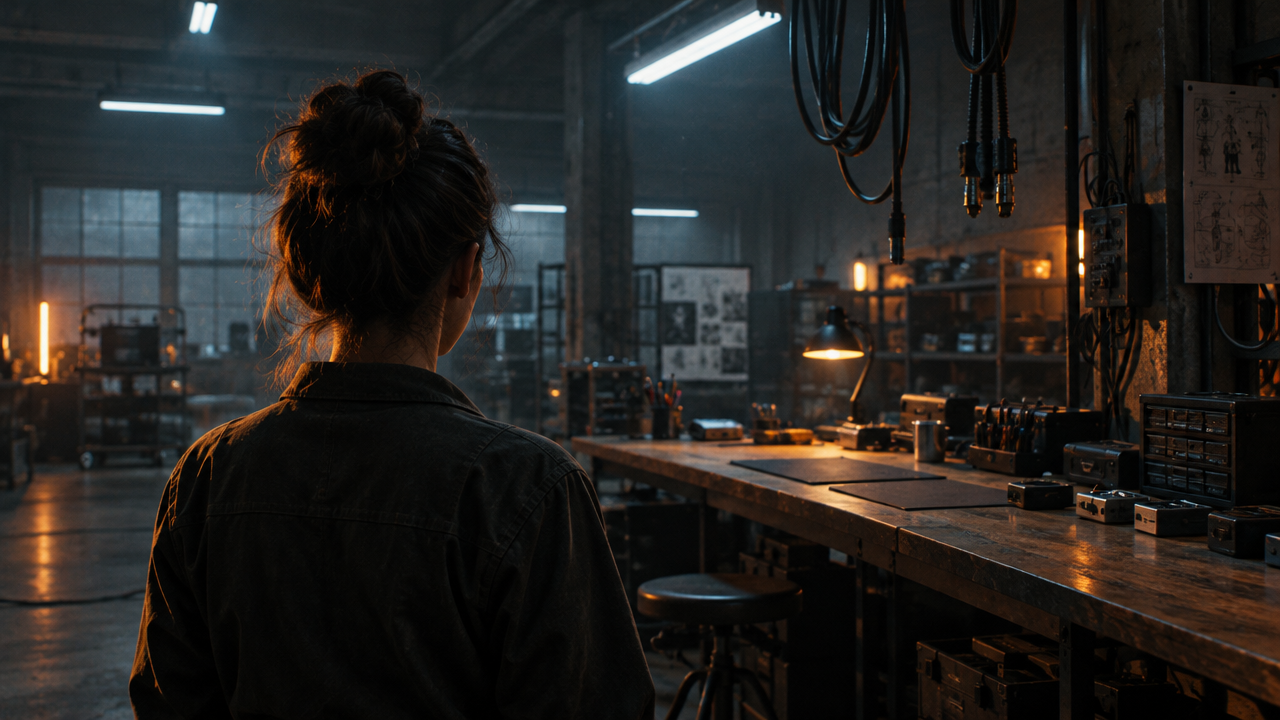
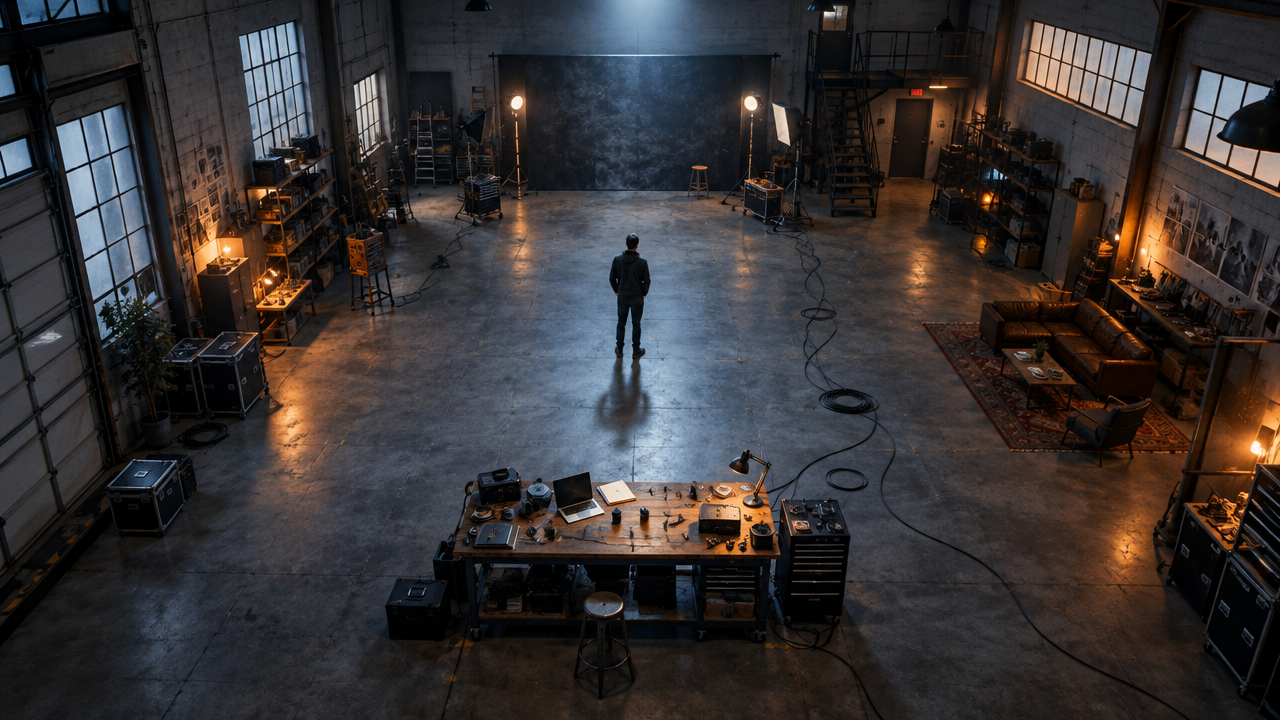
Keyframe Camera Movement Visual Notes: Push, Pan, Tilt, and Tracking Diagram
Style Camera Movement · Storyboard · Dynamic Research
Reference inputs
keyframes
keyframes
keyframes
Prompt
A continuous single-take camera movement study inside a dim industrial photography studio: a lone figure in a dark coat stands with their back to the camera. It opens on a symmetrical wide shot, then slowly and steadily pushes in to the figure's shoulders; in the medium shot the camera drifts laterally to the right with a smooth tracking motion, revealing a long workbench and hanging cables; finally the camera tilts up and pulls back to form a high-angle wide shot showing the studio's full floor layout. Lighting stays consistent, with only one cool overhead light and a warm rim light, fine film grain, and shallow depth of field that gradually deepens as the camera pulls back. The pacing is steady and unhurried, no cuts, no whip pans, and the subject turns slightly but never faces the camera.
Copy the full prompt and adapt it for your own generation.
Tags
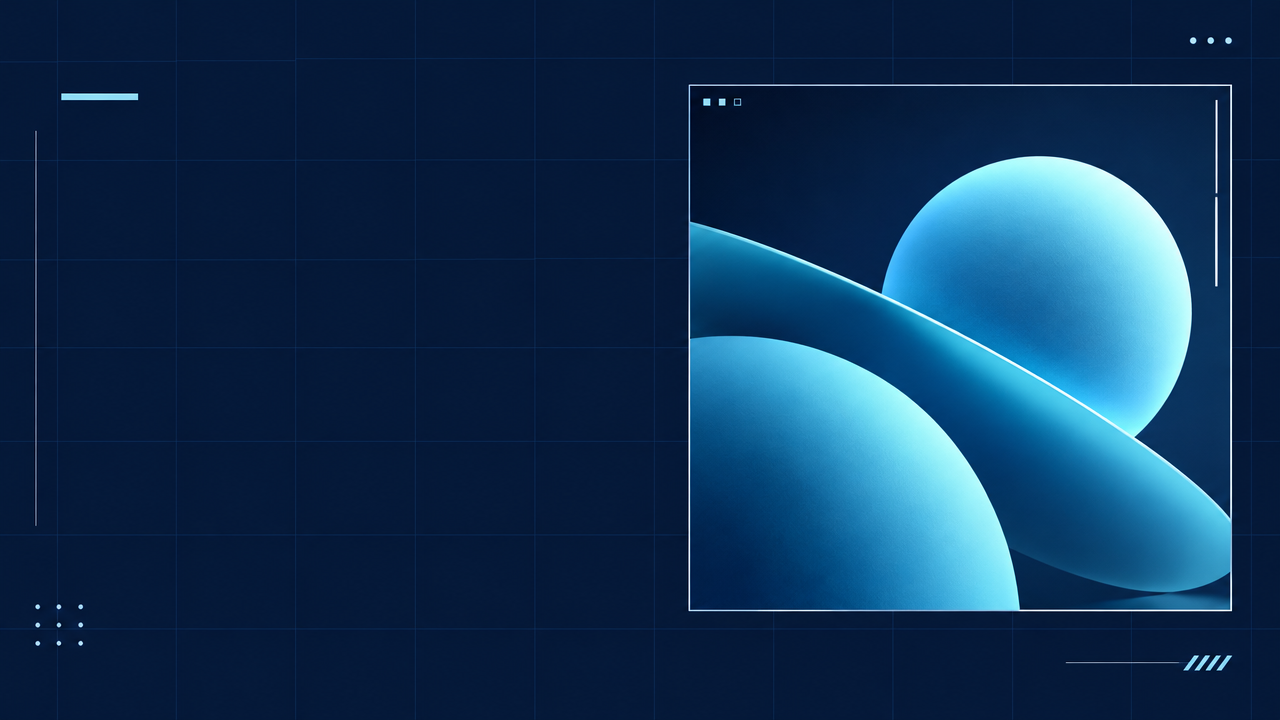
FLUX 3 Max Keyframes-to-Video Tutorial Cover
Style Design Tutorial · Keyframe Animation · ui-motion
Reference inputs
keyframes

keyframes
Prompt
A clean editorial-style tutorial cover animates in place: a flat deep navy background with a soft grid, a bold left-aligned title block area left empty on the left for later text overlay, and a demo panel on the right that begins as a clear static reference frame and then smoothly transitions into a motion-abstract video strip with subtle motion blur. The camera remains fixed, pushing in very slowly; typographic placeholders and panel outlines are progressively drawn in with precise staggered timing, a thin accent line sweeps across once, and then everything settles into a stable key visual layout. Minimal, technical, high contrast, cool cyan and white accent palette, soft studio lighting, no text, 16:9, smooth 24 fps pacing, ending with an ease-out.
Copy the full prompt and adapt it for your own generation.
Tags
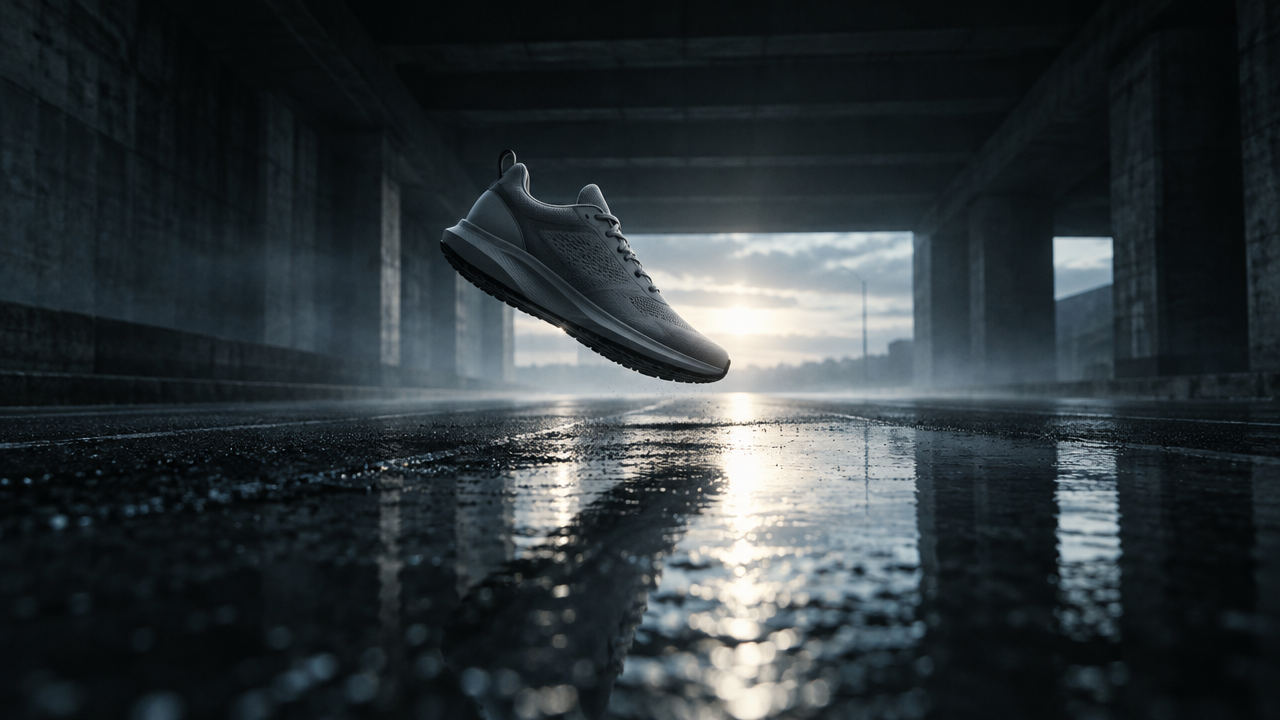
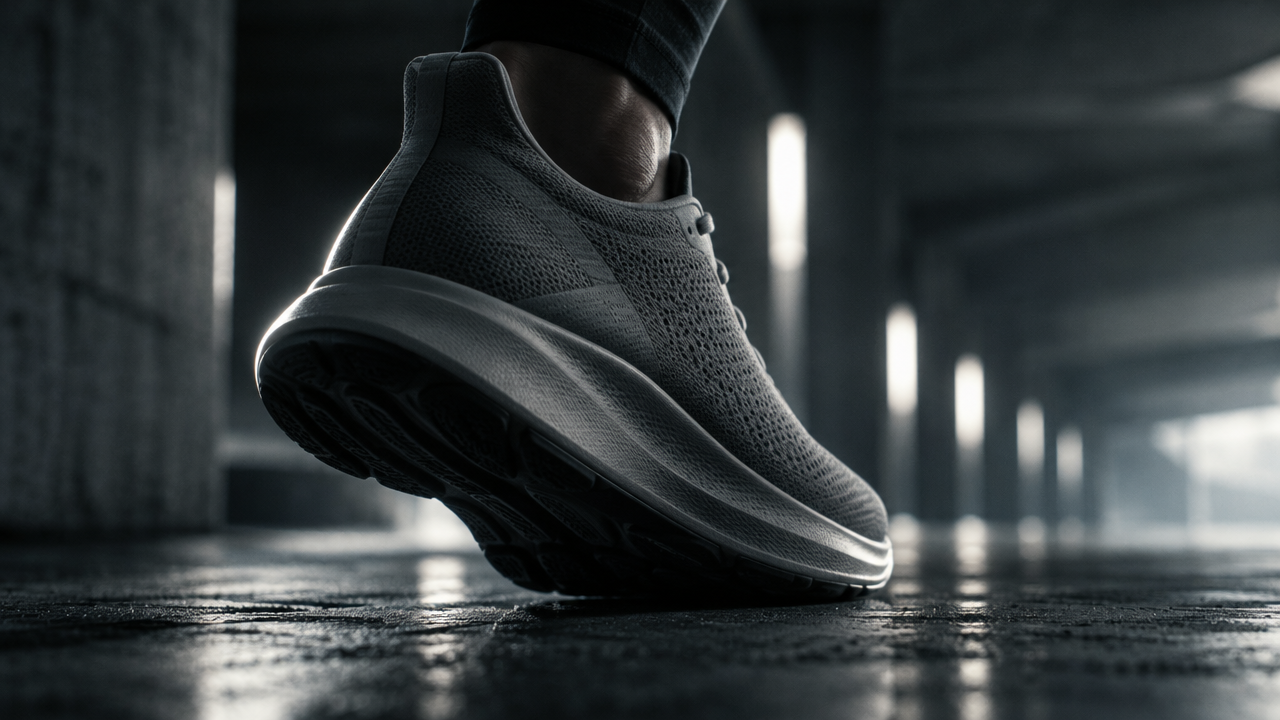
FLUX 3 Max Ad Short Film Concept Cover Keyframe
Style Advertisement · Storyboard · Motion Design
Reference inputs
keyframes
keyframes
Prompt
A 10-second commercial concept shot. It opens on a low-angle wide shot: a matte gray running shoe hovers above the wet asphalt of an empty concrete underpass, backlit and outlined by the afterglow of a cool-toned horizon, thin mist drifting, and a reflection on the water stretching toward the camera. The camera slowly pushes in and rises, tracking the shoe as the background lights smear into soft vertical streaks; the shot then transitions into a slow orbiting close-up around the silhouette, revealing the micro-texture of the mesh upper and a faint rim light along the edge of the sole. The overall mood is restrained, high-end product-film style: low-saturation cool tones, a single key light, deep shadows, slight film grain, shallow depth of field. Camera movement is steady and restrained, 24 fps, no text, no logos, no cut points.
Copy the full prompt and adapt it for your own generation.
Tags
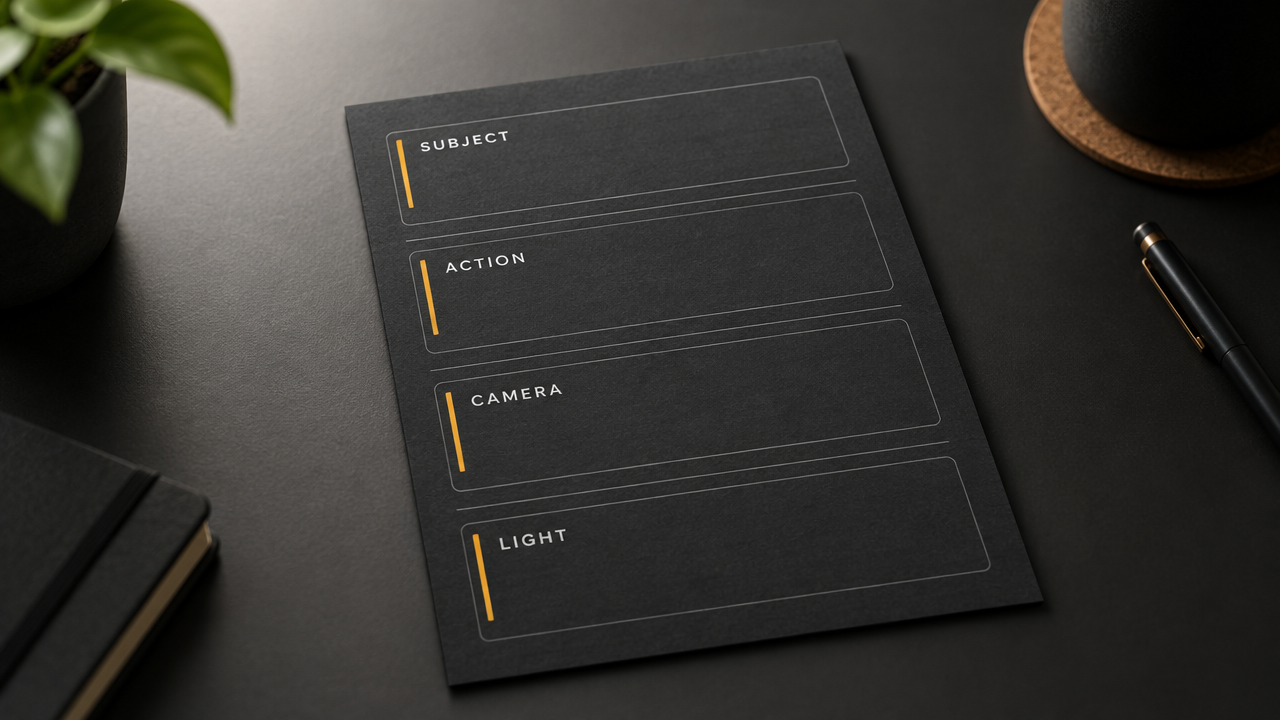
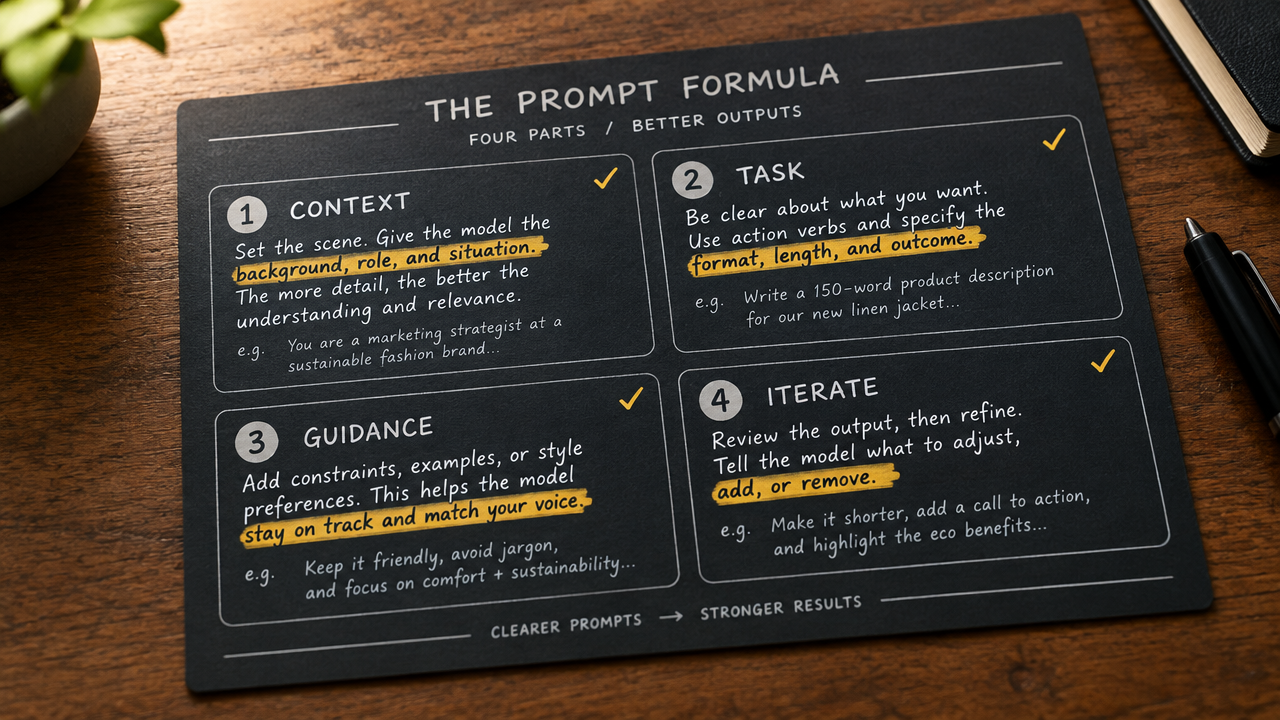
Keyframe Prompt Formula Card: A Structured Visual Guide
Style Explanation · Motion Graphics · Prompt Engineering
Reference inputs
keyframes
keyframes
Prompt
A two-keyframe explainer video for a prompt formula card. Frame A: a deep graphite card sits on a matte desktop, with four labeled blocks reading SUBJECT, ACTION, CAMERA, LIGHT, set in a clean sans-serif typeface with thin accent rules, soft upper-left studio lighting, shallow depth of field, 16:9. Frame B: the same card, now with each label filled in below by compact handwritten-style annotations, accent-color highlights, as the camera slowly pushes in and holds. Camera language: a slow, steady dolly forward with a gentle parallax shift between the two frames, no cuts, no whip pans. Pacing: calm, instructional, continuous motion, so the viewer reads the structure first and the details second. Lighting stays consistent across the two keyframes; the palette is graphite, off-white, and a single amber accent. Avoid text warping, avoid glyph flicker.
Copy the full prompt and adapt it for your own generation.
Tags
Pricing
flux-3-max/keyframes-to-video per second
| Specifications | Unit Price |
|---|---|
| 720P | $0.0608 |
| 1080P | $0.1036 |
Positioning Overview
flux-3-max/keyframes-to-video is the keyframe-driven image-to-video line in the flux-3-max family: developers provide a prompt and up to 10 keyframe images, anchoring them at specified positions on a 24 fps timeline by frame index, and the model fills in the motion and transitions between keyframes, outputting a 5 to 20 second video at 720p or 1080p. It suits storyboard previsualization, advertising, and short film asset production teams that need precise control over pacing, and it is called through the unified HiAPI.ai API.
Key Highlights
- Pinpoint keyframe control over pacing — up to 10 images are placed at any position on the timeline by frame index, with the intermediate process completed by the model rather than only a first frame being given.
- Keyframes support synchronized audio — audio generation is enabled by default, outputting sound synchronized with the visuals to reduce post-production dubbing work.
- Switchable reasoning intensity — reasoning_level offers low and high settings: use high intensity to improve interpretation quality for complex scenes, and lower it for simple scenes to reduce latency.
Capability Details
Keyframe timeline arrangement: with 24 fps as the time base, frame_index specifies where each keyframe appears; frame indices must be unique and must not exceed the duration multiplied by 24, enabling precise segment-by-segment visual storytelling.
5 to 20 second duration and dual resolution: duration covers 5 to 20 seconds, resolution can be 720p or 1080p, and billing is by output seconds, making it easy to control cost by clip length.
Eight aspect ratios and automatic following: aspect_ratio offers eight ratios including 21:9, 16:9, 1:1, and 9:16, while auto follows the input image ratio, so a single line covers landscape, portrait, and square delivery.
Prompt and reasoning intensity working together: prompt supports up to 6000 characters, and reasoning_level controls interpretation depth for complex scenes, trading off between image quality and response latency.
Use Cases
- Storyboard artists and advertising teams: key visuals plus script — place finalized storyboard images as keyframes on the timeline to produce a motion storyboard previsualization with controllable pacing for client pitches and pre-shoot reviews.
- Brand short film production: product images and voiceover copy — use product stills as keyframes and prompts to describe camera movement and mood, generating short assets with synchronized audio for direct use in social media campaigns and website showcases.
- Creative teams: comparing multiple keyframe options — batch-generate videos with the same prompt while swapping keyframe combinations and aspect ratios, producing multiple candidate videos for rapid iterative selection.
- Vertical content creators: 9:16 keyframe sequences — use the portrait aspect ratio with 5 to 10 second short durations to produce short video clips as publishing assets or intermediate assets for secondary editing.
Limitations and Selection Advice
This line accepts only image-to-video input and requires at least one keyframe image; for pure text-to-video, choose the text-to-video line in the same family. Output resolution is limited to 720p and 1080p, and duration is capped at 20 seconds; longer or higher-spec final videos need to be generated in segments and then stitched together. High reasoning intensity brings higher latency, so simple-paced assets can use low instead. Keyframe images must be public HTTPS URLs, and incorrect frame index planning will cause the arrangement to differ from expectations, so verify the timeline before submitting.
What's new
View changelog →- New model flux-3-max/text-to-video video generation model now available
- Price update flux-3-max/text-to-video Pricing Adjustment
- Price update flux-3-max/image-to-video price update: new pricing at $0.0608
Frequently asked questions
View all FAQs →-
What inputs does FLUX 3 Max Image to Video need?
prompt and image_url (the first frame, PNG/JPEG/WebP) are required. Optional: end_image_url as the last frame, plus duration, resolution, aspect_ratio, generate_audio and reasoning_level.
-
Can I set the video length?
Yes. duration accepts whole seconds from 5 to 20, 5 by default. Image to video shares the same per-second pricing as text to video, and a 5-second check shows whether the source stays stable.
-
What decides the aspect ratio?
aspect_ratio defaults to auto, which follows the first frame's ratio. You can also set 21:9, 2:1, 16:9, 4:3, 1:1, 3:4 or 9:16. If a manual ratio differs from the image, the frame may be cropped.
-
How do first and last frames work?
Pass the first frame in image_url and the last in end_image_url; the video moves from one to the other. The prompt only needs to describe the change in between, and the closer the two frames match in framing and light, the smoother the transition.
Create a generation task
https://api.hiapi.ai/v1/tasks Headers
AuthorizationstringRequiredAccount API key. Required on every request. Example: Bearer YOUR_HIAPI_API_KEY. Get your API key
Content-TypestringOptionalThe request body is always parsed as JSON; when sent, only application/json (optionally with charset) is accepted — any other value returns 415. Example: application/json.
Idempotency-KeystringOptionalIdempotency key, up to 255 bytes. Retries with the same key from the same account create the task only once; replays return the original taskId.
On network timeouts or client retries, the same key creates the task only once — no double charges (scope: the API key's account). Use a business-unique identifier as the key (e.g. "order-42"); replays return the original taskId, and keys expire 24 hours after the first request. See the Unified Async API overview for the full scenario matrix.
Body
modelstringRequiredCurrent fixed value: flux-3-max/keyframes-to-video
routestringOptionalCurrent fixed value: default
inputobjectRequired
Business parameters for flux-3-max/keyframes-to-video and route default — see the parameter table below.
promptstringRequiredminLength 1maxLength 6000Text prompt describing the video content to be generated; determines the visuals and content direction of the video.
durationintegerOptionalDefault: 5min 5max 20Duration of the output video in seconds, ranging from 5 to 20, default 5.
keyframesarrayRequiredminItems 1maxItems 10
Array of keyframes placed along the video timeline, up to 10; each keyframe contains an image URL and a frame index, and each frame index must be unique and must not exceed the duration multiplied by 24.
Array [ object ]
Array items
image_urlstringRequiredPublic HTTPS URL of the keyframe image; supports PNG, JPEG, or WebP formats.
frame_indexintegerRequiredmin 0Frame index of this keyframe on the 24 fps timeline; the maximum value is the duration multiplied by 24, and it must not repeat within the same array.
resolutionstringOptionalDefault: "720p"Resolution of the output video, default 720p.
720p1080paspect_ratiostringOptionalDefault: "auto"Aspect ratio of the output video; when set to auto, it follows the aspect ratio of the input image, default auto.
auto21:92:116:94:31:13:49:16generate_audiobooleanOptionalDefault: trueWhether to generate audio synchronized with the video while generating the video, enabled by default (true).
reasoning_levelstringOptionalDefault: "high"Controls the level of reasoning invested when interpreting the prompt; setting it to high can improve generation results for complex scenes but incurs higher latency, default high.
lowhighcallbackobjectOptional
Terminal-state notification config. When omitted, no callback is delivered — poll the task yourself. See the callback note below.
Provide callback.url when creating a task and HiAPI POSTs to your service once the task reaches a terminal state — no polling needed. The callback payload mirrors the task detail structure; signature verification, delivery retries and idempotency are documented on the Unified Async API overview page.
urlstringRequiredRequired when callback is present. A POST is sent to this URL once the task reaches a terminal state; must be a valid http(s) URL.
whenstringOptionalDefault: "final"Only final is supported today — notified on both success and fail.
finalstoragestringOptionalDefault: "temp"Artifact storage tier: temp (default, retained about 7 days) or persistent (long-term, billed by size). Insufficient balance or exceeding the storage cap silently downgrades to temp; the effective tier is shown in the task detail response.
temppersistentRequest examples
# Submit an async task; returns a taskId immediately (no waiting for generation)
curl -X POST "https://api.hiapi.ai/v1/tasks" \
  -H "Authorization: Bearer $HIAPI_API_KEY" \
  -H "Content-Type: application/json" \
  -d '{
  "model": "flux-3-max/keyframes-to-video",
  "input": {
    "prompt": "…",
    "duration": 5,
    "keyframes": "…",
    "resolution": "720p",
    "aspect_ratio": "auto",
    "generate_audio": true,
    "reasoning_level": "high"
  }
}'
const res = await fetch("https://api.hiapi.ai/v1/tasks", {
method: "POST",
headers: {
Authorization: `Bearer ${process.env.HIAPI_API_KEY}`,
"Content-Type": "application/json",
},
body: JSON.stringify({
model: "flux-3-max/keyframes-to-video",
input: {
"prompt": "…",
"duration": 5,
"keyframes": "…",
"resolution": "720p",
"aspect_ratio": "auto",
"generate_audio": true,
"reasoning_level": "high"
}
}),
});
const task = await res.json();
// { code: 200, message: "success", data: { taskId } }import os, requests
res = requests.post(
"https://api.hiapi.ai/v1/tasks",
headers={"Authorization": f"Bearer {os.environ['HIAPI_API_KEY']}"},
json={
"model": "flux-3-max/keyframes-to-video",
"input": {
"prompt": "…",
"duration": 5,
"keyframes": "…",
"resolution": "720p",
"aspect_ratio": "auto",
"generate_audio": True,
"reasoning_level": "high"
}
},
)
print(res.json()) # { code, message, data: { taskId } }200 OK
{
  "code": 200,
  "message": "success",
  "data": {
    "taskId": "tk-hiapi-01HZTQ8BX2N3GM3YFK4Z9D7VQR"
  }
}
400 Bad Request
{
  "code": 400,
  "message": "invalid request",
  "data": null,
  "error_code": "INVALID_REQUEST"
}
Get task detail
https://api.hiapi.ai/v1/tasks/:id Response fields
taskIdstringRequiredTask ID, always prefixed with tk-hiapi-.
modelstringRequiredResolved full model name. Tasks submitted with the route parameter return base@route (e.g. gpt-image-2/text-to-image@ext); otherwise identical to the name passed at creation.
routestringOptionalPresent only when the task was submitted with an explicit route parameter; echoes the submitted value.
statusstringRequiredTask status.
queued Queued, not started yet.
handling Being processed.
archiving Processing finished, artifacts being prepared.
success Terminal: completed, artifacts available (output returned).
fail Terminal: failed (error returned).
After submission, check status: success and fail are terminal, everything else is non-terminal. Poll every 1–3 seconds until terminal. On success, download artifacts from output[].url and transfer them before expireAt; pass storage: "persistent" at creation time when long-term retention is needed.
creatednumberRequiredTask creation time (Unix seconds).
completednumberRequiredUnix seconds when the task reached a terminal state; fixed to 0 while not terminal.
outputarrayOptional
Present only when status == success. Artifact list — always an array; a single task may return multiple types at once (e.g. video + first_frame).
Array [ object ]
Array items
urlstringRequiredArtifact URL, directly downloadable.
typestringRequiredCurrent possible values: video, image, audio, first_frame, last_frame, thumbnail; more may be added later.
expireAtnumberRequiredUnix seconds until which the artifact remains accessible; download or transfer before it expires.
errorobjectOptional
Present only when status == fail.
codestringRequiredBusiness error code.
messagestringRequiredError description.
Response examples
Success
{
  "code": 200,
  "message": "success",
  "data": {
    "taskId": "tk-hiapi-01HZTQ8BX2N3GM3YFK4Z9D7VQR",
    "model": "happyhorse-1-0",
    "status": "success",
    "created": 1777282033,
    "completed": 1777282099,
    "output": [
      {
        "url": "https://cdn.hiapi.ai/tasks/.../video.mp4",
        "type": "video",
        "expireAt": 1777886899
      }
    ]
  }
}
Processing (non-terminal)
{
  "code": 200,
  "message": "success",
  "data": {
    "taskId": "tk-hiapi-...",
    "model": "happyhorse-1-0",
    "status": "archiving",
    "created": 1777282033,
    "completed": 0
  }
}
Failed
{
  "code": 200,
  "message": "success",
  "data": {
    "taskId": "tk-hiapi-...",
    "model": "happyhorse-1-0",
    "status": "fail",
    "created": 1777282033,
    "completed": 1777282099,
    "error": {
      "code": "TASK_FAILED",
      "message": "task failed"
    }
  }
}Articles
View all articles →Related Models
View all models →Same Type
-
 Wan 2.7 Video Alibaba $0.100 /second
-
 Kling 3.0 Kuaishou $0.100 /second
-
 Veo 3.1 Lite Google $0.060 /second
-
 FLUX 3 Max Black Forest Labs $0.061 /second
-
 Seedance 2.5 ByteDance $0.121 /second
-
 Vidu Q4 Preview Vidu $0.051 /second
-
 Seedance 2.0 ByteDance $0.017 /second
-
 Gemini Omni 1.1 Flash Google $0.450 /video
-
 Kandinsky 6.0 Pro $1.93 /video
-
 Kling 2.5 Kuaishou $0.060 /second
-
 Veo 3.1 Fast Google $0.170 /second
-
 Kling 4.0 Kuaishou $0.330 /second
Same Provider
-
 FLUX.2 Black Forest Labs $0.035 /image
-
 FLUX 3 Video Black Forest Labs $0.090 /second
-
 FLUX.1 Fill Pro Black Forest Labs $0.071 /image
-
 FLUX.2 Klein 9B Black Forest Labs $0.0086 /image
-
 FLUX.1 Schnell Black Forest Labs $0.005 /image
-
 FLUX 3 Image Black Forest Labs $0.041 /image
- FLUX 3 Max Black Forest Labs $0.061 /second
-
 FLUX.2 Klein 4B Black Forest Labs $0.0004 /image
-
 FLUX 1.1 Pro Black Forest Labs $0.050 /image
-
 FLUX.1 Kontext Max Black Forest Labs $0.071 /image