

Black Forest Labs
FLUX 3 Video
flux-3-video
Black Forest Labs' first video model, built on a unified multimodal architecture, supporting text-to-video, image-to-video, and keyframe continuation, with visuals and native audio generated in sync, up to about 20 seconds of HD per generation
Try flux-3-video
Input
Showcases
View all showcasesOutput
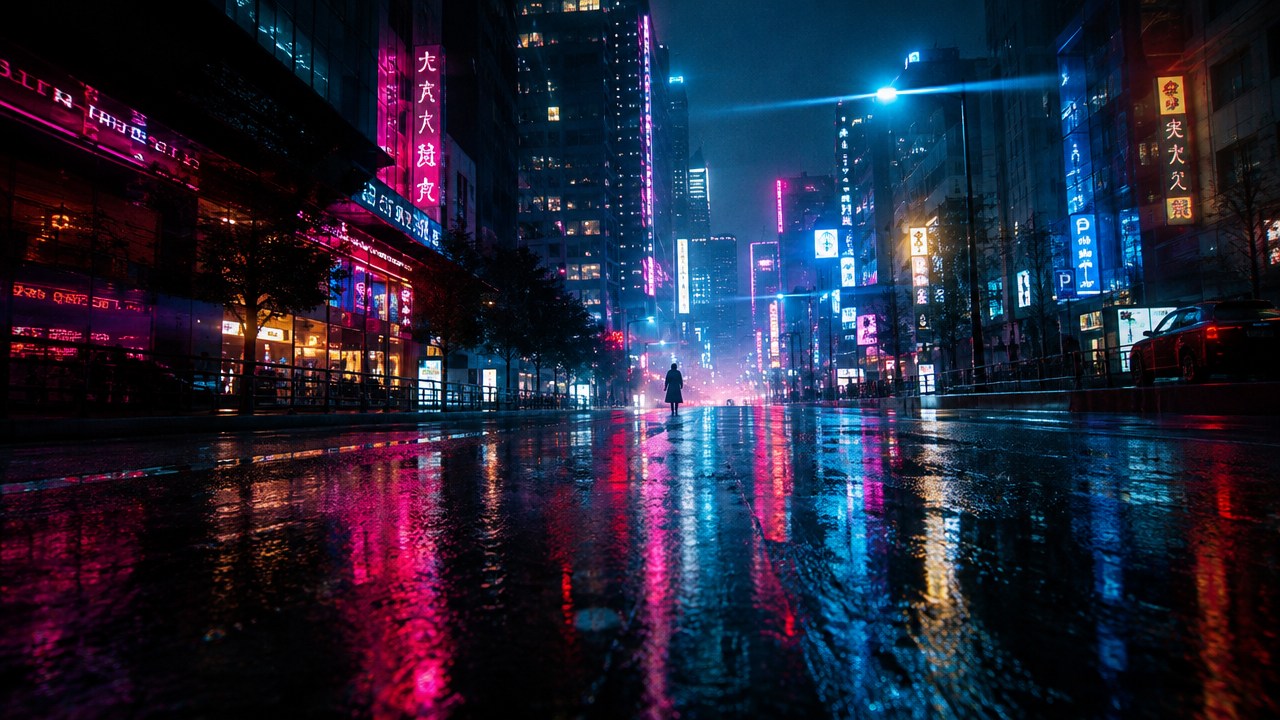
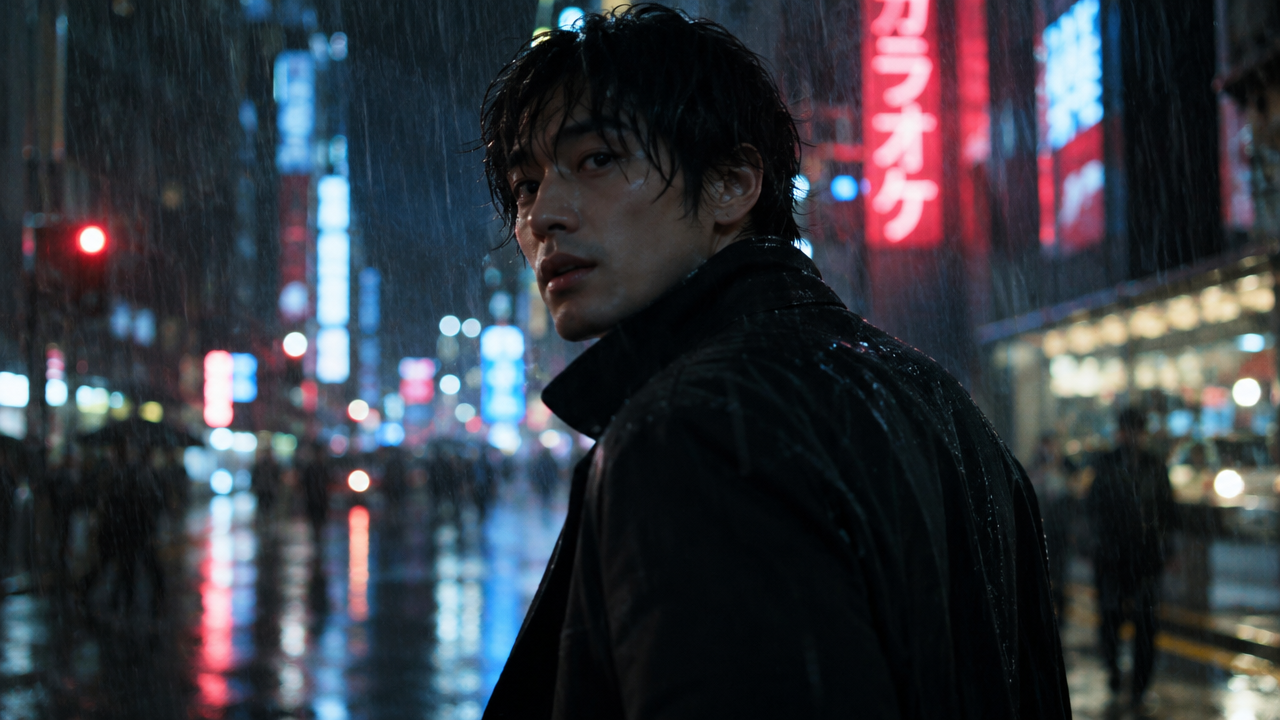
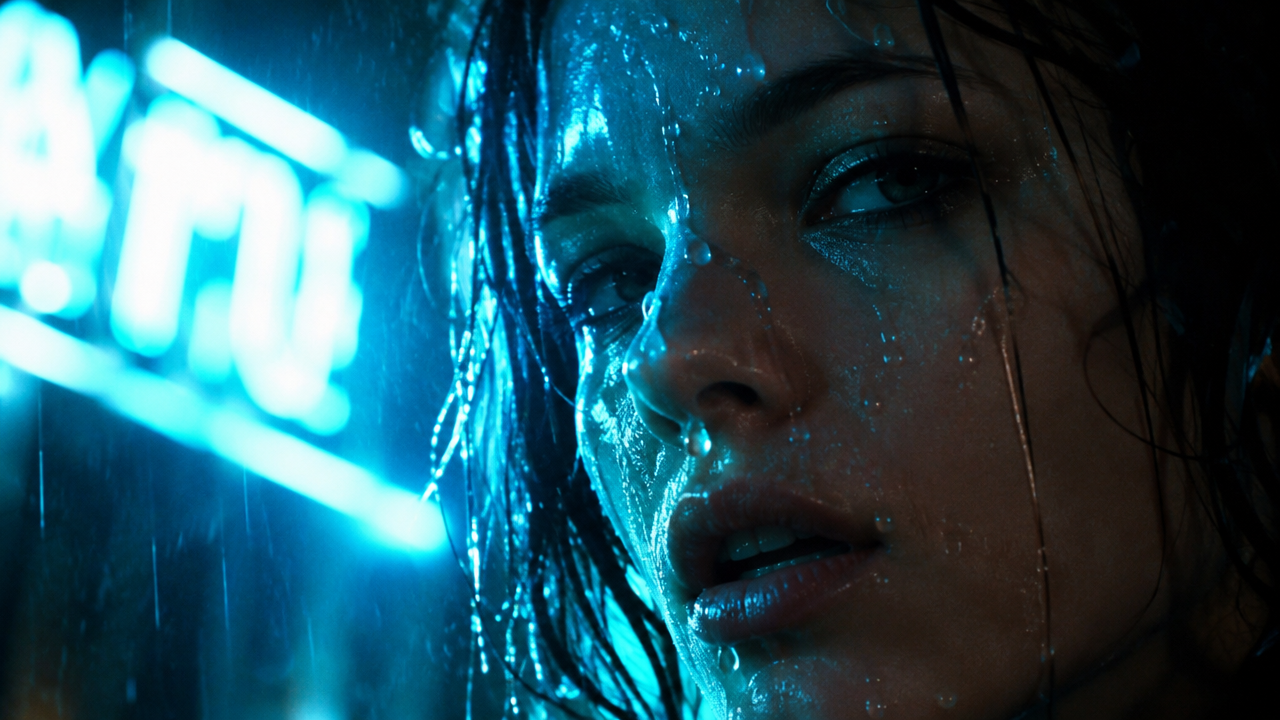
videoflux-3-video Storyboard Concept: A Text-Driven Three-Frame Storyboard
Style Storyboard · Cinematic · Text-to-Video
Reference inputs
images
images
images
Prompt
A cinematic three-part storyboard sequence, a city street steeped in rainy-night neon. Shot 1: an extreme wide establishing shot, a low camera position close to the wet asphalt, reflections of magenta and cyan signs stretching toward the horizon, slowly pushing forward. Shot 2: a medium shot, a figure in a dark coat stops and turns their head toward the camera, rain streaks across the shallow depth of field, a subtle handheld drift. Shot 3: a close-up under flickering neon, water droplets sliding down the subject's face, rim light outlining them from behind, the camera slowly pushing in. The three segments maintain consistent lens character and color grading style, anamorphic widescreen flares, high-contrast highlights, deep shadows, natural motion blur, synchronized ambient rain sound and a distant city hum.
Copy the full prompt and adapt it for your own generation.
Tags
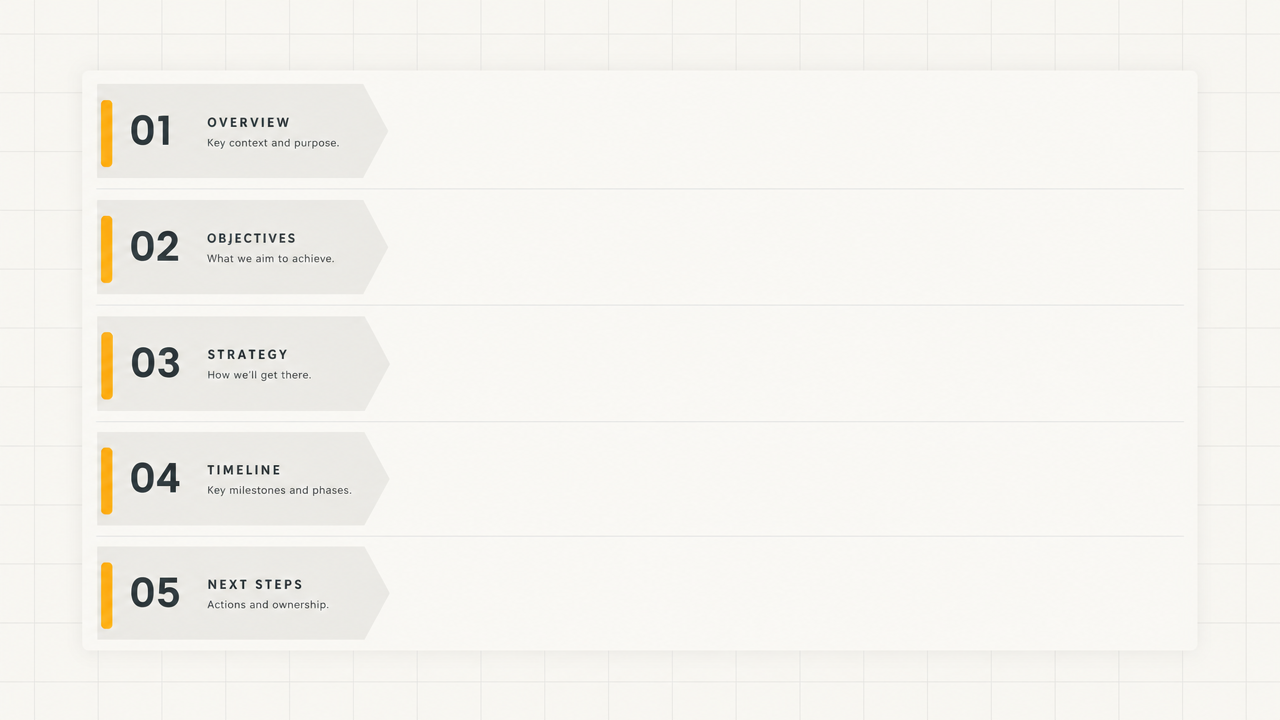
FLUX 3 Video Prompt Formula Card: A Visual Guide to Structured Prompting
Style prompt-guide · Motion Graphics · Educational Explanation
Reference inputs
images
Prompt
A clean 16:9 motion graphics explainer animation in flat editorial design, with a warm off-white background with fine grid lines. A large card slides in from the left and splits into five stacked rows, each labeled Subject and Scene, Action, Camera, Lighting and Style, Sound and Dialogue; each row fills with a short line of text as a soft highlight sweeps across it. The camera stays locked with a subtle slow push-in and gentle parallax between card layers. The typography is geometric sans-serif in dark graphite, with a single amber accent. The lighting is even and soft like a studio, with no harsh shadows. The pacing is steady and instructional, about one row per second, ending on the fully assembled card holding still for a beat. No flashy transitions, no lens flares, no extraneous decoration.
Copy the full prompt and adapt it for your own generation.
Tags
Pricing
flux-3-video per second
Positioning Overview
FLUX 3 Video is a video generation model released by Black Forest Labs. It uses a unified multimodal architecture trained jointly on images, video, audio, and motion, supports three task types—text-to-video, image-to-video, and video continuation—and simultaneously generates native audio that matches the visuals. Developers call it through the unified HiAPI.ai interface to output 5–20 second clips at 720p or 1080p. It is suited for advertising and short-video teams that need to quickly produce commercial assets with sound, as well as film and television pre-production creators who need shot extension and keyframe-controlled previews.
Core Highlights
- Three video task types share one parameter set—the same model covers text-to-video, image-to-video, and video continuation at once, so switching tasks requires no change of integration method or workflow rebuild.
- Visuals and native audio generated in sync—ambient sound, dialogue, and sound effects are generated with the visuals by default, eliminating separate dubbing and alignment work; this can be turned off to obtain silent clips.
- Multiple images form storyboards or keyframes—1 image sets the first frame, 2 images set the first and last frames, and 3–10 images form a storyboard along an evenly spaced timeline, making shot pacing easy to control.
- Low-cost draft mode for test clips—enabling draft mode outputs 720p previews faster and at lower cost, for validating prompts and composition before finalizing.
Capability Description
Text-to-video: generates a complete clip from a text prompt alone; the prompt is parsed and expanded before generation, making it suitable for building shots from scratch without reference material.
Image-to-video and keyframe control: upload 1–10 images to drive motion—a single image sets the first frame, two images set the first and last frames, and multiple images form a storyboard along an evenly spaced timeline, for precise control of shot start, end, and pacing.
Video continuation: accepts an MP4 of up to 15 seconds and 50 MB and continues generation from its final frame, for extending existing clips or handing off between shots; this parameter is mutually exclusive with image input.
Controllable duration and resolution: clip duration is 5–20 seconds, resolution is selectable at 720p or 1080p, and aspect ratio supports eight presets from 21:9 to 9:16 plus auto selection.
Native audio generation: by default generates ambient sound, dialogue, and sound effects synchronized with the visuals; when turned off, it outputs silent clips, making it easier to add separate music or voiceover in post-production.
Applicable Scenarios
- Advertising and brand teams: generate promotional clips from a single product image—upload a product image and describe the camera movement to produce 5–20 second assets with ambient sound, ready for social media delivery or a website hero section.
- Film and TV pre-production creators: keyframe-based shot previews—use 2–10 storyboard images to lock in pacing and produce dynamic preview clips for directors and cinematographers to confirm camera movement and edit points.
- Short-video operations: extend existing footage—pass in an MP4 of no more than 15 seconds and continue from its ending to produce longer finished segments, reducing reshoots and pickups.
- Multilingual marketing: lip-synced localized assets—specify language and dialogue in the prompt to produce localized short films with synchronized audio and visuals, for delivery in different regional versions.
Limitations and Selection Advice
A single generation is capped at 20 seconds; longer content must be generated in segments and stitched together via video continuation. Billing is based on output seconds, so long clips or repeated regenerations will increase costs. Native audio is generated in sync with the visuals, leaving limited room for independent post-production adjustment of the audio track; when fine mixing is needed, it is advisable to disable audio and produce it separately. Image input and the video continuation parameter are mutually exclusive and cannot be used in the same request; draft mode is limited to 720p. If a task requires a continuous shot longer than 20 seconds or frame-accurate audio control, evaluate segmented stitching approaches or other specialized tools.
What's new
View changelog →- New model flux-3-video video generation model is now available
Create a generation task
https://api.hiapi.ai/v1/tasks Headers
AuthorizationstringRequiredAccount API key. Required on every request. Example: Bearer YOUR_HIAPI_API_KEY. Get your API key
Content-TypestringOptionalThe request body is always parsed as JSON; when sent, only application/json (optionally with charset) is accepted — any other value returns 415. Example: application/json.
Idempotency-KeystringOptionalIdempotency key, up to 255 bytes. Retries with the same key from the same account create the task only once; replays return the original taskId.
On network timeouts or client retries, the same key creates the task only once — no double charges (scope: the API key's account). Use a business-unique identifier as the key (e.g. "order-42"); replays return the original taskId, and keys expire 24 hours after the first request. See the Unified Async API overview for the full scenario matrix.
Body
modelstringRequiredCurrent fixed value: flux-3-video
routestringOptionalCurrent fixed value: default
inputobjectRequired
Business parameters for flux-3-video and route default — see the parameter table below.
draftbooleanOptionalDefault: falseGenerate a faster, lower-cost 720p preview instead of a full-quality clip.
imagesarrayOptionalminItems 1maxItems 10Optional PNG, JPEG, or WebP images. One image sets the opening frame, two set opening and closing frames, and 3-10 images form an evenly timed storyboard. Cannot be combined with start_video.
Array [ string ]
promptstringRequiredminLength 1maxLength 4700Describe the scene, action, camera movement, dialogue, and sound. The prompt is interpreted and expanded before generation.
durationintegerOptionalDefault: 5min 5max 20Generated clip duration in seconds. HiAPI uses an explicit 5-20 second duration for deterministic billing.
resolutionstringOptionalDefault: "720p"Output resolution. Draft generation is available at 720p only.
720p1080pstart_videostringOptionalOptional MP4 to continue from its final frames. Maximum 50 MB and 15 seconds. Cannot be combined with images.
aspect_ratiostringOptionalDefault: "auto"Output aspect ratio. Auto selects a ratio from the prompt and media inputs.
auto21:92:116:94:31:13:49:16generate_audiobooleanOptionalDefault: trueGenerate synchronized ambient sound, dialogue, and effects. Disable for a silent clip.
callbackobjectOptional
Terminal-state notification config. When omitted, no callback is delivered — poll the task yourself. See the callback note below.
Provide callback.url when creating a task and HiAPI POSTs to your service once the task reaches a terminal state — no polling needed. The callback payload mirrors the task detail structure; signature verification, delivery retries and idempotency are documented on the Unified Async API overview page.
urlstringRequiredRequired when callback is present. A POST is sent to this URL once the task reaches a terminal state; must be a valid http(s) URL.
whenstringOptionalDefault: "final"Only final is supported today — notified on both success and fail.
finalstoragestringOptionalDefault: "temp"Artifact storage tier: temp (default, retained about 7 days) or persistent (long-term, billed by size). Insufficient balance or exceeding the storage cap silently downgrades to temp; the effective tier is shown in the task detail response.
temppersistentRequest examples
# Submit an async task; returns a taskId immediately (no waiting for generation)
curl -X POST "https://api.hiapi.ai/v1/tasks" \
  -H "Authorization: Bearer $HIAPI_API_KEY" \
  -H "Content-Type: application/json" \
  -d '{
  "model": "flux-3-video",
  "input": {
    "draft": false,
    "prompt": "…",
    "duration": 5,
    "resolution": "720p",
    "aspect_ratio": "auto",
    "generate_audio": true
  }
}'
const res = await fetch("https://api.hiapi.ai/v1/tasks", {
method: "POST",
headers: {
Authorization: `Bearer ${process.env.HIAPI_API_KEY}`,
"Content-Type": "application/json",
},
body: JSON.stringify({
model: "flux-3-video",
input: {
"draft": false,
"prompt": "…",
"duration": 5,
"resolution": "720p",
"aspect_ratio": "auto",
"generate_audio": true
}
}),
});
const task = await res.json();
// { code: 200, message: "success", data: { taskId } }import os, requests
res = requests.post(
"https://api.hiapi.ai/v1/tasks",
headers={"Authorization": f"Bearer {os.environ['HIAPI_API_KEY']}"},
json={
"model": "flux-3-video",
"input": {
"draft": False,
"prompt": "…",
"duration": 5,
"resolution": "720p",
"aspect_ratio": "auto",
"generate_audio": True
}
},
)
print(res.json()) # { code, message, data: { taskId } }200 OK
{
  "code": 200,
  "message": "success",
  "data": {
    "taskId": "tk-hiapi-01HZTQ8BX2N3GM3YFK4Z9D7VQR"
  }
}
400 Bad Request
{
  "code": 400,
  "message": "invalid request",
  "data": null,
  "error_code": "INVALID_REQUEST"
}
Get task detail
https://api.hiapi.ai/v1/tasks/:id Response fields
taskIdstringRequiredTask ID, always prefixed with tk-hiapi-.
modelstringRequiredResolved full model name. Tasks submitted with the route parameter return base@route (e.g. gpt-image-2/text-to-image@ext); otherwise identical to the name passed at creation.
routestringOptionalPresent only when the task was submitted with an explicit route parameter; echoes the submitted value.
statusstringRequiredTask status.
queued Queued, not started yet.
handling Being processed.
archiving Processing finished, artifacts being prepared.
success Terminal: completed, artifacts available (output returned).
fail Terminal: failed (error returned).
After submission, check status: success and fail are terminal, everything else is non-terminal. Poll every 1–3 seconds until terminal. On success, download artifacts from output[].url and transfer them before expireAt; pass storage: "persistent" at creation time when long-term retention is needed.
creatednumberRequiredTask creation time (Unix seconds).
completednumberRequiredUnix seconds when the task reached a terminal state; fixed to 0 while not terminal.
outputarrayOptional
Present only when status == success. Artifact list — always an array; a single task may return multiple types at once (e.g. video + first_frame).
Array [ object ]
Array items
urlstringRequiredArtifact URL, directly downloadable.
typestringRequiredCurrent possible values: video, image, audio, first_frame, last_frame, thumbnail; more may be added later.
expireAtnumberRequiredUnix seconds until which the artifact remains accessible; download or transfer before it expires.
errorobjectOptional
Present only when status == fail.
codestringRequiredBusiness error code.
messagestringRequiredError description.
Response examples
Success
{
  "code": 200,
  "message": "success",
  "data": {
    "taskId": "tk-hiapi-01HZTQ8BX2N3GM3YFK4Z9D7VQR",
    "model": "happyhorse-1-0",
    "status": "success",
    "created": 1777282033,
    "completed": 1777282099,
    "output": [
      {
        "url": "https://cdn.hiapi.ai/tasks/.../video.mp4",
        "type": "video",
        "expireAt": 1777886899
      }
    ]
  }
}
Processing (non-terminal)
{
  "code": 200,
  "message": "success",
  "data": {
    "taskId": "tk-hiapi-...",
    "model": "happyhorse-1-0",
    "status": "archiving",
    "created": 1777282033,
    "completed": 0
  }
}
Failed
{
  "code": 200,
  "message": "success",
  "data": {
    "taskId": "tk-hiapi-...",
    "model": "happyhorse-1-0",
    "status": "fail",
    "created": 1777282033,
    "completed": 1777282099,
    "error": {
      "code": "TASK_FAILED",
      "message": "task failed"
    }
  }
}Articles
View all articles →Related Models
View all models →Same Type
-
 Runway Gen 4.5 Runway $0.172 /second
-
 HappyHorse 1.0 Alibaba $0.168 /second
-
 HappyHorse 1.1 Alibaba $0.160 /second
-
 Kling AI Avatar Kuaishou --
-
 LTX 2.5 Fast Lightricks $0.086 /second
-
 Creatify Boreal Creatify $0.015 /second
-
 Veo 3.1 Fast Google $0.170 /second
-
 Wan 2.6 Flash Alibaba $0.043 /second
-
 Grok Imagine 1.5 xAI $0.011 /second
-
 Veo 3.1 Lite Google $0.060 /second
-
 Kandinsky 6.0 Pro $1.93 /video
-
 Ray 3.2 Luma $0.214 /video
Same Provider
-
 FLUX.1 Fill Pro Black Forest Labs $0.071 /image
-
 FLUX.2 Black Forest Labs $0.035 /image
-
 FLUX.1 Kontext Max Black Forest Labs $0.071 /image
-
 FLUX.2 Klein 4B Black Forest Labs $0.0004 /image
-
 FLUX 3 Image Black Forest Labs $0.041 /image
-
 FLUX 1.1 Pro Black Forest Labs $0.050 /image
-
 FLUX 3 Max Black Forest Labs $0.061 /second
-
 FLUX.2 Klein 9B Black Forest Labs $0.0086 /image
-
 FLUX.1 Schnell Black Forest Labs $0.005 /image