OpenAI
GPT Image 2.5
gpt-image-2.5-flare/text-to-image
OpenAI's two-tier image generation and editing models: Flare focuses on speed, Sunburst pursues precision, covering both text-to-image and multi-turn image refinement
Try gpt-image-2.5-flare/text-to-image
Input
Showcases
View all showcasesOutput
image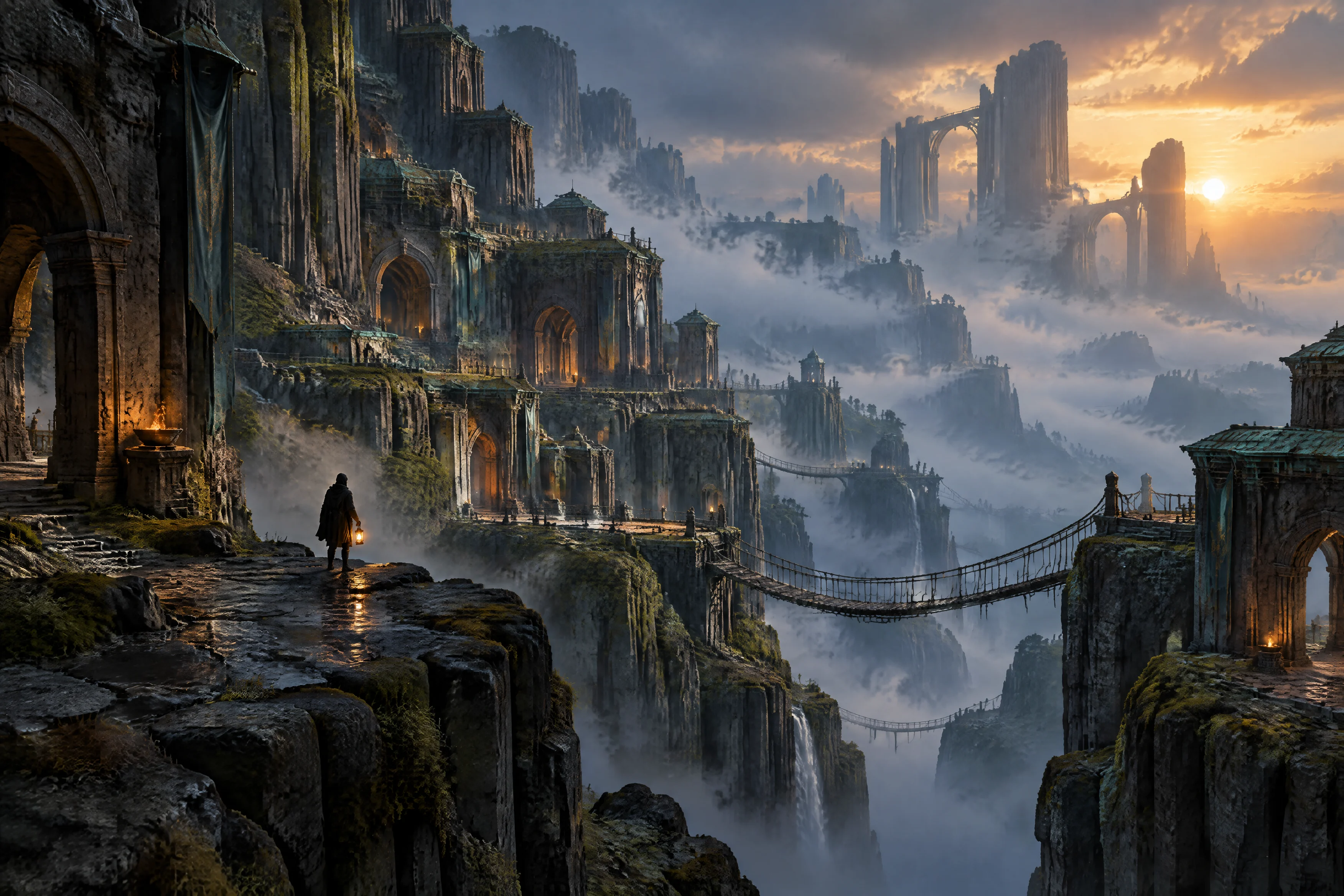
Worldbuilding Scene Concept Art: Flare Text-to-Image Atmosphere Exploration
Style Concept Art · Worldbuilding · Cinematic
Prompt
Cinematic environmental concept art, 16:9 widescreen composition. A massive terraced cliff city built along layered basalt columns, with carved arches and suspension rope bridges connecting the stone platforms, and in the distance enormous ruins half-swallowed by low-hanging volumetric fog. On a foreground rock platform stands a tiny silhouetted figure holding a lantern, providing a sense of scale. Backlighting at dusk sweeps obliquely across the entire scene, warm amber sunlight piercing through cold blue mist, wet stone surfaces glistening subtly, dotted with moss and verdigris tones. Painterly yet solid rendering, soft atmospheric perspective fading the distant layers into thin haze, a restrained palette composed of slate blue, dark ochre, and ember orange. Richly detailed foreground rock textures, crisp recognizable silhouettes, no text, no watermark, no lens flare artifacts.
Copy the full prompt and adapt it for your own generation.
Tags
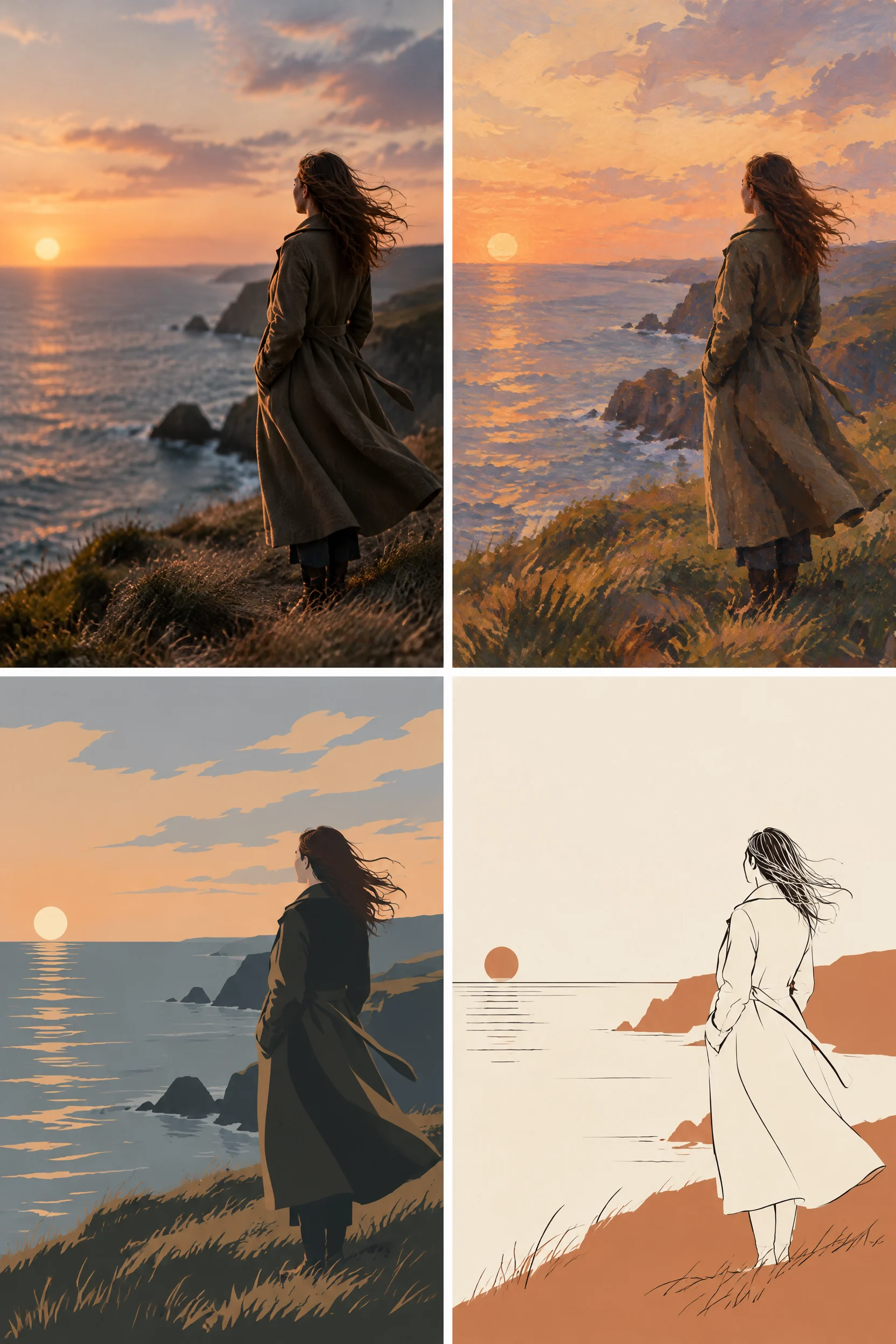
Style Spectrum: Illustration Evolution from Realism to Flat
Style Illustration · style-spectrum · Editing
Prompt
A 2x2 grid art illustration study, the same subject—a lone woman in a long coat standing on a coastal cliff at dusk, wind blowing her hair, three-quarter back view—presented in four panels in four distinctly different styles. Top left: photorealistic, natural skin and fabric textures, soft cinematic rim light, shallow depth of field. Top right: semi-realistic painterly gouache style, visible brushstrokes, warm dusk color palette, soft edges. Bottom left: flat vector illustration, confident silhouette, limited desaturated color palette, no gradients. Bottom right: minimalist composition of lines and shapes, thin ink outline, two-tone block fills, abundant white space. Across the four panels, the subject's pose, framing, and horizon remain consistent; panels are separated by thin white gutters; wide 16:9 composition, subject placed right of center, open negative space on the left for typesetting. Editorial art direction, harmonious unified color palette, high detail, no text, no watermark.
Copy the full prompt and adapt it for your own generation.
Tags
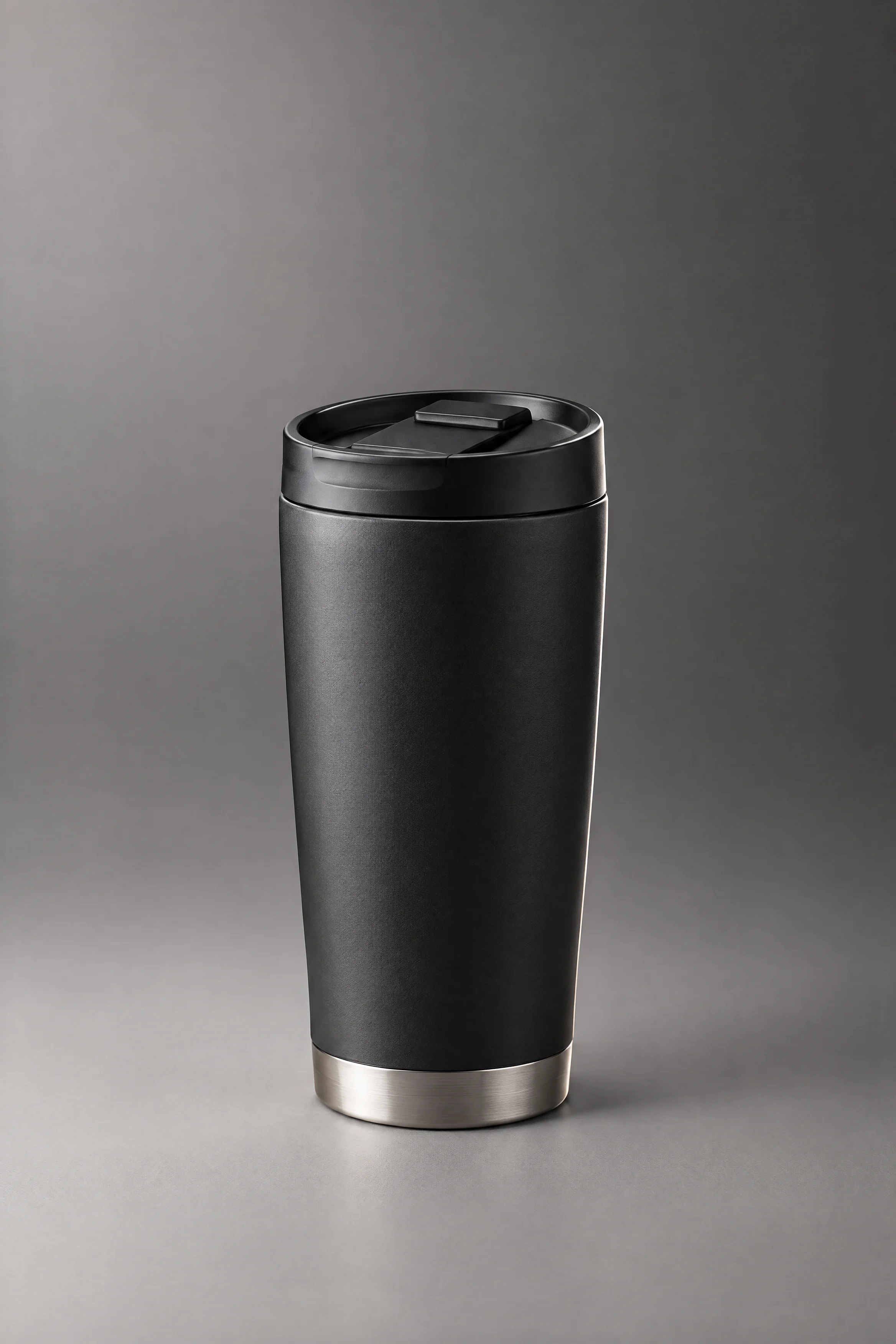
E-commerce-Grade Product Photography Quality: Single-Subject Lighting and Material Control
Style Product Image · Studio lighting · commercial-visual
Prompt
A studio product photograph; the subject is a matte black anodized aluminum insulated travel tumbler with a thin brushed-metal ring band near the bottom, centered and standing on a seamless warm gray background. Three-quarter front view, slightly looking down, with the camera height just above the product's midline. The key light shines from the upper left through a large softbox, forming a soft vertical highlight along the left edge; a narrow rim light at the rear right outlines the silhouette; a white reflector below fills light onto the base and lifts shadow detail; a subtle gradient falloff makes the background gradually darker toward the right. Material rendering is clearly layered: fine micro-texture on the anodized body, directional anisotropic streaks on the brushed ring band, and soft, refined highlight transitions with no dust. Shallow depth of field, 85mm equivalent lens, extremely minimal distortion. The upper third is left as clean empty space for later text overlay. No text, no logos, no extraneous props, no harsh reflections of studio equipment. 4:3 composition, commercial e-commerce hero image, high detail, neutral color grading.
Copy the full prompt and adapt it for your own generation.
Tags
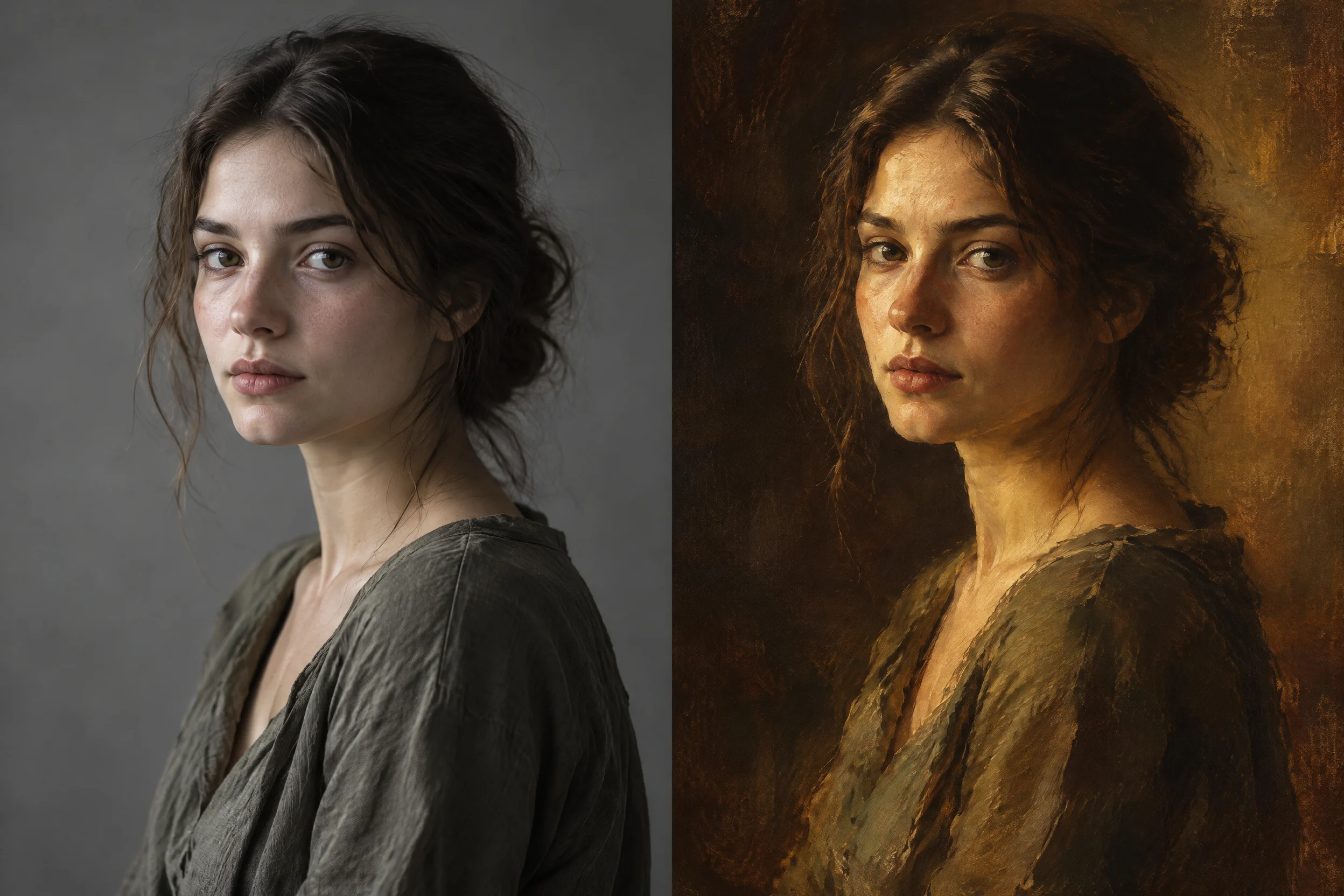
Flare Text-to-Image Portraits: A Side-by-Side Comparison of Realistic and Artistic Styles
Style Portrait & Photography · Photorealistic · Prompt Reference
Prompt
A side-by-side comparison demonstration of two portrait renders of the same subject displayed together in one image: on the left is a photo-realistic studio portrait of a young woman, with natural skin texture, fine loose strands of hair, soft key light from a large soft light source at a 45-degree angle, subtle fill light and gentle light falloff into the shadows, shallow depth of field, a neutral gray seamless background, and low-saturation color grading; on the right is the same subject rendered as an expressive painterly portrait, with visible brushstrokes, warm amber and ochre tones, looser edges, a textured canvas feel, and dramatic chiaroscuro lighting. Vertical 2:3 composition, upper body, three-quarter turn, calm neutral expression, eyes looking at the camera. Emphasize the expression of light, materials, and surface details rather than beautification.
Copy the full prompt and adapt it for your own generation.
Tags
Pricing
gpt-image-2.5-flare/text-to-image per image
| Specifications | Unit Price |
|---|---|
| 1K | $0.050 |
| 2K | $0.080 |
| 4K | $0.120 |
Overview
gpt-image-2.5-flare is the text-to-image line in the OpenAI image generation family, balancing speed and quality, and suited to applications that need to produce images in bulk. It accepts prompts up to 20,000 characters long, allows specifying 1K to 4K resolutions and a variety of aspect ratios, and supports transparent background output at 1K. Compared with the previous generation, this version reduces per-image latency while maintaining higher generation quality, making it suitable for scenarios with throughput requirements such as e-commerce imagery, social media assets, and rapid prototype validation.
Key Highlights
- A text-to-image line that balances speed and quality — Flare is positioned as the default choice for most applications, delivering noticeably shorter generation times per run while outperforming the previous generation in quality, making it suitable for high-concurrency image generation.
- Transparent background output directly at 1K — At 1K resolution with background set to transparent, you can directly obtain an image with a transparent background, reducing post-processing steps for cutout and compositing.
- Flexible resolution and canvas options — Supports three resolution tiers (1K, 2K, 4K) and more than ten aspect ratios, so you can directly select the image specification according to the delivery channel.
Capabilities
Long-prompt text-to-image: A single prompt can be up to 20,000 characters, making it easy to describe complex layouts and structured information; images are produced directly from text without the need to prepare reference images.
Resolution and aspect ratio control: You can choose an output tier among 1K, 2K, and 4K, and specify the canvas from ratios such as 1:1, 16:9, 21:9, and 9:16, generating the appropriate specification in one pass for the target placement.
Transparent background output: At 1K resolution, you can set background to transparent to generate an image with a transparent background, suitable for asset overlays and downstream compositing workflows.
Use Cases
- E-commerce and operations teams generating product imagery in bulk — Using product selling-point text as input, produce images in bulk at channel-specific ratios for direct use in product detail pages and ad assets.
- Social media creators quickly producing content images — Use short prompts with 9:16 or 1:1 ratios to generate accompanying images, shortening the cycle from topic selection to publishing.
- Product teams validating visual prototypes — Before requirements reviews, use low-cost, low-latency text-to-image to quickly compare multiple visual directions, then move to refinement after the direction is decided.
- Designers generating transparent-background assets — Use the 1K transparent background mode to produce graphic elements that can be overlaid directly for posters, pages, and video compositing.
Limitations and Selection Advice
This line supports text-to-image only; it cannot edit based on reference images or perform repeated refinement, so such needs should switch to the image editing line in the same family. Transparent background is available only at 1K; when 2K or 4K is selected, the background mode cannot be specified. 4K output incurs higher computation and time overhead, so for low-latency batch scenarios, 1K or 2K is recommended first. Layouts containing dense small-font text or complex legends remain error-prone scenarios and require human review before delivery; the model is a closed-source API and does not support local deployment or fine-tuning, and content usage must comply with the corresponding compliance requirements.
Create a generation task
https://api.hiapi.ai/v1/tasks Headers
AuthorizationstringRequiredAccount API key. Required on every request. Example: Bearer YOUR_HIAPI_API_KEY. Get your API key
Content-TypestringOptionalThe request body is always parsed as JSON; when sent, only application/json (optionally with charset) is accepted — any other value returns 415. Example: application/json.
Idempotency-KeystringOptionalIdempotency key, up to 255 bytes. Retries with the same key from the same account create the task only once; replays return the original taskId.
On network timeouts or client retries, the same key creates the task only once — no double charges (scope: the API key's account). Use a business-unique identifier as the key (e.g. "order-42"); replays return the original taskId, and keys expire 24 hours after the first request. See the Unified Async API overview for the full scenario matrix.
Body
modelstringRequiredCurrent fixed value: gpt-image-2.5-flare/text-to-image
routestringOptionalCurrent fixed value: default
inputobjectRequired
Business parameters for gpt-image-2.5-flare/text-to-image and route default — see the parameter table below.
promptstringRequiredminLength 1maxLength 20000Image generation prompt, used to describe the desired image content, as a string, up to 20,000 characters.
backgroundstringOptionalBackground mode, as a string value. Supported only at 1K resolution; omit this parameter when using 2K/4K resolution.
transparentopaqueautoresolutionstringOptionalDefault: "1K"Output resolution level, as a string value, default 1K. When background is auto, opaque, or transparent, only 1K is supported.
1K2K4Kaspect_ratiostringOptionalDefault: "auto"Output aspect ratio, as a string value, default auto; treated as auto when omitted.
auto1:13:22:34:33:416:99:16Show all (5)
21:927:1616:279:88:9callbackobjectOptional
Terminal-state notification config. When omitted, no callback is delivered — poll the task yourself. See the callback note below.
Provide callback.url when creating a task and HiAPI POSTs to your service once the task reaches a terminal state — no polling needed. The callback payload mirrors the task detail structure; signature verification, delivery retries and idempotency are documented on the Unified Async API overview page.
urlstringRequiredRequired when callback is present. A POST is sent to this URL once the task reaches a terminal state; must be a valid http(s) URL.
whenstringOptionalDefault: "final"Only final is supported today — notified on both success and fail.
finalstoragestringOptionalDefault: "temp"Artifact storage tier: temp (default, retained about 7 days) or persistent (long-term, billed by size). Insufficient balance or exceeding the storage cap silently downgrades to temp; the effective tier is shown in the task detail response.
temppersistentRequest examples
# Submit an async task; returns a taskId immediately (no waiting for generation)
curl -X POST "https://api.hiapi.ai/v1/tasks" \
  -H "Authorization: Bearer $HIAPI_API_KEY" \
  -H "Content-Type: application/json" \
  -d '{
  "model": "gpt-image-2.5-flare/text-to-image",
  "input": {
    "prompt": "…",
    "resolution": "1K",
    "aspect_ratio": "auto"
  }
}'
const res = await fetch("https://api.hiapi.ai/v1/tasks", {
method: "POST",
headers: {
Authorization: `Bearer ${process.env.HIAPI_API_KEY}`,
"Content-Type": "application/json",
},
body: JSON.stringify({
model: "gpt-image-2.5-flare/text-to-image",
input: {
"prompt": "…",
"resolution": "1K",
"aspect_ratio": "auto"
}
}),
});
const task = await res.json();
// { code: 200, message: "success", data: { taskId } }import os, requests
res = requests.post(
"https://api.hiapi.ai/v1/tasks",
headers={"Authorization": f"Bearer {os.environ['HIAPI_API_KEY']}"},
json={
"model": "gpt-image-2.5-flare/text-to-image",
"input": {
"prompt": "…",
"resolution": "1K",
"aspect_ratio": "auto"
}
},
)
print(res.json()) # { code, message, data: { taskId } }200 OK
{
  "code": 200,
  "message": "success",
  "data": {
    "taskId": "tk-hiapi-01HZTQ8BX2N3GM3YFK4Z9D7VQR"
  }
}
400 Bad Request
{
  "code": 400,
  "message": "invalid request",
  "data": null,
  "error_code": "INVALID_REQUEST"
}
Get task detail
https://api.hiapi.ai/v1/tasks/:id Response fields
taskIdstringRequiredTask ID, always prefixed with tk-hiapi-.
modelstringRequiredResolved full model name. Tasks submitted with the route parameter return base@route (e.g. gpt-image-2/text-to-image@ext); otherwise identical to the name passed at creation.
routestringOptionalPresent only when the task was submitted with an explicit route parameter; echoes the submitted value.
statusstringRequiredTask status.
queued Queued, not started yet.
handling Being processed.
archiving Processing finished, artifacts being prepared.
success Terminal: completed, artifacts available (output returned).
fail Terminal: failed (error returned).
After submission, check status: success and fail are terminal, everything else is non-terminal. Poll every 1–3 seconds until terminal. On success, download artifacts from output[].url and transfer them before expireAt; pass storage: "persistent" at creation time when long-term retention is needed.
creatednumberRequiredTask creation time (Unix seconds).
completednumberRequiredUnix seconds when the task reached a terminal state; fixed to 0 while not terminal.
outputarrayOptional
Present only when status == success. Artifact list — always an array; a single task may return multiple types at once (e.g. video + first_frame).
Array [ object ]
Array items
urlstringRequiredArtifact URL, directly downloadable.
typestringRequiredCurrent possible values: video, image, audio, first_frame, last_frame, thumbnail; more may be added later.
expireAtnumberRequiredUnix seconds until which the artifact remains accessible; download or transfer before it expires.
errorobjectOptional
Present only when status == fail.
codestringRequiredBusiness error code.
messagestringRequiredError description.
Response examples
Success
{
  "code": 200,
  "message": "success",
  "data": {
    "taskId": "tk-hiapi-01HZTQ8BX2N3GM3YFK4Z9D7VQR",
    "model": "happyhorse-1-0",
    "status": "success",
    "created": 1777282033,
    "completed": 1777282099,
    "output": [
      {
        "url": "https://cdn.hiapi.ai/tasks/.../video.mp4",
        "type": "video",
        "expireAt": 1777886899
      }
    ]
  }
}
Processing (non-terminal)
{
  "code": 200,
  "message": "success",
  "data": {
    "taskId": "tk-hiapi-...",
    "model": "happyhorse-1-0",
    "status": "archiving",
    "created": 1777282033,
    "completed": 0
  }
}
Failed
{
  "code": 200,
  "message": "success",
  "data": {
    "taskId": "tk-hiapi-...",
    "model": "happyhorse-1-0",
    "status": "fail",
    "created": 1777282033,
    "completed": 1777282099,
    "error": {
      "code": "TASK_FAILED",
      "message": "task failed"
    }
  }
}Articles
View all articles →Related Models
View all models →Same Type
-
 Nano Banana Pro Google $0.057 /image
-
 Grok Imagine Image 2.0 xAI $0.052 /image
-
 Qwen Image 2.1 Alibaba $0.020 /image
-
 Recraft Crisp Upscale Recraft $0.004 /image
-
 Google Virtual Try-On Google $0.107 /image
-
 FLUX.1 Fill Pro Black Forest Labs $0.071 /image
-
 Nano Banana Google $0.021 /image
-
 Qwen Image 3.0 Alibaba $0.036 /image
-
 Imagen 4 Google $0.030 /image
-
 Z-Image Alibaba $0.008 /image
-
 Recraft V4.1 Recraft $0.010 /image
-
 BRIA Product Shot Bria $0.058 /image