OpenAI
GPT Image 2
gpt-image-2/image-to-image
OpenAI's image generation and editing model, focused on photorealistic quality, high-precision text rendering, and native 4K output, suited for commercial materials and product images that contain text
Try gpt-image-2/image-to-image
Input
Showcases
View all showcasesOutput
image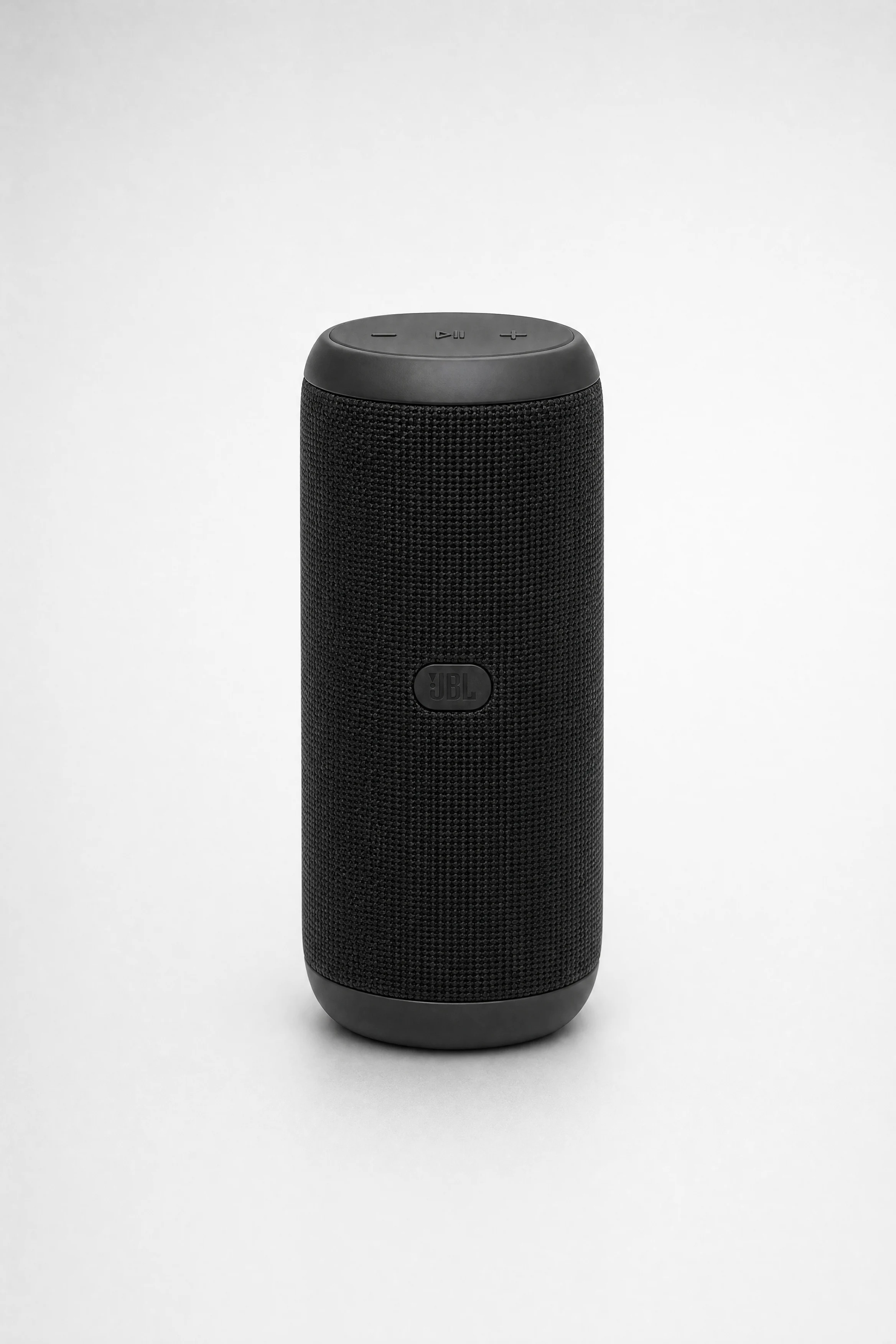
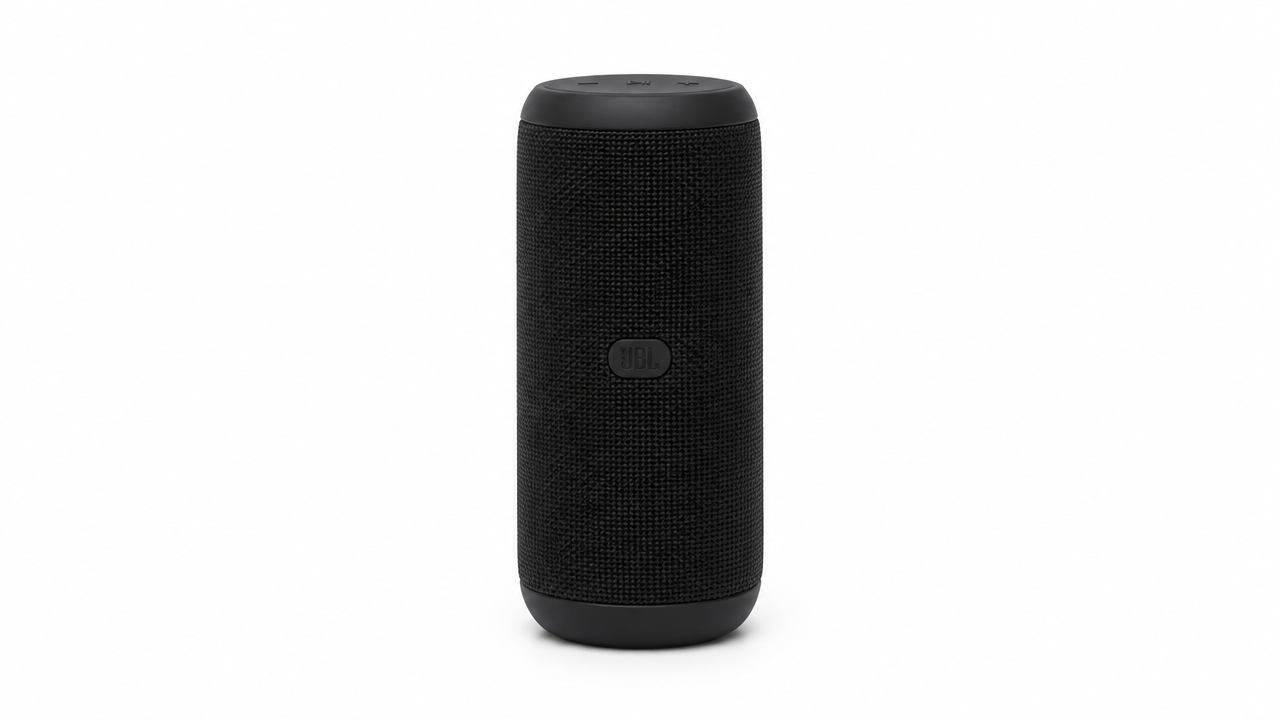
E-commerce Product Photography Texture: Image-to-Image Commercial Output
Style Product Image · ecommerce · Photorealistic
Reference inputs
Reference images
Prompt
Recompose the reference product photo into a high-end e-commerce hero image. Keep the product's shape, color, logo position, and proportions exactly unchanged; do not add or remove any product features. Replace the original background with a seamless light gray studio gradient background. Use three-point softbox lighting: a large key softbox at 45 degrees front-left, a subtle fill light on the right side, and a narrow rim light along the top edge to separate the product from the background. Preserve realistic material response—glossy surfaces show soft gradient highlights, fabric and rubber show matte micro-texture, and metal shows clean specular highlight falloff. Add a soft contact shadow beneath the product without producing hard cast shadows. Shoot from a slightly elevated three-quarter angle with an 85mm equivalent lens, deep depth of field, with the product occupying about 70% of the frame and ample negative space at the top for marketing copy. Commercial-grade retouching quality, accurate color, no props, no studio reflections on the product, no text overlays.
Copy the full prompt and adapt it for your own generation.
Tags
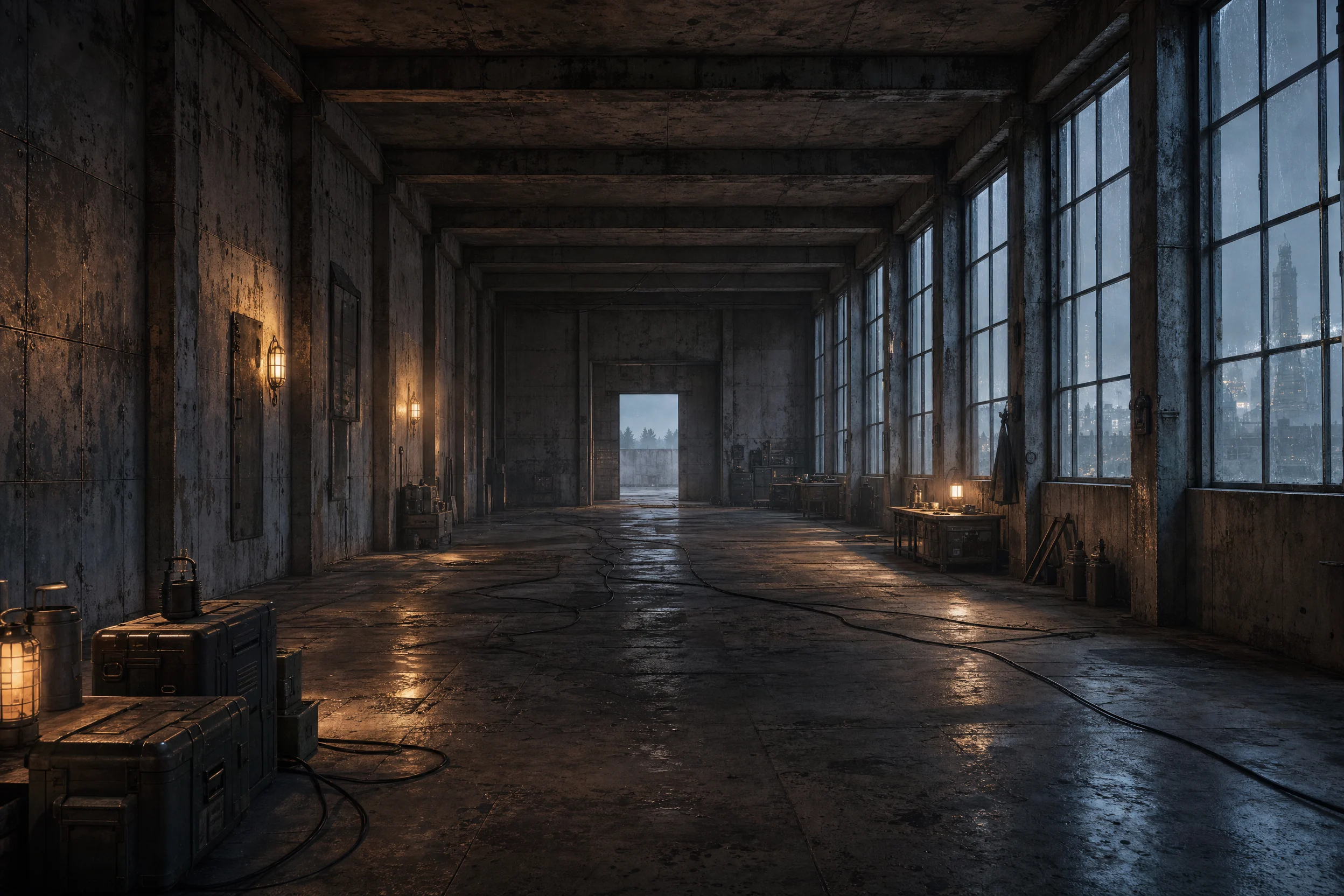
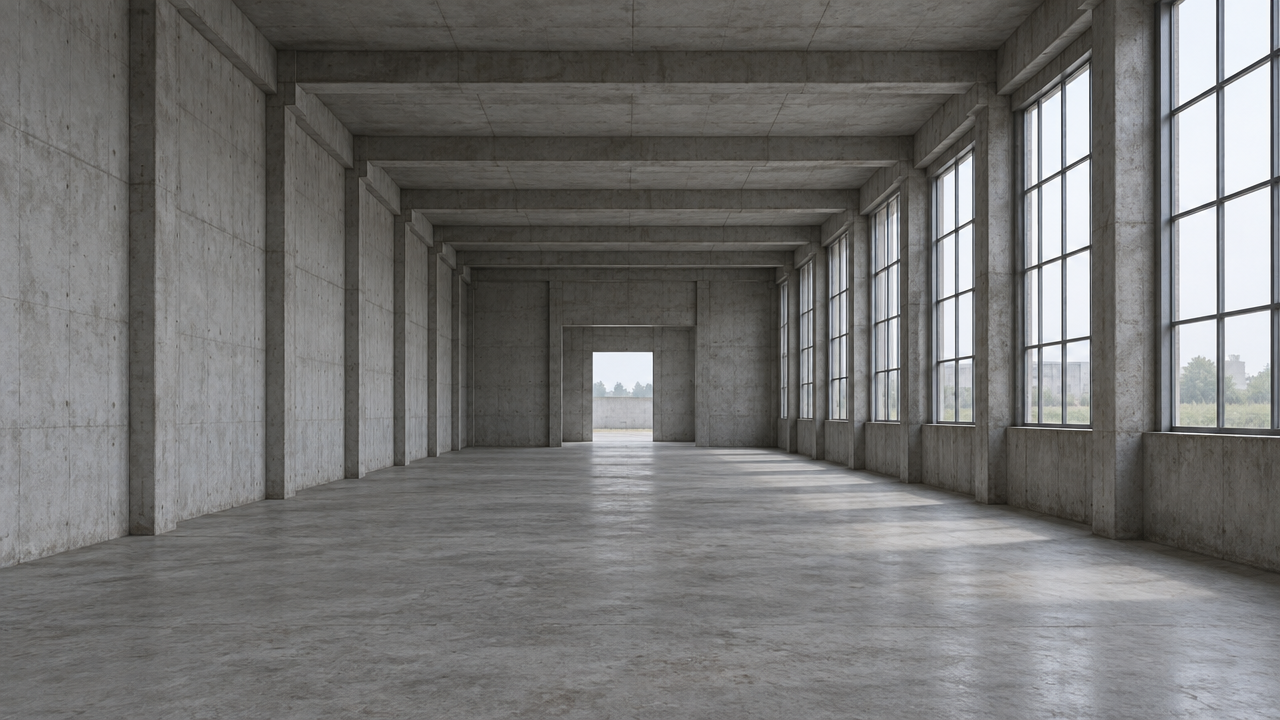
Worldbuilding Scene Concept Art: Reference-Image-Driven Atmosphere Rewrite
Style Concept Art · Worldbuilding · image-edit
Reference inputs
Reference images
Prompt
Image-to-image worldbuilding concept art. Keep the reference image's camera position, perspective, and wall and opening layout unchanged; completely recreate the atmosphere, materials, and lighting. Transform the scene into a weathered frontier research outpost at dusk: patched metal panels, oxidized rivets, stain-mottled concrete, cables running along the floor, tall narrow windows letting in cold blue exterior light, warm amber practical fixtures indoors, volumetric dust in the air, faint condensation on the glass, silhouettes of decaying towers in the distance outside the windows. Cinematic 16:9 composition with clear foreground, midground, and background layers, strong separation of light and shadow, restrained desaturated palette with a single warm accent, subtle film grain, concept art painterly texture, no text, no watermark.
Copy the full prompt and adapt it for your own generation.
Tags

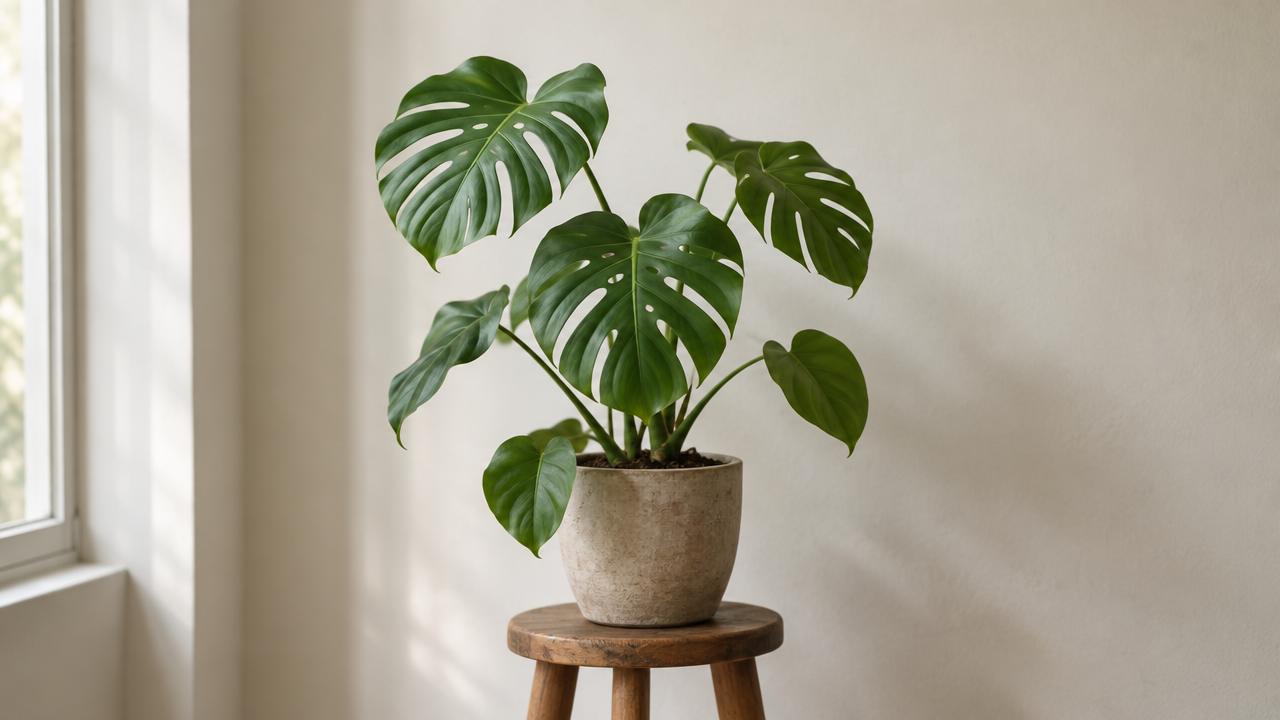
From Realistic to Flat: gpt-image-2 Image-to-Image Style Spectrum Illustration
Style style-transfer · editorial-illustration · Flat design
Reference inputs
Reference images
Prompt
Perform image-to-image style transfer on a single reference photo, converting it into a flat editorial illustration. Preserve the subject silhouette, object positions, and the overall composition of the source image; gradually simplify photographic details into simplified geometric shapes, clean vector-like edges, and a limited palette of 5–6 desaturated colors with a single warm accent. Remove texture noise, gradients, and specular highlights; replace shadows with solid tonal shapes. 4:5 portrait composition, subject centered with ample negative space, suggesting soft, even lighting through flat fills rather than rendered light. Crisp edges, no outlines thicker than a hairline, no photorealistic grain, and no additional elements beyond the source scene.
Copy the full prompt and adapt it for your own generation.
Tags
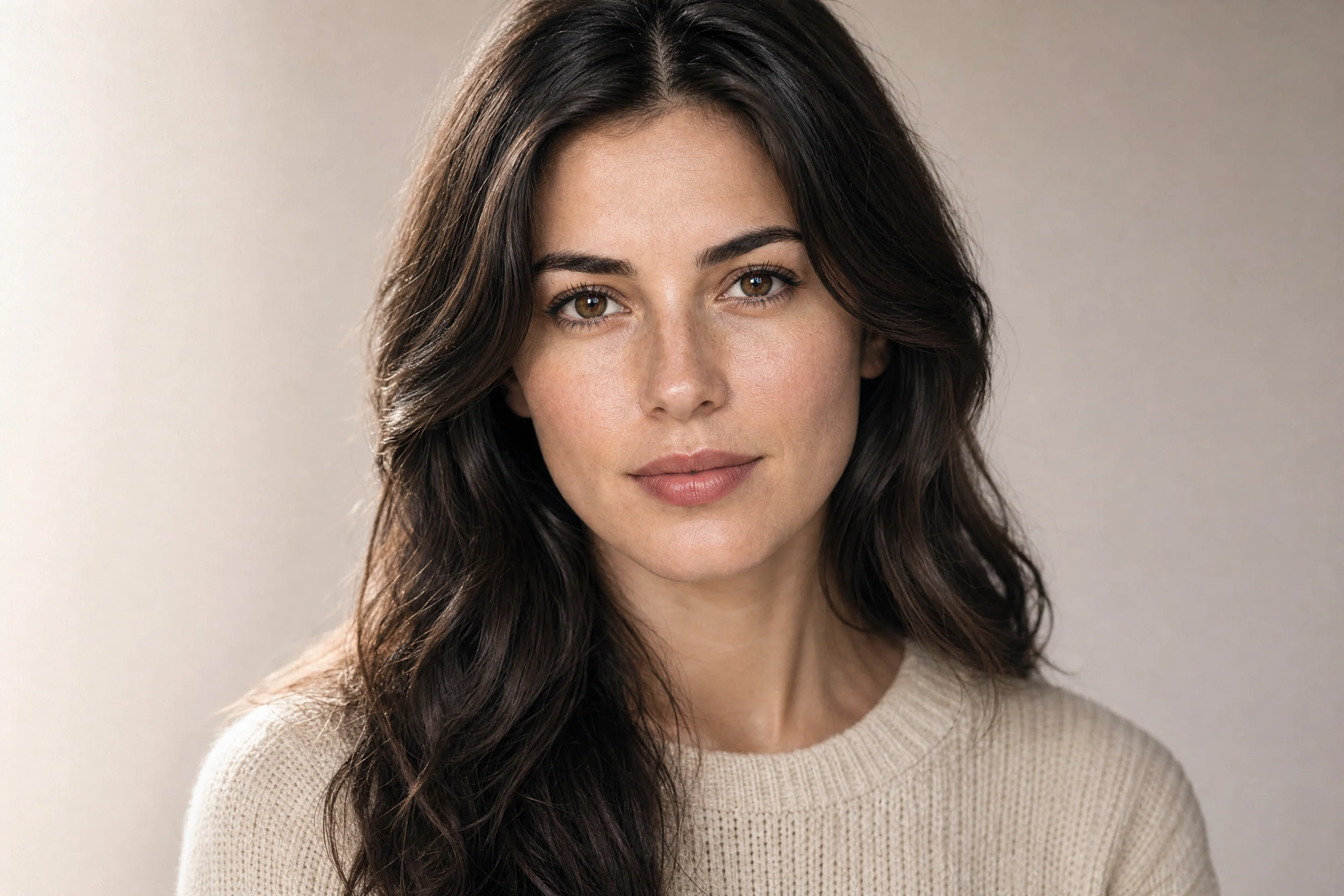
gpt-image-2 Image-to-Image Portrait Style Demo: Dual Paths of Realism and Artistry
Style Portrait & Photography · style-transfer · Commercial Photography
Reference inputs
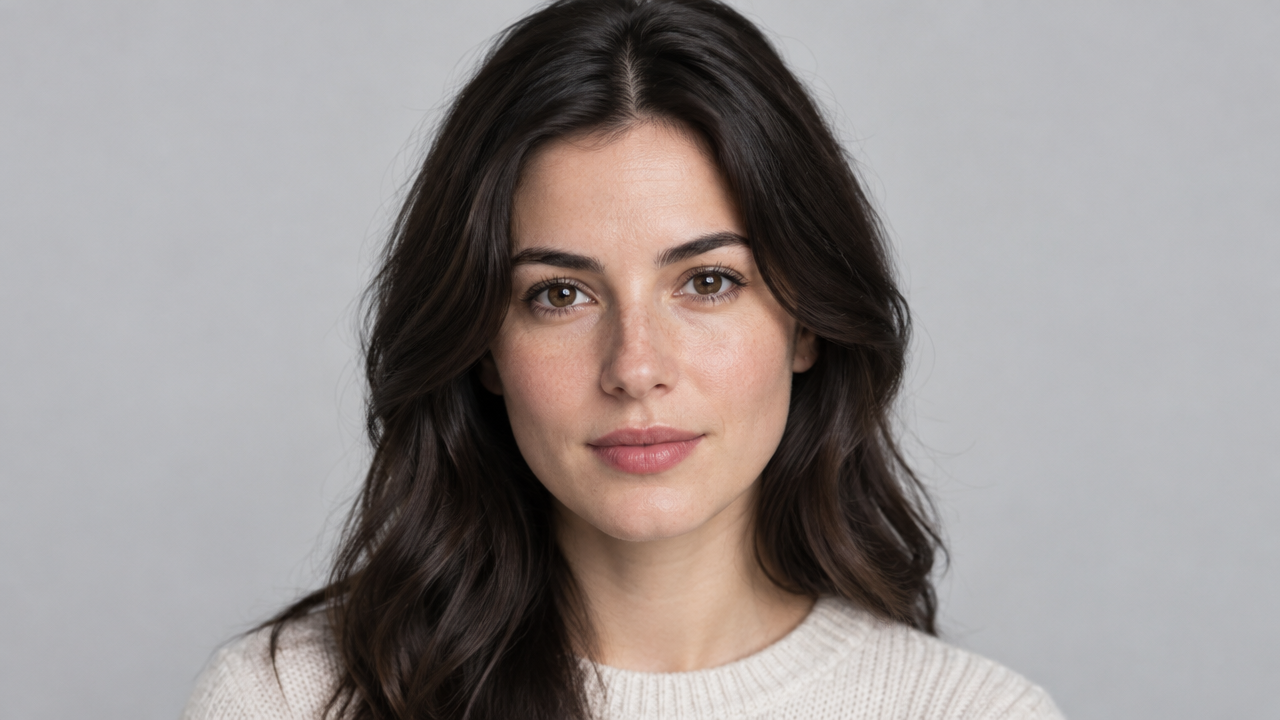
Reference images
Prompt
Image-to-image portrait style repaint. Preserve the facial identity, pose, and composition of the person in the reference image; change only lighting, color grading, and surface rendering. Realistic route: natural skin texture, visible pores and fine vellus hair, soft directional window light from the left side of the camera, soft transitions into shadow, neutral warm-white balance, 85mm equivalent field of view, shallow depth of field, slight film grain, medium-format commercial portrait quality, clean and tidy neutral background. Vertical 4:5 composition, head-and-shoulders crop, eyes on the upper third line, no text, no watermark.
Copy the full prompt and adapt it for your own generation.
Tags
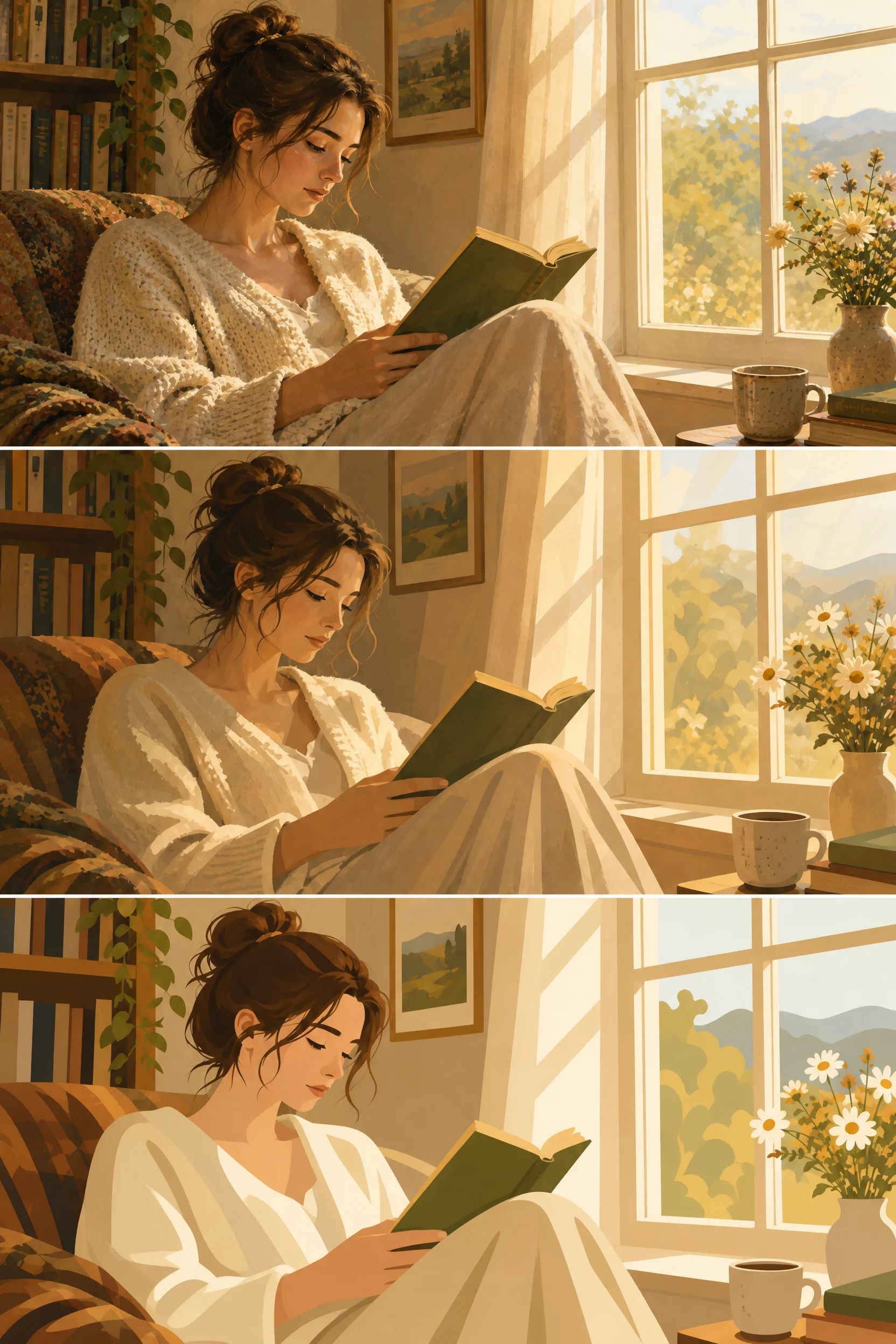
Style Spectrum: From the Same Realistic Illustration to Flat Gradient
Style Illustration · style-transfer · Flat design
Reference inputs

Reference images
Prompt
A set of illustration series showing a style spectrum from realistic to flat. Starting from a warm, softly lit realistic indoor scene in which a woman reads by a window, reinterpret it across three stylization levels: (1) semi-realistic, with soft painterly gradients and retained detail; (2) semi-flat, with simplified shadows, bold silhouettes, and reduced texture; (3) fully flat vector style, using solid color blocks, clean geometric shapes, and minimal lines. Keep the subject, composition, and color palette consistent across all levels. 16:9 composition, clean edges, no text.
Copy the full prompt and adapt it for your own generation.
Tags
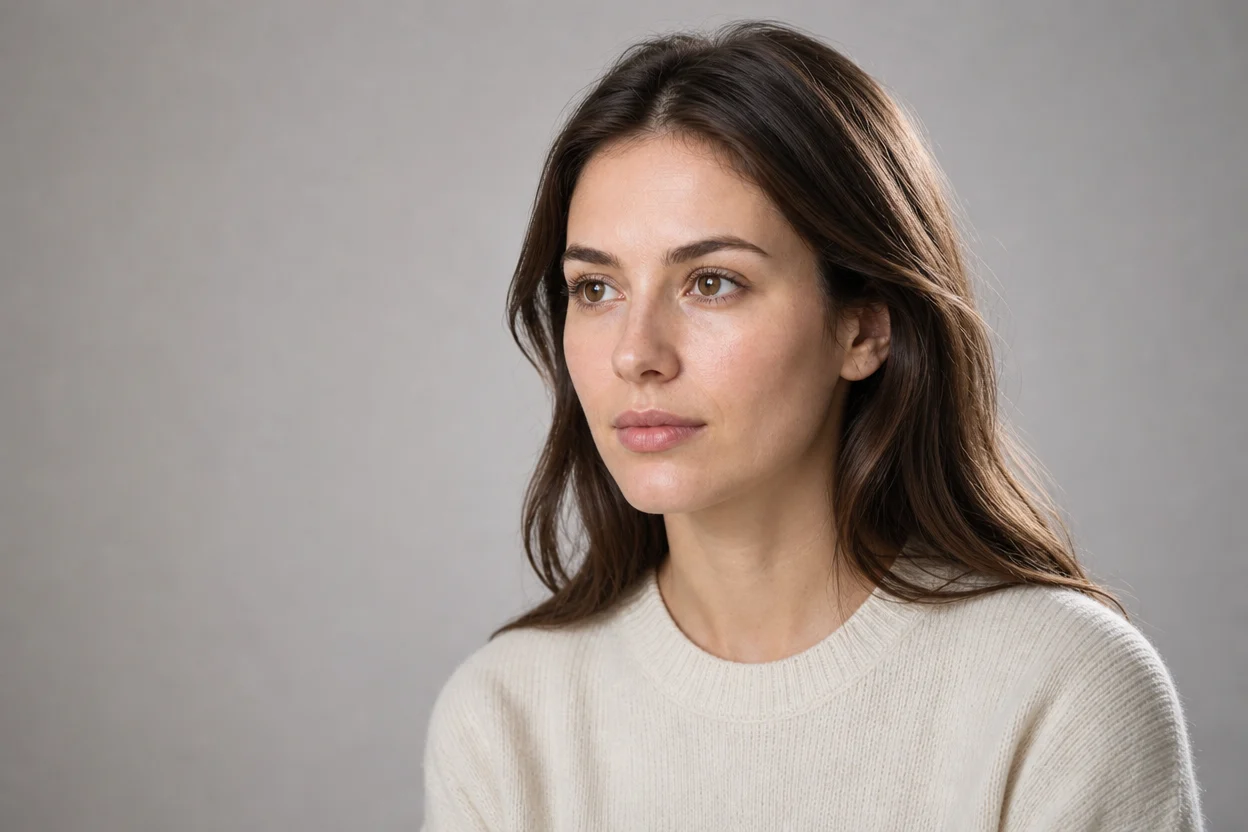
Portrait Style Redrawing: Two Paths of Realism and Artistic Treatment
Style Portrait & Photography · image-to-image · style-transfer
Reference inputs

Reference images
Prompt
Photo-level realistic studio portrait, magazine editorial style three-quarter profile view, single adult subject slightly facing left, soft large softbox key light from the right side of the camera, supplemented by subtle fill light and gentle hair rim light, shallow depth of field, neutral gray background with smooth fading, retaining natural skin texture, visible pores and fine hair strands, calm and confident expression, contemporary fashion magazine color grading style, 16:9 horizontal composition, ample negative space on the left side, rich details, no text, no logos
Copy the full prompt and adapt it for your own generation.
Tags
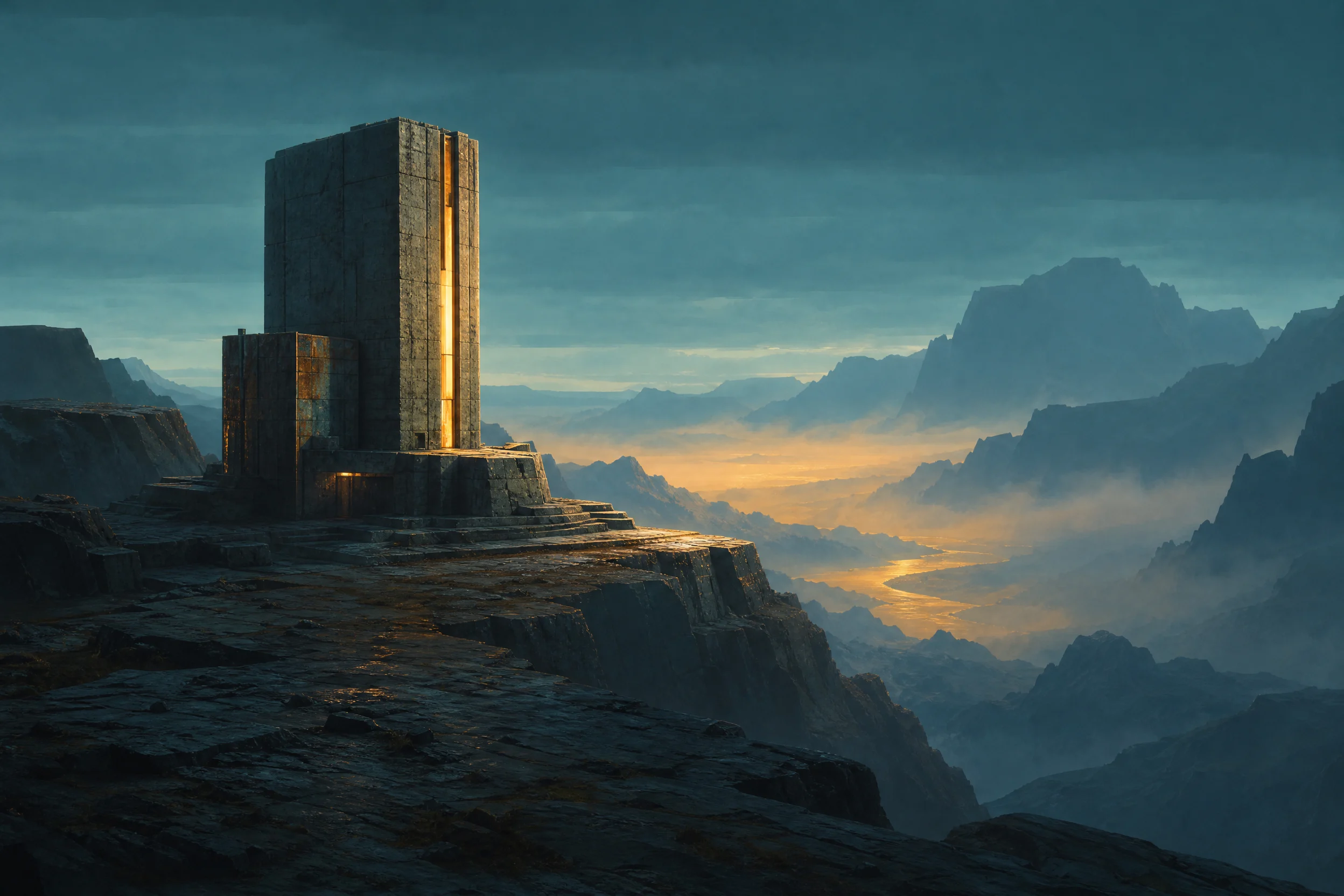
Worldbuilding Scene Concept Art: Atmospheric Visual Exploration
Style Concept Art · Worldbuilding · Cinematic
Reference inputs
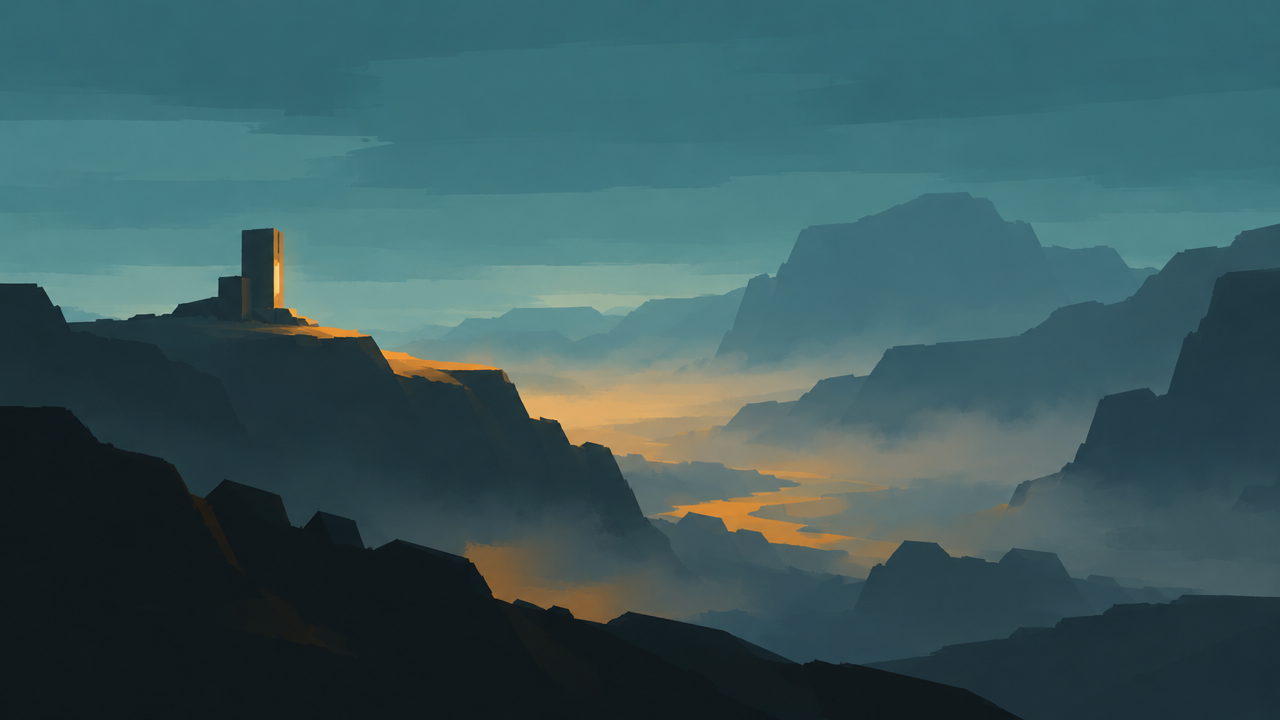
Reference images
Prompt
Cinematic environment concept art reimagined from the reference mood board: an isolated colossal observatory carved into a basalt cliff, overlooking a mist-filled valley at blue-hour dusk. Preserve the reference image's cool teal-green and amber palette, silhouette language, and horizon placement; add solid material detail—weathered stone, oxidized metal ribs, warm interior light spilling from narrow crevices. 16:9 widescreen composition, foreground of rocky plateau to provide scale reference, midground of architectural structures, layered atmospheric haze extending to distant mountains. Soft volumetric light, subtle rim lighting on the architecture, painterly yet believable rendering, high dynamic range, no text, no watermark.
Copy the full prompt and adapt it for your own generation.
Tags
Pricing
gpt-image-2/image-to-image per image
| Specifications | Unit Price |
|---|---|
| 1K | $0.030 |
| 2K | $0.040 |
| 4K | $0.060 |
gpt-image-2/image-to-image @ext per image
Positioning Overview
gpt-image-2/image-to-image is the image regeneration and editing line within OpenAI's image model family. It accepts 1 to 16 reference images plus a text prompt and outputs a reconstructed image. It is suited to development scenarios that require rewriting, outpainting, style unification, or layout replacement based on existing assets, and lets you select the aspect ratio and up to 4K resolution according to delivery specifications. Compared with pure text-to-image, the value of this line lies in anchoring generation results to the reference images provided by the developer.
Core Highlights
- Multi-image reference input — a single call can submit 1 to 16 reference images, using the asset collection as the basis for generation rather than relying on text descriptions alone.
- Aspect ratio selectable by delivery spec — built-in support for more than ten ratios from 1:1 and 16:9 to 21:9 and 9:21, which can be directly aligned with landing pages, feed placements, and vertical assets.
- Resolution up to 4K — supports 1K, 2K, and 4K output tiers; the 1:1 aspect ratio does not support 4K. High resolution can be used for print-grade or large-screen assets.
- Transparent background output supported — at 1K resolution you can choose transparent, opaque, or automatic background mode, making it easy to composite directly into other design layers.
Capability Description
Image rewriting driven by reference images: generates a new image based on the input image, suitable for replacing style, adjusting composition, or creating variants from existing assets; the result inherits the visual cues of the reference image.
Combined control of aspect ratio and resolution: output specifications are determined by the aspect_ratio and resolution parameters; when auto or a special aspect ratio is selected, the aspect ratio is limited to 1K, so constraints must be set on the parameters in advance.
Background mode control: the background parameter offers three values: auto, opaque, and transparent. It takes effect only at 1K resolution and is suitable for downstream workflows that require background removal or layered compositing.
Long prompt constraint: the prompt limit is 20,000 characters, so multiple constraints, layout instructions, and copy content can be written in a single pass, reducing the need for multi-round supplementary descriptions.
Multi-image asset merging: input_urls supports passing multiple images at once, allowing the subject, style reference, and layout sample to be provided separately and synthesized by the model into a single output.
Applicable Scenarios
- Design teams extending existing key visuals into multiple specs — upload the key visual and different aspect ratio requirements to produce batches of versions adapted for feed, splash screen, and vertical placements, ready to enter the delivery asset library.
- E-commerce operations regenerating product images in contextual scenes — pass in real-shot product images to generate finished images under different backgrounds and lighting for replacement on detail pages and ad slots.
- Iterating image-and-text layouts in visual design — use an existing layout draft as reference, replace copy and graphic elements via prompts, and produce a new design draft for review.
- Compositing workflows that need transparent-background assets — enable transparent background output at 1K and overlay the result directly onto other layers or scenes, eliminating manual cutout work.
Limitations and Model Selection Advice
This line outputs images only and does not involve other modalities such as video or text. Resolution and aspect ratio have coupled constraints: automatic or special aspect ratios support only 1K, 1:1 does not support 4K, and transparent backgrounds are available only at 1K, so high specifications and background control require trade-offs on the parameters. High resolution and multi-image references increase generation time and call cost, making this unsuitable for real-time interactive scenarios with extremely low latency requirements; if you only need to generate images directly from text without reference assets, you should choose the text-to-image line in the same family.
What's new
View changelog →- Parameter change gpt-image-2 added 1K / 2K / 4K resolution tiers
Frequently asked questions
View all FAQs →-
What is GPT Image 2?
GPT Image 2 is an OpenAI text-to-image model for posters, knowledge cards, product visuals, and images with explicit text and layout requirements.
-
Is GPT Image 2 the same as GPT Image 2.0?
GPT Image 2.0 is a common search shorthand; use the exact GPT Image 2 model ID shown on this page and in the API docs.
-
Which endpoint and model ID does the GPT Image 2 API use?
Send POST requests to /v1/tasks, set model to gpt-image-2/text-to-image, and pass prompt, aspect_ratio, and resolution in input. The create response returns a taskId; retrieve the final image through task polling or a callback.
-
How do I use GPT Image 2?
In the Playground, describe the subject, scene, layout, and exact text, then choose the aspect ratio, resolution, and background. Click Run to view the result.
Create a generation task
https://api.hiapi.ai/v1/tasks Headers
AuthorizationstringRequiredAccount API key. Required on every request. Example: Bearer YOUR_HIAPI_API_KEY. Get your API key
Content-TypestringOptionalThe request body is always parsed as JSON; when sent, only application/json (optionally with charset) is accepted — any other value returns 415. Example: application/json.
Idempotency-KeystringOptionalIdempotency key, up to 255 bytes. Retries with the same key from the same account create the task only once; replays return the original taskId.
On network timeouts or client retries, the same key creates the task only once — no double charges (scope: the API key's account). Use a business-unique identifier as the key (e.g. "order-42"); replays return the original taskId, and keys expire 24 hours after the first request. See the Unified Async API overview for the full scenario matrix.
Body
modelstringRequiredCurrent fixed value: gpt-image-2/image-to-image
routestringOptionalCurrent fixed value: default
inputobjectRequired
Business parameters for gpt-image-2/image-to-image and route default — see the parameter table below.
promptstringRequiredminLength 1maxLength 20000Text prompt, required, maximum length 20,000 characters, used to describe the desired image content.
backgroundstringOptionalBackground mode, controls how the background of the generated image is handled; this parameter is supported only at 1K resolution.
autoopaquetransparentinput_urlsarrayRequiredminItems 1maxItems 16Array of reference image URLs, providing one or more images as references for image-to-image generation; supports 1 to 16 images.
Array [ string ]
resolutionstringOptionalDefault: "1K"Resolution of the generated image, default 1K. When aspect_ratio is auto, 1K must be used; 1:1 does not support 4K; when aspect_ratio is 3:1/1:3/9:21, only 1K is supported; when background is auto/opaque/transparent, only 1K is supported.
1K2K4Kaspect_ratiostringOptionalDefault: "auto"Aspect ratio of the generated image, default auto. When set to auto or omitted, only 1K resolution is supported.
auto1:13:22:34:33:45:44:5Show all (8)
16:99:162:11:23:11:321:99:21callbackobjectOptional
Terminal-state notification config. When omitted, no callback is delivered — poll the task yourself. See the callback note below.
Provide callback.url when creating a task and HiAPI POSTs to your service once the task reaches a terminal state — no polling needed. The callback payload mirrors the task detail structure; signature verification, delivery retries and idempotency are documented on the Unified Async API overview page.
urlstringRequiredRequired when callback is present. A POST is sent to this URL once the task reaches a terminal state; must be a valid http(s) URL.
whenstringOptionalDefault: "final"Only final is supported today — notified on both success and fail.
finalstoragestringOptionalDefault: "temp"Artifact storage tier: temp (default, retained about 7 days) or persistent (long-term, billed by size). Insufficient balance or exceeding the storage cap silently downgrades to temp; the effective tier is shown in the task detail response.
temppersistentmodelstringRequiredCurrent fixed value: gpt-image-2/image-to-image
routestringOptionalCurrent fixed value: ext
inputobjectRequired
Business parameters for gpt-image-2/image-to-image and route ext — see the parameter table below.
promptstringRequiredminLength 1maxLength 20000图像编辑提示词 Max 20000 characters.
qualitystringRequiredDefault: "low"lowmediumhighimage_urlsarrayRequiredminItems 1maxItems 6参考图 URL 或 data URI,最多 6 张
Array [ string ]
resolutionstringRequiredDefault: "1K"1K2K4Kaspect_ratiostringOptionalDefault: "auto"输出画幅比例
auto1:13:22:34:33:45:44:5Show all (8)
16:99:162:11:23:11:321:99:21callbackobjectOptional
Terminal-state notification config. When omitted, no callback is delivered — poll the task yourself. See the callback note below.
Provide callback.url when creating a task and HiAPI POSTs to your service once the task reaches a terminal state — no polling needed. The callback payload mirrors the task detail structure; signature verification, delivery retries and idempotency are documented on the Unified Async API overview page.
urlstringRequiredRequired when callback is present. A POST is sent to this URL once the task reaches a terminal state; must be a valid http(s) URL.
whenstringOptionalDefault: "final"Only final is supported today — notified on both success and fail.
finalstoragestringOptionalDefault: "temp"Artifact storage tier: temp (default, retained about 7 days) or persistent (long-term, billed by size). Insufficient balance or exceeding the storage cap silently downgrades to temp; the effective tier is shown in the task detail response.
temppersistentRequest examples
# Submit an async task; returns a taskId immediately (no waiting for generation)
curl -X POST "https://api.hiapi.ai/v1/tasks" \
  -H "Authorization: Bearer $HIAPI_API_KEY" \
  -H "Content-Type: application/json" \
  -d '{
  "model": "gpt-image-2/image-to-image",
  "input": {
    "prompt": "…",
    "input_urls": "…",
    "resolution": "1K",
    "aspect_ratio": "auto"
  }
}'
const res = await fetch("https://api.hiapi.ai/v1/tasks", {
method: "POST",
headers: {
Authorization: `Bearer ${process.env.HIAPI_API_KEY}`,
"Content-Type": "application/json",
},
body: JSON.stringify({
model: "gpt-image-2/image-to-image",
input: {
"prompt": "…",
"input_urls": "…",
"resolution": "1K",
"aspect_ratio": "auto"
}
}),
});
const task = await res.json();
// { code: 200, message: "success", data: { taskId } }import os, requests
res = requests.post(
"https://api.hiapi.ai/v1/tasks",
headers={"Authorization": f"Bearer {os.environ['HIAPI_API_KEY']}"},
json={
"model": "gpt-image-2/image-to-image",
"input": {
"prompt": "…",
"input_urls": "…",
"resolution": "1K",
"aspect_ratio": "auto"
}
},
)
print(res.json()) # { code, message, data: { taskId } }200 OK
{
  "code": 200,
  "message": "success",
  "data": {
    "taskId": "tk-hiapi-01HZTQ8BX2N3GM3YFK4Z9D7VQR"
  }
}
400 Bad Request
{
  "code": 400,
  "message": "invalid request",
  "data": null,
  "error_code": "INVALID_REQUEST"
}# Submit an async task; returns a taskId immediately (no waiting for generation)
curl -X POST "https://api.hiapi.ai/v1/tasks" \
-H "Authorization: Bearer $HIAPI_API_KEY" \
-H "Content-Type: application/json" \
-d '{
"model": "gpt-image-2/image-to-image@ext",
"input": {
"prompt": "…",
"quality": "low",
"image_urls": "…",
"resolution": "1K",
"aspect_ratio": "auto"
}
}'const res = await fetch("https://api.hiapi.ai/v1/tasks", {
method: "POST",
headers: {
Authorization: `Bearer ${process.env.HIAPI_API_KEY}`,
"Content-Type": "application/json",
},
body: JSON.stringify({
model: "gpt-image-2/image-to-image@ext",
input: {
"prompt": "…",
"quality": "low",
"image_urls": "…",
"resolution": "1K",
"aspect_ratio": "auto"
}
}),
});
const task = await res.json();
// { code: 200, message: "success", data: { taskId } }import os, requests
res = requests.post(
"https://api.hiapi.ai/v1/tasks",
headers={"Authorization": f"Bearer {os.environ['HIAPI_API_KEY']}"},
json={
"model": "gpt-image-2/image-to-image@ext",
"input": {
"prompt": "…",
"quality": "low",
"image_urls": "…",
"resolution": "1K",
"aspect_ratio": "auto"
}
},
)
print(res.json()) # { code, message, data: { taskId } }200 OK
{
  "code": 200,
  "message": "success",
  "data": {
    "taskId": "tk-hiapi-01HZTQ8BX2N3GM3YFK4Z9D7VQR"
  }
}
400 Bad Request
{
  "code": 400,
  "message": "invalid request",
  "data": null,
  "error_code": "INVALID_REQUEST"
}
Get task detail
https://api.hiapi.ai/v1/tasks/:id Response fields
taskIdstringRequiredTask ID, always prefixed with tk-hiapi-.
modelstringRequiredResolved full model name. Tasks submitted with the route parameter return base@route (e.g. gpt-image-2/text-to-image@ext); otherwise identical to the name passed at creation.
routestringOptionalPresent only when the task was submitted with an explicit route parameter; echoes the submitted value.
statusstringRequiredTask status.
queued Queued, not started yet.
handling Being processed.
archiving Processing finished, artifacts being prepared.
success Terminal: completed, artifacts available (output returned).
fail Terminal: failed (error returned).
After submission, check status: success and fail are terminal, everything else is non-terminal. Poll every 1–3 seconds until terminal. On success, download artifacts from output[].url and transfer them before expireAt; pass storage: "persistent" at creation time when long-term retention is needed.
creatednumberRequiredTask creation time (Unix seconds).
completednumberRequiredUnix seconds when the task reached a terminal state; fixed to 0 while not terminal.
outputarrayOptional
Present only when status == success. Artifact list — always an array; a single task may return multiple types at once (e.g. video + first_frame).
Array [ object ]
Array items
urlstringRequiredArtifact URL, directly downloadable.
typestringRequiredCurrent possible values: video, image, audio, first_frame, last_frame, thumbnail; more may be added later.
expireAtnumberRequiredUnix seconds until which the artifact remains accessible; download or transfer before it expires.
errorobjectOptional
Present only when status == fail.
codestringRequiredBusiness error code.
messagestringRequiredError description.
Response examples
Success
{
  "code": 200,
  "message": "success",
  "data": {
    "taskId": "tk-hiapi-01HZTQ8BX2N3GM3YFK4Z9D7VQR",
    "model": "happyhorse-1-0",
    "status": "success",
    "created": 1777282033,
    "completed": 1777282099,
    "output": [
      {
        "url": "https://cdn.hiapi.ai/tasks/.../video.mp4",
        "type": "video",
        "expireAt": 1777886899
      }
    ]
  }
}
Processing (non-terminal)
{
  "code": 200,
  "message": "success",
  "data": {
    "taskId": "tk-hiapi-...",
    "model": "happyhorse-1-0",
    "status": "archiving",
    "created": 1777282033,
    "completed": 0
  }
}
Failed
{
  "code": 200,
  "message": "success",
  "data": {
    "taskId": "tk-hiapi-...",
    "model": "happyhorse-1-0",
    "status": "fail",
    "created": 1777282033,
    "completed": 1777282099,
    "error": {
      "code": "TASK_FAILED",
      "message": "task failed"
    }
  }
}Articles
View all articles →Related Models
View all models →Same Type
-
 Recraft Crisp Upscale Recraft $0.004 /image
-
 Nano Banana 2 Lite Google $0.033 /image
-
 Nano Banana Pro Google $0.057 /image
-
 Grok Imagine xAI $0.011 /second
-
 BRIA Product Shot Bria $0.058 /image
-
 Google Virtual Try-On Google $0.107 /image
-
 Wan 2.7 Image Alibaba $0.035 /image
-
 Ideogram V3 Character Ideogram $0.090 /image
-
 Grok Imagine Image 2.0 xAI $0.052 /image
-
 Nano Banana Google $0.021 /image
-
 FLUX.1 Fill Pro Black Forest Labs $0.071 /image
-
 FLUX.2 Black Forest Labs $0.035 /image