xAI
Grok Imagine 1.5 Lite
grok-imagine-1.5-lite/image-to-video
A lightweight, low-cost video generation tier that supports text-to-video and image-to-video, generating sound effects and dialogue in the same pass, suited for high-frequency batch production of short clips
Try grok-imagine-1.5-lite/image-to-video
Input
Showcases
View all showcasesOutput
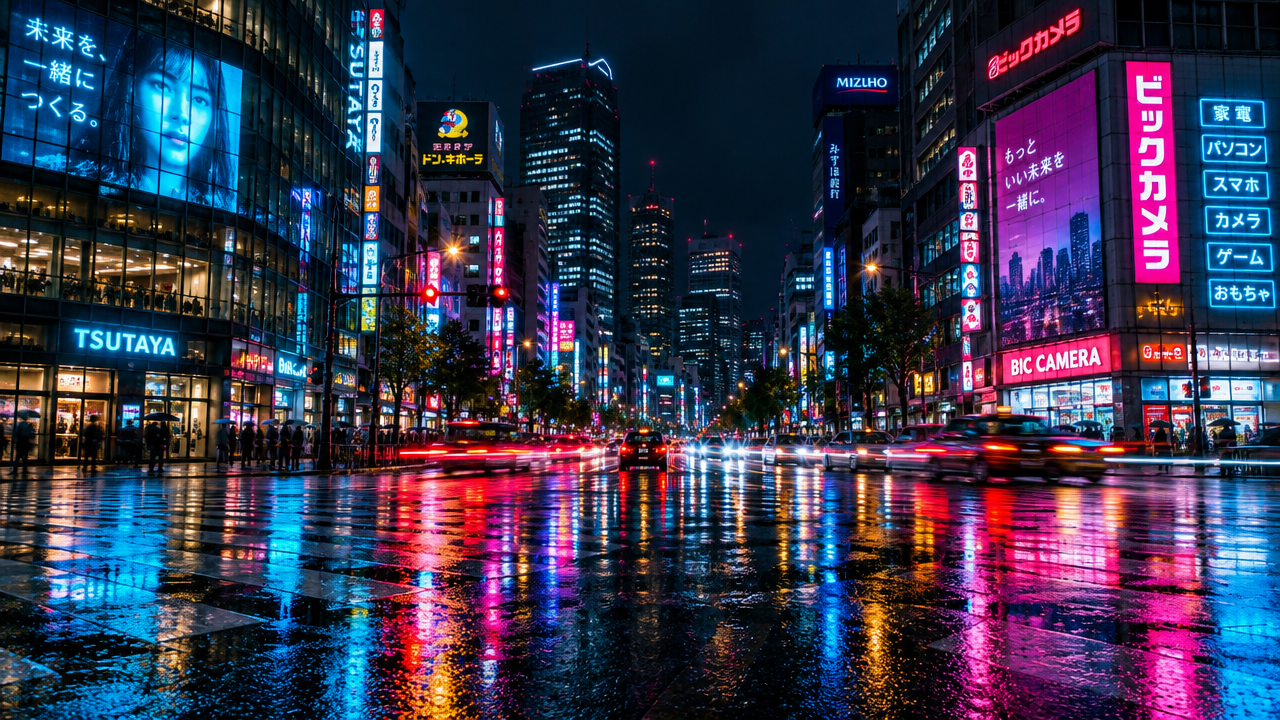
videoNeon Night City Time-lapse: Vehicle Light Trails
Style Time-lapse photography · Urban Nightscape · neon
Reference inputs
image_url
Prompt
Static locked-off wide shot of a rainy downtown intersection at night. Neon signage flickers and cycles through hues in a fast time-lapse rhythm, headlights and taillights streak into long continuous light trails, wet asphalt mirrors the glow with subtle ripples, distant windows blink on and off in irregular cycles. Slight cloud drift overhead, no camera movement, deep contrast between saturated neon and dark architecture, filmic color grade with cyan and magenta highlights.
Copy the full prompt and adapt it for your own generation.
Tags
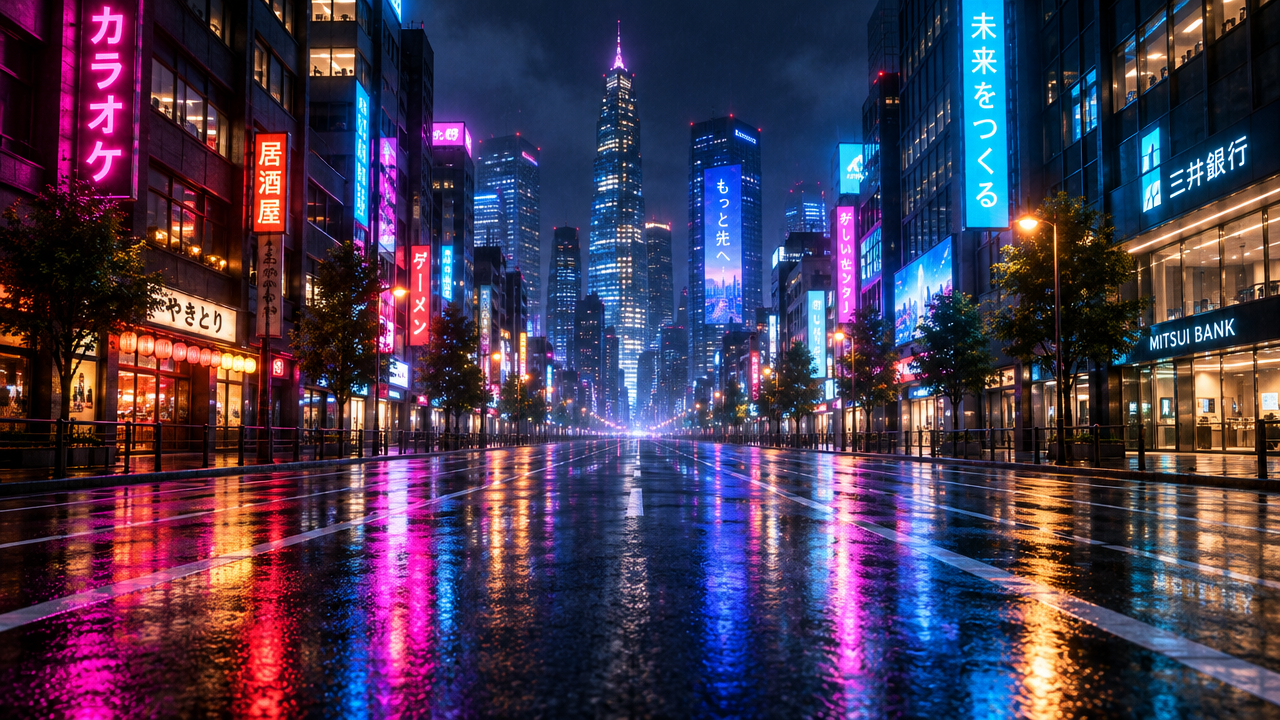
Neon Night Traffic Light Trails
Style night-city · light-trails · urban-motion
Reference inputs
image_url
Prompt
Animate a city street at night drenched in neon light. Vehicles sweep across the frame, their headlights and taillights stretching into continuous light trails, as if shot with a slow shutter. Neon signs reflect and flicker on the wet asphalt; the reflections ripple and slide across the road surface. The camera stays steady at a slightly low angle with a subtle, slow forward dolly, keeping the street's perspective unchanged. The light trails flow from left to right and extend into the distance, with a continuous and smooth rhythm of traffic. Ambient city glow, deep blue and magenta, high-contrast highlights, cinematic urban night atmosphere, stable image, no cuts, duration no more than 6 seconds.
Copy the full prompt and adapt it for your own generation.
Tags
Sweat and Light: Sprint Slow Motion
Style Sports · Slow motion · Cinematic
Reference inputs

image_url
Prompt
Slow-motion image-to-video shot: a sprinter at the moment of maximum stride, sweat droplets flying off the skin and hovering in midair, backlit rim light gleaming along the shoulders and forearms, the fabric of the jersey rippling, dust particles drifting in low-angle warm sunlight beams, slight handheld micro-shake, 120fps slow-motion feel, shallow depth of field, high-contrast dramatic lighting, no cuts, a single continuous action, photorealistic sports photography style
Copy the full prompt and adapt it for your own generation.
Tags
Desktop Unboxing Close-Up: Fingertips Open the Package
Style Product Image · Close-up · Unboxing
Reference inputs

image_url
Prompt
Close-up product unboxing on a desktop, shot from a slightly high three-quarter angle. A pair of hands enters the frame, uses fingertips to peel back the tape, lifts the kraft paper box lid open in one fluid motion, and takes the product out facing the camera. Shallow depth of field, with fingers and box edges in sharp focus; soft diffused daylight from the upper left; subtle shadow gradients across the wooden desktop; minimal props; clean neutral background. Steady handheld framing with a slow, slight push-in; natural realistic pacing, restrained and tactile, no text overlay.
Copy the full prompt and adapt it for your own generation.
Tags
Pricing
grok-imagine-1.5-lite/image-to-video per second
| Specifications | Unit Price |
|---|---|
| 480P | $0.029 |
| 720P | $0.043 |
| 1080P | $0.200 |
Positioning Overview
grok-imagine-1.5-lite/image-to-video is a short-video generation model that starts from a still image, called through the unified HiAPI.ai interface. It adds motion and changes to a single image based on a prompt, outputs a video of 1–15 seconds at 480p to 720p/1080p, and preserves the aspect ratio of the original image. It is suited for social content production that requires high-frequency asset iteration, looping short films, and creative concept validation, and also works as a low-cost first-round draft option in batch video output workflows.
Key Highlights
- Single-image driven, with precise duration control — only one publicly accessible image plus a motion description is needed, and the duration can be set per second between 1 and 15 seconds, making it easy to align with the rhythm of feeds and ad slots.
- Output automatically inherits the input image ratio — the final video's aspect ratio follows the input image, eliminating secondary cropping and directly fitting vertical or horizontal ad placements.
- Three resolution tiers available — 480p, 720p, and 1080p outputs let you allocate specs between draft previews and final delivery.
- Lightweight tier positioning, suited for batch trial and error — the same family offers a lighter Lite tier, making it suitable for first-round generation and quick screening in batch asset production.
Capability Description
Image-to-video: uses a single image as the starting frame and generates a short video based on the motion or changes described in the prompt; the prompt limit is 4096 characters, enough to clearly describe camera movement and subject action.
Duration and resolution control: duration is set in whole seconds from 1 to 15 seconds, defaulting to 6 seconds; resolution can be 480p, 720p, or 1080p, defaulting to 720p, making it easy to switch between preview and delivery.
Aspect ratio inheritance: the output follows the aspect ratio of the input image, so developers do not need to prepare multiple cropping parameters for different placements.
Unified interface call: submit the prompt and image URL through the unified HiAPI.ai interface to obtain the video result; billing is based on output seconds.
Applicable Scenarios
- Social media operators turning product images into dynamic short videos — input a static product image and a short motion description to get a 6–15 second vertical short video for asset placement on feeds and short-video platforms.
- Design teams doing creative concept validation — use the low-resolution tier to quickly animate storyboard stills and generate drafts for review, then re-render at higher resolution after the direction is confirmed.
- Content teams producing looping short videos — generate short clips from a single atmospheric image for use as webpage backgrounds, looping booth displays, or repetitive assets in feeds.
Limitations and Selection Advice
As a lightweight tier, image detail and fidelity are weaker than the full Grok Imagine 1.5 version, so it should not be used for final delivery when finer image quality is required. It accepts only one input image per request, with a maximum duration of 15 seconds, making it unsuitable for long videos or continuous narratives; when control over consistency across multiple reference characters and scenes is needed, a model with more complete control capabilities should be used instead. Before generation, please confirm that the input image is a directly accessible public URL.
Frequently asked questions
View all FAQs →-
Does every clip include sound?
Yes. Sound is generated together with the picture and cannot be switched off. Describe the ambience, music or dialogue you want in the prompt.
-
Which durations, resolutions and aspect ratios can I use?
Any whole-second duration from 1 to 15 seconds (default 6), 480p, 720p or 1080p (default 720p), and 16:9, 4:3, 3:2, 1:1, 2:3, 3:4 or 9:16 (default 16:9).
-
How long can the prompt be?
Up to 4,096 characters. A focused paragraph about subject, motion, camera and sound usually works better than a long list.
-
Can I animate my own image with this model?
No, this route takes text only. Use grok-imagine-1.5-lite/image-to-video when the shot should start from your image.
Create a generation task
https://api.hiapi.ai/v1/tasks Headers
AuthorizationstringRequiredAccount API key. Required on every request. Example: Bearer YOUR_HIAPI_API_KEY. Get your API key
Content-TypestringOptionalThe request body is always parsed as JSON; when sent, only application/json (optionally with charset) is accepted — any other value returns 415. Example: application/json.
Idempotency-KeystringOptionalIdempotency key, up to 255 bytes. Retries with the same key from the same account create the task only once; replays return the original taskId.
On network timeouts or client retries, the same key creates the task only once — no double charges (scope: the API key's account). Use a business-unique identifier as the key (e.g. "order-42"); replays return the original taskId, and keys expire 24 hours after the first request. See the Unified Async API overview for the full scenario matrix.
Body
modelstringRequiredCurrent fixed value: grok-imagine-1.5-lite/image-to-video
routestringOptionalCurrent fixed value: default
inputobjectRequired
Business parameters for grok-imagine-1.5-lite/image-to-video and route default — see the parameter table below.
promptstringRequiredminLength 1maxLength 4096Describe the desired motion or visual changes, i.e., the text prompt for image-to-video generation, with a maximum length of 4096 characters.
durationintegerOptionalDefault: 6min 1max 15Duration of the generated video in seconds, with a value range of 1-15, defaulting to 6 seconds.
image_urlstringRequiredminLength 1pattern ^https?://Publicly accessible URL of the input image to be animated; only one image is supported, and the output video will inherit the aspect ratio of this image.
resolutionstringOptionalDefault: "720p"Resolution of the output video, defaulting to 720p.
480p720p1080pcallbackobjectOptional
Terminal-state notification config. When omitted, no callback is delivered — poll the task yourself. See the callback note below.
Provide callback.url when creating a task and HiAPI POSTs to your service once the task reaches a terminal state — no polling needed. The callback payload mirrors the task detail structure; signature verification, delivery retries and idempotency are documented on the Unified Async API overview page.
urlstringRequiredRequired when callback is present. A POST is sent to this URL once the task reaches a terminal state; must be a valid http(s) URL.
whenstringOptionalDefault: "final"Only final is supported today — notified on both success and fail.
finalstoragestringOptionalDefault: "temp"Artifact storage tier: temp (default, retained about 7 days) or persistent (long-term, billed by size). Insufficient balance or exceeding the storage cap silently downgrades to temp; the effective tier is shown in the task detail response.
temppersistentRequest examples
# Submit an async task; returns a taskId immediately (no waiting for generation)
curl -X POST "https://api.hiapi.ai/v1/tasks" \
  -H "Authorization: Bearer $HIAPI_API_KEY" \
  -H "Content-Type: application/json" \
  -d '{
  "model": "grok-imagine-1.5-lite/image-to-video",
  "input": {
    "prompt": "…",
    "duration": 6,
    "image_url": "…",
    "resolution": "720p"
  }
}'
const res = await fetch("https://api.hiapi.ai/v1/tasks", {
method: "POST",
headers: {
Authorization: `Bearer ${process.env.HIAPI_API_KEY}`,
"Content-Type": "application/json",
},
body: JSON.stringify({
model: "grok-imagine-1.5-lite/image-to-video",
input: {
"prompt": "…",
"duration": 6,
"image_url": "…",
"resolution": "720p"
}
}),
});
const task = await res.json();
// { code: 200, message: "success", data: { taskId } }import os, requests
res = requests.post(
"https://api.hiapi.ai/v1/tasks",
headers={"Authorization": f"Bearer {os.environ['HIAPI_API_KEY']}"},
json={
"model": "grok-imagine-1.5-lite/image-to-video",
"input": {
"prompt": "…",
"duration": 6,
"image_url": "…",
"resolution": "720p"
}
},
)
print(res.json()) # { code, message, data: { taskId } }200 OK
{
  "code": 200,
  "message": "success",
  "data": {
    "taskId": "tk-hiapi-01HZTQ8BX2N3GM3YFK4Z9D7VQR"
  }
}
400 Bad Request
{
  "code": 400,
  "message": "invalid request",
  "data": null,
  "error_code": "INVALID_REQUEST"
}
Get task detail
https://api.hiapi.ai/v1/tasks/:id Response fields
taskIdstringRequiredTask ID, always prefixed with tk-hiapi-.
modelstringRequiredResolved full model name. Tasks submitted with the route parameter return base@route (e.g. gpt-image-2/text-to-image@ext); otherwise identical to the name passed at creation.
routestringOptionalPresent only when the task was submitted with an explicit route parameter; echoes the submitted value.
statusstringRequiredTask status.
queued Queued, not started yet.
handling Being processed.
archiving Processing finished, artifacts being prepared.
success Terminal: completed, artifacts available (output returned).
fail Terminal: failed (error returned).
After submission, check status: success and fail are terminal, everything else is non-terminal. Poll every 1–3 seconds until terminal. On success, download artifacts from output[].url and transfer them before expireAt; pass storage: "persistent" at creation time when long-term retention is needed.
creatednumberRequiredTask creation time (Unix seconds).
completednumberRequiredUnix seconds when the task reached a terminal state; fixed to 0 while not terminal.
outputarrayOptional
Present only when status == success. Artifact list — always an array; a single task may return multiple types at once (e.g. video + first_frame).
Array [ object ]
Array items
urlstringRequiredArtifact URL, directly downloadable.
typestringRequiredCurrent possible values: video, image, audio, first_frame, last_frame, thumbnail; more may be added later.
expireAtnumberRequiredUnix seconds until which the artifact remains accessible; download or transfer before it expires.
errorobjectOptional
Present only when status == fail.
codestringRequiredBusiness error code.
messagestringRequiredError description.
Response examples
Success
{
  "code": 200,
  "message": "success",
  "data": {
    "taskId": "tk-hiapi-01HZTQ8BX2N3GM3YFK4Z9D7VQR",
    "model": "happyhorse-1-0",
    "status": "success",
    "created": 1777282033,
    "completed": 1777282099,
    "output": [
      {
        "url": "https://cdn.hiapi.ai/tasks/.../video.mp4",
        "type": "video",
        "expireAt": 1777886899
      }
    ]
  }
}
Processing (non-terminal)
{
  "code": 200,
  "message": "success",
  "data": {
    "taskId": "tk-hiapi-...",
    "model": "happyhorse-1-0",
    "status": "archiving",
    "created": 1777282033,
    "completed": 0
  }
}
Failed
{
  "code": 200,
  "message": "success",
  "data": {
    "taskId": "tk-hiapi-...",
    "model": "happyhorse-1-0",
    "status": "fail",
    "created": 1777282033,
    "completed": 1777282099,
    "error": {
      "code": "TASK_FAILED",
      "message": "task failed"
    }
  }
}Articles
View all articles →Related Models
View all models →Same Type
-
 Veo 3.1 Google $0.290 /second
-
 Veo 3.1 Fast Google $0.170 /second
-
 Ray 3.2 Luma $0.214 /video
-
 LTX 2.5 Fast Lightricks $0.086 /second
-
 Kandinsky 6.0 Pro $1.93 /video
-
 HeyGen Avatar V HeyGen $0.150 /second
-
 Veo 3.1 Lite Google $0.060 /second
-
 Kling 3.0 Kuaishou $0.100 /second
-
 Runway Gen 4.5 Runway $0.172 /second
-
 Grok Imagine 1.5 xAI $0.011 /second
-
 Seedance 2.5 ByteDance $0.121 /second
-
 Kling AI Avatar Kuaishou --