
xAI
Grok Imagine
grok-imagine/image-to-video
xAI's creative generation model, supporting image-to-image editing and style guidance, with up to 9 reference images to control composition and characters; called through the unified HiAPI.ai interface
Try grok-imagine/image-to-video
Input
Showcases
View all showcasesOutput
videoFrom Storyboard to Motion: Grok Imagine Image-to-Video Concept Transformation
Style Storyboard · Cinematic · Concept Art
Reference inputs

image_urls
Prompt
A slow cinematic push-in focused on a lone figure standing at the end of a rain-soaked industrial corridor, volumetric light beams piercing drifting mist, shallow depth of field with a subtle handheld floating feel, faint rippling reflections on the wet concrete, dust particles glinting in the backlight, steady and atmospheric pacing, no cuts, cinematic color grading, high-contrast rim lighting, photorealistic texture detail.
Copy the full prompt and adapt it for your own generation.
Tags
Grok Imagine Cinematic Language Visual Notes: Image-to-Video Camera Movement Demonstration
Style Camera Movement · Storyboard · Image-to-Video
Reference inputs
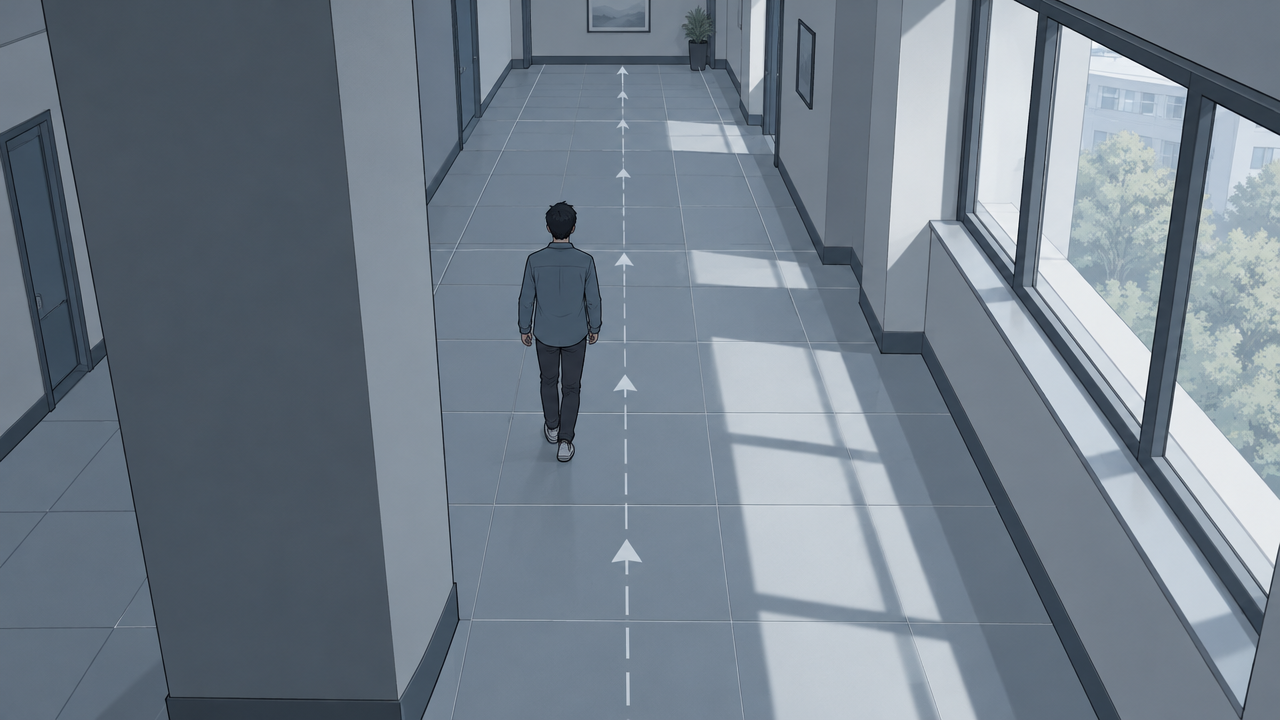
image_urls
Prompt
Perform a single continuous camera movement on the static reference frame: start from the annotated top-down storyboard, then slowly and steadily push in along the corridor toward the mid-ground figure, keeping the horizon level and the perspective consistent. Subtle parallax appears between the foreground occluders and the background wall, natural daylight comes through the side windows, soft shadows, no cuts, no text overlays, stable subject identity, a cinematic 24fps look, six seconds long.
Copy the full prompt and adapt it for your own generation.
Tags
Grok Imagine Image-to-Video: Core Parameters and Use-Case Diagram
Style Image-to-Video · Product Demo · Camera Movement
Reference inputs

image_urls
Prompt
Image-to-video shot: a slow, steady dolly-in toward a rain-soaked city street at dusk, the camera gliding forward at walking speed with subtle parallax displacement from the foreground railing to the midground storefronts. Reflections of neon signs ripple on the wet asphalt, a few pedestrians pass by with soft motion blur, and warm tungsten lighting contrasts with the cool blue ambient sky. Preserve the reference image's original composition, subject placement, and lighting direction; keep the motion smooth and physically plausible, with no cuts and no scene changes, cinematic depth of field, 16:9 cinematic look.
Copy the full prompt and adapt it for your own generation.
Tags
Pricing
grok-imagine/image-to-video per second
| Specifications | Unit Price |
|---|---|
| 480P | $0.0114 |
| 720P | $0.0214 |
| 1080P | $0.05714 |
Positioning Overview
grok-imagine/image-to-video is an image-to-video model in xAI's grok-imagine family, called through the unified HiAPI.ai interface. It takes one or more reference images together with a text prompt and turns static frames into moving shots, supporting durations of 6–30 seconds, resolutions from 480p to 1080p, and multiple aspect ratios. It suits developers and creative teams that need to quickly animate illustrations, storyboards, or product images for social assets, ad prototypes, and motion-preview shots.
Key Highlights
- Multi-image reference guidance for motion — you can pass up to 7 reference images and reference specific ones in the prompt with @image1 and similar tags, making it easy to finely control the subject and composition.
- Switchable motion styles — three generation modes are available: fun, normal, and spicy, corresponding respectively to more creative, balanced, and more dynamic motion.
- Duration and resolution can be balanced to your needs — duration can be set between 6 and 30 seconds, and resolution covers 480p to 1080p, making it easy to trade off generation speed against final video quality.
- Clear billing basis — billing is by output seconds, and the duration parameter directly determines the cost of a call, making it easy to estimate budgets before batch generation.
Capabilities
Reference-image-driven video generation: input 1–7 JPEG, PNG, or WEBP images, and the model generates moving footage while preserving the subject and composition, making it suitable for turning static assets into shots.
Text prompts control motion: you can optionally pass a prompt of up to 5000 characters describing the desired motion; English descriptions work better, helping the model focus on the specified actions and camera direction.
Multi-aspect-ratio output: supports five ratios: 2:3, 3:2, 1:1, 16:9, and 9:16, effective in multi-image reference mode, covering both landscape and portrait placement needs at once.
Adjustable resolution and duration: output resolution defaults to 480p and can be raised to 720p or 1080p; duration defaults to 6 seconds and can reach up to 30 seconds, billed by the actual number of generated seconds.
Use Cases
- Designers animating static illustrations into motion shots — use an illustration or storyboard frame as input with a short motion prompt to produce a short video shot for animated posters, title sequences, and storyboard previews.
- E-commerce teams generating dynamic product displays — upload a product image and describe the camera motion to get a portrait or square short video that can be used directly on product detail pages and in social feed placements.
- Content creators producing social assets in batches — generate motion assets in batches at 9:16 and shorter durations for daily content updates and creative testing on short-video platforms.
Limitations and Selection Advice
It only does image-to-video and does not accept pure text input to generate video, so at least one reference image is required. With a single image input, the aspect ratio parameter has no effect, and the output follows the original image's ratio; 1080p resolution only supports a single input image. When using external images, the generation mode may be automatically downgraded to normal. If you need to generate video directly from text, or need continuous long shots longer than 30 seconds, choose another model or generate in segments. Cost grows with duration, so it is advisable to run a small sample test before batch calls with long durations.
What's new
View changelog →- New model New models: grok-imagine-image-2.0/text-to-image and grok-im…
Frequently asked questions
View all FAQs →-
What is the standard Grok Imagine route best for?
It suits high-volume ideation, social assets, landscapes, and cinematic scenes. Current 1k and 2k output share one flat price.
-
How does standard differ from Quality?
Standard emphasizes speed and a low flat price. Quality is a separate model route focused on material, detail, and light, with tiered 1k/2k pricing.
-
Which ratios are available?
Thirteen landscape, square, and portrait ratios ranging from 2:1 and 20:9 to 1:2.
-
Does this page accept references?
No. Use grok-imagine/image-to-image for reference editing.
Create a generation task
https://api.hiapi.ai/v1/tasks Headers
AuthorizationstringRequiredAccount API key. Required on every request. Example: Bearer YOUR_HIAPI_API_KEY. Get your API key
Content-TypestringOptionalThe request body is always parsed as JSON; when sent, only application/json (optionally with charset) is accepted — any other value returns 415. Example: application/json.
Idempotency-KeystringOptionalIdempotency key, up to 255 bytes. Retries with the same key from the same account create the task only once; replays return the original taskId.
On network timeouts or client retries, the same key creates the task only once — no double charges (scope: the API key's account). Use a business-unique identifier as the key (e.g. "order-42"); replays return the original taskId, and keys expire 24 hours after the first request. See the Unified Async API overview for the full scenario matrix.
Body
modelstringRequiredCurrent fixed value: grok-imagine/image-to-video
routestringOptionalCurrent fixed value: default
inputobjectRequired
Business parameters for grok-imagine/image-to-video and route default — see the parameter table below.
modestringOptionalDefault: "normal"Generation mode, which affects the motion style and intensity of the video. Takes a string value, default is normal. When external images (image_urls) are provided, the upstream may automatically downgrade to normal.
funnormalspicypromptstringOptionalmaxLength 5000A text prompt describing the desired video motion. Optional, works best in English, maximum 5000 characters.
durationintegerOptionalDefault: 6min 6max 30Video duration in seconds. Takes an integer value, default is 6. Billing is calculated per second.
image_urlsarrayRequiredminItems 1maxItems 7Array of reference images. Elements are image URLs or asset:// asset IDs, up to 7 images; supports JPEG/PNG/WEBP, each no larger than 10MB. Specific images can be referenced in the prompt using @image1, etc.
Array [ string ]
resolutionstringOptionalDefault: "480p"Output video resolution. Takes a string value, default is 480p. 1080p only supports a single input image.
480p720p1080paspect_ratiostringOptionalDefault: "2:3"Output video aspect ratio. Takes a string value, default is 2:3. Only effective in multi-image reference mode; this parameter is ignored for single-image input, and the output follows the aspect ratio of the input image.
2:33:21:116:99:16callbackobjectOptional
Terminal-state notification config. When omitted, no callback is delivered — poll the task yourself. See the callback note below.
Provide callback.url when creating a task and HiAPI POSTs to your service once the task reaches a terminal state — no polling needed. The callback payload mirrors the task detail structure; signature verification, delivery retries and idempotency are documented on the Unified Async API overview page.
urlstringRequiredRequired when callback is present. A POST is sent to this URL once the task reaches a terminal state; must be a valid http(s) URL.
whenstringOptionalDefault: "final"Only final is supported today — notified on both success and fail.
finalstoragestringOptionalDefault: "temp"Artifact storage tier: temp (default, retained about 7 days) or persistent (long-term, billed by size). Insufficient balance or exceeding the storage cap silently downgrades to temp; the effective tier is shown in the task detail response.
temppersistentRequest examples
# Submit an async task; returns a taskId immediately (no waiting for generation)
curl -X POST "https://api.hiapi.ai/v1/tasks" \
  -H "Authorization: Bearer $HIAPI_API_KEY" \
  -H "Content-Type: application/json" \
  -d '{
  "model": "grok-imagine/image-to-video",
  "input": {
    "mode": "normal",
    "duration": 6,
    "image_urls": "…",
    "resolution": "480p",
    "aspect_ratio": "2:3"
  }
}'
const res = await fetch("https://api.hiapi.ai/v1/tasks", {
method: "POST",
headers: {
Authorization: `Bearer ${process.env.HIAPI_API_KEY}`,
"Content-Type": "application/json",
},
body: JSON.stringify({
model: "grok-imagine/image-to-video",
input: {
"mode": "normal",
"duration": 6,
"image_urls": "…",
"resolution": "480p",
"aspect_ratio": "2:3"
}
}),
});
const task = await res.json();
// { code: 200, message: "success", data: { taskId } }import os, requests
res = requests.post(
"https://api.hiapi.ai/v1/tasks",
headers={"Authorization": f"Bearer {os.environ['HIAPI_API_KEY']}"},
json={
"model": "grok-imagine/image-to-video",
"input": {
"mode": "normal",
"duration": 6,
"image_urls": "…",
"resolution": "480p",
"aspect_ratio": "2:3"
}
},
)
print(res.json()) # { code, message, data: { taskId } }200 OK
{
  "code": 200,
  "message": "success",
  "data": {
    "taskId": "tk-hiapi-01HZTQ8BX2N3GM3YFK4Z9D7VQR"
  }
}
400 Bad Request
{
  "code": 400,
  "message": "invalid request",
  "data": null,
  "error_code": "INVALID_REQUEST"
}
Get task detail
https://api.hiapi.ai/v1/tasks/:id Response fields
taskIdstringRequiredTask ID, always prefixed with tk-hiapi-.
modelstringRequiredResolved full model name. Tasks submitted with the route parameter return base@route (e.g. gpt-image-2/text-to-image@ext); otherwise identical to the name passed at creation.
routestringOptionalPresent only when the task was submitted with an explicit route parameter; echoes the submitted value.
statusstringRequiredTask status.
queued Queued, not started yet.
handling Being processed.
archiving Processing finished, artifacts being prepared.
success Terminal: completed, artifacts available (output returned).
fail Terminal: failed (error returned).
After submission, check status: success and fail are terminal, everything else is non-terminal. Poll every 1–3 seconds until terminal. On success, download artifacts from output[].url and transfer them before expireAt; pass storage: "persistent" at creation time when long-term retention is needed.
creatednumberRequiredTask creation time (Unix seconds).
completednumberRequiredUnix seconds when the task reached a terminal state; fixed to 0 while not terminal.
outputarrayOptional
Present only when status == success. Artifact list — always an array; a single task may return multiple types at once (e.g. video + first_frame).
Array [ object ]
Array items
urlstringRequiredArtifact URL, directly downloadable.
typestringRequiredCurrent possible values: video, image, audio, first_frame, last_frame, thumbnail; more may be added later.
expireAtnumberRequiredUnix seconds until which the artifact remains accessible; download or transfer before it expires.
errorobjectOptional
Present only when status == fail.
codestringRequiredBusiness error code.
messagestringRequiredError description.
Response examples
Success
{
  "code": 200,
  "message": "success",
  "data": {
    "taskId": "tk-hiapi-01HZTQ8BX2N3GM3YFK4Z9D7VQR",
    "model": "happyhorse-1-0",
    "status": "success",
    "created": 1777282033,
    "completed": 1777282099,
    "output": [
      {
        "url": "https://cdn.hiapi.ai/tasks/.../video.mp4",
        "type": "video",
        "expireAt": 1777886899
      }
    ]
  }
}
Processing (non-terminal)
{
  "code": 200,
  "message": "success",
  "data": {
    "taskId": "tk-hiapi-...",
    "model": "happyhorse-1-0",
    "status": "archiving",
    "created": 1777282033,
    "completed": 0
  }
}
Failed
{
  "code": 200,
  "message": "success",
  "data": {
    "taskId": "tk-hiapi-...",
    "model": "happyhorse-1-0",
    "status": "fail",
    "created": 1777282033,
    "completed": 1777282099,
    "error": {
      "code": "TASK_FAILED",
      "message": "task failed"
    }
  }
}Articles
View all articles →Related Models
View all models →Same Type
-
 Wan 2.6 Flash Alibaba $0.043 /second
-
 HeyGen Avatar V HeyGen $0.150 /second
-
 Veo 3.1 Lite Google $0.060 /second
-
 Kling 3.0 Kuaishou $0.100 /second
-
 Kling 4.0 Kuaishou $0.330 /second
-
 Kling 3.0 Turbo Kuaishou $0.130 /second
-
 Hailuo 2.3 MiniMax $0.270 /video
-
 Veo 3.1 Google $0.290 /second
-
 Vidu Q4 Preview Vidu $0.051 /second
-
 MiniMax H3 MiniMax $0.072 /second
-
 FLUX 3 Max Black Forest Labs $0.061 /second
-
 Ray 3.2 Luma $0.214 /video