Ideogram
Ideogram V4.5
ideogram-v4.5/text-to-image
An image generation and editing model excelling at clear typography and precise multi-turn local edits, with native 2K output, ideal for posters, logos, and packaging design
Try ideogram-v4.5/text-to-image
Input
Showcases
View all showcasesOutput
image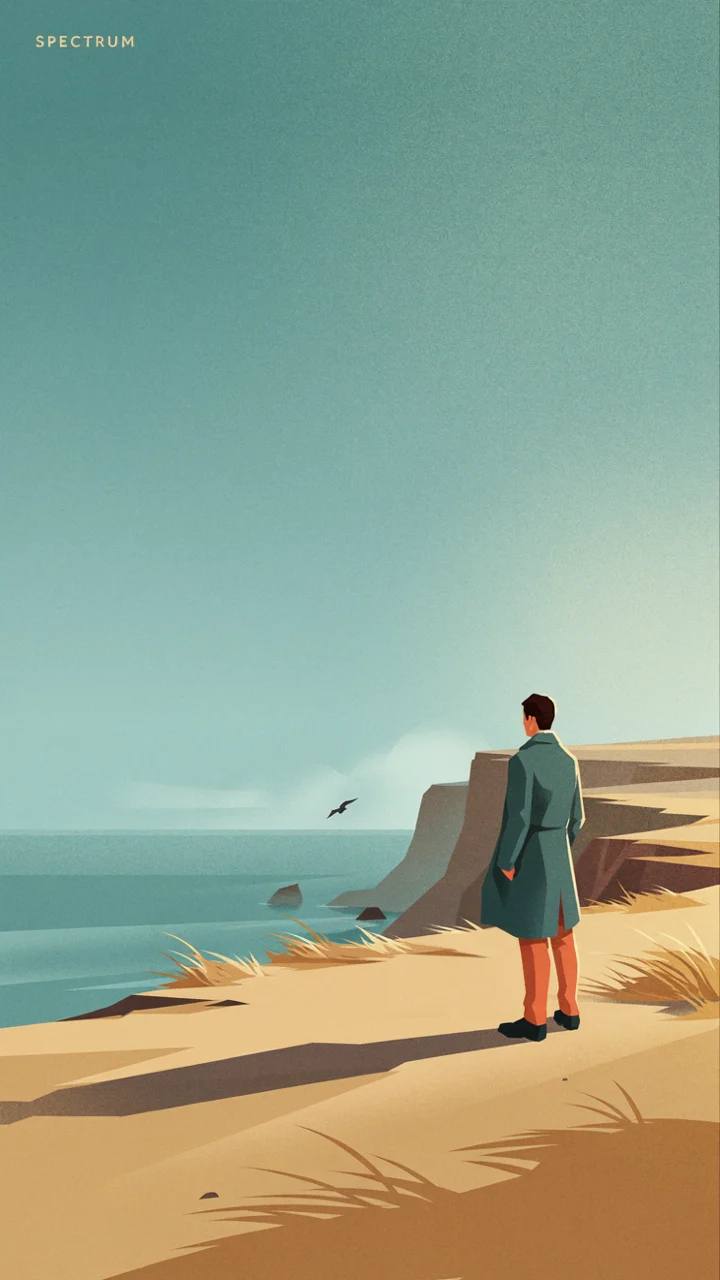
Style Spectrum: Illustration Variants from Realistic to Flat
Style Illustration · style-transfer · Editing
Prompt
A stylized illustration: a solitary figure standing on a sea-breeze-swept coastal cliff, in a 16:9 editorial composition with ample negative space in the upper left. Style: between photorealistic rendering and flat vector illustration—the direction of light and shadow is realistic, with atmospheric haze over the sea, but the whole is simplified into layered color blocks, details are reduced, and shapes are clean with hard edges. The palette is low-saturation teal and warm sand, accented with a touch of coral. Soft directional sunlight comes from the right, casting long shadows across the grass. The sky has a subtle grain, and the foreground uses bright flat fills. No gradients within the subject; gradients are used only in the atmosphere. In the corner is a minimal small type mark reading “SPECTRUM”. High resolution, clean composition, no cluttered elements.
Copy the full prompt and adapt it for your own generation.
Tags
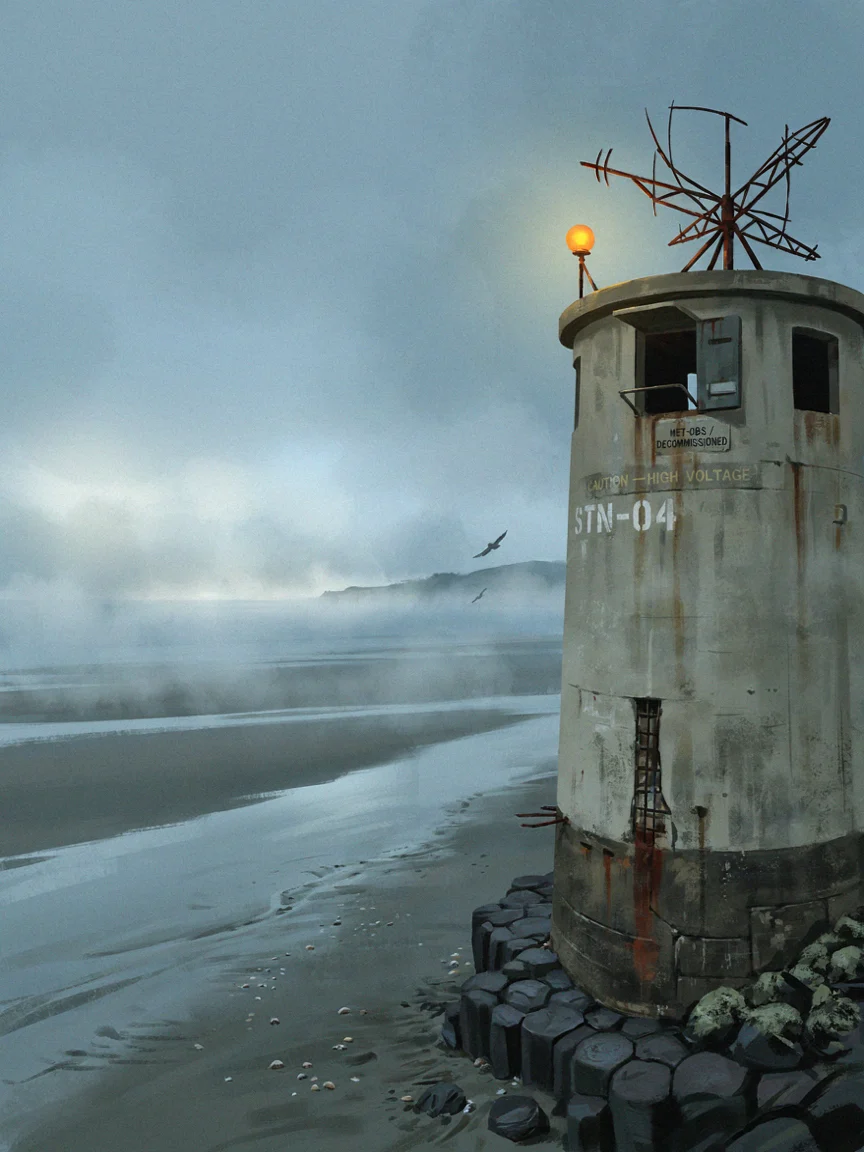
Worldbuilding Scene Concept Art: Ideogram V4.5 Atmospheric Visual Exploration
Style Concept Art · Worldbuilding · Cinematic
Prompt
Cinematic concept art of a decommissioned coastal weather observation station, 16:9 widescreen panoramic shot. A weathered concrete tower fitted with a rusted antenna array and a half-open maintenance hatch stands on a basalt outcrop above a tidal flat. Sea mist rolls in from the ocean at dusk, cool low-saturation slate blue and gray-green tones, with only a single warm amber signal lamp lit on the tower. Small painted signs and stenciled unit numbers on the concrete, slightly eroded but still legible. Composition: the tower placed on the right third, a long diagonal of wet sand leading the eye in from the lower left, the horizon on the upper third. Soft volumetric light from a low sun behind clouds, fine sea mist, subtle film grain, restrained color grading, high detail in concrete texture and metal corrosion. Painterly yet realistic, no people, no text overlays.
Copy the full prompt and adapt it for your own generation.
Tags
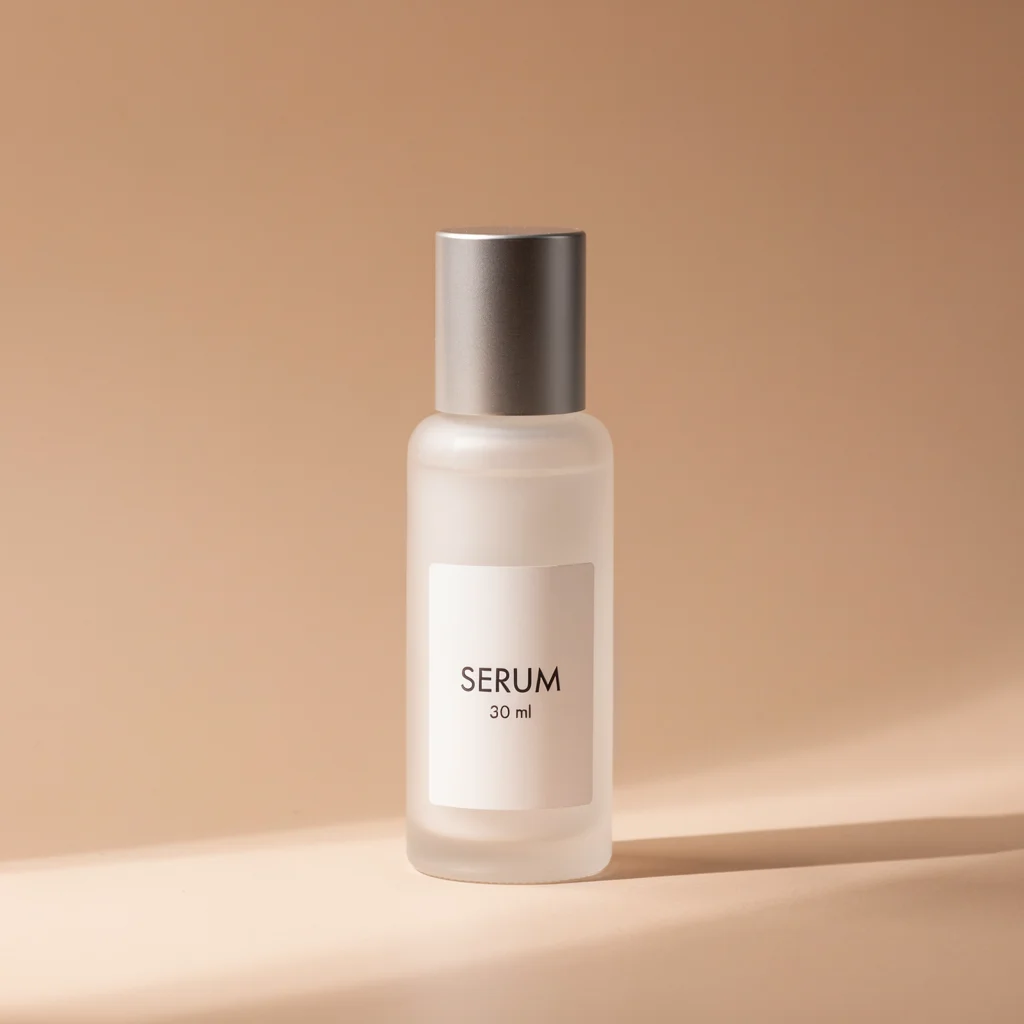
E-commerce-Grade Product Images: Ideogram V4.5 Product Photography Quality
Style Product Image · Packaging · Studio lighting
Prompt
Commercial e-commerce product photography, single hero product: a frosted glass serum bottle with a brushed aluminum cap, centered on a matte warm beige seamless curved backdrop, label text clearly legible reading "SERUM" and "30 ml", large softbox key light from the upper left, a narrow rim light on the right edge separating the glass bottle from the background, a white reflector at the bottom providing subtle fill light, soft specular highlight on the bottle shoulder, shallow depth of field with the product perfectly sharp and the background softly blurred, 85mm lens look, slight three-quarter high-angle view, clean minimalist composition with ample negative space, no props, no hands, no clutter, neutral color palette, high-end catalog-grade render
Copy the full prompt and adapt it for your own generation.
Tags

Ideogram V4.5 Portrait Style Reference: A Dual-Track Demo of Realism and Artistry
Style Portrait & Photography · Photorealistic · Art style
Prompt
A photorealistic half-body portrait of a woman in her early thirties, positioned slightly off-center toward the right side of a 16:9 frame, her body turned three-quarters toward the camera, with a calm, natural expression, dark hair falling loosely with a few strands catching the light. She wears a plain charcoal-gray knit sweater. The background is a softly blurred workshop interior with warm wood tones, and an out-of-focus window on the left creates gentle separation. Soft directional daylight comes from the left side of the frame, with subtle rim light on the jaw and shoulder, natural skin texture with visible pores and fine lines, no beauty retouching, restrained color with warm neutrals contrasting cool shadows, 50mm lens look, shallow depth of field, natural film grain, rich detail in the eyes and hair, no text, no watermark.
Copy the full prompt and adapt it for your own generation.
Tags
Pricing
ideogram-v4.5/text-to-image per image
| Specifications | Unit Price |
|---|---|
| low | $0.043 |
| medium | $0.086 |
| high | $0.3145 |
Positioning Overview
The text-to-image route of Ideogram V4.5 is designed for development scenarios that require stable text layout and controllable image quality. Enter a prompt to generate an image, with six size presets ranging from square to ultra-wide landscape and three quality tiers (low, medium, and high); the random seed can be fixed to reproduce results, and a prompt auto-expansion toggle is provided. Text rendering within images is its standout capability, making it suitable for producing layout-centric assets such as posters, banners, and logo sketches, and for developers who want to integrate image generation into marketing or design pipelines.
Core Highlights
- Stable, legible text rendering within images — In assets centered on copy layout, such as posters, logos, and packaging, titles and short text phrases are rendered clearly and reliably.
- Quality tiers and size presets — Three quality tiers (low, medium, high) combined with six size presets let you trade off output between draft and final stages.
- Reproducible results via seed — Fixing the seed reproduces the same composition, making it easy to compare parameters and run version regressions during batch generation.
Capability Description
Text- and layout-oriented image generation: Prompts can be up to 10,000 characters, making it easy to specify headline copy, font styles, and layout requirements and produce layout-centric visual assets.
Multi-size preset output: Six presets are available — square, square HD, portrait 4:3 and 16:9, and landscape 4:3 and 16:9 — directly matching common formats such as posters, banners, and social images.
Quality tier adjustment: Three quality tiers are adjustable (low, medium, high), with medium as the default, so batch drafts and final outputs can use different tiers.
Prompt auto-expansion: Prompt expansion is enabled by default and can turn a brief description into a complete scene description; disable it when images must strictly follow the original wording.
Seed reproduction: The seed can be specified explicitly; with the same prompt and parameters, results are reproducible, which facilitates controlled parameter tuning.
Use Cases
- Marketing design: poster and banner headline copy — Developers or design teams enter prompts containing explicit headline copy and produce landscape or portrait marketing images for direct use in ad placements and campaign pages.
- Brand design: logo and mark sketch exploration — Use short prompts to batch-generate logo sketches and variants as candidate assets for early-stage brand visual exploration, then refine them manually.
- Product images: packaging and text-layout materials — Enter product names and selling-point copy to produce packaging mockups or product hero images that require text layout, for use in proposal reviews and product-page drafts.
- Interactive products: an image-generation interface for design tools — Integrate this route into your own design or content tools, using fixed seeds and size presets for batch generation to support templated asset production.
Limitations and Selection Advice
This route is pure text-to-image and does not accept source image input; editing needs such as inpainting or reference-guided edits should use the image-to-image route in the same family. Each request outputs exactly one image, so batch production requires looping on the caller side. Image quality depends on the selected quality tier: low is suitable for drafts, and medium or high is recommended for final output. Prompt expansion is enabled by default; disable it explicitly when images must strictly follow the original wording. For scenarios involving long-text layout or multi-round iterative retouching, it is advisable to validate results with a small batch first.
What's new
View changelog →- Feature change Ideogram 4.5 text-to-image model ID is now ideogram-v4.5/tex…
- New model Added ideogram-v4.5 text-to-image and ideogram-v4.5/image-to…
Frequently asked questions
View all FAQs →-
What edits can Ideogram 4.5 Edit do?
Four kinds: prompt edits, reference restyles, mask inpainting and Precise Edit. They can be combined.
-
Which fields are required?
prompt and image_url. Add reference_image_urls, mask_url, edit_precision, quality, image_size, num_images and seed as needed.
-
How do regular and Precise Edit differ?
Use Precise Edit for text changes and small fixes, and regular for recolors and restyles. edit_precision=high is Precise Edit and restores unedited pixels; regular is freer.
-
Do both precisions share quality tiers?
No. regular offers very_low, low, medium and high; Precise Edit offers low, medium and high.
Create a generation task
https://api.hiapi.ai/v1/tasks Headers
AuthorizationstringRequiredAccount API key. Required on every request. Example: Bearer YOUR_HIAPI_API_KEY. Get your API key
Content-TypestringOptionalThe request body is always parsed as JSON; when sent, only application/json (optionally with charset) is accepted — any other value returns 415. Example: application/json.
Idempotency-KeystringOptionalIdempotency key, up to 255 bytes. Retries with the same key from the same account create the task only once; replays return the original taskId.
On network timeouts or client retries, the same key creates the task only once — no double charges (scope: the API key's account). Use a business-unique identifier as the key (e.g. "order-42"); replays return the original taskId, and keys expire 24 hours after the first request. See the Unified Async API overview for the full scenario matrix.
Body
modelstringRequiredCurrent fixed value: ideogram-v4.5/text-to-image
routestringOptionalCurrent fixed value: default
inputobjectRequired
Business parameters for ideogram-v4.5/text-to-image and route default — see the parameter table below.
seedintegerOptionalRandom seed used to control the randomness of the generation results; when left empty, the system selects one automatically.
promptstringRequiredminLength 1maxLength 10000Generation prompt, used to describe the image content you want to generate.
qualitystringOptionalDefault: "medium"Image quality level for text-to-image generation, default is medium.
lowmediumhighimage_sizestringOptionalDefault: "square_hd"Size preset for the output image, default is square_hd.
square_hdsquareportrait_4_3portrait_16_9landscape_4_3landscape_16_9num_imagesintegerOptionalDefault: 1min 1max 1Number of images to generate per request; this parameter must be 1, default is 1.
enable_prompt_expansionbooleanOptionalDefault: trueWhether to enable the prompt expansion provided by the partner, enabled by default.
callbackobjectOptional
Terminal-state notification config. When omitted, no callback is delivered — poll the task yourself. See the callback note below.
Provide callback.url when creating a task and HiAPI POSTs to your service once the task reaches a terminal state — no polling needed. The callback payload mirrors the task detail structure; signature verification, delivery retries and idempotency are documented on the Unified Async API overview page.
urlstringRequiredRequired when callback is present. A POST is sent to this URL once the task reaches a terminal state; must be a valid http(s) URL.
whenstringOptionalDefault: "final"Only final is supported today — notified on both success and fail.
finalstoragestringOptionalDefault: "temp"Artifact storage tier: temp (default, retained about 7 days) or persistent (long-term, billed by size). Insufficient balance or exceeding the storage cap silently downgrades to temp; the effective tier is shown in the task detail response.
temppersistentRequest examples
# Submit an async task; returns a taskId immediately (no waiting for generation)
curl -X POST "https://api.hiapi.ai/v1/tasks" \
  -H "Authorization: Bearer $HIAPI_API_KEY" \
  -H "Content-Type: application/json" \
  -d '{
  "model": "ideogram-v4.5/text-to-image",
  "input": {
    "prompt": "…",
    "quality": "medium",
    "image_size": "square_hd",
    "num_images": 1,
    "enable_prompt_expansion": true
  }
}'
const res = await fetch("https://api.hiapi.ai/v1/tasks", {
method: "POST",
headers: {
Authorization: `Bearer ${process.env.HIAPI_API_KEY}`,
"Content-Type": "application/json",
},
body: JSON.stringify({
model: "ideogram-v4.5/text-to-image",
input: {
"prompt": "…",
"quality": "medium",
"image_size": "square_hd",
"num_images": 1,
"enable_prompt_expansion": true
}
}),
});
const task = await res.json();
// { code: 200, message: "success", data: { taskId } }import os, requests
res = requests.post(
"https://api.hiapi.ai/v1/tasks",
headers={"Authorization": f"Bearer {os.environ['HIAPI_API_KEY']}"},
json={
"model": "ideogram-v4.5/text-to-image",
"input": {
"prompt": "…",
"quality": "medium",
"image_size": "square_hd",
"num_images": 1,
"enable_prompt_expansion": True
}
},
)
print(res.json()) # { code, message, data: { taskId } }200 OK
{
  "code": 200,
  "message": "success",
  "data": {
    "taskId": "tk-hiapi-01HZTQ8BX2N3GM3YFK4Z9D7VQR"
  }
}
400 Bad Request
{
  "code": 400,
  "message": "invalid request",
  "data": null,
  "error_code": "INVALID_REQUEST"
}
Get task detail
https://api.hiapi.ai/v1/tasks/:id Response fields
taskIdstringRequiredTask ID, always prefixed with tk-hiapi-.
modelstringRequiredResolved full model name. Tasks submitted with the route parameter return base@route (e.g. gpt-image-2/text-to-image@ext); otherwise identical to the name passed at creation.
routestringOptionalPresent only when the task was submitted with an explicit route parameter; echoes the submitted value.
statusstringRequiredTask status.
queued Queued, not started yet.
handling Being processed.
archiving Processing finished, artifacts being prepared.
success Terminal: completed, artifacts available (output returned).
fail Terminal: failed (error returned).
After submission, check status: success and fail are terminal, everything else is non-terminal. Poll every 1–3 seconds until terminal. On success, download artifacts from output[].url and transfer them before expireAt; pass storage: "persistent" at creation time when long-term retention is needed.
creatednumberRequiredTask creation time (Unix seconds).
completednumberRequiredUnix seconds when the task reached a terminal state; fixed to 0 while not terminal.
outputarrayOptional
Present only when status == success. Artifact list — always an array; a single task may return multiple types at once (e.g. video + first_frame).
Array [ object ]
Array items
urlstringRequiredArtifact URL, directly downloadable.
typestringRequiredCurrent possible values: video, image, audio, first_frame, last_frame, thumbnail; more may be added later.
expireAtnumberRequiredUnix seconds until which the artifact remains accessible; download or transfer before it expires.
errorobjectOptional
Present only when status == fail.
codestringRequiredBusiness error code.
messagestringRequiredError description.
Response examples
Success
{
  "code": 200,
  "message": "success",
  "data": {
    "taskId": "tk-hiapi-01HZTQ8BX2N3GM3YFK4Z9D7VQR",
    "model": "happyhorse-1-0",
    "status": "success",
    "created": 1777282033,
    "completed": 1777282099,
    "output": [
      {
        "url": "https://cdn.hiapi.ai/tasks/.../video.mp4",
        "type": "video",
        "expireAt": 1777886899
      }
    ]
  }
}
Processing (non-terminal)
{
  "code": 200,
  "message": "success",
  "data": {
    "taskId": "tk-hiapi-...",
    "model": "happyhorse-1-0",
    "status": "archiving",
    "created": 1777282033,
    "completed": 0
  }
}
Failed
{
  "code": 200,
  "message": "success",
  "data": {
    "taskId": "tk-hiapi-...",
    "model": "happyhorse-1-0",
    "status": "fail",
    "created": 1777282033,
    "completed": 1777282099,
    "error": {
      "code": "TASK_FAILED",
      "message": "task failed"
    }
  }
}Articles
View all articles →Related Models
View all models →Same Type
-
 FLUX.1 Kontext Max Black Forest Labs $0.071 /image
-
 FLUX 1.1 Pro Black Forest Labs $0.050 /image
-
 FLUX.1 Fill Pro Black Forest Labs $0.071 /image
-
 Nano Banana 2 Google $0.036 /image
-
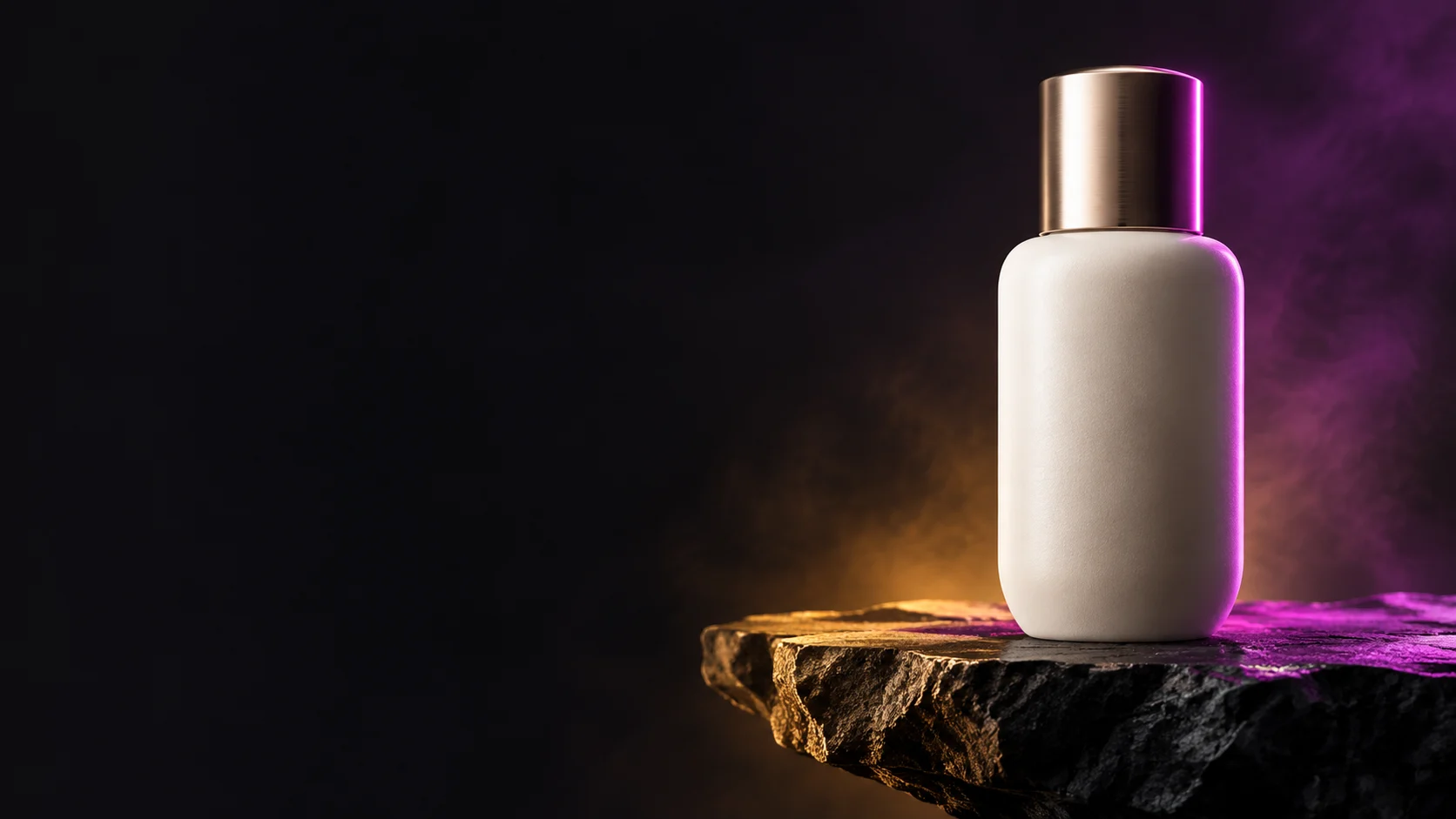 BRIA Product Shot Bria $0.058 /image
-
 FLUX.2 Klein 4B Black Forest Labs $0.0004 /image
-
 FLUX.2 Klein 9B Black Forest Labs $0.0086 /image
-
 851 Labs Background Remover 851 Labs $0.002 /image
-
 FLUX.1 Schnell Black Forest Labs $0.005 /image
-
 Qwen Image 2.1 Alibaba $0.020 /image
-
 Recraft Crisp Upscale Recraft $0.004 /image
-
 Seedream 5.0 ByteDance $0.025 /image