Vidu
Vidu Q4 Preview
vidu-q4-preview/reference-to-video
The first publicly available preview of the Vidu Q4 series, focused on character performance and native audio, supporting reference guidance from up to 15 images and 3 audio clips, and outputting video at up to 4K
Try vidu-q4-preview/reference-to-video
Input
Showcases
View all showcasesOutput
videoVidu Q4 Preview Reference-to-Video: Character Consistency and Native Audio Demo
Style Character Consistency · Native Audio · Conversation Scenarios
Reference inputs
reference_audio_urls

reference_image_urls
reference_image_urls
Prompt
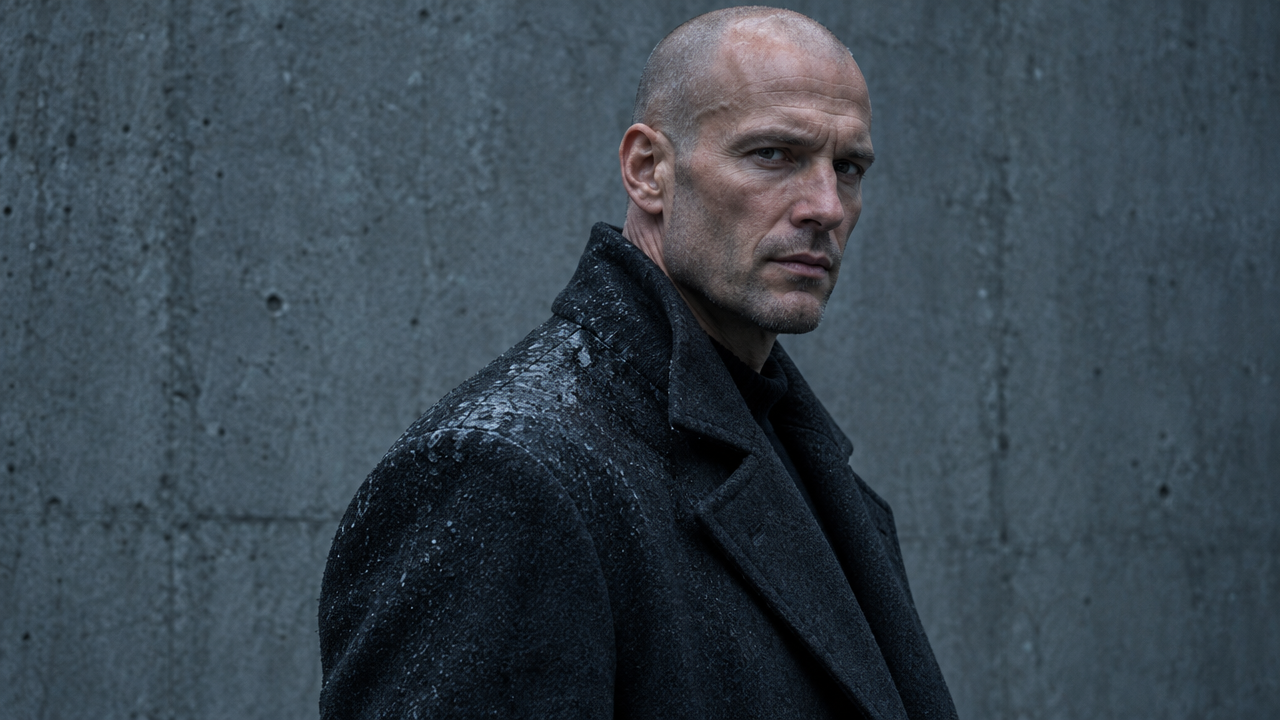
Reference Image 1 defines the protagonist: a young woman in a worn olive field jacket, with short dark hair and a small scar above her left eyebrow. Reference Image 2 defines her opponent: a tall man in a charcoal coat, with a shaved head and rain-soaked shoulders. Reference Audio 1 provides the protagonist's voice.

Shot: at dusk, a rain-soaked concrete underpass, sodium lamps flickering, shallow puddles reflecting warm orange light. The opening is a medium shot with a slight low angle; the woman from Reference Image 1 steps out of the shadows, breathing quickly, her gaze fixed off-screen. In the voice of Reference Audio 1, she says in a low, restrained tone: "You shouldn't have come back." The man from Reference Image 2 slowly turns his head, his coat swaying, and answers without raising his voice. The camera slowly pushes in to a close-up of her face as she meets his gaze, her jaw tight, and blinks once; rain streaks across the lens, and fine debris drifts in the light. The camera stays handheld but steady, no cuts, one continuous camera move, natural motion blur, 35mm cinematic texture with delicate film grain.

Audio: synchronized dialogue, rain ambience, the low hum of distant traffic, footsteps on wet concrete, and a faint metallic clink at the moment of the cut.
Copy the full prompt and adapt it for your own generation.
Tags
From Text to Storyboard: Vidu Q4 Reference-to-Video Concept Demo
Style Storyboard · Character Consistency · narrative-short
Reference inputs
reference_image_urls
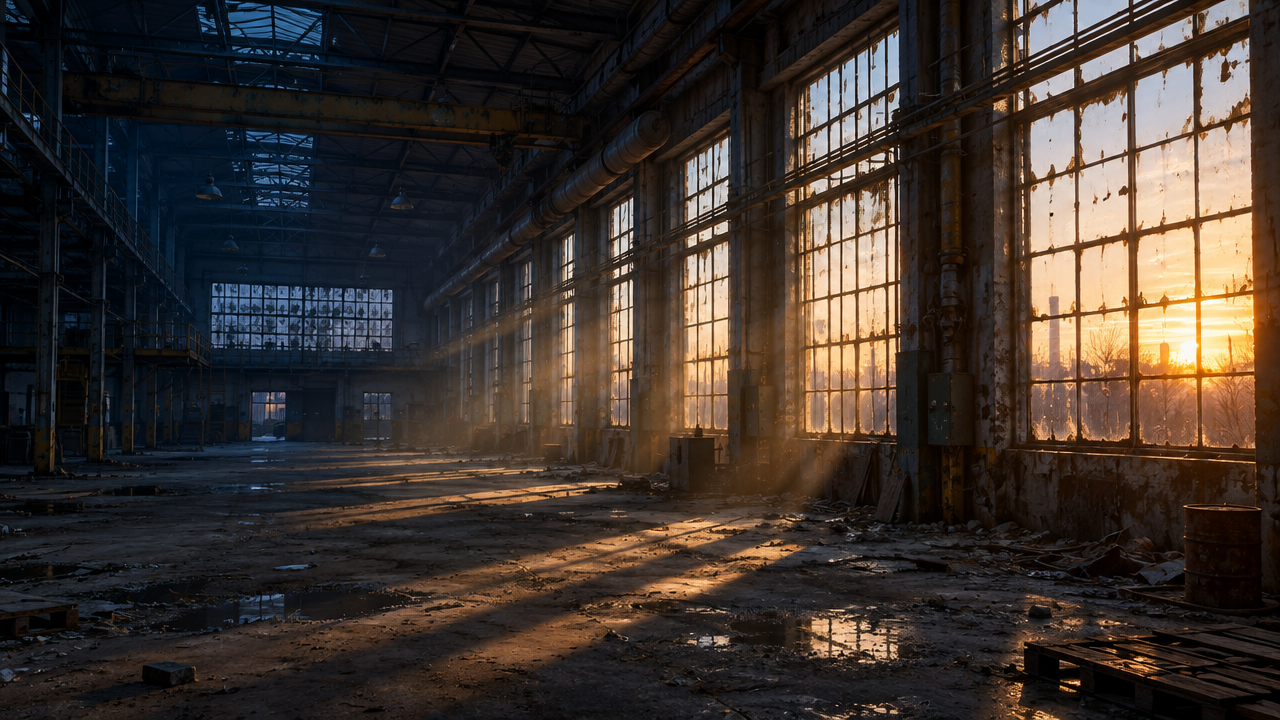
reference_image_urls
Prompt
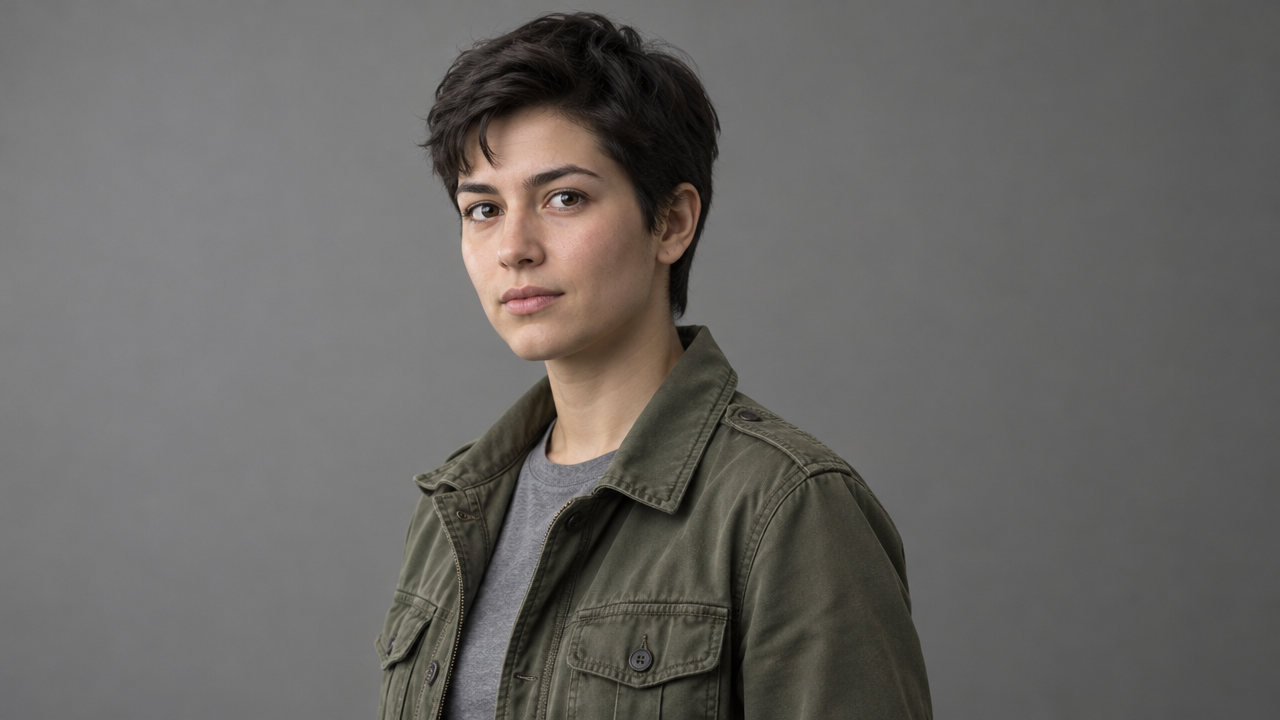
A single-shot cinematic scene built from two reference materials. @Image1 is the protagonist; @Image2 defines the scene location and lighting. The opening is a medium close-up of the character standing at the edge of the scene, slowly turning their head toward the light source, eyes slightly narrowed, surveying the surrounding space. The camera moves smoothly forward along a shallow depth-of-field tracking rail, with shallow depth of field and soft background blur. Natural and motivated lighting matches the reference scene, with cool ambient fill light and a warm practical highlight on the face. A breeze gently stirs hair and fabric. As the ambient room noise gradually rises, the character delivers a short line of dialogue. Restrained color grading, cinematic contrast, 24fps motion cadence, steady pacing, no cuts.
Copy the full prompt and adapt it for your own generation.
Tags
Cinematic Language Visual Notes: Reference-Image-Driven Shot Studies
Style Camera Movement · Storyboard · film-grammar
Reference inputs
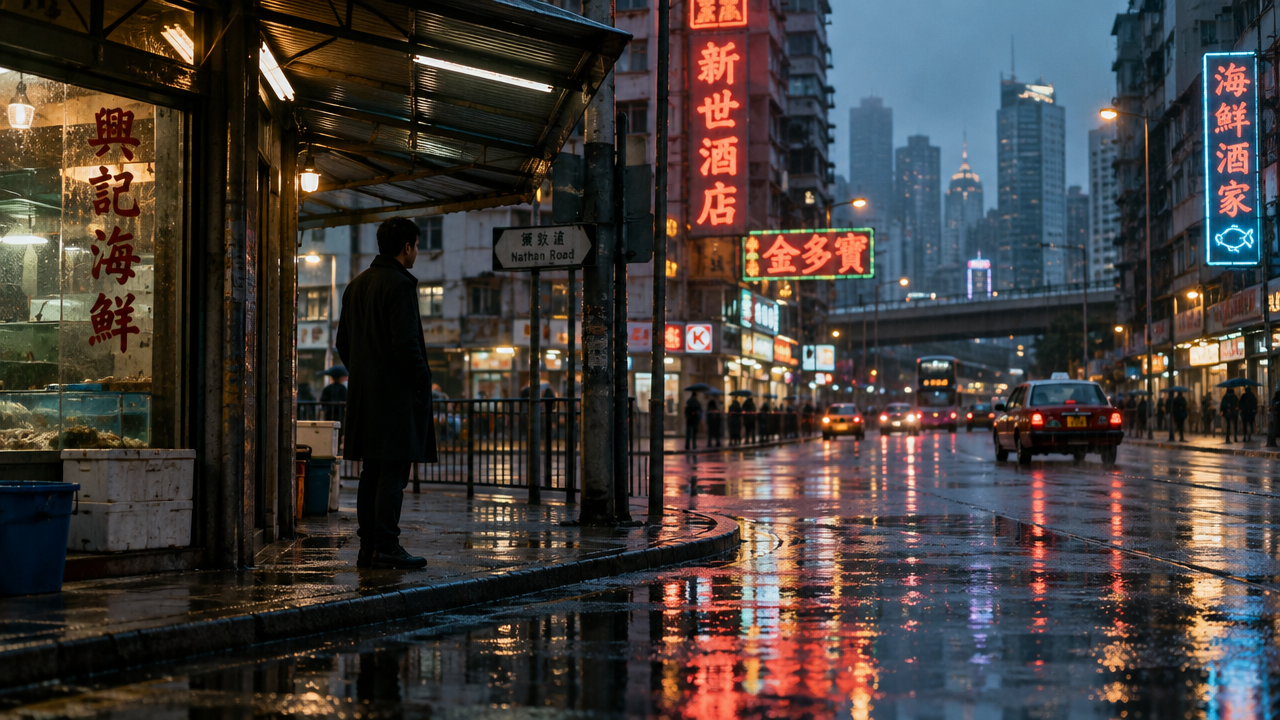
reference_image_urls
Prompt
At dusk, a rain-slicked, reflective city street corner, a single continuous shot, neon signs mirrored in shallow puddles. A solitary figure in a dark coat stands waiting under a metal awning. The camera performs a deliberate camera movement: a slow push-in from a wide establishing position to a medium close-up of the character's face, keeping the horizon level, with slight parallax in the background. Soft, motivated sign lighting, cool cyan shadows contrasting with warm amber highlights, fine film grain, shallow depth of field, 35mm anamorphic widescreen texture. Steady pacing, no cuts, no whip pans, restrained documentary tone.
Copy the full prompt and adapt it for your own generation.
Tags
Reference-Image-to-Video Prompt Formula Card: A Visual Guide to Structured Prompting
Style Prompt Engineering · Motion Graphics · Explanation
Reference inputs
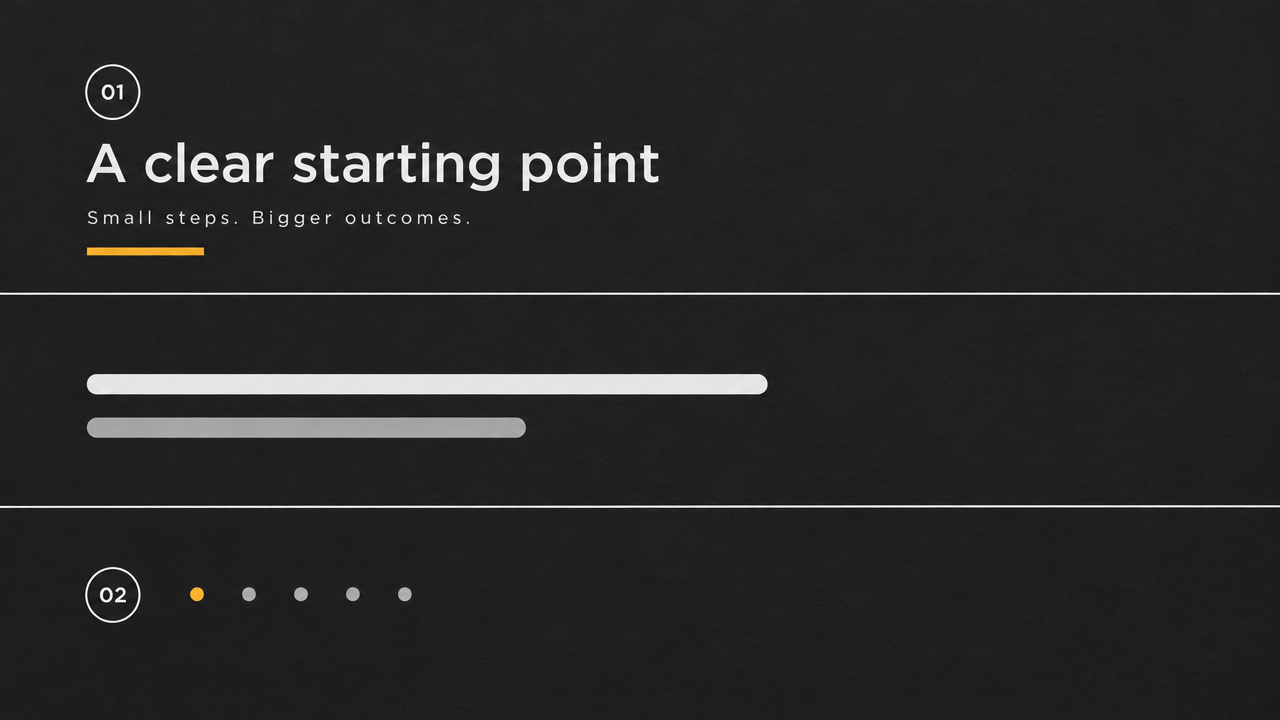
reference_image_urls
Prompt
A clean, tidy editorial motion-graphics shot showing a structured prompt formula card. Reference image 1 shows a three-column formula card on a deep charcoal-gray background, with thin white divider lines and one accent color. The camera performs a slow, controlled lateral dolly, gently pushing in toward the middle column, then subtly shifts focus to the annotation row below. Each formula row lights up in sequence, accompanied by a short underline sweep animation, simulating a step-by-step explanation. Minimal hand-drawn arrows and bracket marks briefly appear above the text blocks. Soft studio lighting, subtle paper texture, no text distortion, no camera shake, steady 24fps rhythm, calm explanatory atmosphere.
Copy the full prompt and adapt it for your own generation.
Tags
Pricing
vidu-q4-preview/reference-to-video per second
| Specifications | Unit Price |
|---|---|
| 540P | $0.0515 |
| 720P | $0.109 |
| 1080P | $0.1375 |
| 2K | $0.2175 |
| 4K | $0.446 |
Positioning Overview
The reference-to-video route of Vidu Q4 Preview is designed for developers who need to keep characters, scenes, and voices consistent in the final output. Upload 1 to 15 reference images (people, scenes, or props) plus up to 3 audio references, and with a text prompt you can generate a 3 to 16 second video at resolutions from 540p to 4K, with native audio synchronized to the picture output by default. It is suited for serialized short content, character dialogue clips, and shot previews that require comparing multiple options.
Core Highlights
- Multiple reference images maintain character and scene consistency — Up to 15 reference images can constrain characters, scenes, and props in a single run, referenced in order within the prompt to reduce appearance drift across shots.
- Audio-reference-driven voice generation — Up to 3 MP3 voice samples of 3 to 12 seconds each can be attached as timbre references, making generated dialogue closer to the specified voice.
- Native audio output by default — Dialogue and sound effects synchronized with the video are generated by default, and this can be turned off to obtain silent footage, saving the extra step of separating audio tracks.
- Adjustable duration, aspect ratio, and resolution — Durations of 3 to 16 seconds, five aspect ratios, and five resolution tiers from 540p to 4K let a single route cover landscape, portrait, and different clarity needs.
Capabilities
Reference-image-constrained generation: Input 1 to 15 JPG, PNG, or WEBP images and refer to them in order within the prompt to lock in character appearance, scenes, and key props — ideal for multiple videos that need to continue the same look.
Timbre-reference voice generation: Attach up to 3 MP3 voice references of 3 to 12 seconds each and specify the speaker in the prompt, so character dialogue carries the target timbre characteristics.
Synchronized audio toggle: The audio parameter is on by default, generating a final video with dialogue and sound effects; when turned off, you get a picture-only video, convenient for adding your own voiceover and music in post.
Custom output specifications: Supports five aspect ratios (16:9, 9:16, 1:1, 4:3, 3:4) and resolutions from 540p to 4K, directly producing final videos suited to different placements.
Long prompt descriptions: The prompt can be up to 20,000 characters, accommodating structured descriptions such as multi-character roles, camera blocking, and dialogue lines.
Use Cases
- Creators of serialized short content — Generate multiple short videos in batches with the same set of character and scene reference images, keeping the character look consistent for social media updates or episode clips.
- Producing plot clips with dialogue — Provide character reference images and voice samples along with written lines to produce short videos with synchronized dialogue, usable as storyboard previews or final footage.
- Multi-option pitches for ads and brand films — Swap reference images and prompts to quickly try versions with different camera angles and opening styles, so teams can shortlist directions before official shooting.
- Material adaptation for multi-platform distribution — Generate one version per aspect ratio and resolution parameter to cover landscape, portrait, and HD delivery needs.
Limitations and Selection Advice
A single generation is capped at 16 seconds, so longer narratives need to be generated in segments and stitched together; reference materials are limited to at most 15 images and 3 audio clips, and audio references support only MP3 at 3 to 12 seconds each. As a preview version, its capabilities and parameters may change later, so it is not suitable for mass-production pipelines that demand extremely high output stability. If you only need to drive the picture from a single first frame, consider the first-frame-driven route in the same series; when longer continuous shots are needed, evaluate the post-production cost of segment stitching.
Frequently asked questions
View all FAQs →-
Can I set the output aspect ratio?
No. The frame follows the first-frame image completely: landscape in, landscape out; portrait in, portrait out — so prepare a portrait frame when you want 9:16. The first frame's ratio must sit between 1:4 and 4:1; extreme slivers are rejected on submit.
-
What does the audio switch do?
Native audio is on by default and generates dialogue, ambience and effects in sync with the picture. Turn it off for a silent, picture-only clip — useful for looping backgrounds, your own soundtrack or burned-in captions. The switch does not change the price.
-
How do duration and billing relate?
Billing is the submitted whole-second duration times the per-second rate of the resolution you picked; the audio switch and the number of images are not priced. Higher tiers carry a higher rate — 4K is roughly 8.7 times the 540p rate — and the pricing page lists the current amounts.
-
What is each resolution tier good for?
540p for testing prompts and camera moves (and for small looping backgrounds), 720p for most social and web use, 1080p for regular paid placements, 2K for large screens and TV, and 4K for exhibition, cinema-grade picture or shots you plan to crop in post. Draft low, render the keepers high.
Create a generation task
https://api.hiapi.ai/v1/tasks Headers
AuthorizationstringRequiredAccount API key. Required on every request. Example: Bearer YOUR_HIAPI_API_KEY. Get your API key
Content-TypestringOptionalThe request body is always parsed as JSON; when sent, only application/json (optionally with charset) is accepted — any other value returns 415. Example: application/json.
Idempotency-KeystringOptionalIdempotency key, up to 255 bytes. Retries with the same key from the same account create the task only once; replays return the original taskId.
On network timeouts or client retries, the same key creates the task only once — no double charges (scope: the API key's account). Use a business-unique identifier as the key (e.g. "order-42"); replays return the original taskId, and keys expire 24 hours after the first request. See the Unified Async API overview for the full scenario matrix.
Body
modelstringRequiredCurrent fixed value: vidu-q4-preview/reference-to-video
routestringOptionalCurrent fixed value: default
inputobjectRequired
Business parameters for vidu-q4-preview/reference-to-video and route default — see the parameter table below.
audiobooleanOptionalDefault: trueWhether to generate native audio synchronized with the video (dialogue and sound effects); boolean, defaults to true. When set to false, outputs a silent video.
promptstringRequiredminLength 1maxLength 20000The video content prompt; you can reference reference materials by index (e.g., "the man in reference image 2 speaks with reference audio 1"); string, up to 20000 characters.
durationintegerOptionalDefault: 5min 3max 16Video duration (seconds); an integer between 3 and 16, defaults to 5.
resolutionstringOptionalDefault: "720p"Output video resolution; string, defaults to 720p.
540p720p1080p2k4kaspect_ratiostringOptionalDefault: "16:9"Output video aspect ratio; string, defaults to 16:9.
16:99:161:14:33:4reference_audio_urlsarrayOptionalmaxItems 3Optional array of reference audio URLs, up to 3 clips, used as timbre references; each clip supports only MP3, no larger than 50MB, and 3-12 seconds long.
Array [ string ]
reference_image_urlsarrayRequiredminItems 1maxItems 15Array of reference image URLs, containing 1-15 images used to maintain consistency of characters, scenes, and objects; each image supports JPG, JPEG, PNG, or WEBP, no larger than 50MB, at least 128×128 pixels, and an aspect ratio between 1:4 and 4:1.
Array [ string ]
callbackobjectOptional
Terminal-state notification config. When omitted, no callback is delivered — poll the task yourself. See the callback note below.
Provide callback.url when creating a task and HiAPI POSTs to your service once the task reaches a terminal state — no polling needed. The callback payload mirrors the task detail structure; signature verification, delivery retries and idempotency are documented on the Unified Async API overview page.
urlstringRequiredRequired when callback is present. A POST is sent to this URL once the task reaches a terminal state; must be a valid http(s) URL.
whenstringOptionalDefault: "final"Only final is supported today — notified on both success and fail.
finalstoragestringOptionalDefault: "temp"Artifact storage tier: temp (default, retained about 7 days) or persistent (long-term, billed by size). Insufficient balance or exceeding the storage cap silently downgrades to temp; the effective tier is shown in the task detail response.
temppersistentRequest examples
# Submit an async task; returns a taskId immediately (no waiting for generation)
curl -X POST "https://api.hiapi.ai/v1/tasks" \
  -H "Authorization: Bearer $HIAPI_API_KEY" \
  -H "Content-Type: application/json" \
  -d '{
  "model": "vidu-q4-preview/reference-to-video",
  "input": {
    "audio": true,
    "prompt": "…",
    "duration": 5,
    "resolution": "720p",
    "aspect_ratio": "16:9",
    "reference_image_urls": "…"
  }
}'
const res = await fetch("https://api.hiapi.ai/v1/tasks", {
method: "POST",
headers: {
Authorization: `Bearer ${process.env.HIAPI_API_KEY}`,
"Content-Type": "application/json",
},
body: JSON.stringify({
model: "vidu-q4-preview/reference-to-video",
input: {
"audio": true,
"prompt": "…",
"duration": 5,
"resolution": "720p",
"aspect_ratio": "16:9",
"reference_image_urls": "…"
}
}),
});
const task = await res.json();
// { code: 200, message: "success", data: { taskId } }import os, requests
res = requests.post(
"https://api.hiapi.ai/v1/tasks",
headers={"Authorization": f"Bearer {os.environ['HIAPI_API_KEY']}"},
json={
"model": "vidu-q4-preview/reference-to-video",
"input": {
"audio": True,
"prompt": "…",
"duration": 5,
"resolution": "720p",
"aspect_ratio": "16:9",
"reference_image_urls": "…"
}
},
)
print(res.json()) # { code, message, data: { taskId } }200 OK
{
  "code": 200,
  "message": "success",
  "data": {
    "taskId": "tk-hiapi-01HZTQ8BX2N3GM3YFK4Z9D7VQR"
  }
}
400 Bad Request
{
  "code": 400,
  "message": "invalid request",
  "data": null,
  "error_code": "INVALID_REQUEST"
}
Get task detail
https://api.hiapi.ai/v1/tasks/:id Response fields
taskIdstringRequiredTask ID, always prefixed with tk-hiapi-.
modelstringRequiredResolved full model name. Tasks submitted with the route parameter return base@route (e.g. gpt-image-2/text-to-image@ext); otherwise identical to the name passed at creation.
routestringOptionalPresent only when the task was submitted with an explicit route parameter; echoes the submitted value.
statusstringRequiredTask status.
queued Queued, not started yet.
handling Being processed.
archiving Processing finished, artifacts being prepared.
success Terminal: completed, artifacts available (output returned).
fail Terminal: failed (error returned).
After submission, check status: success and fail are terminal, everything else is non-terminal. Poll every 1–3 seconds until terminal. On success, download artifacts from output[].url and transfer them before expireAt; pass storage: "persistent" at creation time when long-term retention is needed.
creatednumberRequiredTask creation time (Unix seconds).
completednumberRequiredUnix seconds when the task reached a terminal state; fixed to 0 while not terminal.
outputarrayOptional
Present only when status == success. Artifact list — always an array; a single task may return multiple types at once (e.g. video + first_frame).
Array [ object ]
Array items
urlstringRequiredArtifact URL, directly downloadable.
typestringRequiredCurrent possible values: video, image, audio, first_frame, last_frame, thumbnail; more may be added later.
expireAtnumberRequiredUnix seconds until which the artifact remains accessible; download or transfer before it expires.
errorobjectOptional
Present only when status == fail.
codestringRequiredBusiness error code.
messagestringRequiredError description.
Response examples
Success
{
  "code": 200,
  "message": "success",
  "data": {
    "taskId": "tk-hiapi-01HZTQ8BX2N3GM3YFK4Z9D7VQR",
    "model": "happyhorse-1-0",
    "status": "success",
    "created": 1777282033,
    "completed": 1777282099,
    "output": [
      {
        "url": "https://cdn.hiapi.ai/tasks/.../video.mp4",
        "type": "video",
        "expireAt": 1777886899
      }
    ]
  }
}
Processing (non-terminal)
{
  "code": 200,
  "message": "success",
  "data": {
    "taskId": "tk-hiapi-...",
    "model": "happyhorse-1-0",
    "status": "archiving",
    "created": 1777282033,
    "completed": 0
  }
}
Failed
{
  "code": 200,
  "message": "success",
  "data": {
    "taskId": "tk-hiapi-...",
    "model": "happyhorse-1-0",
    "status": "fail",
    "created": 1777282033,
    "completed": 1777282099,
    "error": {
      "code": "TASK_FAILED",
      "message": "task failed"
    }
  }
}Articles
View all articles →Related Models
View all models →Same Type
-
 Kling 4.0 Kuaishou $0.330 /second
-
 FLUX 3 Video Black Forest Labs $0.090 /second
-
 Wan 2.6 Flash Alibaba $0.043 /second
-
 PixVerse V6 PixVerse $0.036 /second
-
 Gemini Omni 1.1 Flash Google $0.450 /video
-
 Seedance 2.5 ByteDance $0.121 /second
-
 Kling 2.5 Kuaishou $0.060 /second
-
 Kling AI Avatar Kuaishou --
-
 Wan 3.0 Video Alibaba $0.040 /second
-
 Ray 3.2 Luma $0.214 /video
-
 FLUX 3 Max Black Forest Labs $0.061 /second
-
 Grok Imagine 1.5 xAI $0.011 /second