

Alibaba
Wan 3.0 Video
wan3.0-video
Alibaba's new-generation video generation model in the Wan series, capable of producing roughly 30-second 1080p clips in a single pass, supporting reference materials to maintain subject consistency, and the first to support structured document-type inputs
Try wan3.0-video
Input
Showcases
View all showcasesOutput
videoWan3.0 Video Prompt Formula Card: A Visual Guide to Structured Writing
Style Explanation · Motion Graphics · Structured Prompts
Reference inputs
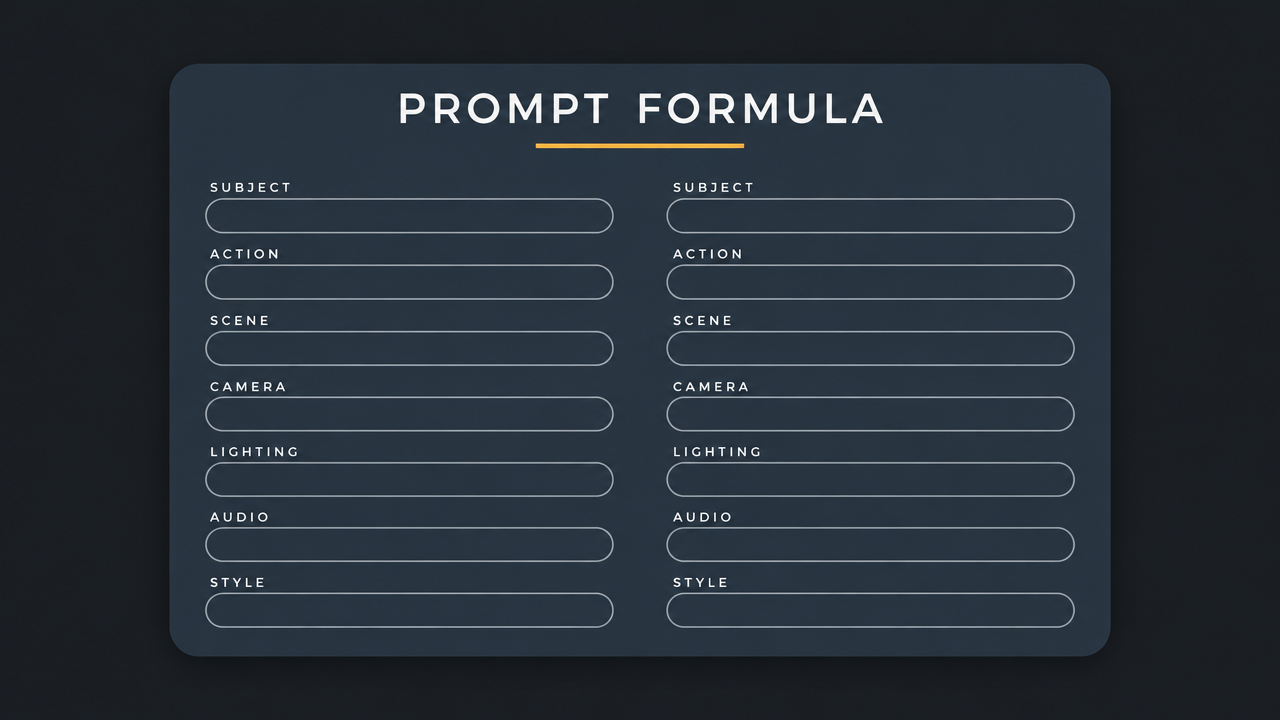
first_frame_url
Prompt
A clean technical-explainer motion graphic, 16:9. Deep charcoal-gray grid background, with a large editorial-style card centered, rounded corners, soft drop shadow. The card title reads "PROMPT FORMULA" in a geometric sans-serif typeface, with a thin accent underline beneath it. Seven labeled slots are stacked in two columns — SUBJECT, ACTION, SCENE, CAMERA, LIGHTING, AUDIO, STYLE — each slot drawn as a thin-outlined pill shape, filled from left to right in a monospace font with a short example phrase. The slots activate in sequence at a steady pace, each with a small checkmark and a soft accent-color pulse (warm amber on a deep blue-gray ground). The camera holds a fixed frontal view, with only a very slow 5% push-in across the entire shot; shallow depth of field keeps the card sharp while the background falls subtly out of focus. Screen-space motion only: text fills in, pills brighten, and at the end a thin horizontal line connects the slots into a single merged formula line, which highlights once when fully assembled. Lighting is even and graphic, no lens flares, no particles. Audio: a sparse electronic tick for each slot, over a low warm sustained pad, with a soft confirmation chord at the final assembly. Overall tone is restrained, precise, documentation-grade, with no marketing gloss.
Copy the full prompt and adapt it for your own generation.
Tags
Wan3.0 Scene Storyboard: Example of Converting Text to Visuals
Style Storyboard · Narrative · reference-to-video
Reference inputs

reference_image_urls

reference_image_urls
Prompt
A slow, cinematic tracking shot moving through a rain-soaked city alley at dusk, beginning with a wide establishing shot and gradually pushing in toward a solitary figure beneath flickering neon lights. The camera moves at eye level with a slight handheld sway, then tilts up slightly to reveal steam rising from vents and passing car lights in the background. The lighting shifts from a cool blue atmosphere to a spill of warm orange neon across the wet asphalt; a shallow depth of field keeps the reflections in the foreground puddles sharp while the background crowd blurs. Throughout the shot, the figure's silhouette, clothing colors, and the alley layout remain consistent with Image1 and Image2. The mood is quiet, restrained, and slightly melancholic, with a steady narrative pace, accompanied by soft ambient rain sounds and distant traffic.
Copy the full prompt and adapt it for your own generation.
Tags
wan3.0 Cinematic Language Visual Notes: Six Common Camera Movements Illustrated
Style Camera Movement · Storyboard · film-grammar
Reference inputs

first_frame_url
Prompt
A continuous single-shot instructional shot demonstrating a slow push-in camera movement: the camera glides forward along a straight track toward a minimalist architectural interior, with converging perspective lines emphasizing depth. Fixed 16:9 frame, eye-level, steady gimbal movement, constant speed, no handheld shake. Soft diffused daylight from large side windows, low-key neutral tones, shallow depth of field on a mid-ground subject. Reference image 1 defines the composition of the first frame; maintain subject identity, props, and lighting consistent throughout the movement. Clean, documentary-style visual explainer aesthetic, suitable for a film grammar demonstration.
Copy the full prompt and adapt it for your own generation.
Tags
Pricing
wan3.0-video per second
| Specifications | Unit Price |
|---|---|
| 480P | $0.040 |
| 720P | $0.080 |
| 1080P | $0.160 |
Overview
wan3.0-video is a model in the Alibaba Wan series for reference-to-video generation, accessible through the unified HiAPI.ai interface. Conditioned on multimodal reference materials, it can output a single video with audio up to 30 seconds long and up to 1080P, making it suitable for creating advertising shorts, explainer videos, and long narrative segments that require characters, products, or styles to stay consistent across a sequence of shots.
Key Features
- Combined multimodal reference conditions — Up to 10 images, 5 videos, and 5 audio clips can serve as generation conditions simultaneously, and the prompt references materials by their array order.
- Single-pass narrative up to 30 seconds — Output duration can be set between 2 and 30 seconds; the combined duration of reference videos and output must not exceed 30 seconds.
- Structured document and web page input — Supports up to one document or one login-free web page as a reference, turning materials such as PPTs and PDFs into video content.
- Controllable first/last frames and audio track toggle — You can specify first-frame and last-frame images separately and choose whether the output includes an audio track synchronized with the visuals.
Capabilities
Multimodal reference generation: Generates video conditioned on images, videos, audio, documents, or web pages, with the prompt pointing to specific materials precisely via indices such as Image1 and Video1, making it easy to control the source of subjects and styles.
First/last frame constraints: Passing first_frame_url and last_frame_url anchors the starting and ending frames of a clip, which is suitable for connecting existing shots or controlling where a transition lands.
Adjustable duration and resolution: Output duration ranges from 2 to 30 seconds, and resolution is selectable from 480P to 1080P; aspect ratios include adaptive and 16:9 among six options, making it easy to match the frame format to the distribution channel.
Synchronized audio track output: By default, the output video includes a synchronized audio track, but the audio track can be disabled for unified post-production dubbing; audio references must be used paired with images or videos.
Reproducible generation: Specifying a seed fixes the random seed, making it easy to reproduce the same result when tuning parameters or generating in batches.
Use Cases
- Product-image-to-ad for brand and e-commerce teams — Generate cinematic short videos with product images and reference videos as input, producing videos that can be used directly as ad creative or on product detail pages.
- Character-consistent narrative for content teams — Upload character reference images and audio to generate a sequence of shots that keeps the character's appearance consistent, for short dramas or serialized content production.
- Training and explainer document-to-video — Use PPTs, PDFs, or login-free web pages as references to produce explainer videos for internal training or product introductions.
- Shot extension and completion for existing footage — Use a reference video plus first and last frames to generate connecting clips, filling narrative gaps or extending the duration of already-shot footage.
Limitations and Model Selection Advice
Reference materials have clear limits: at most 10 images, at most 5 videos totaling no more than 15 seconds, at most 5 audio clips of 1 to 15 seconds each, and at most one document and one web page; first-frame mode cannot be used together with the reference materials array. The quality of the prompt's descriptions of subjects, actions, camera, and sound directly affects result stability, so debugging time should be budgeted. Billing is by output seconds, so the cost of combining long durations with high resolution should be evaluated in advance. If only short clips are needed and reference consistency is not required, a lighter video model can be used.
What's new
View changelog →- New model wan3.0-video-prime video generation model now available
Frequently asked questions
View all FAQs →-
What type of video model is Wan 3.0 Video?
It is prompt-led and can also use endpoint frames or image, video, and audio references according to the active contract.
-
Which output settings does Wan 3.0 Video support?
2-30 seconds, 480P, 720P, 1080P, and adaptive, 16:9, 4:3, 1:1, 3:4, 9:16.
-
Can it generate sound or use audio references?
Optional image, video, audio, file and link references; synchronized audio
-
How is Wan 3.0 Video billed?
Billing follows output duration and the live tier. Resolution, mode, or audio differences are reflected by the page price and task record.
Create a generation task
https://api.hiapi.ai/v1/tasks Headers
AuthorizationstringRequiredAccount API key. Required on every request. Example: Bearer YOUR_HIAPI_API_KEY. Get your API key
Content-TypestringOptionalThe request body is always parsed as JSON; when sent, only application/json (optionally with charset) is accepted — any other value returns 415. Example: application/json.
Idempotency-KeystringOptionalIdempotency key, up to 255 bytes. Retries with the same key from the same account create the task only once; replays return the original taskId.
On network timeouts or client retries, the same key creates the task only once — no double charges (scope: the API key's account). Use a business-unique identifier as the key (e.g. "order-42"); replays return the original taskId, and keys expire 24 hours after the first request. See the Unified Async API overview for the full scenario matrix.
Body
modelstringRequiredCurrent fixed value: wan3.0-video
routestringOptionalCurrent fixed value: default
inputobjectRequired
Business parameters for wan3.0-video and route default — see the parameter table below.
seedintegerOptionalmin 0max 2147483647Random seed used to reproduce existing generation results; pass a fixed integer when deterministic output is required.
audiobooleanOptionalDefault: trueWhether to also generate an audio track synchronized with the visuals in the output video. Boolean, default true.
promptstringRequiredminLength 1maxLength 20000Text prompt describing the scene, motion, camera, lighting, and sound; in reference mode, refer to the corresponding assets in array order as Image1, Video1, Audio1.
durationintegerOptionalDefault: 5min 2max 30Output video duration in seconds, default 5; the sum of the reference video duration and the output duration must not exceed 30 seconds.
resolutionstringOptionalDefault: "1080P"Output resolution, string, default 1080P.
480P720P1080Paspect_ratiostringOptionalDefault: "adaptive"Aspect ratio of the output image, string, default adaptive, meaning it adapts based on the input media and prompt.
adaptive16:94:31:13:49:16last_frame_urlstringOptionalA publicly accessible image that, together with first_frame_url, specifies the last frame of the video.
first_frame_urlstringOptionalA publicly accessible image used as the first frame of the video; cannot be used together with the reference media array.
reference_file_urlsarrayOptionalmaxItems 1Array of URLs for reference documents or presentation slides, at most 1, and must be publicly accessible.
Array [ string ]
reference_link_urlsarrayOptionalmaxItems 1Array of URLs for reference web pages, at most 1, and the web page must be publicly accessible without login.
Array [ string ]
reference_audio_urlsarrayOptionalmaxItems 5Array of URLs for reference audio, at most 5 clips of WAV or MP3, each 1 to 15 seconds; audio must be used together with images or videos.
Array [ string ]
reference_image_urlsarrayOptionalmaxItems 10Array of URLs for reference images, at most 10, used for general reference generation.
Array [ string ]
reference_video_urlsarrayOptionalmaxItems 5Array of URLs for reference videos, at most 5 clips, each 1 to 15 seconds, with a total duration not exceeding 15 seconds.
Array [ string ]
callbackobjectOptional
Terminal-state notification config. When omitted, no callback is delivered — poll the task yourself. See the callback note below.
Provide callback.url when creating a task and HiAPI POSTs to your service once the task reaches a terminal state — no polling needed. The callback payload mirrors the task detail structure; signature verification, delivery retries and idempotency are documented on the Unified Async API overview page.
urlstringRequiredRequired when callback is present. A POST is sent to this URL once the task reaches a terminal state; must be a valid http(s) URL.
whenstringOptionalDefault: "final"Only final is supported today — notified on both success and fail.
finalstoragestringOptionalDefault: "temp"Artifact storage tier: temp (default, retained about 7 days) or persistent (long-term, billed by size). Insufficient balance or exceeding the storage cap silently downgrades to temp; the effective tier is shown in the task detail response.
temppersistentRequest examples
# Submit an async task; returns a taskId immediately (no waiting for generation)
curl -X POST "https://api.hiapi.ai/v1/tasks" \
  -H "Authorization: Bearer $HIAPI_API_KEY" \
  -H "Content-Type: application/json" \
  -d '{
  "model": "wan3.0-video",
  "input": {
    "audio": true,
    "prompt": "…",
    "duration": 5,
    "resolution": "1080P",
    "aspect_ratio": "adaptive"
  }
}'
const res = await fetch("https://api.hiapi.ai/v1/tasks", {
method: "POST",
headers: {
Authorization: `Bearer ${process.env.HIAPI_API_KEY}`,
"Content-Type": "application/json",
},
body: JSON.stringify({
model: "wan3.0-video",
input: {
"audio": true,
"prompt": "…",
"duration": 5,
"resolution": "1080P",
"aspect_ratio": "adaptive"
}
}),
});
const task = await res.json();
// { code: 200, message: "success", data: { taskId } }import os, requests
res = requests.post(
"https://api.hiapi.ai/v1/tasks",
headers={"Authorization": f"Bearer {os.environ['HIAPI_API_KEY']}"},
json={
"model": "wan3.0-video",
"input": {
"audio": True,
"prompt": "…",
"duration": 5,
"resolution": "1080P",
"aspect_ratio": "adaptive"
}
},
)
print(res.json()) # { code, message, data: { taskId } }200 OK
{
  "code": 200,
  "message": "success",
  "data": {
    "taskId": "tk-hiapi-01HZTQ8BX2N3GM3YFK4Z9D7VQR"
  }
}
400 Bad Request
{
  "code": 400,
  "message": "invalid request",
  "data": null,
  "error_code": "INVALID_REQUEST"
}
Get task detail
https://api.hiapi.ai/v1/tasks/:id Response fields
taskIdstringRequiredTask ID, always prefixed with tk-hiapi-.
modelstringRequiredResolved full model name. Tasks submitted with the route parameter return base@route (e.g. gpt-image-2/text-to-image@ext); otherwise identical to the name passed at creation.
routestringOptionalPresent only when the task was submitted with an explicit route parameter; echoes the submitted value.
statusstringRequiredTask status.
queued Queued, not started yet.
handling Being processed.
archiving Processing finished, artifacts being prepared.
success Terminal: completed, artifacts available (output returned).
fail Terminal: failed (error returned).
After submission, check status: success and fail are terminal, everything else is non-terminal. Poll every 1–3 seconds until terminal. On success, download artifacts from output[].url and transfer them before expireAt; pass storage: "persistent" at creation time when long-term retention is needed.
creatednumberRequiredTask creation time (Unix seconds).
completednumberRequiredUnix seconds when the task reached a terminal state; fixed to 0 while not terminal.
outputarrayOptional
Present only when status == success. Artifact list — always an array; a single task may return multiple types at once (e.g. video + first_frame).
Array [ object ]
Array items
urlstringRequiredArtifact URL, directly downloadable.
typestringRequiredCurrent possible values: video, image, audio, first_frame, last_frame, thumbnail; more may be added later.
expireAtnumberRequiredUnix seconds until which the artifact remains accessible; download or transfer before it expires.
errorobjectOptional
Present only when status == fail.
codestringRequiredBusiness error code.
messagestringRequiredError description.
Response examples
Success
{
  "code": 200,
  "message": "success",
  "data": {
    "taskId": "tk-hiapi-01HZTQ8BX2N3GM3YFK4Z9D7VQR",
    "model": "happyhorse-1-0",
    "status": "success",
    "created": 1777282033,
    "completed": 1777282099,
    "output": [
      {
        "url": "https://cdn.hiapi.ai/tasks/.../video.mp4",
        "type": "video",
        "expireAt": 1777886899
      }
    ]
  }
}
Processing (non-terminal)
{
  "code": 200,
  "message": "success",
  "data": {
    "taskId": "tk-hiapi-...",
    "model": "happyhorse-1-0",
    "status": "archiving",
    "created": 1777282033,
    "completed": 0
  }
}
Failed
{
  "code": 200,
  "message": "success",
  "data": {
    "taskId": "tk-hiapi-...",
    "model": "happyhorse-1-0",
    "status": "fail",
    "created": 1777282033,
    "completed": 1777282099,
    "error": {
      "code": "TASK_FAILED",
      "message": "task failed"
    }
  }
}Articles
View all articles →Related Models
View all models →Same Type
-
 Kling AI Avatar Kuaishou --
-
 Seedance 2.0 ByteDance $0.017 /second
-
 Vidu Q4 Preview Vidu $0.051 /second
-
 Creatify Boreal Creatify $0.015 /second
-
 Vidu Q3 Vidu $0.149 /second
-
 Veo 3.1 Fast Google $0.170 /second
-
 Kling 3.0 Turbo Kuaishou $0.130 /second
-
 MiniMax H3 MiniMax $0.072 /second
-
 HappyHorse 1.0 Alibaba $0.168 /second
-
 Hailuo 2.3 MiniMax $0.270 /video
-
 FLUX 3 Video Black Forest Labs $0.090 /second
-
 Wan 2.7 Video Alibaba $0.100 /second
Same Provider
-
 Wan 2.7 Image Alibaba $0.035 /image
- Wan 2.7 Video Alibaba $0.100 /second
-
 Qwen Image 2.0 Alibaba $0.042 /image
-
 Qwen Image 2.1 Alibaba $0.020 /image
-
 Z-Image Alibaba $0.008 /image
-
 Qwen Image 3.0 Alibaba $0.036 /image
-
 Qwen Audio 3.0 TTS Alibaba $0.030 /1,000 characters
-
 HappyHorse 1.1 Alibaba $0.160 /second
- HappyHorse 1.0 Alibaba $0.168 /second
-
 Wan 2.6 Flash Alibaba $0.043 /second