
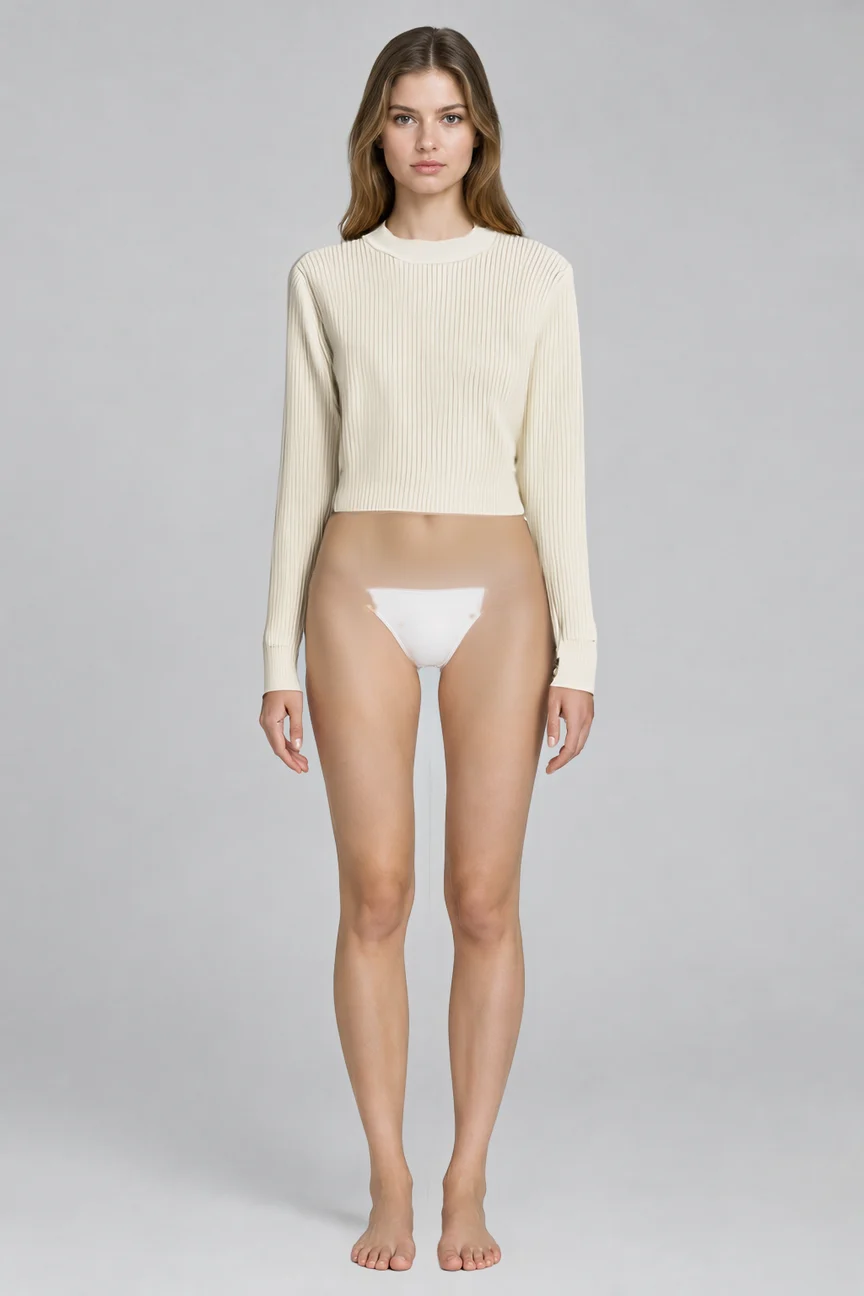
E-commerce Fitting Image: Flat-Lay Garment to Model Try-On
Centered on the fashn-tryon-v1.6 image-to-image virtual try-on, this demonstrates how to combine one studio portrait of a person with one flat-lay product photo of a garment to composite a model try-on image ready for use on a product detail page. The person image uses a clean light gray background, a front-facing upright standing pose, and soft, even lighting to reduce parsing ambiguity; the garment image is shot flat-lay, preserving the full silhouette, pattern, and fabric texture. In base, mode=quality and output_format=png are fixed to achieve higher detail fidelity, garment_photo_type is set to flat-lay, category is set to tops to match the knitwear category, and segmentation_free is left at its default. It is suitable for apparel e-commerce detail page main images, outfit showcases, and visual validation during the sampling stage, and also makes it easy to reproduce results by seed in batch production.
Style e-commerce · Product Catalog · Studio lighting
Model FASHN Tryon v1.6
Reference inputs
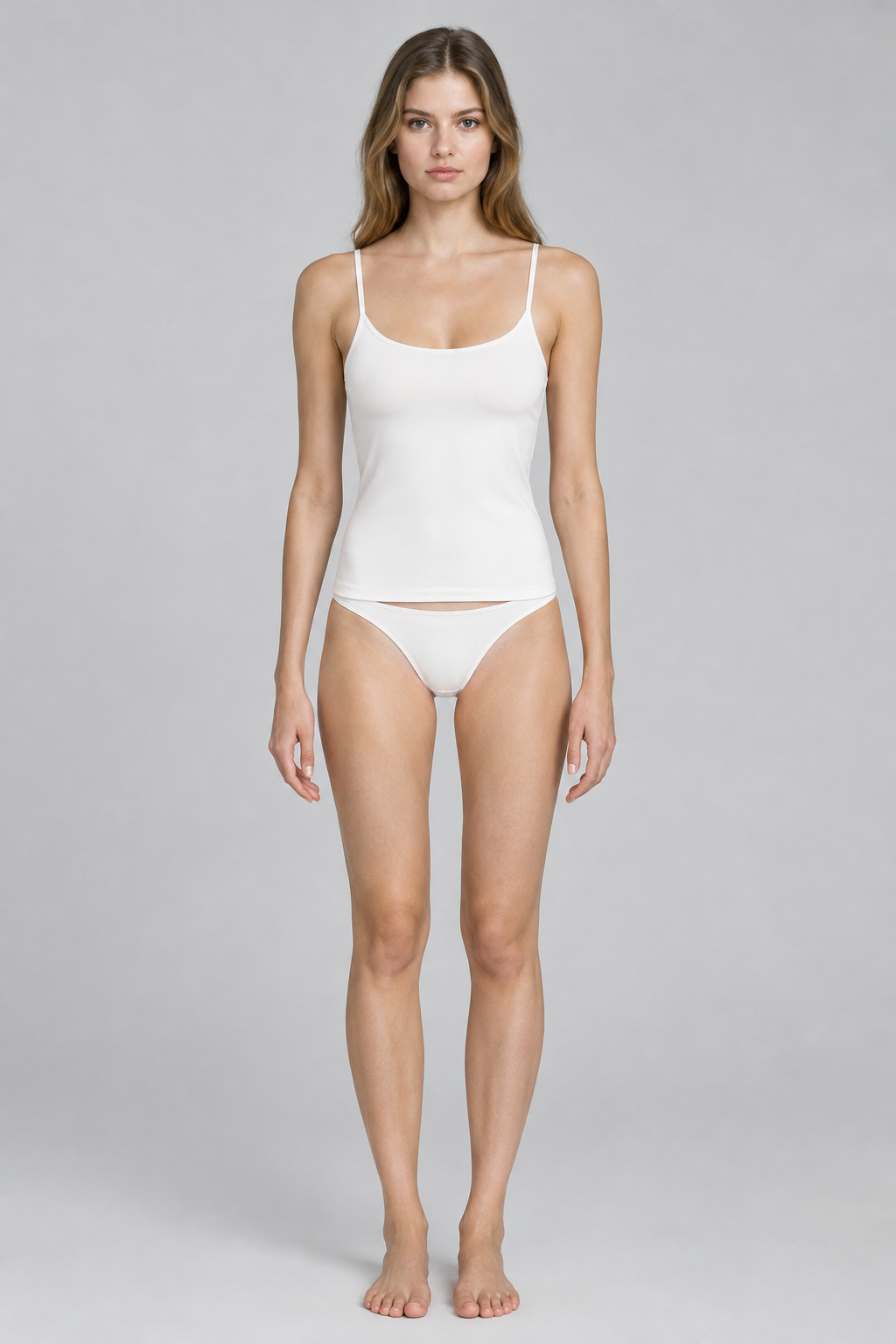
model_image
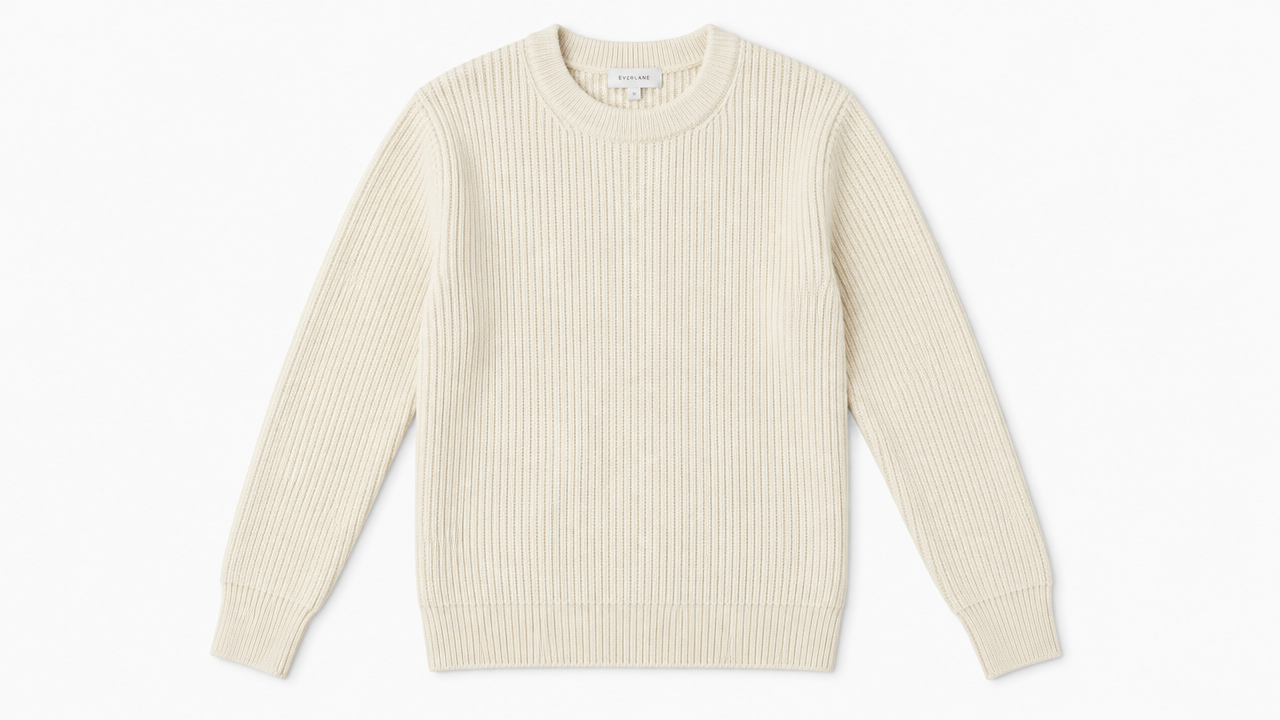
garment_image
Prompt
Studio e-commerce catalog photo, a female model standing straight and facing the camera, wearing a cream ribbed knit sweater, natural relaxed posture, arms slightly away from the body, soft diffused key light with soft fill light, seamless light gray studio background, eye-level medium full-shot half-body composition, clear fabric texture and knit pattern details, delicate fabric wrinkles and realistic shadows, clean color grading, high-end product catalog photography, 864x1296 vertical composition
Copy the full prompt and adapt it for your own generation.
Tags