
FLUX 3 Max Keyframe Motion Effects: Same-Tier Model Comparison Infographic
Turn a static comparison infographic into a short motion video: using FLUX 3 Max's keyframes input as the core, place the same infographic on the timeline as the start and end keyframes, and use prompts to constrain the camera to a slow push-in with subtle parallax, so the column data and title become clear in sequence, without changing the text or layout inside the image. The author's pipeline requires prompt and keyframes (including image_url and frame_index on a 24fps timeline), with optional resolution, aspect_ratio, duration, generate_audio, and reasoning_level; this piece uses 720p, 16:9, 10 seconds, audio enabled, reasoning_level=high, with keyframes at frame 0 and frame 240 respectively. It is suitable for quickly turning research conclusions, model selection comparisons, benchmark numbers, and other infographic materials into dynamic versions usable for social media or presentations; figures such as FLUX 3 Max's speed and Elo come from public sources and are infographic content rather than model guarantees.
Style Infographic · Keyframe Motion · Technical Analysis
Model FLUX 3 Max
Reference inputs
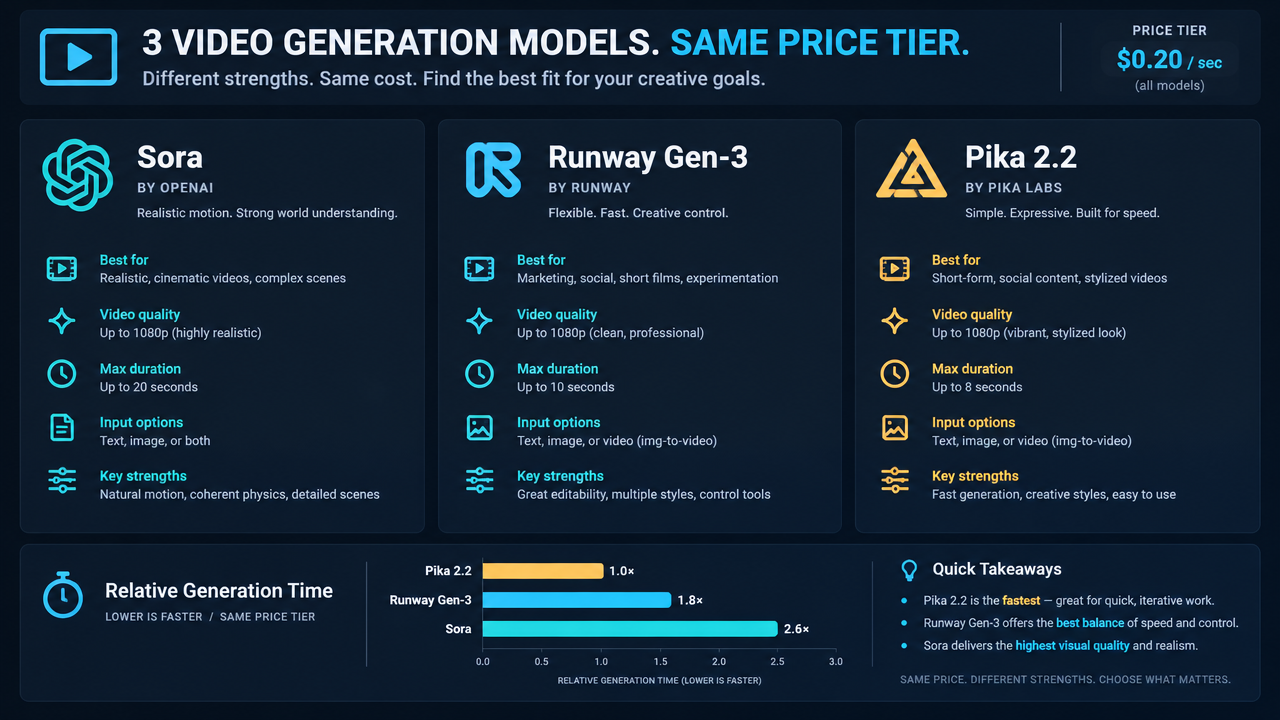
keyframes
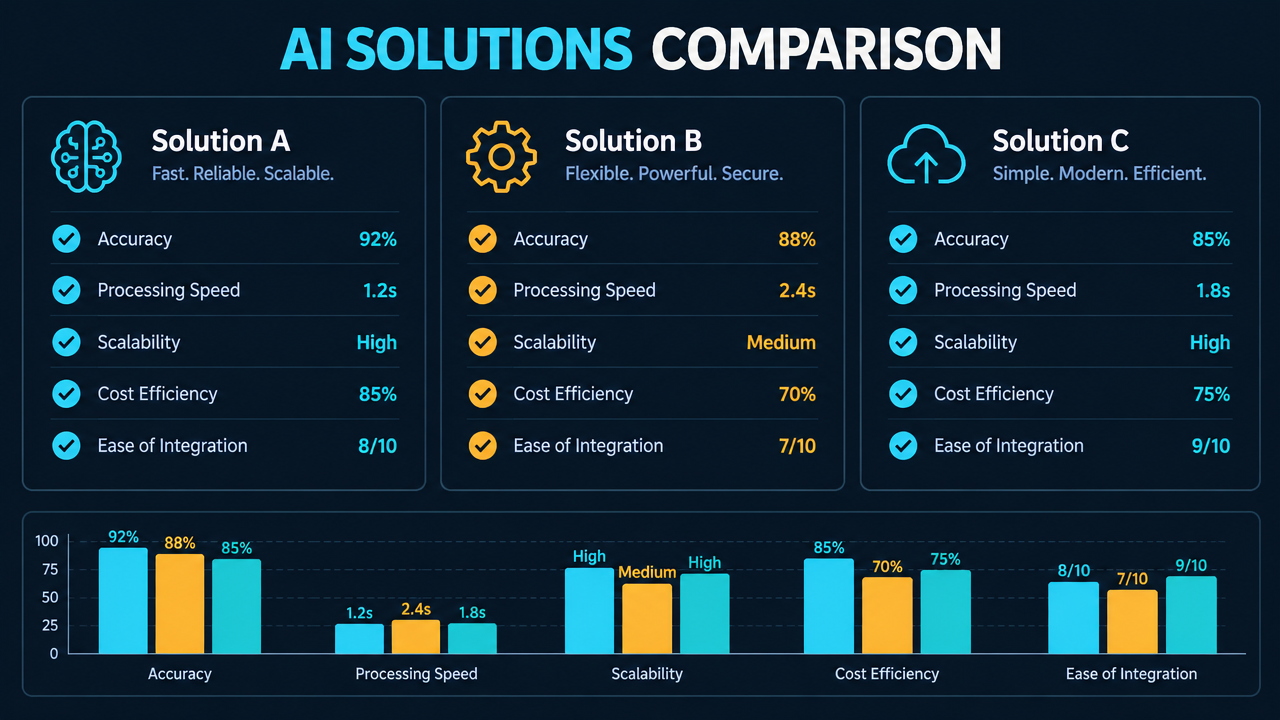
keyframes
Prompt
Turn the static comparison infographic into a short motion graphics piece. The infographic uses a clean dark-mode technical layout, with a title bar at the top, three vertical model comparison columns in the middle, and a small benchmark bar chart at the bottom. Camera: from the full infographic, push in very slowly and steadily to a slightly tighter framing, with subtle parallax between the title layer and the column layers; no rotation, no shake. Motion: elements settle in place, a thin highlight sweeps across once, passing over each column heading in sequence, and the bars of the bar chart grow slightly without changing their proportions. Fully preserve all text, numbers, and layout in the source image; do not invent or alter labels. Lighting: flat UI lighting, soft glow along the top edge, no lens flare, no particles. Mood: precise, analytical, developer-facing product explainer. Keep motion restrained and readable at 720p, 16:9, 10 seconds.
Copy the full prompt and adapt it for your own generation.
Tags