
FLUX 3 Max Image-to-Video Prompt Formula Card
Starting from a portrait-format info card, use FLUX 3 Max's image-to-video pipeline to turn the "structured prompt formula" into a playable visual guide: the camera keeps pushing in very slowly, and the card's five sections—Subject, Action, Camera, Light, and Rhythm—are highlighted and swept through one after another, creating a continuous transition from static poster to dynamic explainer. The first frame is generated from the source material and bound as image_url; non-media parameters are given in base—duration 10 seconds, 720p, 16:9, synchronized audio enabled, and reasoning_level set to high to test how well the model follows multi-layered structured prompts. Suitable for developers learning how to write prompts for image-to-video, design teams doing storyboard previews, and content creators quickly producing educational short clips.
Style prompt-design · Motion Graphics · Image-to-Video
Model FLUX 3 Max
Reference inputs
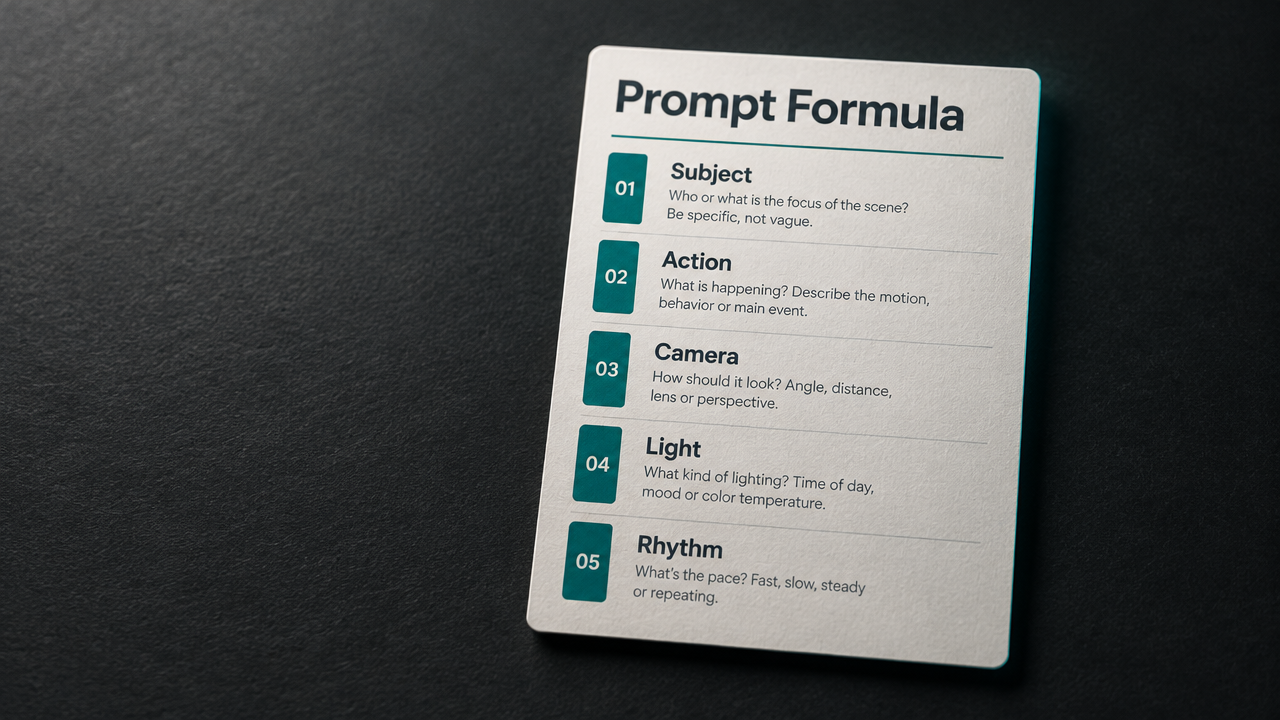
image_url
Prompt
A slow, cinematic dolly-in shot aimed at a portrait-format infographic card titled "Prompt Formula." The card sits on a dark matte desk under soft directional key lighting with a faint teal rim light. Five sections are arranged vertically on the card, labeled Subject, Action, Camera, Light, and Rhythm; as the camera slowly moves closer, these five sections light up one after another with a thin animated underline and highlight. The paper texture is fine, the depth of field is shallow, and the overall color palette is restrained, dominated by charcoal gray, off-white, and teal accents. The motion is steady and minimalist, with no cuts, and the overall pacing is calm, suitable for a developer-facing tutorial short.
Copy the full prompt and adapt it for your own generation.
Tags