
Gemini Omni Flash Image-to-Video: Core Parameters Visualized
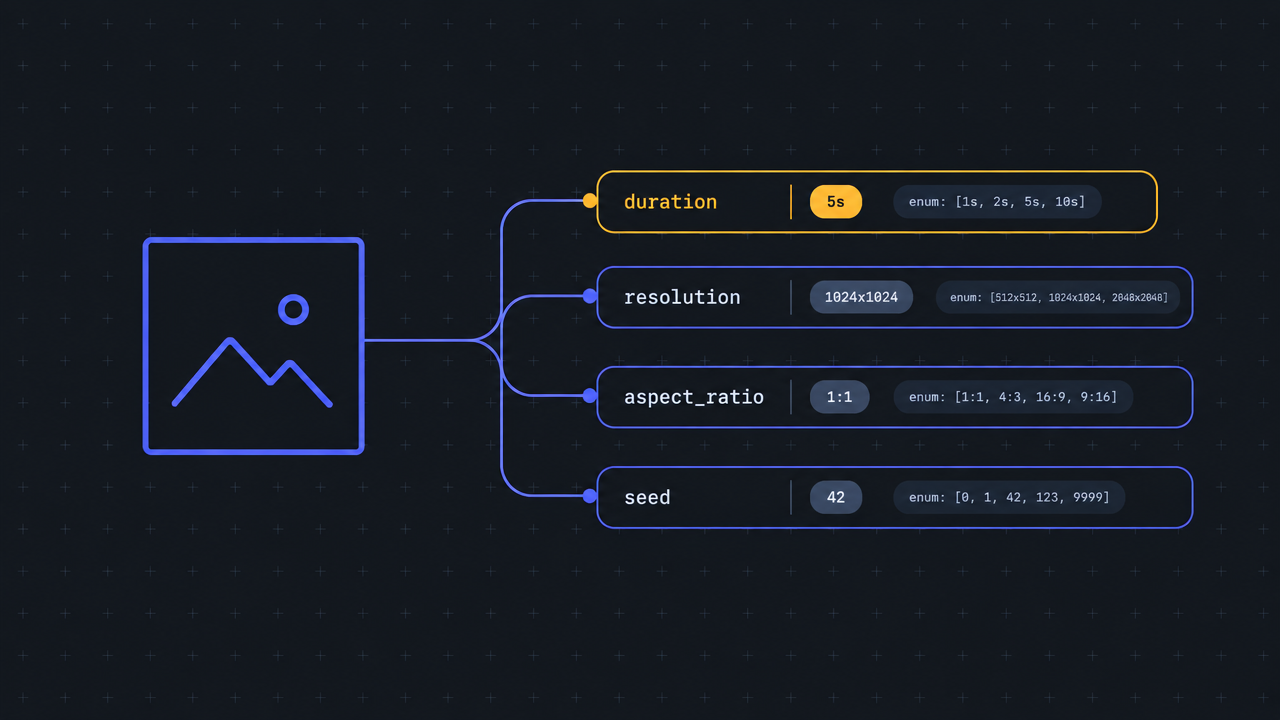
Using an 8-second, 16:9 animated explainer video, this clearly explains the input structure of gemini-omni-flash/image-to-video: there is only one required image input, image_urls (maxItems 1); the required prompt is used to describe how the scene moves and produces sound; optional parameters include duration (4/6/8/10 seconds, default 8), resolution (720p/1080p/4k, default 720p), aspect_ratio (16:9/9:16, default 16:9), and seed (0..2147483647, used for reproducibility). The piece uses a static parameter-card-style image as its first frame, and the image-to-video model drives the dynamic effects of camera push-in and control highlighting. It is suitable as a capability demonstration for documentation sites, model detail pages, and developer teaching scenarios. The image prompt in the scene is generated from this work's assets and then bound to image_urls[0], making it easy to see intuitively how "one input image + one motion description" forms a real API call.
Style Technical explanation · Motion Design · api-docs
Model Gemini Omni
Reference inputs
image_urls
Prompt
Turn a clean technical infographic card into a short explainer video. The camera slowly and steadily pushes in from a wide shot to a medium shot of the parameter panel; a subtle parallax effect appears between the background grid and the foreground card. Soft highlights sweep across each parameter row in sequence—duration, resolution, aspect ratio, seed—while an input image thumbnail on the left flashes once to indicate that an input image is required. Flat vector UI aesthetic, dark charcoal background, restrained indigo and amber accent palette, monospace font labels, and thin connecting lines that draw themselves between the image input and the parameter blocks. Smooth 24fps motion, no camera shake, no text distortion, steady and precise pacing, ending on a stable frame with all rows evenly lit.
Copy the full prompt and adapt it for your own generation.
Tags