
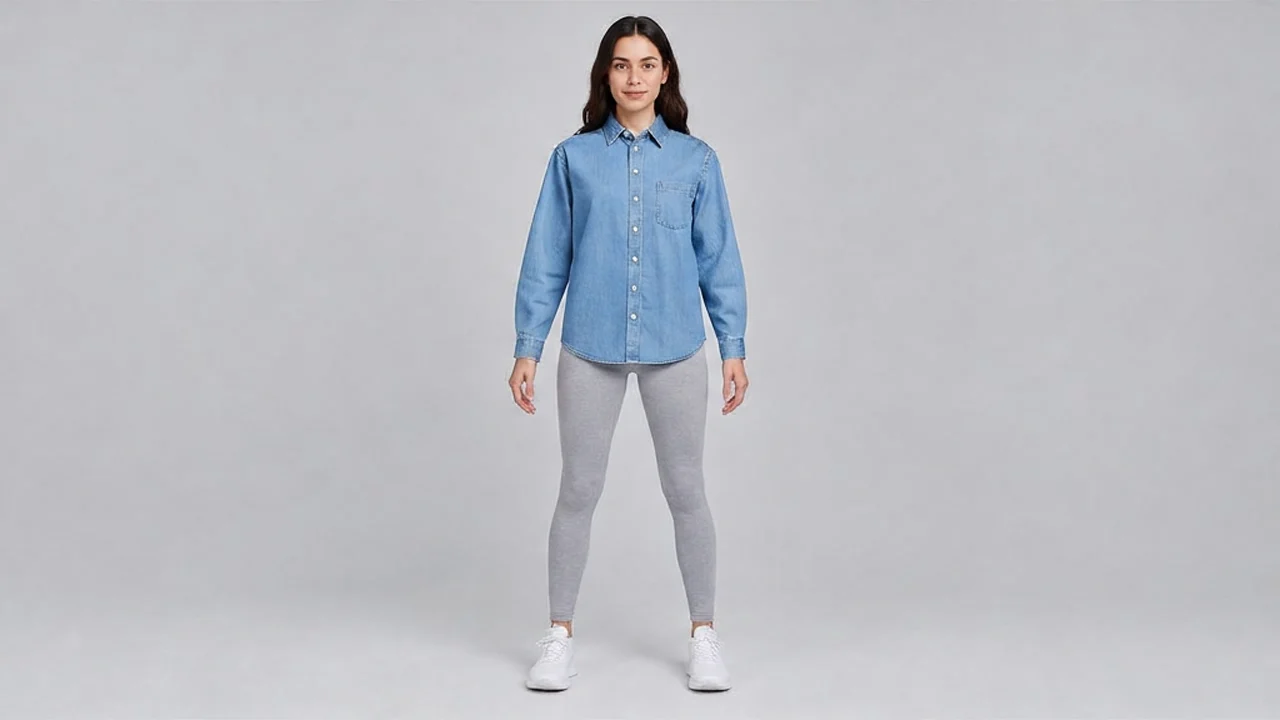
E-commerce-Grade Virtual Try-On Output: White-Background Studio Quality
This work demonstrates how to organize prompts for google-virtual-try-on (image-to-image) in e-commerce apparel output scenarios. The author's pipeline uses a minimal input: only two http(s) image URLs — a full-body portrait photo and a product image of the garment — plus a fixed image count cap of 1; all remaining visual control depends entirely on the quality of the two input images. The planning focus is therefore "assets first" — one prompt generates a clean, evenly lit, neutrally posed full-body shot of the model, and another prompt generates a flat-lay garment image on a white background with no shadows and a clear silhouette; together these determine how controllable the try-on result will be. Applicable scenarios include: quickly previewing how a garment looks when worn before a new product launch, producing styling reference images for product detail pages in batches, and generating multi-channel versions of the same outfit for social media and ad creatives. Note that this capability cannot reflect how well different sizes fit; the generated images are visual approximations and cannot replace confirmation of real fabric and silhouette.
Style ecommerce · Studio lighting · fashion-lookbook
Model Google Virtual Try-On
Reference inputs
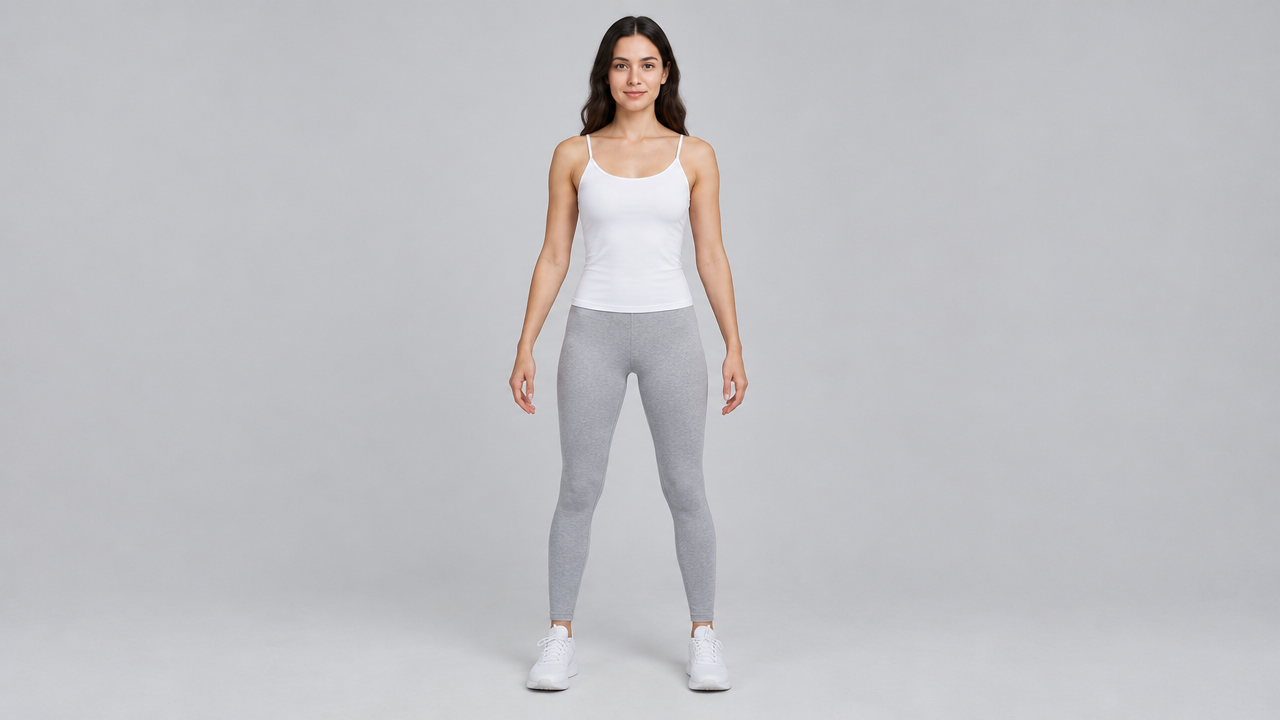
person_image_url
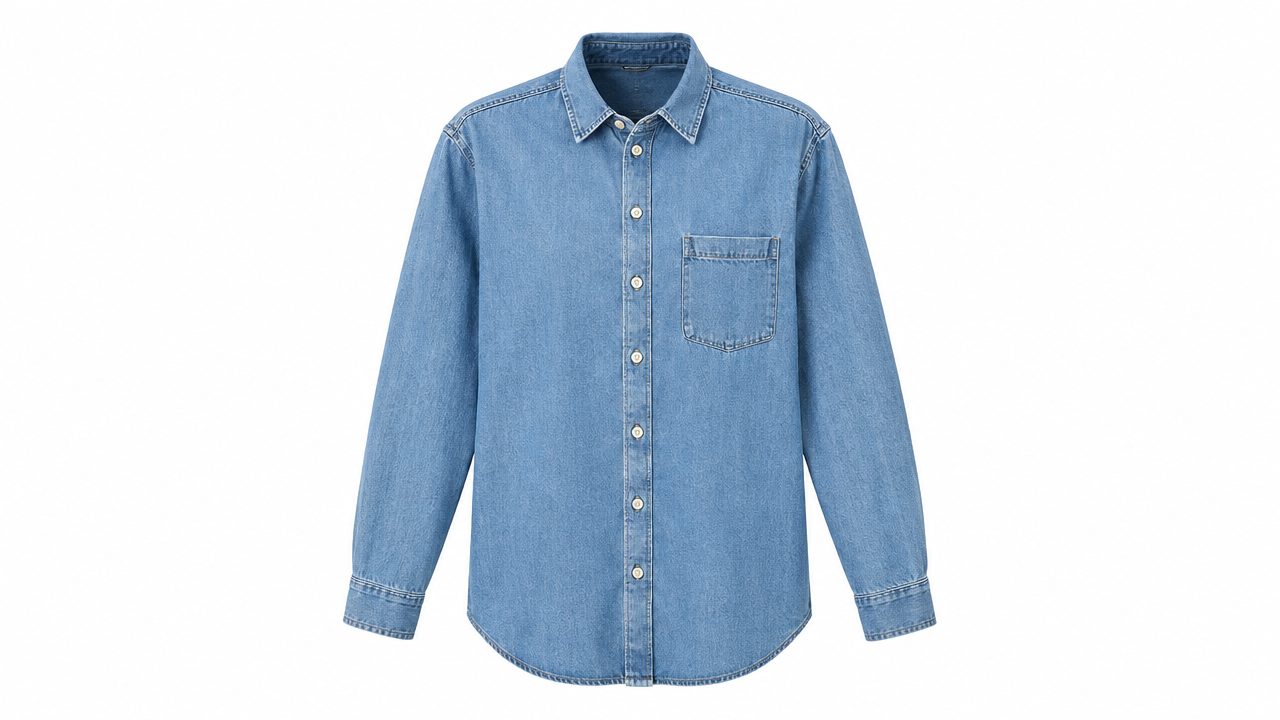
product_image_url
Prompt
E-commerce virtual try-on product photography: a full-body fashion editorial rendered at studio-grade quality. The model stands in a relaxed three-quarter stance in front of a seamless light gray background; the key light is a soft, large-area source from camera left, with subtle fill light from the right, and a soft shadow on the floor firmly grounds the figure. The drape, folds, stitching, and fabric texture of the garment are crisp and sharply detailed, with natural light falloff; colors are faithful to the original garment. Shot with an 85mm lens at eye level, full-body framing with headroom above the head, focus falling clearly on the garment, clean neutral color grading, output ready for direct use in product catalogs, with no distracting props or text overlays.
Copy the full prompt and adapt it for your own generation.
Tags