
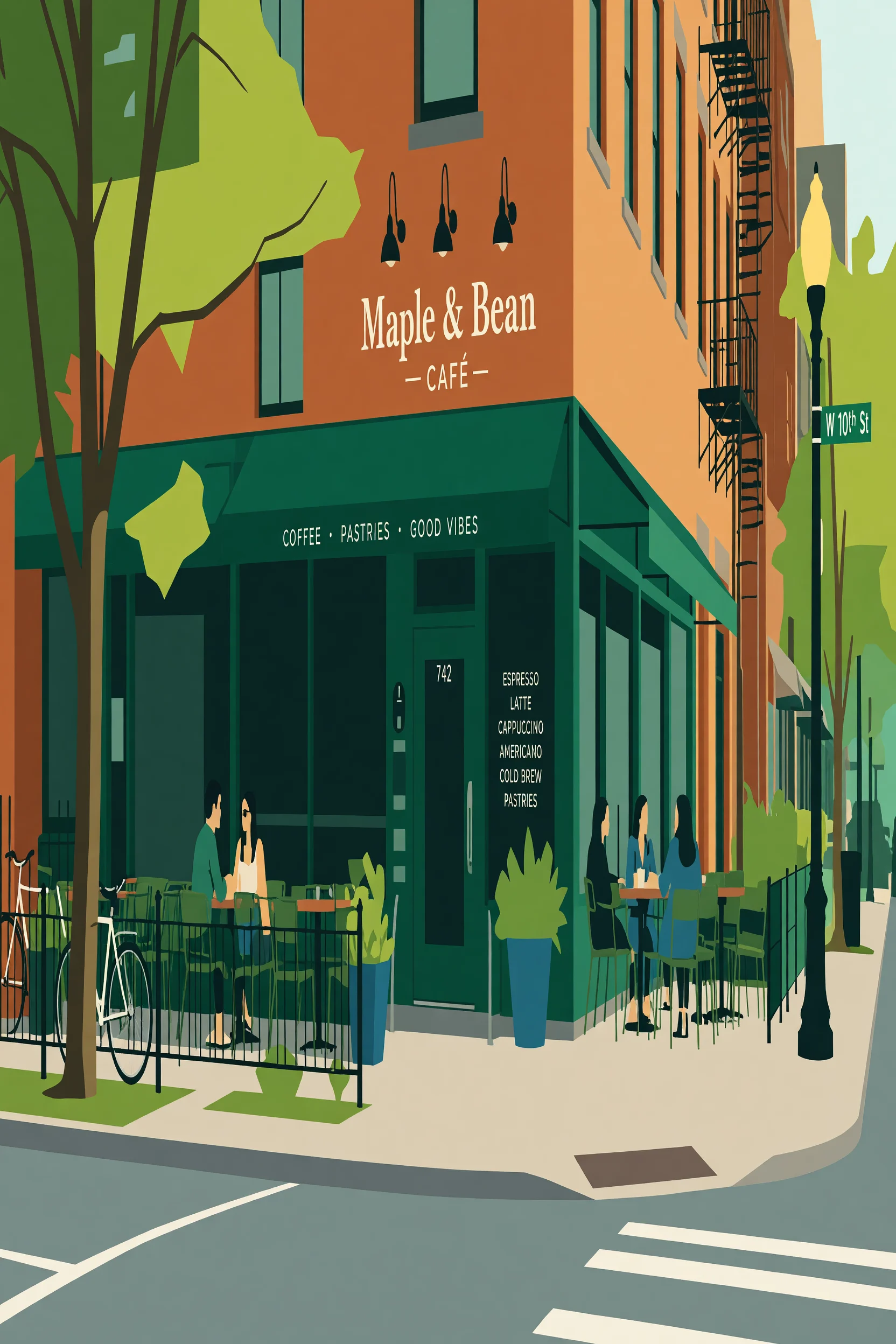
Realistic to Flat: Four Levels of Illustration for the Same Scene
Using a realistic photograph as the reference image, apply grok-imagine/image-to-image's reference image editing capability to progressively "illustrate" the same scene level by level: keep the subject and composition, and change only the rendering language. The reference image provides real light sources, materials, and perspective, while the prompt controls the degree of shape simplification, color-block boundaries, and flat-fill layers, thereby forming a comparable spectrum between realistic photography and flat illustration.
Style style-transfer · Flat illustration · Image Editing
Model Grok Imagine
Reference inputs
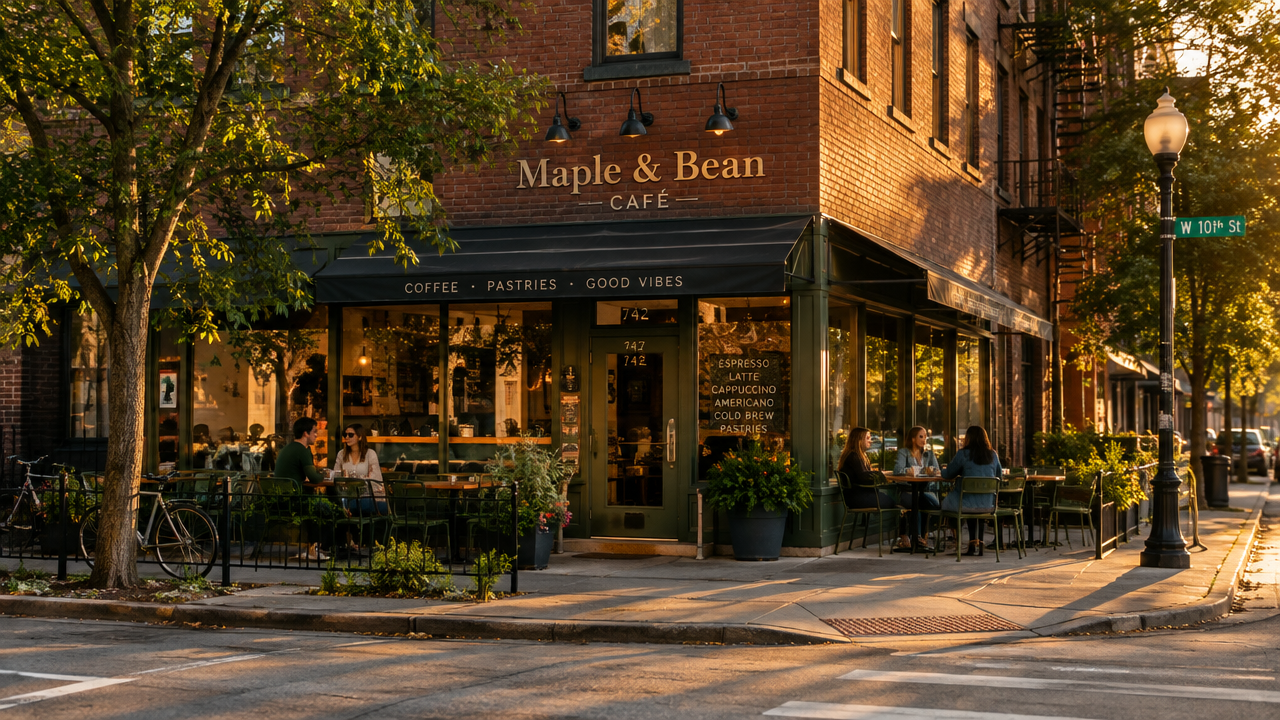
image_urls
Prompt
Convert the reference photo into a flat vector illustration: keep the original subject, composition, and camera viewpoint, but simplify all forms into geometric shapes with crisp, clean edges. Replace photographic gradients with a small palette of 5-7 flat color blocks, add subtle grain-free tonal shading only where volume needs to be conveyed, remove micro-textures and fine details, and simplify vegetation, fabric, and architectural surfaces into layered silhouettes. Preserve the scene's original lighting direction, expressed with a single lighter plane on each form. Centered composition, ample negative space, poster-like balance, modern editorial illustration style, 16:9 aspect ratio.
Copy the full prompt and adapt it for your own generation.
Tags