
From Storyboard to Motion: Grok Imagine Image-to-Video Concept Transformation
Using a single storyboard concept image as the sole input, let Grok Imagine's image-to-video capability turn the static frame into a continuous shot, demonstrating the "text → image → motion" transformation pipeline. For composition, only the image_urls required by the schema are used (a single reference image), together with mode and duration to control the motion style and length; since this is a single-image input, the output aspect ratio automatically follows the reference image's ratio, so aspect_ratio is not set separately. The reference image itself targets a scene concept image with a professional photographic quality, emphasizing volumetric light, material texture, and depth composition, so that the model can keep the subject, lighting, and visual direction stable during animation. The prompt only describes camera movement and atmospheric rhythm (slow push-in, subtle handheld drift, flowing volumetric light), avoiding rewriting the image content. Use cases: early-stage visual validation for storyboards, prototypes for short ads and social media assets, and animated previews of illustrations or concept art. A single segment's duration is limited by the model to the 4–15 second range; this piece takes a mid-range value to balance a complete camera-movement loop with generation cost.
Style Storyboard · Cinematic · Concept Art
Model Grok Imagine
Reference inputs
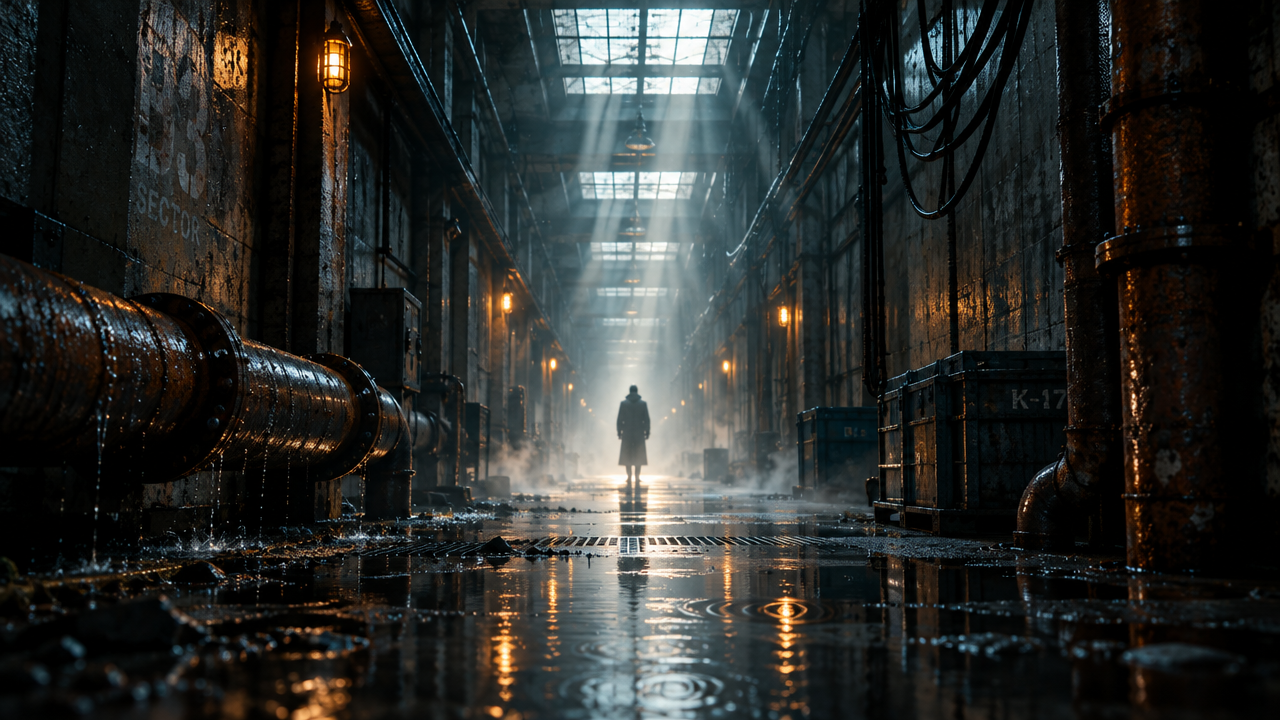
image_urls
Prompt
A slow cinematic push-in focused on a lone figure standing at the end of a rain-soaked industrial corridor, volumetric light beams piercing drifting mist, shallow depth of field with a subtle handheld floating feel, faint rippling reflections on the wet concrete, dust particles glinting in the backlight, steady and atmospheric pacing, no cuts, cinematic color grading, high-contrast rim lighting, photorealistic texture detail.
Copy the full prompt and adapt it for your own generation.
Tags