
Prompt Formula Card: A Structured Approach to Image-to-Video
Turn the "image-to-video prompt formula" into a readable animated explainer card: use a single static infographic as the sole input image, and let the model produce a subtle push-in and parallax while keeping the layout and text unchanged, resulting in a video version of the card that can be embedded in documentation or tutorials. On the content side, the prompt is split into five slots—subject and action, camera movement, lighting and atmosphere, physical details, and sound cues—mapped to what the author's schema describes as "how the image moves and sounds." Suitable for developer documentation, internal training, and prompt engineering teaching scenarios, helping readers understand that structured phrasing is more stable than natural-language prose. This work is genuinely generated by the gemini-omni-flash/image-to-video author pipeline, driven by a single image, with restrained camera movement to ensure card readability.
Style Explanation · Motion Graphics · Tutorial
Model Gemini Omni
Reference inputs
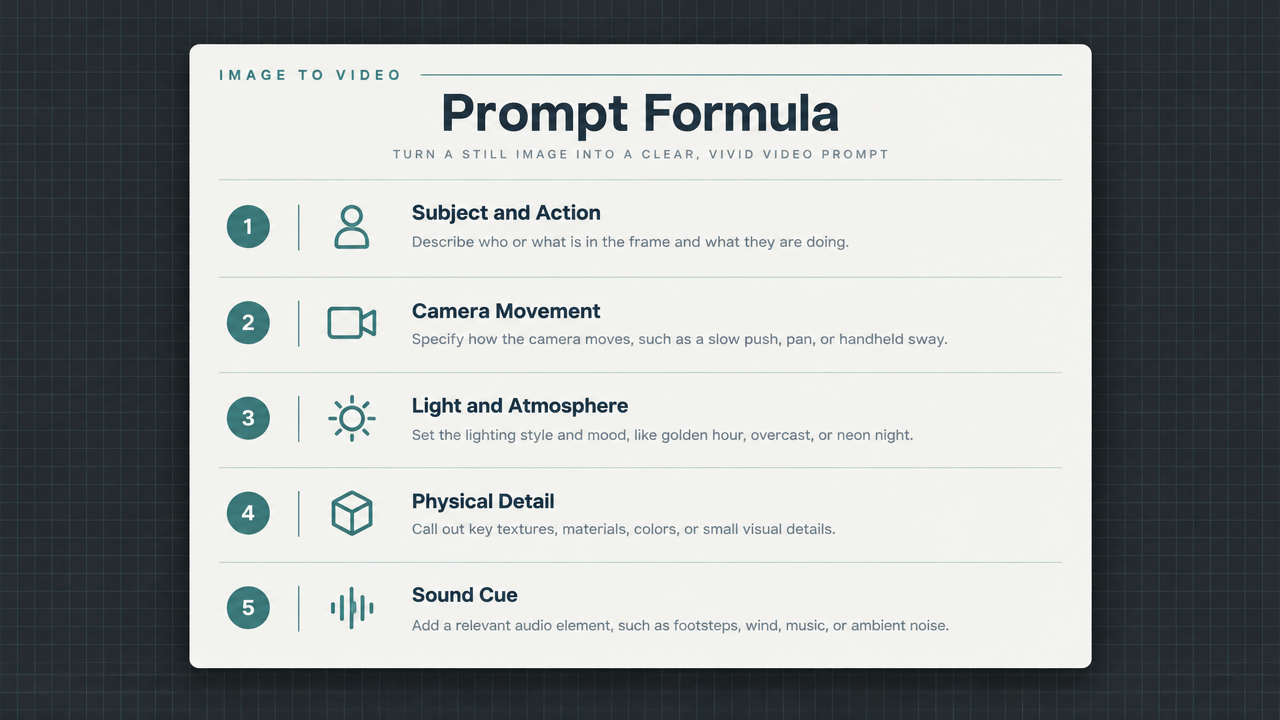
image_urls
Prompt
Animate the provided infographic card with restrained camera movement: a slow horizontal dolly from left to right combined with a subtle 1.02x push-in, ensuring all text and layout remain clearly legible without distortion. Add soft parallax between the card surface and its background shadow, let a gentle light sweep across the card once, and introduce faint floating dust particles to enhance depth. Keep the camera level, with no rotation, no cuts, no added elements, and no text changes. Overall, present a calm, technical, editorial atmosphere suitable for a developer tutorial; keep a steady pace with constant-speed motion throughout the duration.
Copy the full prompt and adapt it for your own generation.
Tags