
Kling 3.0 Turbo Image-to-Video: Core Parameters and Use Cases Illustrated
Starting from a parameter info card as the first frame, use Kling 3.0 Turbo's image-to-video path to "perform" it into a readable dynamic explainer: the camera slowly pans across the card and pushes in slightly, bringing four key points into view one by one—prompt, duration, resolution, and reference image count. The piece is meant to explain the model's input structure to developers—prompt (up to 2500 characters, may include quoted dialogue), duration (3–15 seconds, default 5), resolution (720p/1080p, default 720p), image_urls (a single first-frame image, jpeg/png, no more than 10MB)—and to note that it is positioned toward rapid previews and prompt testing rather than final-cut-level consistency. Suitable as a visual example for model integration docs, a parameter quick-reference page, or internal team model-selection materials.
Style Image-to-Video · Product Demo · Technical Explanation
Model Kling 3.0 Turbo
Reference inputs
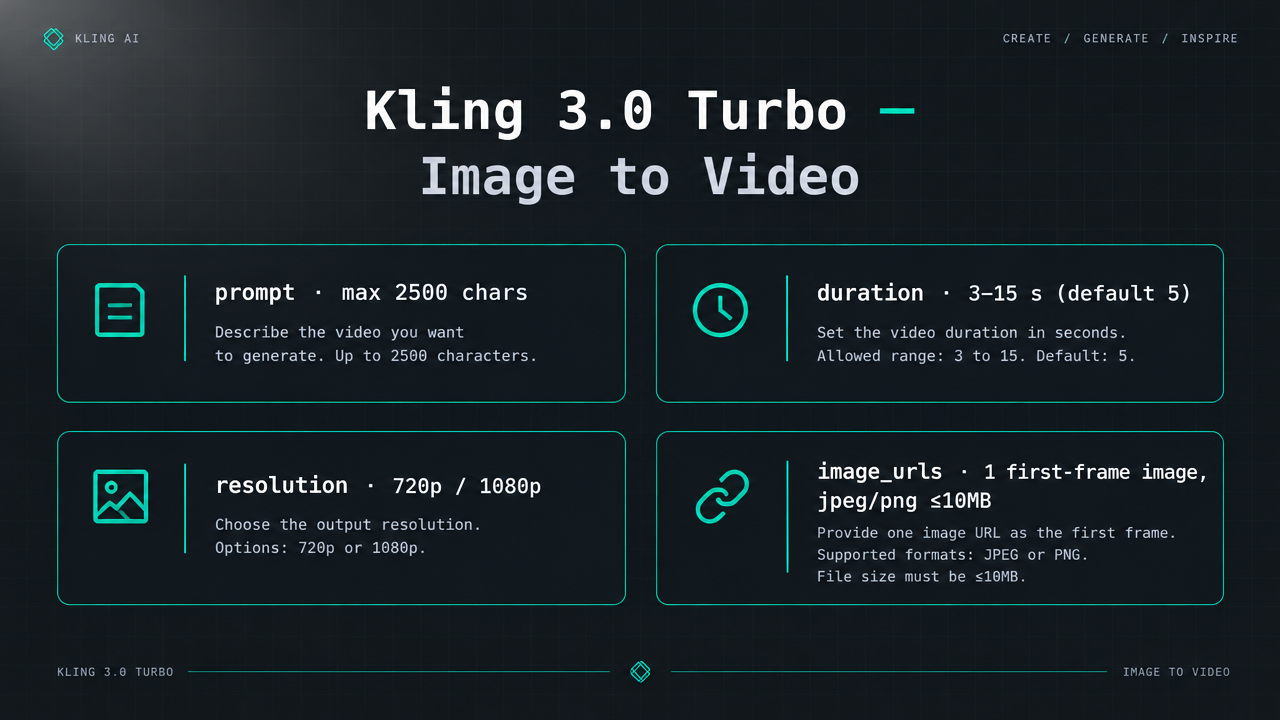
image_urls
Prompt
A slow, steady camera push-in with a gentle lateral drift, gliding across a clean dark technical poster; as the typographic layout animates in sequence, the parameter blocks on the poster remain clearly legible—prompt, duration, resolution, reference image—with faint glowing accents and shallow depth of field. The motion is restrained and linear, like documentation-style motion graphics, with no cuts and no shake; soft studio lighting with cool cyan highlights on a graphite background, focus falling sharply on the central card, 5 seconds, 720p.
Copy the full prompt and adapt it for your own generation.
Tags