
Storyboard Concept: Translating Text into On-Screen Shots
Using Kling 3.0 Omni's image-to-video pipeline, this demonstrates the conversion workflow from "storyboard concept draft → dynamic shot": first lock in composition, lighting, and character placement with a first-frame concept image, then describe camera movement and pacing through prompts, giving the static storyboard a time dimension. The work also demonstrates two common previsualization approaches—first-and-last-frame input (1 image as the first frame, 2 images as the first and last frames) and smart multi-shot storyboard planning—suitable for early-stage shot design in film and animation, advertising storyboard pitches, and creative review scenarios that require rapid validation of cinematic language.
Style Storyboard · Concept Art · Cinematic
Model Kling 3.0
Reference inputs
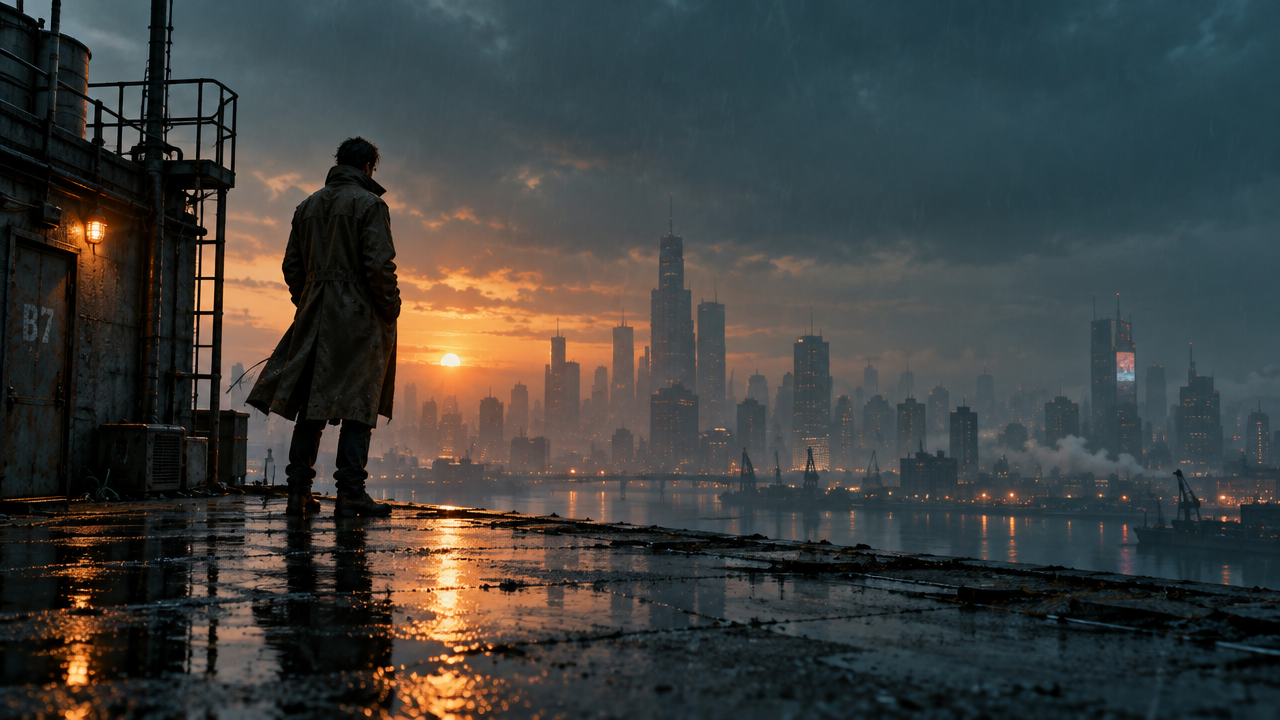
image_urls
Prompt
Cinematic concept shot: at dusk, a solitary figure in a worn-out coat stands at the edge of a rain-soaked industrial rooftop, distant city lights softened by mist. A slow push-in from a wide establishing shot, ending with a slight crane rise, shallow depth of field, anamorphic widescreen lens flare, cool cyan shadows and warm sodium-lamp backlight, fine rain streaks glinting in the light, a subtle handheld breathing feel, 24fps cinematic motion, transforming the concept-art storyboard into live-action pacing.
Copy the full prompt and adapt it for your own generation.
Tags