
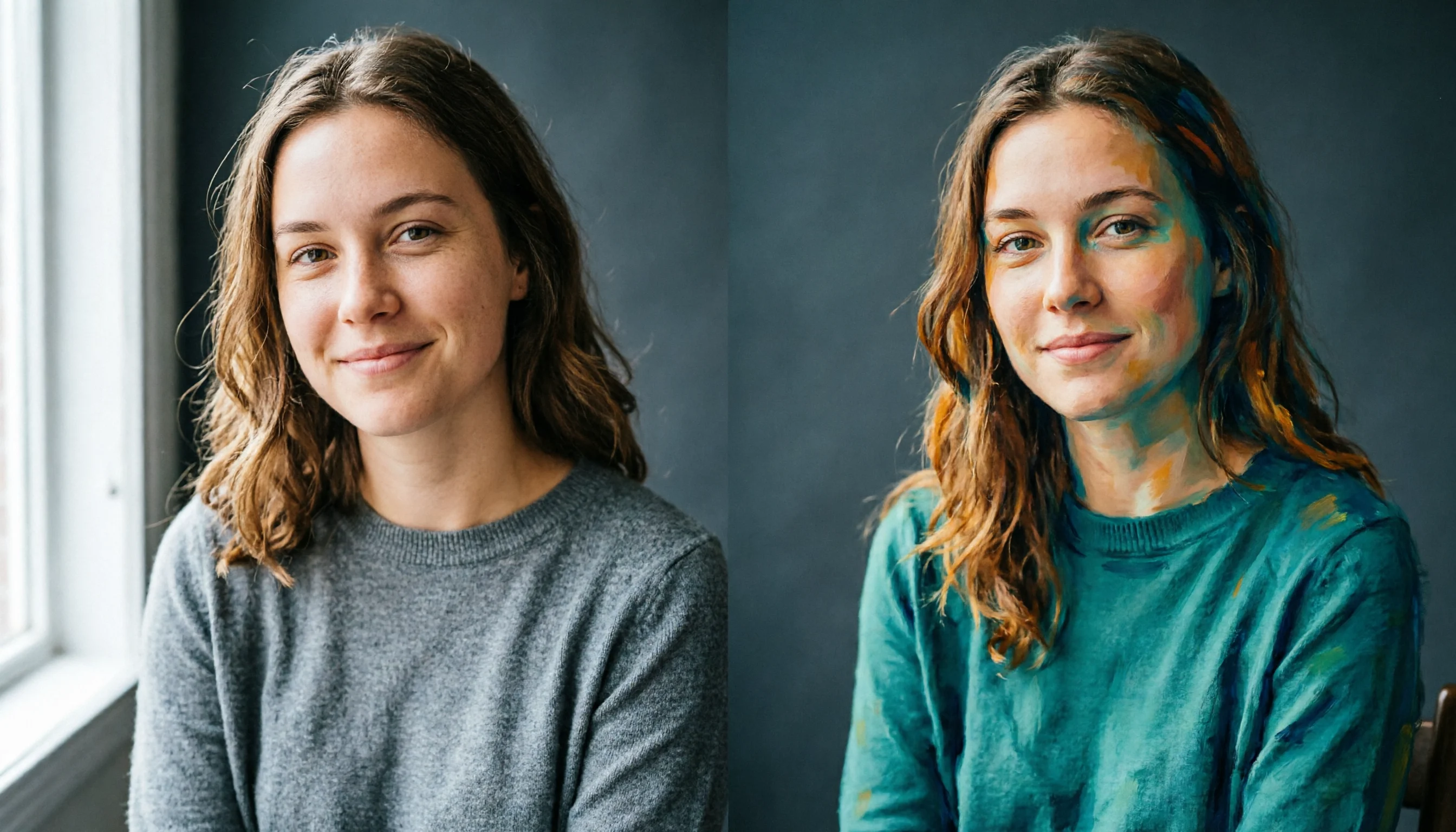
Qwen-Image-2.0 Portrait Prompt Style Reference: Realism and Artistic Diptych
Using the same portrait subject, this compares two prompt approaches to demonstrate the controllable difference of Qwen-Image-2.0 between realistic photographic texture and artistic stylized rendering. The work is genuinely generated by the author's pipeline as a single diptych composition: the left half is a shallow-depth-of-field natural-light portrait, and the right half is a stylized painterly-texture portrait. It provides developers with a directly reusable prompt structure reference—the organization of subject description, lens and lighting, and material and style in three sections. It serves as a baseline prompt template for portrait applications and also facilitates effect comparison in long-instruction and 2K output scenarios.
Style Portrait & Photography · Photorealistic · Stylized rendering
Model Qwen Image 2.0
Prompt
A 16:9 portrait reference image, divided into two equal-width vertical panels, showing the same seated young woman against a soft neutral studio background. Left panel: a realistic-style magazine portrait, 85mm lens look, shallow depth of field, soft window light from the left, natural skin texture, visible pores and subtle freckles, a relaxed slight smile, wearing a plain gray knit sweater, warm neutral color grading. Right panel: the same woman rendered in a stylized painterly fashion-magazine language, bold graphic shapes, flat shading, a saturated teal and amber palette, visible brushstroke edges, slight print grain. Both panels are half-body compositions, centered, clean dark gray wall, no text or logos, continuous and balanced lighting across both sides of the split screen, high detail, professional color management.
Copy the full prompt and adapt it for your own generation.
Tags