
Storyboard Concept Visualization: Text to First Frame to Camera Movement
An example for film/animation pre-production storyboard previz: first use an image model to freeze a textual scene description into a 16:9 keyframe image, then use that frame as the input image and generate an 8-second camera movement clip through the author line's image-to-video capability. It consists of one keyframe asset plus one set of base parameters (resolution, duration, aspect ratio, audio toggle, and negative prompt), demonstrating the "text → image → camera movement" transformation chain. Suitable for concept title sequences, dynamic storyboard drafts, and pitch presentations; because the duration of a single generation is limited, multi-shot coherent narrative still needs to be split into multiple generations and edited manually afterward.
Style Storyboard · Cinematic · Image-to-Video
Model Veo 3.1
Reference inputs
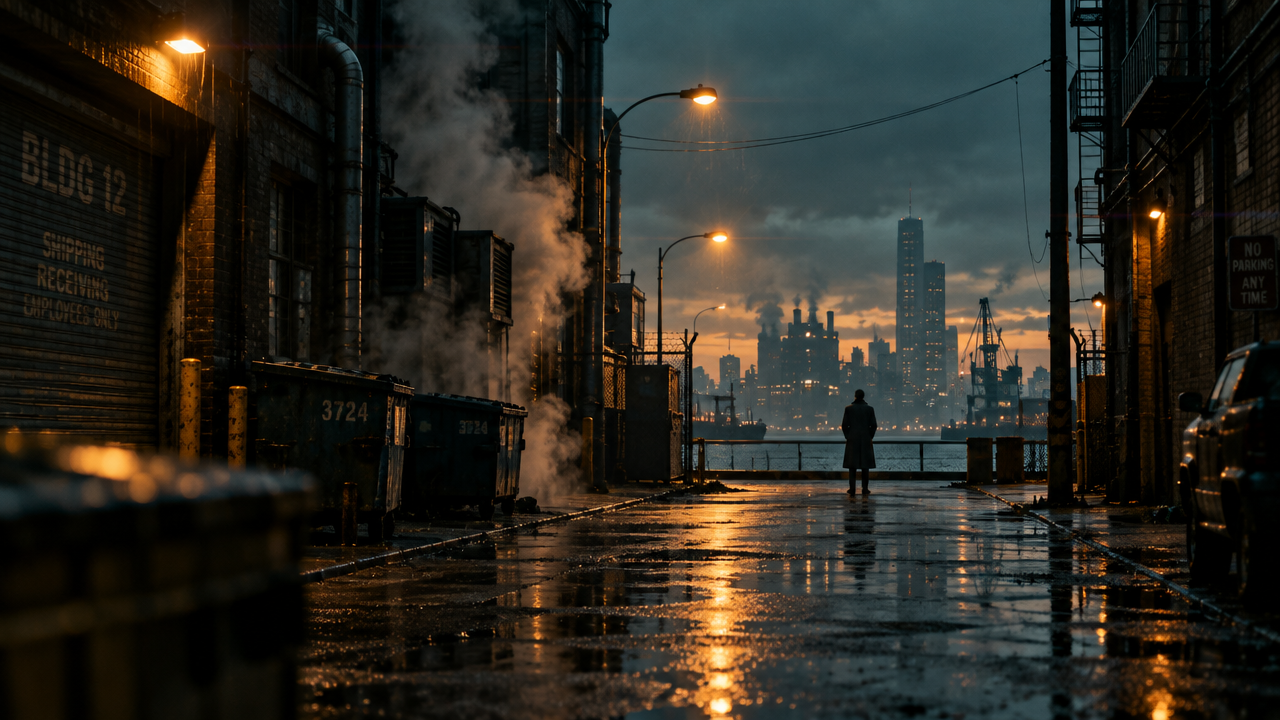
image_url
Prompt
Turn a single cinematic keyframe into a slow, controlled camera movement: a gentle push-in from a wide establishing shot toward the subject, with subtle parallax in the foreground dust and drifting haze. Keep the original composition and color grading unchanged, maintain a shallow depth of field, and let the light shift softly as if cloud shadows are passing over. Ambient wind and distant indoor room tone support the scene; no cuts, no text overlays, steady pacing within eight seconds.
Copy the full prompt and adapt it for your own generation.
Tags